


SimpleTOC – Table of Contents Block
SEO-friendly Table of Contents Gutenberg block. No JavaScript or CSS by default.

Sichere Auswahl
Yes — SimpleTOC is a safe, well-maintained plugin to use in 2026. It runs on 10K+ sites, is rated 4.9/5 and was last updated 7 days ago, and scores 94/100 on our health check.
- Bewährt im Maßstab auf 10k + aktiven Standorten
- Loved by users — 4.9/5 from 77 reviews
- Aktiv entwickelt – letztes Update vor 7 Tagen
- Getestet mit dem neuesten WordPress (7.1)
Wie stapelt es sich?
Side-by-side bei Installationen, Updates, Bewertungen und Support


Tägliche Downloads
Download-Spitzen folgen normalerweise einer neuen Version - jede Website, die automatisch aktualisiert wird, gilt als Download.
Ranglisten
Where SimpleTOC stands todayWordPress.org Ranglisten suchen
Live-Position in der Plugin-Suche, Top 100| Stichwort | Position |
|---|---|
| accessibility | #58 |
| Block | #72 |
| Tabelle | #24 |
| table of contents | #8 |
| toc | #3 |
Versionsübernahme
Anteil aktiver Sites pro Release.
Bewertungsaufschlüsselung
★★★★★★★★★★ 4.9 from 77 reviews
About SimpleTOC – Table of Contents Block
From the official readme · v7.4.3Beschreibung
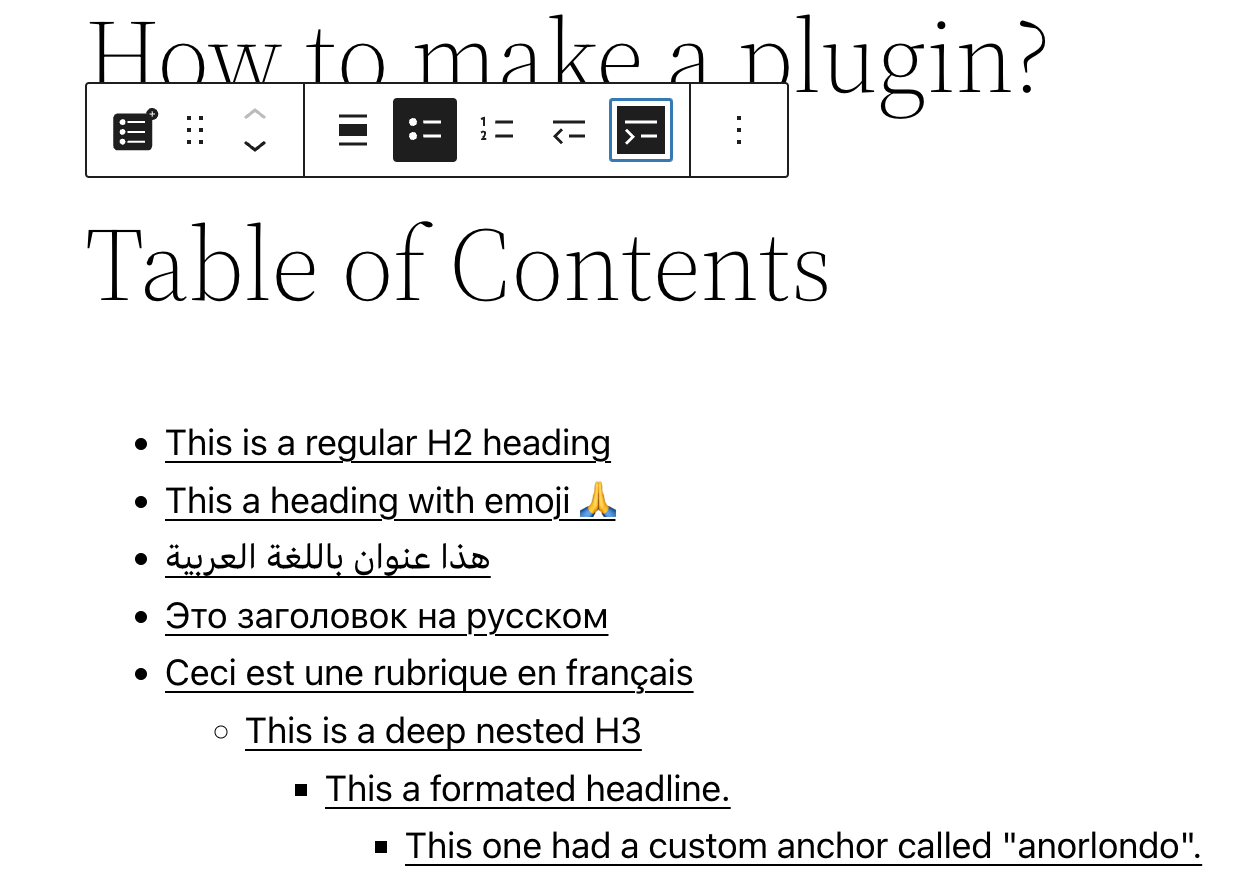
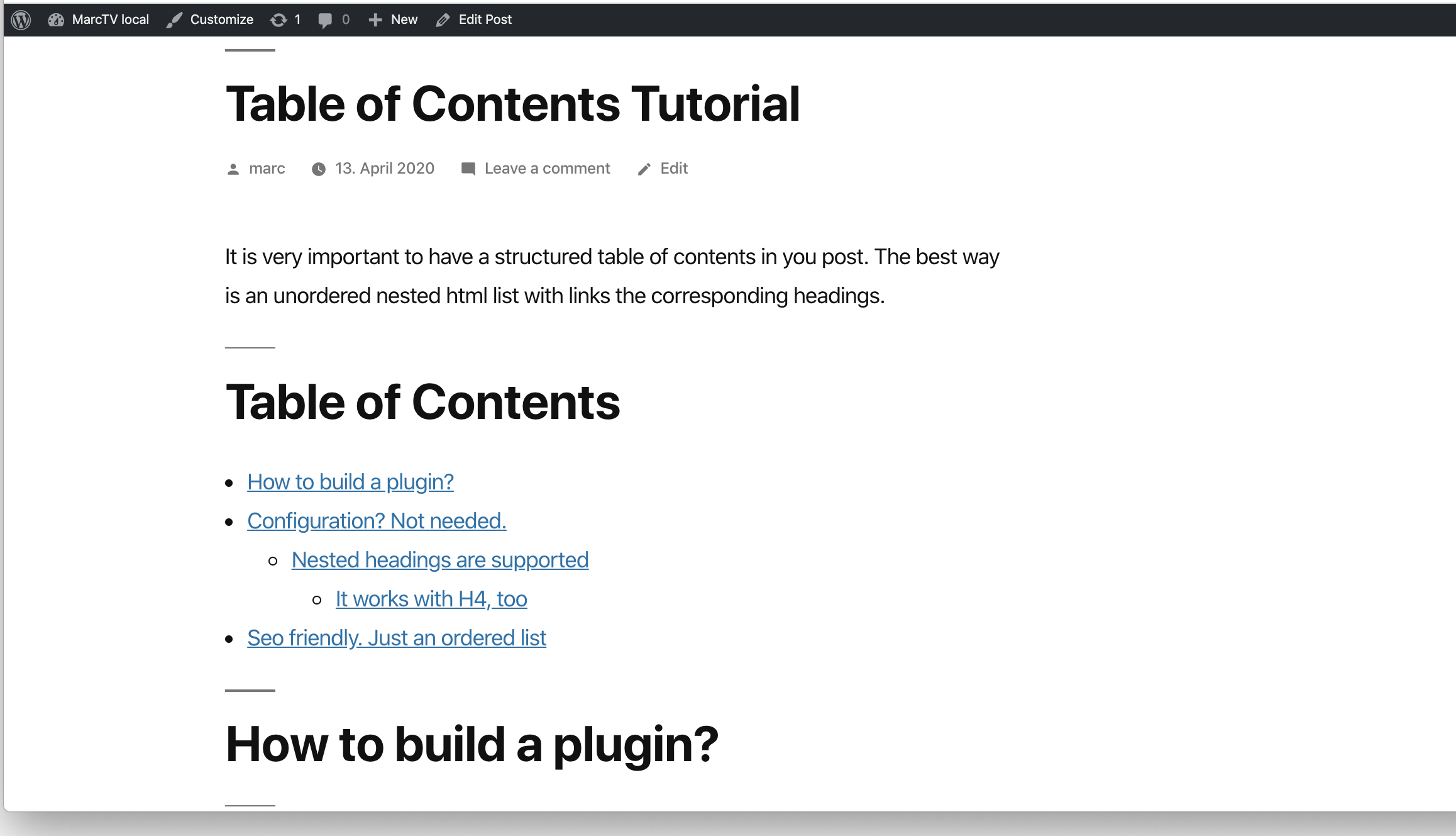
Add a Table of Contents block to your posts and pages. The TOC is a nested list of links to all heading found in the post or page. To use it, simply add a block and search for “SimpleTOC” or just “TOC”.
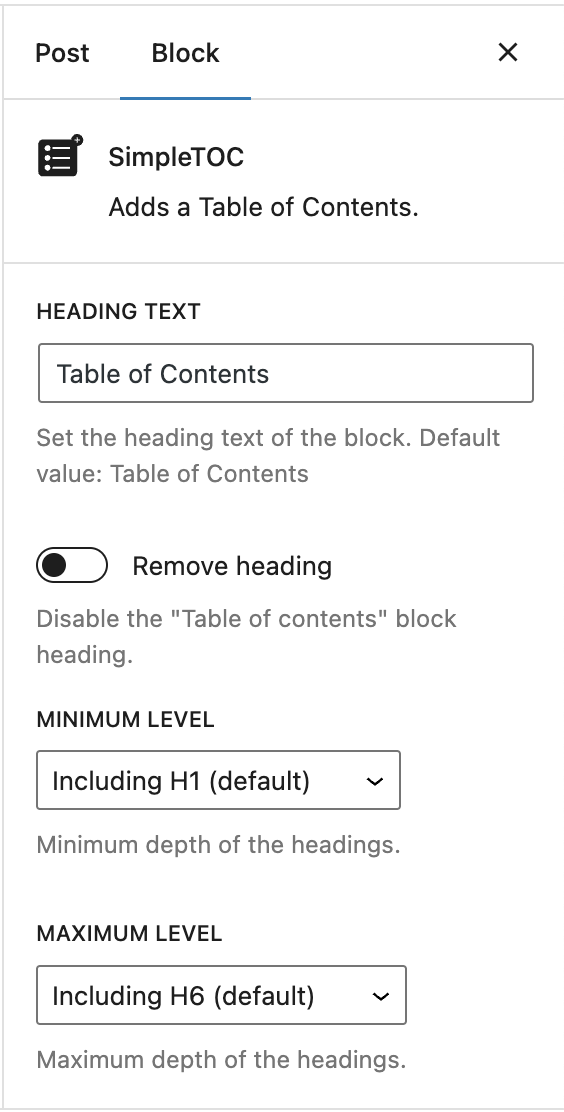
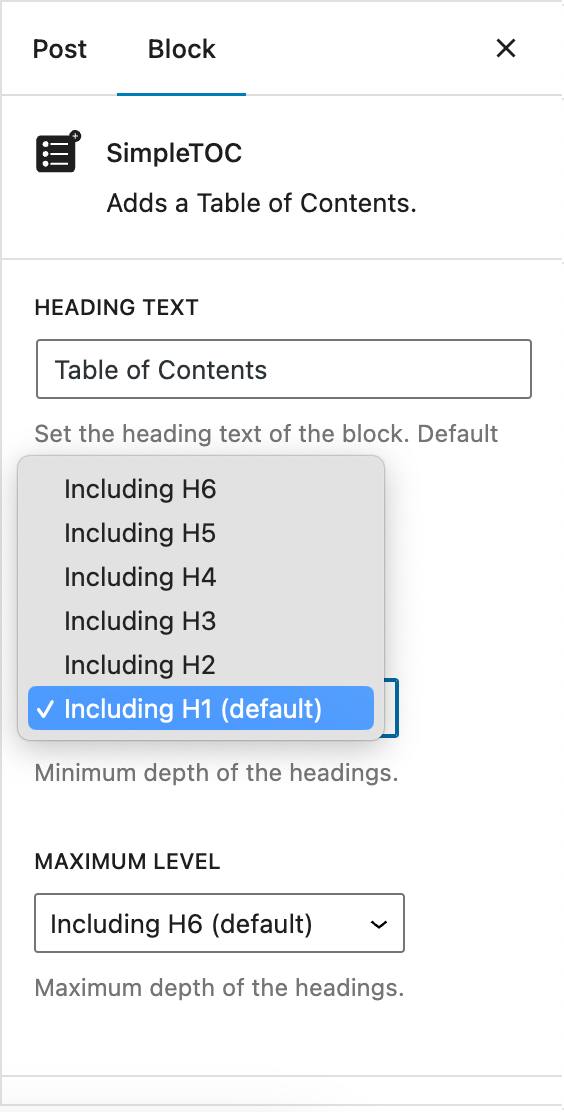
The maximum depth of the toc can be configured in in the blocks’ sidebar among many other options. There can hide the headline “Table of Contents” and add your own by using a normal heading block.
Spin up a new WordPress instance with the SimpleTOC plugin already installed.
User Feedback
“It is lightweight, stable, and fully compatible with WordPress Full Site Editing. A reliable solution that integrates seamlessly and performs exactly as expected.”
— @js100 on wordpress.org“Does the job perfectly, and adds no bloat.”
— @clicknathan on wordpress.org“Simple yet powerful. Great plugin that does exactly what you need.”
— @mixey on wordpress.org
In the press
SimpleTOC ranked #1 in WP Collections’ October 2026 comparison of seven free WordPress table of contents plugins.
“On the block editor, use SimpleTOC, the lightest table of contents we measured.”
— WP Collections
Accessibility
This plugin is designed & developed for WCAG 2.2 level AA conformance. The plugin is tested with assistive technology and intended to be accessible, however some third party plugins or themes may affect the individual accessibility on a given website. If you find an accessibility issue, please let us know and we’ll try to address it promptly.
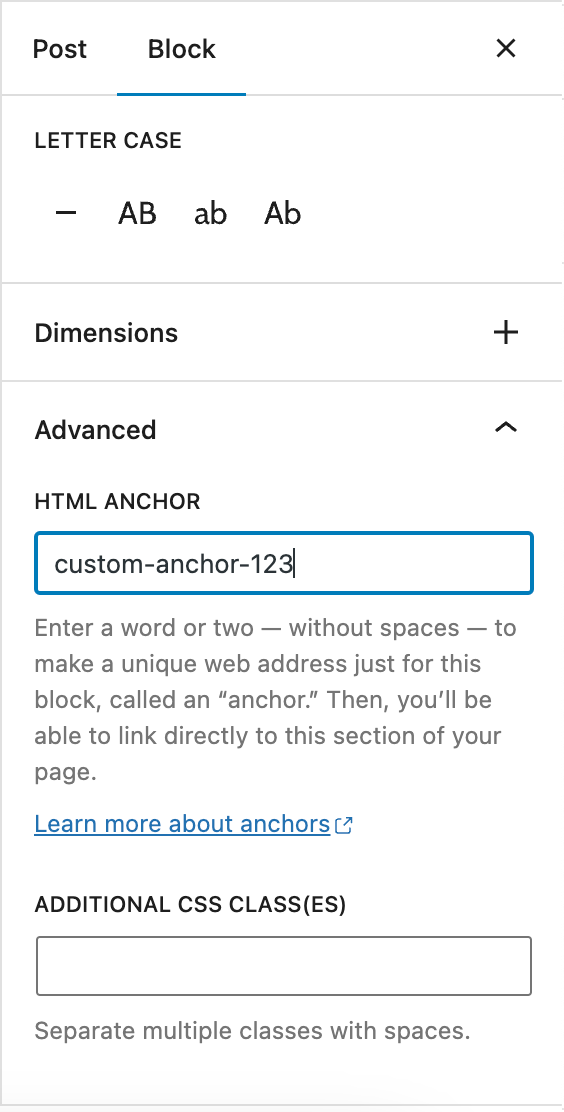
Hidden TOCs use native <details> and <summary> semantics without extra ARIA references that require custom IDs.
Merkmale
- Designed for Gutenberg.
- Zero configuration: Add the SimpleTOC block to your post and that’s it.
- Minimal and valid HTML output.
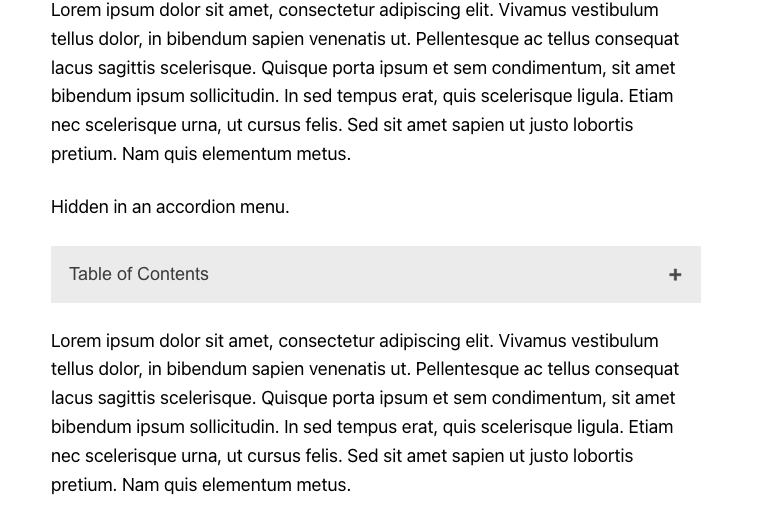
- Utilizes the browser’s built-in details tag for a collapsible interface.
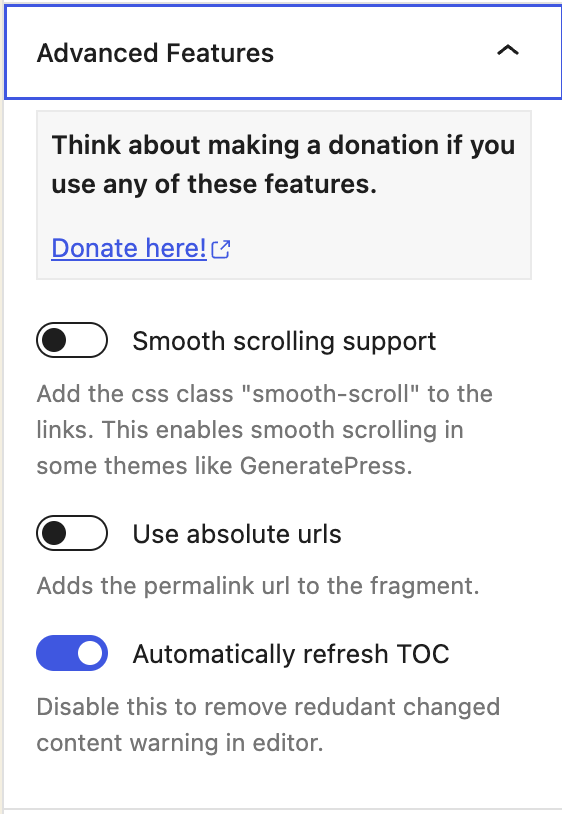
- No JavaScript or CSS by default. Optional features such as the accordion menu, smooth scrolling, or box style add minimal assets only when enabled.
- Optional Box style in Gutenberg’s Styles tab with a default gray background.
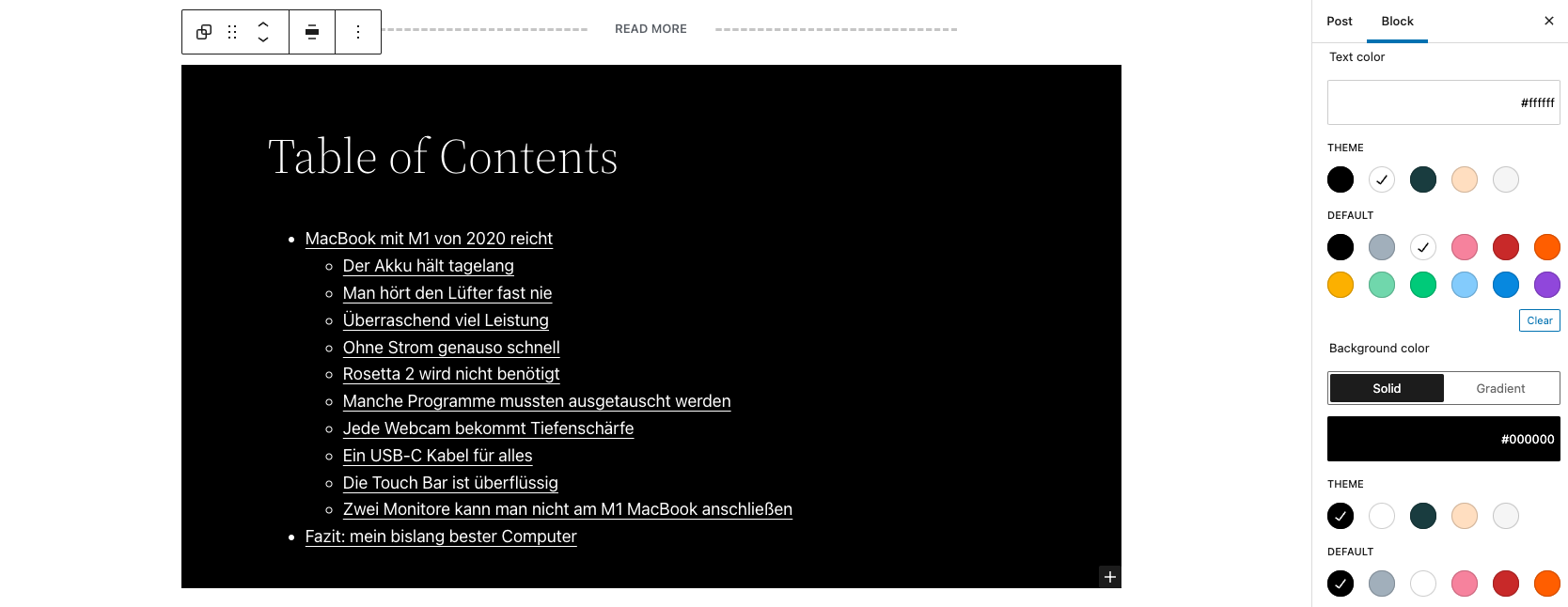
- Native text, link, background, spacing, and typography controls.
- Global block styling through theme.json.
- Inherits the style of your theme.
- Smooth scrolling effect using CSS.
- Accessibility built-in by following web standards.
- Standard Gutenberg block wrapper with navigation role and ARIA label attributes.
- Translated in multiple languages. Including German, Japanese, Chinese (Taiwan), Dutch, Brazilian Portuguese, French, Spanish and Latvia.
- Ideal for creating a Frequently Asked Questions section on your website.
Customization
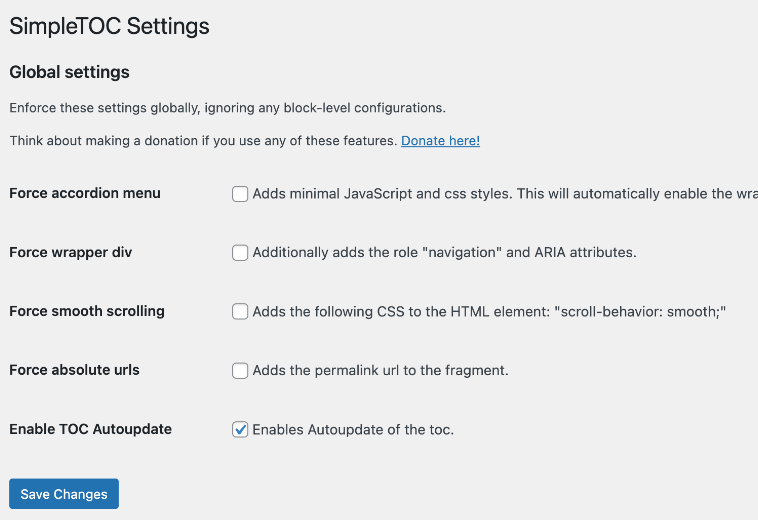
- Administrators can utilize global settings to supersede the individual block settings.
- Set text, link, and background colors in Gutenberg’s Styles tab.
- Native block support for wide and full width.
- Set vertical margins and padding with native spacing controls.
- Control the maximum depth of the headings.
- Choose between an ordered, bullet HTML list. Or indent the list.
- Select the Box style directly in Gutenberg’s Styles tab.
- Select a heading level or turn it into a paragraph.
- Disable the h2 heading of the TOC block and add your own.
Kompatibilität
- GeneratePress and Rank Math support.
- Works with popular AMP plugins.
How to contribute
SimpleTOC is open-source and developed on GitHub Pages. If you find a bug or have an idea for a feature please feel free to contribute and create a pull request.
Credits
Many thanks to Tom J Nowell and and Sally CJ who both helped me a lot with my questions over at wordpress.stackexchange.com
And many more thanks to all the developers on GitHub who helped me making SimpleTOC what it is today!
Thanks to Quintus Valerius Soranus for inventing the Table of Contents around 100 BC.
Installation
SimpleTOC can be found and installed via the Plugin menu within WordPress administration (Plugins -> Add New). Alternatively, it can be downloaded from WordPress.org and installed manually…
In Gutenberg, add a block and search for “SimpleTOC” or just “TOC”. Please save your content before you use the block.
Änderungsprotokoll
7.4.3
- Fixed: Navigation landmarks use the custom table of contents title as their accessible label. Fixes issue #93.
- Fixed: Core Accordion Heading blocks are included in the table of contents with working anchors, excluding decorative icons. Fixes issue #91.
Screenshots
Für Entwickler
Ist das dein Plugin? Zeigen Sie die Zahlen.
Fügen Sie Ihrer Website, Docs oder GitHub Readme ein Live-Badge hinzu. Es wird von selbst aktualisiert - kein Konto erforderlich.
Best SimpleTOC alternatives
All accessibility plugins →





Fragen und Antworten
SimpleTOC – Table of Contents Block: quick answers
Gerade Antworten, gezogen von Live WordPress.org Daten.
Quelle: WordPress.org
Is SimpleTOC free?
Yes. SimpleTOC is free to download and use from the official WordPress.org plugin directory.
Is SimpleTOC safe to use in 2026?
Yes — SimpleTOC is a safe, well-maintained plugin to use in 2026. It runs on 10K+ sites, is rated 4.9/5 and was last updated 7 days ago, and scores 94/100 on our health check.
How many websites use SimpleTOC?
SimpleTOC is active on 10K+ WordPress websites and has been downloaded 646,093 times since it launched in April 2020. It was downloaded 11,985 times in the last 30 days.
Does SimpleTOC work with WordPress 7.1?
Yes. The developer has tested SimpleTOC up to WordPress 7.1.5, the latest release. It requires WordPress 6.2 or newer.
What PHP version does SimpleTOC need?
SimpleTOC requires PHP 7.3 or higher. Most hosts run PHP 8.x today, so it works on any modern WordPress hosting.
When was SimpleTOC last updated?
The latest version, 7.4.3, was released on November 14, 2026 (7 days ago).
Who makes SimpleTOC?
SimpleTOC is developed and maintained by Marc Tönsing.
What are the best alternatives to SimpleTOC?
The most popular alternatives to SimpleTOC are Web Accessibility (formally… (500K+ installs), Auto Image Attributes From… (100K+ installs) and Accessibility by UserWay (80K+ installs).
Angetrieben von PageForge
Eine Vorlage und eine Tabelle. Eine echte Seite für jede Suche.
PageForge Verwandelt jede Zeile eines CSV in eine WordPress-Seite mit eigenem Titel, URL, SEO Felder und Schema entworfen. Kostenlos auf WordPress.org.
- CSV und XLSX, plus Google Sheets auf Beruf und Unternehmen
- seinen eigenen Titel, URL, SEO Felder und Schema für jede Seite
- Arbeitet mit dem Blockeditor, Elementor, Divi und Avada
- Kostenlos auf WordPress.org, keine Kreditkarte