

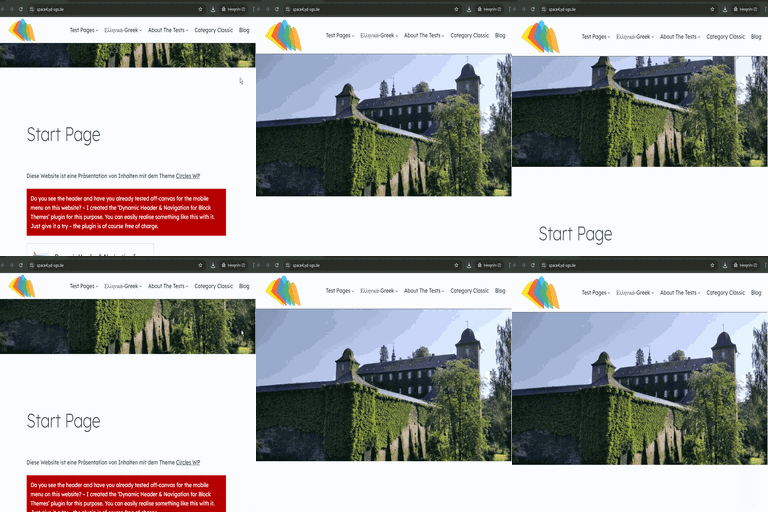
Dynamic Header & Navigation for Block Themes
Animated shrinking header, responsive shrinking logo, custom breakpoints and off-canvas navigation – navigation solution for block themes.

Solide Wahl
Dynamic Header & Navigation for… is a solid plugin choice in 2026, with a few things worth checking first. It runs on 200+ sites, is rated 5/5 and was last updated 3 weeks ago, and scores 76/100 on our health check.
- Aktiv entwickelt – letztes Update vor 3 Wochen
- Getestet mit dem neuesten WordPress (7.1)
- Momentum — downloads up 196.7% vs the previous 30 days
- Kleine Benutzerbasis (über 200 aktive Installationen)
- Bisher sehr wenige Bewertungen
Wie stapelt es sich?
Side-by-side bei Installationen, Updates, Bewertungen und Support



Tägliche Downloads
Download-Spitzen folgen normalerweise einer neuen Version - jede Website, die automatisch aktualisiert wird, gilt als Download.
Ranglisten
Where Dynamic Header & Navigation… stands todayWordPress.org Ranglisten suchen
Live-Position in der Plugin-Suche, Top 100| Stichwort | Position |
|---|---|
| block-theme | #40 |
| breakpoint | #29 |
| header | #42 |
| off-canvas | #14 |
| shrink | #10 |
Versionsübernahme
Anteil aktiver Sites pro Release.
Bewertungsaufschlüsselung
★★★★★★★★★★ 5 from 3 reviews
About Dynamic Header & Navigation for Block T…
From the official readme · v1.6.0Beschreibung
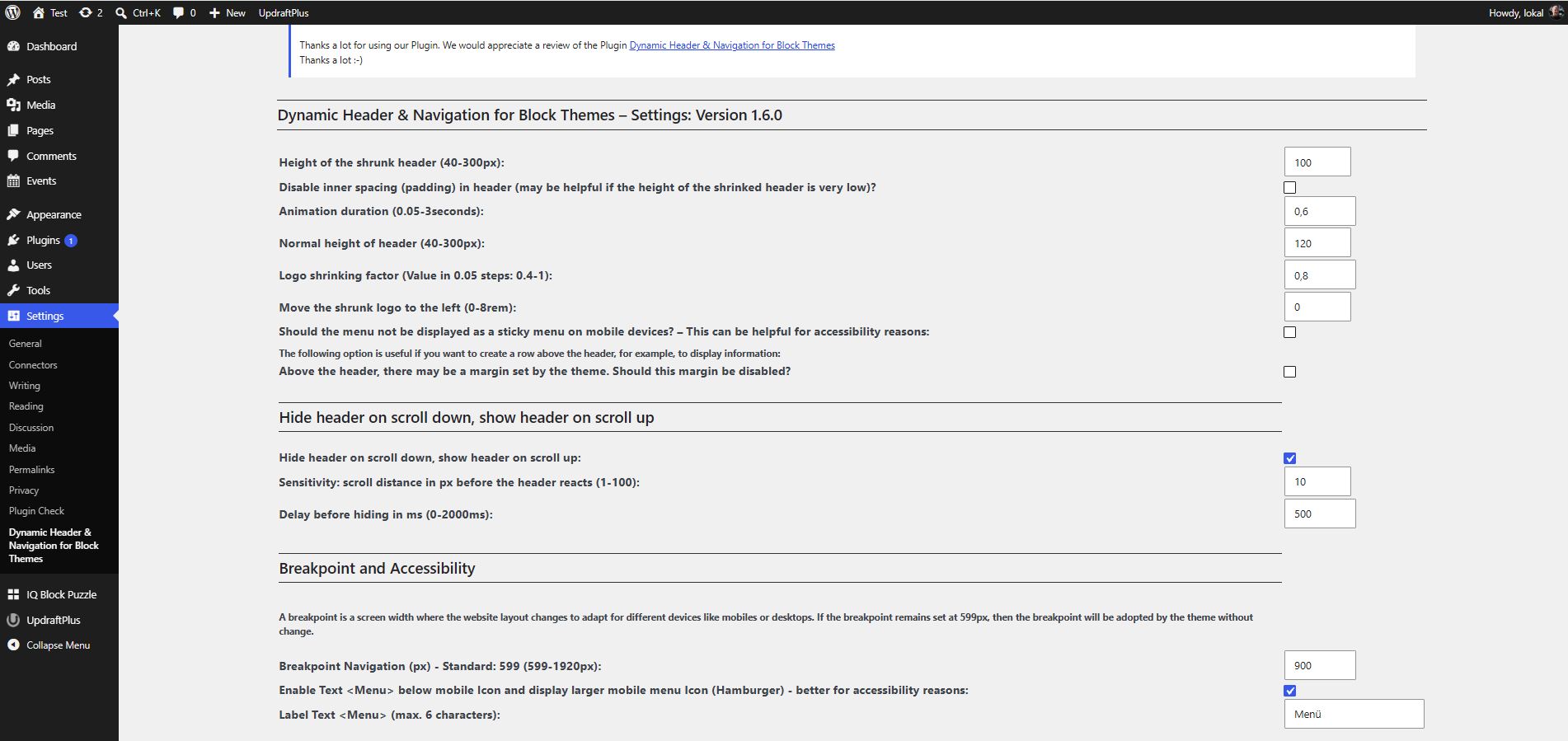
Options:
- Set height for header
- Set height for shrinking header
- Set Logo shrinking factor
- Set shrinked Logo left (added in Version 1.3)
- Set Animation duration (seconds) for shrinking header
- Option to set a breakpoint for navigation (added in Version 1.1)
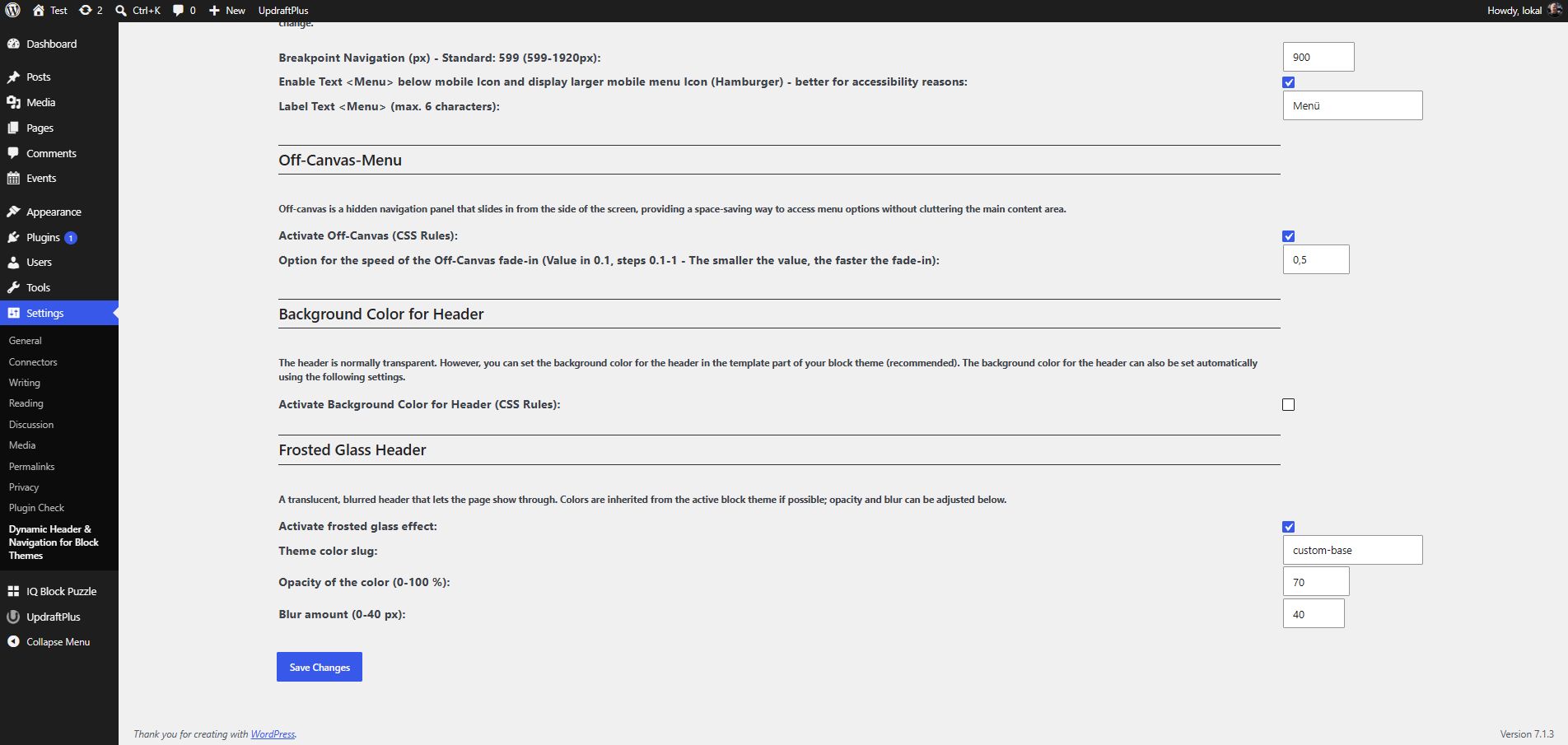
- Option to set Off-Canvas (added in Version 1.2)
- Option for the speed of the Off-Canvas fade-in (added in Version 1.3.1)
- Option to disable inner spacing (padding) in header (added in Version 1.4)
- Option to enable Text below mobile Icon and display larger mobile menu Icon (Hamburger) – better for accessibility reasons (added in Version 1.4)
- Option to Label Text (added in Version 1.4)
- Option: Menu does not appear as sticky on mobile devices – may be better for accessibility reasons. (added in Version 1.4.1)
- Option: Above the header, there may be a margin set by the theme. This margin can be disabled if desired. (added in Version 1.5.1)
- Option: Frosted glass header. (added in Version 1.6.0)
- Option: Hide header on scroll down, show header on scroll up. (added in Version 1.6.0)
Dynamic Header & Navigation for Block Themes (Previous name of the plugin: Shrinking Logo Sticky Header) is a lightweight WordPress plugin developed specifically as a navigation solution for most Block Themes.
It adds a modern sticky header with smooth, animated shrinking effects for both the header and the site logo.
As users scroll down the page, the header and logo automatically reduce in size, maximizing on-screen space and keeping navigation easily accessible without disrupting the browsing experience.
The plugin allows you to individually configure the heights for the header and logo in both their normal and shrunken states, giving you full control over your site’s appearance.
These settings can be easily adjusted to match your branding or design preferences.
One of the key advantages of Dynamic Header & Navigation for Block Themes is its simplicity:
After activation, the sticky and shrinking effects work in principle immediately – no additional setup or configuration is required.
This makes it ideal for users who want a professional, dynamic header effect without dealing with complex options or custom code.
Videos
This video demonstrates general settings:
This video demonstrates the new options in version 1.6.0 of the plugin “Dynamic Header & Navigation for Block Themes”, such as the “Frosted glass header” option and the “Hide header when scrolling down, show header when scrolling up” option:
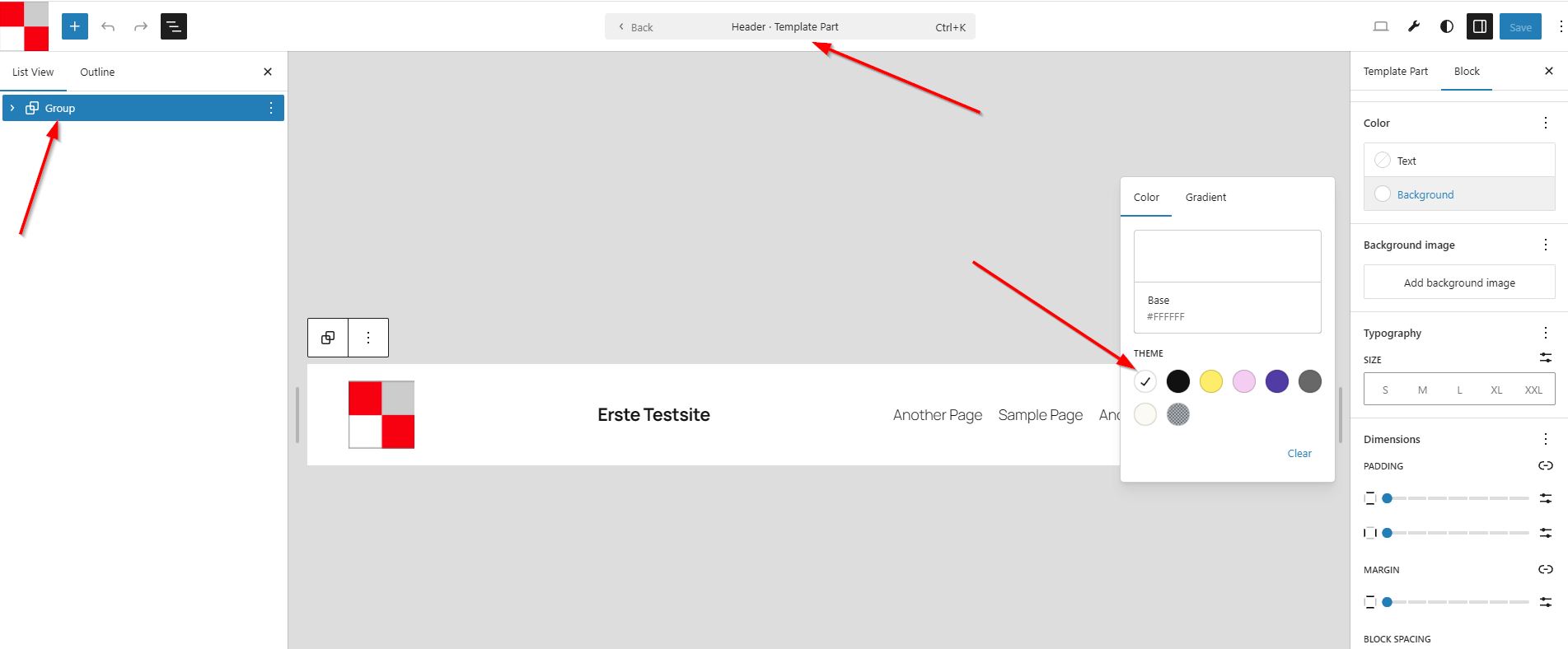
How can I locate the “slug” for the background-color in the header div?
This video shows how to find the slug for the header div’s background-color in a block theme if the “Frosted Glass” option doesn’t produce the desired effect.
Übersetzungen
- (French): Thanks to Patricia BT
Installation
- Go to
Pluginsin the Admin menu - Click on the button
Add new - Search for
shrinking Logo Sticky Headerand click ‘Install Now’ or click on theuploadlink to uploadshrinking-logo-sticky-header.zip - Click on
Activate plugin
Änderungsprotokoll
1.6.0: October 27, 2026
- Added Option: Frosted glass header.
- Added Option: Hide header on scroll down, show header on scroll up.
- Added: “Settings” link on the Plugins overview page for quick access to the plugin settings
- Fix: When the breakpoint for the mobile menu was set to exactly 599px and the text was set to “Menu” the text was displayed next to the mobile menu icon instead of below it.
- Fix some minor issues
- Plugin Check: No errors, no warnings (“Checks complete. No errors found.”)
1.5.1: August 14, 2026
- Added Option: Above the header, there may be a margin set by the theme. TThis margin can be disabled if desired.
- Enhancement: Improved Control of the Anchors
- Added FAQ regarding spacing in the header.
- Plugin Check: No errors, no warnings (“Checks complete. No errors found.”)
- Tested up to WordPress 7.1
1.5: January 4, 2026
- Fix: Flickering in header when scrolling up in most cases completely prevented (Code improvements)
- Fix: Language Files corrected – prevent direct access
- Plugin Check: No errors, no warnings
1.4.1: November 20, 2025
- Added Option: Menu does not appear as sticky on mobile devices – may be better for accessibility reasons
- Fix: ID in form field corrected
- Tested up to WordPress 6.9
1.4: September 10, 2025
- Added: Option to disable inner spacing (padding) in header
- Added: Option to enable Text below mobile Icon and display larger mobile menu Icon (Hamburger) – better for accessibility reasons
- Enhancement: Height and width of mobile icon (SVG) changed to 44px (AAA) when the above option is used
- Added: Option to Label Text below mobile Icon
- Enhancements: Explanations and Design in the settings cleaned up
1.3.2: August 1, 2025
- Fix: Anchors are now controlled at the correct height.
- Enhancements: Various CSS rules optimised (better support for various block themes for example Ollie)
Screenshots
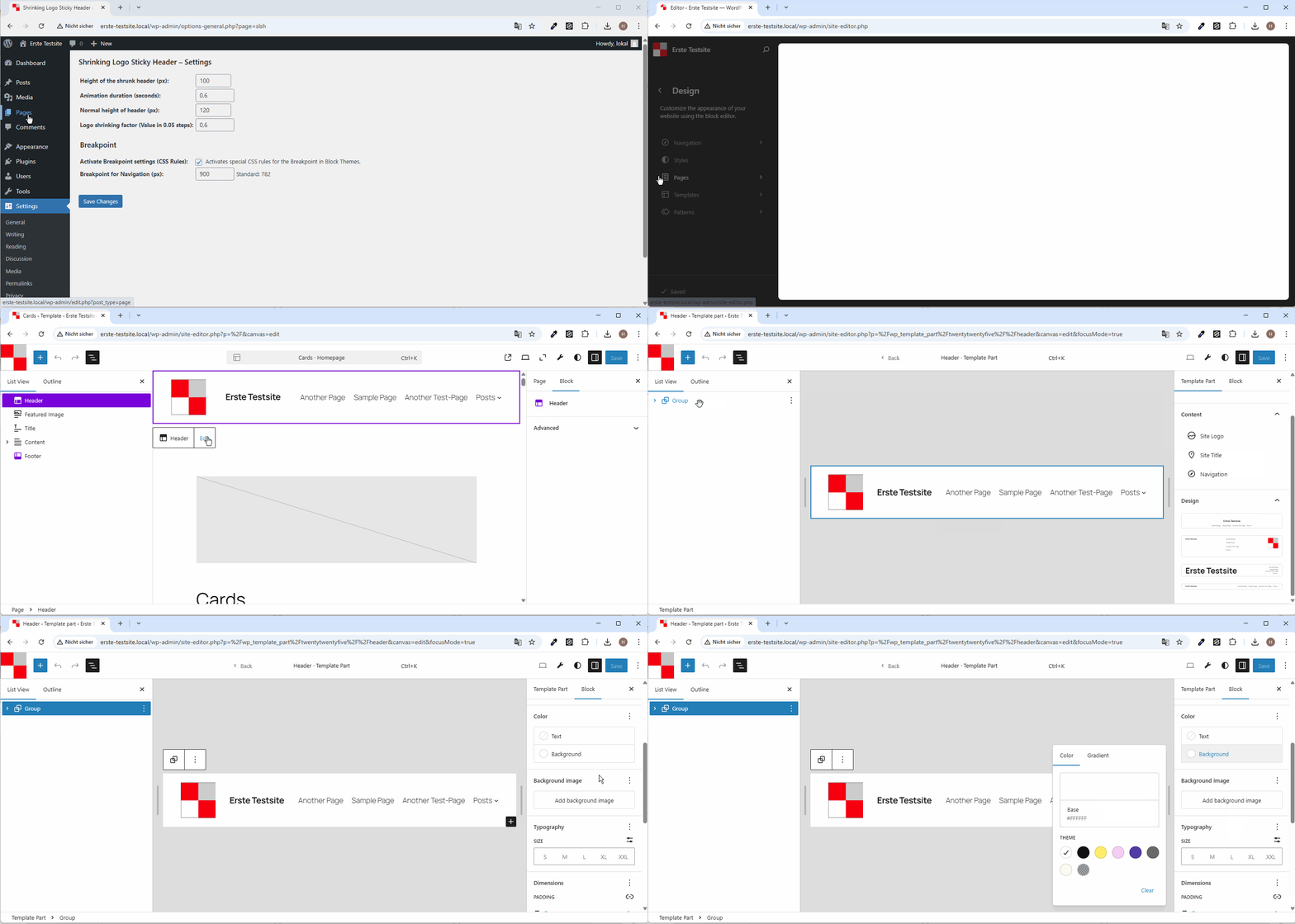
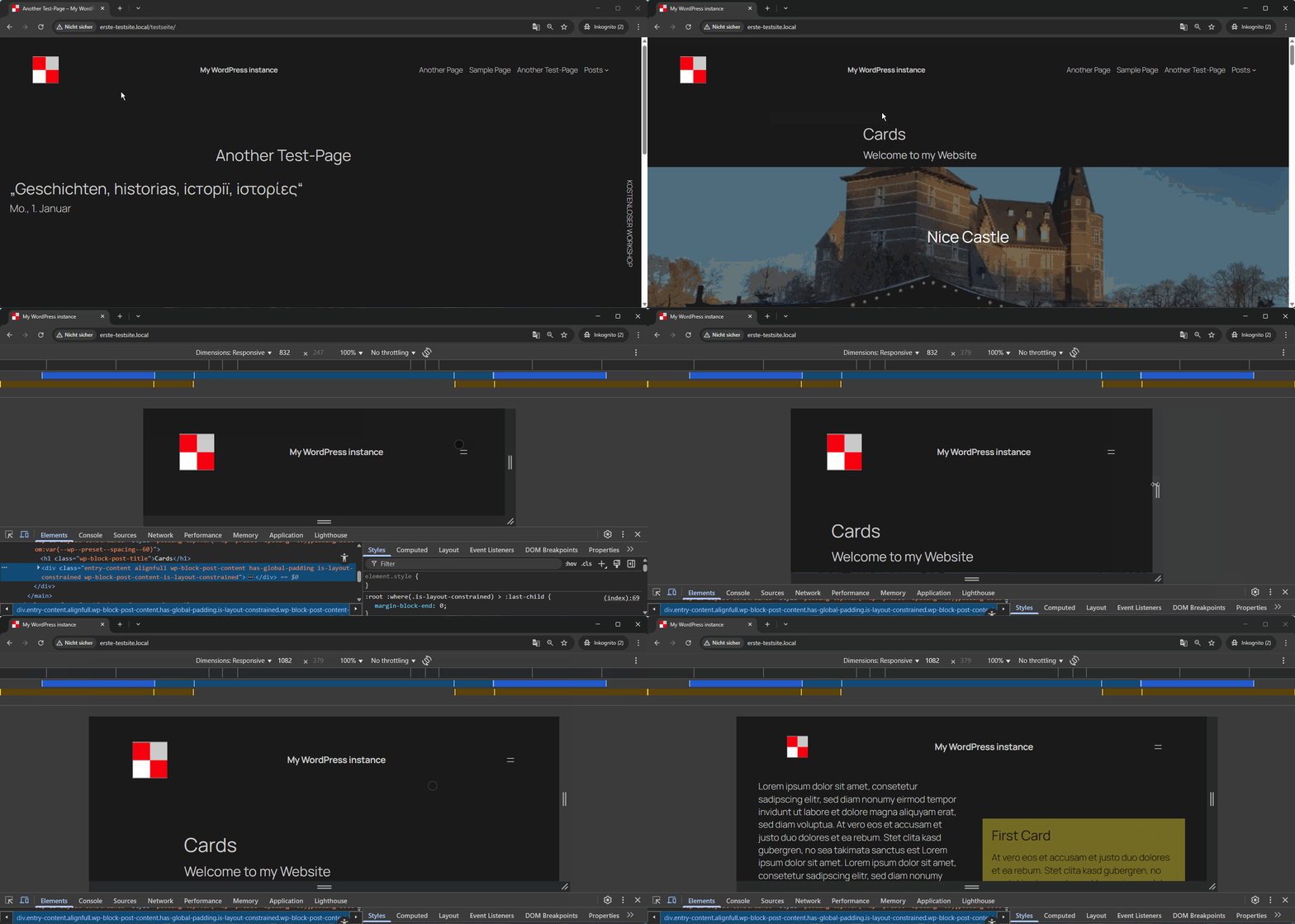
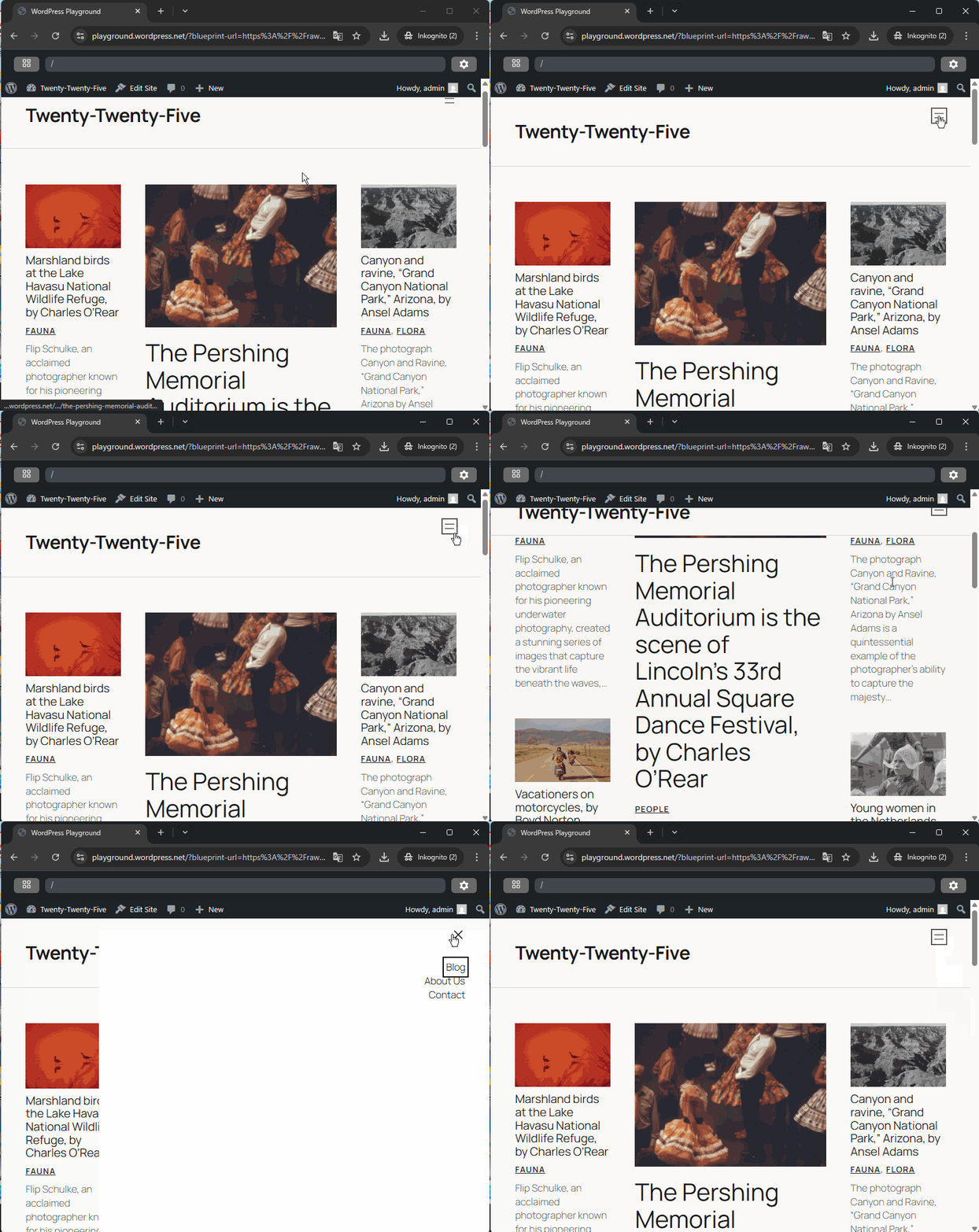
Für Entwickler
Ist das dein Plugin? Zeigen Sie die Zahlen.
Fügen Sie Ihrer Website, Docs oder GitHub Readme ein Live-Badge hinzu. Es wird von selbst aktualisiert - kein Konto erforderlich.
Best Dynamic Header & Navigation f… alternatives
All block-theme plugins →




Fragen und Antworten
Dynamic Header & Navigation for Blo…: quick answers
Gerade Antworten, gezogen von Live WordPress.org Daten.
Quelle: WordPress.org
Is Dynamic Header & Navigation for… free?
Yes. Dynamic Header & Navigation for… is free to download and use from the official WordPress.org plugin directory.
Is Dynamic Header & Navigation for… safe to use in 2026?
Dynamic Header & Navigation for… is a solid plugin choice in 2026, with a few things worth checking first. It runs on 200+ sites, is rated 5/5 and was last updated 3 weeks ago, and scores 76/100 on our health check.
How many websites use Dynamic Header & Navigation for…?
Dynamic Header & Navigation for… is active on 200+ WordPress websites and has been downloaded 4,257 times since it launched in May 2025. It was downloaded 629 times in the last 30 days.
Does Dynamic Header & Navigation for… work with WordPress 7.1?
Yes. The developer has tested Dynamic Header & Navigation for… up to WordPress 7.1.5, the latest release. It requires WordPress a recent version or newer.
What PHP version does Dynamic Header & Navigation for… need?
Dynamic Header & Navigation for… requires PHP 7.4 or higher. Most hosts run PHP 8.x today, so it works on any modern WordPress hosting.
When was Dynamic Header & Navigation for… last updated?
The latest version, 1.6.0, was released on October 28, 2026 (3 weeks ago).
Who makes Dynamic Header & Navigation for…?
Dynamic Header & Navigation for… is developed and maintained by Hans-Gerd Gerhards.
What are the best alternatives to Dynamic Header & Navigation for…?
The most popular alternatives to Dynamic Header & Navigation for… are Create Block Theme (20K+ installs), Enable bbPress for Block Th… (200+ installs) and Jamie’s Header Effects (60+ installs).
Angetrieben von PageForge
Eine Vorlage und eine Tabelle. Eine echte Seite für jede Suche.
PageForge Verwandelt jede Zeile eines CSV in eine WordPress-Seite mit eigenem Titel, URL, SEO Felder und Schema entworfen. Kostenlos auf WordPress.org.
- CSV und XLSX, plus Google Sheets auf Beruf und Unternehmen
- seinen eigenen Titel, URL, SEO Felder und Schema für jede Seite
- Arbeitet mit dem Blockeditor, Elementor, Divi und Avada
- Kostenlos auf WordPress.org, keine Kreditkarte