


Enable bbPress for Block Themes
Enables bbPress for a full site editing WordPress block theme.

Solide Wahl
Enable bbPress for Block Themes is a solid plugin choice in 2026, with a few things worth checking first. It runs on 200+ sites, is rated 5/5 and was last updated 2 months ago, and scores 77/100 on our health check.
- Getestet mit dem neuesten WordPress (7.1)
- Kleine Benutzerbasis (über 200 aktive Installationen)
Wie stapelt es sich?
Side-by-side bei Installationen, Updates, Bewertungen und Support



Tägliche Downloads
Download-Spitzen folgen normalerweise einer neuen Version - jede Website, die automatisch aktualisiert wird, gilt als Download.
Ranglisten
Where Enable bbPress for Block Th… stands todayWordPress.org Ranglisten suchen
Live-Position in der Plugin-Suche, Top 100| Stichwort | Position |
|---|---|
| bbPress | #24 |
| block-theme | #12 |
| anzeigen | >100 |
| fse | #42 |
| full-site-editing | #34 |
Versionsübernahme
Anteil aktiver Sites pro Release.
Bewertungsaufschlüsselung
★★★★★★★★★★ 5 from 5 reviews
About Enable bbPress for Block Themes
Aus der offiziellen Readme · V1.1.0Beschreibung
IMPORTANT: Since bbPress 2.6.17 you might not need to use this plugin as bbPress should work with block themes.
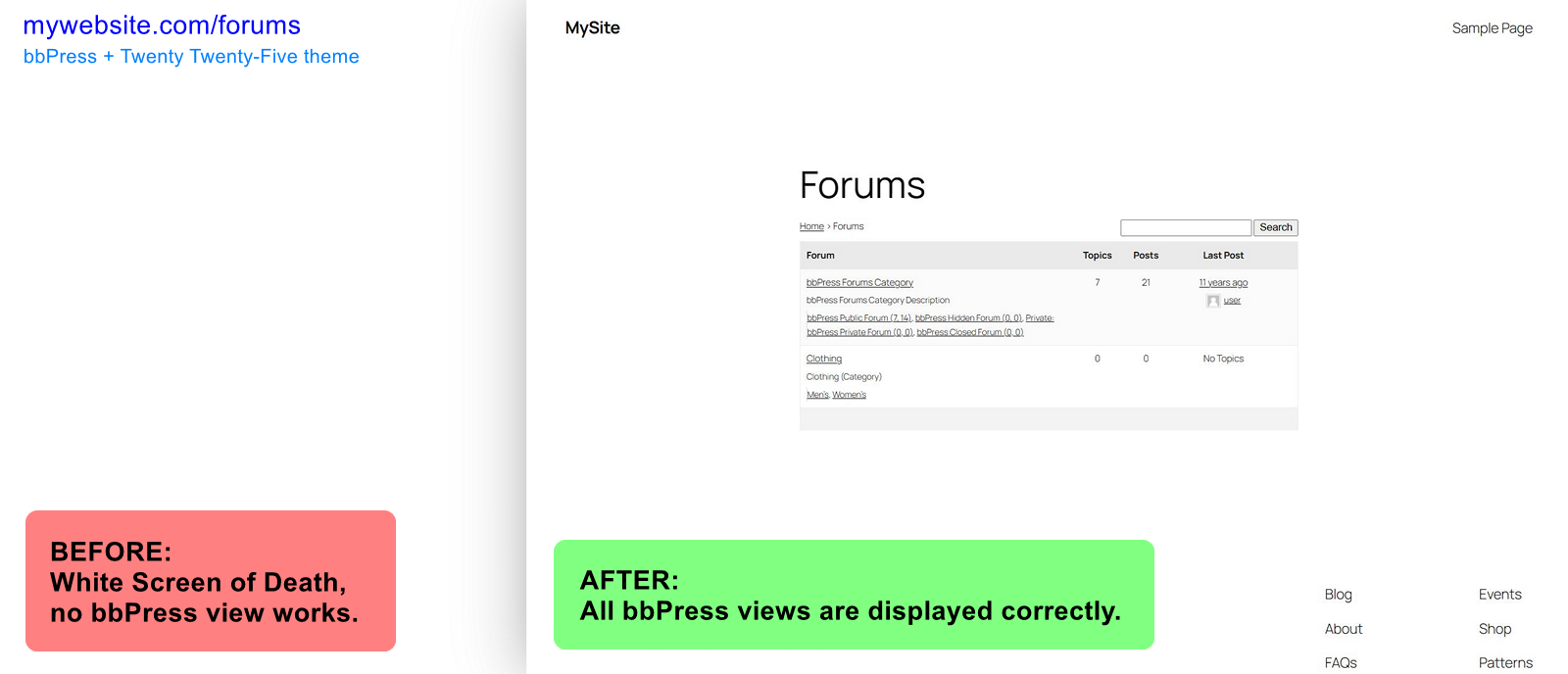
Enables bbPress for a full site editing WordPress block theme, fixing WSoD (White Screen of Death).
What problem does it solve?
❓ Do you want to use bbPress plugin, but it does not display on your website?
❓ Do you see WSoD when visiting bbPress forum pages?
❓ Do you want to edit bbPress templates?
❓ Are you using a full site editing WordPress block theme?
If you answered yes to these questions, you’re in luck.
Enable bbPress for Block Themes plugin fixes White Screen of Death for bbPress screens/views when you are using a WordPress block theme.
What the plugin does not do?
- Plugin does not provide CSS styles for bbPress to look good with your theme.
Design is very specific thing to each theme. If you want to style your bbPress appearance, use custom CSS code in Styles section of Site Editor, or use other means, such as 3rd party plugins.
You may especially need to style form fields, buttons and pagination.
- Plugin does not provide blocks to tweak bbPress views to your liking.
bbPress plugin contains no blocks you can use to create custom forum layouts (as of February 2025).
However, in Site Editor you can edit “bbPress content” template. This template is used to display all bbPress content. (If you enable block editor for bbPress post types, you can further edit additional templates.)
Got a question or suggestion?
In case of any question or suggestion regarding this plugin, feel free to ask at support section, or at GitHub repository issues.
Installation
First you need to install and activate bbPress plugin, and use a block theme, such as Twenty Twenty-Five.
Automatic installation:
- Navigate to Plugins → Add New Plugin and search for
Enable bbPress for Block Themes. - Once the plugin is displayed in the list, click the “Install Now” button, then “Activate” button.
Manual installation:
- Download the plugin to your computer.
- Then unzip Enable bbPress for Block Themes plugin download file and upload
enable-bbp-block-themefolder into the…/wp-content/plugins/directory on your website server. - Activate the plugin through the Plugins menu in WordPress admin area.
Plugin works immediately after activation.
Additionally, you can enable block editor for bbPress post types in Settings → Forums → “Block Theme Compatibility” section.
Änderungsprotokoll
Compatible with bbPress 2.6.17: making sure the original bbPress template hierarchy is preserved.
Please see the changelog.md file for details.
Screenshots
Für Entwickler
Ist das dein Plugin? Zeigen Sie die Zahlen.
Fügen Sie Ihrer Website, Docs oder GitHub Readme ein Live-Badge hinzu. Es wird von selbst aktualisiert - kein Konto erforderlich.
Best Enable bbPress for Block Them… alternatives
All bbPress plugins →





Fragen und Antworten
Enable bbPress for Block Themes: quick answers
Gerade Antworten, gezogen von Live WordPress.org Daten.
Quelle: WordPress.org
Is Enable bbPress for Block Themes free?
Yes. Enable bbPress for Block Themes is free to download and use from the official WordPress.org plugin directory.
Is Enable bbPress for Block Themes safe to use in 2026?
Enable bbPress for Block Themes is a solid plugin choice in 2026, with a few things worth checking first. It runs on 200+ sites, is rated 5/5 and was last updated 2 months ago, and scores 77/100 on our health check.
How many websites use Enable bbPress for Block Themes?
Enable bbPress for Block Themes is active on 200+ WordPress websites and has been downloaded 3,410 times since it launched in March 2025. It was downloaded 319 times in the last 30 days.
Does Enable bbPress for Block Themes work with WordPress 7.1?
Yes. The developer has tested Enable bbPress for Block Themes up to WordPress 7.1.5, the latest release. It requires WordPress 7.0 or newer.
What PHP version does Enable bbPress for Block Themes need?
Enable bbPress for Block Themes requires PHP 8.0 or higher. Most hosts run PHP 8.x today, so it works on any modern WordPress hosting.
When was Enable bbPress for Block Themes last updated?
The latest version, 1.1.0, was released on September 18, 2026 (2 months ago).
Who makes Enable bbPress for Block Themes?
Enable bbPress for Block Themes is developed and maintained by WebMan Design | Oliver Juhas.
What are the best alternatives to Enable bbPress for Block Themes?
The most popular alternatives to Enable bbPress for Block Themes are One User Avatar (100K+ installs), Content Aware Sidebars (30K+ installs) and wpForo Forum (20K+ installs).
Angetrieben von PageForge
Eine Vorlage und eine Tabelle. Eine echte Seite für jede Suche.
PageForge Verwandelt jede Zeile eines CSV in eine WordPress-Seite mit eigenem Titel, URL, SEO Felder und Schema entworfen. Kostenlos auf WordPress.org.
- CSV und XLSX, plus Google Sheets auf Beruf und Unternehmen
- seinen eigenen Titel, URL, SEO Felder und Schema für jede Seite
- Arbeitet mit dem Blockeditor, Elementor, Divi und Avada
- Kostenlos auf WordPress.org, keine Kreditkarte