


Secure Passkeys
Secure Passkeys is a powerful WordPress plugin that enables passwordless authentication using WebAuthn technology.

Mit Vorsicht verwenden
Secure Passkeys works, but test it on a staging site before relying on it in 2026. It runs on 2K+ sites, is rated 4.8/5 and was last updated 5 months ago, and scores 56/100 on our health check.
- Momentum — downloads up 46.3% vs the previous 30 days
Wie stapelt es sich?
Side-by-side bei Installationen, Updates, Bewertungen und Support



Tägliche Downloads
Download-Spitzen folgen normalerweise einer neuen Version - jede Website, die automatisch aktualisiert wird, gilt als Download.
Ranglisten
Where Secure Passkeys stands todayWordPress.org Ranglisten suchen
Live-Position in der Plugin-Suche, Top 100| Stichwort | Position |
|---|---|
| login | >100 |
| passkeys | #3 |
| passwordless | #22 |
| secure | #5 |
| webauthn | #5 |
Versionsübernahme
Anteil aktiver Sites pro Release.
Bewertungsaufschlüsselung
★★★★★★★★★★ 4.8 from 19 reviews
About Secure Passkeys
From the official readme · v1.3.0Beschreibung
Secure Passkeys is a powerful WordPress plugin that enables seamless passwordless authentication using WebAuthn technology. By eliminating the need for traditional passwords, it enhances security and improves the user login experience. With support for biometric authentication, security keys, and device-bound credentials, Secure Passkey provides a robust and user-friendly solution for modern authentication.
Unlike traditional password-based authentication, Secure Passkey leverages cryptographic key pairs to ensure secure logins. The private key remains securely stored on the user’s device, while the public key is registered with the WordPress site. This method protects against phishing attacks and password breaches, ensuring that only authorized users can gain access.
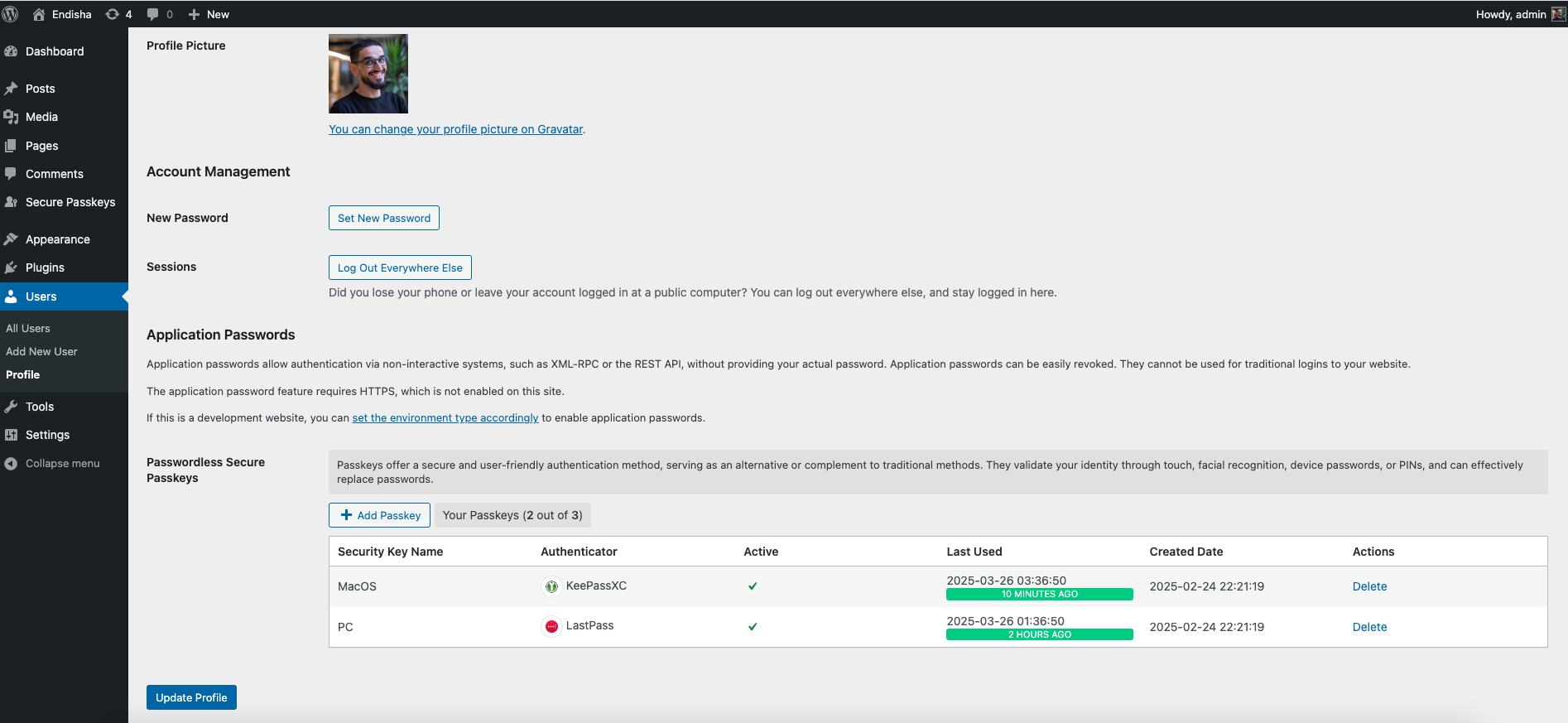
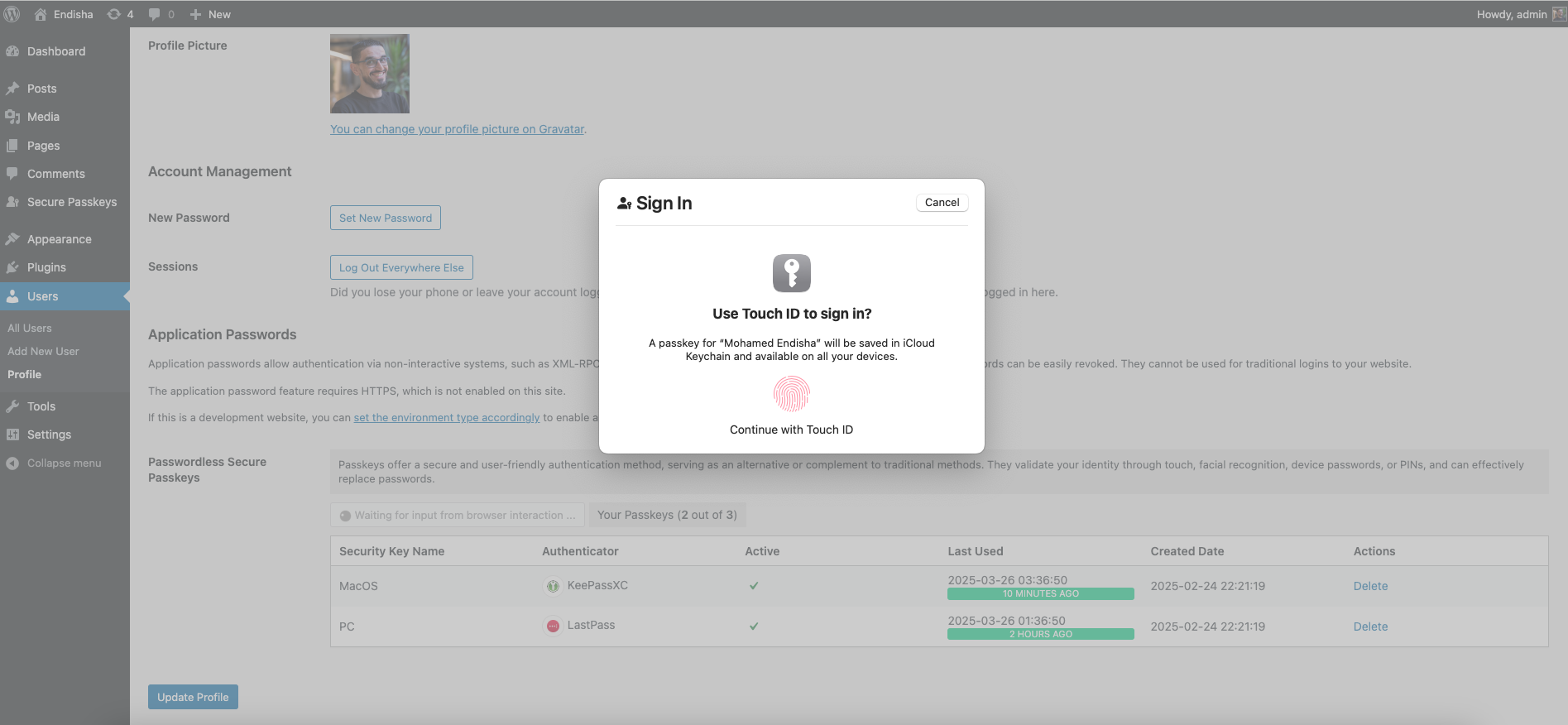
Secure Passkeys integrates effortlessly into WordPress, allowing users to register and manage their passkeys from their profile settings. Once registered, users can log in using their fingerprint, face recognition, or a hardware security key without the need to remember or enter a password.
Merkmale
- Passwordless Login: Secure authentication via WebAuthn with biometric devices, security keys, Touch ID, Face ID, and more.
- Enhanced User Experience: Password-free login for a smoother user journey.
- Integration Support:
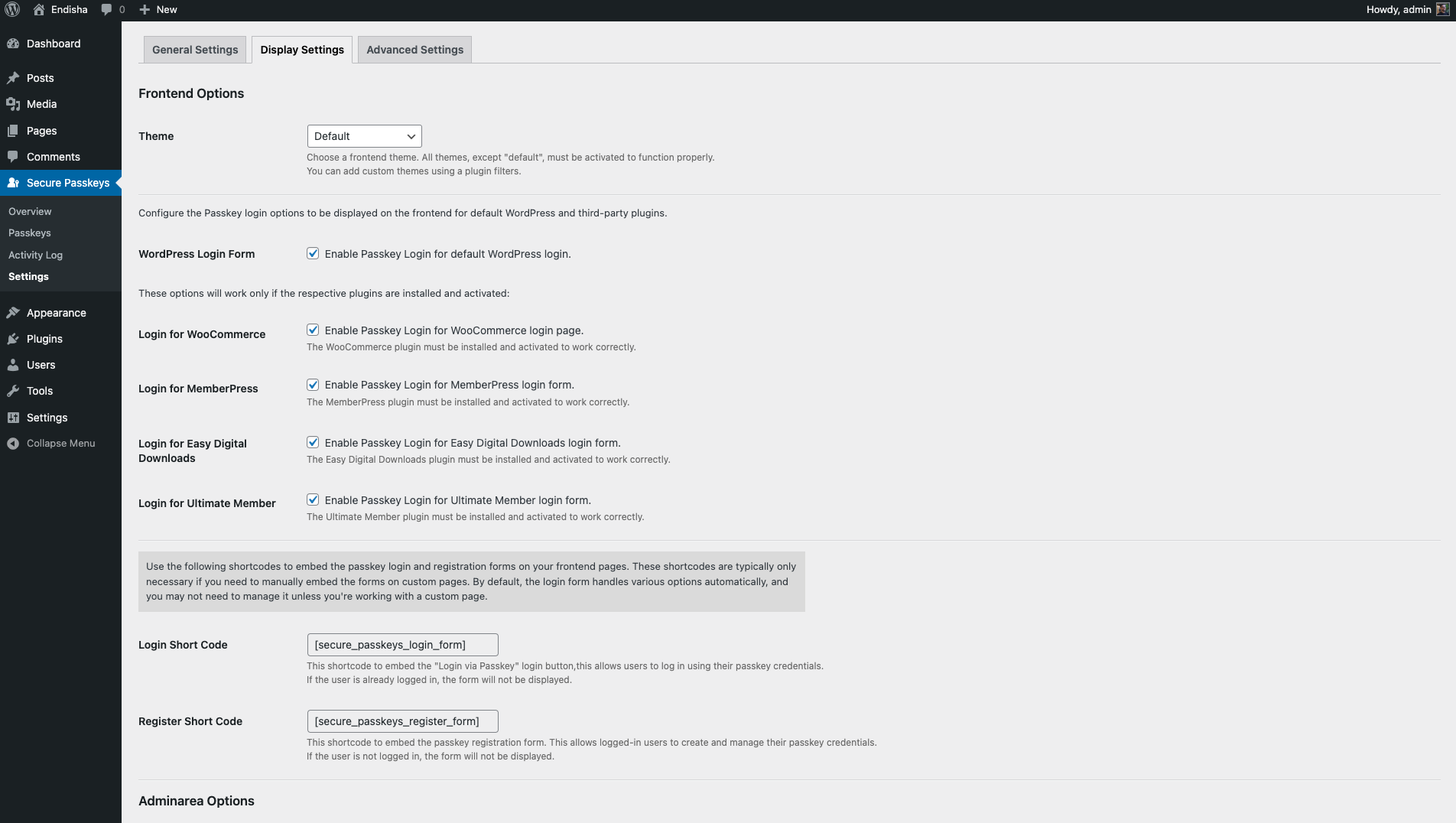
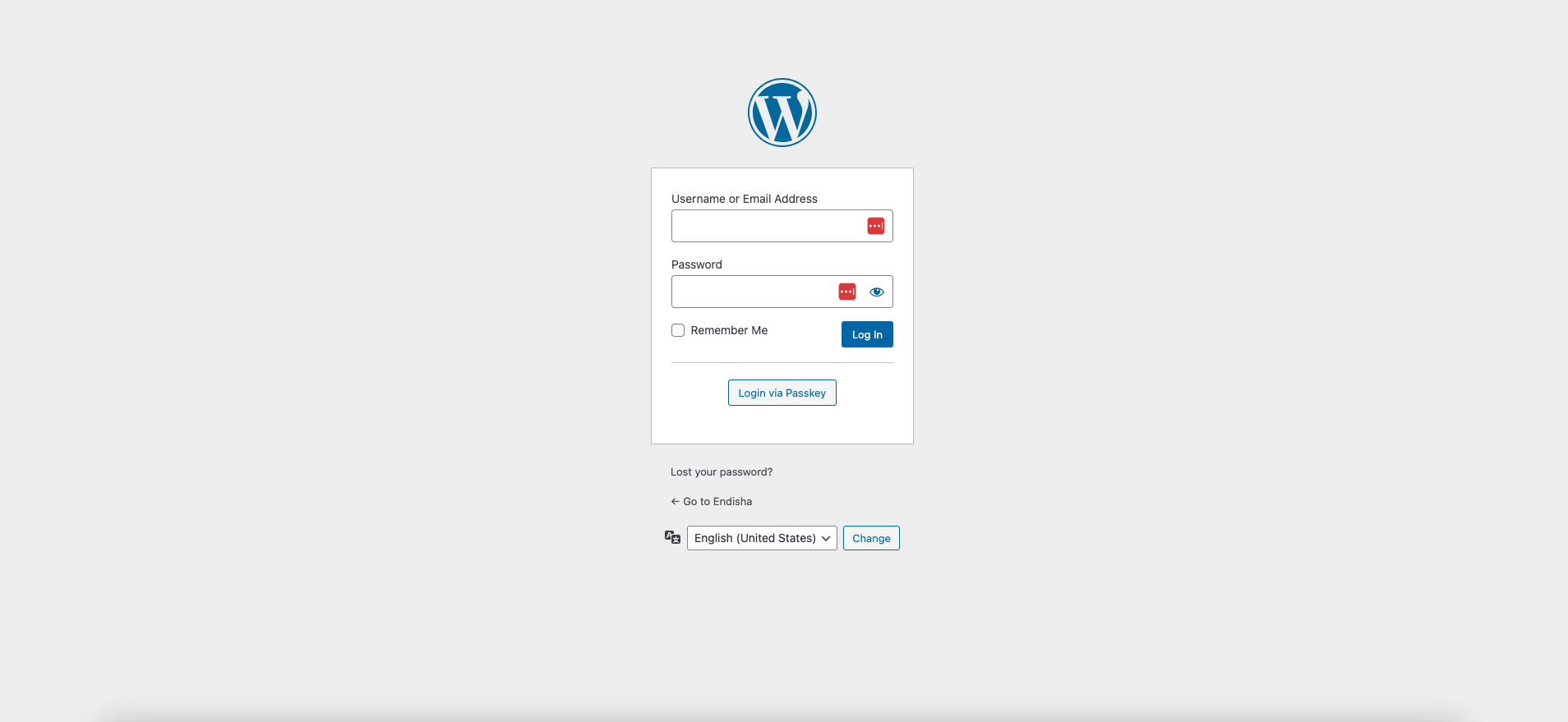
- WordPress default login form
- WooCommerce login page
- MemberPress login form
- Easy Digital Downloads login form
- Ultimate Member login form
- Admin Management: Administrators can delete, activate, or deactivate users directly from plugin settings or user profiles.
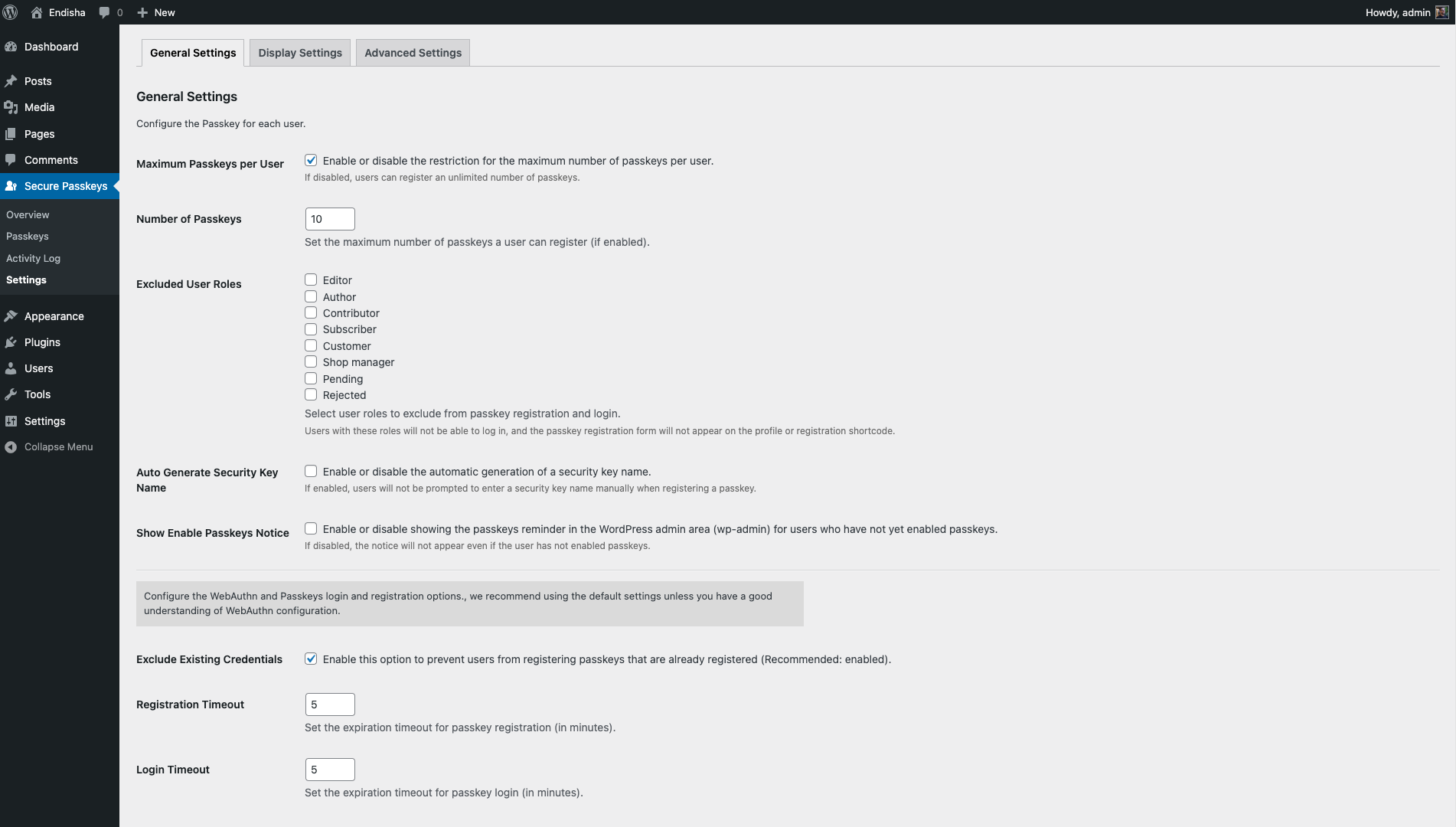
- Passkeys Reminder Notice: New option to enable or disable the passkeys reminder notice in the WordPress admin area for users who have not yet enabled passkeys.
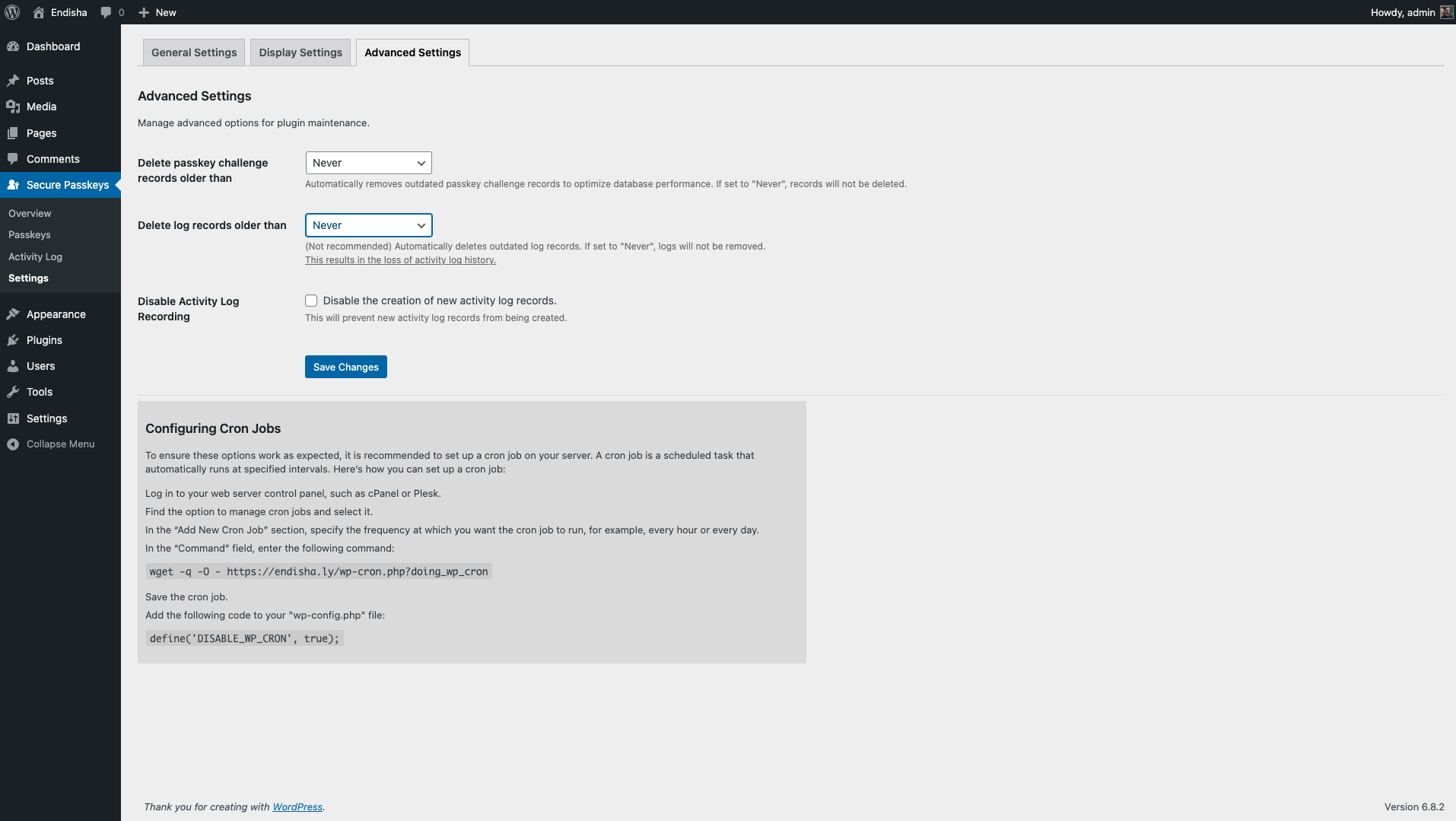
- Activity Logging: Monitor activity logs and track last login/registration of passkeys.
- Multiple Passkeys: Supports multiple passkey registrations per user, with the option to set a registration limit or allow unlimited registrations.
- Role Restrictions: Restrict and exclude specific user roles from using passkey authentication.
- Passkey Autofill: Passkeys automatically appear as a suggestion when clicking the username field — no button click required.
- Rate Limiting: Configurable rate limiting on login attempts to protect against automated attacks.
- Long-lived Session: Control whether passkey logins set a persistent session cookie or end when the browser is closed.
- Customizable Settings: Adjust timeout settings for passkey registration and login.
- User Verification: Enforce user verification for enhanced security.
- Frontend Customization: Easily customize frontend themes or add your own with basic frontend skills.
- Theme Support: Supports pre-built themes like YOOtheme (UIkit) for frontend shortcodes.
- Shortcodes: Embed passkey login and registration forms on custom frontend pages.
- Passkey Display: Show passkey details in admin user lists and profiles.
- Multisite: Supports WordPress Multisite and single-site installations.
- Database Optimization: Option to allow or disallow automatic deletion of old challenge records and activity logs (configurable schedule).
Bedarf
- WordPress 6.0 or newer.
- PHP version 7.4 or newer.
Lizenz
Secure Passkeys is licensed under the GNU General Public License v2 or later.
Installation
Mindestanforderungen
- PHP 7.4 or greater is recommended
- MySQL 5.6 or greater is recommended
Automatische Installation
Automatic installation is the easiest option — WordPress will handles the file transfer, and you won’t need to leave your web browser. To do an automatic install of Secure Passkeys, log in to your WordPress dashboard, navigate to the Plugins menu, and click “Add New.”
In the search field type “Secure Passkeys” then click “Search Plugins.” Once you’ve found us, you can view details about it such as the point release, rating, and description. Most importantly of course, you can install it by! Click “Install Now,” and WordPress will take it from there.
Manuelle Installation
Manual installation method requires downloading the Secure Passkeys plugin and uploading it to your web server via your favorite FTP application. The WordPress codex contains instructions on how to do this here.
Änderungsprotokoll
Important security release based on a third-party audit. Also adds passkey autofill, rate limiting, and a long-lived session option. Upgrade immediately.
1.3.0 2026-07-01
- Security – Important security improvements based on a third-party audit. We strongly recommend updating to this version.
- Add – On supported browsers, passkeys now appear automatically in the browser’s autofill dropdown when you click the username field on the login page, so you can sign in without clicking any button.
- Add – Added support for
AVG Password Managerauthenticator with its AAGUID. - Add – Added support for
Avira Password Managerauthenticator with its AAGUID. - Add – Added support for
Avast Password Managerauthenticator with its AAGUID. - Add – Added support for
Norton Password Managerauthenticator with its AAGUID. - Add – Admins can now set a rate limit on login attempts to protect against automated attacks, configurable from General Settings.
- Add – New “Long-lived Session” option in General Settings to control whether passkey logins keep you signed in after closing the browser (enabled by default).
- Tweak – Post-login redirect now correctly sends users to the right page after signing in, and any page passing a redirect_to parameter will be respected.
- Tweak – Improved the message shown when a passkey login is cancelled or no passkey is found, making it clearer for users.
- Fix – Database is now automatically updated when upgrading the plugin, so no manual steps are needed after an update.
- Fix – Updated the plugin admin page UI to be compatible with the new WordPress 7.0 version.
1.2.5 2026-04-24
- Add – Added support for
Sherlockedauthenticator with its AAGUID. - Add – Added support for
Sticky Password Managerauthenticator with its AAGUID. - Add – Added support for
Passwallauthenticator with its AAGUID. - Add – Added support for
Burp Suite Navigation Recorderauthenticator with its AAGUID. - Fix – Fixed an issue where 180 and 365 days could not be saved as cleanup periods.
1.2.4 2026-01-30
- Add – Added support for
Heimlane Vaultauthenticator with its AAGUID. - Fix – Resolved compatibility issues where 2FA plugins would block passkey login.
1.2.3 2025-12-03
- Add – Added support for
AliasVaultauthenticator with its AAGUID. - Tweak – Updated
iCloud Keychainentry toApple Passwordswith new icon.
1.2.2 2025-09-17
- Security – Enhanced permission checks for administrative functions to prevent potential unauthorized access.
- Add – Added support for
initialauthenticator with its AAGUID. - Fix – Resolved multiple PHP notices by correcting the improper use of
wpdb::prepare()on static database queries. - Tweak – Corrected a typo in the plugin description for proper grammar.
1.2.1 2025-08-21
- Add – Updated Microsoft Password Manager AAGUID icon.
- Add – Added Chromium Browser AAGUID icon (previously had no icon).
- Fix – Fixed “You are not authorized to make this request” error caused by missing or empty
HTTP_REFERER.
Screenshots
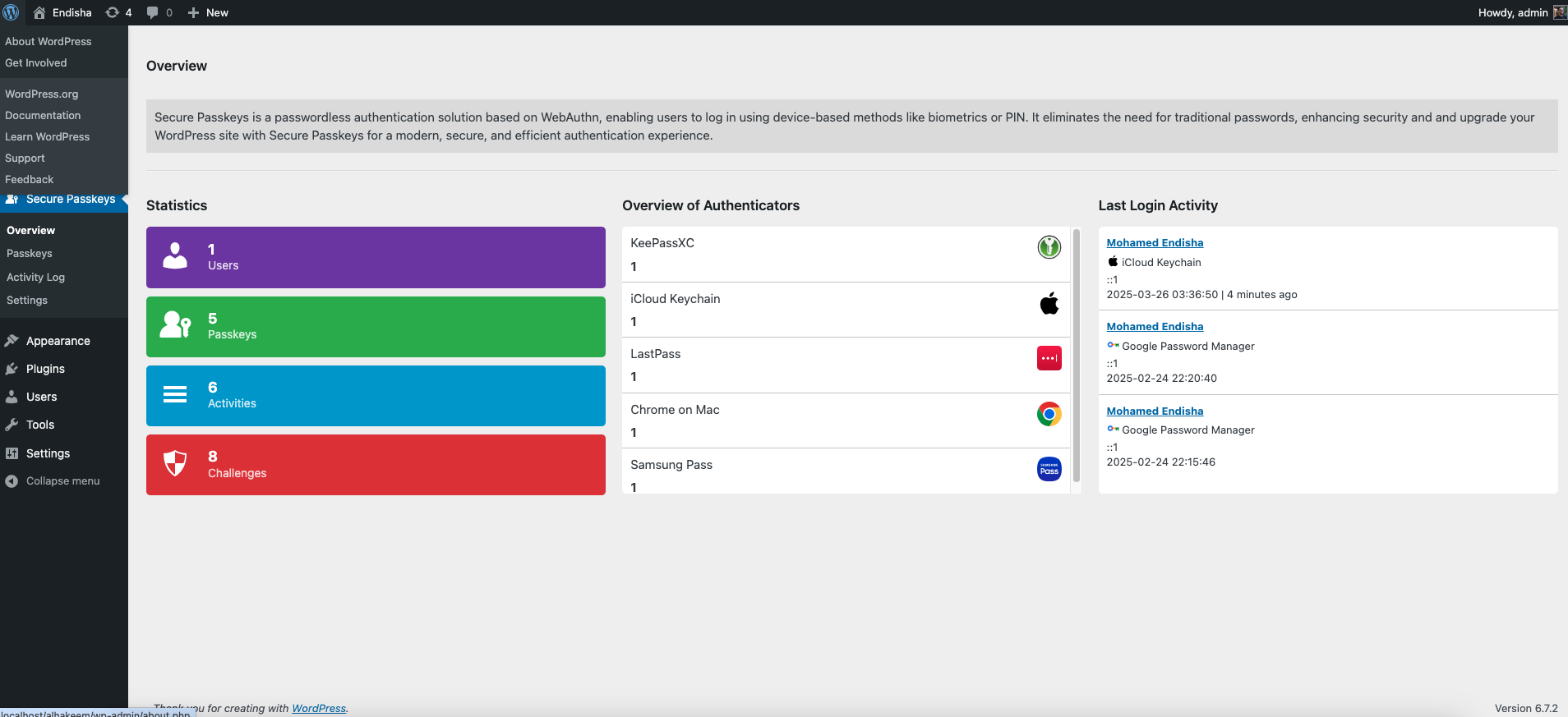
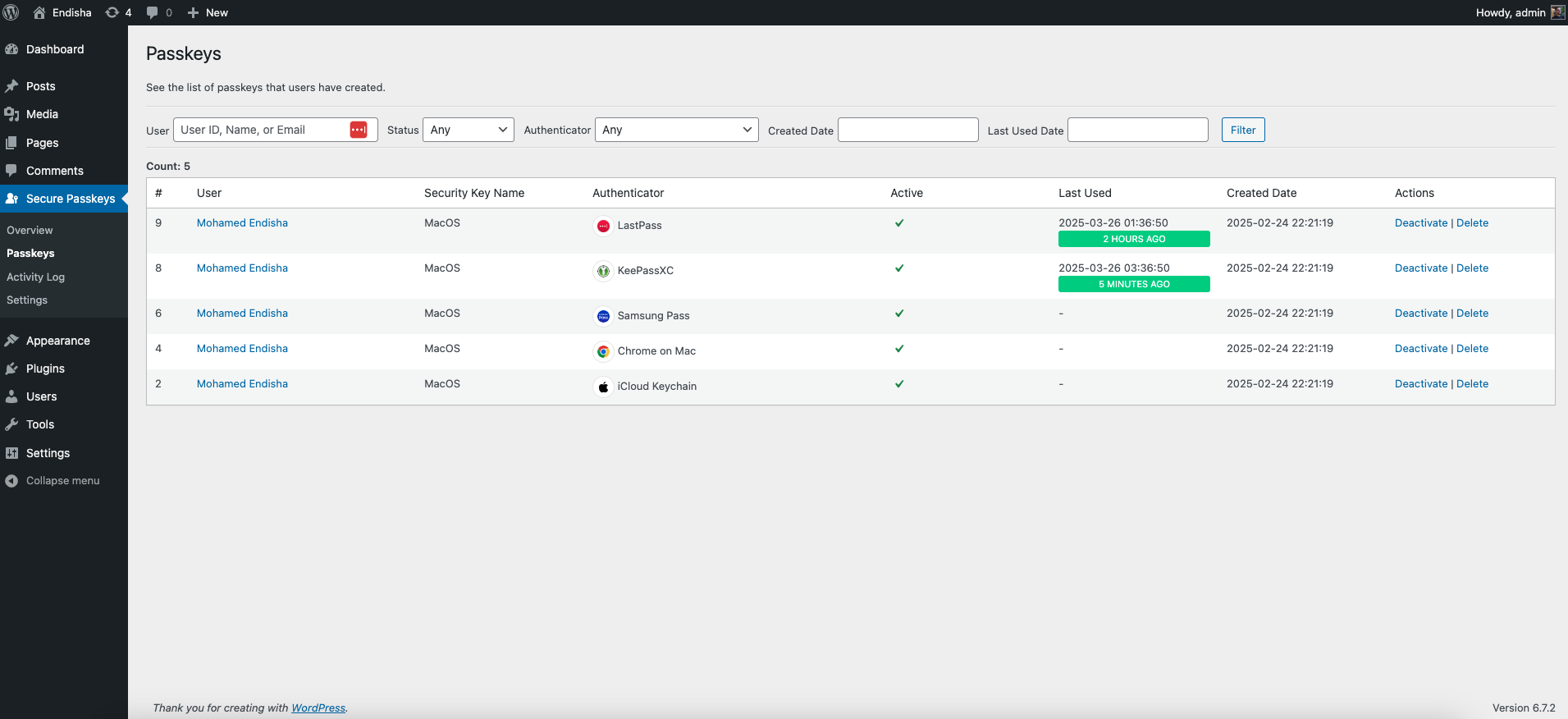
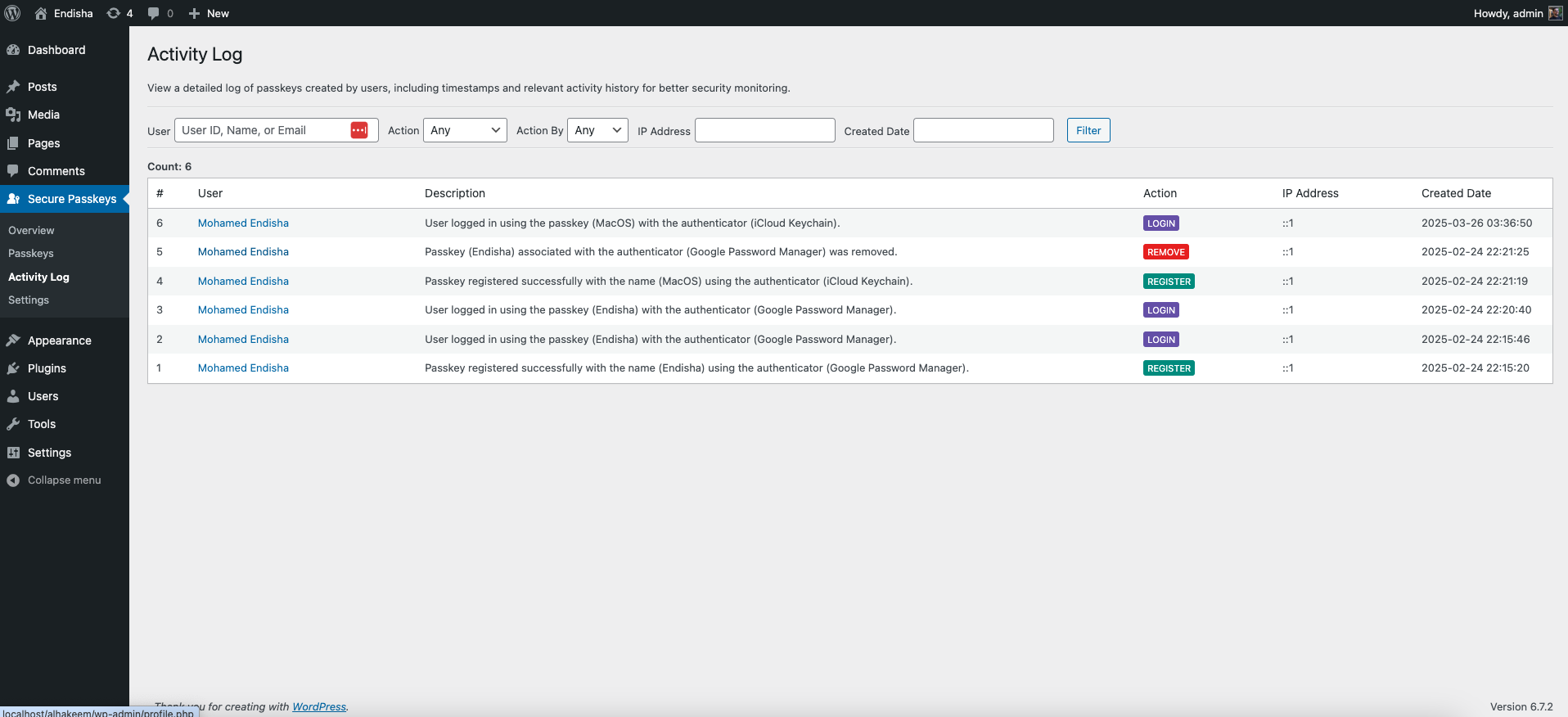
Für Entwickler
Ist das dein Plugin? Zeigen Sie die Zahlen.
Fügen Sie Ihrer Website, Docs oder GitHub Readme ein Live-Badge hinzu. Es wird von selbst aktualisiert - kein Konto erforderlich.
Best Secure Passkeys alternatives
All login plugins →





Fragen und Antworten
Secure Passkeys: quick answers
Gerade Antworten, gezogen von Live WordPress.org Daten.
Quelle: WordPress.org
Is Secure Passkeys free?
Yes. Secure Passkeys is free to download and use from the official WordPress.org plugin directory.
Is Secure Passkeys safe to use in 2026?
Secure Passkeys works, but test it on a staging site before relying on it in 2026. It runs on 2K+ sites, is rated 4.8/5 and was last updated 5 months ago, and scores 56/100 on our health check.
How many websites use Secure Passkeys?
Secure Passkeys is active on 2K+ WordPress websites and has been downloaded 14,125 times since it launched in March 2025. It was downloaded 1,365 times in the last 30 days.
Does Secure Passkeys work with WordPress 7.1?
Secure Passkeys is officially tested up to WordPress 7.0.9, while the latest release is 7.1.5. It may still work, but try it on a staging site first.
What PHP version does Secure Passkeys need?
Secure Passkeys requires PHP 7.4 or higher. Most hosts run PHP 8.x today, so it works on any modern WordPress hosting.
When was Secure Passkeys last updated?
The latest version, 1.3.0, was released on July 1, 2026 (5 months ago).
Who makes Secure Passkeys?
Secure Passkeys is developed and maintained by Mohamed Endisha.
What are the best alternatives to Secure Passkeys?
The most popular alternatives to Secure Passkeys are WPS Hide Login (2M+ installs), Loginizer (1M+ installs) and Security Optimizer (1M+ installs).
Angetrieben von PageForge
Eine Vorlage und eine Tabelle. Eine echte Seite für jede Suche.
PageForge Verwandelt jede Zeile eines CSV in eine WordPress-Seite mit eigenem Titel, URL, SEO Felder und Schema entworfen. Kostenlos auf WordPress.org.
- CSV und XLSX, plus Google Sheets auf Beruf und Unternehmen
- seinen eigenen Titel, URL, SEO Felder und Schema für jede Seite
- Arbeitet mit dem Blockeditor, Elementor, Divi und Avada
- Kostenlos auf WordPress.org, keine Kreditkarte