


Sicherheitsoptimierer – das All-in-One-Schutz-Plugin
Secure your WordPress site from brute-force attacks, threats, malware, and bots. Free to use and easy to set up.

Sichere Auswahl
Yes — Security Optimizer is a safe, well-maintained plugin to use in 2026. It runs on 1M+ sites, is rated 4.5/5 and was last updated 2 weeks ago, and scores 96/100 on our health check.
- Eines der am häufigsten verwendeten Plugins im Internet – 1 Mio. aktive Websites
- Loved by users — 4.5/5 from 158 reviews
- Aktiv entwickelt — letztes Update vor 2 Wochen
- Getestet mit dem neuesten WordPress (7.1)
- Responsive Support – 100 % der letzten Threads wurden behoben
Wie stapelt es sich?
Side-by-side bei Installationen, Updates, Bewertungen und Support



Tägliche Downloads
Download-Spitzen folgen normalerweise einer neuen Version - jede Website, die automatisch aktualisiert wird, gilt als Download.
Ranglisten
Where Security Optimizer stands todayWordPress.org Ranglisten suchen
Live-Position in der Plugin-Suche, Top 100| Stichwort | Position |
|---|---|
| firewall | #13 |
| login | #56 |
| malware scanner | #7 |
| Sicherheit | #5 |
| web application firewall | #5 |
Versionsübernahme
Anteil aktiver Sites pro Release.
Bewertungsaufschlüsselung
★★★★★★★★★★ 4.5 from 158 reviews
About Security Optimizer
Aus der offiziellen Readme · V1.7.0Beschreibung
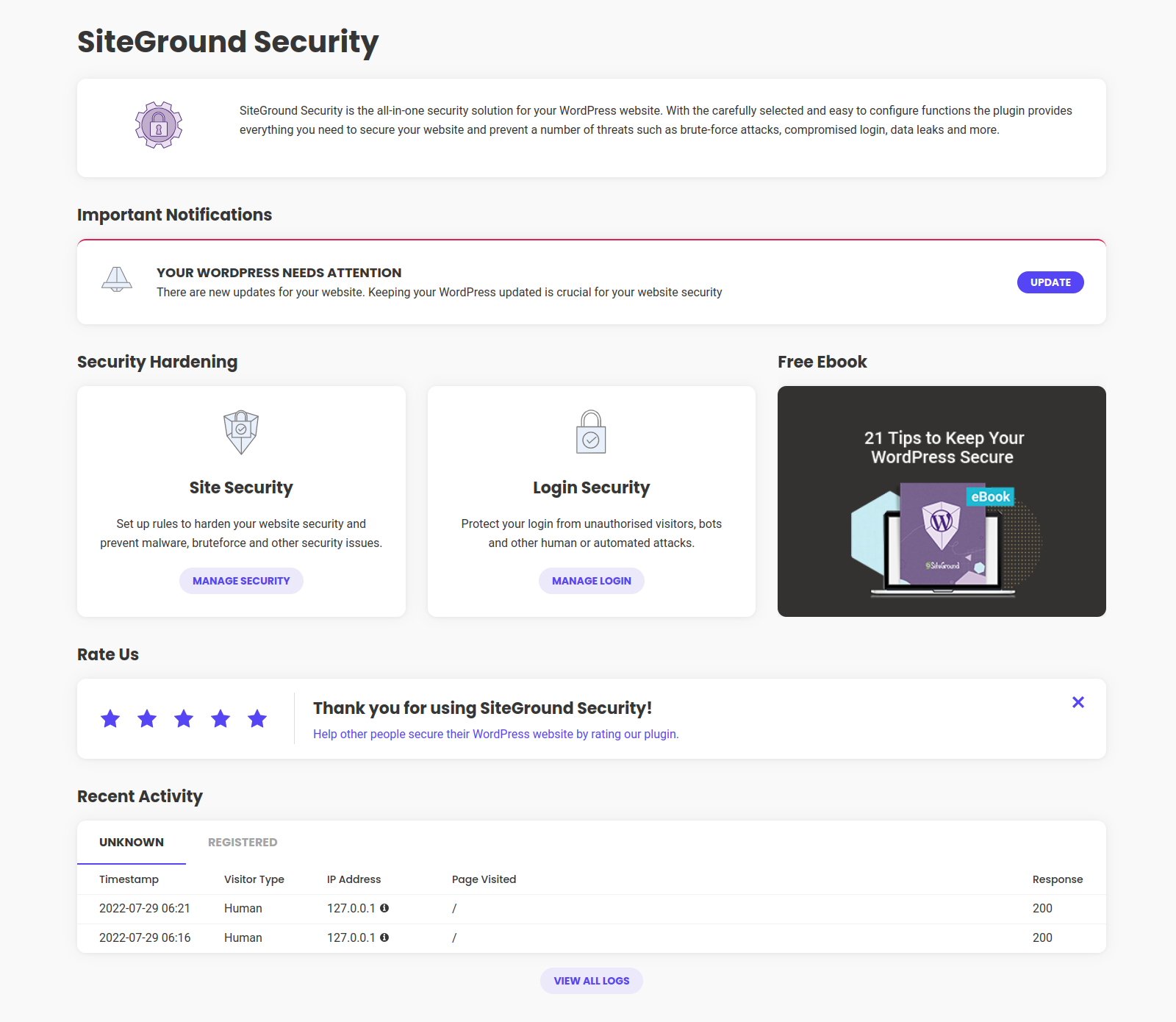
Bulletproof your website security in a few clicks against a range of security breaches, including brute-force attacks, malware threats and bots, with our free WordPress security plugin – Security Optimizer.
Proactively monitor your site’s security to detect any suspicious activity and take immediate actions to protect your site and prevent further damage with these essential features:
- Enable 2FA (Two-Factor Authentication) for an extra layer of website security
- Set Limit Login Attempts to deter malicious login attempts and brute-force attacks
- Change your default login URL to Custom Login URL to avoid attacks
- Activate Advanced XSS Protection to fortify your website against malicious attacks
- Lock and Protect System Folders to ensure no unauthorized or malicious scripts can be executed in your system folders
- Disable Themes & Plugins Editor to safeguard your website from unauthorized access via the WordPress editor
- Hide WordPress Version effortlessly, keeping it hidden from prying eyes
- Use Activity Log to monitor your site and quickly prevent malicious actions
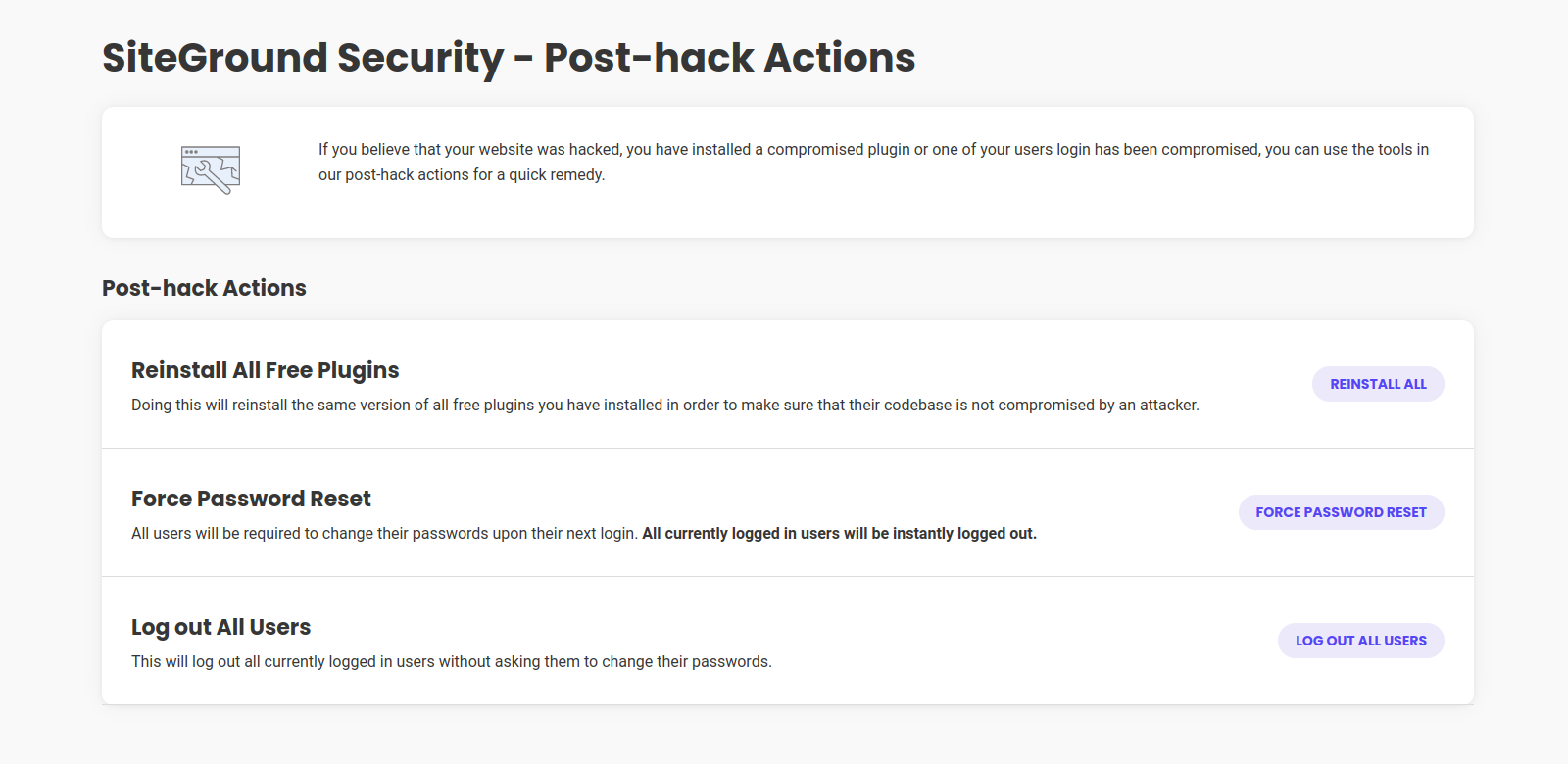
- Post-Hack Actions to take immediate actions and prevent further damages
Developed by the website security experts at SiteGround and trusted by over 900,000 webmasters for its robust security shield and ease of use to safeguard WordPress applications from possible attacks on any hosting platform.
AWARDS:
Monster Awards 2022: Best WordPress Security Plugin 🥇
Monster Awards 2021: Best WordPress Security Plugin 🥇
Plugin Video
Plugin Tutorial
Unveil the vast array of features and unleash the full potential of our security plugin in our Security Optimizer Tutorial.
SITE PROTECTION FEATURES
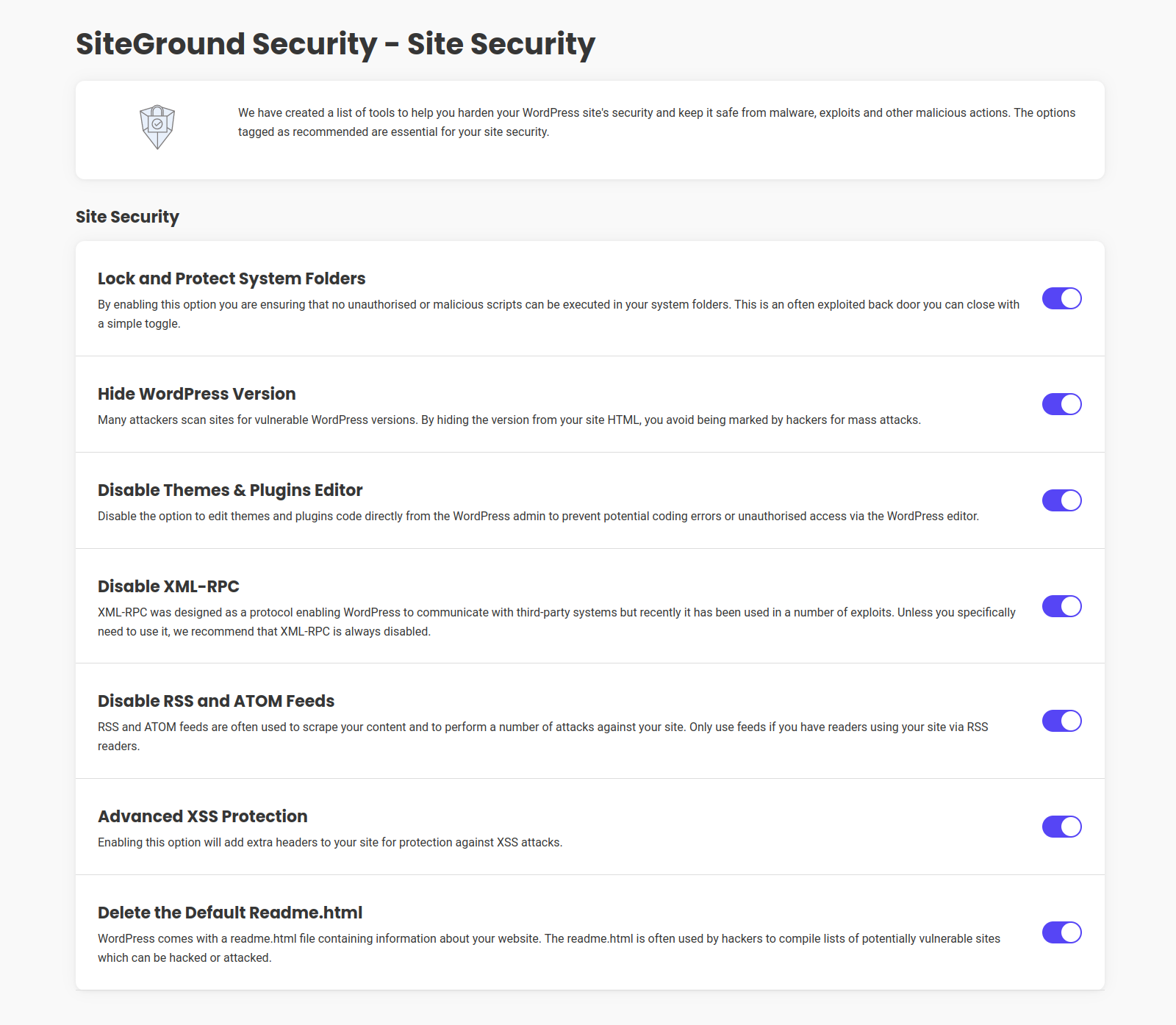
Safeguard your WordPress application using our powerful site security toolset. Our comprehensive features are specifically designed to strengthen your website’s defenses against malware, exploits, and various malicious activities. With these tools at your disposal, you can ensure the utmost bot, malware and brute force protection for your website:
Lock and Protect System Folders
Ensure the maximum security for your application’s system folders by preventing the execution of any unauthorized or malicious scripts. The Lock and Protect System Folders feature acts as a powerful shield against potential threats.
Hide WordPress Version
Protect your website from mass attacks by hiding the WordPress version, which helps to mitigate version-specific vulnerabilities.
Disable Themes & Plugins Editor
Enhance the security of your WordPress admin area by disabling the Themes & Plugins Editor, preventing potential coding errors and unauthorized access through the editor.
Disable XML-RPC
Mitigate potential security risks by disabling the XML-RPC protocol, which has been exploited in various attacks. Please note that disabling XML-RPC will restrict WordPress from communicating with third-party systems. We recommend enabling this feature unless you have a specific need for it.
Disable RSS and ATOM Feeds
Prevent content scraping and specific attacks on your site by disabling RSS and ATOM feeds. Unless you have readers accessing your site via RSS readers, it is recommended to keep this feature enabled.
Advanced XSS Protection
Add an extra layer of website security against cross-site scripting (XSS) attacks by enabling Advanced XSS Protection, bolstering the overall security of your website.
Delete Default Readme.html
Eliminate potential vulnerabilities by deleting the default readme.txt file, which contains information about your website. By removing this file, you reduce the risk of your site being listed in vulnerable sites targeted by hackers.
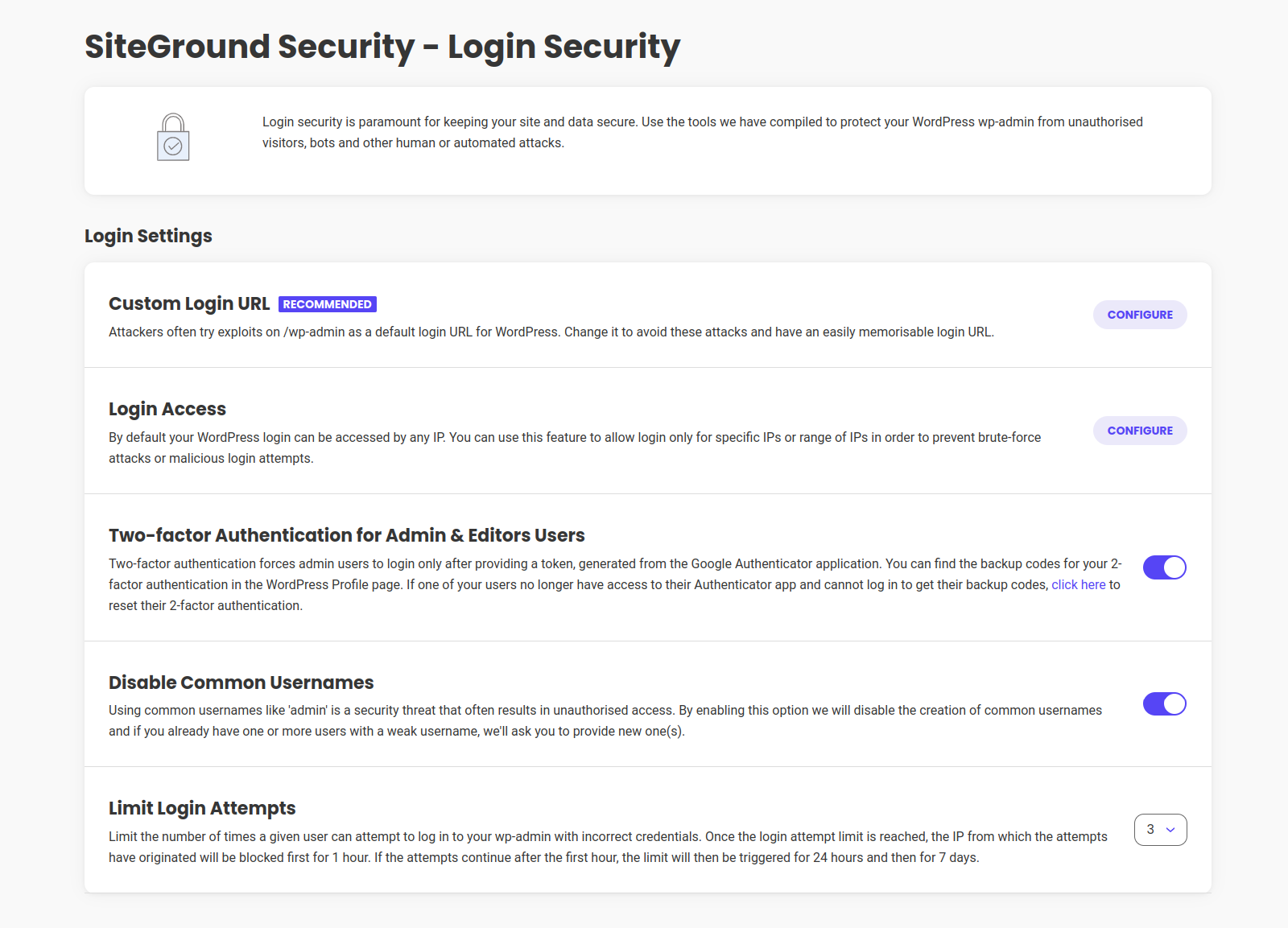
Login Security
Custom Login Url
Personalize your login URL to thwart potential attacks and create a strong entry point. Bid farewell to the default login URL and embrace a bespoke path of your choosing. Additionally, you have the freedom to modify the default sign-up URL as well.
Login Access
Restrict login page access to specific IP addresses or IP ranges, effectively thwarting malicious login attempts and deterring brute force attacks.
2FA (Two-Factor Authentication)
Immerse your website in an impenetrable shield of security with 2FA. This formidable feature demands that all admin users furnish a unique token, generated exclusively through the Google Authentication application, during the login process.
Disable Common Usernames
Don’t fall victim to predictable security breaches! The use of common usernames, such as ‘admin,’ poses a significant threat to the integrity of your website. Activate this option to disable the creation of common usernames. If any weak usernames already exist, we’ll prompt you to provide new, stronger alternatives.
Limit Login Attempts
Maintain control over unauthorized access attempts with Limit Login Attempts. Set a specific threshold for the number of login failures users can endure before consequences arise. After reaching the limit, the IP address associated with the unsuccessful login attempts will be blocked for one hour. Persistent failures will result in longer restrictions, starting with 24 hours and escalating to a week.
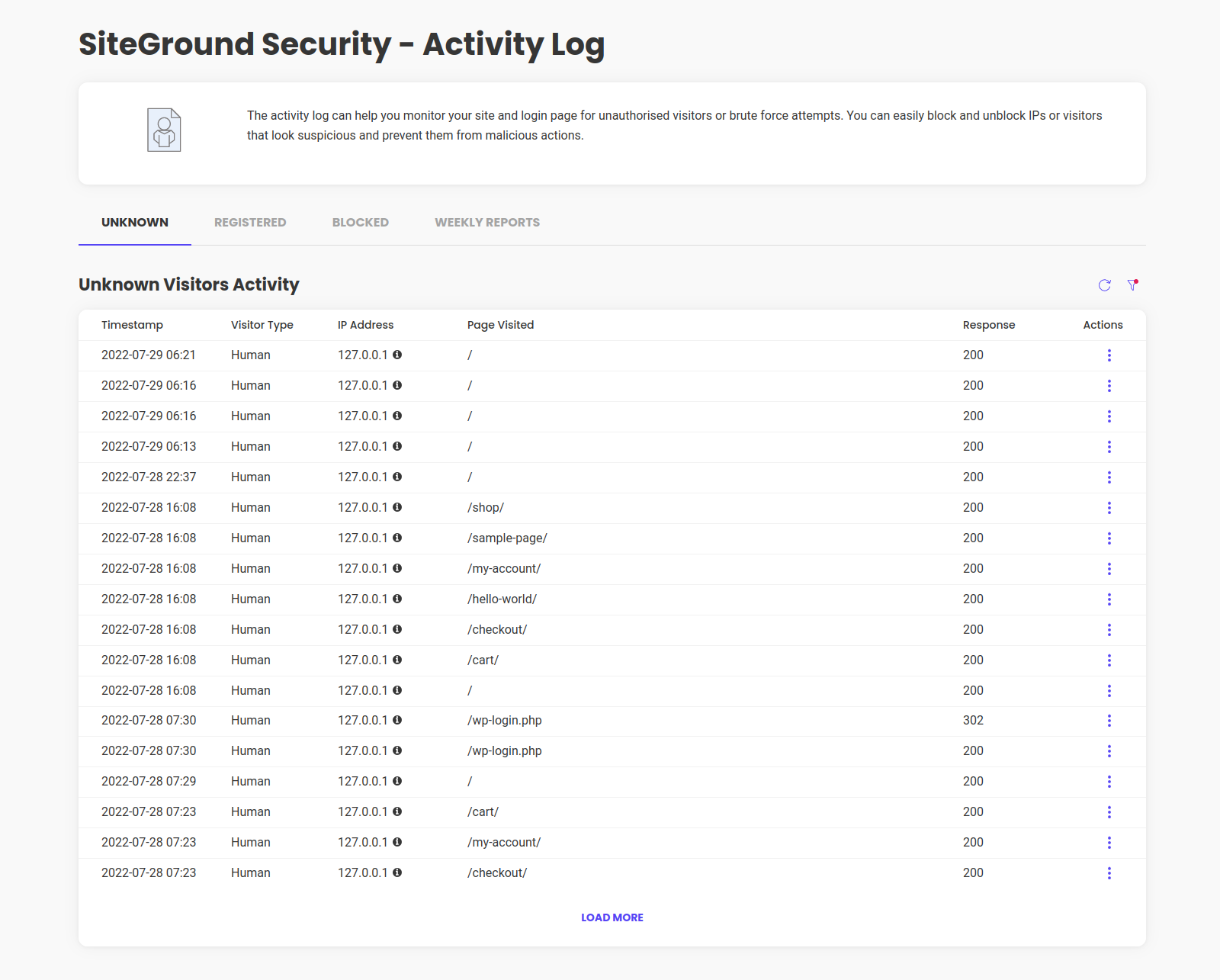
ACTIVITY MONITORING
Monitor your website and login page for unauthorized visitors and brute force attempts to prevent malicious actions
Activity Log
The Activity Log page provides you with a comprehensive view of the activities performed by registered, unknown, and blocked visitors. It allows you to closely monitor any suspicious behavior and take appropriate actions in case of a compromised user, plugin, or hacking attempt. You can leverage the quick tools available to swiftly block future attempts.
Weekly Security Reports
Receive a weekly traffic summary for your website directly to your inbox. This Weekly Security Report compiles data on both bot and human traffic, along with details about blocked login and visit attempts to proactively monitor traffic and promptly identify suspicious activity.
POST-HACK ACTIONS
Take immediate measures to protect your website if you suspect a compromise and prevent further damage. Here, you’ll find convenient solutions to address the situation effectively:
Reinstall All Free Plugins
In the event of a hack, utilizing the Reinstall All Free Plugins feature can help mitigate potential harm. This action reinstalls all of your free plugins, reducing the likelihood of additional exploits or the reuse of malicious code.
Log Out All Users
To prevent any further unauthorized activities by users or attackers, you can choose to log out all users instantly using the Log Out All Users feature.
Force Password Reset
By enforcing a password reset, you can ensure that all users are prompted to change their passwords during their next login. This not only strengthens the security of their accounts but also immediately logs out all currently logged-in users.
Bedarf
- WordPress 4.7
- PHP 7.0
- Working .htaccess file
Data Collection
Collection of technical data is optional and is listed here. This data is collected only for technical analysis, improvements and the possibility to contact the plugin user in case urgent issues need to be fixed (for example a critical security release that needs to be communicated to site owners). The plugin user can manage their preferences within the WP admin to control the collection of technical data. We advise opting in for this data collection, as it can enhance the plugin’s performance. You may find more information on data collection in our Plugins Privacy Notice.
Installation
Automatische Installation
- Go to Plugins -> Add New
- Search for “Security Optimizer by SiteGround”
- Click on the Install button under the Security Optimizer by SiteGround plugin
- Once the plugin is installed, click on the Activate plugin link
Manuelle Installation
- Login to the WordPress admin panel and go to Plugins -> Add New
- Select the ‘Upload’ menu
- Click the ‘Choose File’ button and point your browser to the sg-security.zip file you’ve downloaded
- Click the ‘Install Now’ button
- Go to Plugins -> Installed Plugins and click the ‘Activate’ link under the WordPress Security Optimizer by SiteGround listing
Änderungsprotokoll
Version 1.7.0
Release Date Nov 4th, 2026
- Plugin translations download improvements
- Custom Login URL improvements
- User Enumeration Protection improvements
- 2FA improvements
- Support for PHP 8.4 improvements
Version 1.6.9
Release Date Oct 14th, 2026
- Security improvements
- Custom Login URL improvements
- 2FA improvements
Version 1.6.8
Release Date Aug 28th, 2026
- Fix issues with vendor library
Version 1.6.7
Release Date Aug 28th, 2026
- Security Improvements
Version 1.6.6
Release Date Aug 26th, 2026
- Legacy code removed
Version 1.6.5
Release Date Jul 9th, 2026
- Security improvements
- Dashboard visuals improvements
Screenshots
Für Entwickler
Ist das dein Plugin? Zeigen Sie die Zahlen.
Fügen Sie Ihrer Website, Docs oder GitHub Readme ein Live-Badge hinzu. Es wird von selbst aktualisiert - kein Konto erforderlich.
Best Security Optimizer alternatives
All firewall plugins →





Fragen und Antworten
Security Optimizer: quick answers
Gerade Antworten, gezogen von Live WordPress.org Daten.
Quelle: WordPress.org
Is Security Optimizer free?
Yes. Security Optimizer is free to download and use from the official WordPress.org plugin directory.
Is Security Optimizer safe to use in 2026?
Yes — Security Optimizer is a safe, well-maintained plugin to use in 2026. It runs on 1M+ sites, is rated 4.5/5 and was last updated 2 weeks ago, and scores 96/100 on our health check.
How many websites use Security Optimizer?
Security Optimizer is active on 1M+ WordPress websites and has been downloaded 41,495,756 times since it launched in May 2021. It was downloaded 2,283,458 times in the last 30 days.
Does Security Optimizer work with WordPress 7.1?
Yes. The developer has tested Security Optimizer up to WordPress 7.1.5, the latest release. It requires WordPress 4.7 or newer.
What PHP version does Security Optimizer need?
Security Optimizer requires PHP 7.0 or higher. Most hosts run PHP 8.x today, so it works on any modern WordPress hosting.
When was Security Optimizer last updated?
The latest version, 1.7.0, was released on November 4, 2026 (2 weeks ago).
Who makes Security Optimizer?
Security Optimizer is developed and maintained by SiteGround.
What are the best alternatives to Security Optimizer?
The most popular alternatives to Security Optimizer are Wordfence Security (5M+ installs), Limit Login Attempts Securi… (1M+ installs) and All-In-One Security (AIOS) (1M+ installs).
Angetrieben von PageForge
Eine Vorlage und eine Tabelle. Eine echte Seite für jede Suche.
PageForge Verwandelt jede Zeile eines CSV in eine WordPress-Seite mit eigenem Titel, URL, SEO Felder und Schema entworfen. Kostenlos auf WordPress.org.
- CSV und XLSX, plus Google Sheets auf Beruf und Unternehmen
- seinen eigenen Titel, URL, SEO Felder und Schema für jede Seite
- Arbeitet mit dem Blockeditor, Elementor, Divi und Avada
- Kostenlos auf WordPress.org, keine Kreditkarte