


Product Notices for WooCommerce
Better showcase and display notices on your WooCommerce store

Betrachten Sie eine Alternative
Product Notices for WooCommerce shows warning signs in 2026 — compare the alternatives below before installing. It runs on 800+ sites, is rated 5/5 and was last updated 2 years ago, and scores 37/100 on our health check.
- Small user base (800+ active installs)
- Kein Update in über einem Jahr
- Nur getestet bis WordPress 6.8 (letzt ist 7.1)
Wie stapelt es sich?
Side-by-side bei Installationen, Updates, Bewertungen und Support


Tägliche Downloads
Download-Spitzen folgen normalerweise einer neuen Version - jede Website, die automatisch aktualisiert wird, gilt als Download.
Ranglisten
Where Product Notices for WooComm… stands todayWordPress.org Ranglisten suchen
Live-Position in der Plugin-Suche, Top 100| Stichwort | Position |
|---|---|
| alert | >100 |
| notices | #41 |
| notification | >100 |
| promo | #81 |
| WooCommerce | >100 |
Versionsübernahme
Anteil aktiver Sites pro Release.
Bewertungsaufschlüsselung
★★★★★★★★★★ 5 from 7 reviews
About Product Notices for WooCommerce
From the official readme · v1.3.4Beschreibung
Better showcase and display notices on your WooCommerce store
Ever wanted to show notifications, alerts, announcements or general notices on the product pages of your website? Product Notices for WooCommerce makes it a breeze for you!
Now, make your notices on your eCommerce websites stand out more than ever! With the new Product Notices for WooCommerce plugin, highlight the most important announcements or showcase discounts on all or on any product page.
With its two customization options:
-
Global Notices– These are the notices that you can highlight across your store. This feature allows you to set up notices to show on all the products. It may be some kind of market announcement, alert, or for any other criteria.
-
Per-Product Notices-This feature allows you to show notices on a per-product basis. The notice may be in form of promo, discount, or any other criteria. This feature also allows you to hide the global notice from the page, thus allowing custom store notices an easy task.
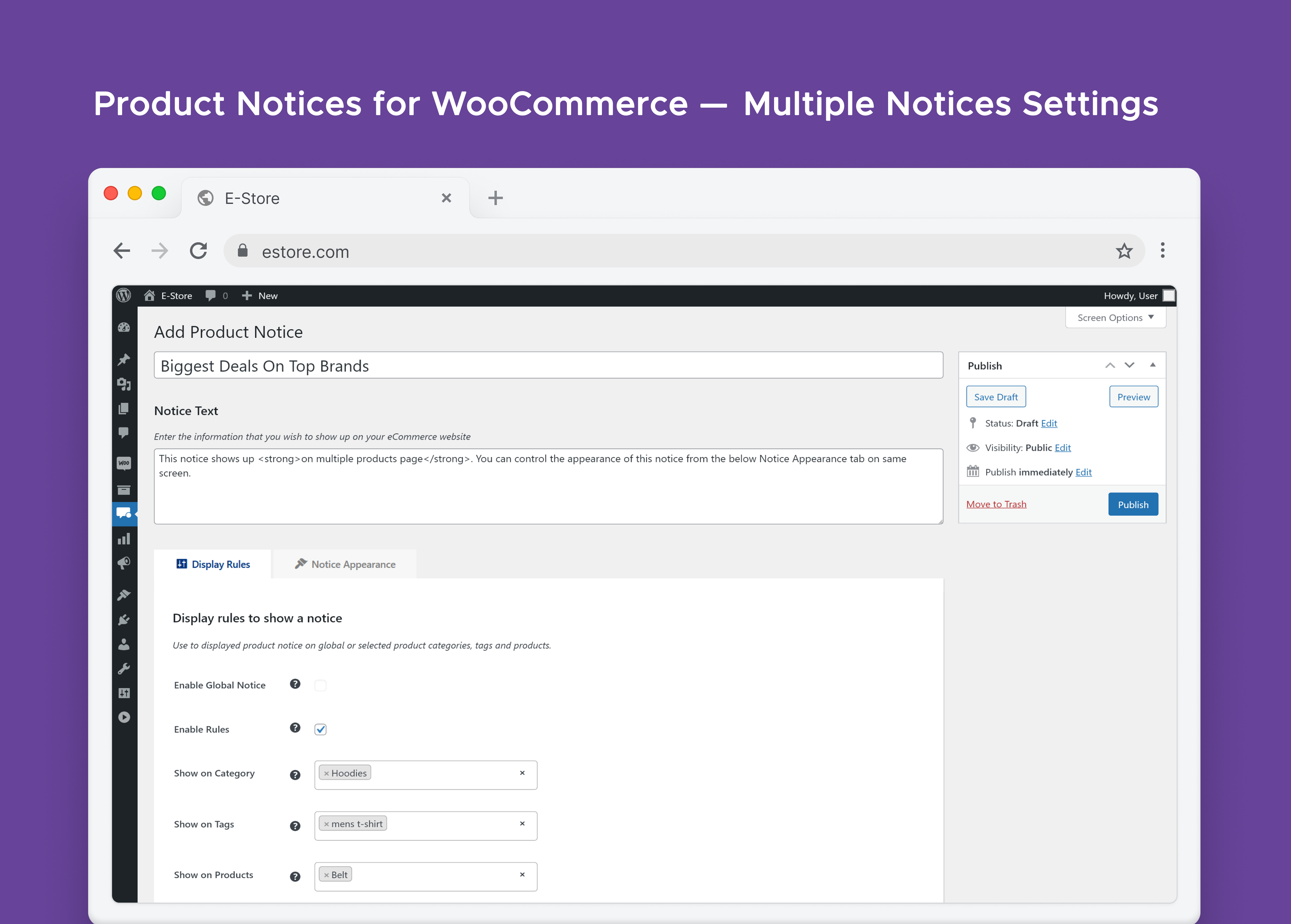
Setting up more than one Global and Per-Product Notices
If you wanted to show multiple notices, for instance, trying to show more than one product promo/discount, update, etc.
- You can find the Product Notices menu by navigating to the Dashboard in WordPress.
- Click on the Add New button and enter the desired content in the Notice Text field.
- The Display Rules tab allows you to set up the product notice to show on all products in the store or on certain categories, tags, and products.
- You can select from a set of default or custom appearance styles to control how your notice appears on product pages using the Notice Appearance dropdown.
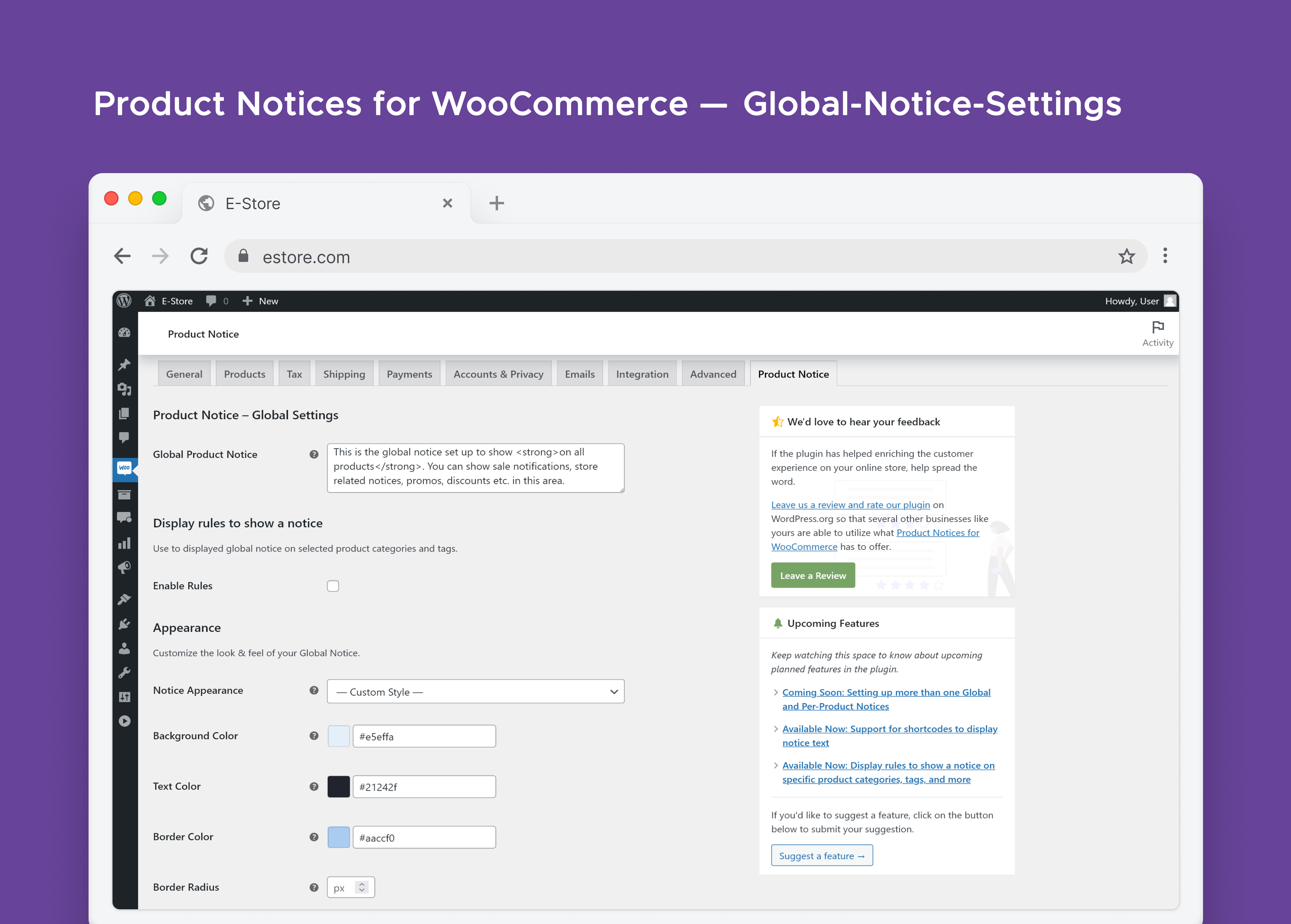
Setting up Global Notice
In order to set up a Global Notice for the products on your store:
- Navigate to the Settings menu under WooCommerce on the WordPress Dashboard.
- Click on the Product Notice tab and use the settings field to set up the product notice to show on all the products in the store.
- Choose from a set of default appearance styles to set-up how your notice shows up on the product pages using the Notice Appearance dropdown.
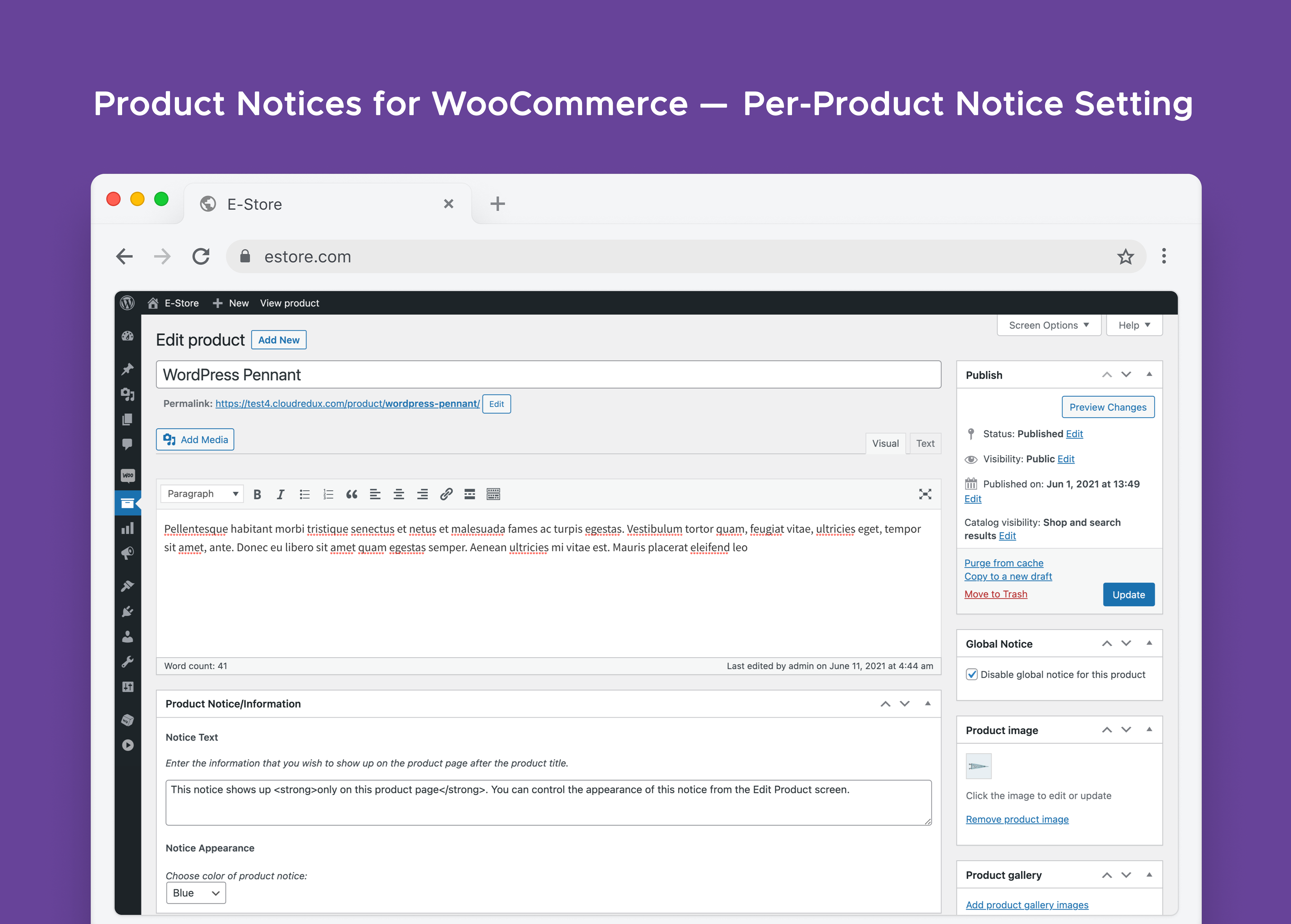
Setting up Per-Product Notice
If you would rather show a notice, alert, announcement, etc. only on one or more and not all the products in your store, the plugin allows you to do just that.
- Head to the Edit Product screen for a product and look for the Product Notice/Information metabox.
- Add the desired content in the Notice Text field.
- Choose from a set of default appearance styles to set-up how your notice shows up on the page using the Notice Appearance dropdown.
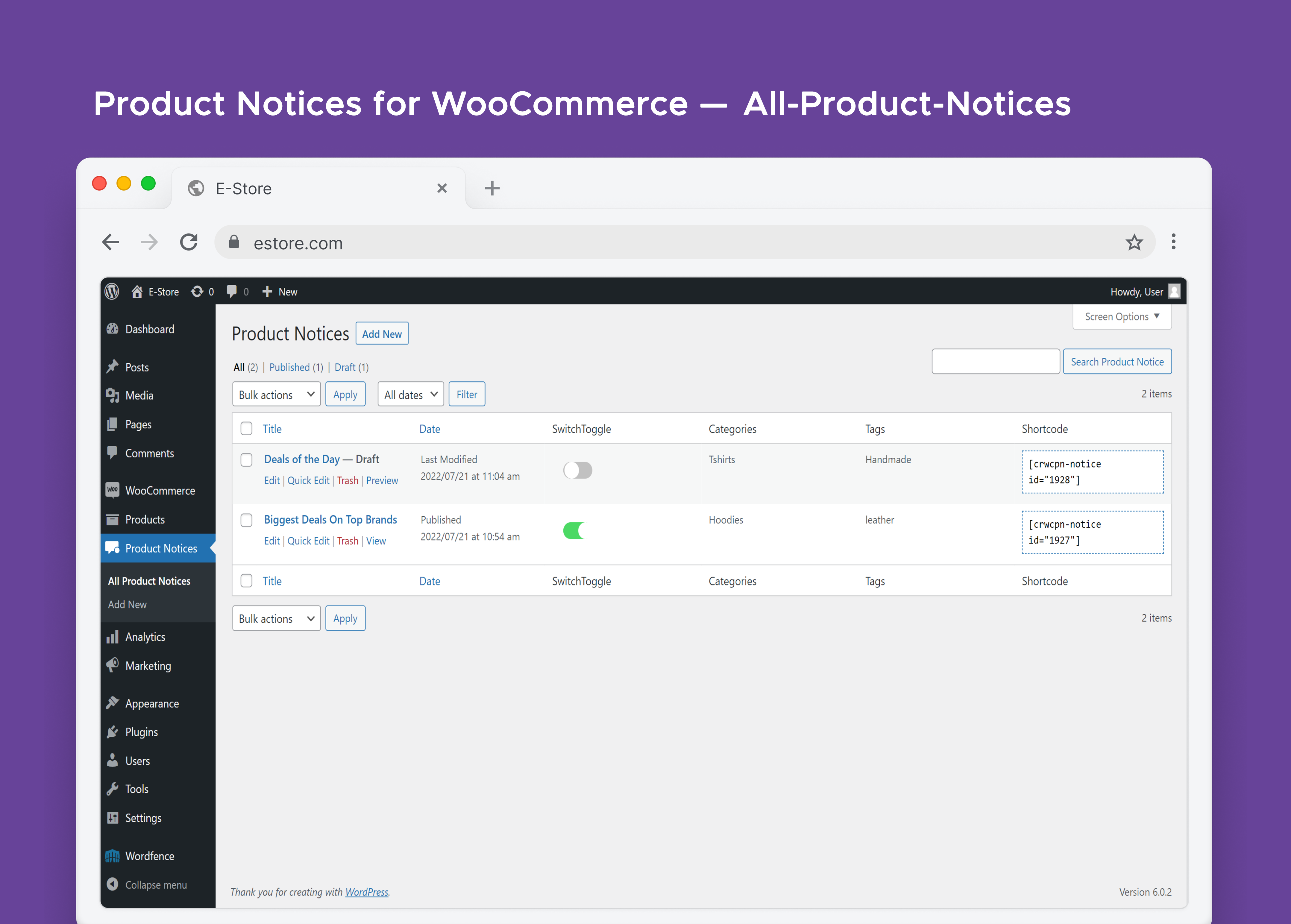
Display notices effortlessly, with Shortcodes
The plugin also offers built-in shortcodes to display notices on the website. The shortcode allows you to display both global and a specific-product notice on a desired page or post.
- Use
[crwcpn-notice]shortcode to display the global notice as configured in the plugin settings. - To show the product notice on a different location on the product page, you can use the shortcode with an additional attribute
type. So, the shortcode[crwcpn-notice type="product"]will display product notice on the product page at the desired location. - If you wish to show a product specific notice on a different page, post or elsewhere on the website, you can use the
idattribute of the shortcode to do so. Using this[crwcpn-notice type="product" id="123"]will display the notice configured for the product with ID 123 on desired location on the website.
Installation
Log in to your WordPress Dashboard, navigate to the Plugins menu and click Add New. In the search field type “Product Notices for WooCommerce” and click on Search Plugins. Once you’ve found the plugin you can install it by simply clicking “Install Now”.
Or you can follow the steps given below:
- Upload the entire
product-notices-woocommercefolder to the/wp-content/plugins/directory. - DO NOT change the name of the
product-notices-woocommercefolder. - Aktivieren Sie das Plugin über das „Plugins“-Menü in WordPress.
- Once activated, visit the Product Notices tab under WooCommerce > Settings.
- Set up the plugin options as required.
Änderungsprotokoll
1.3.4
- Tested plugin for compatibility with WordPress 6.8.1
- Tested plugin for compatibility with WooCommerce 9.8.4
- Added HPOS compatibility for WooCommerce
1.3.3
- Tested plugin for compatibility with WordPress 6.5
1.3.2
- Tested plugin for compatibility with WordPress 6.2
- Resolved an issue causing shortcodes to fail to display notices on product pages.
- Improved display rules to ensure accurate and consistent notice display.
1.3.1
- Fixes invalid call to class constructor.
- Removes redundant call to now removed sanitization file.
1.3.0
- New The ability to add multiple notices – You can now add more than one notices to your WooCommerce-enabled store, both global and per-product type. A new “Product Notices” screen to help you create and set-up notices to your liking. You can also configure display rules to allow you to select one or more product, categories and tags from the drop-down menu to show Product Notice(s) based on your configuration. Notices list admin screen also offers easy way to enable you to copy the shortcode and use on product pages as necessary.
- New Added support for border radius configuration in Notice Appearance. This will be used to determine the curvature of the corners of the notice box.
1.2.0
- New: Added display rules options for Global Notice. Display rules allow you to select one or more product categories and tags from the drop-down menu to display Global Notice on selected product categories and/or tags.
- Re-factored the admin CSS file to better control the admin screen columns. Also fixed issues with mobile responsive appearance.
- Fixed: Removed
wp_kses_postvalidation/escaping in the shortcode output. This would allow certain shortcodes that output form elements work as expected on the frontend.
Screenshots
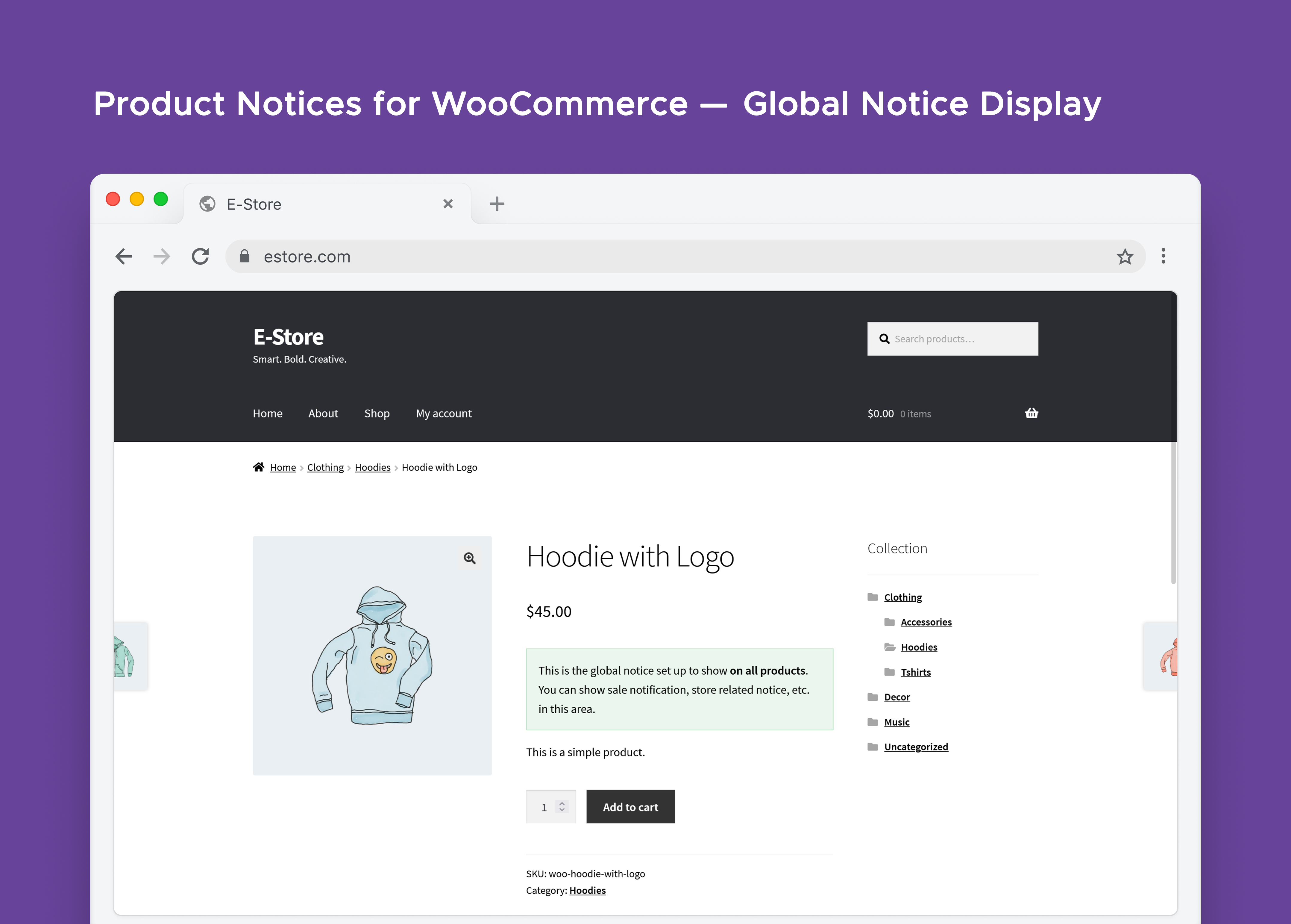
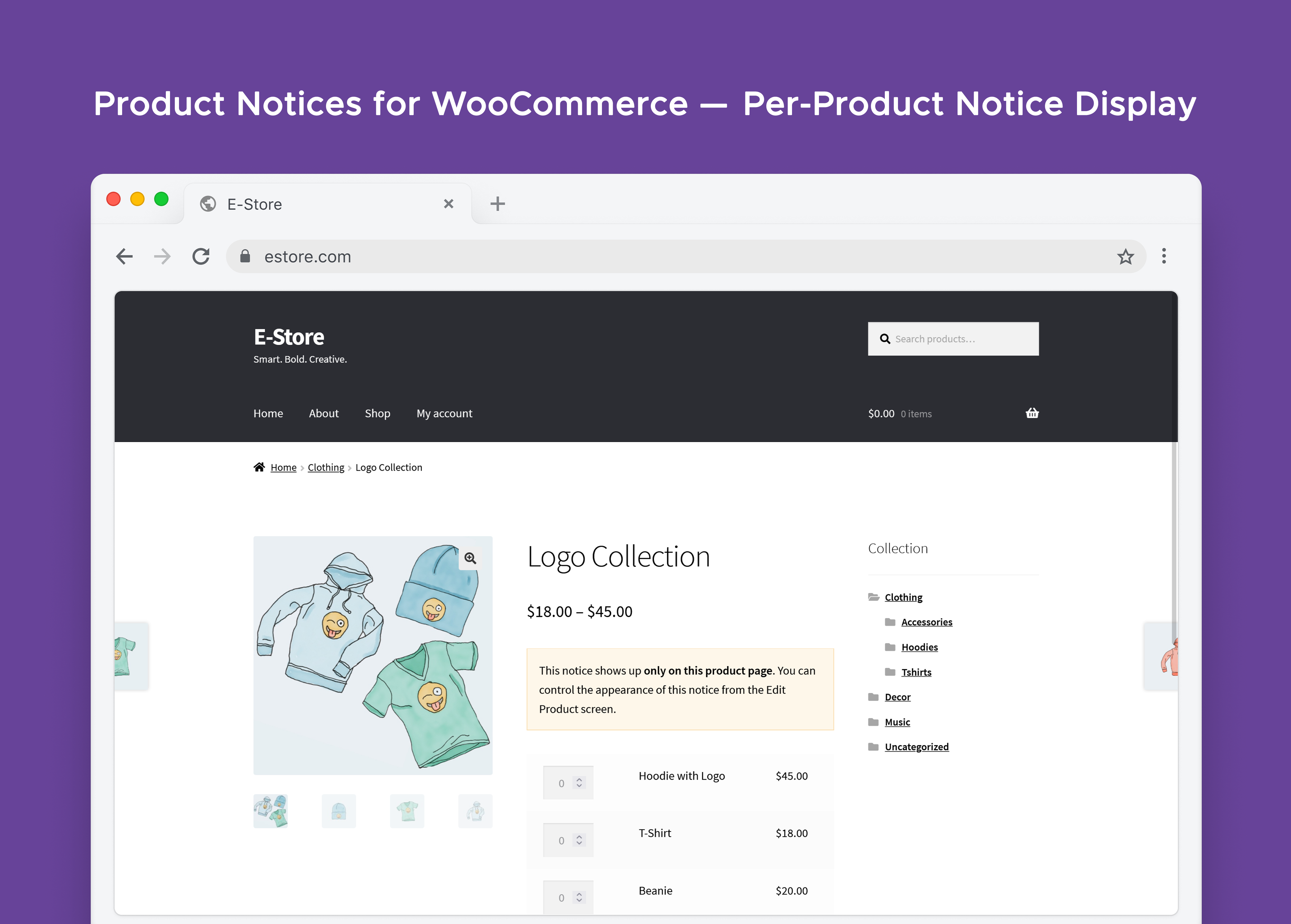
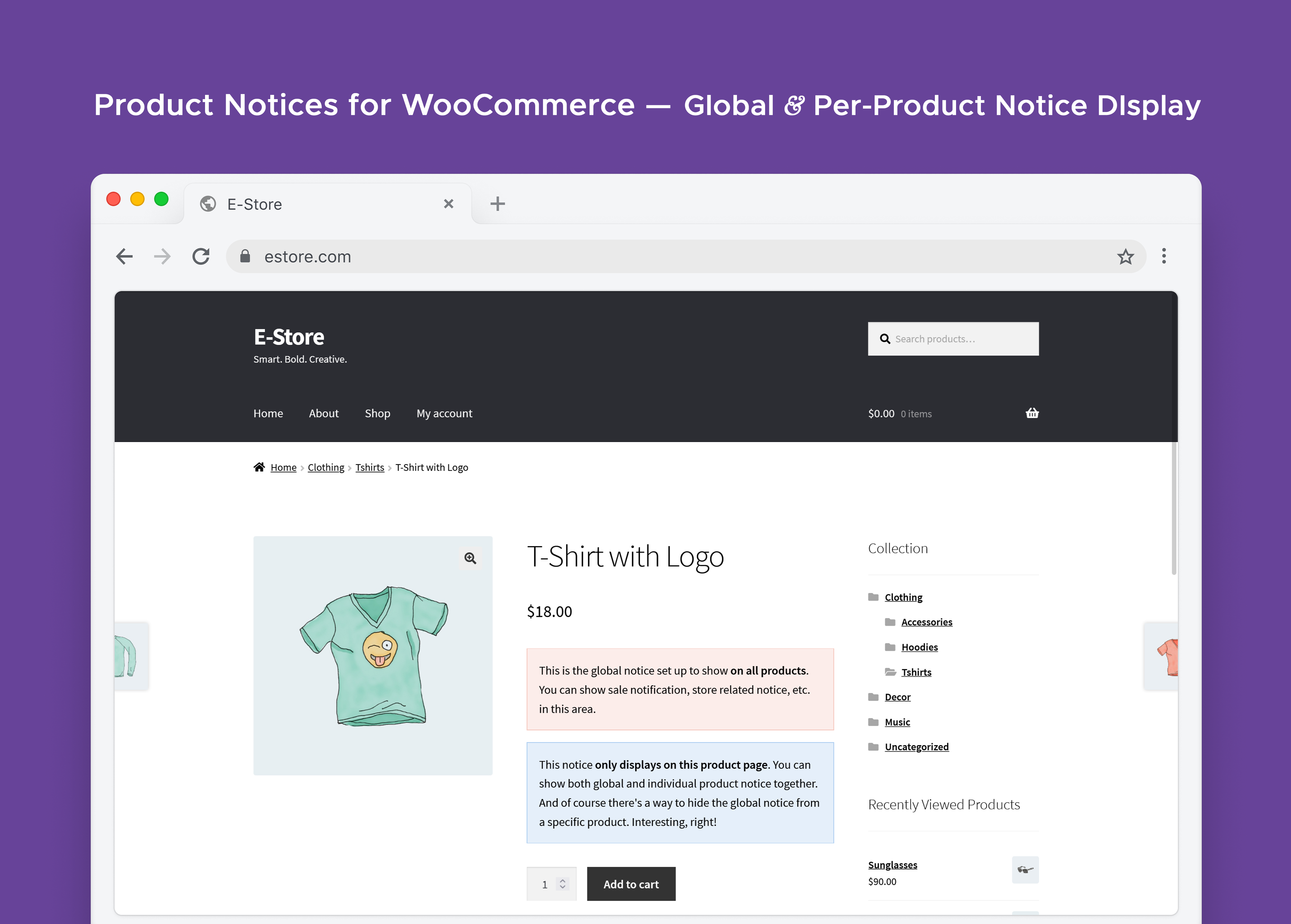
Für Entwickler
Ist das dein Plugin? Zeigen Sie die Zahlen.
Fügen Sie Ihrer Website, Docs oder GitHub Readme ein Live-Badge hinzu. Es wird von selbst aktualisiert - kein Konto erforderlich.
Best Product Notices for WooCommer… alternatives
All alert plugins →




Fragen und Antworten
Product Notices for WooCommerce: quick answers
Gerade Antworten, gezogen von Live WordPress.org Daten.
Quelle: WordPress.org
Is Product Notices for WooCommerce free?
Yes. Product Notices for WooCommerce is free to download and use from the official WordPress.org plugin directory.
Is Product Notices for WooCommerce safe to use in 2026?
Product Notices for WooCommerce shows warning signs in 2026 — compare the alternatives below before installing. It runs on 800+ sites, is rated 5/5 and was last updated 2 years ago, and scores 37/100 on our health check.
How many websites use Product Notices for WooCommerce?
Product Notices for WooCommerce is active on 800+ WordPress websites and has been downloaded 10,616 times since it launched in June 2021. It was downloaded 279 times in the last 30 days.
Does Product Notices for WooCommerce work with WordPress 7.1?
Product Notices for WooCommerce is officially tested up to WordPress 6.8.13, while the latest release is 7.1.5. It may still work, but try it on a staging site first.
What PHP version does Product Notices for WooCommerce need?
Product Notices for WooCommerce requires PHP 7.2 or higher. Most hosts run PHP 8.x today, so it works on any modern WordPress hosting.
When was Product Notices for WooCommerce last updated?
The latest version, 1.3.4, was released on May 8, 2025 (2 years ago).
Who makes Product Notices for WooCommerce?
Product Notices for WooCommerce is developed and maintained by CloudRedux.
What are the best alternatives to Product Notices for WooCommerce?
The most popular alternatives to Product Notices for WooCommerce are VK Blocks (100K+ installs), Customize WordPress Emails… (30K+ installs) and WP Notification Bars (10K+ installs).
Angetrieben von PageForge
Eine Vorlage und eine Tabelle. Eine echte Seite für jede Suche.
PageForge Verwandelt jede Zeile eines CSV in eine WordPress-Seite mit eigenem Titel, URL, SEO Felder und Schema entworfen. Kostenlos auf WordPress.org.
- CSV und XLSX, plus Google Sheets auf Beruf und Unternehmen
- seinen eigenen Titel, URL, SEO Felder und Schema für jede Seite
- Arbeitet mit dem Blockeditor, Elementor, Divi und Avada
- Kostenlos auf WordPress.org, keine Kreditkarte