


Press3D
Display interactive 3D models (STL, OBJ, GLB, GLTF) with Gutenberg blocks and shortcodes.

Solide Wahl
Press3D is a solid plugin choice in 2026, with a few things worth checking first. It runs on 50+ sites, is rated 5/5 and was last updated 3 months ago, and scores 71/100 on our health check.
- Getestet mit dem neuesten WordPress (7.1)
- Kleine Benutzerbasis (50+ aktive Installationen)
- Bisher sehr wenige Bewertungen
Wie stapelt es sich?
Side-by-side bei Installationen, Updates, Bewertungen und SupportTägliche Downloads
Download-Spitzen folgen normalerweise einer neuen Version - jede Website, die automatisch aktualisiert wird, gilt als Download.
Ranglisten
Where Press3D stands todayWordPress.org Ranglisten suchen
Live-Position in der Plugin-Suche, Top 100| Stichwort | Position |
|---|---|
| .obj | #5 |
| 3d | >100 |
| 3D viewer | #73 |
| gltf | #7 |
| stl | #6 |
Versionsübernahme
Anteil aktiver Sites pro Release.
Bewertungsaufschlüsselung
★★★★★★★★★★ 5 from 1 reviews
About Press3D
Aus der offiziellen Readme · V1.2.1Beschreibung
Press3D is a powerful and feature-rich WordPress plugin that enables you to display interactive 3D models directly on your website. Built with the industry-standard Three.js library, it provides a professional-grade 3D viewing experience with extensive customization options.
Supported 3D Model Formats:
- STL – Popular for 3D printing and CAD models (binary and ASCII)
- OBJ – Universal 3D format compatible with most 3D software
- GLB – Binary glTF format (recommended for best web performance)
- GLTF – Text-based glTF format with separate asset files
Hauptmerkmale:
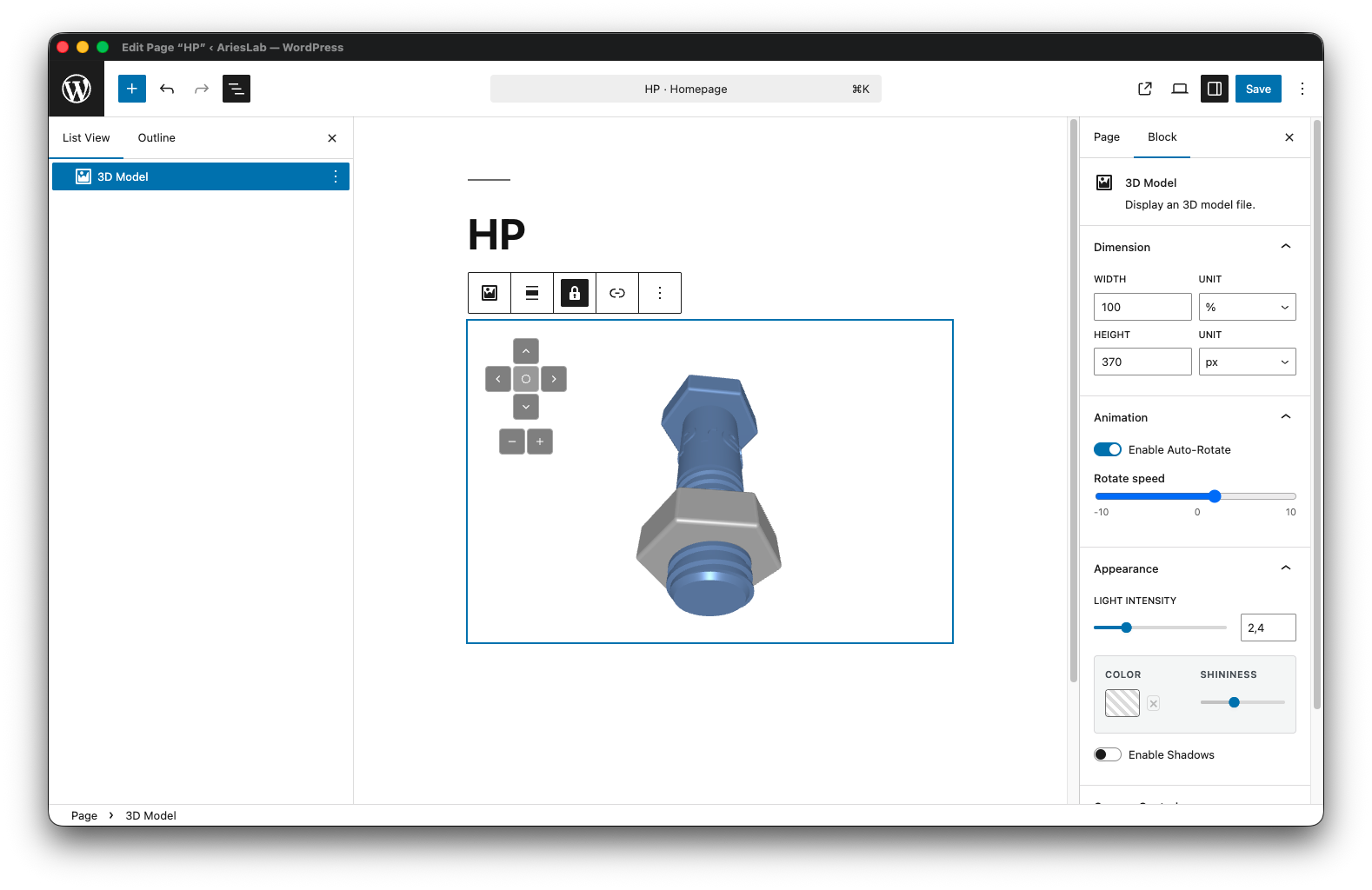
- Gutenberg Block Integration – Native WordPress block editor support with live preview
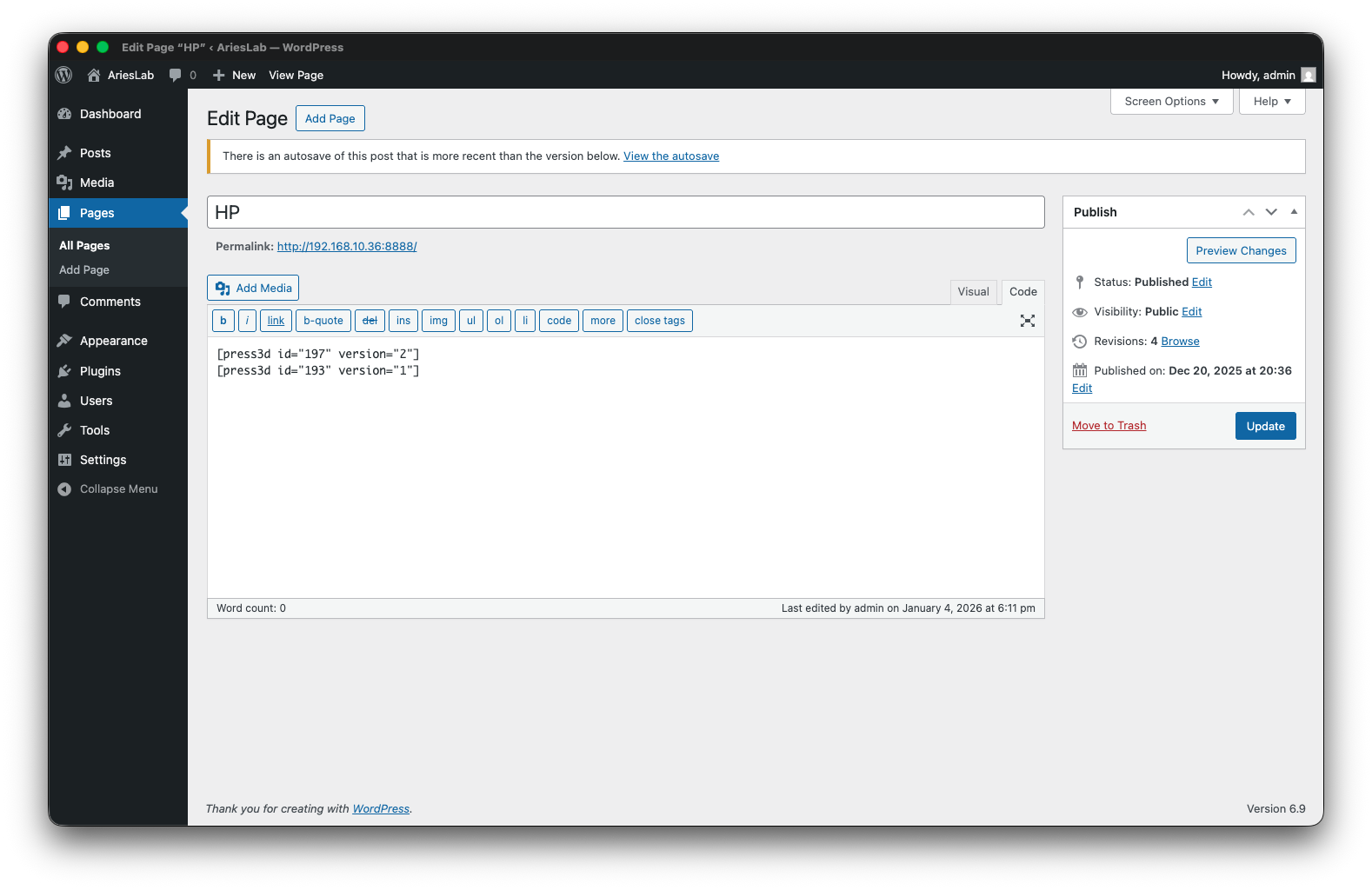
- Shortcode Support – Use
[press3d id="123" version="1"]anywhere in your content with version control - Interactive 3D Viewer – Rotate, zoom, and pan with mouse or touch controls
- Camera State Persistence – Saves and restores exact camera position and orientation
- Auto-Rotate Mode – Automatic dual-axis model rotation (X/Y) with adjustable speed (-10 to +10)
- Material Customization – Control colors, shininess/metalness (0-1 scale)
- Lighting Control – Adjustable light intensity (0-10 range) with ambient + directional lighting
- Shadow Support – Enable realistic shadows for your 3D models
- Camera Controls – Option to enable or disable user camera interaction
- Multiple Loading Animations – Choose from Spinner, Progress Bar, 3D Cube, or None
- Responsive Design – Automatic canvas resizing for all screen sizes and devices
- Mobile-Friendly – Touch controls for rotation, zoom, and pan on tablets and phones
- Accessibility Ready – ARIA labels, alt text support, and keyboard navigation
- WordPress Media Library – Upload models directly through standard media uploader
- Dimension Controls – Set custom width/height with multiple units (px, %, em, rem, vw, vh)
- Translation Ready – Full internationalization support (text domain: press3d)
Perfect for:
- Product showcases and e-commerce 3D product views
- Architectural visualization and real estate
- Educational content and scientific models
- Engineering and CAD model presentations
- 3D printing file previews
- Medical and anatomical models
- Art and sculpture portfolios
- Game assets and character models
Source Code
The source code for this plugin is available in the src and assets/src directories.
Installation
Automatic Installation:
- Log in to your WordPress admin panel
- Go to Plugins → Add New
- Search for “Press3D”
- Click “Install Now” and then “Activate”
Manual Installation:
- Download the plugin ZIP file
- Go to Plugins → Add New → Upload Plugin
- Choose the downloaded file and click “Install Now”
- Activate the plugin through the Plugins menu
Using the Plugin:
- Go to Settings → Press3D to configure default options
- In the block editor, add a “Press3D Model” block (find it in the Media category)
- Upload your 3D model file (STL, OBJ, GLB, or GLTF) via the media library
- Customize viewer settings in the block inspector panel
- Publish your page/post to display the interactive 3D model
Using Shortcodes:
After uploading a model to the Media Library:
1. Click on the model attachment to open Attachment Details
2. Click the “3D model shortcode” button to configure viewer settings
3. Copy the generated shortcode (e.g., [press3d id="123" version="2"])
4. Paste the shortcode anywhere in your posts, pages, or widgets
The shortcode format is: [press3d id="123" version="2"] where:
– id is the attachment ID
– version is the model version number (supports multiple versions of the same model)
Änderungsprotokoll
Bestätigte Kompatibilität mit WordPress 7.1.
1.2.1
- Bestätigte Kompatibilität mit WordPress 7.1.
1.2.0
- Security update: Added server-side sanitization of linkUrl in Shortcode renderer as defense-in-depth against XSS (covers legacy data stored before 1.1.0).
- Added support for dual-axis auto-rotation (choose between X and Y axes or both).
- Improved 3D model rotation logic (fixed off-center pivoting for models with misaligned local origins).
- Fixed GLB model memory leaks, preventing model duplication during preset loading.
1.1.0
- Security update: Fixed Stored XSS vulnerability in 3D Model block (CVE-2026-1985).
- Added global default settings for Zoom, Width, and Height.
- Added Czech (cs_CZ) and German (de_DE) translations.
1.0.2
- Fixed remaining issues from the plugin review (escaping).
- Removed unused methods from Utils class.
1.0.1
- Fixed issues from the plugin review (remote assets, security).
1.0.0
- Erste Freigabe.
Screenshots


Für Entwickler
Ist das dein Plugin? Zeigen Sie die Zahlen.
Fügen Sie Ihrer Website, Docs oder GitHub Readme ein Live-Badge hinzu. Es wird von selbst aktualisiert - kein Konto erforderlich.
Best Press3D alternatives
All .obj plugins →| Rang | Plugin | Aktive Installationen |
|---|---|---|
| 1 |
 Easy 3D Viewer
Easy to use WordPress/WooCommerce product 3D viewer. |
1K+ |
| 3 |
 Xtrad Viewer
The Xtrad Viewer WordPress plugin allows you to edit and display true 3D Scenes on… |
10+ |
Fragen und Antworten
Press3D: quick answers
Gerade Antworten, gezogen von Live WordPress.org Daten.
Quelle: WordPress.org
Is Press3D free?
Yes. Press3D is free to download and use from the official WordPress.org plugin directory.
Is Press3D safe to use in 2026?
Press3D is a solid plugin choice in 2026, with a few things worth checking first. It runs on 50+ sites, is rated 5/5 and was last updated 3 months ago, and scores 71/100 on our health check.
How many websites use Press3D?
Press3D is active on 50+ WordPress websites and has been downloaded 1,385 times since it launched in January 2026. It was downloaded 246 times in the last 30 days.
Does Press3D work with WordPress 7.1?
Yes. The developer has tested Press3D up to WordPress 7.1.5, the latest release. It requires WordPress 6.6 or newer.
What PHP version does Press3D need?
Press3D requires PHP 7.4 or higher. Most hosts run PHP 8.x today, so it works on any modern WordPress hosting.
When was Press3D last updated?
The latest version, 1.2.1, was released on September 2, 2026 (3 months ago).
Who makes Press3D?
Press3D is developed and maintained by arieslab.
What are the best alternatives to Press3D?
The most popular alternatives to Press3D are Easy 3D Viewer (1K+ installs) and Xtrad Viewer (10+ installs).
Angetrieben von PageForge
Eine Vorlage und eine Tabelle. Eine echte Seite für jede Suche.
PageForge Verwandelt jede Zeile eines CSV in eine WordPress-Seite mit eigenem Titel, URL, SEO Felder und Schema entworfen. Kostenlos auf WordPress.org.
- CSV und XLSX, plus Google Sheets auf Beruf und Unternehmen
- seinen eigenen Titel, URL, SEO Felder und Schema für jede Seite
- Arbeitet mit dem Blockeditor, Elementor, Divi und Avada
- Kostenlos auf WordPress.org, keine Kreditkarte