


Plain Tracker
A time clock plugin to track and analyze time of employees, workers or volunteers.

Mit Vorsicht verwenden
Plain Tracker works, but test it on a staging site before relying on it in 2026. It runs on 10+ sites and was last updated 5 months ago, and scores 51/100 on our health check.
- Kleine Benutzerbasis (10+ aktive Installationen)
- Bisher sehr wenige Bewertungen
Wie stapelt es sich?
Side-by-side bei Installationen, Updates, Bewertungen und Support



Tägliche Downloads
Download-Spitzen folgen normalerweise einer neuen Version - jede Website, die automatisch aktualisiert wird, gilt als Download.
Ranglisten
Where Plain Tracker stands todayWordPress.org Ranglisten suchen
Live-Position in der Plugin-Suche, Top 100| Stichwort | Position |
|---|---|
| attendance | #63 |
| clock in | >100 |
| Time Tracking | >100 |
| Timeclock | #2 |
| timesheet | #14 |
Versionsübernahme
Anteil aktiver Sites pro Release.
About Plain Tracker
From the official readme · v3.1.2Beschreibung
Plain Tracker is a time clock plugin designed to help your organization keep track of hours worked by employees or volunteers. Users can quickly clock in and clock out. Managers can easily keep track of employees and their time with time clock logs and reports.
Eigenschaften:
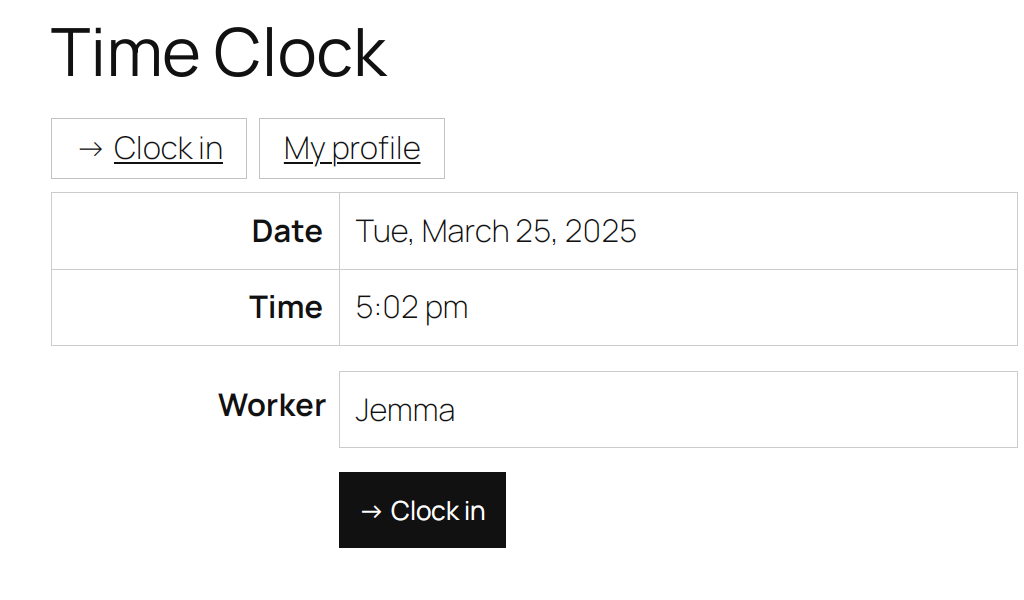
- Employees can clock in and clock out from shifts.
- Admins can easily create new worker accounts for existing WordPress users.
- Admins can create and edit time log records.
- Admins can view who is currently working in real time.
- Admins can filter and group the list of time clock entries to analyze their users attendance.
Pro features:
- Admins can export activity to CSV file.
- Admins can view the total number of time records and work duration within the selected date period with breakdown by worker.
- Admins can filter the time records list by one or more workers.
- More features to come very soon.
Learn more about Plain Tracker Pro
Unterstützen
Please contact us at plaintracker.new
Author: Plainware
Author URI: https://www.plainware.com
Installation
Automatische Installation
Automatic installation is the easiest option as WordPress handles the file transfers itself and you don’t even need to leave your web browser.
To do an automatic install:
- Log in to your WordPress admin panel, navigate to the Plugins menu and click Add New.
- In the search field type “PlainTracker” and click Search Plugins.
- Once you’ve found the plugin you can install it by clicking Install Now.
Manuelle Installation
The manual installation method involves downloading the plugin and uploading it to your web server.
- Download the plugin file and unzip it.
- Using an FTP program, or your hosting control panel, upload the unzipped plugin folder to your WordPress installation’s wp-content/plugins/ directory.
- Activate the plugin through the ‘Plugins’ menu in the WordPress admin.
Änderungsprotokoll
3.1.2 (2026-07-06)
- Minor code fixes.
3.1.1 (2025-12-01)
- Clean up some code related to web form controls.
3.1.0 (2025-11-26)
- Framework core update.
3.0.4 (2025-10-10)
- BUG: Time was displayed incorrectly if the WordPress timezone was set to an UTC-relative option (like UTC+1).
3.0.3 (2025-10-02)
- Added Clock-in note and Clock-out note text inputs.
3.0.2 (2025-04-03)
- Minor fixes.
Screenshots
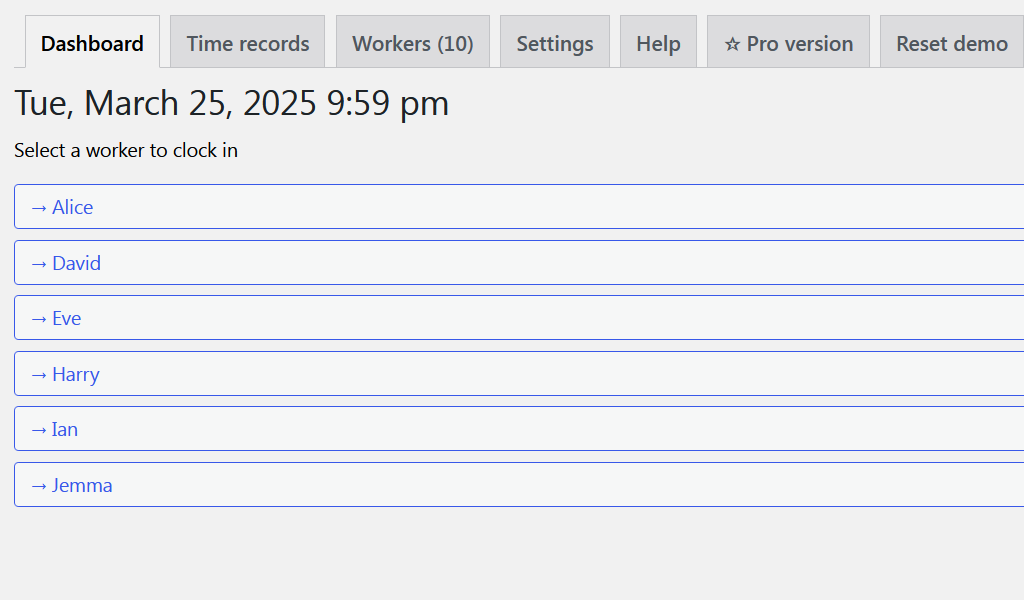
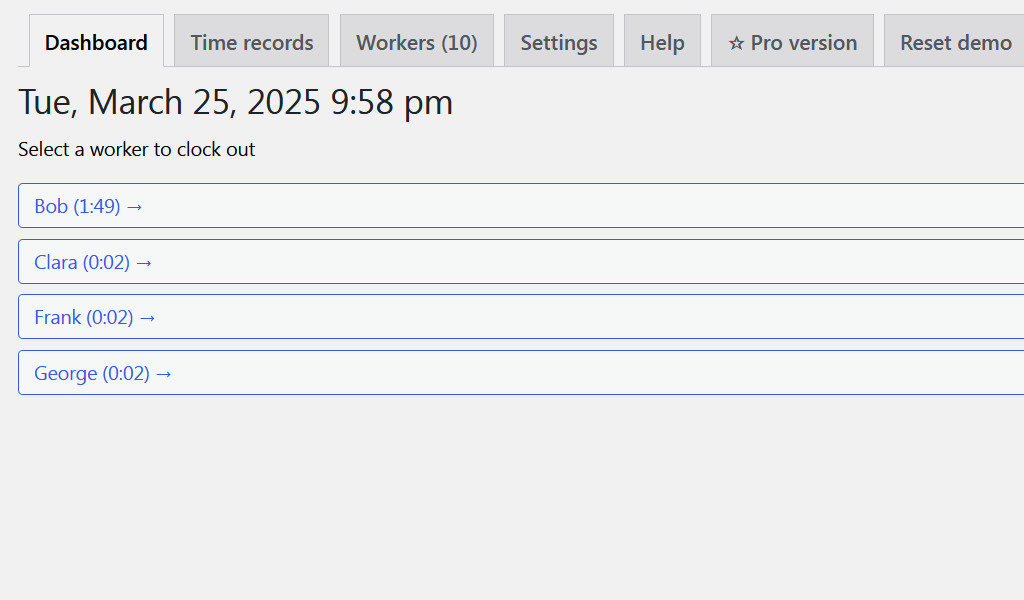
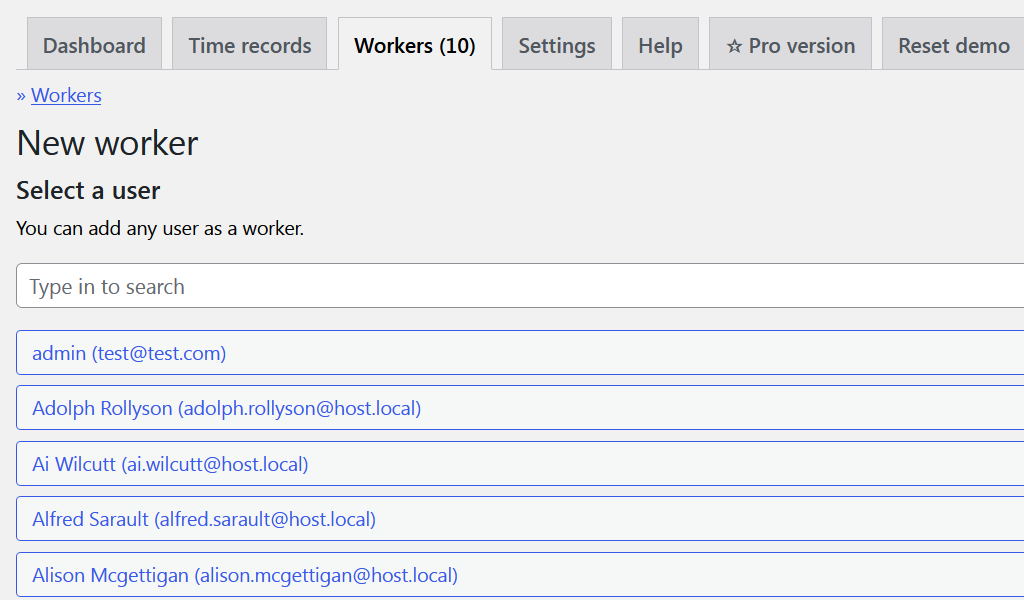
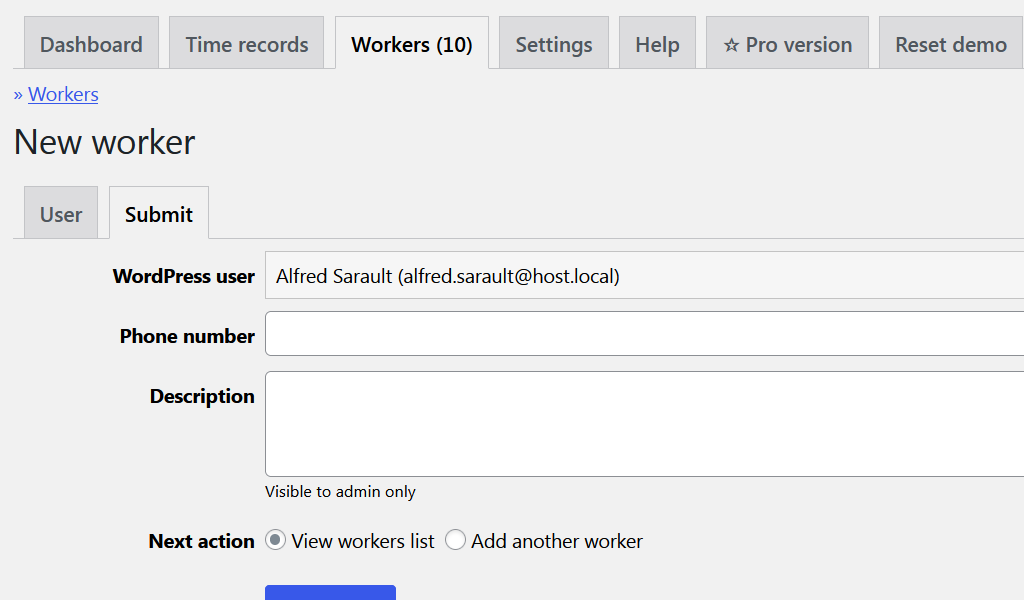
Für Entwickler
Ist das dein Plugin? Zeigen Sie die Zahlen.
Fügen Sie Ihrer Website, Docs oder GitHub Readme ein Live-Badge hinzu. Es wird von selbst aktualisiert - kein Konto erforderlich.
Best Plain Tracker alternatives
All attendance plugins →





Fragen und Antworten
Plain Tracker: quick answers
Gerade Antworten, gezogen von Live WordPress.org Daten.
Quelle: WordPress.org
Is Plain Tracker free?
Yes. Plain Tracker is free to download and use from the official WordPress.org plugin directory.
Is Plain Tracker safe to use in 2026?
Plain Tracker works, but test it on a staging site before relying on it in 2026. It runs on 10+ sites and was last updated 5 months ago, and scores 51/100 on our health check.
How many websites use Plain Tracker?
Plain Tracker is active on 10+ WordPress websites and has been downloaded 4,073 times since it launched in March 2022. It was downloaded 73 times in the last 30 days.
Does Plain Tracker work with WordPress 7.1?
Plain Tracker is officially tested up to WordPress 7.0.9, while the latest release is 7.1.5. It may still work, but try it on a staging site first.
What PHP version does Plain Tracker need?
Plain Tracker requires PHP 7.4 or higher. Most hosts run PHP 8.x today, so it works on any modern WordPress hosting.
When was Plain Tracker last updated?
The latest version, 3.1.2, was released on July 6, 2026 (5 months ago).
Who makes Plain Tracker?
Plain Tracker is developed and maintained by plainware.
What are the best alternatives to Plain Tracker?
The most popular alternatives to Plain Tracker are Attendance Manager (700+ installs), Clock In Portal- Staff & At… (200+ installs) and HR Management Lite (200+ installs).
Angetrieben von PageForge
Eine Vorlage und eine Tabelle. Eine echte Seite für jede Suche.
PageForge Verwandelt jede Zeile eines CSV in eine WordPress-Seite mit eigenem Titel, URL, SEO Felder und Schema entworfen. Kostenlos auf WordPress.org.
- CSV und XLSX, plus Google Sheets auf Beruf und Unternehmen
- seinen eigenen Titel, URL, SEO Felder und Schema für jede Seite
- Arbeitet mit dem Blockeditor, Elementor, Divi und Avada
- Kostenlos auf WordPress.org, keine Kreditkarte