


Media Cleaner: Delete Unused Images & Clean Your Media Library
Find and delete unused images and media files, fix broken entries, with a trash to undo anything. A lighter, faster WordPress! 💕

Sichere Auswahl
Yes — Media Cleaner: Delete Unused Im… is a safe, well-maintained plugin to use in 2026. It runs on 90K+ sites, is rated 4.6/5 and was last updated 1 week ago, and scores 94/100 on our health check.
- Bewährt im Maßstab auf 90k + aktiven Standorten
- Loved by users — 4.6/5 from 781 reviews
- Aktiv entwickelt — letztes Update vor 1 Woche
- Getestet mit dem neuesten WordPress (7.1)
- Benötigt PHP 8.1 oder neuer
Wie stapelt es sich?
Side-by-side bei Installationen, Updates, Bewertungen und Support



Tägliche Downloads
Download-Spitzen folgen normalerweise einer neuen Version - jede Website, die automatisch aktualisiert wird, gilt als Download.
Ranglisten
Where Media Cleaner: Delete Unuse… stands todayWordPress.org Ranglisten suchen
Live-Position in der Plugin-Suche, Top 100| Stichwort | Position |
|---|---|
| clean | #5 |
| images | #30 |
| media | #7 |
| media library | #7 |
| unused images | #2 |
Versionsübernahme
Anteil aktiver Sites pro Release.
Bewertungsaufschlüsselung
★★★★★★★★★★ 4.6 from 781 reviews
About Media Cleaner: Delete Unused Images & C…
From the official readme · v7.3.7Beschreibung
Media Cleaner is a powerful plugin that helps you clean up your WordPress media library by deleting unused media entries and files, as well as fixing broken entries. With an internal trash feature, you can preview and confirm changes before permanently deleting anything. Plus, Media Cleaner uses smart analysis to ensure compatibility with specific plugins and themes.
Use it alongside Database Cleaner for the ultimate clean-up experience.
Media Cleaner is like a ninja assassin for your Media Library – it’ll stealthily take out all the unnecessary media and broken entries that are cluttering up the place. Just make sure you have a solid backup plan in place before you let this bad boy loose.
To learn more about compatibility, features, and the Pro version, check out the tutorial on the official website.
AI ASSISTANTS (MCP)
Media Cleaner can be driven by an AI assistant, through the MCP server of AI Engine. Enable MCP in the Media Cleaner settings, and your assistant (Claude, ChatGPT, and the others) is able to run a scan, read the results, explain why a media was reported, ignore the false positives, and clean up. It is not a black box: the tools tell the assistant which builders and plugins are supported on your site, which ones are not, and what the scan cannot see, so it can warn you and check the doubtful cases instead of trusting the results blindly. Deleted files still go to the trash, and a permanent deletion always requires your explicit confirmation.
COMPATIBILITY
This plugin is compatible with all media types, including retina and WebP versions. It has been tested on a wide range of WordPress versions, including the latest version with Gutenberg, as well as on various themes with a large community of users. It also supports WooCommerce. For users with more complex plugins for handling website content, the Pro version may be necessary for optimal compatibility. We are constantly working to increase compatibility with other plugins.
PRO VERSION
Media Cleaner Pro adds extra features to the free version of Media Cleaner:
- Filesystem Analysis: Scans your physical /uploads directory and matches it against the Media Library.
- Similar Images: The Duplicates scan also lets you compare and clean images that look alike without being the same file (resized, cropped or re-saved). The free version counts them.
- Extra support for complex plugins, such as ACF, Metabox, Divi Builder, Fusion Builder (Avada), WPBakery Page Builder, Visual Composer, Elementor, Beaver Builder, Brizy Builder, Oxygen Builder, Slider Revolution, Justified Image Grid, Avia Framework, and many more!
- Live Site Scan: Analyzes the online version of your website, potentially improving accuracy in some cases.
- WP-CLI support: Allows you to run the plugin at a higher speed or automatically with direct server access (via SSH).
Installation
- Upload the plugin to WordPress.
- Aktivieren Sie das Plugin über das „Plugins“-Menü in WordPress
- Go to Meow Apps -> Cleaner in the sidebar and check the appropriate options.
- Go to Media -> Cleaner.
Änderungsprotokoll
7.3.7 (2026/11/10)
- Add: Duplicates Scan is now available in the free version, with similarity detection remaining a Pro feature.
- Update: Reworked the duplicates compare modal.
- Update: Reworked the select sizes modal and clarified its wording to avoid misunderstandings.
- Update: Synced the Meow Apps common library.
7.3.6 (2026/11/03)
- Add: Duplicate scan now finds visually similar images using perceptual hashing (dHash), with a sensitivity setting.
- Add: Comparison tool to view duplicates side by side before deleting them.
- Add: Support for BeBuilder.
- Update: Error modals now include a link to the related documentation.
7.3.5 (2026/10/30)
- Add: Storage page showing where the site’s space goes and what can be cleaned.
- Add: Parser for Eventin.
- Add: The free version now shows how many files in the uploads folder are not in the Media Library.
- Add: Warning when a scan lists a large share of the Media Library, and one extra confirmation before Delete All.
- Add: Option to list the original files kept next to scaled images.
- Update: Optimize Thumbnails now keeps the sizes your theme or plugins still register.
- Update: The header shows the installed version, and how to update or renew when a newer one is available.
- Update: Settings is now the wrench at the end of the header.
- Update: Meow Apps → Media Cleaner now opens the Dashboard, and the Storage page has a proper title.
- Update: Tidied the advanced tools, Reset Options now asks for confirmation, and results coming from another scan method are clearer.
- Fix: Cleaning a media entry no longer moves or deletes files that another attachment still uses.
- Fix: Invalid URLs and unclean text no longer block the whole scan.
7.3.4 (2026/10/24)
- Add: Divi 4 parser now detects testimonial portrait images.
- Update: The scan’s Finished dialog names the page builders only Pro can read, and clicking a locked scan method explains what Pro would do.
- Update: The Ignore button is now disabled instead of hidden when cleanup is not allowed.
- Update: Pro badges now link to the Media Cleaner page, and a Pro install that is not activated yet is shown as Pro.
- Update: Clearer License tab that explains Pro to free users and invites Pro buyers to activate.
- Fix: Old scans are now fully cleaned up, so the database tables no longer grow with every scan.
7.3.3 (2026/10/20)
- Fix: Images set in the Customizer are now detected in every theme’s settings, so they are no longer flagged as unused.
- Fix: Scans now run on SQLite installs such as WordPress Playground and Studio, and recovering a file no longer relies on MySQL-only SQL.
- Fix: Closing a dropdown no longer drops the dashboard’s colors.
7.3.2 (2026/10/19)
- Update: Scans now run many times faster by processing several batches per request.
- Update: Reworded the buffer settings and the overload hint, since a request now covers several batches instead of one.
- Update: The dashboard is calmer for first-time users.
- Update: The free version now names the page builders it cannot read and points to Pro.
- Update: The Free badge and logo in the plugin header now link to the Pro page.
- Update: Expired licenses now get a grace period with retries, license keys are normalized, and an Activate License notice was added.
- Update: Pro links inside Media Cleaner now indicate where they were clicked from.
- Fix: Start Over now works after an interrupted scan.
- Fix: Scans are no longer interrupted when something triggers a redirect.
- Fix: Results from a scan made with the free version no longer unlock deletions after switching to Pro.
Screenshots

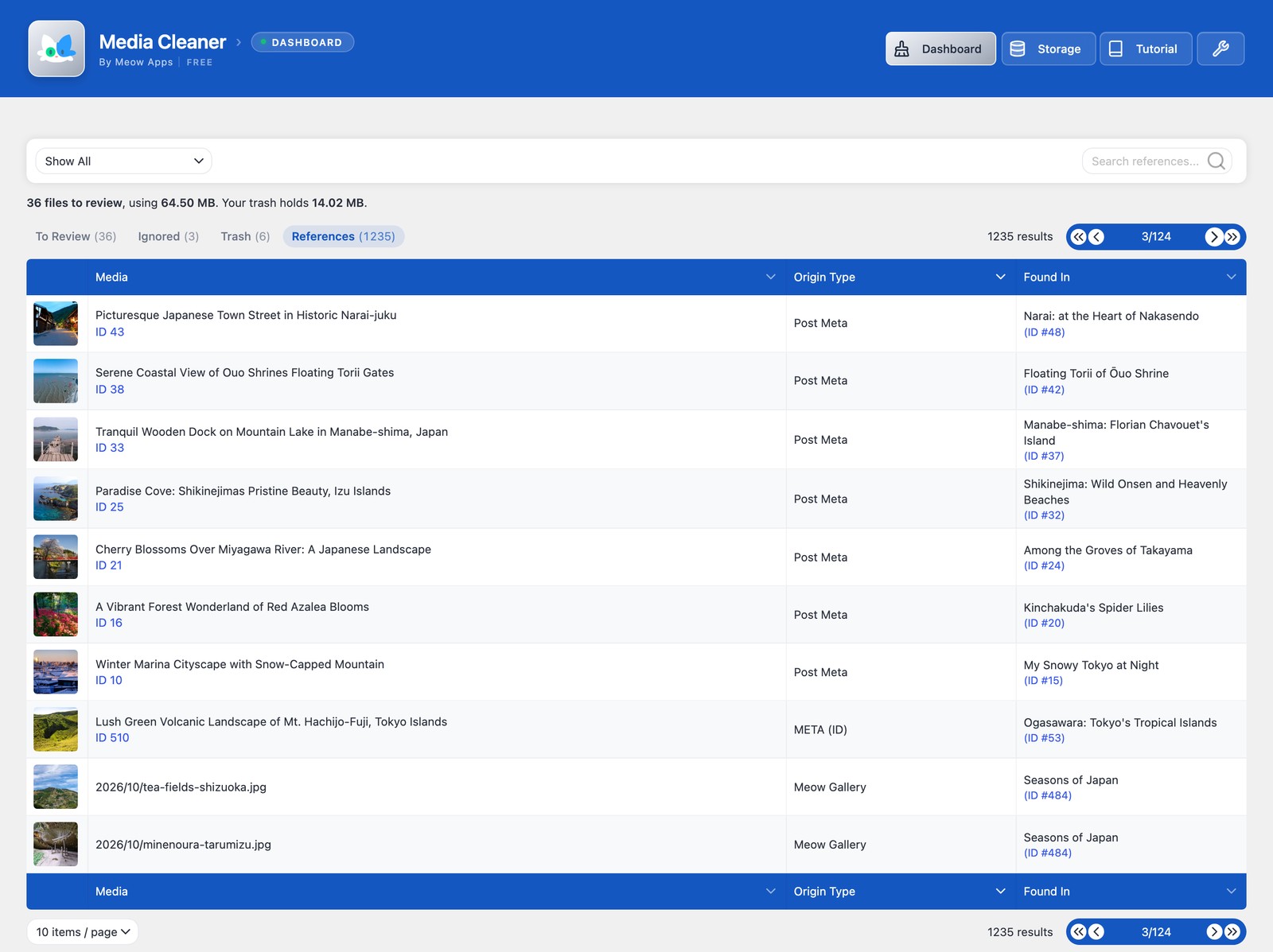
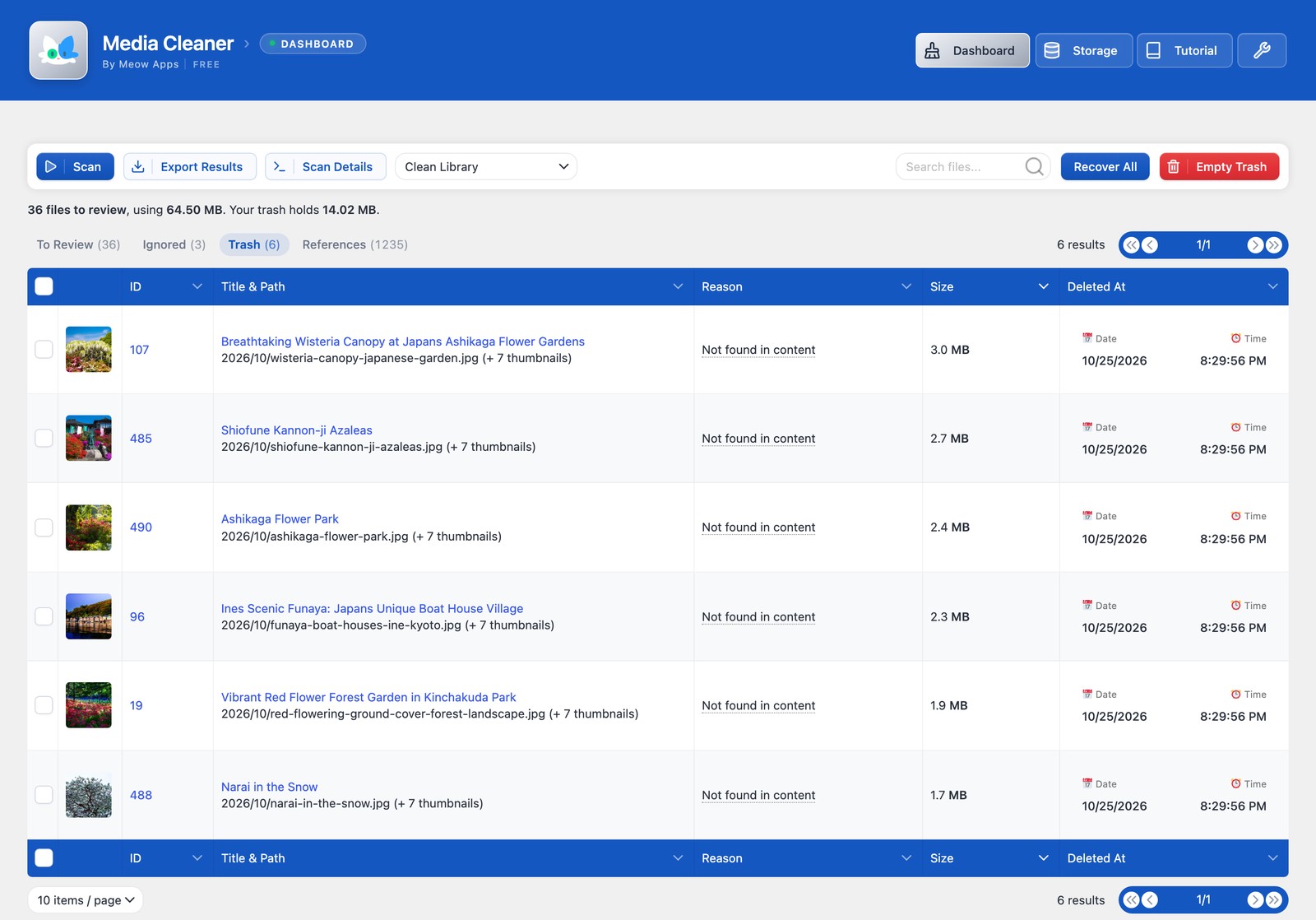
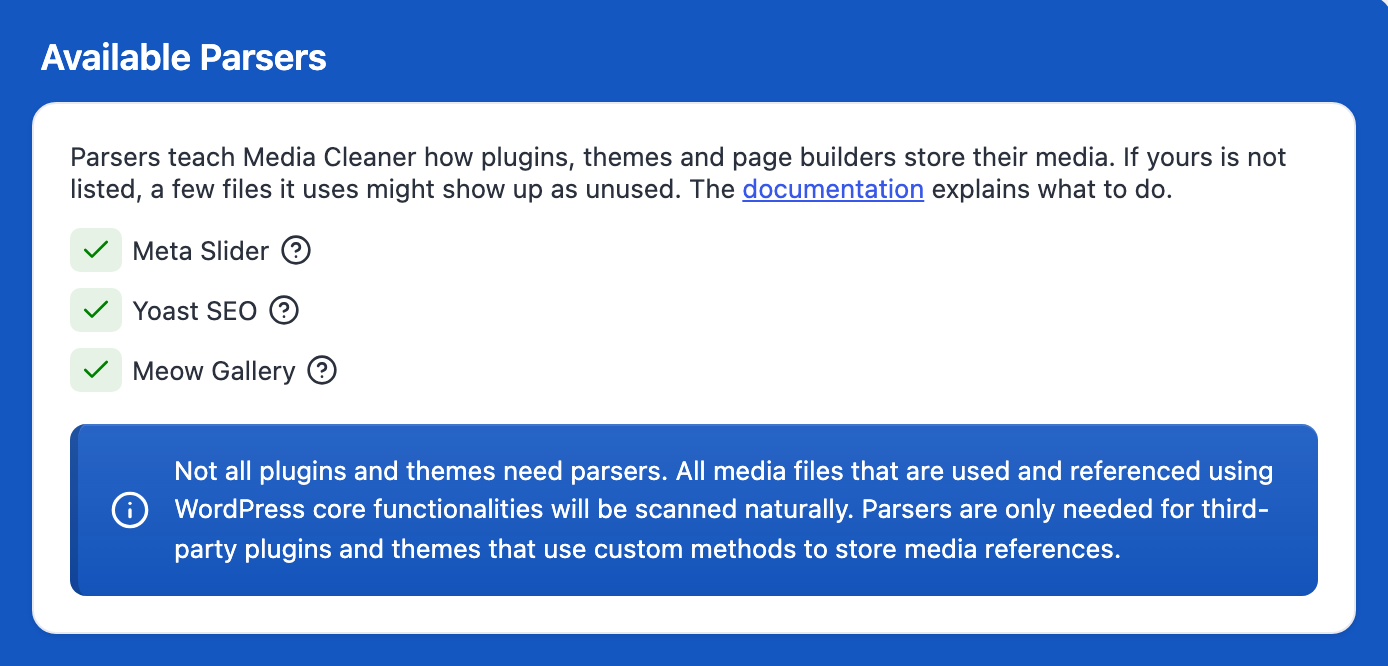
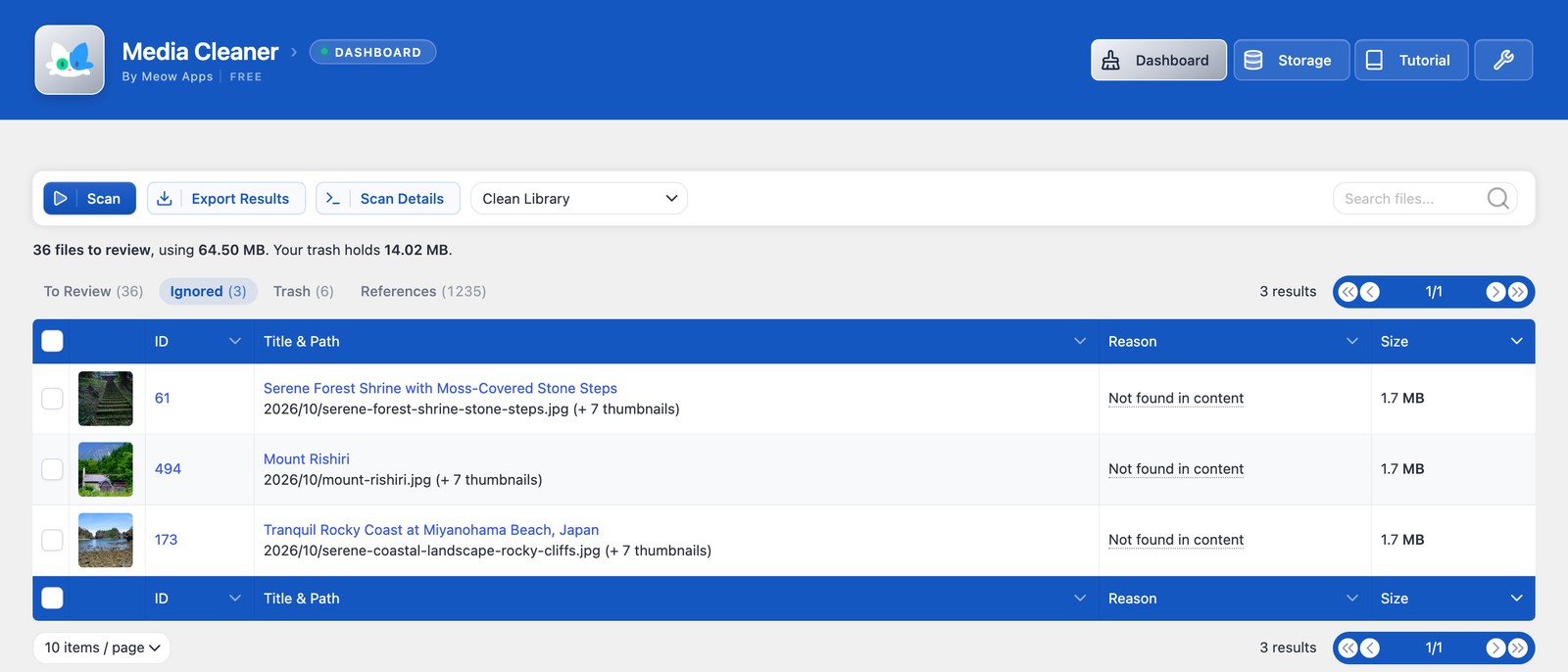
Für Entwickler
Ist das dein Plugin? Zeigen Sie die Zahlen.
Fügen Sie Ihrer Website, Docs oder GitHub Readme ein Live-Badge hinzu. Es wird von selbst aktualisiert - kein Konto erforderlich.
Best Media Cleaner: Delete Unused… alternatives
All clean plugins →





Fragen und Antworten
Media Cleaner: Delete Unused Images…: quick answers
Gerade Antworten, gezogen von Live WordPress.org Daten.
Quelle: WordPress.org
Is Media Cleaner: Delete Unused Im… free?
Yes. Media Cleaner: Delete Unused Im… is free to download and use from the official WordPress.org plugin directory.
Is Media Cleaner: Delete Unused Im… safe to use in 2026?
Yes — Media Cleaner: Delete Unused Im… is a safe, well-maintained plugin to use in 2026. It runs on 90K+ sites, is rated 4.6/5 and was last updated 1 week ago, and scores 94/100 on our health check.
How many websites use Media Cleaner: Delete Unused Im…?
Media Cleaner: Delete Unused Im… is active on 90K+ WordPress websites and has been downloaded 5,456,455 times since it launched in May 2016. It was downloaded 187,635 times in the last 30 days.
Does Media Cleaner: Delete Unused Im… work with WordPress 7.1?
Yes. The developer has tested Media Cleaner: Delete Unused Im… up to WordPress 7.1.5, the latest release. It requires WordPress 6.0 or newer.
What PHP version does Media Cleaner: Delete Unused Im… need?
Media Cleaner: Delete Unused Im… requires PHP 8.1 or higher. Most hosts run PHP 8.x today, so it works on any modern WordPress hosting.
When was Media Cleaner: Delete Unused Im… last updated?
The latest version, 7.3.7, was released on November 10, 2026 (1 week ago).
Who makes Media Cleaner: Delete Unused Im…?
Media Cleaner: Delete Unused Im… is developed and maintained by Jordy Meow.
What are the best alternatives to Media Cleaner: Delete Unused Im…?
The most popular alternatives to Media Cleaner: Delete Unused Im… are Advanced Database Cleaner (100K+ installs), Advanced WordPress Reset (10K+ installs) and Unbloater (5K+ installs).
Angetrieben von PageForge
Eine Vorlage und eine Tabelle. Eine echte Seite für jede Suche.
PageForge Verwandelt jede Zeile eines CSV in eine WordPress-Seite mit eigenem Titel, URL, SEO Felder und Schema entworfen. Kostenlos auf WordPress.org.
- CSV und XLSX, plus Google Sheets auf Beruf und Unternehmen
- seinen eigenen Titel, URL, SEO Felder und Schema für jede Seite
- Arbeitet mit dem Blockeditor, Elementor, Divi und Avada
- Kostenlos auf WordPress.org, keine Kreditkarte