


GriffinForms – Contact Form and Form Builder
Drag and drop WordPress form builder plugin. Create contact forms, multi-step forms, user registration forms, file upload forms, and payment forms.

Solide Wahl
GriffinForms is a solid plugin choice in 2026, with a few things worth checking first. It runs on 10+ sites, is rated 5/5 and was last updated 7 days ago, and scores 77/100 on our health check.
- Aktiv entwickelt – letztes Update vor 7 Tagen
- Getestet mit dem neuesten WordPress (7.1)
- Momentum – Downloads um 31,9% gegenüber den letzten 30 Tagen
- Kleine Benutzerbasis (10+ aktive Installationen)
- Bisher sehr wenige Bewertungen
- Benötigt PHP 8.2 oder neuer
Wie stapelt es sich?
Side-by-side bei Installationen, Updates, Bewertungen und Support



Tägliche Downloads
Download-Spitzen folgen normalerweise einer neuen Version - jede Website, die automatisch aktualisiert wird, gilt als Download.
Ranglisten
Where GriffinForms stands todayWordPress.org Ranglisten suchen
Live-Position in der Plugin-Suche, Top 100| Stichwort | Position |
|---|---|
| conditional logic | >100 |
| Kontaktformular | >100 |
| file upload | >100 |
| form builder | >100 |
| registration form | >100 |
Versionsübernahme
Anteil aktiver Sites pro Release.
Bewertungsaufschlüsselung
★★★★★★★★★★ 5 from 4 reviews
About GriffinForms
From the official readme · v3.6.1.0Beschreibung
GriffinForms is a free drag-and-drop WordPress form builder plugin for contact forms, multi-step forms, user registration forms, file upload forms, and payment forms. All core features are free — no paywalls, no upgrade required.
It handles a simple contact form as easily as a multi-step application. Build with a visual editor, store all submissions in your WordPress database, and layer in conditional logic, spam protection, MailChimp integration, and AI form building with Griffin Assist — all included in the free core.
GriffinForms Pro
GriffinForms Pro is an optional paid add-on. It adds Square payments, Google Sheets sync, Klaviyo marketing integration, premium field types (Signature, Rating, Rich Text, Image Selection, Likert Scale), submission export (CSV, JSON, Excel), and frontend submission editing. The core plugin remains free and fully functional without it.
Why GriffinForms?
- Free core, no feature walls on the essentials: multi-step forms, user registration, file uploads, Stripe and PayPal payments, conditional logic, spam protection, and email notifications are all included in the free plugin — no licence required.
- Multi-step forms: break longer forms into pages with per-step validation so users can complete structured flows without feeling overwhelmed. You can also add an optional progress bar — stepper or tabs style — so users always know where they are in the process.
- WordPress user registration: create WordPress users from form submissions with immediate, pending-activation, or manual-review workflows, multiple registration workflows per form, role assignment, duplicate-account handling, and account-action visibility in the admin area.
- File uploads: support multi-file uploads per field with controls for file types, size limits, file counts, image constraints, and storage behavior.
- Stripe and PayPal payments: build WordPress payment forms with product-style workflows, product images, a cart-style review step, hosted checkout options, and resume links for pending payments.
- MailChimp integration: subscribe form submitters to MailChimp audiences as part of the submission flow — map form fields to MailChimp merge tags, assign tags, and control consent behavior per form.
- WordPress conditional logic: go beyond simple show and hide with rules that can change labels, values, headings, success messages, redirects, and submit behavior — across fields, rows, and pages.
- Email and notifications: send notifications and autoresponders through WordPress mail, Custom SMTP, SendGrid, or Mailgun, with reusable messages and merge variables.
- Spam protection: choose from reCAPTCHA, hCaptcha, Cloudflare Turnstile, or honeypot, and combine them with native rate limiting on submissions and file uploads for layered protection.
- Builder checks system: a live status bar in the form builder surfaces errors, warnings, and info counts as you edit — covering spam config, email setup, compliance, registration risks, and layout issues before you publish.
- Compliance profiles: per-form GDPR and HIPAA-ready profiles with submission hashing, layout snapshots, configurable retention, and WordPress personal data export and erase integration.
- Templates and theming: turn forms into reusable templates, then style them with built-in themes or your own custom theme variations.
- Submission clarity in WordPress: review entries in a richer admin view with event timelines, per-submission audit logs, metadata, and settings history when troubleshooting production forms.
- Switching from another plugin: if you are already running Contact Form 7, WPForms Lite, Ninja Forms, or Formidable Forms, GriffinForms includes a guided migration tool that imports your existing forms and submissions so you can move without starting over.
Drag-and-drop form builder
GriffinForms treats layout as a core part of form building. The drag-and-drop builder uses pages, rows, columns, sidebar controls, and reusable fields to make complex forms easier to shape and maintain. Then you can layer in conditions, uploads, notifications, and payments where needed. This makes longer forms easier to manage and easier for users to complete.
Reusable fields also help solve a common admin problem: teams should not need to recreate the same Name, Email, Phone, or Address field across every new form. Common fields can be managed from one place, which helps keep repeated workflows faster to build and more consistent over time.
File uploads with practical control
File uploads are not limited to a basic attachment field. GriffinForms supports multi-file uploads per field and is designed for workflows where uploads matter, such as applications, support requests, and document collection. For example, an application form can collect resumes, ID documents, certificates, and supporting images in one submission instead of forcing users to send files separately later. You can control allowed file types, per-file and total upload size limits, max file counts, image-specific constraints, and storage behavior, then manage uploaded files from WordPress.
Payment workflows with Stripe and PayPal
If you enable Stripe or PayPal, GriffinForms can handle payment collection inside the form flow. This is useful for donations, simple product or service requests, paid applications, and other workflows where payment is part of submission instead of a separate checkout. GriffinForms supports a fuller review-and-pay pattern with product-style selections, product images, and cart-style summaries. Stripe can stay on-page for card collection, while PayPal uses its hosted popup approval flow. For pending payments, resume links can bring users back so they can continue from where they left off.
Payment workflows can also gate user registration — combining payment collection with WordPress account creation in a single form makes it straightforward to build paid membership signups, paid course registrations, and other workflows where account access should follow a successful payment.
Strong conditional logic layer
Conditional logic in GriffinForms goes beyond a simple show-or-hide toggle. You can use field, row, and form-level rules to change labels and values, control headings and visibility, swap success messages, trigger redirects, and adjust submit-button behavior.
Conditions also go beyond basic text matching. GriffinForms supports checks across field values, counts, password strength, browser time, address parts, and payment-specific conditions such as product, gateway, totals, and counts. That makes it useful for smarter routing, cleaner payment flows, and forms that react as the submission takes shape.
For example, you can change the success message or redirect users to a different destination based on what they selected in the form.
Themable forms with deeper styling control
Forms should not look disconnected from the rest of your site. GriffinForms includes built-in themes, but the theme system goes further than picking a preset. You can create new themes from scratch or modify existing ones with control over typography, layout, inputs, buttons, and states such as hover, focus, and active. Dark themes also look especially strong in GriffinForms, which helps when you want forms to feel more polished and deliberate instead of settling for one generic form look.
Submissions, logs, and admin visibility
Submissions are stored in your WordPress database, but the admin experience goes further than a simple entry list. GriffinForms includes a richer submission view with metadata, payment context where applicable, submission-specific logs, and event timelines so you can follow what happened to a submission and where it changed.
Native logging adds another layer of visibility for production sites. Timeline-style logs, searchable categories, job visibility, retention settings, and settings history make it easier to troubleshoot failed steps, trace changes, and understand what happened over time.
GriffinForms also supports partial submissions, which means incomplete multi-step submissions can still remain visible in the admin area when that workflow matters.
WordPress account registration workflows
GriffinForms includes a flexible user registration workflow for registration forms that need to create or manage WordPress users after submission. You can build a simple WordPress registration form for one account, or use an iterable email field for multi-user registration from a single form submission. GriffinForms lets you choose whether a registration form should use a mapped password or send the native WordPress password setup link, assign the WordPress user role for the account being created, and map optional profile data such as username, first name, last name, and profile image when the form collects it.
This user registration system is built for real workflows, not just one fixed registration form pattern. You can decide whether user registration happens immediately, waits for admin activation, or stays in manual review, and you can control how duplicate-account cases are handled. GriffinForms also gives registration forms stronger admin visibility through native logging, submission-side account activity, account-action follow-up, and builder checks that help catch missing mappings, risky password choices, and iterable registration-form edge cases before the form goes live.
Helpful docs:
– Registration workflow modes
– Submission Accounts Accordion
– Password strategies
Spam protection and rate limiting
GriffinForms supports multiple CAPTCHA providers, including reCAPTCHA, Cloudflare Turnstile, and hCaptcha. It also includes native rate limiting and backend anti-spam checks, so spam protection does not depend on a single layer. That protection applies across the submission flow, including workflows that use file uploads.
Email delivery and notifications
GriffinForms can send admin notifications and autoresponders through WordPress mail or configured delivery providers — Custom SMTP, SendGrid, or Mailgun — without requiring a separate SMTP plugin. Notifications are queued and processed in the background so form submissions are never blocked by email delivery latency.
Helpful docs:
– Email settings
– Managing messages
– Mail merge placeholders
Griffin Assist — AI form building inside the builder
Griffin Assist is GriffinForms’ built-in AI form builder for WordPress. Describe the form you need using plain-English prompts, and Griffin Assist drafts the structure for you. From there you keep full control — drag, rearrange, and fine-tune using the same builder you already know.
This is not a separate AI tool that hands off a static export. Griffin Assist works inside your live draft, so changes appear immediately in the builder as you prompt them.
Drafting a new form: type a prompt in the Create Form modal and Griffin Assist generates a starting structure with pages, rows, and fields. The draft opens in the builder ready for you to refine. When you are happy with it, publish it to make it live. If you want to start over, discard it — your other forms are never affected.
Editing an existing form: open any form in AI draft mode using the AI Edit action. Griffin Assist targets only the elements you ask about, so editing a field label or adding a new page does not rebuild the whole form or disturb fields and logic you already configured.
Chat Mode: toggle Chat Mode on to ask questions, explore ideas, and get suggestions before committing to a change. Griffin Assist returns clickable action buttons so you can review a suggestion and apply it with one click. Structural suggestions such as adding a new section, page, or row appear alongside copy advice.
Suggestion pills: each element type in the builder has a set of context-aware suggestion pills — one-tap actions tailored to what is currently selected. Improving a field label, polishing a description, adding a file upload hint, or refining dropdown options all have their own targeted pills. Translation is also available as a one-tap action that rewrites all labels, descriptions, options, and button text into your target language.
Griffin Assist requires an active AI provider connection. You can connect OpenAI, Anthropic, Google Gemini, xAI Grok, or Mistral from the AI settings tab using your own API key. Griffin Assist also works with WordPress 7 AI Connector keys — if a provider is already configured site-wide through WordPress Connectors, Griffin Assist uses it automatically with no separate setup. A data-sharing consent step is required before Griffin Assist sends any form data to an external provider.
Gutenberg and advanced workflows
GriffinForms works with Gutenberg and also includes a stronger technical foundation for advanced evaluators, including a documented REST API surface, capability-aware access control, device management for protected companion routes, and webhook-ready architecture. Multi-step submissions use AJAX handling with server-side validation and anti-spam checks, which helps longer forms feel more responsive while still enforcing validation on the backend. Post-submission actions such as emails and other follow-up work can also be processed in the background, which helps more complex workflows stay smoother after a form is submitted.
These are not the first thing most users need, but they are there when the deployment calls for them — whether the form is a simple contact form or a complex multi-step workflow.
Helpful docs:
– Embedding forms
– Multi-page forms
– Conditional logic
Privacy-conscious by default
Form submissions stay in WordPress by default. External services are only involved when you enable them, such as payments, CAPTCHA, or email delivery providers. See the External Services section below for details.
GriffinForms also includes per-form compliance profiles (Standard, GDPR, and HIPAA-ready) with submission hashing, layout snapshots, configurable retention policies, and WordPress personal data export and erase integration when those workflows matter.
Externe Dienste
GriffinForms can connect to these third-party services when enabled:
– Google reCAPTCHA (spam protection): Terms and Privacy
– Stripe (payments): Terms and Privacy
– PayPal (payments): Terms and Privacy
– Cloudflare Turnstile (spam protection): Terms and Privacy
– hCaptcha (spam protection): Terms and Privacy
– SendGrid (email delivery): Terms and Privacy
– Mailgun (email delivery): Terms and Privacy
– MailChimp (audience sync): Terms and Privacy
– OpenAI (AI form building, when configured): Terms and Privacy
– Anthropic (AI form building, when configured): Terms and Privacy
– Google Gemini (AI form building, when configured): Terms and Privacy
– xAI Grok (AI form building, when configured): Terms and Privacy
– Mistral (AI form building, when configured): Terms and Privacy
– GriffinForms deactivation feedback (optional, only when you submit feedback while deactivating the plugin): if you select a reason and choose to send feedback, GriffinForms transmits that reason, any optional comment you write, your site name and URL, and your plugin, WordPress, and PHP versions to a GriffinForms-owned endpoint so we can improve the plugin. Your administrator email address is included only if you tick the “allow contact” option. Nothing is sent if you choose “Skip & Deactivate.” Feedback is delivered through GriffinForms infrastructure and the Brevo transactional email service. If you tick the “allow contact” option, your feedback is also raised as a support request in GriffinForms’ Zoho Desk helpdesk so we can follow up with you. GriffinForms: Privacy. Brevo: Terms and Privacy. Zoho: Privacy.
Lern mehr
- Documentation: GriffinForms Docs
- User docs: GriffinForms User Docs
- Templates: Form Templates
- Releases: Release Notes
- Datenschutz: Datenschutzrichtlinie
Use-case guides
- WordPress contact form
- WordPress user registration form
- WordPress multi-step form
- WordPress payment form
- WordPress file upload form
- WordPress conditional logic form
Lizenz
GriffinForms is open source and licensed under GPLv2 or later.
Installation
- Upload the plugin to the
/wp-content/plugins/griffinforms-form-builderdirectory or install it via the WordPress plugin screen. - Activate it through the Plugins screen.
- Go to the GriffinForms menu in the admin sidebar to start building forms.
Änderungsprotokoll
Patch release. Fixes builder inline editing, keeps Last Edited current after builder changes, makes admin list actions keyboard accessible, rechecks file upload limits on submit, and adds a memory check to form import. No database changes.
3.6.1.0 – 2026-11-23
Patch
- Fixed: In the builder, clicking away from a dropdown option label while editing it now saves the change, and the label and its value stay in step. Renaming a form name, heading or description inline now sends one save instead of two.
- Fixed: A refused request in Conditional Logic, Accounts, Form Themes and the builder’s side panels now returns a clear message instead of a blank response. The builder also rejects a field or row attached with an invalid type or id.
- Fixed: “Duplicate field” stays in the field menu after a payment field is refreshed.
- Fixed: The Forms list’s Last Edited date and Editor now update after any change made in the builder, including field edits, options, form settings, and the Conditional Logic, User Registration, Form Themes and Integrations windows.
- Improved: Row actions in the admin lists that open a window (Delete, and Publish, Preview and Folder in the Forms list) can now be used with the keyboard (Enter or Space). Delete is announced with the item’s name. The modal windows’ titles are now linked to their dialogs for screen readers.
- Improved: The Files list has a new “Orphaned” filter for files whose submission no longer exists, and its file size labels and “Reset Filters” are now translatable.
- Fixed: In the delete form window, the “Also delete submissions?” box now works. Ticking it deletes the form’s submissions too; leave it empty to delete only the form.
- Fixed: A PHP warning on the form autoresponder screen and a repeated log line from the Diagnostics screen no longer appear.
- Improved: In multi-step forms, Next and Back now move keyboard focus to the start of the new step.
- Fixed: A file upload field’s “Max files” and size limits are now checked again when the form is submitted or an edit is saved, not only when a file is added. Files kept from an earlier submission are not rejected if a limit was lowered later.
- Fixed: Uploaded files are now stored with the real form they belong to.
- Fixed: A notification job that cannot run, such as one for an integration that is turned off, now stops on its first failed attempt instead of being retried once.
- Improved: Importing a form from a file now checks that the server has enough free memory first. If it does not, the import stops with a message that says roughly how much memory is free, and nothing is created. The 2 MB file limit is unchanged.
3.6.0.0 – 2026-11-22
Minor
- Added: Each email notification can now set its own Reply-To and sender (From name and email), so an admin alert can reply straight to the person who submitted the form. The new “Sender & reply-to” section sits inside each notification card in the Notifications window; leave it empty to keep using your default Sender name and Sender email. Griffin Assist can set the Reply-To, sender name and sender email when you ask it for them.
- Thanks to Anders Madsen (
@itmesteren) for suggesting per-notification Reply-To and From settings, and for suggesting that forms can be reused on other websites. - Fixed: A
Reply-To:line in Settings > Mail > Additional Email Headers now also applies when Mailgun is the mail provider, and a lower-casefrom:header line is now recognised. - Improved: Importing a form now restores the whole form: pages, rows, columns, field settings, notifications, conditional logic, integration settings and form options, with the copy pointing only at its own fields. Theme choices are kept only when a theme with the same ID exists on the site. A failed import leaves nothing half-created. After an import the Import tab shows how many fields came in, which were skipped and why, and a reminder to check where an imported integration sends data. Import files are limited to 2 MB.
- Fixed: Imported descriptions that contain markup now show as clean text instead of showing tag characters.
- Improved: More admin actions now check administrator permission as well as the security token, and deleting submissions in the admin uses the plugin’s permission check for single and bulk deletes. Refused attempts are logged.
- Fixed: The bot limiter now counts attempts reliably under heavy traffic and no longer floods the log.
- Fixed: The “Show success message” confirmation is now marked as a status message for screen readers, and keyboard focus moves to it after you submit.
- Fixed: “Max files” and total upload size now count files already attached when a submission is reopened from its edit link.
- Fixed: Deleting a submission (or a form together with its submissions) now also deletes its uploaded files when “Delete attachments when a submission is deleted” is on, and always cancels its waiting background jobs and removes its saved layout snapshots. The retention clean-up follows the same setting; run on a schedule, it leaves Media Library files for an administrator to remove. Files kept or left behind show as “Submission deleted” in the Files list, where an administrator can remove them. If some files could not be deleted, you now see a notice.
- Fixed: Reopening a submission after every file was removed no longer re-saves the old value wrapped in an extra list. Deleting a submission no longer causes warnings from a queued admin alert.
- Improved: The delete windows now have a title for screen readers, start with focus on Cancel, ignore a second click while a delete is running, and show a clear message if the delete fails. Notices and the top-bar messages show text only, never markup. A missing icon now falls back to a proper placeholder, and the Submissions list Apply button keeps its state in sync.
- Improved: The builder’s field action menu no longer clips in right-to-left layouts, and the Notifications window, the pop-up message and the window Close button fit narrow screens.
- Fixed: Saving settings now shows the “Settings saved” message.
3.5.0.0 – 2026-10-26
Minor
- Added: Duplicate a form from the All Forms list. The copy keeps the original’s pages, fields, themes, notifications, conditional logic and integration settings, starts with no submissions, and points only at its own fields. AI drafts can’t be duplicated.
- Added: Duplicate a field from its menu in the builder. The copy is placed right after the original and is not shared across forms; conditional logic is not copied.
- Added: Duplicate a message from the Messages list. Long names are now shortened safely when a copy is named.
- Fixed: When “Show success message” replaces the form after a submit, the message now keeps the form’s size, so the page no longer jumps.
- Thanks to Anders Madsen (
@itmesteren) for suggesting that forms keep their size when the success message appears, and for suggesting that messages, forms and fields can be duplicated. - Added: Delete a single uploaded file from a submission without deleting the submission, from the submission view or the Attachments list (one file or many). The submission keeps a note of when the file was removed and by whom. Files in the Media Library are deleted from the Media Library as well. Administrators can do this by default; developers can extend who can through the new
griffinforms_delete_submission_filepermission. - Thanks to floflox (
@floflox) for suggesting deleting a single uploaded file from a submission. - Fixed: Reopening a submission that has several uploaded files on its edit link now lists every file.
- Fixed: The Download button in the submission view no longer wraps onto two lines next to long file names.
- Improved: Deleting list items and importing or exporting forms now require administrator permission, and unknown item types are refused.
- Improved: validation request handling for Database validation fields.
- Developers: new hooks
griffinforms_form_duplicated,griffinforms_field_duplicatedandgriffinforms_submission_file_removed, and a newgriffinforms_duplicate_itempermission, are documented in the developer release notes.
3.4.1.0 – 2026-10-22
Patch
- Security: Files uploaded with “Private” storage are now kept in a protected folder and can be downloaded only by logged-in administrators. Existing private files are moved automatically after updating.
- Changed: Exported and synced links to private files open only for logged-in administrators. Visitors who open one are asked to log in first.
- Changed: Private files keep their original names in the admin area, while the stored copy gets an unguessable name. Visitors who upload a private file see its name and size, but no link.
- Changed: The personal data export lists the name, type, size and status of uploaded files, without a link.
- Improved: File upload tokens are generated with a stronger random source.
- Improved: The storage settings now describe what Private and Media Library storage do.
- If you use GriffinForms Pro, update to Pro 1.1.2.0 together with this release. It serves signature images through the same protected download route.
- Thanks to a GriffinForms user for reporting the private-storage issue.
3.4.0.0 – 2026-09-30
Minor
- Added the native GriffinForms Form widget for Elementor. Add it to an Elementor layout, select a published GriffinForms form, and the live page uses the same themes, validation, conditional logic, multi-page navigation, and submission flow as an ordinary shortcode embed.
- The Elementor editor now gives clear guidance when no form is selected or when a saved selection is no longer available. These states remain safely empty on the live page.
- Hardened frontend image construction against the tested Speed Booster Pack Lazy load media response rewrite, which could turn literal image markup inside an inline GriffinForms script into invalid JavaScript. The protection applies to normal shortcode embeds as well as Elementor pages.
- Thanks to Anders Madsen (
@itmesteren) for reporting the Elementor shortcode issue that led to this fix.
3.3.0.0 – 2026-09-14
Minor
- Added a new Divider field to Core: a simple horizontal rule that separates form content without creating a question or a submission answer. Configure its thickness (1–20) and choose flat or rounded corners; color automatically follows your form’s theme.
- Divider previews consistently in the builder canvas, the Add New field picker, the All Forms template card, and the Gutenberg block editor’s live preview — themed and unthemed, at normal and narrow widths.
- When importing from Contact Form 7, Ninja Forms, WPForms Lite, or Formidable Forms, a plain divider or a standalone horizontal-rule fragment is now recreated as a native Divider on the destination form, preserving its position without shifting the ID mapping of your real answers. Content or configuration that can’t be faithfully preserved is reported and skipped, never silently dropped or guessed at.
- Dividers are fully excluded from submission storage, validation, exports, tokens, conditional logic, integrations, and every other value-consuming surface, so they never appear as blank answers or empty columns.
Screenshots


Für Entwickler
Ist das dein Plugin? Zeigen Sie die Zahlen.
Fügen Sie Ihrer Website, Docs oder GitHub Readme ein Live-Badge hinzu. Es wird von selbst aktualisiert - kein Konto erforderlich.
Best GriffinForms alternatives
All conditional logic plugins →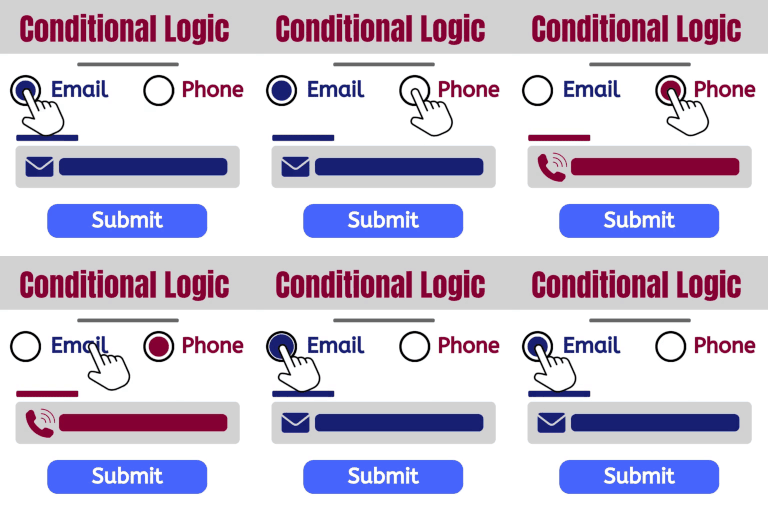





Fragen und Antworten
GriffinForms: quick answers
Gerade Antworten, gezogen von Live WordPress.org Daten.
Quelle: WordPress.org
Is GriffinForms free?
Yes. GriffinForms is free to download and use from the official WordPress.org plugin directory.
Is GriffinForms safe to use in 2026?
GriffinForms is a solid plugin choice in 2026, with a few things worth checking first. It runs on 10+ sites, is rated 5/5 and was last updated 7 days ago, and scores 77/100 on our health check.
How many websites use GriffinForms?
GriffinForms is active on 10+ WordPress websites and has been downloaded 6,544 times since it launched in May 2025. It was downloaded 756 times in the last 30 days.
Does GriffinForms work with WordPress 7.1?
Yes. The developer has tested GriffinForms up to WordPress 7.1.5, the latest release. It requires WordPress 6.6 or newer.
What PHP version does GriffinForms need?
GriffinForms requires PHP 8.2 or higher. Most hosts run PHP 8.x today, so it works on any modern WordPress hosting.
When was GriffinForms last updated?
The latest version, 3.6.1.0, was released on November 23, 2026 (7 days ago).
Who makes GriffinForms?
GriffinForms is developed and maintained by griffinforms.
What are the best alternatives to GriffinForms?
The most popular alternatives to GriffinForms are Conditional Fields for Cont… (100K+ installs), Conditional Fields for Elem… (10K+ installs) and If-So Dynamic Content (7K+ installs).
Angetrieben von PageForge
Eine Vorlage und eine Tabelle. Eine echte Seite für jede Suche.
PageForge Verwandelt jede Zeile eines CSV in eine WordPress-Seite mit eigenem Titel, URL, SEO Felder und Schema entworfen. Kostenlos auf WordPress.org.
- CSV und XLSX, plus Google Sheets auf Beruf und Unternehmen
- seinen eigenen Titel, URL, SEO Felder und Schema für jede Seite
- Arbeitet mit dem Blockeditor, Elementor, Divi und Avada
- Kostenlos auf WordPress.org, keine Kreditkarte