


GiveWP – Donation Plugin and Fundraising Platform
Accept donations and begin fundraising with GiveWP, the highest rated WordPress donation plugin for online giving.

Sichere Auswahl
Yes — GiveWP is a safe, well-maintained plugin to use in 2026. It runs on 100K+ sites, is rated 4.6/5 and was last updated 3 days ago, and scores 90/100 on our health check.
- Bewährt im Maßstab auf 100k+ aktiven Standorten
- Loved by users — 4.6/5 from 709 reviews
- Aktiv entwickelt – letztes Update vor 3 Tagen
- Getestet mit dem neuesten WordPress (7.1)
- Responsive Support – 75 % der aktuellen Threads wurden behoben
Wie stapelt es sich?
Side-by-side bei Installationen, Updates, Bewertungen und Support



Tägliche Downloads
Download-Spitzen folgen normalerweise einer neuen Version - jede Website, die automatisch aktualisiert wird, gilt als Download.
Ranglisten
Where GiveWP stands todayWordPress.org Ranglisten suchen
Live-Position in der Plugin-Suche, Top 100| Stichwort | Position |
|---|---|
| crowdfunding | #3 |
| donate | #2 |
| donation | #1 |
| fundraising | #1 |
| recurring donations | #2 |
Versionsübernahme
Anteil aktiver Sites pro Release.
Bewertungsaufschlüsselung
★★★★★★★★★★ 4.6 from 709 reviews
About GiveWP
From the official readme · v4.19.2.1Beschreibung
GiveWP is the highest rated, most downloaded, and best supported donation plugin for WordPress. Whether you need a simple donate button or a powerful donation platform optimized for online giving, GiveWP is right for you.
Transform the way you accept online donations, starting for free. With GiveWP you can accept gifts for charity or for other purposes, through customizable donation forms. Our donation plugin also allows you to view donor data and fundraising reports, manage donors, and integrate with a wide variety of third-party gateways and services.
✨ GiveWP Features
GiveWP is free and full of many advanced features to suit your needs. Start by choosing one of our donation form templates to create your first fundraising campaign. Then, take advantage of full-featured fundraising reports and donor management tools to increase your overall fundraising revenue by learning what makes donors donate.
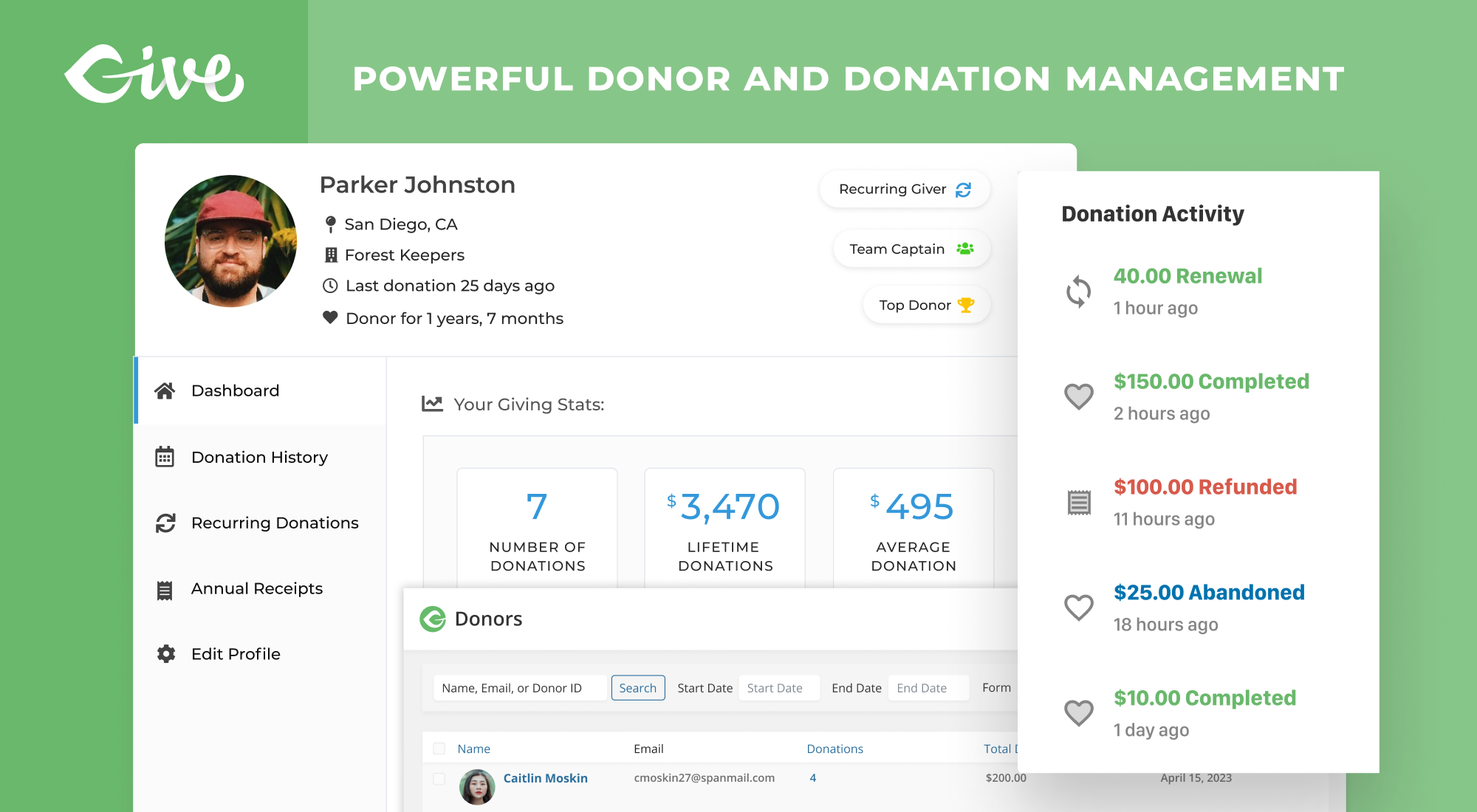
Free donor tools also help keep your donors happy. The donor dashboard helps your donor base easily manage their accounts and access their donation history. With our premium add-ons, you can add additional donor tools, like annual receipts.
Campaign-Based Fundraising and Forms
GiveWP makes it easy to manage and launch successful fundraising campaigns directly from your WordPress site. Whether you’re raising funds for a single project, a long-term cause, or a series of initiatives, GiveWP’s campaign-based approach helps you streamline your efforts and maximize your fundraising potential.
Key Features of Campaign-Based Fundraising
- Campaign Creation: Create multiple campaigns on your site, each with its own unique donation goal, target audience, and messaging.
- Customizable Donation Forms: Each campaign comes with a built-in, fully customizable landing page, created using the WordPress Block Editor. Add text, images, and donation forms to create a visually appealing and engaging page that strengthens your donor connections.
- Dedicated Landing Pages: Create custom landing pages for each campaign, complete with campaign-specific content, donation forms, progress bars, and social sharing options to engage and inspire donors.
- Organized Fundraising: All your donation forms are linked to specific campaigns. This makes it easy to manage and track your efforts, set goals, and monitor campaign performance in one streamlined view.
- Visibility Controls: Publish, archive, or draft campaigns to manage when and how your campaigns appear on your site. This gives you full control over the visibility of your campaigns and associated donation forms.
How Campaigns and Donation Forms Work Together
GiveWP’s donation forms seamlessly integrate with your campaigns, allowing you to:
- Create forms that directly support the campaign’s fundraising goals.
- Customize form fields to match the needs of your campaign, whether it’s a specific project or a general cause.
- Promote campaigns via donation forms displayed on any page on your website.
Campaigns offer more flexibility, better control, and enhanced organization for your fundraising efforts, making it easier to achieve your goals and connect with donors. Whether you’re running a large-scale initiative or multiple smaller projects, Campaigns will help you streamline the process and improve your overall fundraising strategy.
Never used blocks before? No worries – we’ve got you covered with our guide.
Actionable Fundraising Reporting
- Get a detailed breakdown of your donation activity
- Control your fundraising data with exports and reports
- Filter reports by date, form, and payment method
- Measure performance across multiple campaigns
- View a complete history of your donor activity
- Generate tax-deductible receipts
- Allow donors to view their donation history, update their profile, manage their recurring donations, and download PDF receipts through their own donor dashboard
Find out more:
- Visit the GiveWP website
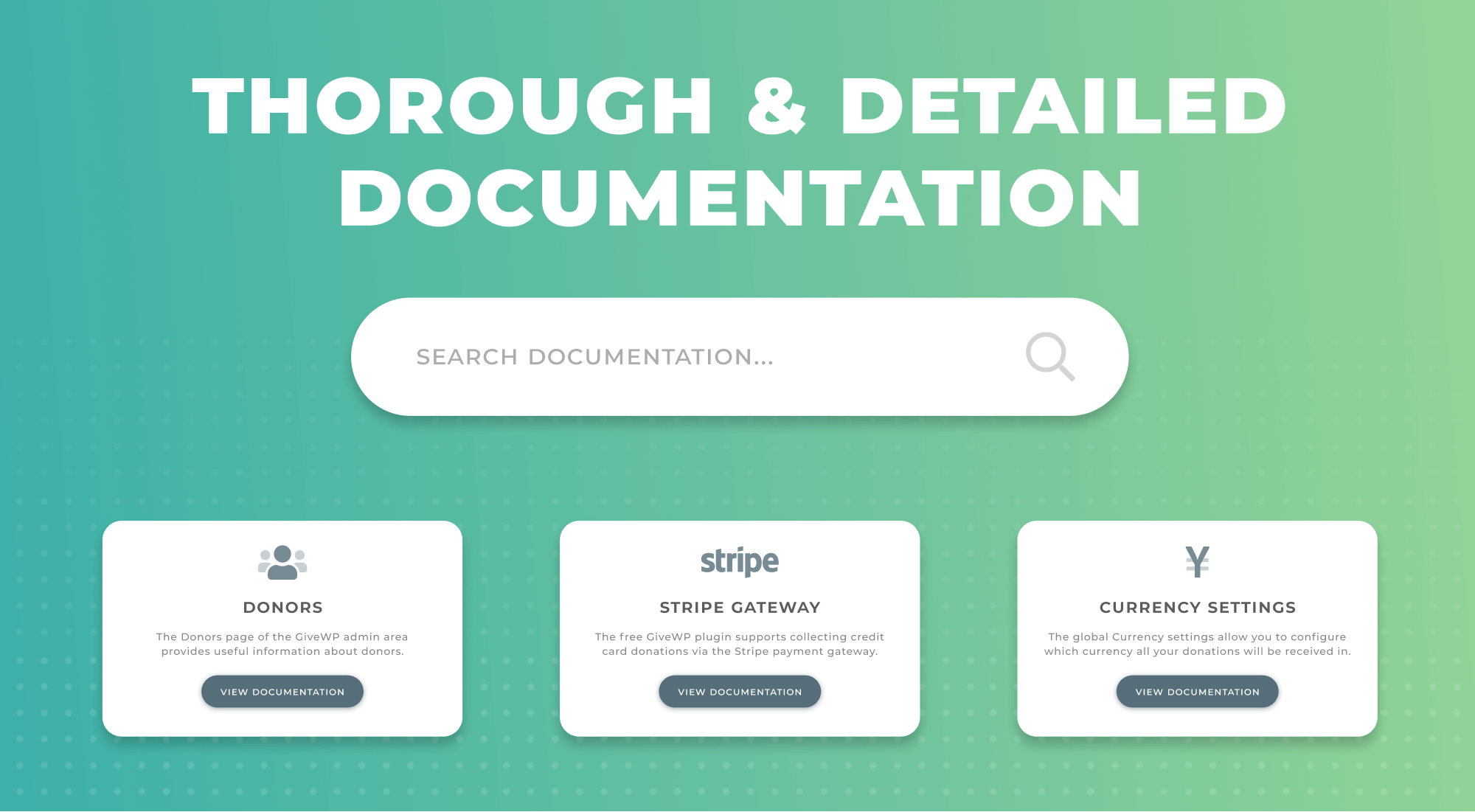
- Read our Docs on How to Use the Visual Form Builder.
- View GiveWP Premium Add-ons
- View GiveWP Free Add-ons
- Book a Live Demo with our Team
🧑🏿🤝🧑🏿 Who Uses GiveWP?
With more than 100,000+ active installs of GiveWP, we hear more and more success stories from nonprofit organizations. Causes are using GiveWP to raise millions of dollars per year. Check out some of our GiveWP Stories and Case Studies for details about their success.
- The City Mission used GiveWP for Giving Tuesday and a competition fundraiser with a neighboring organization, where they raised $45K in 16 hours.
- A local neighborhood watch program switched from using GoFundMe to GiveWP and raised $40,000 in five days for a memorial fundraiser.
- Fans of Ivan the Gorilla have kept his memory alive by fundraising for a conservancy program in his name.
- A hospital raised money through a community-wide virtual dance party during the pandemic.
- Quiltlove, which provides personalized quilts for different life events (like new babies, extended hospital stays, and more), uses GiveWP to create a sustainable business model.
- Niels Vink, a Dutch wheelchair tennis player, uses GiveWP to raise money to train, travel, and participate in competitions. At the 2021 Tokyo Paralympics, Vink earned a gold medal in doubles and a bronze medal in singles.
In addition to nonprofit organizations, GiveWP is widely used for individual or creative purposes. We’ve seen tip jars for blogs or musicians, live streams, and more. Our Donation Upsells for WooCommerce Add-on is even used in some eCommerce stores to collect donations for a cause, or ask for tips in the cart or checkout.
We’ve even seen GiveWP used to collect gifts for birthdays and weddings!
💝 Simple and Pain-Free Giving
We built GiveWP to be the best WordPress donation plugin from day one. Simply install and activate the plugin to get started.
The strength of GiveWP lies within its optimized donation forms. When creating a form, you can start with a template and customize the donation levels, including allowing donors to give a custom amount. The donation forms can then be displayed anywhere on your website using a block, shortcode, widget, or the single donation form page.
You can also integrate your forms with a wide variety of payment processors, including PayPal and Stripe within the free plugin. You can also purchase add-ons to use Authorize,net, Bitpay, Square, and more.
🌱 First Time Users
For new users, we suggest reviewing our Getting Started Guide to get an understanding of how the plugin works. If you run into any trouble, we offer free support to help you with your issues, questions, and concerns.
If you are a GiveWP customer with an active license of any of our popular add-ons, we’d love to hear from you and support you via our Priority Support channel.
💳 Accept Credit Card Donations and More
GiveWP comes with several payment gateway options:
- Stripe Donations — Accept donations through any payment method (like Apple Pay, Google Pay, or ACH) activated in your Stripe accounts. Additional fees may apply for free users. Read our Stripe documentation for more information.
- PayPal Donations — Allow worldwide donations with PayPal Donations. No additional fees applied.
- Venmo Donations — Give donors the option to pay through Venmo with their account balance or connected bank account.
- Offline Donations — Enable your donors to send checks or physical donations with an offline gateway with instructions.
- Test Gateway — use the Test Gateway to see exactly how your donors will walk through the donation process.
- And many more Gateways – View additional payment gateways on our website. These include Authorize.net, Bitpay, Square, Razorpay, Paytm, and more.
- In-Person Donations (Tap To Pay) — Accept swipe, insert, or Tap to Pay card donations right from your mobile device or Stripe reader with Jovvie.
⚙️ Extend GiveWP with Powerful Add-ons
GiveWP’s goal is to “Democratize Generosity.” We want to make it easy for everyone to raise funds online.
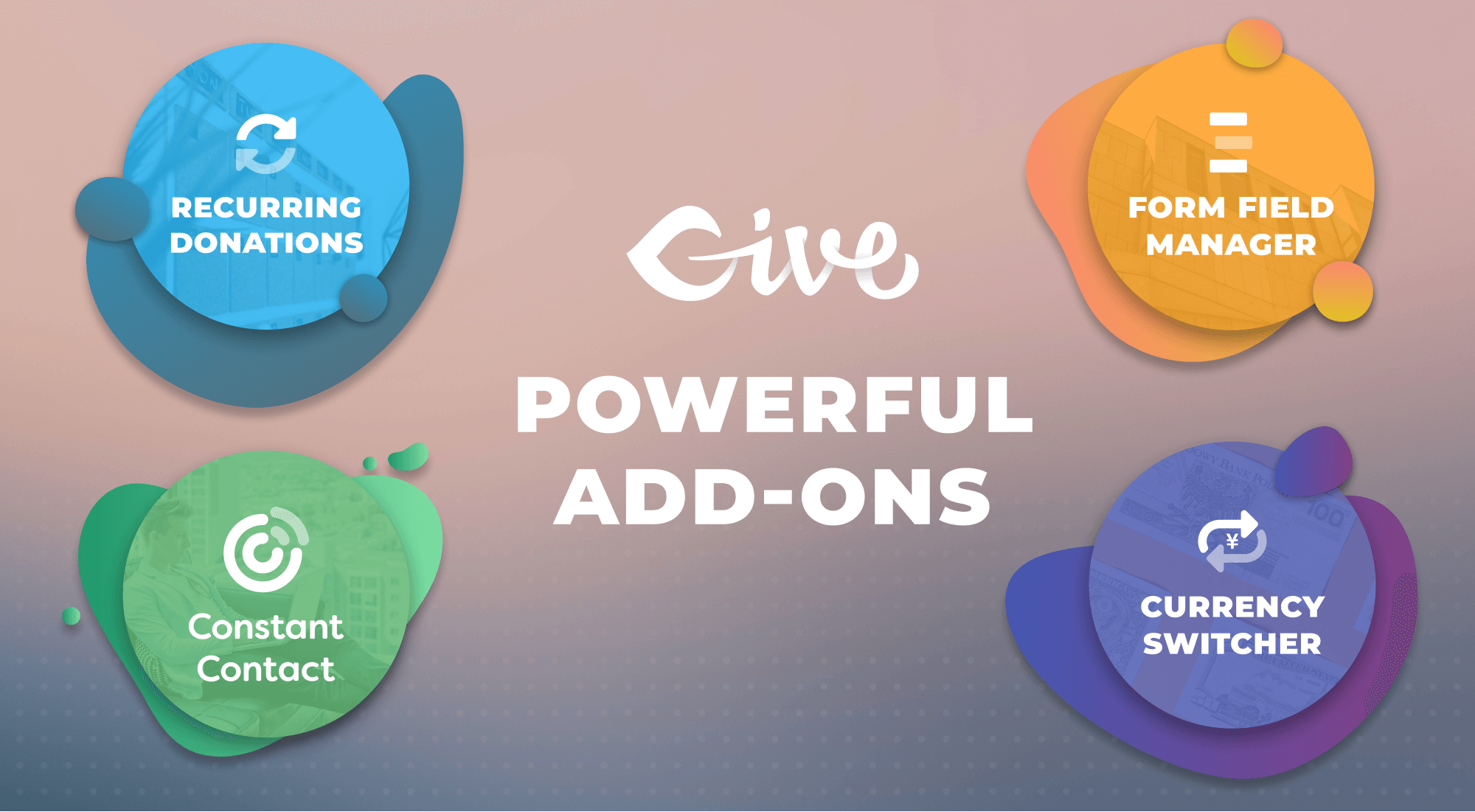
In addition to our free donation plugin, we have premium GiveWP add-ons available to extend the functionality of GiveWP. Ultimately, these tools allow you to raise more money and give you a better relationship with your donors.
Must-Have Add-ons for GiveWP:
- WordPress Recurring Donations
- Peer-to-Peer Fundraising
- Text-to-Give
- Form Field Manager
- Fee Recovery
- Tributes
- PDF Receipts
- Funds & Designations
View all of GiveWP’s Add-ons to discover all the ways you can further enhance and extend GiveWP.
🛠️ Easy to Customize and Enhance
Are you a developer? GiveWP is built with best practices and easy to extend and customize. Here are some great developer-oriented tutorials and docs to help you customize GiveWP to your liking:
- Create Dramatic Donation Email Receipts
- Populate Donor Info with One Click
- Using the GiveWP API to Create Charts with ChartJS
- Theming with GiveWP
- How to Create Custom Form Fields in GiveWP
- How to Build a Gateway Add-on for GiveWP
- How to Style Your GiveWP Forms
- Site Redesigns Without Donation Data Loss
- Handling Custom CSS in WordPress
💚 About the GiveWP Team
The most downloaded fundraising plugin on WordPress, Give has helped users raise over $350 million since 2009. Behind it is a professional team of WordPress developers who know what serious fundraising operations need: flexible tools, rock-solid reliability, and software that grows with your mission. As part of Nexcess’s software offerings, Give is backed by decades of experience building and hosting WordPress solutions.
📧 Connect with GiveWP
Stay in touch with us for important plugin news and updates:
🐱💻 Contribute to GiveWP
This plugin is proudly open source (GPL license) and we’re always looking for more contributors. Whether you know another language, love to code, or just have an idea, we would love your help and input.
Here’s a few ways you can contribute to GiveWP:
-
Star/fork/watch the GiveWP GitHub repository to learn more about what issues we’re tackling and the project is developing. If you’ve never worked with Github before, learn about pull requests here and submit one for GiveWP, we’d love to give you our feedback.
-
Translate GiveWP into your native language. The best place to do that is here on wordpress.org. Go to https://translate.wordpress.org/, then search for your language, click the “Plugins” tab, then search for “GiveWP”. When you’ve submitted at least 95% of GiveWP’s strings, the language moderators will review and approve your translations and then they will be available to all WordPress users for your native language. If you are interested in translating any of our Premium Add-ons, contact us, we’d love to chat with you about that.
-
Join the GiveWP Community Facebook group. We chat about all things related to WordPress, GiveWP, fundraising, and online donations in general.
Installation
Mindestanforderungen
- WordPress 6.6 or greater
- PHP version 7.4 or greater
- MySQL version 5.7 or greater
- MariaDB version 10 or later
- Some payment gateways require fsockopen support (for IPN access)
- cURL version 5.40 or higher
- An SSL certificate — while this is not strictly required, it is highly recommend. If you are converting your site to use SSL/HTTPS now, we have a detailed guide to help you here.
Automatische Installation
Automatic installation is the easiest option as WordPress handles the file transfers itself and you don’t need to leave your web browser. To do an automatic install of GiveWP, log in to your WordPress dashboard, navigate to the Plugins menu and click “Add New”.
In the search field type “GiveWP” and click Search Plugins. Once you have found the plugin you can view details about it such as the point release, rating and description. Most importantly of course, you can install it by simply clicking “Install Now”.
Manuelle Installation
The manual installation method involves downloading our donation plugin and uploading it to your server via your favorite FTP application. The WordPress codex contains instructions on how to do this here.
Aktualisierung
Automatic updates should work like a charm; as always though, ensure you backup your site just in case.
Änderungsprotokoll
This version contains a database upgrade that improves performance by migrating donation meta to a new revenue table. Please ensure you have a backup in place prior to updating and be sure to update GiveWP Core and then your GiveWP Add-ons to the latest versions for maximum compatibility.
[4.19.2.1] 2026-11-17
- Security – Added additional permission checks to the donor list REST API endpoint.
- Security – Added additional protection to the donor email access.
- Security – Improved anonymous donor filtering in the donor search results. Reported by Vũ Quang Huy.
- Security – Improved security on the donation confirmation receipt.
- Security – Improved Stripe account data security in the Visual Form Builder. Reported by Pasi Nuwan Senevi.
[4.19.2] 2026-11-12
- Fix – Allowed PayPal Donations on v2 forms to accept a donation at the form’s maximum amount when Fee Recovery adds its fee.
- Fix – Resolved an issue where Stripe ACH donations that require microdeposit verification stayed in a Processing state with no donor instructions. Donors were emailed a hosted verification link and the verification was recorded on the donation.
[4.19.1.1] 2026-11-03
- Feature – Added support for Nexcess Plugin Stack licenses
- Security – Added additional validation to the donor default user role setting. (CVE-2026-118193)
- Security – Improved validation of donor email on donation forms.
[4.19.1] 2026-10-27
- Fix – Updated the codebase to be fully compatible with the official WordPress Plugin Check guidelines.
- Fix – Added nonce and capability checks to dismiss, onboarding, import, export, usage tracking and database updater requests. A manual migration now requires a URL with a valid nonce (wp_nonce_url with the give_manual_migration action) or the Migration log page.
- Fix – Renamed unprefixed functions and hooks to give_-prefixed names. The old names still work and log a deprecation notice, except _give_is_form_migrated() and before_give_init, which add-ons still use.
- Fix – The donor search term is now escaped inside Give_Donors_Query, so callers must not escape it themselves.
- Fix – The uninstall script now deletes only the options that start with a GiveWP prefix. It used to delete every option with “give” in its name, including options of other plugins.
- Fix – Restored the Logout link in the Donor Dashboard mobile menu.
- Fix – Restored keyboard Tab access to Form Field Manager and other add-on fields on the amount step of multi-step forms that use the Sequoia template.
- Fix – Enabled the ‘Update Subscription’ button in the Donor Dashboard for failing subscriptions, so donors can replace an expired or declined card.
- Fix – Running a database update by hand with give-run-migration no longer ends in a fatal error.
- Fix – Reset Stats now clears only the deleted options from the object cache instead of flushing the whole cache.
- Fix – Prevented a fatal error on the Donor Register email preview when Give Peer-to-Peer is active.
- Fix – Changed the default ‘Donate’ button text color in the Donation Form Grid block to meet color contrast accessibility requirements (WCAG AAA).
[4.19.0.2] 2026-10-26
- Security – Added additional validation to account registration on donation forms. Reported by Pablo Alaniz
- Security – Improved donation amount validation so donations always meet the amount set on the form.
[4.19.0.1] 2026-10-22
- Security – Improved donation currency validation so the submitted currency must be supported by the form, including currencies enabled by the Currency Switcher. Reported by Shirshak.
- Security – Enhanced security for the donation form view. Reported by vuxvinh.
- Security – Improved validation of donor profile e-mail changes. Reported by Kaveesha Nirmal.
- Security – Improved validation of the core settings import. Reported by Karthik Ramakrishnan.
- Security – Added additional validation to donation form template appearance settings. Reported by Karthik Ramakrishnan.
- Security – Determine the page being edited from the current request context before granting page capabilities. Reported by Karthik Ramakrishnan.
- Security – Added additional validation to donor address management. Reported by Hariom Singh.
- Security – Improved anonymous donor filtering in the donor list. Reported by Vũ Quang Huy.
- Fix – Resolved an issue with Nexcess licensing not respecting the deactivated grace period
Screenshots
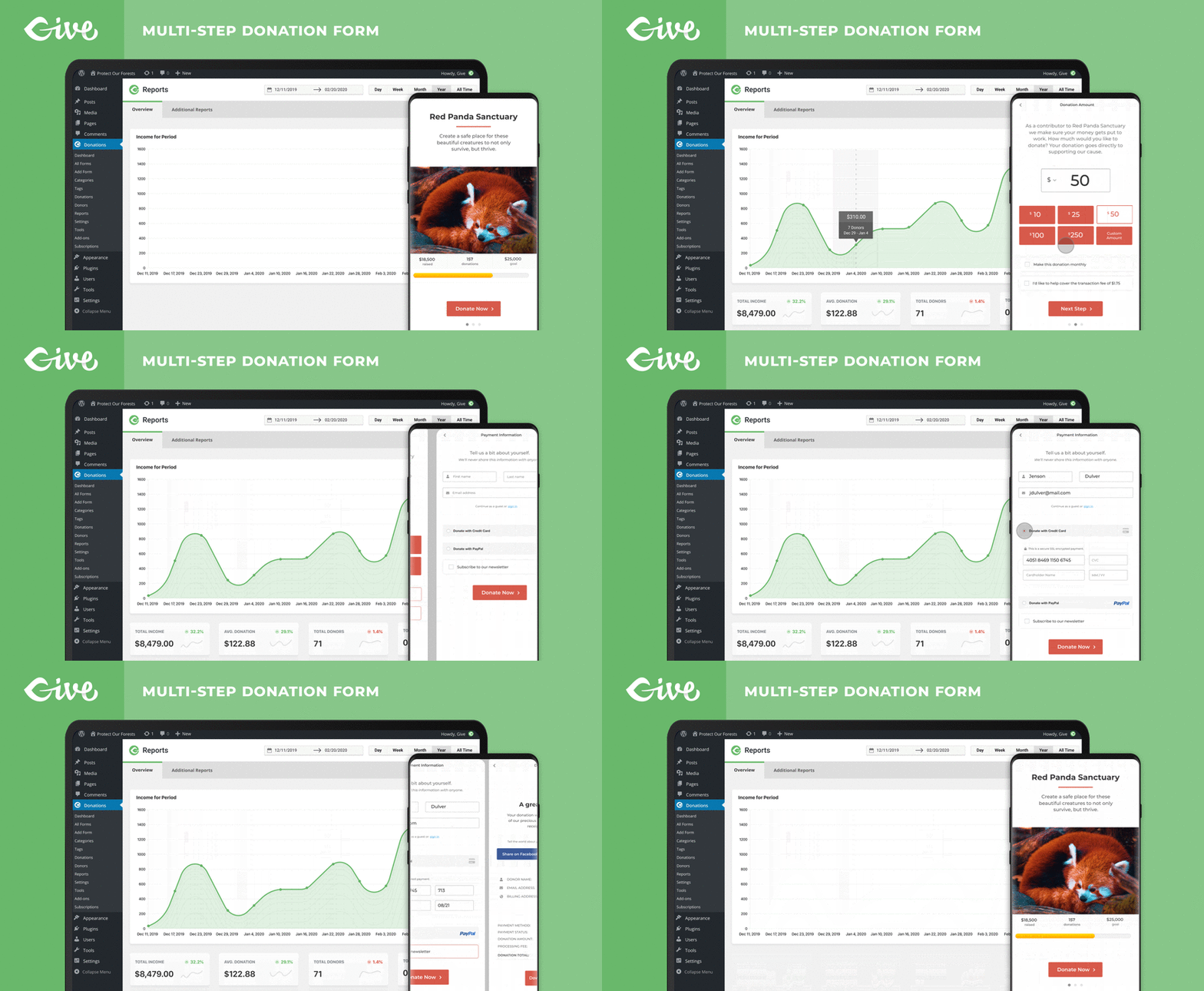
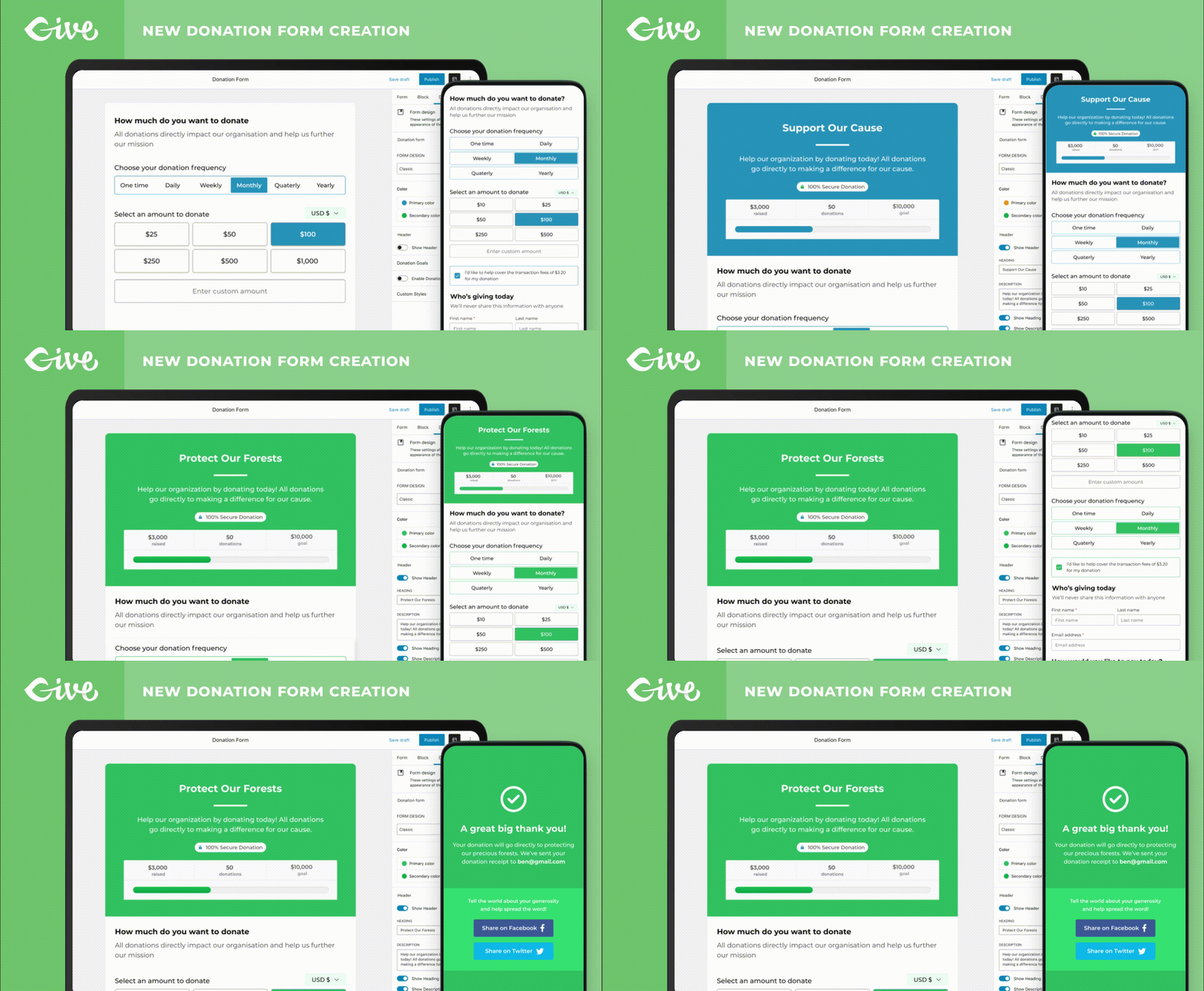
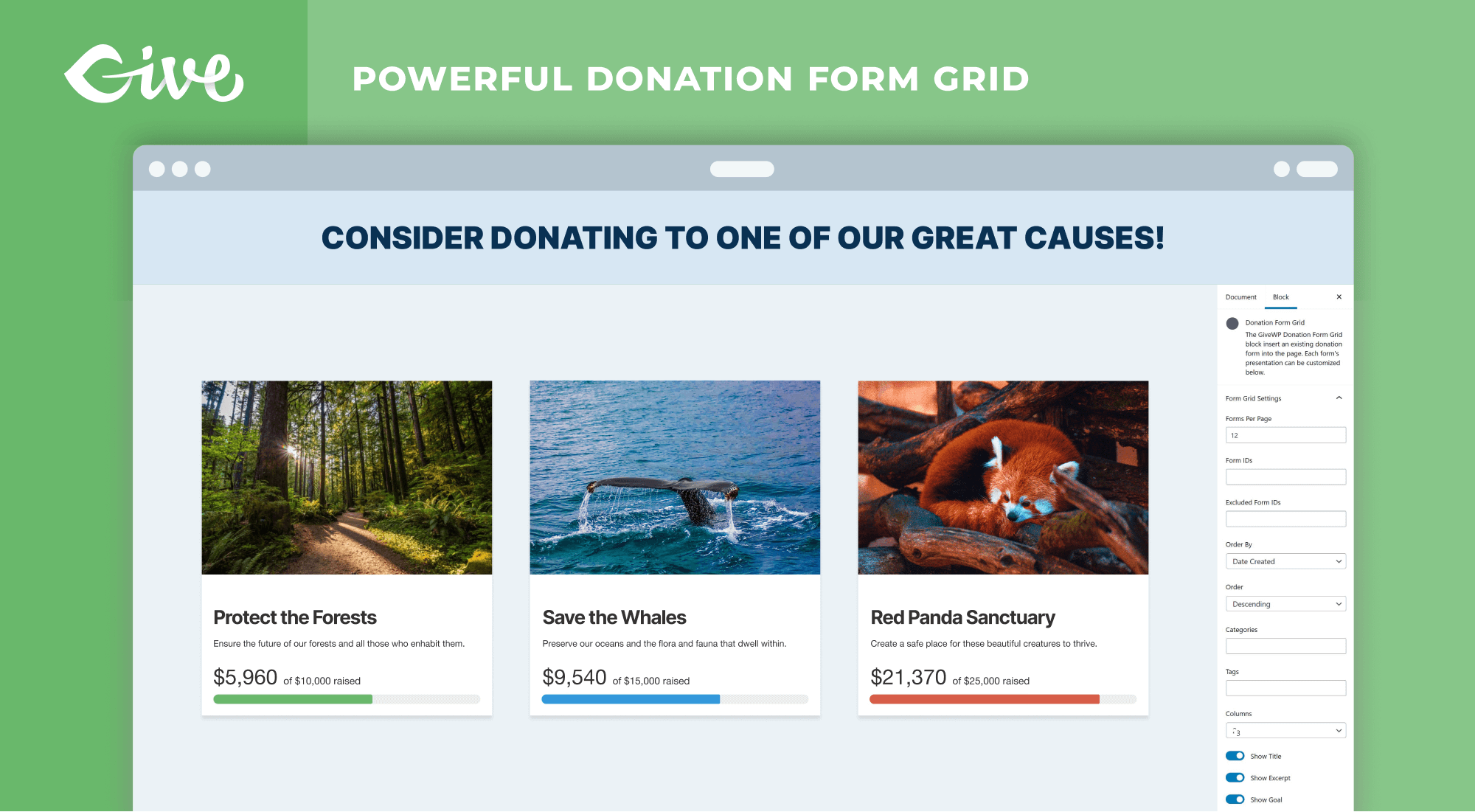
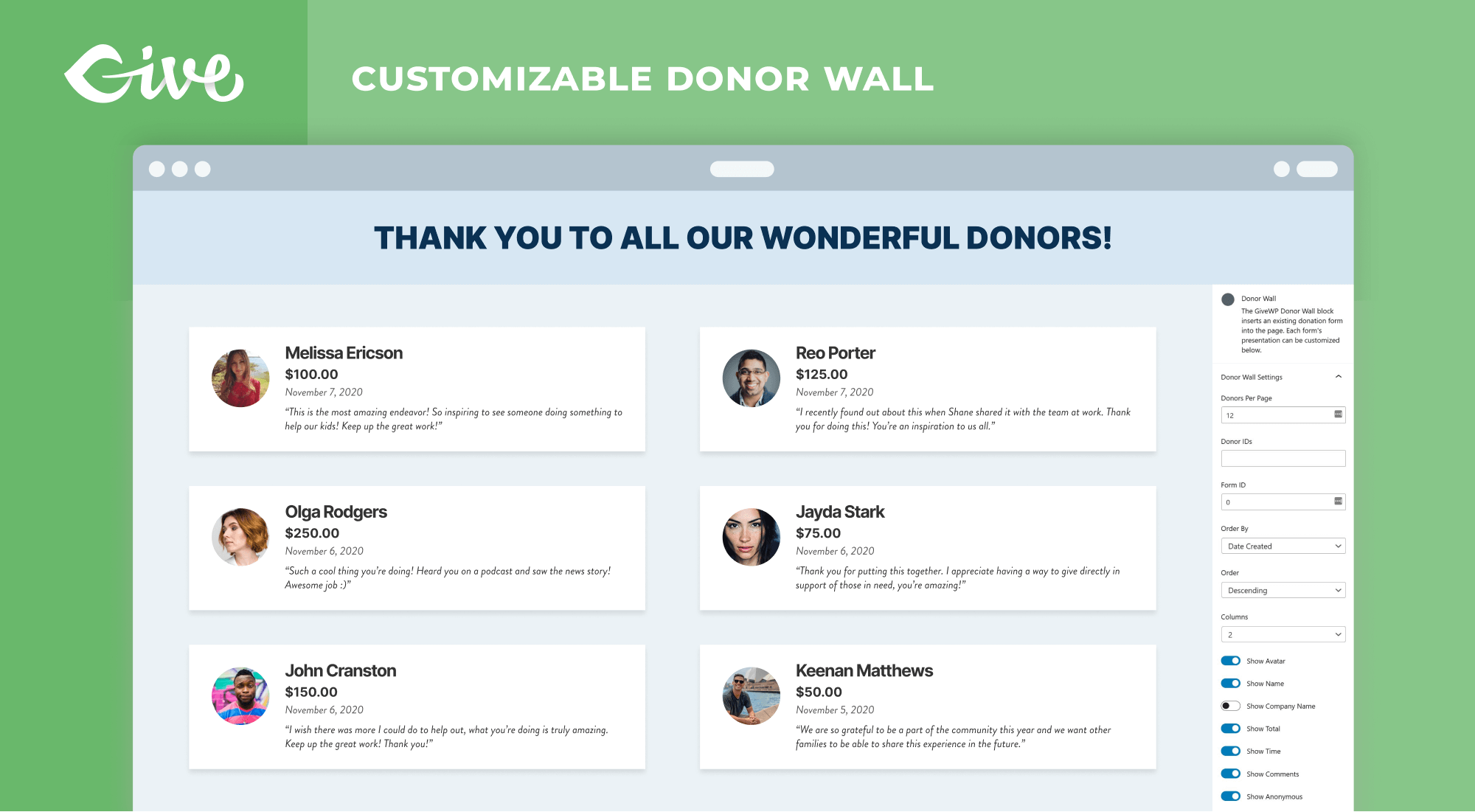
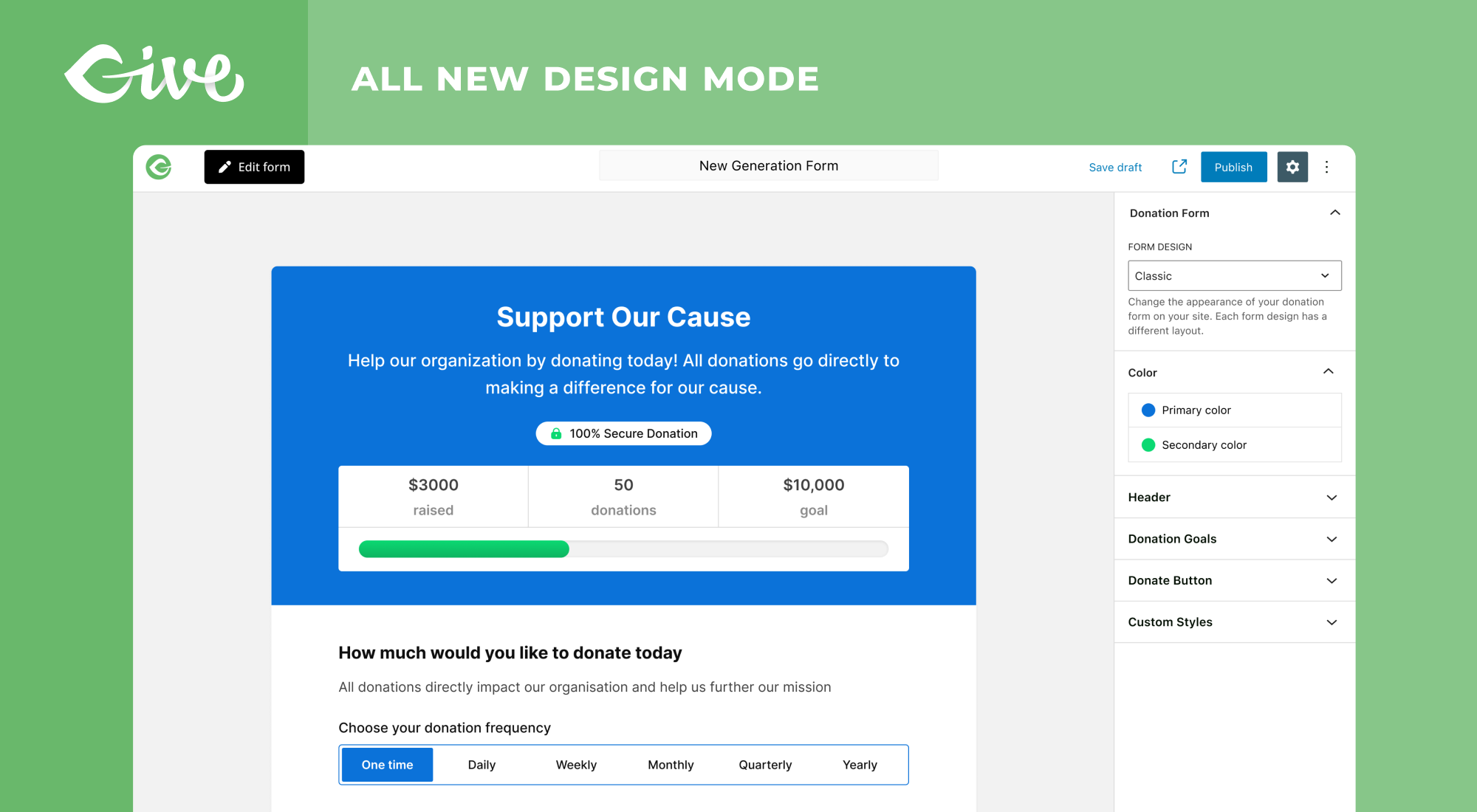
Für Entwickler
Ist das dein Plugin? Zeigen Sie die Zahlen.
Fügen Sie Ihrer Website, Docs oder GitHub Readme ein Live-Badge hinzu. Es wird von selbst aktualisiert - kein Konto erforderlich.
Best GiveWP alternatives
All crowdfunding plugins →





Fragen und Antworten
GiveWP: quick answers
Gerade Antworten, gezogen von Live WordPress.org Daten.
Quelle: WordPress.org
Is GiveWP free?
Yes. GiveWP is free to download and use from the official WordPress.org plugin directory.
Is GiveWP safe to use in 2026?
Yes — GiveWP is a safe, well-maintained plugin to use in 2026. It runs on 100K+ sites, is rated 4.6/5 and was last updated 3 days ago, and scores 90/100 on our health check.
How many websites use GiveWP?
GiveWP is active on 100K+ WordPress websites and has been downloaded 12,996,407 times since it launched in April 2015. It was downloaded 326,514 times in the last 30 days.
Does GiveWP work with WordPress 7.1?
Yes. The developer has tested GiveWP up to WordPress 7.1.5, the latest release. It requires WordPress 6.9 or newer.
What PHP version does GiveWP need?
GiveWP requires PHP 7.4 or higher. Most hosts run PHP 8.x today, so it works on any modern WordPress hosting.
When was GiveWP last updated?
The latest version, 4.19.2.1, was released on November 17, 2026 (3 days ago).
Who makes GiveWP?
GiveWP is developed and maintained by Nexcess.
What are the best alternatives to GiveWP?
The most popular alternatives to GiveWP are Charitable (10K+ installs), Better Payment (5K+ installs) and HelloAsso (4K+ installs).
Angetrieben von PageForge
Eine Vorlage und eine Tabelle. Eine echte Seite für jede Suche.
PageForge Verwandelt jede Zeile eines CSV in eine WordPress-Seite mit eigenem Titel, URL, SEO Felder und Schema entworfen. Kostenlos auf WordPress.org.
- CSV und XLSX, plus Google Sheets auf Beruf und Unternehmen
- seinen eigenen Titel, URL, SEO Felder und Schema für jede Seite
- Arbeitet mit dem Blockeditor, Elementor, Divi und Avada
- Kostenlos auf WordPress.org, keine Kreditkarte