


Better Payment – Donation Forms, AI Fundraising Campaigns, Recurring Donations & Payment Forms
Accept payments, donations and subscriptions, run fundraising campaigns and sell products on your Elementor and Gutenberg website.

Sichere Auswahl
Yes — Better Payment is a safe, well-maintained plugin to use in 2026. It runs on 5K+ sites, is rated 4.6/5 and was last updated 3 days ago, and scores 82/100 on our health check.
- Aktiv entwickelt – letztes Update vor 3 Tagen
- Getestet mit dem neuesten WordPress (7.1)
- Momentum — downloads up 23.8% vs the previous 30 days
Wie stapelt es sich?
Side-by-side bei Installationen, Updates, Bewertungen und Support



Tägliche Downloads
Download-Spitzen folgen normalerweise einer neuen Version - jede Website, die automatisch aktualisiert wird, gilt als Download.
Ranglisten
Where Better Payment stands todayWordPress.org Ranglisten suchen
Live-Position in der Plugin-Suche, Top 100| Stichwort | Position |
|---|---|
| charity | #11 |
| crowdfunding | #8 |
| donate | #13 |
| donation | #16 |
| fundraising | #7 |
Versionsübernahme
Anteil aktiver Sites pro Release.
Bewertungsaufschlüsselung
★★★★★★★★★★ 4.6 from 14 reviews
About Better Payment
From the official readme · v2.5.1Beschreibung
Transform your WordPress payment process with the leading plugin, Better Payment which comes with versatile payment form styles, unlimited customization, and fundraising platform.
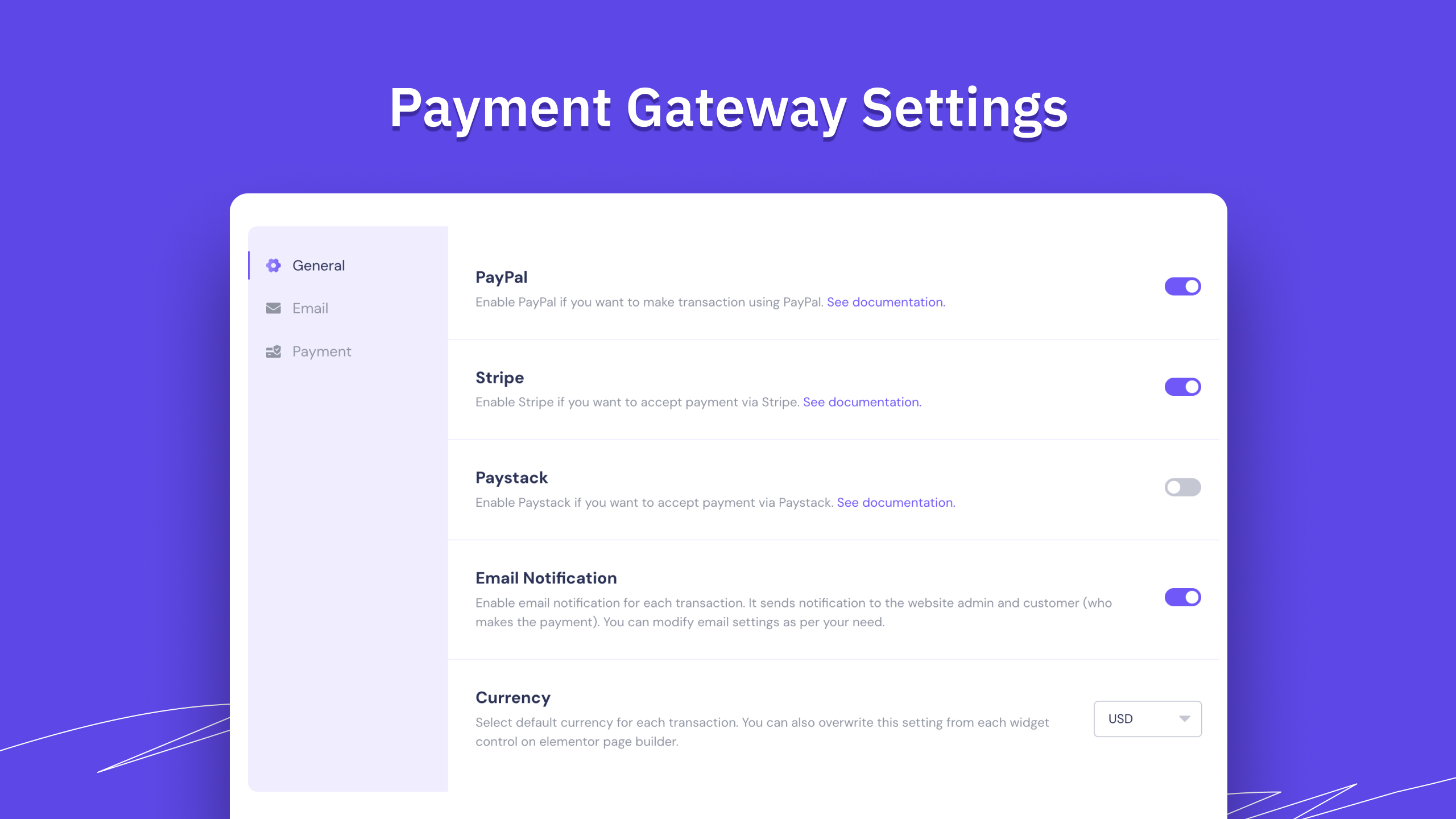
Better Payment allows you to manage your own website payments with one click, without any hassle. With seamless integration with Elementor & Gutenberg, your customers can pay through PayPal, Stripe, Paystack; skipping the long checkout process. 💳
👉Simply by clicking the pay button, customers can complete their transactions for donations, subscriptions, fundraising, membership, eCommerce products, and the list goes on. You can easily send personalized success messages to customers without any coding. Also, retrieve all the payment history instantly at any time you want. 💰
⚙️ ELEMENTOR & GUTENBERG COMPATIBILITY
Better Payment is fully compatible with Elementor & Gutenberg. You can make tweaks to the way you want to your Better Payment form. Also, you can integrate with Elementor Form and make the appearance of the payment form more stunning.
✨ CREATE CAMPAIGNS WITH CAMPAIGN BUILDER
Better Payment’s Campaign Builder makes it easy to create fundraising campaigns without any hassle. You can start from scratch or simply pick a ready-made template and customize it the way you want. Whether it’s for a cause, event, or fundraising goal, you get full flexibility to build a campaign that fits your needs in just a few steps.
🔄 COLLECT RECURRING PAYMENTS ON WOOCOMMERCE IN ONE CLICK
Better Payment brings WooCommerce subscriptions and recurring payments to your store through the secure Stripe gateway. Turn any regular WooCommerce product into a subscription in a few clicks, set the billing cycle you want, and let Better Payment charge your customers automatically on schedule.
No separate product type is needed. You configure everything on the same product screen you already use.
🛠️ ONE-CLICK STRIPE PAYMENT INTEGRATION
Better Payment lets you easily integrate your Stripe account into your website with one click. You will get a Stripe Elements Checkout option with a securely embedded feature, an on-site checkout option, etc.
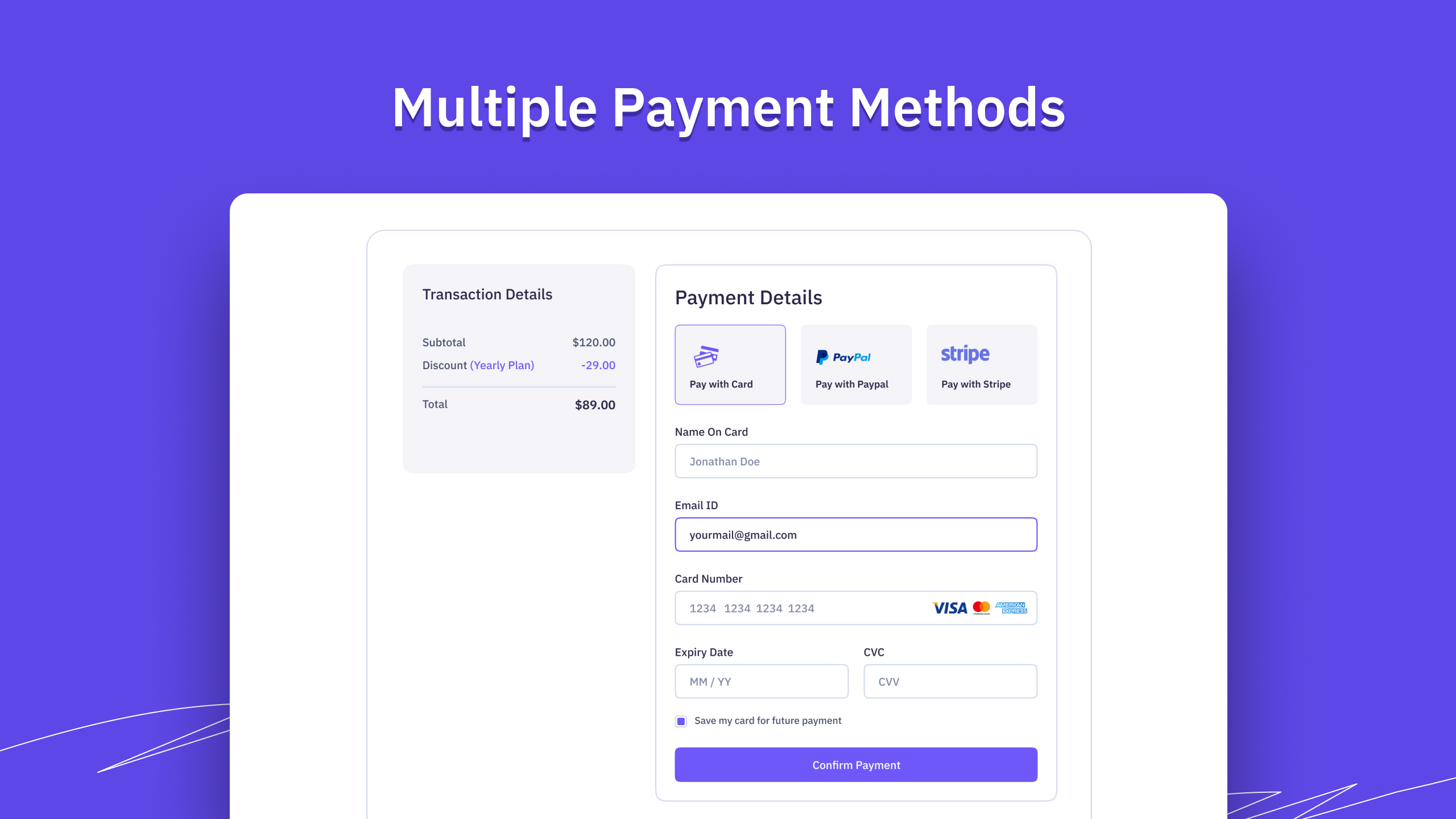
Additionally, Better Payment provides credit cards, American Express, Visa, Master Card, and other payment methods as ways to complete the transaction.
🔌 PAYPAL PAYMENT GATEWAY INTEGRATION
Better Payment gives you another integration option; it offers a PayPal payment gateway, where you can easily connect your PayPal account and start accepting payments and donations.
🏆 COMPLETE PAYMENT DIRECTLY WITH PAYSTACK
With Better Payment, you can effortlessly integrate with Paystack to donate & collect money in a quick and simple process. It is an easy process to set up a Paystack account with Better Payment.
💷 MULTIPLE CURRENCY SUPPORT
You can easily set up multiple currencies in Better Payment to facilitate your customers’ complete payments in their currency, regardless of where your business is set. At present, Better Payment supports 22+ global currencies.
🎨 ONE PLUGIN WITH VERSATILE PAYMENT FORM TEMPLATES
Whether you want to add a simple payment form to your website or manage donation and product payments, you can do all with Better Payment. It offers a variety of payment form styles.
🖌️ GENERAL FORM STYLES [FREE]
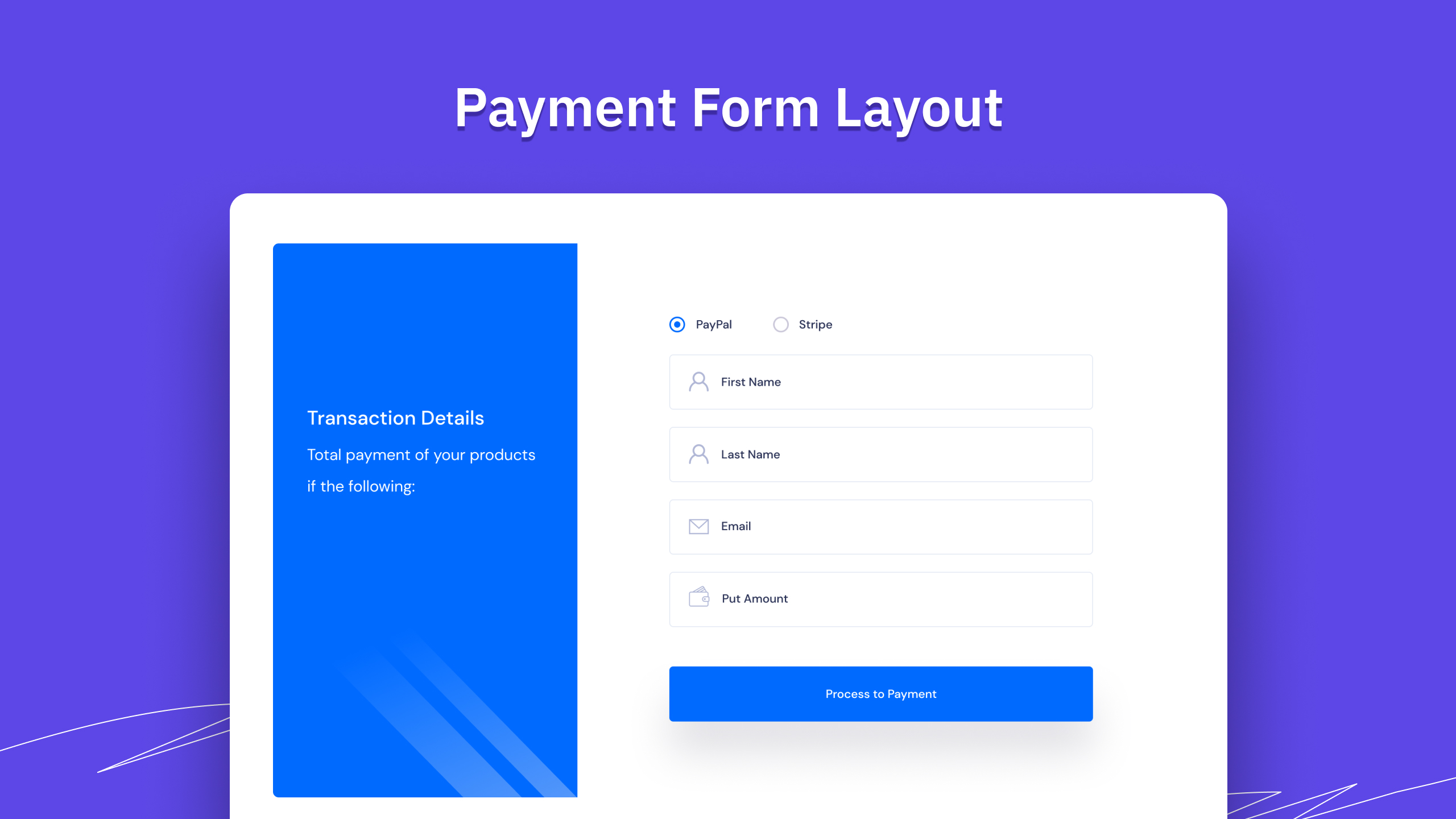
For general purposes, you can design custom payment forms with these beautiful general layouts, showing a custom name, email, payment amount, and total payment summaries. You can adjust the height, width, margin, etc.
🖌️ DONATION FORM STYLES [PRO]
Specially designed for collecting donations in one click from your website. You can add multiple payment amount buttons, custom payment amount buttons, and other additional donation, fundraising, and collecting input fields.
🖌️ WOO PAYMENT FORM STYLES [PRO]
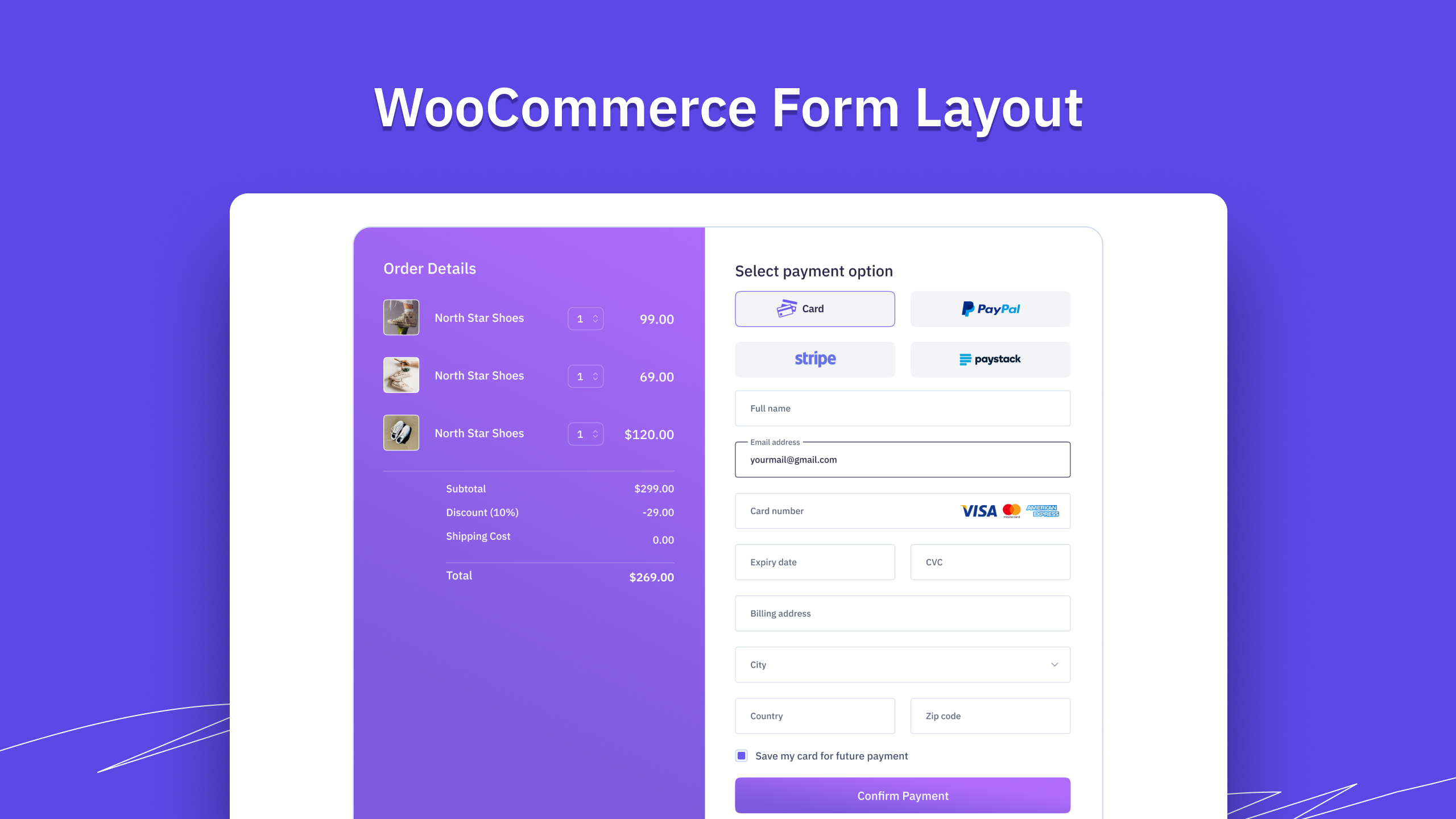
Better Payment can be integrated with Woo and collect product payments for available ones. You can pick the product for which you want to make a one-click payment by selecting Woo as the source. You can design and customize the payment forms’ appearance easily.
🖌️ SUBSCRIPTION FORM STYLES [PRO]
Enable recurring payments in your payment form and manage subscriptions seamlessly for your product, service or anything. With Better Payment, you can create subscription payment forms with stunning designs and start collecting payments.
🖌️ FUNDRAISING CAMPAIGN STYLES [FREE+PRO]
Create a fundraising campaign for a cause and maximize collection with stylish and user-friendly payment form layouts with Better Payment. Manage collections, showcase updates, progress – get all must-have fundraising campaign features.
🌟 POWERFUL DONATION FORMS AT YOUR FINGERTIPS 🌟
Interactive design layouts and multiple donation fundraising options come with Better Payment plugin. It is very easy to set up your website checkout with the utmost flexibility at the touch of a finger.
🛍️ MANAGE WOOCOMMERCE PAYMENTS EASILY
If you have an online store built with WooCommerce, then you can create separate purchase forms for each product and place them anywhere you want on your website. Collect WooCommerce payments seamlessly.
📧CUSTOM EMAIL NOTIFICATION
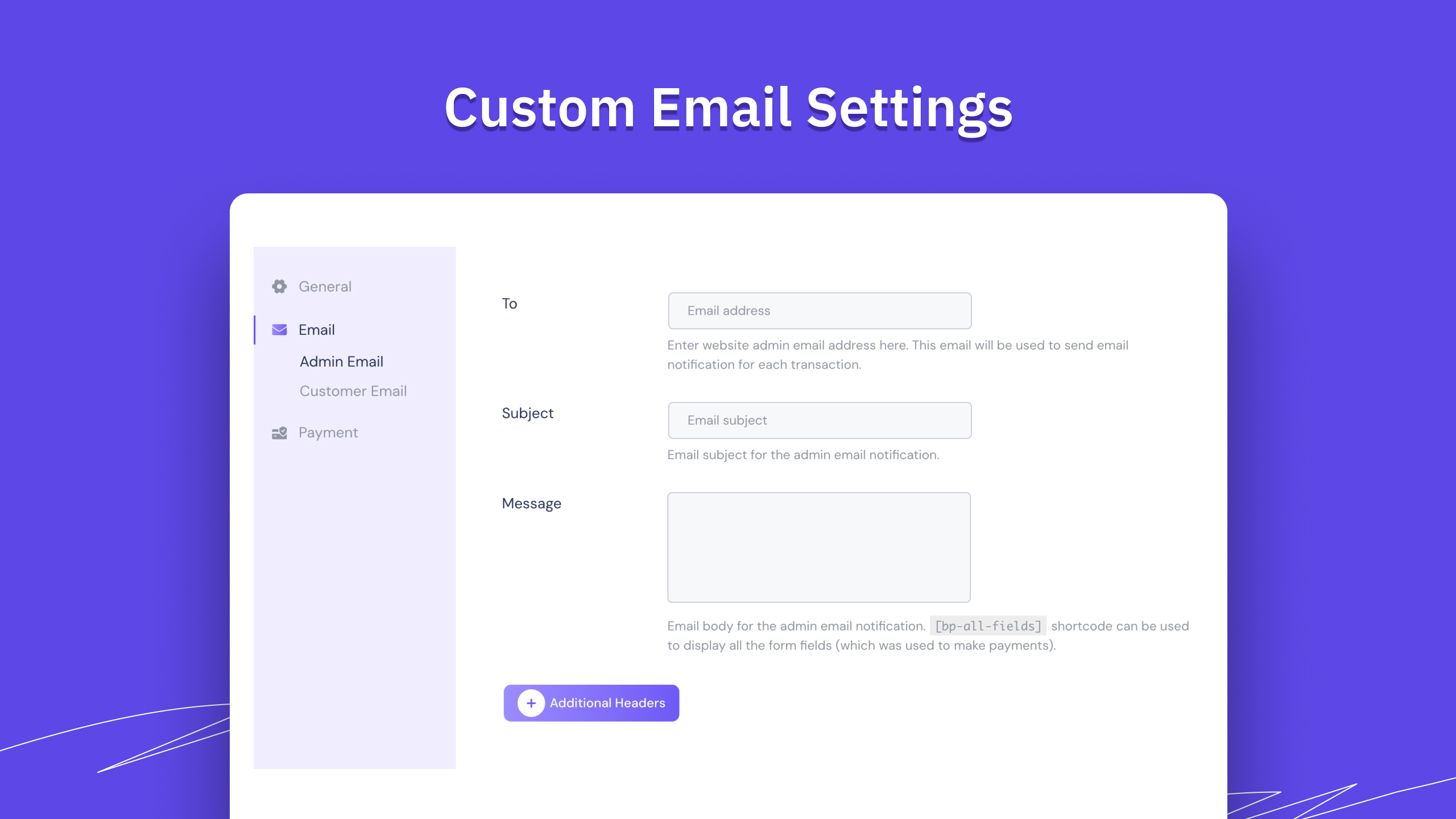
Better Payment allows you to send a notification email to both admin and customer with each transaction.
- Admin notice email: You can use the ready admin email template and send email notifications to customers for each transaction. You can add additional headers, shortcodes, etc.
- Customer notice email: Customer email address will be auto-populated from the payment form. This email will be used to send email notifications for each transaction. Here you can also add details, shortcodes, etc.
💸 TRACK EVERY PAYMENT TRANSACTIONS
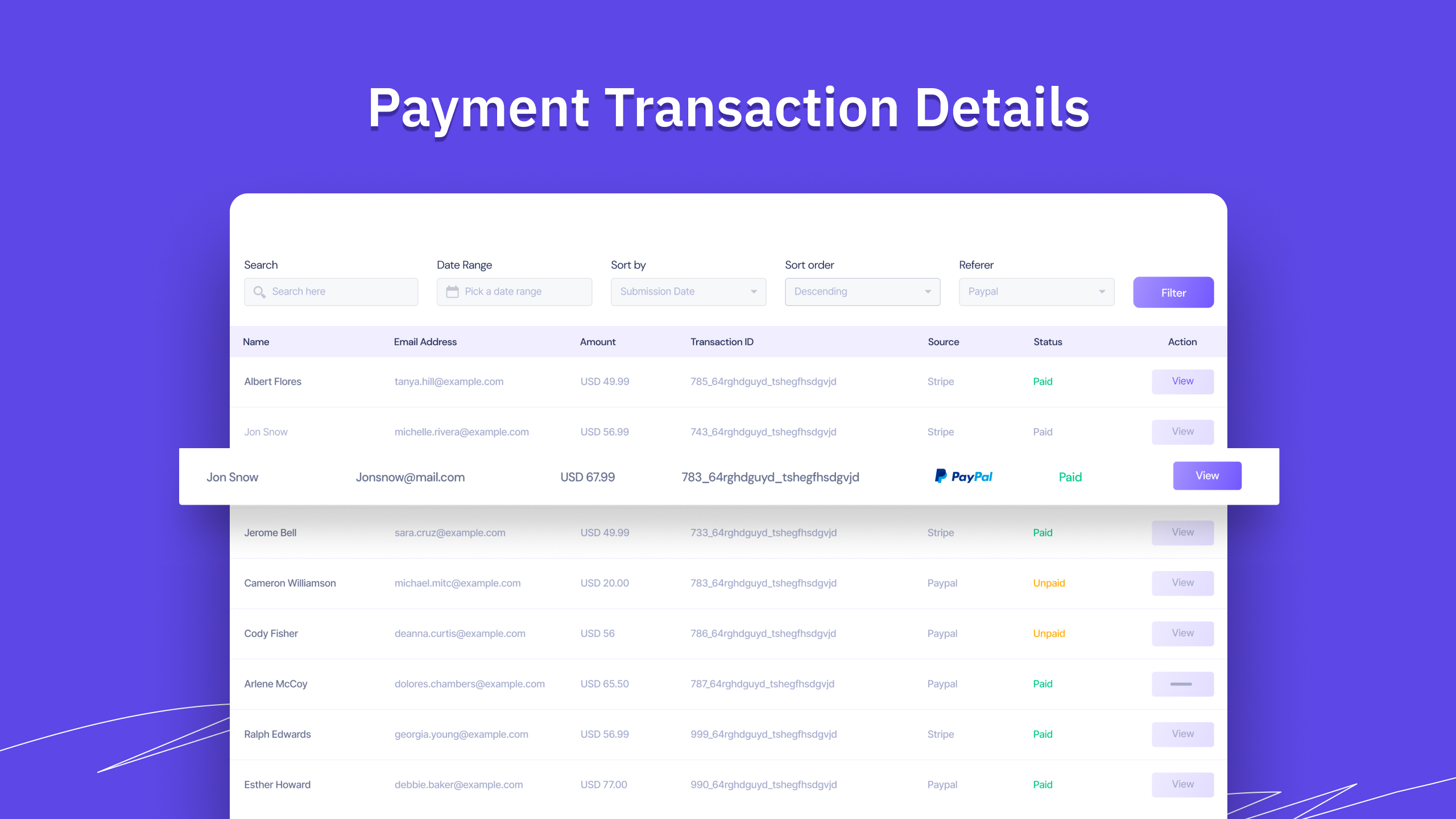
Better Payment comes with a list of transaction pages for all transactions. This payment plugin has an advanced filter to search transactions based on transaction ID, email, amount, source, and payment dates.
🧾 GENERATE TRANSACTION INVOICES
Send invoices to customers for every transaction they made. One can get invoices via email or print or download PDFs from Better Payment. Data fetched from payment every step will be previewed there.
⏬ EXPORT & IMPORT PAYMENT TRANSACTIONS
Better Payment provides you with a one-stop solution for storing all payment transactions. You can import transactions from other places and export files as well in CSV format.
🥳 DESIGN ERROR & SUCCESS MESSAGE
After every transaction, whether it is a success or something wrong happened – you can notify your customer directly from your website by designing a custom ‘Thank You’ message, success message with logo, error message, etc.
🔁 MANAGE SUBSCRIPTIONS [PRO]
Build a unique type of membership site, subscriber site with Better Payment Subscription feature. Better Payment offers direct Stripe integration with its payment forms. So, you can easily create a subscription form, collect subscriptions, check the status and many more.
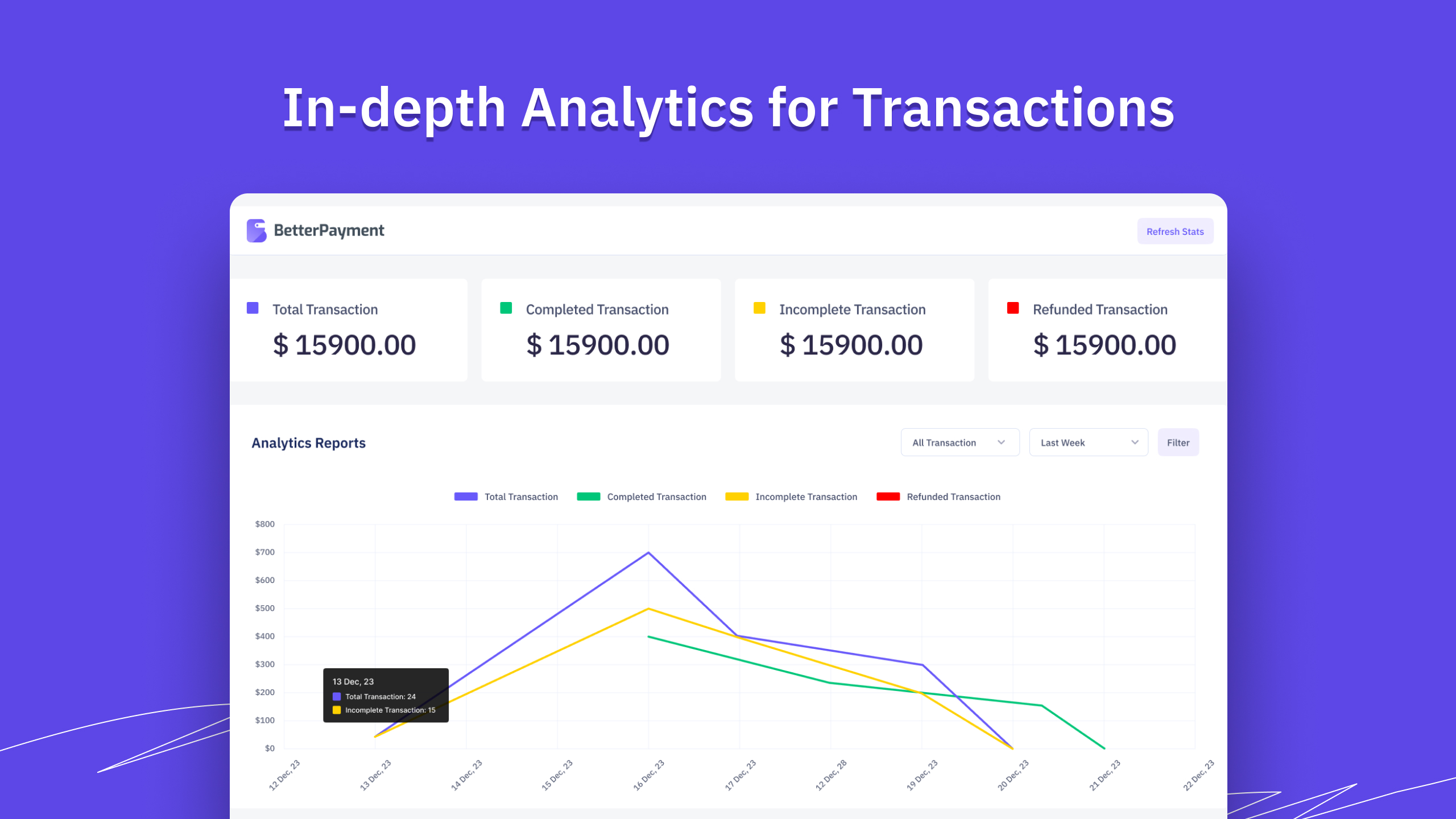
💹 BUILT-IN PAYMENT ANALYTICS [PRO]
Clear and short report or analytics on any type of Better Payment transaction that shows total, completed, and in-progress transactions. Also, you can keep track of refunded ones from here as well.
⚡ COMING SOON
Better Payment reign doesn’t stop here; more advanced and exclusive features are coming soon. Have a glimpse of the Better Payment roadmap here.
- Advanced email templates
- Coupon management
- New payment forms layouts
🙌 After reading this feature list, you can probably imagine that Better Payment is the best WordPress payment plugin on the market. So, do you want to unlock the advanced features? Upgrade to our Pro version.
🔥 WHAT’S NEXT
Consider checking out our other WordPress solutions & boost your WordPress website:
🔝 Essential Addons For Elementor – Most popular Elementor extensions with 2 million+ active users in the WordPress repository.
🔔 NotificationX – Best Social Proof & FOMO Marketing Solution to increase conversion rates.
📄 EmbedPress: Easiest WordPress embedding plugin to add content from 250+ sources with one-click. Works in Gutenberg, Elementor, and more.
⏰ SchedulePress – Complete solution for scheduling WordPress posts through an editorial calendar & social share.
Visit WPDeveloper to learn more about how to do better in WordPress with Help Tutorial, Tips & Tricks.
💙 LOVED BETTER PAYMENT?
Join our Facebook Group
Externe Dienste
Better Payment connects to the third-party services below. Each one is used only for the purpose described. No data is sent to a service until you turn on the feature that needs it.
Streifen
Processes card payments for the payment form widget and block, Elementor Form actions, fundraising campaigns and the WooCommerce gateway.
- When: a visitor pays with Stripe, the visitor returns from Stripe Checkout, a WooCommerce subscription renews, or you open the payment settings (to look up a Stripe product or price you entered). A form whose amount comes from a Stripe price also reads that price from Stripe each time a visitor views the page, to show it.
- What is sent to
api.stripe.com: the amount, currency, product or price ID, payment description, the payer’s email address and name when the form collects them, the order ID, the return URLs and your Stripe secret key (as authentication). For WooCommerce subscriptions, the saved payment method ID is sent to charge each renewal. - Stripe.js is loaded from
js.stripe.comon every page that shows a Better Payment payment form, a User Dashboard or an Elementor form with a Better Payment payment action, and on the WooCommerce order payment page when a customer pays with the Better Payment gateway. It loads on those pages even when Stripe is not enabled in the settings. The browser sends Stripe the visitor’s IP address and browser details, as with any web request. - Terms of service: https://stripe.com/legal/ssa
- Privacy policy: https://stripe.com/privacy
Paypal
Processes PayPal payments for the payment form widget and block, Elementor Form actions and fundraising campaigns.
- When: a visitor pays with PayPal, and when PayPal sends a payment notification (IPN) to your site.
- What is sent: the visitor is redirected to
www.paypal.com(orwww.sandbox.paypal.comin test mode) with the amount, currency, item name, order ID, your PayPal business email and the return URLs. Each IPN message PayPal sends is posted back unchanged toipnpb.paypal.com(oripnpb.sandbox.paypal.com) to confirm that PayPal sent it. - Terms of service: https://www.paypal.com/us/legalhub/useragreement-full
- Privacy policy: https://www.paypal.com/us/legalhub/privacy-full
Paystack
Processes Paystack payments for the payment form widget and block, Elementor Form actions and fundraising campaigns.
- When: a visitor pays with Paystack, and when the visitor returns from Paystack to confirm the payment.
- What is sent to
api.paystack.co: the amount, currency, the payer’s email address, the payment reference, the return URL and your Paystack secret key (as authentication). - Terms of service: https://paystack.com/terms
- Privacy policy: https://paystack.com/privacy/merchant
AI providers (OpenAI, Anthropic, Google Gemini, OpenRouter)
The optional AI Assistant in the Campaign Builder writes and edits campaign pages. It is off by default. It works only after an administrator turns it on, chooses a provider and enters their own API key in Settings. Only the provider you choose is contacted.
- When: an administrator sends a request from the Campaign Builder’s AI Assistant (generate, edit, analyze, refine a brief or generate an image). Site visitors never trigger it.
- What is sent: the administrator’s request text, the current campaign’s layout, text and settings, the site’s currency, and your API key (as authentication). No payment, transaction or customer data is sent.
- Generated images: the plugin downloads the image from the address the provider returns (the provider’s own file storage) and saves it to your Media Library.
- OpenAI (
api.openai.com) — Terms of use: https://openai.com/policies/terms-of-use — Privacy policy: https://openai.com/policies/privacy-policy - Anthropic (
api.anthropic.com) — Commercial terms: https://www.anthropic.com/legal/commercial-terms — Privacy policy: https://www.anthropic.com/legal/privacy - Google Gemini (
generativelanguage.googleapis.com) — Terms of service: https://ai.google.dev/gemini-api/terms — Privacy policy: https://policies.google.com/privacy - OpenRouter (
openrouter.ai) — Terms of service: https://openrouter.ai/terms — Privacy policy: https://openrouter.ai/privacy
Google Fonts
The payment form and fundraising campaign styles, the admin screens and the email receipt template load their fonts from Google Fonts. In the block editor, a Google font chosen in a Better Payment block’s typography settings is loaded the same way.
- When: a page that shows one of these styles is opened, an email receipt is opened in an email client, or a Google font is chosen or shown in the block editor.
- What is sent to
fonts.googleapis.comandfonts.gstatic.com: the request for the font file, which includes the visitor’s IP address and browser user agent, as with any web request. - Terms of service: https://developers.google.com/fonts/terms
- Privacy policy: https://policies.google.com/privacy
Youtube
The Better Payment dashboard in wp-admin has a product video.
- When: only when an administrator clicks the video to play it. Nothing loads before that click.
- What is sent to
www.youtube-nocookie.com(YouTube’s privacy-enhanced mode): the request for the video player, which includes the administrator’s IP address and browser details. YouTube sets no cookies until the video plays. - Terms of service: https://www.youtube.com/t/terms
- Privacy policy: https://policies.google.com/privacy
Gravatar
The User Dashboard shows the logged-in user’s avatar through WordPress’s own avatar functions, which use Gravatar.
- When: a logged-in user views a page with the User Dashboard, or an editor previews the User Dashboard block. Only while avatars are switched on in Settings → Discussion → Show Avatars.
- What is sent to
secure.gravatar.com(or agravatar.comhost): a hash of the user’s email address, with the visitor’s IP address and browser details. - Terms of service: https://wordpress.com/tos/
- Privacy policy: https://automattic.com/privacy/
WPDeveloper usage tracking (WP Insights)
Optional usage statistics that help us keep the plugin compatible with other plugins and themes. It is off until an administrator chooses “Proceed To Next Step” on the first screen of the setup wizard. Choosing “Skip It” sends nothing.
- When: only after an administrator opts in. Once right away when they choose “Proceed To Next Step”, then once a day, and once when the plugin is deactivated. The daily send does not run while Better Payment Pro is active.
- What is sent to
send.wpinsight.com: your site URL and name; WordPress, PHP and server software versions; language, charset, text direction and whether the site is a multisite; your active plugins and theme, and how many plugins are inactive; the Better Payment version; a site ID the service assigns; which Better Payment widgets, blocks, campaign elements, features and gateways you use; and the email address of the administrator who opted in (or the site’s admin email), to send the discount coupon. On deactivation it also sends the reason chosen in the optional deactivation form. No payment or transaction data, customer details, API keys, server file paths or inactive plugin names are sent. - Terms and conditions: https://wpdeveloper.com/terms-and-conditions/
- Privacy policy: https://wpdeveloper.com/privacy-policy/
Source code
The JavaScript and CSS files in assets/ are compiled with @wordpress/scripts (webpack). Their human-readable source ships with the plugin, in the src/ directory:
src/admin/— the React admin screens and the setup wizardsrc/campaign-builder/andsrc/campaign-list/— the Campaign Buildersrc/blocks/— the Gutenberg blockssrc/js/andsrc/css/— the front-end scripts and stylessrc/controls/— the shared block editor controls, compiled intoassets/blocks/
Installation
Modern Way:
- Go to the WordPress Dashboard “Add New Plugin” section.
- Search For “Better Payment”.
- Install, then Activate it.
Old Way:
- Upload
better-paymentin das/wp-content/plugins/-Verzeichnis - Aktivieren Sie das Plugin über das „Plugins“-Menü in WordPress
Änderungsprotokoll
2.5.1 – 18/11/2026
- Added: Currency filter on Transactions and an All Time date range on Transactions and Subscriptions
- Improved: Totals keep each currency separate in the User Dashboard, the Fundraising Campaign widget and the MCP tools
- Improved: Settings sidebar icons follow the active tab
- Few minor bug fixes and improvements
2.5.0 – 10/11/2026
- Added: Campaign auto-closure based on end date, Closed status, or reached goal
- Added: Campaign filter and column in Transactions, including exports
- Added: MCP server for AI assistants (off by default) and recent payment error logs.
- Improved: Clearer payment messages and unique donor counts
- Improved: Campaign-level currency handling and accurate multi-currency totals
- Fixed: Stripe/Paystack payment verification flow and Custom Redirect URL help text
- Few minor bug fixes and improvements
2.4.4 – 02/11/2026
- Added: Advanced Campaign Builder styling with Content, Style and Advanced tabs, including widths, colours, borders, shadows, spacing and hover states
- Added: Redesigned all eight campaign templates (v3), a mobile sticky Donate bar, and themed designs for AI-generated campaigns
- Added: Full desktop and mobile previews of Pro templates for Free users
- Improved: Moved Pro-only features out of Free while retaining upgrade previews
- Improved: Template picker, accessibility, settings organization, and plugin download size
- Fixed: Payment confirmation emails, settings saving, AI style feedback, progress bar visibility, default donation amounts, and builder element outlines
- Security: Added quantity validation to prevent unauthorized payment quantities
- Improved: Minor bug fixes and overall stability
2.4.3 – 25/10/2026
- Added: Campaign Donate Button popup payment option (Pro), payment amount limits, and secret key rotation notices
- Fixed: Stripe, PayPal, and Paystack payment processing, verification, currency handling, decimal precision, and error handling
- Fixed: Payment receipts, duplicate orders, payer validation, settings persistence, email templates, and subscription routing
- Fixed: Campaign visibility, dates, goals, layouts, Donate Button behavior, builder editing, drag-and-drop, and AI actions
- Improved: Campaign access control, CSV export safety, PayPal IPN validation, dashboard transaction matching, and AI history permissions
- Security: Protected gateway secret keys, escaped payment-related output, rate-limited payment attempts, and rejected donations below 1
- Improved: Minor bug fixes and overall stability improvements
2.4.2 – 14/10/2026
- Fixed: PayPal return URL validation, CSV imports, transaction filters, subscription role fallback, and Payment Form block issues
- Fixed: Admin email transaction links now work, including previously sent emails
- Improved: External service documentation and bundled assets (photos and source code)
- Improved: Removed third-party CDN dependency for Custom CSS
- Improved: One-click gateway enablement for the Payment Form block
- Improved: Security hardening and WordPress.org Plugin Check compliance
- Few minor bug fixes & improvements
2.4.1 – 11/10/2026
- Fixed: PayPal and Paystack payment handling issues
- Few minor bug fixes & improvements
Screenshots

Für Entwickler
Ist das dein Plugin? Zeigen Sie die Zahlen.
Fügen Sie Ihrer Website, Docs oder GitHub Readme ein Live-Badge hinzu. Es wird von selbst aktualisiert - kein Konto erforderlich.
Best Better Payment alternatives
All charity plugins →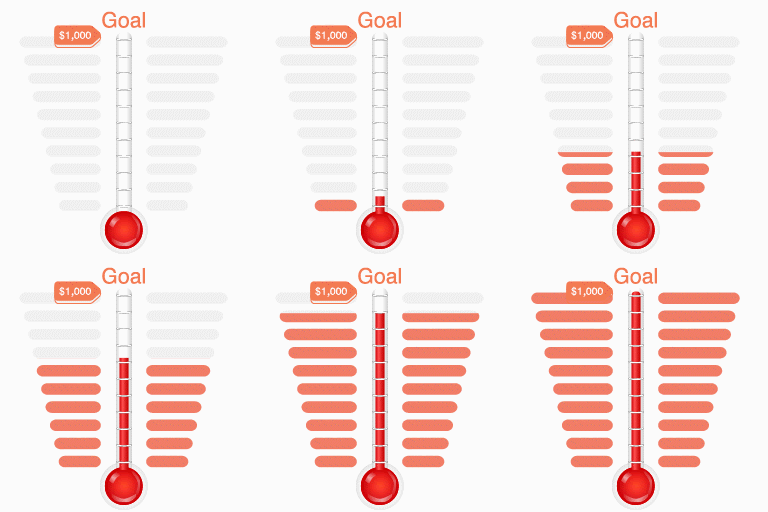




Fragen und Antworten
Better Payment: quick answers
Gerade Antworten, gezogen von Live WordPress.org Daten.
Quelle: WordPress.org
Is Better Payment free?
Yes. Better Payment is free to download and use from the official WordPress.org plugin directory.
Is Better Payment safe to use in 2026?
Yes — Better Payment is a safe, well-maintained plugin to use in 2026. It runs on 5K+ sites, is rated 4.6/5 and was last updated 3 days ago, and scores 82/100 on our health check.
How many websites use Better Payment?
Better Payment is active on 5K+ WordPress websites and has been downloaded 254,279 times since it launched in October 2021. It was downloaded 12,546 times in the last 30 days.
Does Better Payment work with WordPress 7.1?
Yes. The developer has tested Better Payment up to WordPress 7.1.5, the latest release. It requires WordPress 6.0 or newer.
What PHP version does Better Payment need?
Better Payment requires PHP 7.4 or higher. Most hosts run PHP 8.x today, so it works on any modern WordPress hosting.
When was Better Payment last updated?
The latest version, 2.5.1, was released on November 18, 2026 (3 days ago).
Who makes Better Payment?
Better Payment is developed and maintained by WPDeveloper.
What are the best alternatives to Better Payment?
The most popular alternatives to Better Payment are Accept Donations with PayPa… (10K+ installs), Donation Platform for WooCo… (6K+ installs) and Charity Addon for Elementor (1K+ installs).
Angetrieben von PageForge
Eine Vorlage und eine Tabelle. Eine echte Seite für jede Suche.
PageForge Verwandelt jede Zeile eines CSV in eine WordPress-Seite mit eigenem Titel, URL, SEO Felder und Schema entworfen. Kostenlos auf WordPress.org.
- CSV und XLSX, plus Google Sheets auf Beruf und Unternehmen
- seinen eigenen Titel, URL, SEO Felder und Schema für jede Seite
- Arbeitet mit dem Blockeditor, Elementor, Divi und Avada
- Kostenlos auf WordPress.org, keine Kreditkarte