


Interactive Image Map Plugin – Draw Attention
Create interactive images with clickable hotspots, using modern image maps for WordPress. Perfect for floor plans, infographics, maps, and more.

Sichere Auswahl
Yes — Interactive Image Map Plugin is a safe, well-maintained plugin to use in 2026. It runs on 20K+ sites, is rated 4.9/5 and was last updated 4 days ago, and scores 94/100 on our health check.
- Bewährt auf 20.000 aktiven Standorten
- Loved by users — 4.9/5 from 114 reviews
- Actively developed — last update 4 days ago
- Getestet mit dem neuesten WordPress (7.1)
- Momentum — downloads up 264.5% vs the previous 30 days
Wie stapelt es sich?
Side-by-side bei Installationen, Updates, Bewertungen und Support



Tägliche Downloads
Download-Spitzen folgen normalerweise einer neuen Version - jede Website, die automatisch aktualisiert wird, gilt als Download.
Ranglisten
Where Interactive Image Map Plugin stands todayWordPress.org Ranglisten suchen
Live-Position in der Plugin-Suche, Top 100| Stichwort | Position |
|---|---|
| floor plan | #1 |
| hotspot | #6 |
| Image Map | #1 |
| image maps | #6 |
| interactive images | #2 |
Versionsübernahme
Anteil aktiver Sites pro Release.
Bewertungsaufschlüsselung
★★★★★★★★★★ 4.9 from 114 reviews
About Interactive Image Map Plugin
From the official readme · v2.1.12Beschreibung
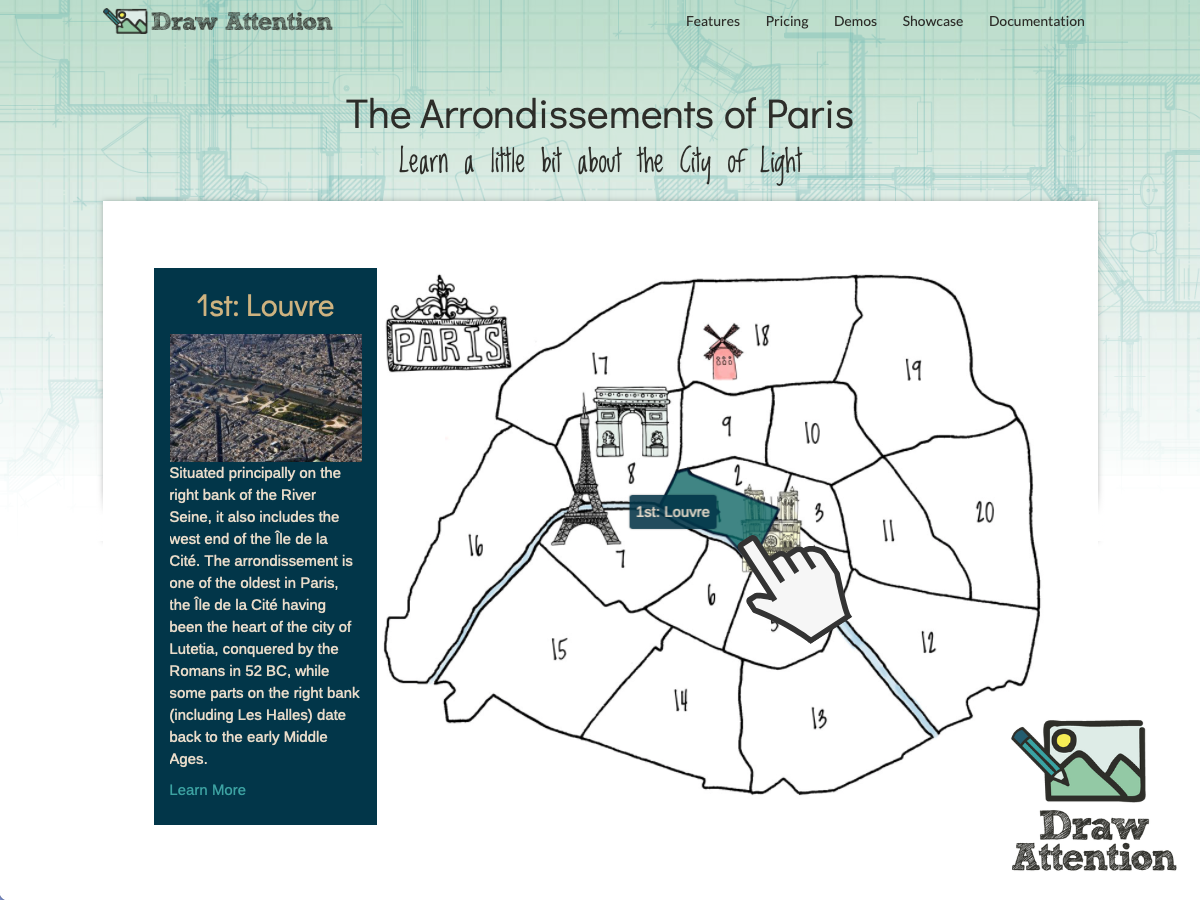
Draw Attention® makes it easy to create interactive image maps for your website. Highlight sections of your images with hotspots so that users can click/tap or hover to read more information about each image map area. Show more content or direct the user to another URL upon clicking or hovering your hotspot.
The image map can contain more information such as images, text, shortcodes, gallery, video, audio, and more. Reveal more information on click/tap or hover. Create custom shapes for interactive hotspots directly on your original image.
Perfect for sketch maps, interactive floor plans for real estate, clickable infographics, interactive affiliate content, sketch annotations, image tutorials, product feature highlights on WooCommerce, and more.
- Draw Unlimited Hotspots: Highlight as many areas as you want in your image map
- Highlight on Hover: Highlight different image hotspot areas when your site visitor moves their mouse over the interactive image
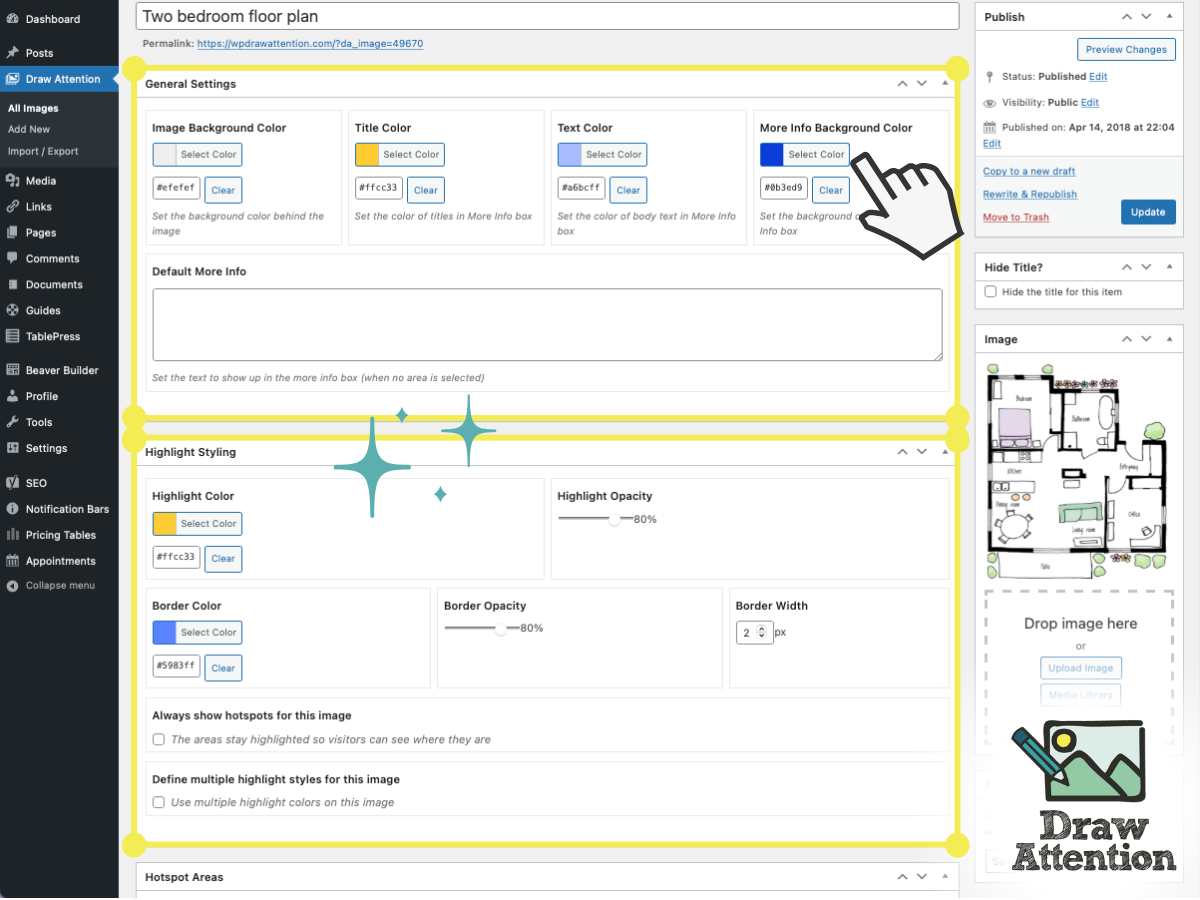
- Customizable Colors: Choose your own custom color scheme for the image map to match your site
- More Info on Click: When a highlighted area is clicked, show more information. Great to highlight points of interest on your image map
- Go to a URL: Optionally send a site visitor to another URL when clicking highlightable hotspots on your image map
Responsive Design
Interactive image maps resize to fit your theme and the available screen size. Draw Attention works on all devices and adjusts your image to screens of any size. Works great on touch screens, such as tablet and mobile, too!
Accessible
Image maps are accessible to everyone who visits your site, regardless of device or capabilities. Your content is accessible to screen readers. All highlightable hotspots can be accessed by keyboard commands. Anyone on any device can use your interactive image map.
SEO Friendly Clickable Annotations
Draw Attention is built with the principles of progressive enhancement in mind, so your content is accessible even to users who have JavaScript disabled and is SEO friendly, too! Draw Attention draws SVG shapes in modern browsers and falls back to a standard image map if JavaScript is disabled.
Easy to Draw Image Maps
Easy to draw the highlightable areas of your image map – and easy to edit the shapes later too! Create the image map right from your WordPress dashboard. Place your interactive image map into any page or post with a simple shortcode, or use our convenient Beaver Builder module or WordPress Editor Block.
New and Improved Drawing Tool
Draw complex shapes or perfect circles and rectangles. Use the new zoom and pan feature to get extra precise drawings of your clickable hotspots. Easily edit the shapes whenever you’d like or start from scratch at the click of a button.
The available drawing tools are:
- Polygon: Create a custom polygon shape of your preference
- Rectangle: – Create a rectangle shape of any size
- Circle: Create a perfect circle
Upgrade to Draw Attention Pro to get more features and customization options:
Create Multiple Interactive Image Maps (Pro only)
Need more than one interactive image map on your site? The Pro version allows unlimited highlightable areas on unlimited interactive images.
Annotation Layout Options (Pro only)
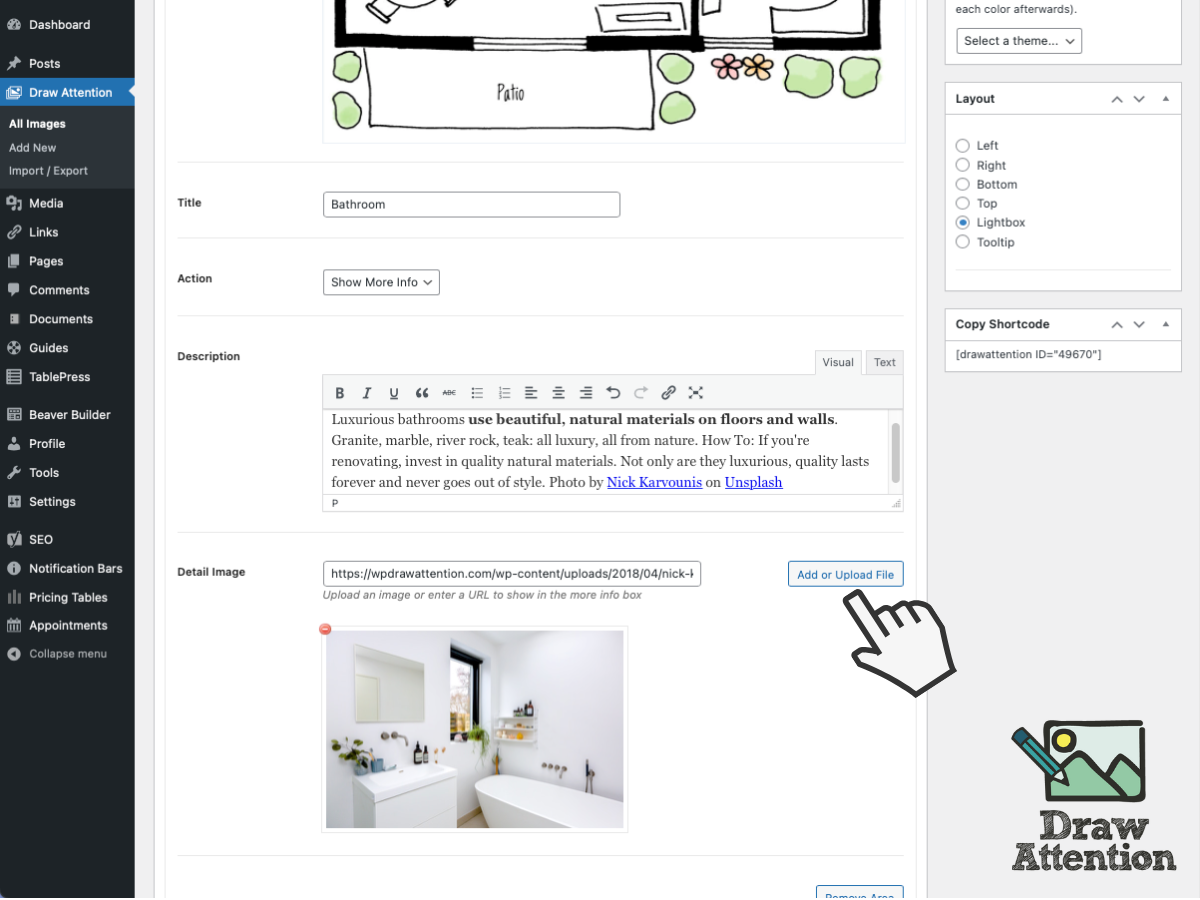
Show more info about highlighted image map areas in a variety of different layouts, including lightbox and tooltip.
Always Show Hotspots (Pro only)
Allow the image map hotspot areas to stay highlighted so visitors can see where they’re located, even when they aren’t clicked yet. The perfect way to show off your hotspots and make it clear that your images are interactive.
Define Multiple Highlight Styles (Pro only)
Use multiple highlight colors for the interactive image hotspots. If you choose to define multiple highlight styles, another section will pop up called, “Styles” where you can define your own color schemes within your image. Make each hotspot unique with it’s own color, border, and opacity settings!
20 Pre-Defined Color Palettes (Pro only)
Choose from one of 20 pre-defined color palettes or use your own custom color scheme on the image maps.
Upgrade to Draw Attention Pro Today! to get more features and customization options:
What could you make with Draw Attention?
- Showcase (real estate)[https://wpdrawattention.com/demos/floor-plan/?utm_source=website&utm_medium=promo-link&utm_campaign=wordpress-org&utm_content=floor-plans] or a new property development. Give your visitors a virtual tour where they can explore floor plans and photos.
- Sell booths to exhibitors at your trade show or conference by showing them an engaging interactive map of the trade show floor.
- Make a product tour or tutorial documentation – explain your product by highlighting features in a visual way.
- Interactive infographic – annotate and call out important areas on your infographic and show more information about those points of interest.
- If you’re familiar with HTML image maps, we help you make those in a modern way that’s compatible with today’s devices & browsers.
- Add another dimension to your Blog content by using interactive images to explain concepts or display affiliate links in an engaging way.
2.1.6 – 2026-05-19
Fixes
- Silence WP 6.9.1 cmb2-scripts dep notice; scope newsletter assets
2.0.41 – 2025-10-28
Fixes
- Draw Attention widget doesn’t show up in Beaver Builder
2.0.32 – 2025-03-25
Fixes
- Fix Conflict with WP MapIt not displaying drawing tools
2.0.26 – 2024-06-18
Features and Improvements
-
Hid the move to trash button.
-
Widget live preview
2.0.24 – 2024-04-05
Fixes
- Fixed Newsletter component showing up on different screens.
2.0.22 – 2024-03-19
Features and Improvements
- Adding News Letter Notice to Draw Attention
2.0.17 – 2023-11-07
Features and Improvements
- Tested up to WP 6.4
2.0.16 – 2023-10-29
Features and Improvements
- Add nonce checks for additional security
2.0.15 – 2023-10-19
Fixes
- Fix disclosed vulnerability affecting Contributor-level users
2.0.14 – 2023-08-12
Features and Improvements
- Tested up to WP 6.3
2.0.13 – 2023-06-25
Fixes
- Fix PHP warning in CMB2 library
For older changelog entries, please see the additional changelog.txt file delivered with the plugin.
Installation
- Navigate to the ‘Add New’ in the plugins dashboard
- Search for ‘draw attention’
- Click ‘Install Now’
- Activate the plugin on the Plugin dashboard
Manual Install
- Navigate to the ‘Add New’ in the plugins dashboard
- Navigate to the ‘Upload’ area
- Select
draw-attention.zipfrom your computer - Click ‘Install Now’
- Activate the plugin in the Plugin dashboard
After Installation
- You’ll see a new Draw Attention menu item on the left sidebar of the WordPress Dashboard
- Create your interactive image. We have a guide to walk you through how to create the image.
- After your image is created, you can embed it into any page or post with the
[drawattention]shortcode.
Screenshots


Für Entwickler
Ist das dein Plugin? Zeigen Sie die Zahlen.
Fügen Sie Ihrer Website, Docs oder GitHub Readme ein Live-Badge hinzu. Es wird von selbst aktualisiert - kein Konto erforderlich.
Best Interactive Image Map Plugin alternatives
All floor plan plugins →





Fragen und Antworten
Interactive Image Map Plugin: quick answers
Gerade Antworten, gezogen von Live WordPress.org Daten.
Quelle: WordPress.org
Is Interactive Image Map Plugin free?
Yes. Interactive Image Map Plugin is free to download and use from the official WordPress.org plugin directory.
Is Interactive Image Map Plugin safe to use in 2026?
Yes — Interactive Image Map Plugin is a safe, well-maintained plugin to use in 2026. It runs on 20K+ sites, is rated 4.9/5 and was last updated 4 days ago, and scores 94/100 on our health check.
How many websites use Interactive Image Map Plugin?
Interactive Image Map Plugin is active on 20K+ WordPress websites and has been downloaded 1,082,094 times since it launched in February 2015. It was downloaded 22,397 times in the last 30 days.
Does Interactive Image Map Plugin work with WordPress 7.1?
Yes. The developer has tested Interactive Image Map Plugin up to WordPress 7.2, the latest release. It requires WordPress 3.5.1 or newer.
When was Interactive Image Map Plugin last updated?
The latest version, 2.1.12, was released on November 26, 2026 (4 days ago).
Who makes Interactive Image Map Plugin?
Interactive Image Map Plugin is developed and maintained by NSquared.
What are the best alternatives to Interactive Image Map Plugin?
The most popular alternatives to Interactive Image Map Plugin are Vision (2K+ installs), Image Map Connect (100+ installs) and HappyVR (80+ installs).
Angetrieben von PageForge
Eine Vorlage und eine Tabelle. Eine echte Seite für jede Suche.
PageForge Verwandelt jede Zeile eines CSV in eine WordPress-Seite mit eigenem Titel, URL, SEO Felder und Schema entworfen. Kostenlos auf WordPress.org.
- CSV und XLSX, plus Google Sheets auf Beruf und Unternehmen
- seinen eigenen Titel, URL, SEO Felder und Schema für jede Seite
- Arbeitet mit dem Blockeditor, Elementor, Divi und Avada
- Kostenlos auf WordPress.org, keine Kreditkarte