


PicPoints – Interactive Image Map & Hotspot Builder
Best WordPress interactive image map plugin to create responsive SVG maps, floor plans, soundboards, shoppable lookbooks with hotspots & audio guides

Solide Wahl
PicPoints is a solid plugin choice in 2026, with a few things worth checking first. It runs on 60+ sites, is rated 5/5 and was last updated 4 hours ago, and scores 79/100 on our health check.
- Aktiv entwickelt – letztes Update vor 4 Stunden
- Getestet mit dem neuesten WordPress (7.1)
- Momentum — downloads up 18.9% vs the previous 30 days
- Small user base (60+ active installs)
- Bisher sehr wenige Bewertungen
Wie stapelt es sich?
Side-by-side bei Installationen, Updates, Bewertungen und Support



Tägliche Downloads
Download-Spitzen folgen normalerweise einer neuen Version - jede Website, die automatisch aktualisiert wird, gilt als Download.
Ranglisten
Where PicPoints stands todayWordPress.org Ranglisten suchen
Live-Position in der Plugin-Suche, Top 100| Stichwort | Position |
|---|---|
| floor plan | #10 |
| hotspots | #21 |
| imagemap | #3 |
| interactive map | #36 |
| svg map | #23 |
Versionsübernahme
Anteil aktiver Sites pro Release.
Bewertungsaufschlüsselung
★★★★★★★★★★ 5 from 3 reviews
About PicPoints
From the official readme · v1.26.1Beschreibung
🏆 The Best Interactive Image Map and Audio Soundboard Builder Plugin for WordPress
Showcases | Documentation | Upgrade to Pro
PicPoints is the most advanced, developer-friendly interactive image map and floor plan builder for WordPress. Built for extreme performance and modern web standards, this hotspot plugin handles hundreds of interactive elements effortlessly without lagging your website.
Unlike traditional image mapping tools that break during WordPress theme updates, PicPoints renders entirely inside an isolated Shadow DOM. This guarantees 100% CSS and JS isolation, your theme’s styles will never break your interactive maps, and your maps will never slow down your site page speed.
🔥 Live Demos:
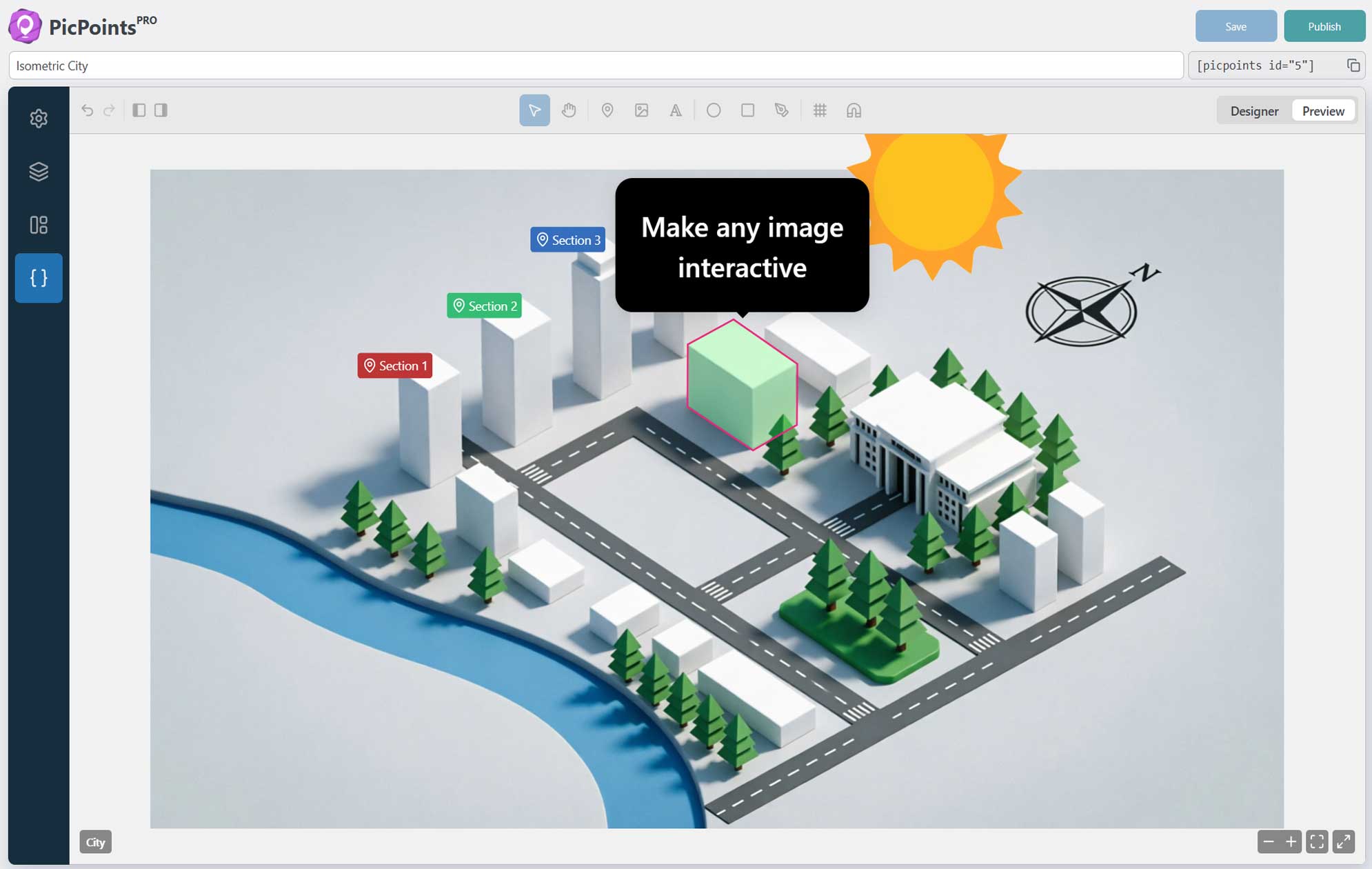
- Market Mall – interactive map for shopping malls and retail centers.
- Real Estate Map – interactive map solution for property and real estate listings.
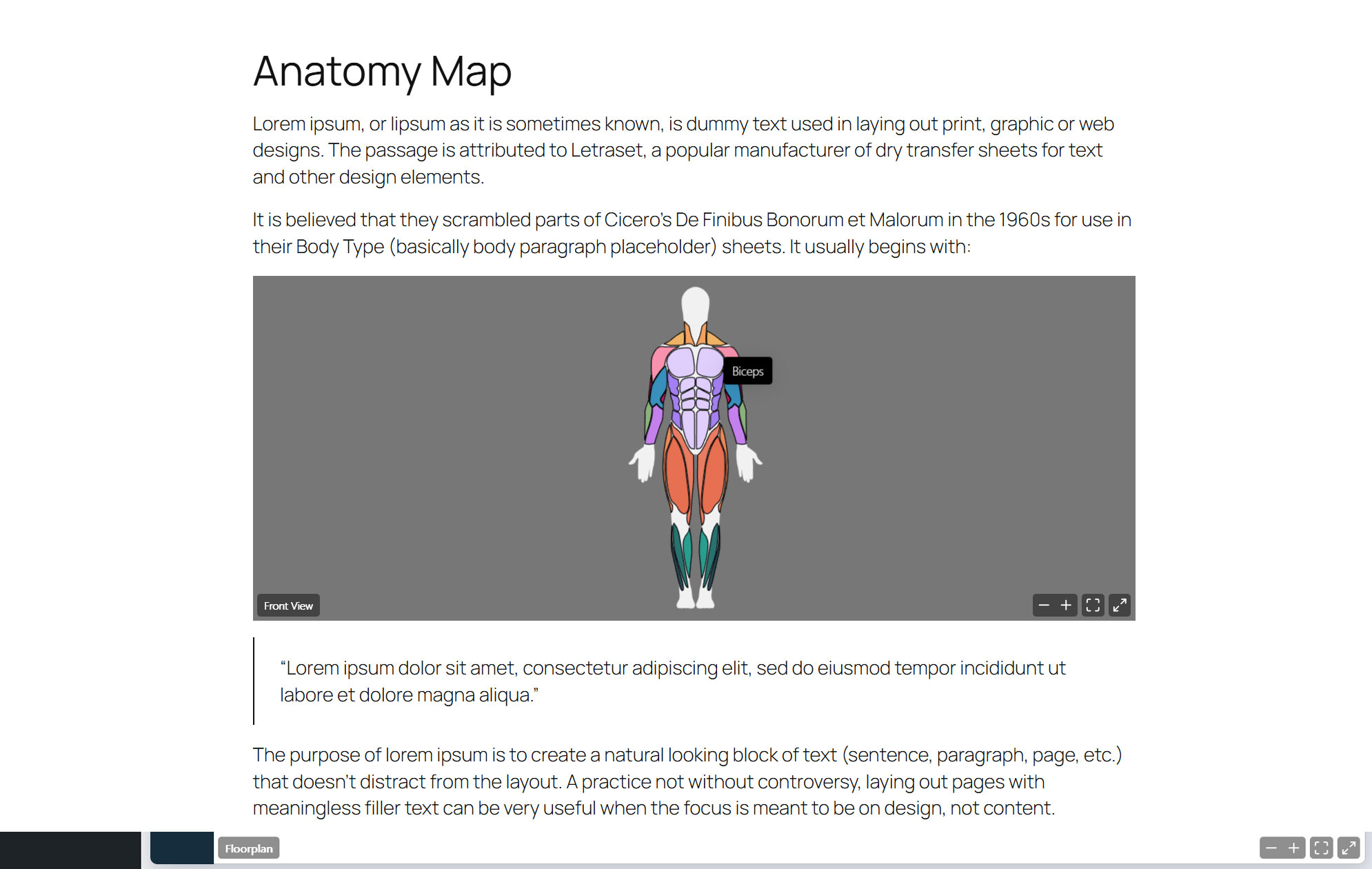
- Human Body Muscle Diagram – interactive anatomy diagram showcasing human muscles.
- Product Explainer – interactive image wrapper for detailed product features and explanations.
- Stadium Map – interactive seating chart and layout map for stadiums or arenas.
- Camera Gear Kit – interactive breakdown map for photography gear and equipment kits.
- The Odyssey – interactive map of the epic 10-year journey.
- Online Storytelling – digital storytelling that tells a story of a small craft workshop
- Audio Map – interactive online soundboard of African animals
Whether you need to build a multi-story real estate floor plan, an interactive product anatomy showcase, a shoppable e-commerce lookbook, or a vector-accurate event seating chart, PicPoints provides a Figma-like SVG vector editor right inside your WordPress dashboard.
Draw complex clickable image shapes with pixel-perfect accuracy using native Bezier curves, group layers, and create rich-content popups and tooltips in minutes.
🚀 Key Features of PicPoints Interactive Map Plugin:
- Isolated Shadow DOM Architecture: Zero CSS conflicts with your WP theme. 100% visual consistency on any website.
- High-Performance Image Mapping: Hardcore optimization tested with up to 1,000 active vector shapes on a single canvas.
- Pro-Grade SVG Vector Editor: Draw ellipses, rectangles, markers, and custom polygons with smooth Bezier curves.
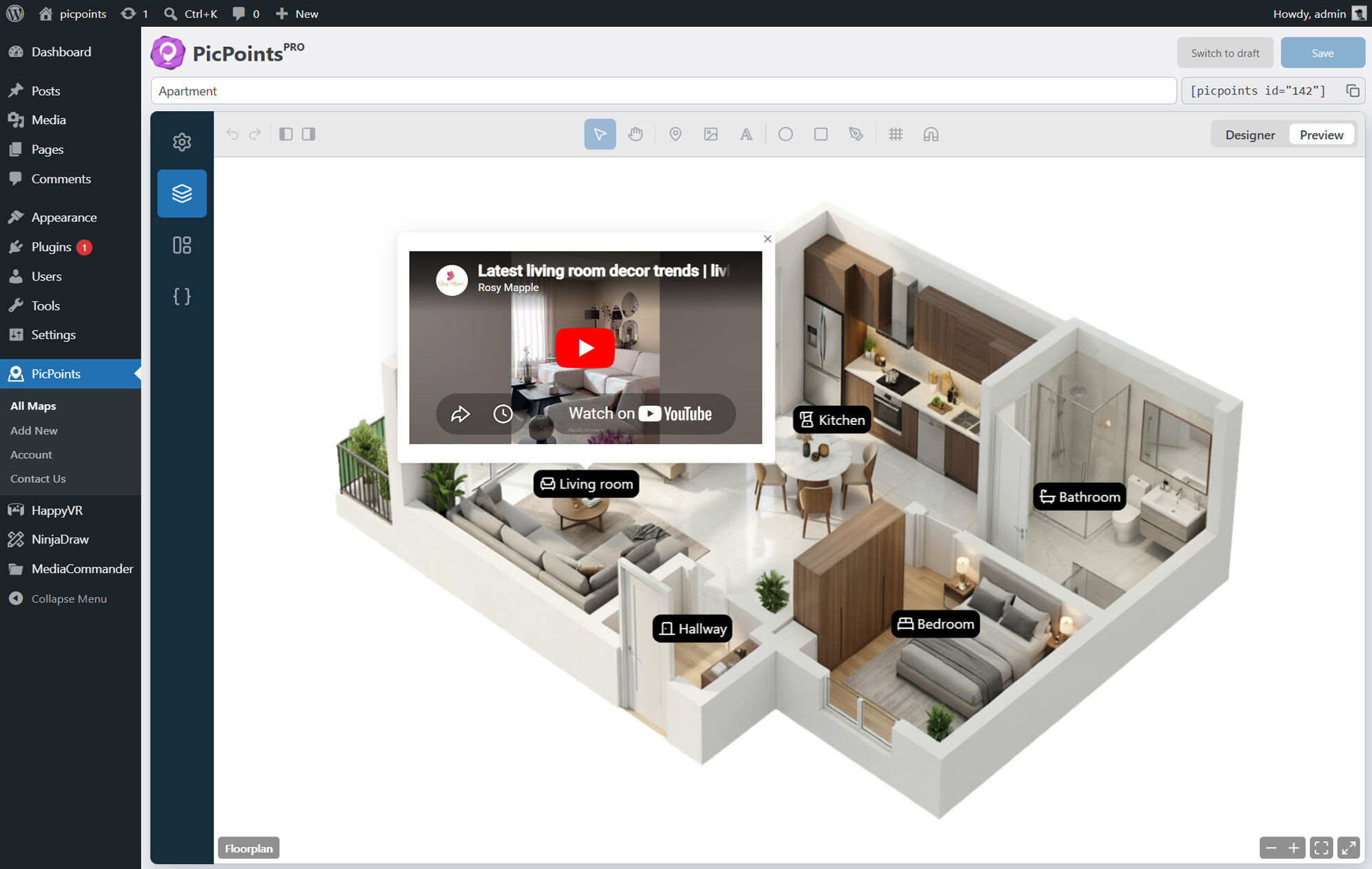
- Multi-Scene & Multi-Level Floor Plans: Perfect for real estate marketing (Floor 1, Floor 2, Floor 3) and complex architectural blueprints.
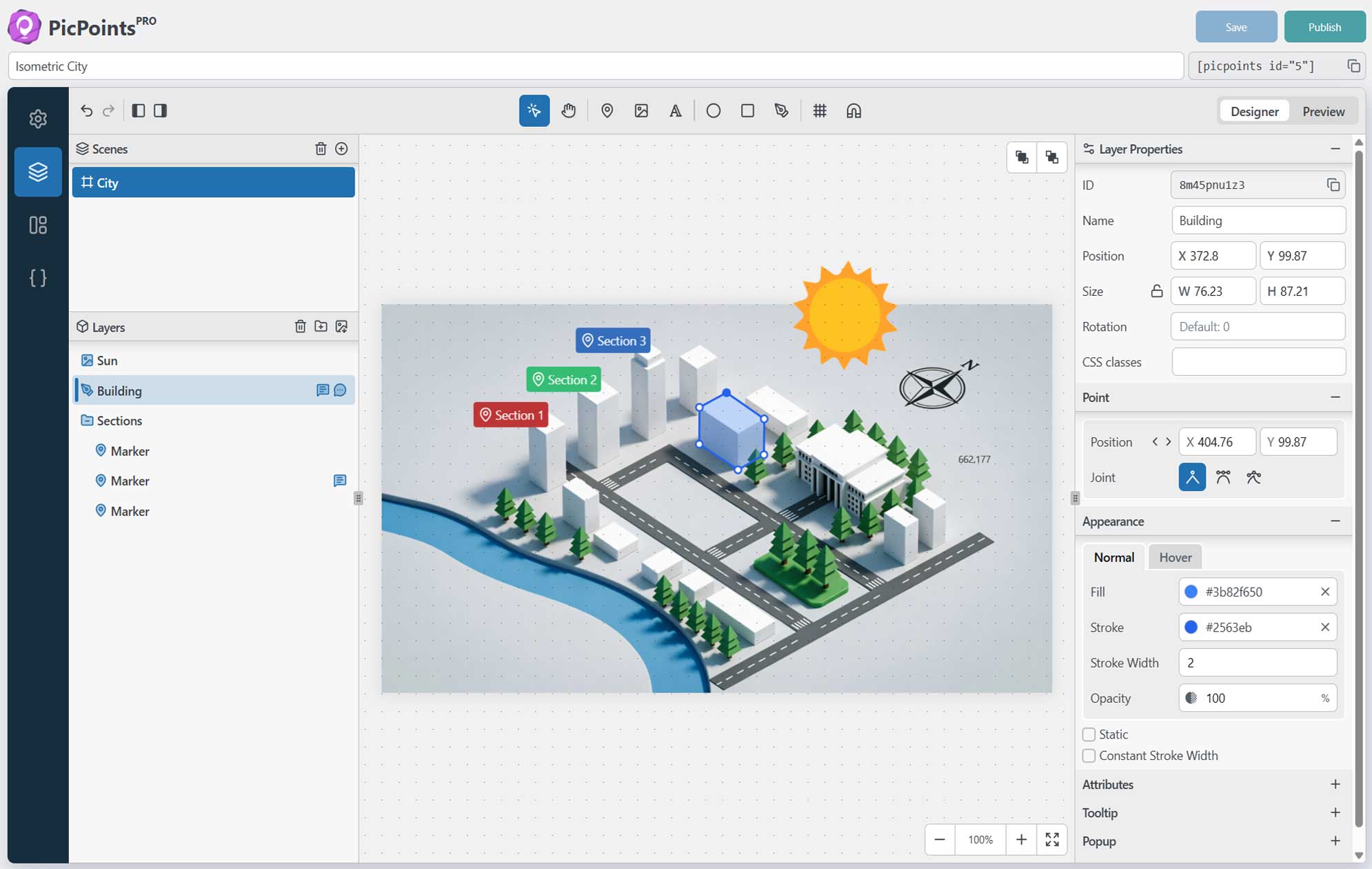
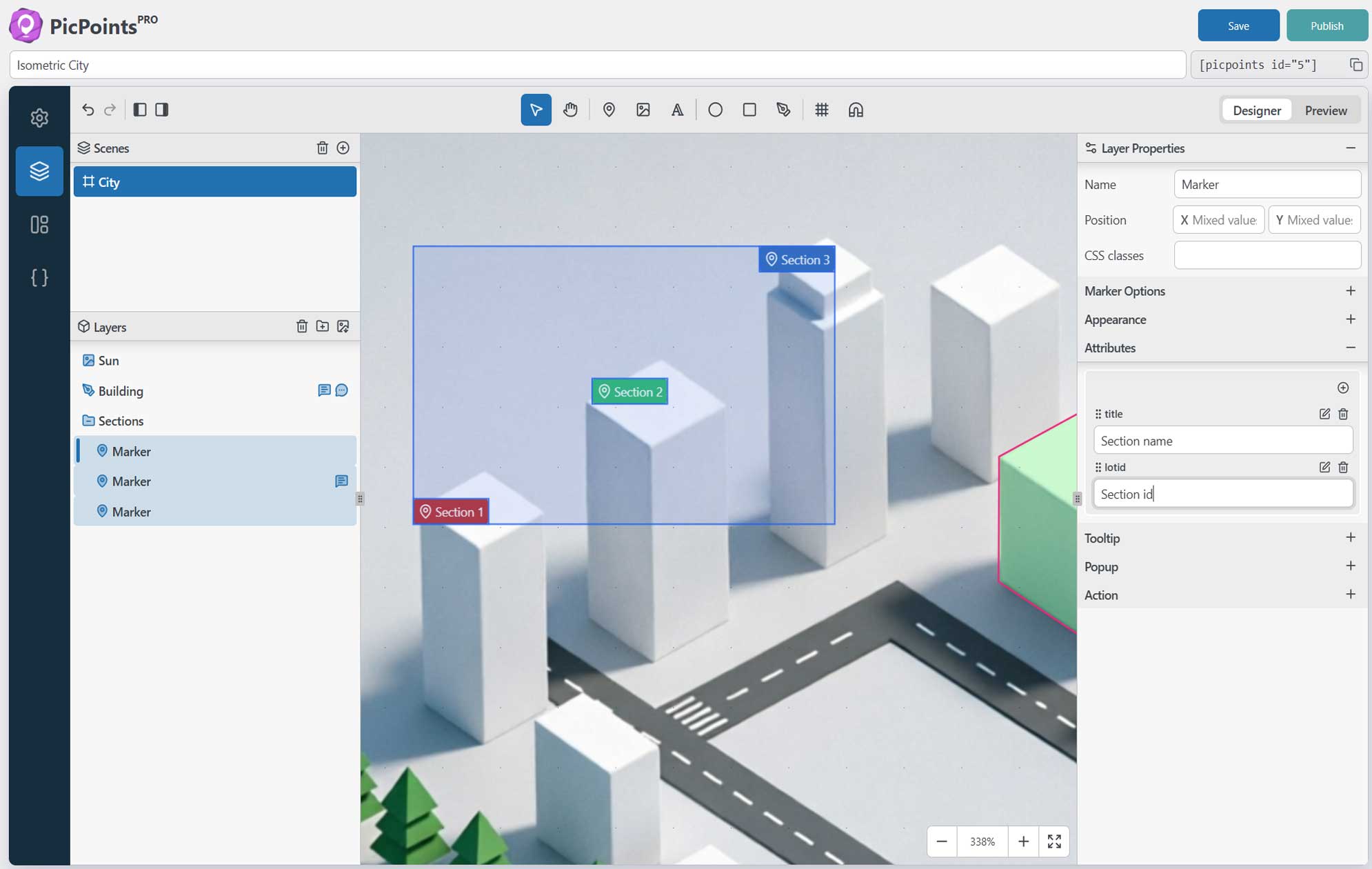
- Figma-Like Layer Management: Group, rename, and organize your vector shapes, pointers, and markers hierarchically.
- Fully Responsive Clickable Images: Adapts flawlessly to mobile devices, tablets, and desktops with smart touch and zoom controls.
- Rich Tooltips & Hotspot Popups: Trigger automated tooltips on hover or open rich-media popups (images, text, WooCommerce products, iframes) on click.
- Audio Map & Image Soundboard Builder: Add audio files to hotspots, trigger sound effects, music, or voiceovers on click to create a custom online soundboard.
🔥 Features
PicPoints Free is the perfect interactive image map tool for small projects and testing. PicPoints Pro unlocks the full potential for professional web development agencies, e-commerce stores, and realtors.
PicPoints Free – General Features
✅ Unlimited Maps
⚡ Number of scenes (levels) per map: Max 3
⚡ Number of interactive layers/markers per scene: Max 10
✅ Markers: non-scalable pins (icon + text or image) with custom anchor point positioning.
✅ SVG Layers: rectangles, ellipses, images, text (with left/center/right alignment), and polygons.
✅ Smart Undo/Redo History: full history stack to undo/redo changes for scenes & layers.
✅ Mobile Responsive: perfect adaptation to any screen size.
✅ Touch Gestures: supports mobile pan & pinch multi-touch zooming.
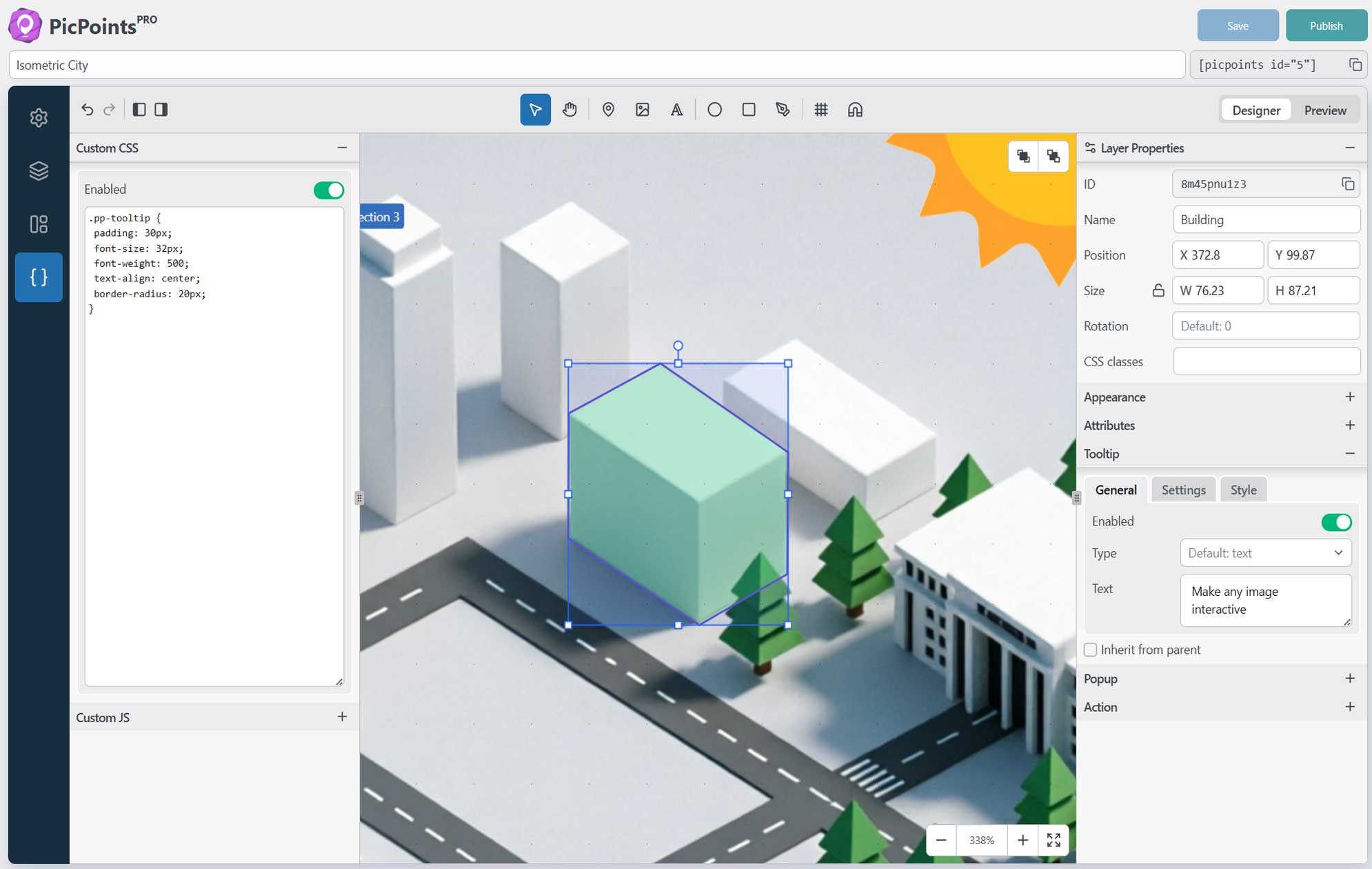
✅ Standard Tooltips with text
✅ Flexible tooltip positions: top, bottom, left, right, center, follow
✅ Popups with rich content (dialog placement, auto-close enabled)
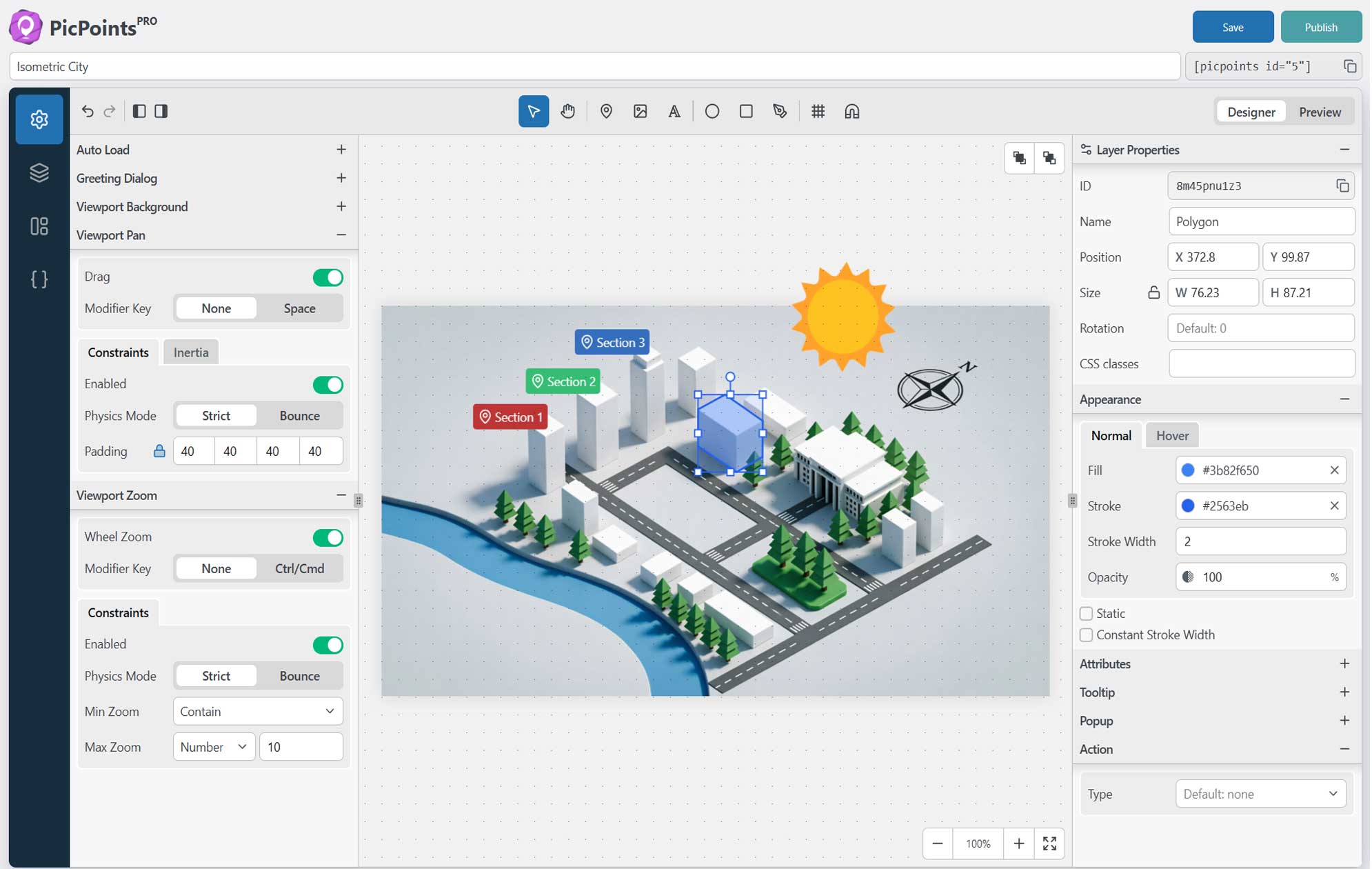
✅ Strict Pan & Zoom behavior
✅ Change viewport & scene background, can be color or image
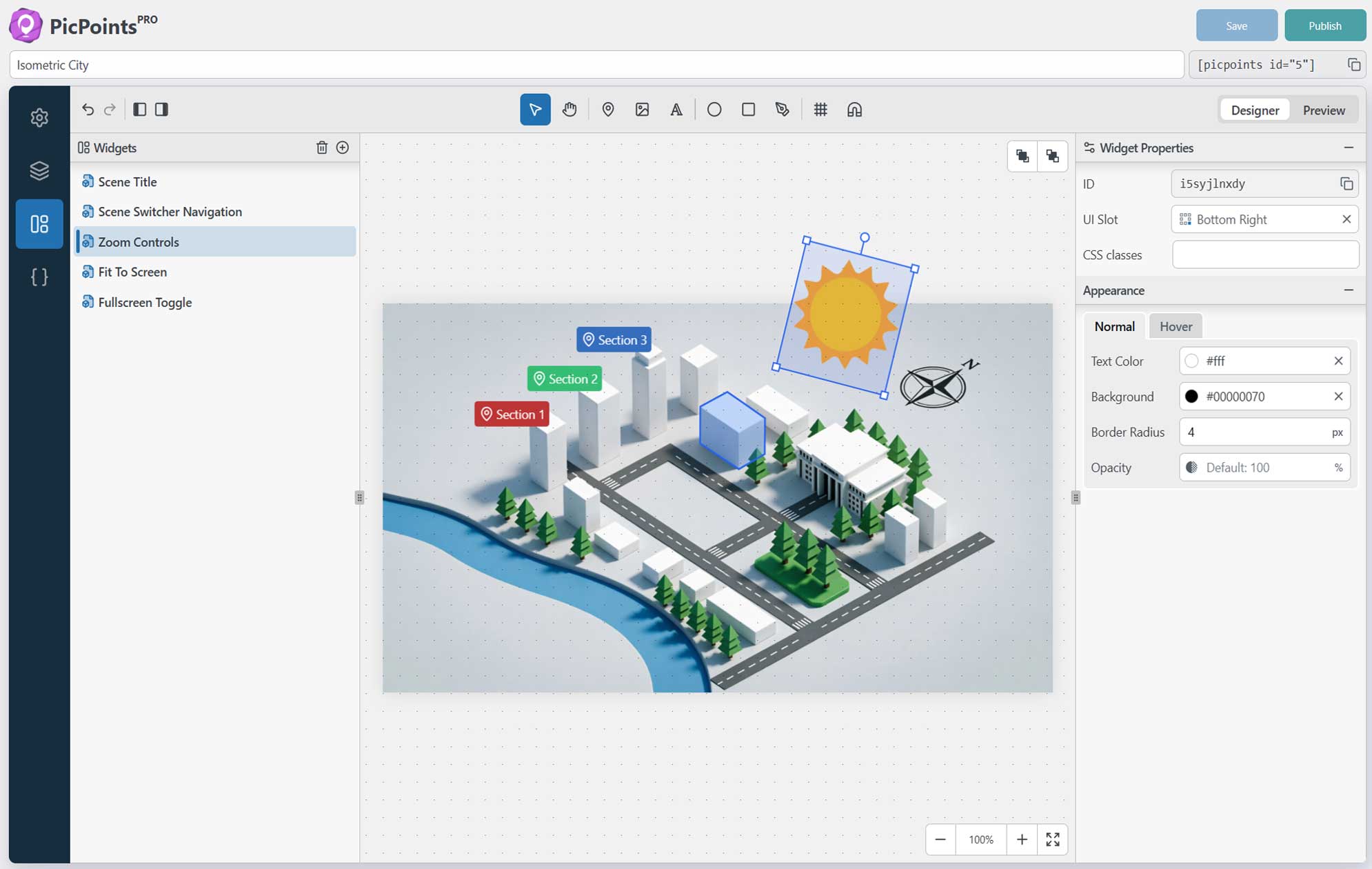
PicPoints Free – Widgets
✅ Scene Title
✅ Scene Navigation Dots
✅ Scene Navigation Switcher
✅ Fullscreen Toggle
✅ Fit to Screen Action
✅ Zoom Controls (+/-)
PicPoints Pro includes everything from Free, plus:
✅✨ Unlimited Maps, Scenes, and Layers for enterprise-scale projects.
✅✨ Import layers from SVG import <g> and <path> vector elements from Illustrator or Inkscape with automatic layer tree and partial style retention.
✅✨ Auto-Load toggle map auto-loading on/off or configure a custom delay timer to optimize website page load speed.
✅✨ Greeting dialog show message before map load.
✅✨ Flexible popup placements: top, bottom, left, right, center
✅✨ Bulk Attribute Editing select multiple layers or groups at once to edit, update, or assign common custom metadata.
✅✨ Advanced Handlebars Templates use classic Handlebars logic ({{variable}}, {{#if}}, {{#each}}) inside Tooltips and Popups to build highly dynamic, data-driven layouts without coding.
✅✨ Physics-Based Canvas Bounce advanced configurations for a smooth viewport experience.
✅✨ Custom JS & CSS Sections per map and per element for infinite extensibility.
✅✨ Developer API Access to connect your interactive maps with external CRM, WooCommerce, or custom databases.
✅✨ Priority email support for agencies and businesses that need fast help.
Note: The undo/redo history covers all scene or layer movements and visual style modifications. Rich content formatting changes inside tooltips and popups bypass the history stack.
🚀 Compatibility
Not all themes and plugins are built the same way, so PicPoints is designed with extra compatibility in mind. PicPoints works seamlessly with modern WordPress themes and popular page builders that support standard blocks and shortcodes.
PAGE BUILDERS
* Gutenberg – modern built-in WordPress block editor
* Classic Editor – classic built-in WordPress editor
* Elementor – leading website builder platform on WordPress
* WP Bakery – create any layout with intuitive way
* Beaver – page builder you can trust with your business
* Bricks – amazing block editor with many templates
* Brizy – next-gen website builder that anyone can use
* and more…
🎓 Use Cases
PicPoints serves as a lightweight, modern, and high-performance alternative to established WordPress interactive mapping plugins like Mapplic, ImageMap Pro, MapSVG, WP Draw Attention, Image Hotspot by DevVN, and Vision.
With PicPoints, you can easily visually outline complex geometries, group interactive elements, and embed shoppable lookbooks or interactive architecture maps via a simple shortcode.
The plugin balances intuitive usability for non-technical users with rich customization and advanced Developer APIs for design agencies, making it the ultimate tool for boosting on-site conversion and spatial user engagement without slowing down your WordPress website.
🎯 PERFECT FOR:
• Travel bloggers creating an interactive audio tour or geographic guide.
• Educators building clickable audio maps for students.
• Web creators making a custom free online sound board or audio guide system.
• E-commerce stores showcasing interactive product blueprints.
💼 GDPR & Privacy
- We do not collect or store any information about our visitors or users without their consent.
- We also do not transfer any data to external servers without users’ consent.
🔥 Check out our other WordPress Plugins
HappyVR – virtual tour builder and 360 panorama viewer for WordPress
MediaCommander – bring folders to media, posts, and pages
NinjaDraw – create diagrams, sketches & visual workflows
Post Order Master – free drag & drop hierarchy manager
Unterstützen
Found an issue or have a feature request? Head over to our support forum or drop us an email for assistance. We’re here to help you create stunning floor plans and image maps with ease!
Installation
- Upload the
picpointsfolder to the/wp-content/plugins/directory, or install the plugin directly through the WordPress plugins screen. - Aktivieren Sie das Plugin über den Bildschirm „Plugins“ in WordPress.
- Look for the “PicPoints” menu item in your WordPress dashboard left sidebar to start building.
- Copy the generated shortcode
[picpoints id="..."]and paste it into any page, post, or widget area.
Änderungsprotokoll
1.26.1
- Fixed: Standalone embeds and Gutenberg previews no longer trigger deprecated WordPress admin bar and emoji style functions
- Changed: Flex layouts now use consistent spacing, responsive column sizing, and rendering styles
1.26.0
- Added: Two-column flex layout element to the rich-content editor
- Fixed: Improved security and WordPress coding standards compliance
1.25.2
- Changed: Removed the Freemius opt-in prompt during Free plugin activation
- Changed: Freemius account connection is now required only when starting a trial, purchasing Pro, or activating a license
1.25.1
- Added: New scenes and groups are inserted next to the selected scene, or at the end of the selected group, instead of always going to the end of the list
- Changed: New layers created with canvas tools are now inserted right above the selected layer, while toolbar groups and pasted layers are inserted right below the selected layer, instead of always going to the top of the list
- Fixed: The “Go to scene” layer action now lists only scenes, groups are excluded from the target list
1.25.0
- Added: Scene groups with nested organization and drag-and-drop support in the builder
1.24.1
- Changed: minor user interface improvements
Screenshots

Für Entwickler
Ist das dein Plugin? Zeigen Sie die Zahlen.
Fügen Sie Ihrer Website, Docs oder GitHub Readme ein Live-Badge hinzu. Es wird von selbst aktualisiert - kein Konto erforderlich.
Best PicPoints alternatives
All floor plan plugins →





Fragen und Antworten
PicPoints: quick answers
Gerade Antworten, gezogen von Live WordPress.org Daten.
Quelle: WordPress.org
Is PicPoints free?
Yes. PicPoints is free to download and use from the official WordPress.org plugin directory.
Is PicPoints safe to use in 2026?
PicPoints is a solid plugin choice in 2026, with a few things worth checking first. It runs on 60+ sites, is rated 5/5 and was last updated 4 hours ago, and scores 79/100 on our health check.
How many websites use PicPoints?
PicPoints is active on 60+ WordPress websites and has been downloaded 5,948 times since it launched in May 2024. It was downloaded 1,232 times in the last 30 days.
Does PicPoints work with WordPress 7.1?
Yes. The developer has tested PicPoints up to WordPress 7.2, the latest release. It requires WordPress 6.0 or newer.
What PHP version does PicPoints need?
PicPoints requires PHP 7.4 or higher. Most hosts run PHP 8.x today, so it works on any modern WordPress hosting.
When was PicPoints last updated?
The latest version, 1.26.1, was released on November 29, 2026 (4 hours ago).
Who makes PicPoints?
PicPoints is developed and maintained by Yalogica.
What are the best alternatives to PicPoints?
The most popular alternatives to PicPoints are Interactive Image Map Plugin (20K+ installs), Vision (2K+ installs) and Image Map Connect (100+ installs).
Angetrieben von PageForge
Eine Vorlage und eine Tabelle. Eine echte Seite für jede Suche.
PageForge Verwandelt jede Zeile eines CSV in eine WordPress-Seite mit eigenem Titel, URL, SEO Felder und Schema entworfen. Kostenlos auf WordPress.org.
- CSV und XLSX, plus Google Sheets auf Beruf und Unternehmen
- seinen eigenen Titel, URL, SEO Felder und Schema für jede Seite
- Arbeitet mit dem Blockeditor, Elementor, Divi und Avada
- Kostenlos auf WordPress.org, keine Kreditkarte