


Digipacket Backup Toolkit
Back up, restore, import and encrypt your WordPress site. Resumable on any host, AES-256-GCM sealed, and nothing leaves your server.

Mit Vorsicht verwenden
Digipacket Backup Toolkit works, but test it on a staging site before relying on it in 2026. Was last updated 3 months ago, and scores 49/100 on our health check.
- Kleine Benutzerbasis (<10 aktive Installationen)
- Bisher sehr wenige Bewertungen
- Benötigt PHP 8.2 oder neuer
Wie stapelt es sich?
Side-by-side bei Installationen, Updates, Bewertungen und Support



Tägliche Downloads
Download-Spitzen folgen normalerweise einer neuen Version - jede Website, die automatisch aktualisiert wird, gilt als Download.
Ranglisten
Where Digipacket Backup Toolkit stands todayWordPress.org Ranglisten suchen
Live-Position in der Plugin-Suche, Top 100| Stichwort | Position |
|---|---|
| Sicherungskopie | >100 |
| encryption | >100 |
| Migration | >100 |
| restore | >100 |
| scheduled backups | >100 |
About Digipacket Backup Toolkit
From the official readme · v2.0.1Beschreibung
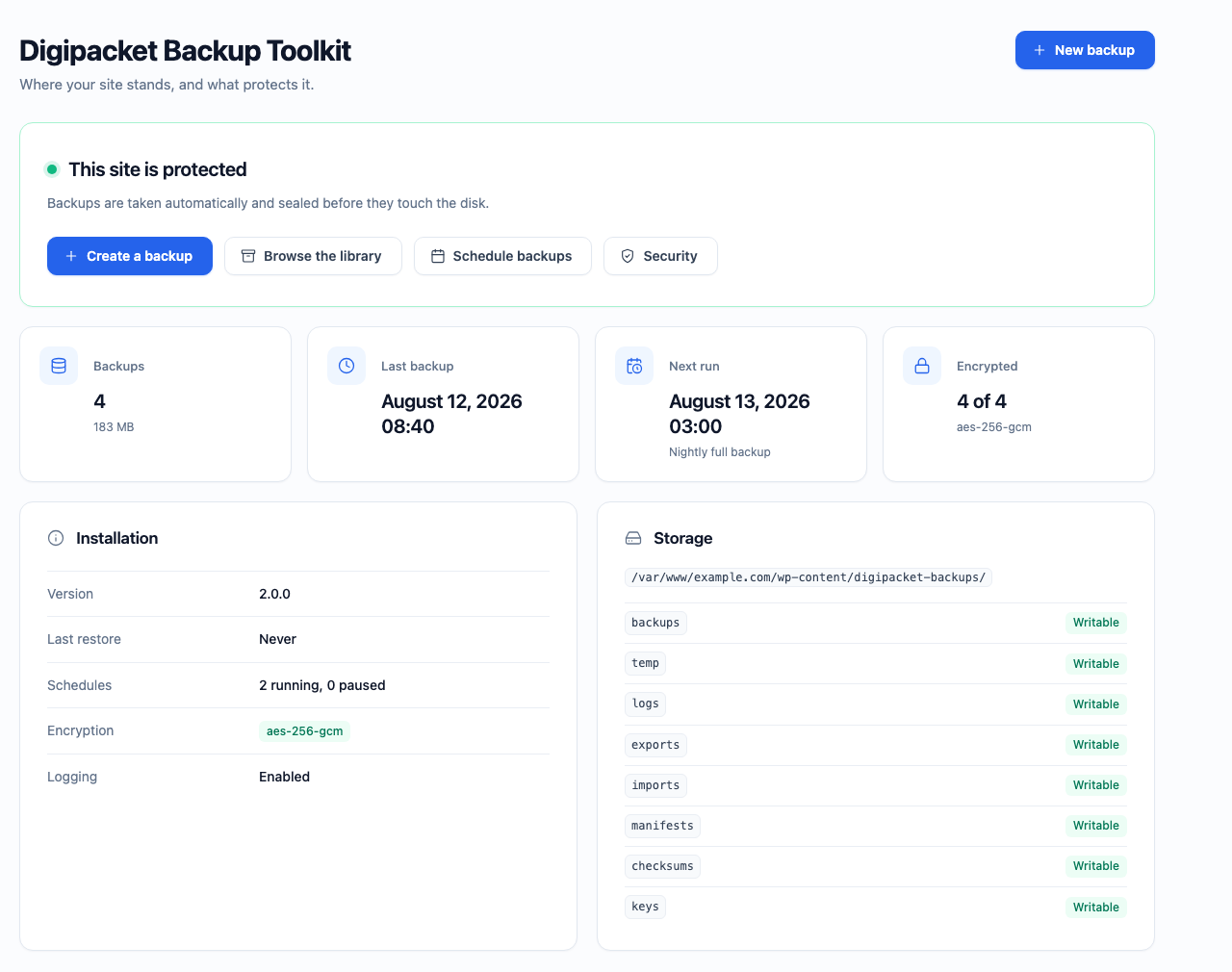
Digipacket Backup Toolkit copies your files and your database into a single .dpbackup
archive, puts that archive back when you need it, and can seal it with AES-256-GCM
so a stolen copy is worth nothing without your key.
Everything runs on your own server. The plugin makes no outbound connection,
has no account, no telemetry and no paid tier hidden behind a button.
Built for hosts that cut you off
Shared hosting kills long requests. Every operation here is therefore cut into
slices that fit inside max_execution_time and resume where they stopped — the
file scan, the SQL dump, the compression, the encryption, the extraction and the
row-by-row replay of the database. A 100,000-file site is backed up and restored
with flat memory, in as many requests as it takes.
What it does today
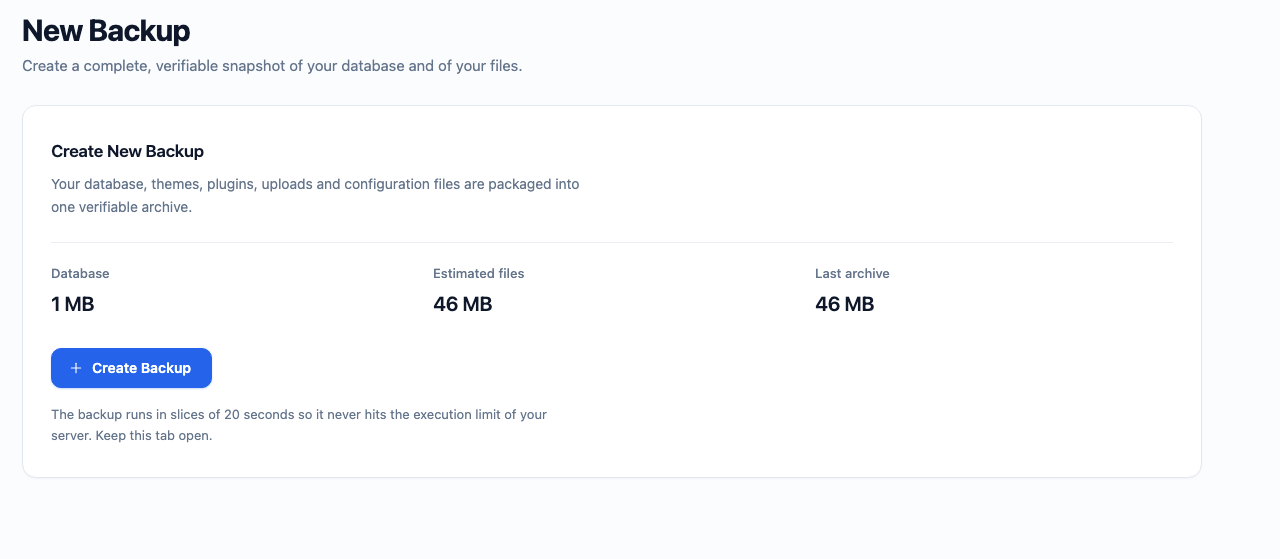
- Backups — full site, database only,
wp-content, plugins, themes or uploads.
Progress is reported live, with the size, the duration and the checksum of the archive. - Backup Manager — search, filters, sorting, pagination, integrity check, rename,
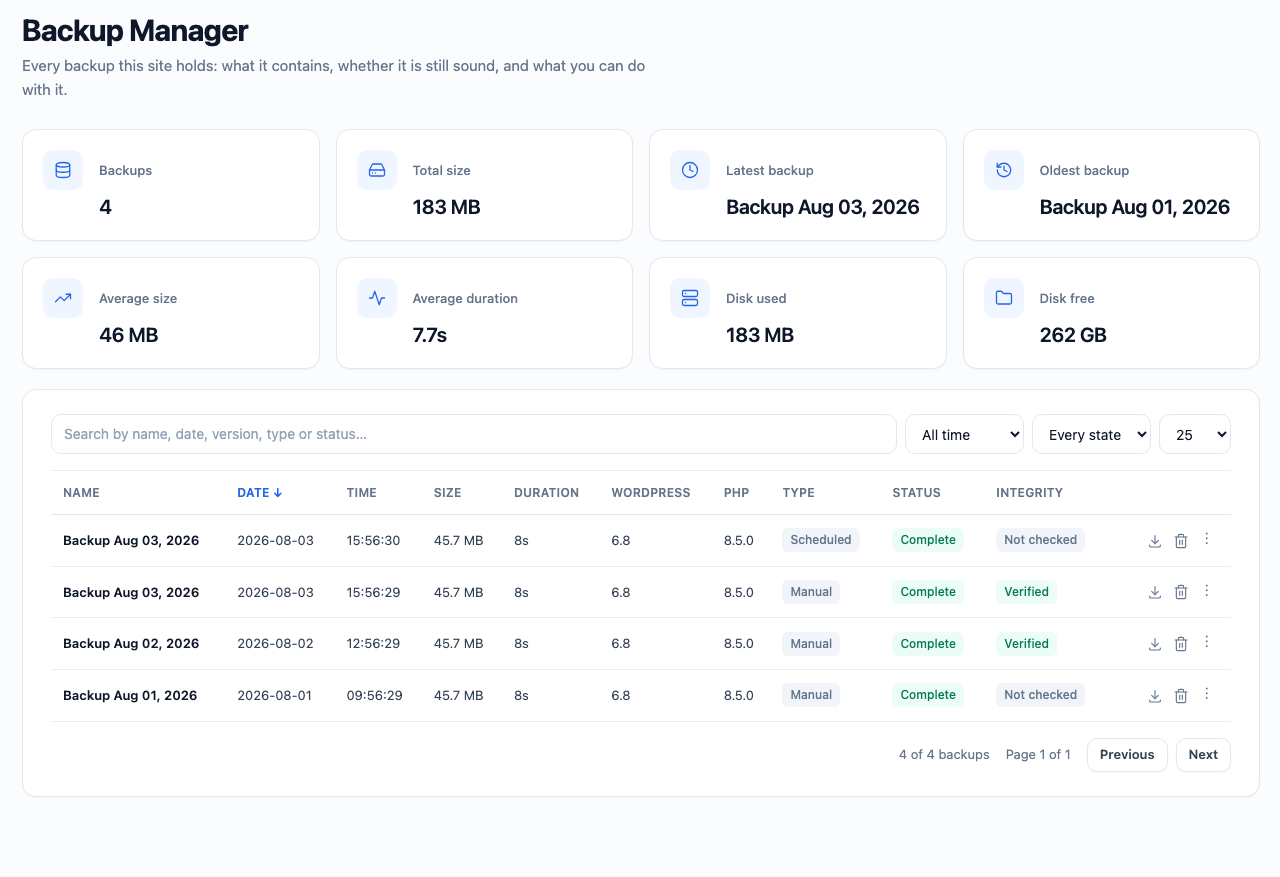
duplicate, download and delete, plus a detail card showing the manifest and the
journal the archive carries inside itself. - Import — upload an archive produced on another site, in slices. Every entry is
verified before publication: signature, checksums, manifest, directory traversal,
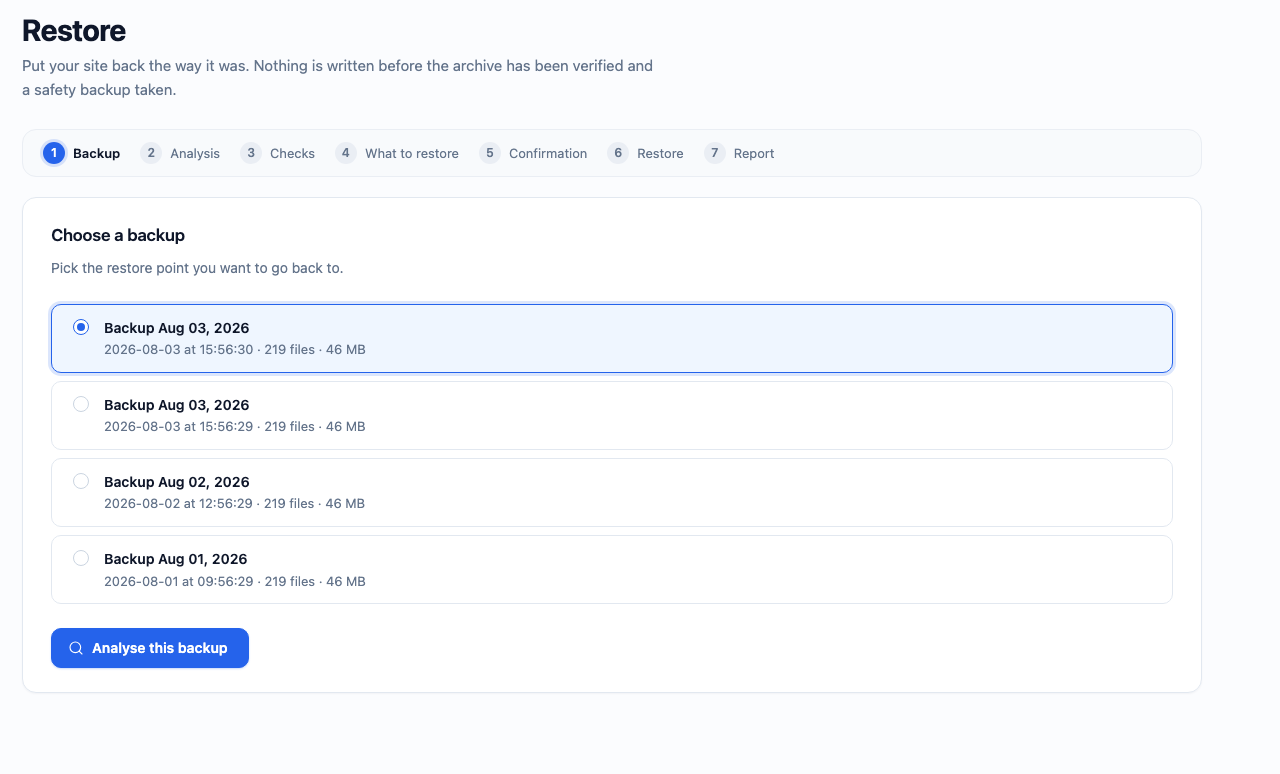
Zip Slip and symbolic links are all refused. - Restore — a seven step wizard with preflight checks. A safety snapshot of the
current site is taken before a single byte is written, and a failure half way
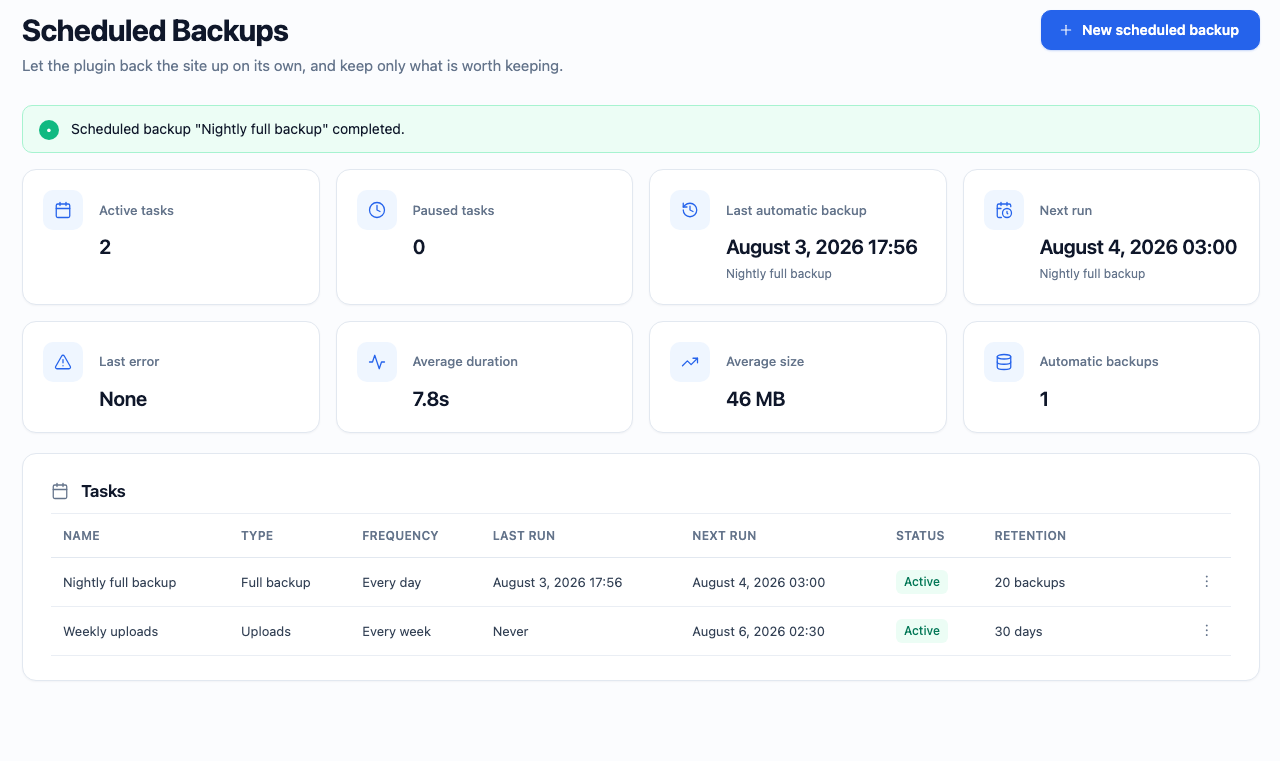
through rolls the site back to it automatically. - Scheduled backups — hourly to monthly, or a custom cron expression. Retention
by count or by age, run history, pause, duplicate, and a Run Now button. Deleting a
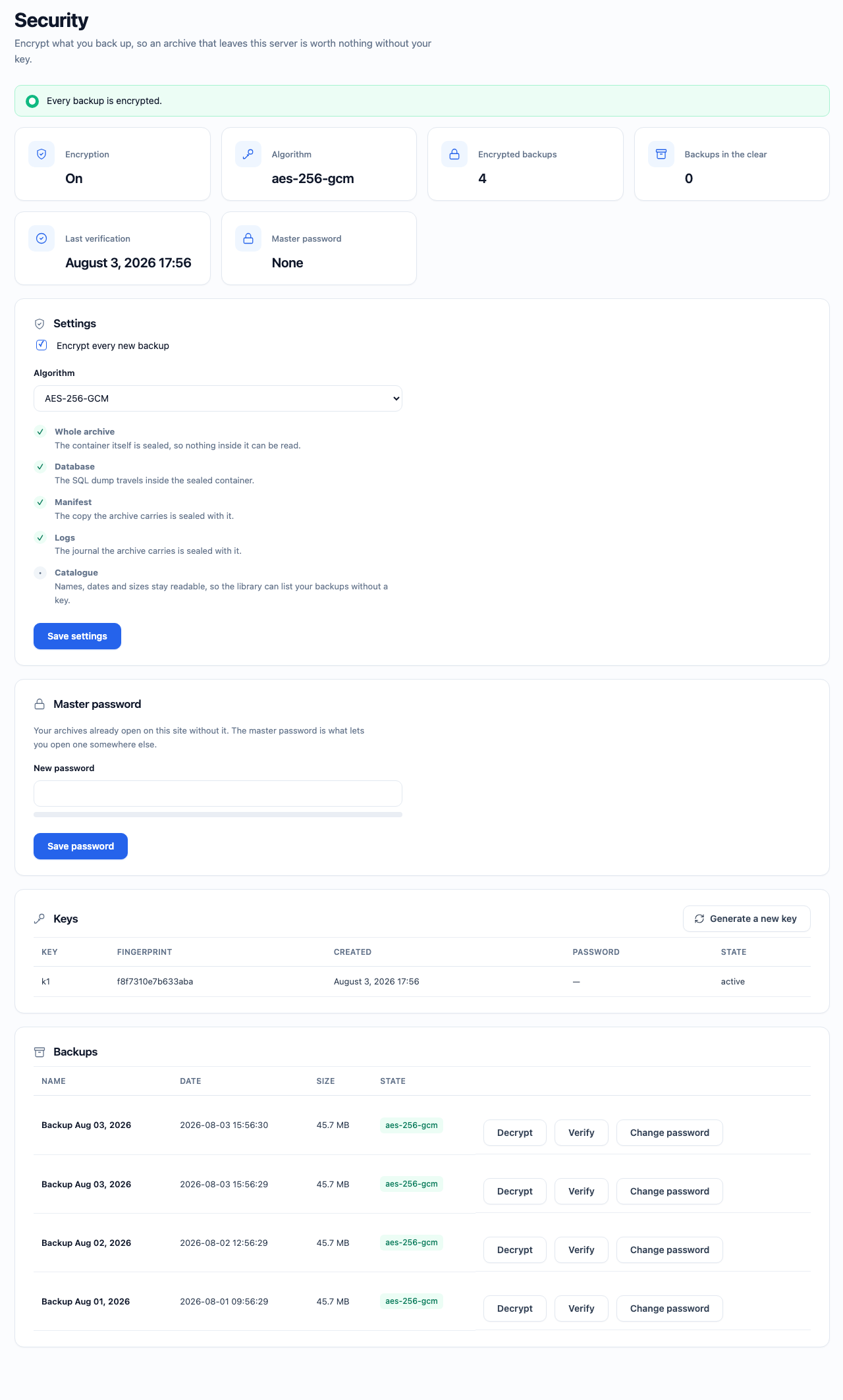
schedule never deletes the backups it produced. - Encryption — AES-256-GCM over the whole container, a keyring that survives
rotation, an optional master password, and transparent decryption when you import
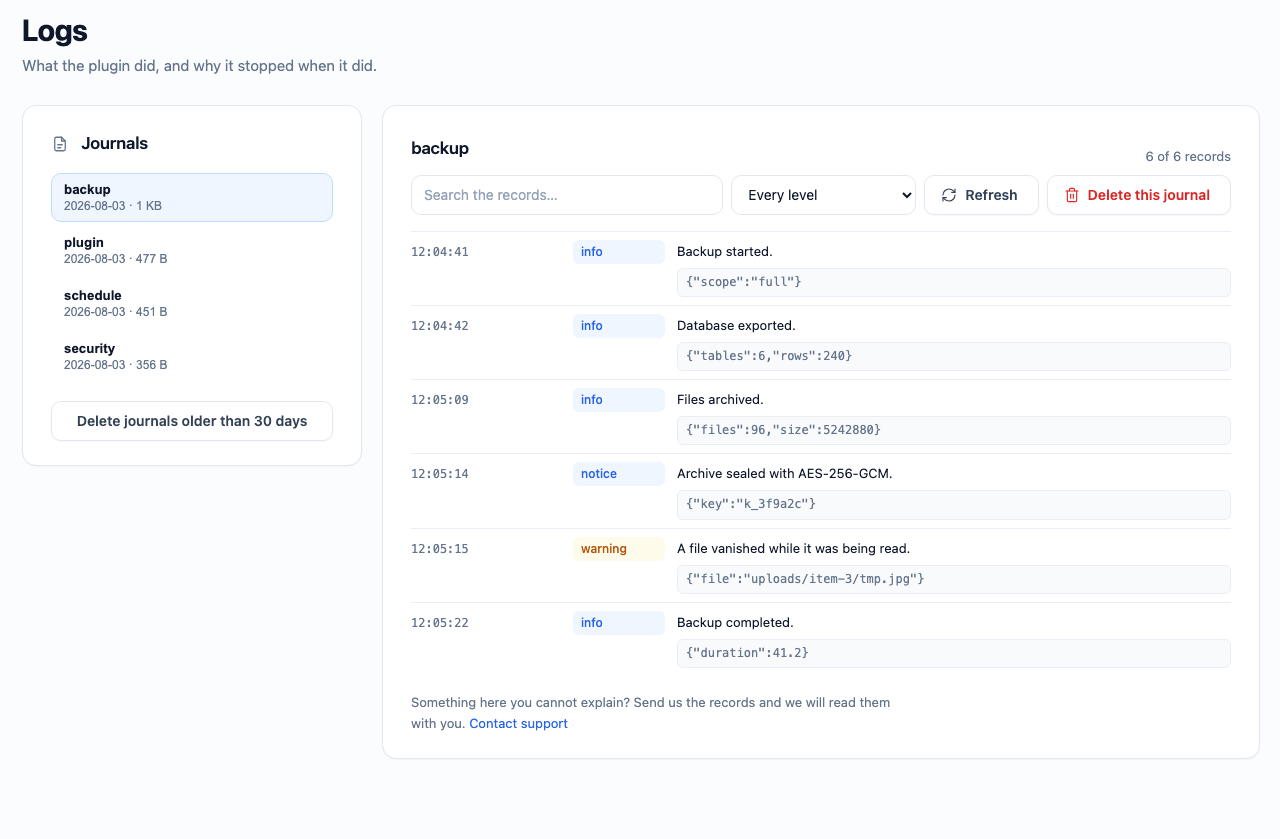
or restore. Existing backups can be sealed afterwards, and sealed ones opened again. - Logs — every operation writes what it did and why it stopped. Read a journal by
severity or by search, delete one, or clear the ones older than your retention rule.
Where your backups live
In wp-content/digipacket-backups/, outside the plugin directory — because
WordPress deletes a plugin’s own folder before installing a new version, and a
backup plugin that stored its archives there would destroy them at every update.
The folder is protected by an .htaccess and a silent index.php, both written
at activation. Nginx ignores .htaccess, so on Nginx the equivalent rule has to
be added by hand — see the FAQ below. The digipacket_wp_backup_storage_path
filter moves the whole thing anywhere you like, including outside the web root,
which is stronger than any web server rule.
Was es nicht tut
- No export to Google Drive, Dropbox, S3 or OneDrive yet. That is the next release.
- No incremental backups: every run produces a complete archive.
Installation
- Upload the plugin through Plugins → Add New → Upload Plugin, or extract it into
wp-content/plugins/. - Activate it. Eight storage directories are created, with their protection files.
No database table is added. - Open Backup Toolkit → New Backup and take your first backup.
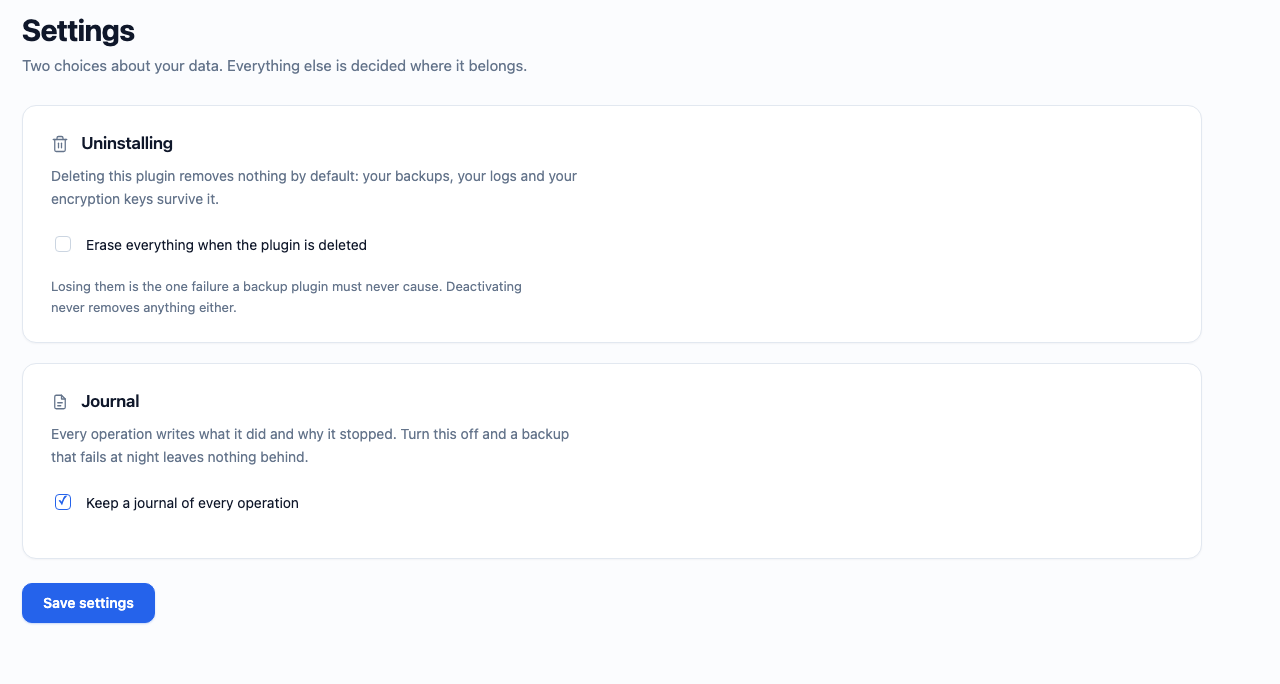
- Optionally visit Backup Toolkit → Settings to decide what deleting the plugin does
to your archives. It destroys nothing unless you ask it to.
The plugin needs PHP 8.2, WordPress 6.8, and the zip and openssl PHP extensions.
If any of these is missing it stays inert and explains why in a notice, rather than
failing with an error.
Änderungsprotokoll
Backups move out of the plugin directory, where a plugin update used to delete them. Existing archives are carried over automatically when the files were replaced by hand.
2.0.1
Securitynow owns every superglobal read in the plugin, and hands back
nothing until the request has proved its nonce and its capability. Handlers
used to verify once and then read$_POSTfrom a dozen small private helpers:
the check did run first, but nothing in the code said so, and a reader called
from a new path tomorrow would have read unproved input without anything
failing. Reading input and proving the request are now the same act.- Covered that rule with a suite, after finding that the WordPress stand-in used
by the tests had nowp_verify_nonceat all — so every authorisation check in
the suite had been passing on a function that did not exist. - Removed the Nginx sample file. It protected
wp-content/plugins/…/storage/,
which has not been where the archives live since 1.6.6, so its rules guarded an
empty directory. The correct rule is in the FAQ, pointing at the real path. - Text domain aligned with the directory slug.
2.0.0
- Renamed to Digipacket Backup Toolkit. The plugin directory does not allow a
standalone “WP” in a plugin’s public naming, so the display name, the slug,
the text domain and the sidebar entry all changed. Nothing about how the
plugin works changed with them: the storage path, the settings, the filters
and the archives already on disk are untouched.
1.9.10
- Dropped the empty storage skeleton the package still carried from the layout
used before 1.6.6. The storage has lived inwp-content/digipacket-backups/
since then, where activation creates every directory and writes its own
.htaccess andindex.php; the copies inside the plugin were byte-identical
dead weight, and one strayindex.jsonhad no business shipping at all. - Declared compatibility with WordPress 7.0.
1.9.9
- Statistic tiles no longer cut their value short. “August 3, 2026 17:37” is what
the default WordPress date format produces, and it does not fit a quarter of
the screen: every date tile ended in an ellipsis. The value wraps instead. - Refreshed the screenshots of the listing.
1.9.8
- The dashboard card no longer outlines itself in amber when it has a warning to
give — “Backups are not encrypted” and its siblings. The dot beside the title
already says it.
1.9.7
- The ⋮ menu of a row is no longer cut off by the table. It was positioned
inside the wrapper that scrolls the table sideways, and anything positioned
inside a box withoverflowset is clipped by it: everything past the third
entry disappeared at the edge. It now floats above the screen, opens upward
when the row sits near the bottom of the window, and closes when the page
scrolls under it.
Screenshots
Für Entwickler
Ist das dein Plugin? Zeigen Sie die Zahlen.
Fügen Sie Ihrer Website, Docs oder GitHub Readme ein Live-Badge hinzu. Es wird von selbst aktualisiert - kein Konto erforderlich.
Best Digipacket Backup Toolkit alternatives
Alle Backup-Plugins →





Fragen und Antworten
Digipacket Backup Toolkit: quick answers
Gerade Antworten, gezogen von Live WordPress.org Daten.
Quelle: WordPress.org
Is Digipacket Backup Toolkit free?
Yes. Digipacket Backup Toolkit is free to download and use from the official WordPress.org plugin directory.
Is Digipacket Backup Toolkit safe to use in 2026?
Digipacket Backup Toolkit works, but test it on a staging site before relying on it in 2026. Was last updated 3 months ago, and scores 49/100 on our health check.
How many websites use Digipacket Backup Toolkit?
Digipacket Backup Toolkit is active on <10 WordPress websites and has been downloaded 283 times since it launched in August 2026. It was downloaded 77 times in the last 30 days.
Does Digipacket Backup Toolkit work with WordPress 7.1?
Digipacket Backup Toolkit is officially tested up to WordPress 7.0.9, while the latest release is 7.1.5. It may still work, but try it on a staging site first.
What PHP version does Digipacket Backup Toolkit need?
Digipacket Backup Toolkit requires PHP 8.2 or higher. Most hosts run PHP 8.x today, so it works on any modern WordPress hosting.
When was Digipacket Backup Toolkit last updated?
The latest version, 2.0.1, was released on August 16, 2026 (3 months ago).
Who makes Digipacket Backup Toolkit?
Digipacket Backup Toolkit is developed and maintained by Digipacket.
What are the best alternatives to Digipacket Backup Toolkit?
The most popular alternatives to Digipacket Backup Toolkit are All-in-One WP Migration and… (5M+ installs), UpdraftPlus: WP Backup & Mi… (4M+ installs) and Jetpack (3M+ installs).
Angetrieben von PageForge
Eine Vorlage und eine Tabelle. Eine echte Seite für jede Suche.
PageForge Verwandelt jede Zeile eines CSV in eine WordPress-Seite mit eigenem Titel, URL, SEO Felder und Schema entworfen. Kostenlos auf WordPress.org.
- CSV und XLSX, plus Google Sheets auf Beruf und Unternehmen
- seinen eigenen Titel, URL, SEO Felder und Schema für jede Seite
- Arbeitet mit dem Blockeditor, Elementor, Divi und Avada
- Kostenlos auf WordPress.org, keine Kreditkarte