


DevLab Maintenance Mode
Display a beautiful maintenance page with 10 templates, role-based bypass, IP whitelist, secret access links, and SEO-friendly 503 handling.

Solide Wahl
DevLab Maintenance Mode is a solid plugin choice in 2026, with a few things worth checking first. It runs on 10+ sites and was last updated 3 weeks ago, and scores 66/100 on our health check.
- Aktiv entwickelt – letztes Update vor 3 Wochen
- Getestet mit dem neuesten WordPress (7.1)
- Kleine Benutzerbasis (10+ aktive Installationen)
- Bisher sehr wenige Bewertungen
Wie stapelt es sich?
Side-by-side bei Installationen, Updates, Bewertungen und Support



Tägliche Downloads
Download-Spitzen folgen normalerweise einer neuen Version - jede Website, die automatisch aktualisiert wird, gilt als Download.
Ranglisten
Where DevLab Maintenance Mode stands todayWordPress.org Ranglisten suchen
Live-Position in der Plugin-Suche, Top 100| Stichwort | Position |
|---|---|
| 503 | #49 |
| coming soon | >100 |
| maintenance | >100 |
| maintenance mode | #96 |
| under construction | >100 |
Versionsübernahme
Anteil aktiver Sites pro Release.
About DevLab Maintenance Mode
Aus der offiziellen Readme · V1.0.3Beschreibung
DevLab Maintenance Mode lets you display a beautiful “Under Maintenance” or “Coming Soon” page to your visitors while you work on your site behind the scenes. No coding required.
Whether you’re launching a new site, performing updates, or making major changes, this plugin ensures your visitors see a professional holding page instead of broken layouts or error messages.
Why Choose DevLab Maintenance Mode?
Zero Lock-Out Risk – Maintenance mode is OFF by default. You control when it activates. Logged-in administrators always have access.
10 Stunning Templates – Not just one boring page. Choose from 10 professionally designed templates that match any brand or style.
Multiple Bypass Options – Grant access via user roles, IP addresses, or shareable secret links. Perfect for clients, team members, or testers.
SEO Done Right – Returns proper 503 status codes with Retry-After headers. Search engines understand your site is temporarily unavailable, not gone forever.
Merkmale
- One-Click Activation – Enable or disable maintenance mode instantly
- 10 Beautiful Templates – From minimal to animated, corporate to playful
- Live Countdown Timer – Show visitors when you’ll be back (Countdown template)
- Custom Messages – Write your own text with full HTML support
- Role-Based Bypass – Let editors, authors, or any role access the site
- IP Whitelist – Always allow specific IP addresses through
- Secret Access Links – Share
yoursite.com?mmbd_bypass=secretfor temporary access - Cookie-Based Sessions – Bypass visitors stay logged in for your configured duration
- Theme Override Support – Copy templates to your theme for complete customization
- Multisite Ready – Works perfectly on WordPress multisite networks
- Clean Uninstall – Removes all data when deleted, leaves no trace
Template Collection
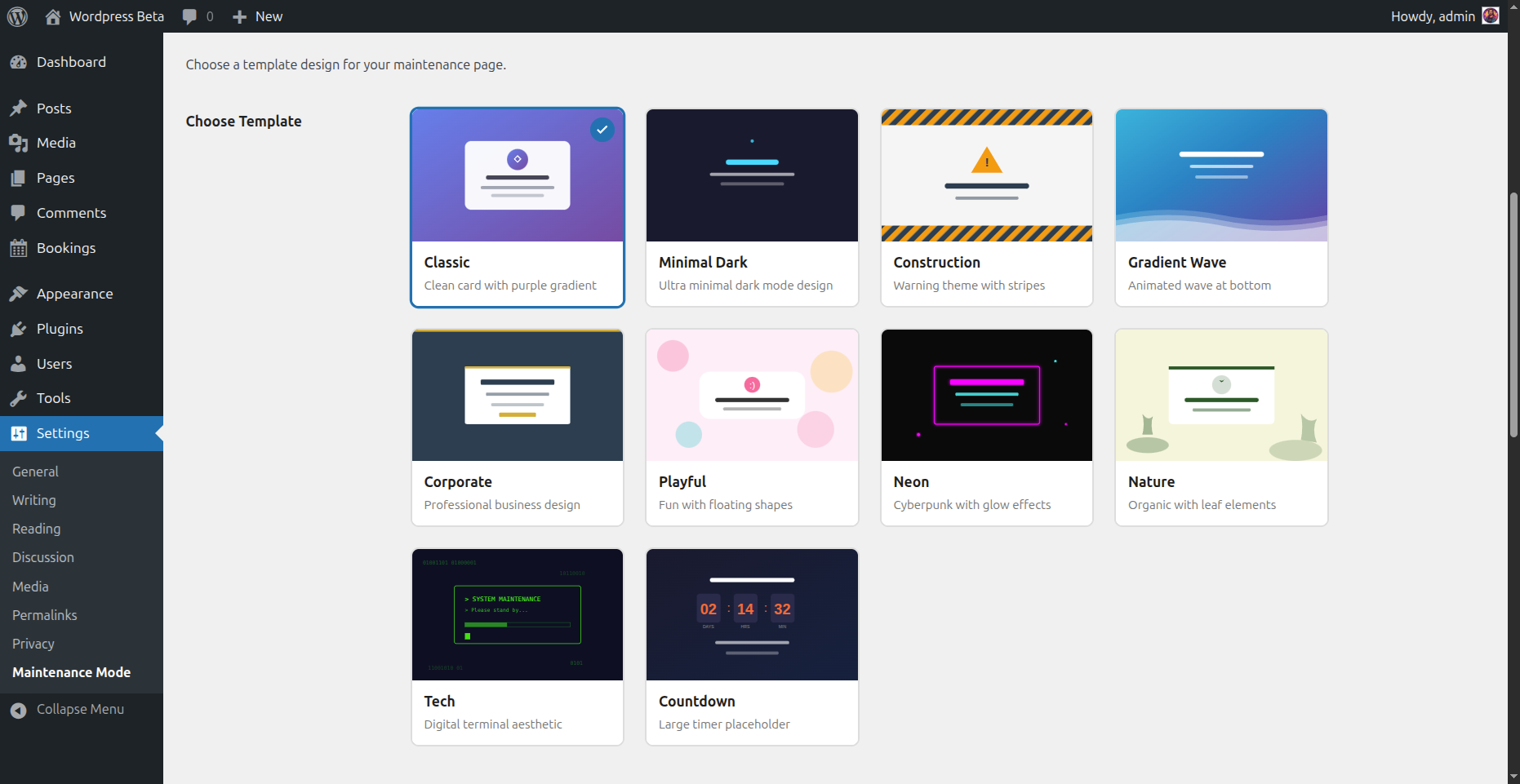
Your maintenance page should look as good as your site. Choose from:
- Classic – Clean centered card with elegant purple gradient background
- Minimal Dark – Ultra-modern dark theme with subtle cyan accents
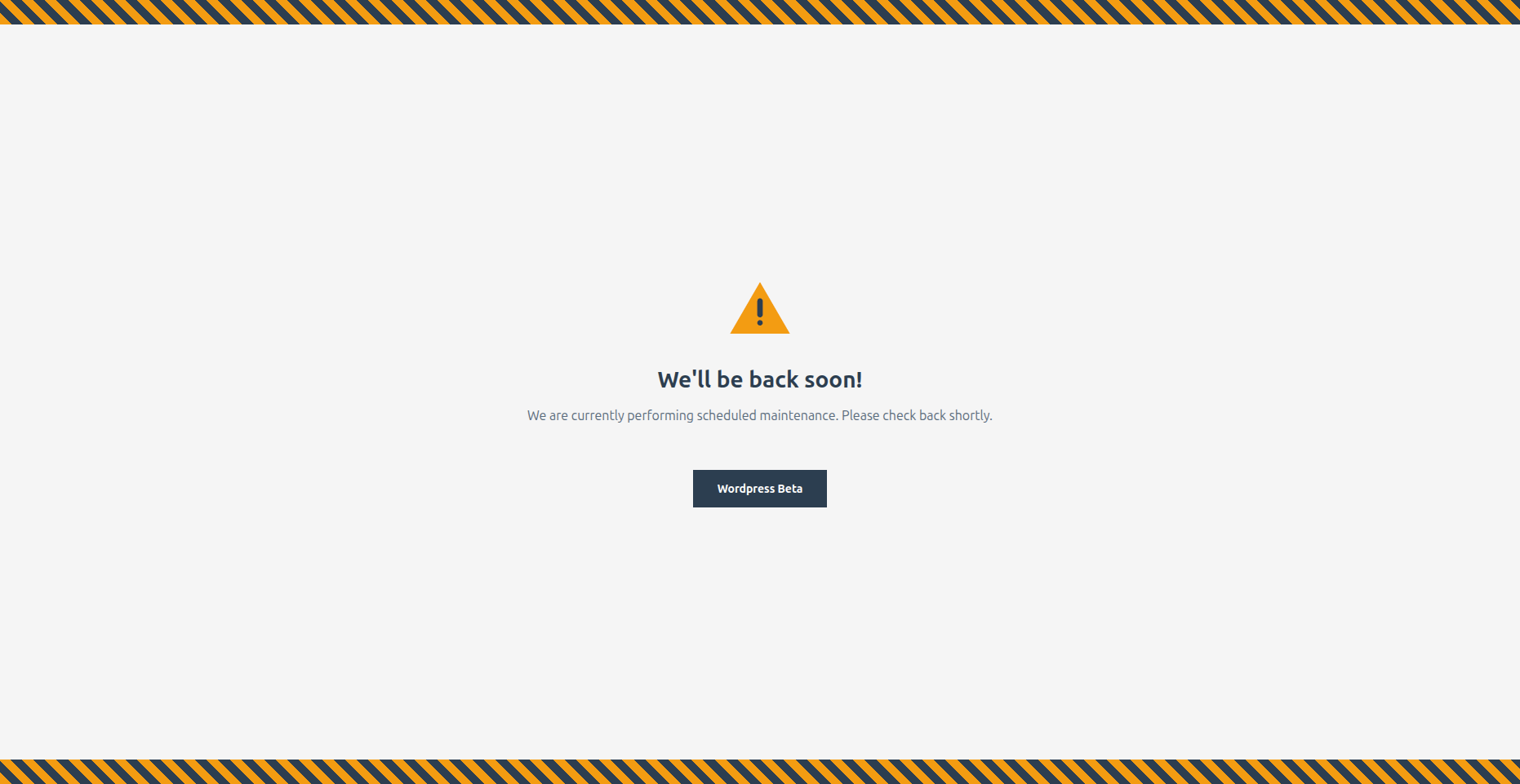
- Construction – Bold warning style with animated diagonal stripes
- Gradient Wave – Smooth animated wave effect for a dynamic feel
- Corporate – Professional business design with refined gold accents
- Playful – Fun and friendly with floating colorful shapes
- Neon – Cyberpunk-inspired with vibrant glow effects
- Nature – Calm organic design with gentle leaf elements
- Tech – Matrix-style digital aesthetic for tech brands
- Countdown – Includes live countdown timer to your launch date
Entwicklerfreundlich
- Override any template by copying it to
your-theme/devlab-maintenance-mode/ - Minimal footprint – single database query, lightweight hooks
- Clean, documented code following WordPress coding standards
- Filters and actions for extending functionality
Perfekt für
- Site launches and “Coming Soon” pages
- Scheduled maintenance windows
- Major redesigns and migrations
- WooCommerce store updates
- Development and staging sites
- Client preview access during development
Privatsphäre
Google Analytics is disabled unless you enter a Measurement ID. When configured, the maintenance page loads JavaScript from Google Tag Manager and sends visitor data to Google Analytics. Enable it only after meeting the consent requirements applicable to your site. Google terms: https://marketingplatform.google.com/about/analytics/terms/us/ and privacy policy: https://policies.google.com/privacy
Bypass links set an HttpOnly access cookie for the configured duration. Changing or clearing the secret phrase revokes existing bypass cookies. IP allowlisting uses the direct server-reported client address; configure trusted proxy IP restoration at the web-server level if necessary.
Installation
- Laden Sie den Ordner
devlab-maintenance-modein das/wp-content/plugins/-Verzeichnis hoch - Aktivieren Sie das Plugin über das „Plugins“-Menü in WordPress
- Go to Settings > Maintenance Mode to configure
- Check the “Enable maintenance mode” checkbox and save
Änderungsprotokoll
Removed email subscription feature, code cleanup.
1.0.3
- Harden IP whitelist handling against spoofed forwarded headers.
- Revoke bypass cookies when the secret phrase changes or is removed.
- Keep administrator access and safely handle malformed settings and request values.
- Fix PHP 7.2 bypass-cookie compatibility and modern WordPress translation timing.
- Clean up settings on multisite networks with more than 100 sites.
- Validate countdown dates, use the site timezone, and remove the misleading rolling countdown.
1.0.2
- Removed email subscription feature
- Fixed version consistency
- Code cleanup
1.0.1
- Added configurable countdown date picker
- Added Google Analytics integration
-
Added social media links (Facebook, Twitter/X, Instagram, LinkedIn)
-
Fixed template selection visual feedback
- Fixed countdown timer to use configured date
1.0.0
- Erste Freigabe
- 10 professionally designed templates
- Role-based bypass system
- IP whitelist functionality
- Secret phrase access links
- Custom message with HTML support
- SEO-friendly 503 status handling
- Theme template override support
- Kompatibilität mit mehreren Standorten
- Clean uninstall
Screenshots

Für Entwickler
Ist das dein Plugin? Zeigen Sie die Zahlen.
Fügen Sie Ihrer Website, Docs oder GitHub Readme ein Live-Badge hinzu. Es wird von selbst aktualisiert - kein Konto erforderlich.
Best DevLab Maintenance Mode alternatives
All 503 plugins →





Fragen und Antworten
DevLab Maintenance Mode: quick answers
Gerade Antworten, gezogen von Live WordPress.org Daten.
Quelle: WordPress.org
Is DevLab Maintenance Mode free?
Yes. DevLab Maintenance Mode is free to download and use from the official WordPress.org plugin directory.
Is DevLab Maintenance Mode safe to use in 2026?
DevLab Maintenance Mode is a solid plugin choice in 2026, with a few things worth checking first. It runs on 10+ sites and was last updated 3 weeks ago, and scores 66/100 on our health check.
How many websites use DevLab Maintenance Mode?
DevLab Maintenance Mode is active on 10+ WordPress websites and has been downloaded 771 times since it launched in January 2026. It was downloaded 212 times in the last 30 days.
Does DevLab Maintenance Mode work with WordPress 7.1?
Yes. The developer has tested DevLab Maintenance Mode up to WordPress 7.1.5, the latest release. It requires WordPress 5.0 or newer.
What PHP version does DevLab Maintenance Mode need?
DevLab Maintenance Mode requires PHP 7.2 or higher. Most hosts run PHP 8.x today, so it works on any modern WordPress hosting.
When was DevLab Maintenance Mode last updated?
The latest version, 1.0.3, was released on November 5, 2026 (3 weeks ago).
Who makes DevLab Maintenance Mode?
DevLab Maintenance Mode is developed and maintained by CodersGround.
What are the best alternatives to DevLab Maintenance Mode?
The most popular alternatives to DevLab Maintenance Mode are Labinator Minimal Maintenan… (100+ installs), BEAPI – Maintenance Mode (100+ installs) and ACW Maintenance Mode by Page (50+ installs).
Angetrieben von PageForge
Eine Vorlage und eine Tabelle. Eine echte Seite für jede Suche.
PageForge Verwandelt jede Zeile eines CSV in eine WordPress-Seite mit eigenem Titel, URL, SEO Felder und Schema entworfen. Kostenlos auf WordPress.org.
- CSV und XLSX, plus Google Sheets auf Beruf und Unternehmen
- seinen eigenen Titel, URL, SEO Felder und Schema für jede Seite
- Arbeitet mit dem Blockeditor, Elementor, Divi und Avada
- Kostenlos auf WordPress.org, keine Kreditkarte