


Autocontent
Automate your website's blog posts with Autocontent. Generate great content and enhance your website’s SEO automatically!

Sichere Auswahl
Yes — Autocontent is a safe, well-maintained plugin to use in 2026. It runs on 200+ sites, is rated 5/5 and was last updated 3 weeks ago, and scores 81/100 on our health check.
- Aktiv entwickelt – letztes Update vor 3 Wochen
- Getestet mit dem neuesten WordPress (7.1)
- Momentum — downloads up 485.8% vs the previous 30 days
- Kleine Benutzerbasis (über 200 aktive Installationen)
- Benötigt PHP 8.2 oder neuer
Wie stapelt es sich?
Side-by-side bei Installationen, Updates, Bewertungen und Support



Tägliche Downloads
Download-Spitzen folgen normalerweise einer neuen Version - jede Website, die automatisch aktualisiert wird, gilt als Download.
Ranglisten
Where Autocontent stands todayWordPress.org Ranglisten suchen
Live-Position in der Plugin-Suche, Top 100| Stichwort | Position |
|---|---|
| Inhalt | >100 |
| content creation | #30 |
| content generator | >100 |
| SEO | >100 |
Versionsübernahme
Anteil aktiver Sites pro Release.
Bewertungsaufschlüsselung
★★★★★★★★★★ 5 from 5 reviews
About Autocontent
From the official readme · v1.39Beschreibung
Quality content is essential for enhancing your website’s search engine rankings. Autocontent creates blog posts tailored to your website’s preferences by transmitting your preferences to the Autocontent service to generate blog content.
Installation
Automatic Installation (Recommended)
- Log in to your WordPress Dashboard.
- Navigate to the ‘Plugins’ menu.
- Click ‘Add New’.
- Type ‘Autocontent’, click ‘Install Now’ and activate it.
- You will be automatically redirected to the Autocontent Setup Wizard.
- Fill out the subject and keywords fields, then select the appropriate tone for your desired blog posts.
- Click ‘Save Changes’ once you are done.
- Next, click ‘Generate Post Now’.
- That’s it! Click the link to read your new post.
Manuelle Installation
- Visit the Autocontent plugin page here
- Click the blue ‘Download’ button on the top-right of the page.
- Log in to your WordPress Dashboard.
- Navigate to the ‘Plugins’ menu.
- Click on the ‘Upload Plugin’ button at the top of the page.
- Click ‘Choose File’ and browse to the zip file you downloaded in step 2.
- Click ‘Activate’ under the Autocontent plugin in the list.
- You will be automatically redirected to the Autocontent Setup Wizard.
- Fill out the subject and keywords fields, then select the appropriate tone for your desired blog posts.
- Click ‘Save Changes’ once you are done.
- Next, click ‘Generate Post Now’
- That’s it! Click the link to read your new post.
Upgrade Instructions
- After installing Autocontent, by default you will be on the Free Plan.
- To upgrade, click Upgrade on the Autocontent Settings page in your WordPress Dashboard, or visit autocontent.com/pricing.
- Choose Autocontent Premium ($25/month or $225/year) and click Purchase.
- Complete checkout. Your autocontent.com account is created for you automatically.
- Your Activation key is shown on the order confirmation page and emailed to you along with your login details. It is also available in your autocontent.com Dashboard.
- Paste the Activation key into the Autocontent plugin’s Settings page and click Verify to activate Premium and start generating content.
Änderungsprotokoll
1.39
- New “Upgrade to Premium” button on the Settings page.
- Generate Blog Post Now now explains why a post could not be created (for example missing keywords, no credits left, or a temporary service problem) instead of always reporting insufficient credits.
- Clear message when an Autocontent Premium subscription has ended, with a reminder to renew.
1.38
- Redesigned upgrade window: Monthly/Yearly toggle (save 25% yearly), clearer pricing and features, and a “Get Premium” button.
- “Already subscribed? Enter your key” is now a clear button, with a matching key screen and a way back to the plans.
- Plugin scripts and styles now update in the browser right after a plugin update (no more stale cached copies).
1.37
- Upgrade window now offers Autocontent Premium at $25/month, or $225/year, matching autocontent.com pricing.
- Settings page shows “Autocontent Premium” for the daily plan.
- Removed the retired Starter and Pro plans and their weekly/biweekly schedules. Plans are now Free (monthly) and Autocontent Premium (daily).
- Updated upgrade instructions for the new checkout flow.
- Tested up to WordPress 7.1. Requires PHP 8.2 or later.
Screenshots
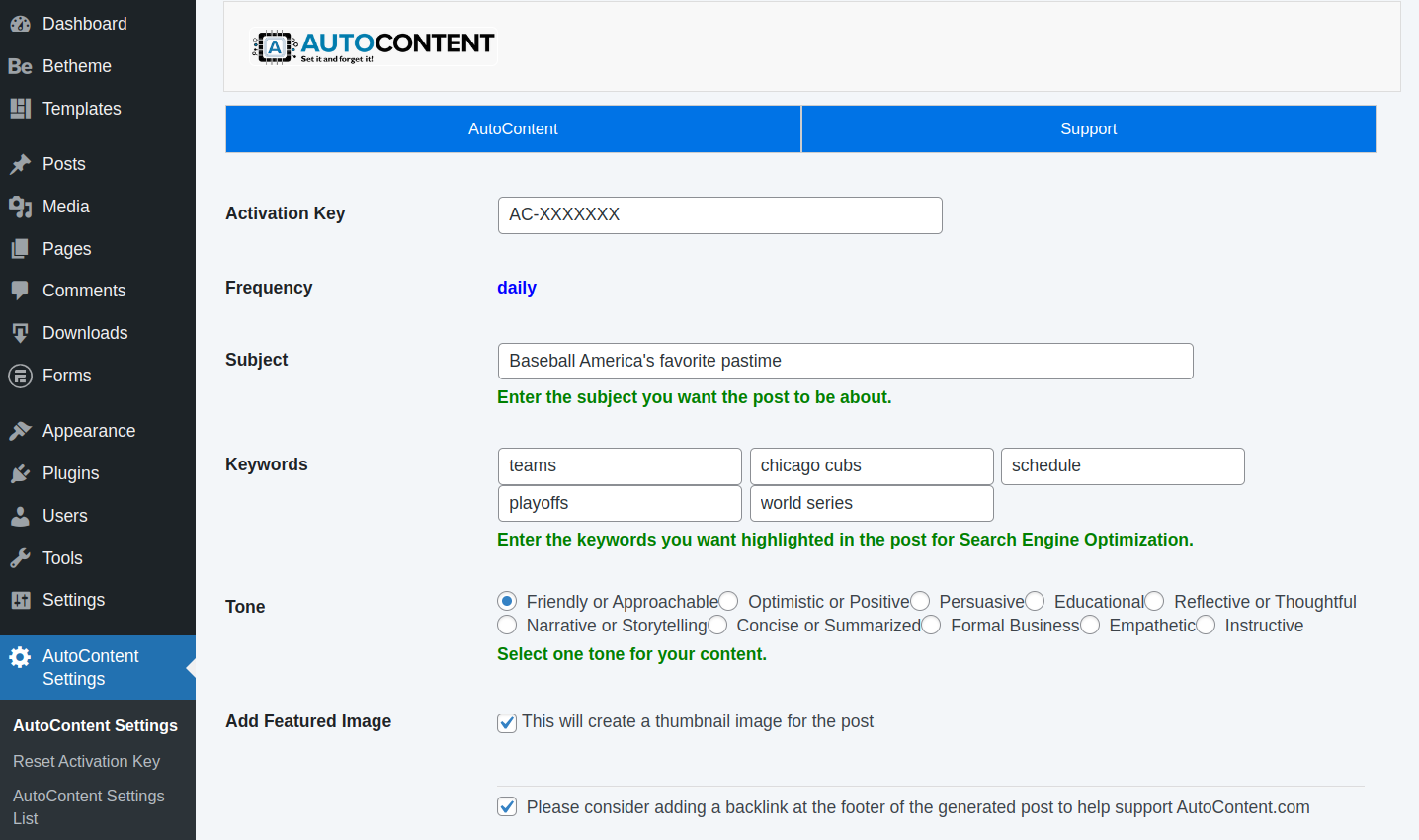
Für Entwickler
Ist das dein Plugin? Zeigen Sie die Zahlen.
Fügen Sie Ihrer Website, Docs oder GitHub Readme ein Live-Badge hinzu. Es wird von selbst aktualisiert - kein Konto erforderlich.
Best Autocontent alternatives
Alle Content-Plugins →





Fragen und Antworten
Autocontent: quick answers
Gerade Antworten, gezogen von Live WordPress.org Daten.
Quelle: WordPress.org
Is Autocontent free?
Yes. Autocontent is free to download and use from the official WordPress.org plugin directory.
Is Autocontent safe to use in 2026?
Yes — Autocontent is a safe, well-maintained plugin to use in 2026. It runs on 200+ sites, is rated 5/5 and was last updated 3 weeks ago, and scores 81/100 on our health check.
How many websites use Autocontent?
Autocontent is active on 200+ WordPress websites and has been downloaded 5,941 times since it launched in July 2024. It was downloaded 703 times in the last 30 days.
Does Autocontent work with WordPress 7.1?
Yes. The developer has tested Autocontent up to WordPress 7.1.5, the latest release. It requires WordPress 6.5 or newer.
What PHP version does Autocontent need?
Autocontent requires PHP 8.2 or higher. Most hosts run PHP 8.x today, so it works on any modern WordPress hosting.
When was Autocontent last updated?
The latest version, 1.39, was released on November 6, 2026 (3 weeks ago).
Who makes Autocontent?
Autocontent is developed and maintained by Remwes, LLC.
What are the best alternatives to Autocontent?
The most popular alternatives to Autocontent are One Click Demo Import (1M+ installs), Advanced Excerpt (80K+ installs) and Rara One Click Demo Import (20K+ installs).
Angetrieben von PageForge
Eine Vorlage und eine Tabelle. Eine echte Seite für jede Suche.
PageForge Verwandelt jede Zeile eines CSV in eine WordPress-Seite mit eigenem Titel, URL, SEO Felder und Schema entworfen. Kostenlos auf WordPress.org.
- CSV und XLSX, plus Google Sheets auf Beruf und Unternehmen
- seinen eigenen Titel, URL, SEO Felder und Schema für jede Seite
- Arbeitet mit dem Blockeditor, Elementor, Divi und Avada
- Kostenlos auf WordPress.org, keine Kreditkarte