


Construtor de tabelas WP – construtor de mesa de arrastar e soltar
Arraste e solte o plugin do Builder de Tabela. Construa tabelas responsivas facilmente.

Escolha segura
Yes — WP Table Builder is a safe, well-maintained plugin to use in 2026. It runs on 50K+ sites, is rated 4.8/5 and was last updated 1 week ago, and scores 84/100 on our health check.
- Comprovado em escala em mais de 50 mil sites ativos
- Loved by users — 4.8/5 from 681 reviews
- Desenvolvido ativamente — última atualização 1 semana atrás
- Testado com as últimas WordPress (7.1)
- Suporte lento - apenas 33% dos tópicos recentes foram resolvidos
Como ele se acumula?
Lado a lado em instalações, atualizações, avaliações e suporte



Downloads diários
Os picos de download geralmente seguem uma nova versão — cada site que atualiza automaticamente é um download.
Rankings
Where WP Table Builder stands todayWordPress.org Classificações de pesquisa
Posição ao vivo na pesquisa de plugins, top 100| Palavra chave | Posição |
|---|---|
| Arraste e solte | #7 |
| table | #2 |
| Table Builder | #1 |
Adoção da versão
Compartilhamento de sites ativos por lançamento.
Divisão de classificação
★★★★★★★★★★ 4.8 from 681 reviews
About WP Table Builder
From the official readme · v2.3.1Descrição
Plugin Demo | Documentation | Support | Tutorials | Get Pro
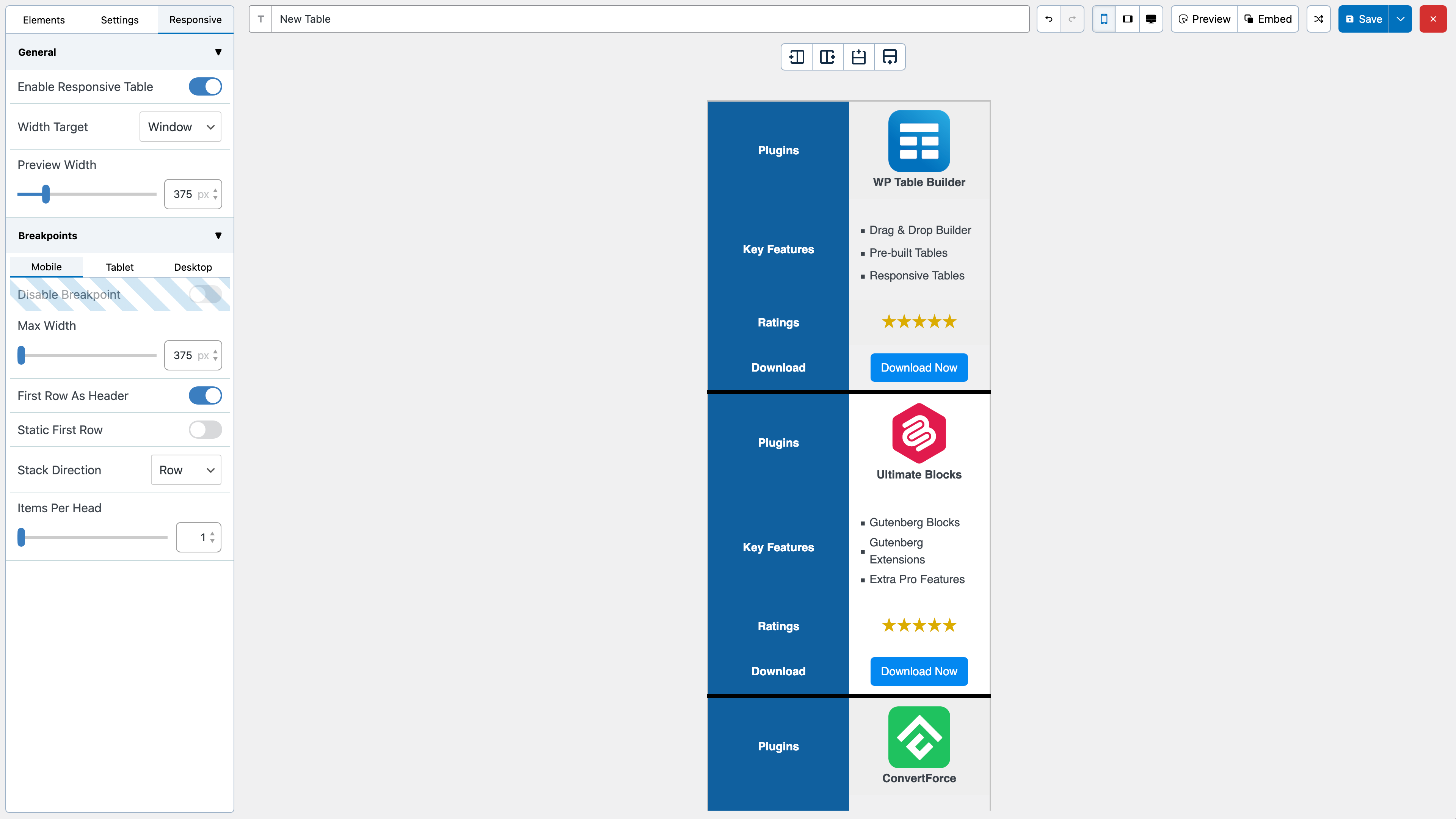
WP Table Builder is a drag and drop table builder plugin for WordPress. It’s insanely easy to create responsive tables with WP Table Builder.
WP Table Builder is perfect for creating comparison tables, pricing tables, list tables and many more.
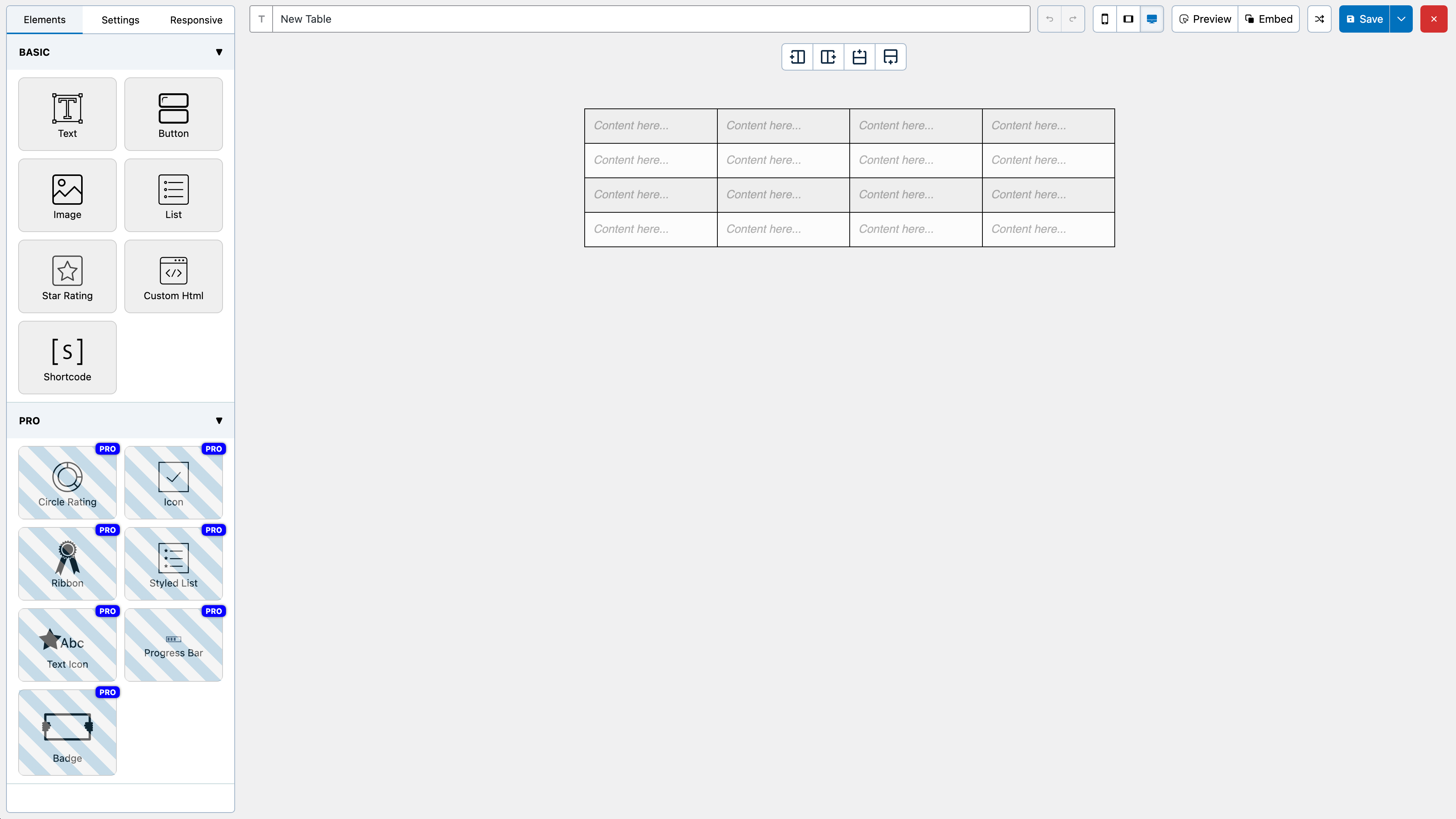
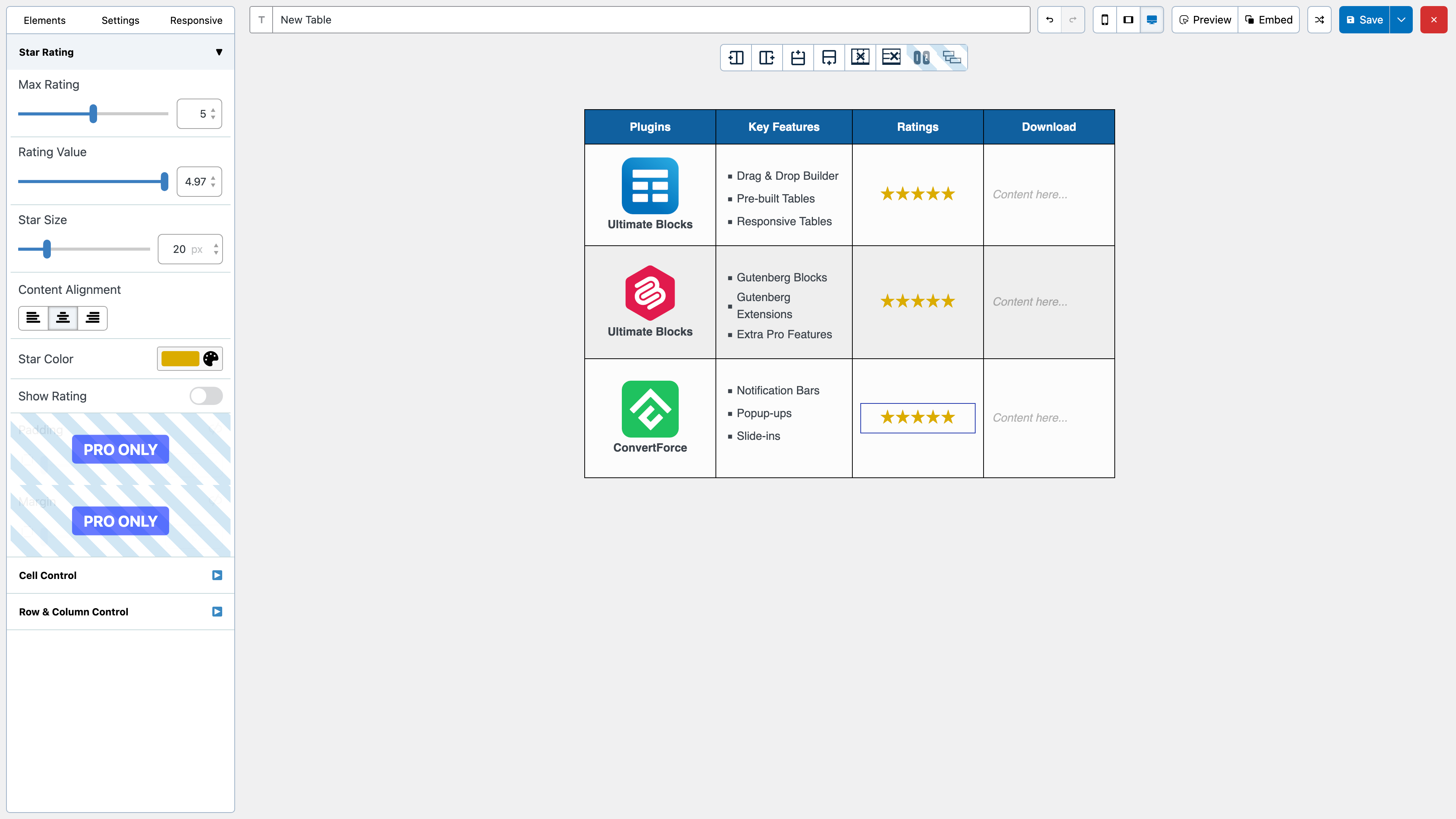
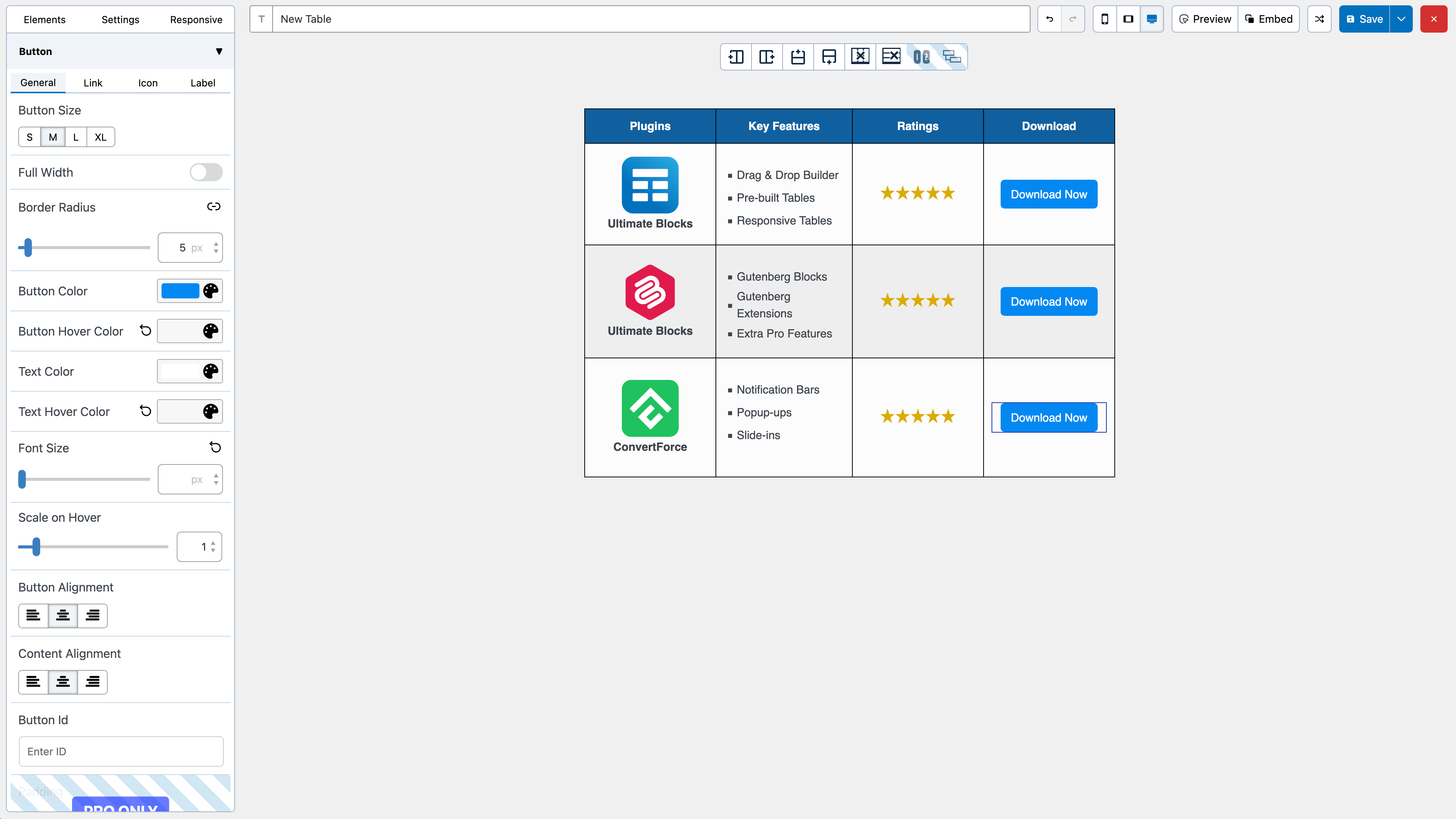
The builder comes with 7 elements right now. You can add the following elements in a table:
- Texto
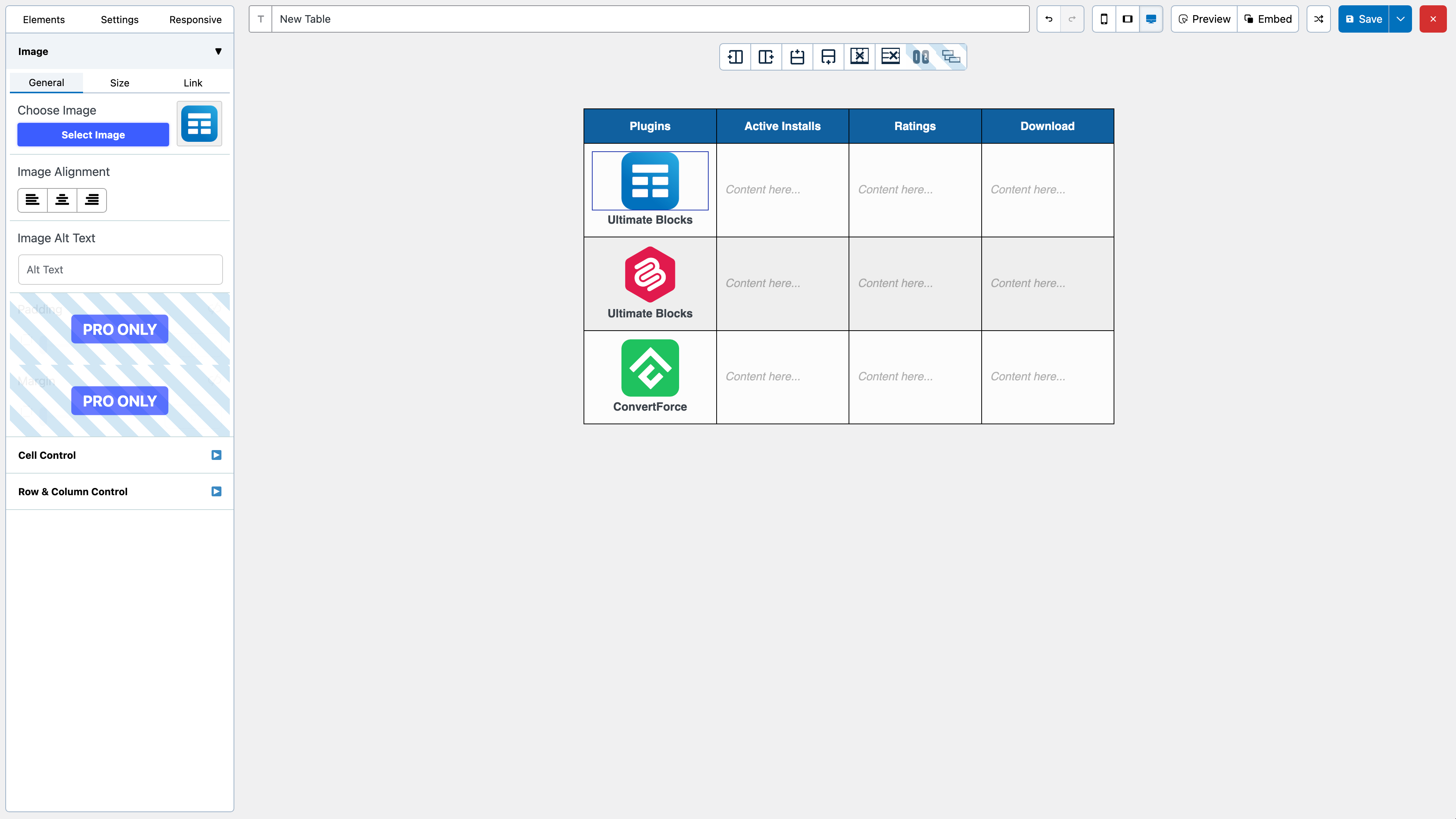
- Imagem
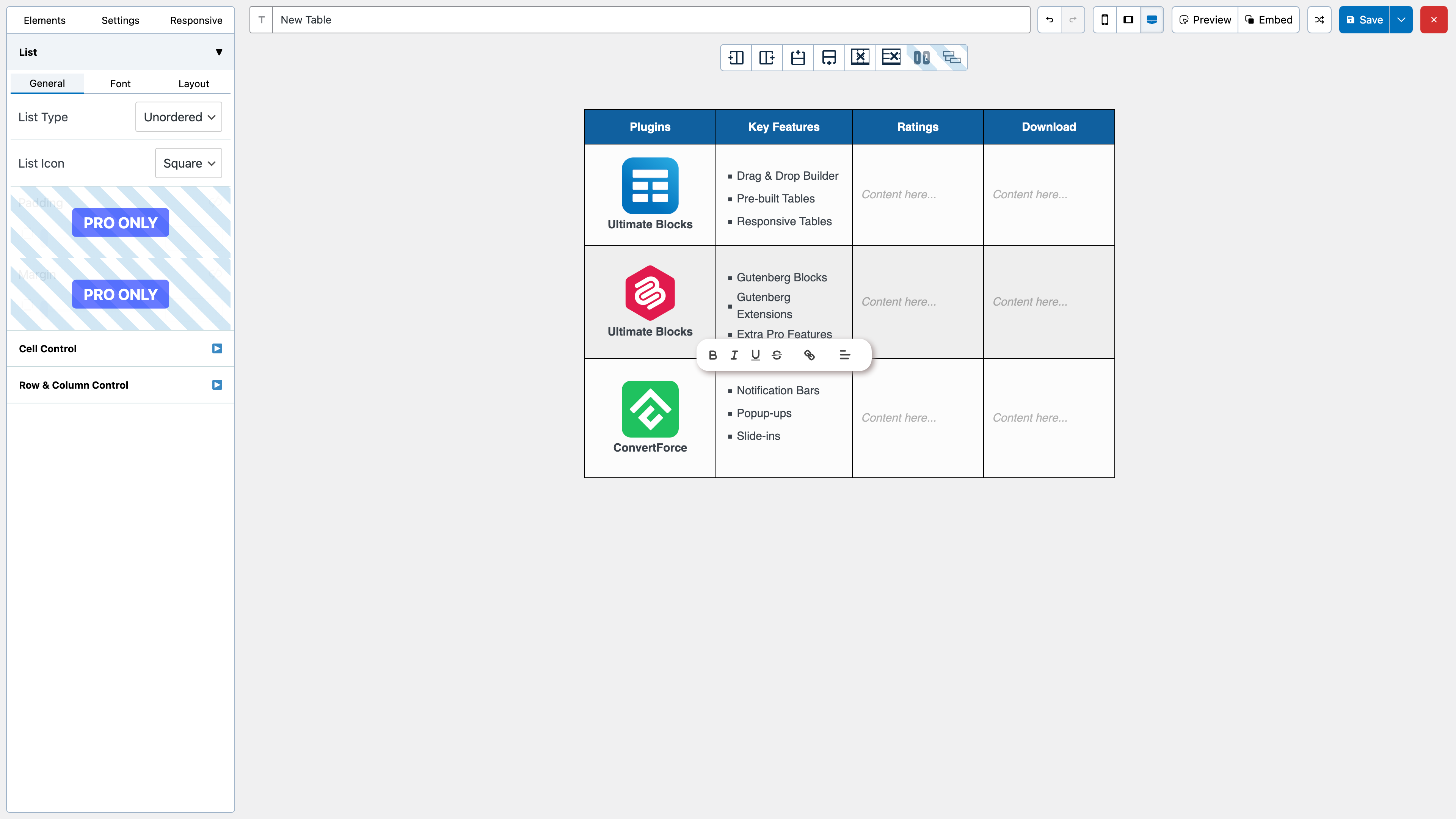
- List
- Button
- Star Rating
- Custom HTML
- Shortcode
All the elements come with customization options of their own.
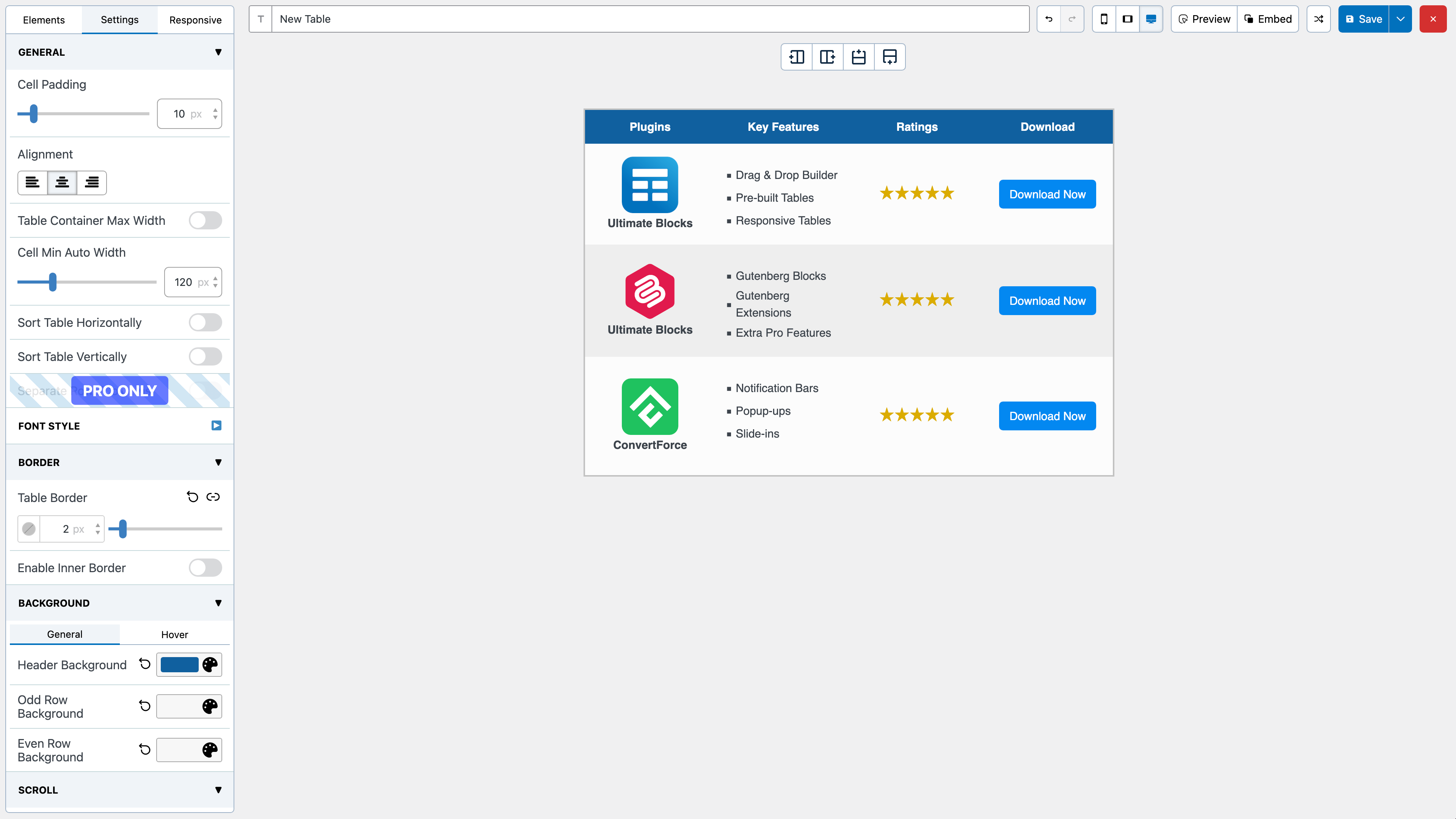
We have a cell management mode which comes with options like Add New Row, Add New Column, Merge Cells, Split Cells and many more.
How to Use
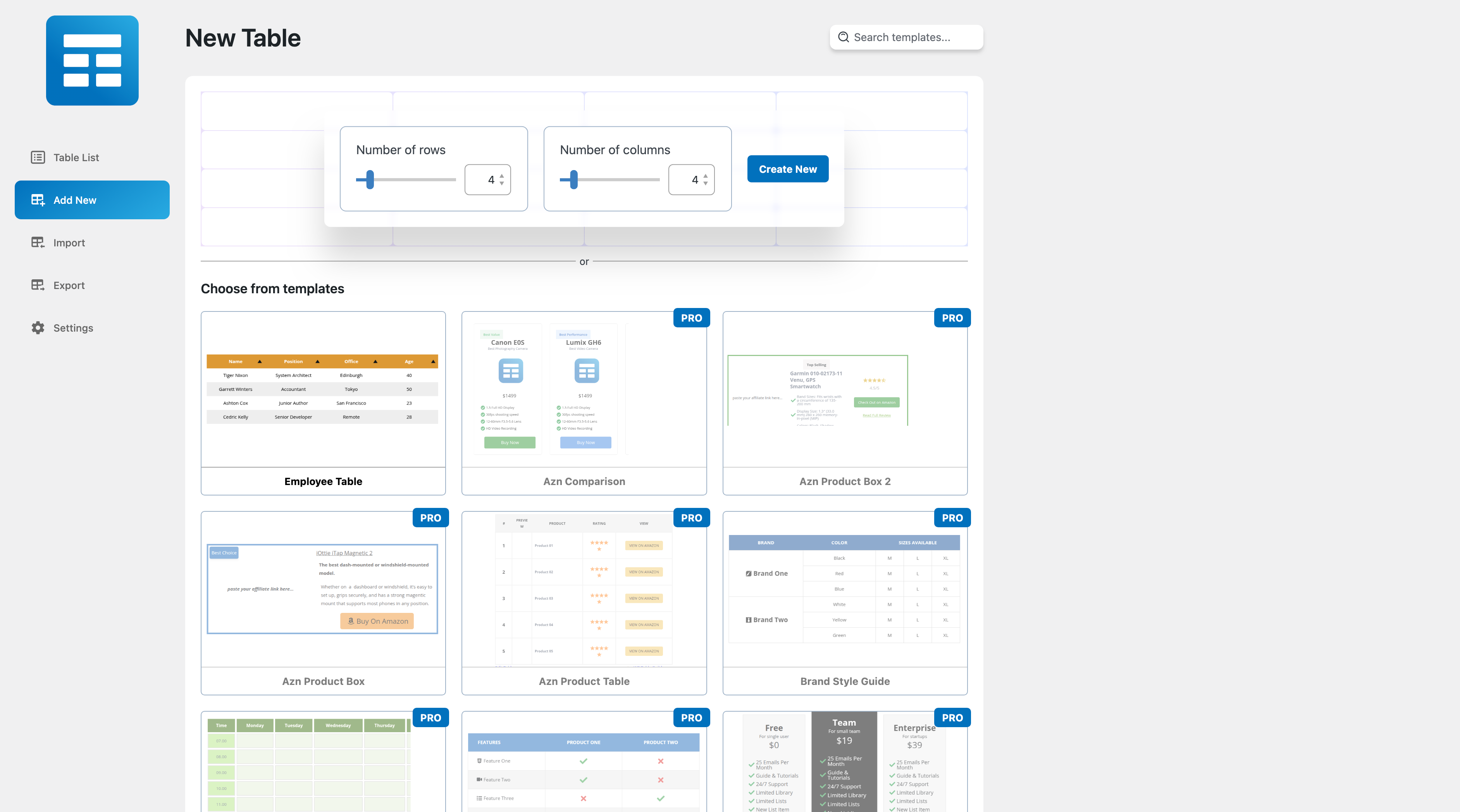
After you install the plugin, you will see a Table Builder menu. Go to Table Builder > Add New.
You will be able select column number and row number. Once you select that, click on Generate. The table will be generated.
You can then drag and drop elements from the left panel into the table cells. Once you are done adding and editing elements, click on Save to save the tables.
After the table is saved, you can embed it in post and pages by using a shortcode. Click on ‘Embed’ on the top to get the shortcode.
You can also get the shortcode from the ‘All Tables’ list under ‘Table Builder’ menu.
Import Tables
You can import tables from CSV or XML files. You can import both single and multiple CSV or XML files. Multiple files will have to be zipped.
You can also import tables from TablePress plugin.
Export Tables
Just like importing you can export the tables to CSV or XML files.
If you are looking to move tables created with WP Table Builder to another site, XML is the better choice as it will preserve table settings.
Join Us To Get Updates and Resources
Log de Changes
2.3.1
- FIX: Builder table showing two scrollbars
- FIX: Other plugins’ admin notices showing on WP Table Builder pages
- FIX: Horizontal scroll turned on for older tables that had it off
- FIX: Tables embedded with a shortcode inside a table cell not rendering
- FIX: Row height stuck at 1px in Firefox
- FIX: Column minimum widths ignored in Firefox
- FIX: Table import failing for tables with styled list or text icon elements
2.3.0
- NEW: Redesigned builder, table list, import, export, settings and welcome pages
- NEW: Create page with table templates grouped by category
- NEW: Table-wide vertical alignment, working together with content distribution
- NEW: Text blocks can be rendered as headings (H1 to H6)
- NEW: Search in the elements and settings panels
- IMPROVE: New rich text editor with undo and redo tied to the builder history
- IMPROVE: Column widths are applied by the browser instead of a calculated table width
- IMPROVE: Updated Freemius SDK to 2.13.5
- FIX: Builder marked as changed right after loading a table
- FIX: Column count wrong when cells span columns
- FIX: Stale row and column props left behind by earlier operations
- FIX: Cell border saved when it matched the inner border
- FIX: List numbering follows the item position
- FIX: List bullets fall back to discs on the frontend
- FIX: List item tooltip position defaulting to top
- [PRO] NEW: Pro deactivates with a notice when the free plugin is older than it supports
- [PRO] FIX: Circle rating number label differing between builder and frontend
- [PRO] FIX: Styled list alignment not applied on the frontend
2.2.4
- FIX: Sticky row wobbling when horizontal scroll is enabled
- FIX: Global table styles not applied on the frontend
- FIX: Circle rating rendered twice in legacy tables
- FIX: Links in text losing the open in new tab setting
- FIX: Fullscreen attribute stripped from embedded iframes
- FIX: PHP warning when a cell value is empty
2.2.3
- NEW: Block tree view in the builder
- FIX: Table responsiveness edge case in the frontend
2.2.2
- IMPROVE: Builder performance when editing text
- FIX: Scaled table clipped when scroll is enabled
- FIX: Security improvements
- [PRO] FIX: Styled list icon width
- [PRO] FIX: AI chat box height
2.2.1
- NEW: Welcome page shown after activation
- NEW: Bulk delete for tables in the trash
- IMPROVE: Redesigned export page
- IMPROVE: Import and export feedback is now shown in page
- FIX: Import failures on zip files
- FIX: Default font size on text blocks
- FIX: Security improvements
- [PRO] FIX: Pro is deactivated when the free plugin is deactivated
Capturas de tela
Para desenvolvedores
Este é o seu plugin? Mostre os números.
Adicione um crachá ao vivo ao seu site, Documentos ou Readme do GitHub. Ele é atualizado por conta própria - nenhuma conta necessária.
Best WP Table Builder alternatives
Todos os plugins de arrastar e soltar →





FAQ
WP Table Builder: quick answers
Respostas diretas, extraídas de dados ao vivo WordPress.org.
Fonte: WordPress.org
Is WP Table Builder free?
Yes. WP Table Builder is free to download and use from the official WordPress.org plugin directory.
Is WP Table Builder safe to use in 2026?
Yes — WP Table Builder is a safe, well-maintained plugin to use in 2026. It runs on 50K+ sites, is rated 4.8/5 and was last updated 1 week ago, and scores 84/100 on our health check.
How many websites use WP Table Builder?
WP Table Builder is active on 50K+ WordPress websites and has been downloaded 2,455,958 times since it launched in July 2019. It was downloaded 52,728 times in the last 30 days.
Does WP Table Builder work with WordPress 7.1?
Yes. The developer has tested WP Table Builder up to WordPress 7.1.5, the latest release. It requires WordPress 4.9 or newer.
What PHP version does WP Table Builder need?
WP Table Builder requires PHP 7.4 or higher. Most hosts run PHP 8.x today, so it works on any modern WordPress hosting.
When was WP Table Builder last updated?
The latest version, 2.3.1, was released on November 13, 2026 (1 week ago).
Who makes WP Table Builder?
WP Table Builder is developed and maintained by WP Table Builder.
What are the best alternatives to WP Table Builder?
The most popular alternatives to WP Table Builder are Elementor Agent Ready Websi… (10M+ installs), Kirki (400K+ installs) and Page Builder by SiteOrigin (400K+ installs).
Alimentado por PageForge
Um modelo e uma planilha. Uma página real para cada pesquisa.
PageForge Transforma cada linha de um CSV em uma página WordPress com seu próprio título, URL, SEO campos e esquema, construído no layout que você já desenhou. Gratuito em WordPress.org.
- CSV e XLSX, mais Google Sheets em Profissional e Empresarial
- Seu próprio título, URL, SEO campos e esquema para cada página
- Funciona com o editor de blocos, Elementor, Divi e Avada
- Gratuito em WordPress.org, sem cartão de crédito