


Construtor de páginas em negrito
Free Page Builder and Visual Composer - Build stunning responsive post and page layouts with easy to use drag and drop builder - no coding required.

Escolha sólida
Bold Page Builder is a solid plugin choice in 2026, with a few things worth checking first. It runs on 40K+ sites, is rated 3.6/5 and was last updated 1 week ago, and scores 68/100 on our health check.
- Comprovado em escala em mais de 40 mil sites ativos
- Desenvolvido ativamente — última atualização 1 semana atrás
- Momentum — downloads up 345.4% vs the previous 30 days
Como ele se acumula?
Lado a lado em instalações, atualizações, avaliações e suporte



Downloads diários
Os picos de download geralmente seguem uma nova versão — cada site que atualiza automaticamente é um download.
Rankings
Where Bold Page Builder stands todayWordPress.org Classificações de pesquisa
Posição ao vivo na pesquisa de plugins, top 100| Palavra chave | Posição |
|---|---|
| Arraste e solte | #65 |
| editor | >100 |
| Construtor de páginas | #10 |
| site-builder | #16 |
| wordpress page builder | #10 |
Adoção da versão
Compartilhamento de sites ativos por lançamento.
Divisão de classificação
★★★★★★★★★★ 3.6 from 66 reviews
About Bold Page Builder
From the official readme · v5.9.12Descrição
Forever 100% Free page builder
Bold Page Builder for WordPress is 100% free – there is no premium version and you can use it freely in your commercial and noncommercial projects. Even in your Premium WordPress themes.
FRONT-END EDITOR | NEW FROM 2022!
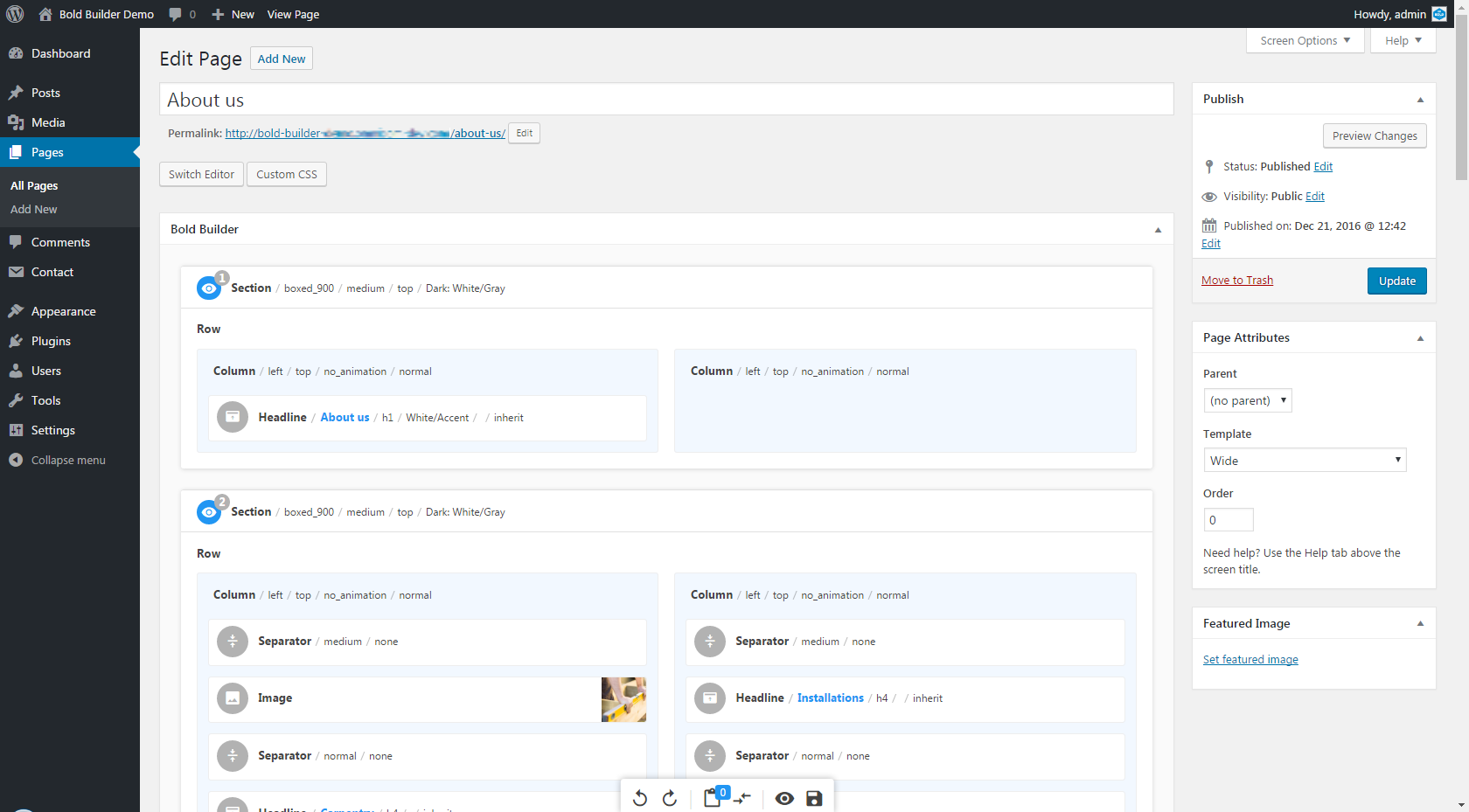
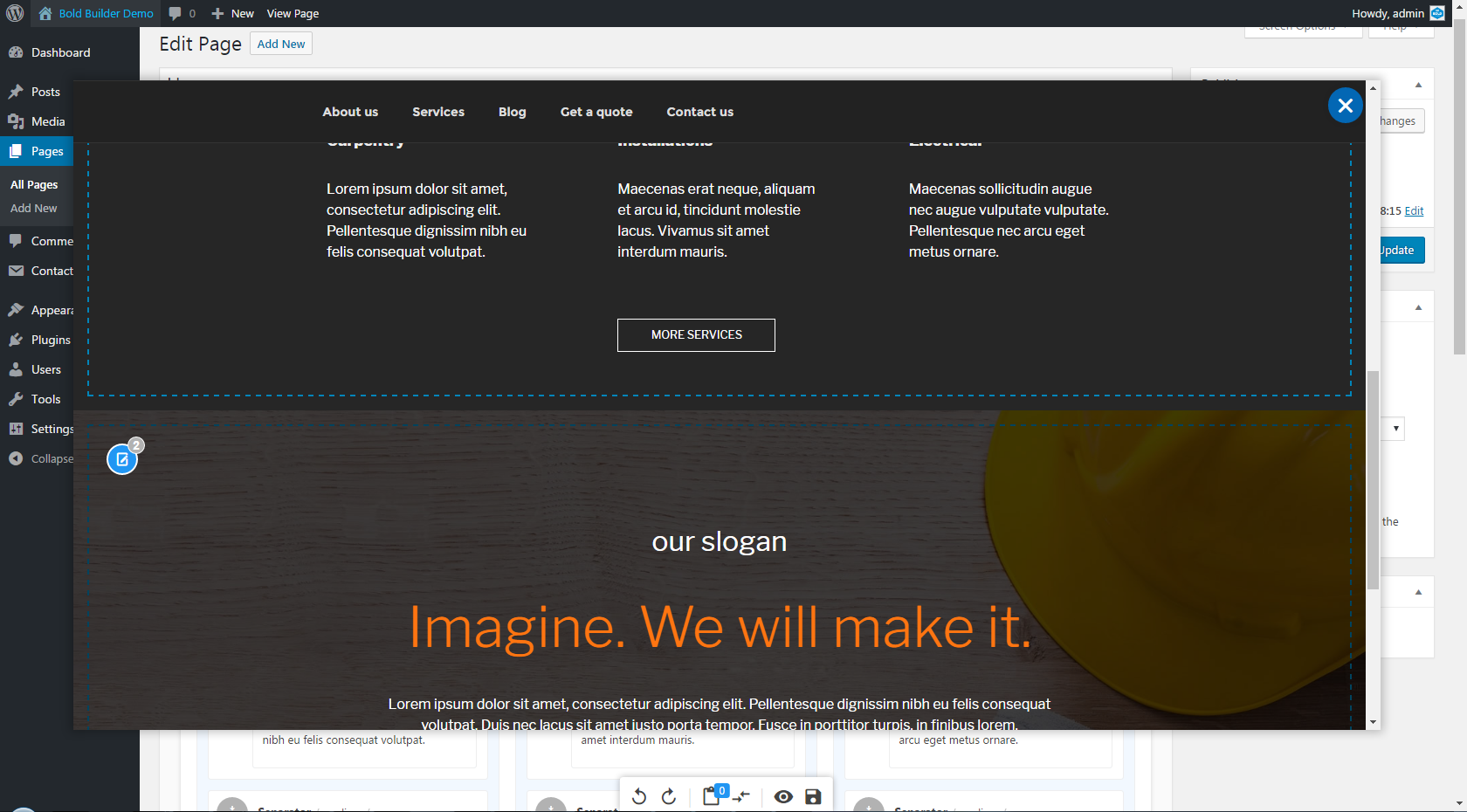
From Bold Builder version 4.0.0. you can easily manage your content both backend and frontend with newly added functionality. Our drag and drop Bold Page Builder just got better with adding easy to use front end editing options. Now you can view your website pages as you edit them.
Create your premium looking website using only default Twenty Seventeen or Twenty Sixteen theme and Bold Page Builder
See Bold Page Builder in action!
Check out our demo pages built with Twenty Seventeen theme:Check out our demo pages built with Twenty Sixteen theme:
Our demos use the following free plugins:
When you are ready for the next step, we also offer a selection of premium themes which are using Bold Page Builder: BoldThemes Portfolio.
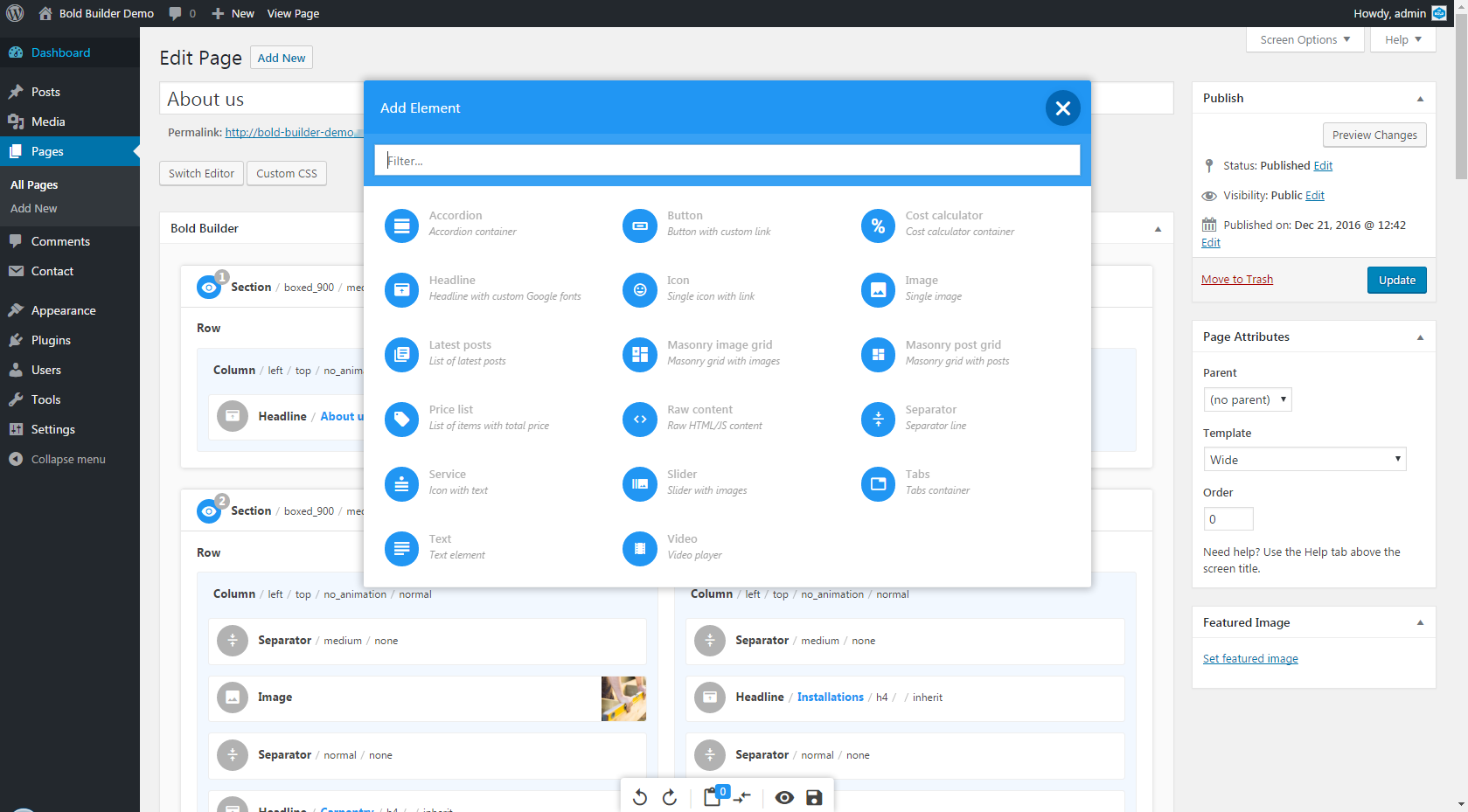
Comes with 30+ Content Elements
Bold Builder – WordPress Page builder comes packed with loads of content elements – you can start building your layouts in minutes with drag and drop features and with no coding experience. And it is very easy to extend.
- Acordeão
- Button
- Cost calculator
- Headline
- Icon
- Imagem
- Latest posts
- Masonry image grid
- Masonry post grid
- Price list
- Raw HTML/JS content
- Separator
- Serviço
- Controle deslizante
- Tabs
- Texto
- Vídeo
Ideal for theme and WordPress developers
If you are a WordPress developer, feel free to extend it with your components – it features simple and intuitive API as well as a detailed developer’s documentation and examples to get you started right away.
Lightning fast Visual Builder
It is a speed champion and only WordPress drag and drop page builder with the instant user interface response – no more waiting and nail biting. Beats popular Visual Composer by a mile.
100% Compatible with most WordPress themes
Bold Builder should work with most of the themes – free or premium. In fact, all demos are developed using free themes and plugins from WordPress.org. You can import these pages and choose from a selection of carefully crafted design elements. For detailed instructions on how to install demos please read Online Documentation .
Full Clipboard functionality unlike any other WordPress Page Builder plugin
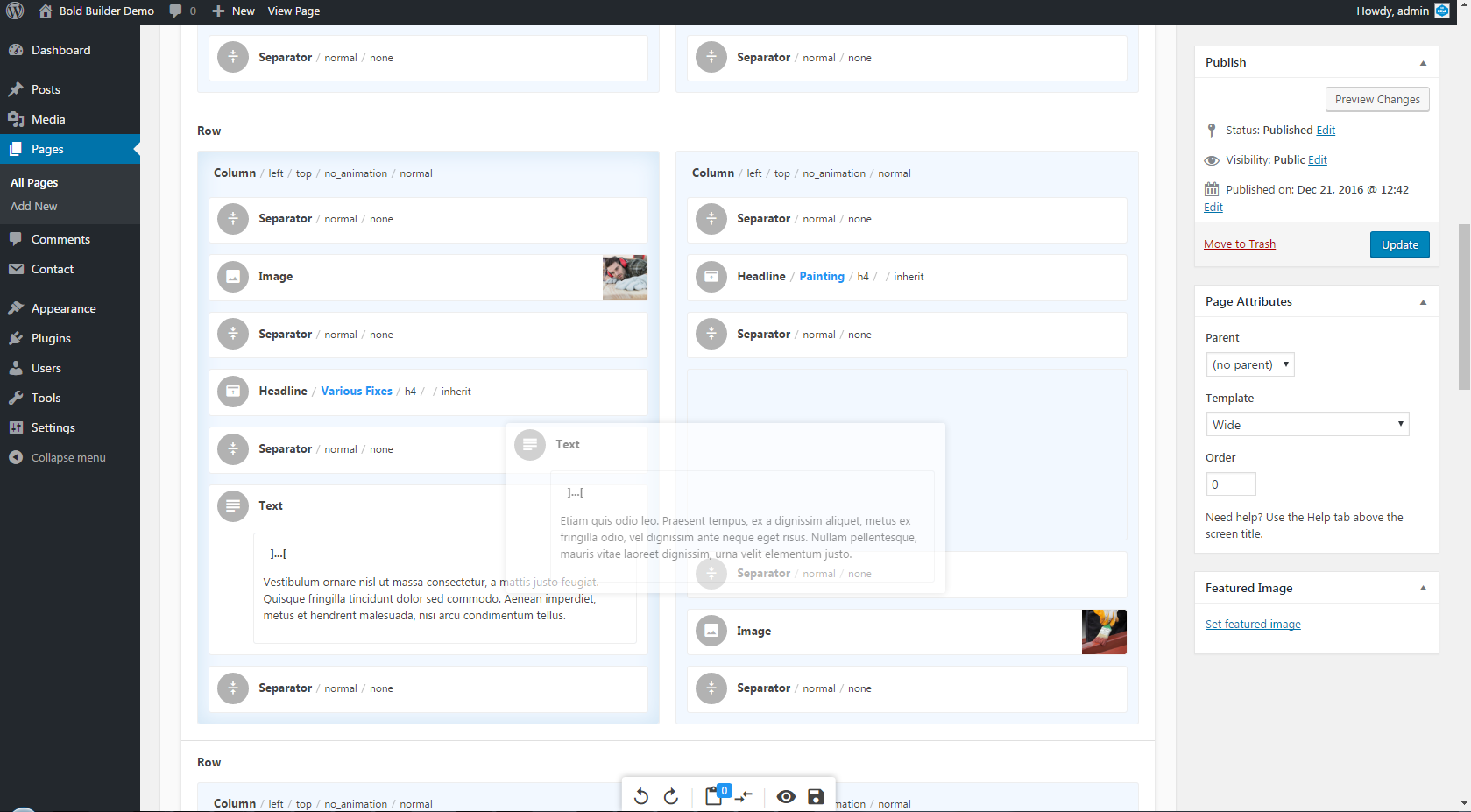
Do not restrict yourself to duplicating your content elements within one page like others do. Now, you can copy any content element them from one page to another and even from one site to another. Unlike with any other page builder plugin. Finally, unleash the full power of content element clipboard and make your life do much easier.
Actively developed and supported
Bold Page Builder is actively developed by BoldThemes , authors of a number of free and premium WordPress themes and plugins. We are committed to making it the greatest free WordPress page builder plugin ever and expect constant flow of new and exciting features.
Bold Builder is supported through our support forum.
For detailed online documentation go to Bold Builder Online Documentation.
To read more about Bold Builder visit our website.
Important: Please note that our premium themes launched before June 1, 2017 will not have all the options described in this article.
Instalação
Method 1
Use WordPress Add New Plugin feature and search Bold Page Builder
Method 2
Download the archive here and:
- Unzip the archive on your computer
- Upload bold-page-builder directory to the /wp-content/plugins/ directory
- Activate the plugin through the Plugins menu in WordPress
Log de Changes
5.9.12
- Security: the Google Maps element’s static image map now builds its image address from numeric coordinates and encoded values instead of writing location and style values into page markup, preventing a stored XSS where a crafted latitude, marker icon or style value ran script for every visitor to the page (authenticated, content-editing users) — reported by Patchstack.
- Security: Leaflet (OpenStreetMap) map layer attributions are now limited to text, links and basic formatting, preventing a stored XSS through the “Additional map layers” field (authenticated, content-editing users) — reported by Patchstack. Layer lines whose tile address is not an http(s) URL are now ignored.
- Security: text that the builder finds outside any element when it opens a post is now filtered before it is shown in the editor, preventing a stored XSS where content crafted to look harmless to WordPress’s HTML filter turned into a working script once the builder took it apart, running in the session of an editor or administrator who opened the post (authenticated, content-editing users) — reported by Patchstack. Text inside elements written by authors who may not post unfiltered HTML is filtered the same way.
- Security: the editor’s text previews are now sanitized before they are displayed, so HTML in a post’s content cannot run script in wp-admin while the post is being edited. What is saved is unchanged.
- Map location latitude and longitude now only accept numbers, and the Google Maps API key field only accepts the characters a Google API key can contain.
5.9.11
- Rank Math SEO: content analysis now reads the rendered page built with the builder instead of its raw shortcodes, so headings (including an H1 set on a Headline element), images, links and word count are detected. The analysis updates while you edit, without saving first, and Rank Math’s Recalculate SEO Scores tool scores builder pages the same way.
- Yoast SEO: the analysis now updates while you edit instead of only after saving, and the first analysis on page load waits for the rendered page rather than starting from raw shortcodes.
- The Yoast SEO integration now loads only when Yoast SEO is active, and no longer overrides the builder’s own AJAX settings.
- Clicking a duplicated slide in an infinitely looping slider with lightbox enabled now opens the lightbox at the right image; previously those slides did nothing.
- New “Separator (Medium)” section template, a separator with no line; the existing template is now named “Separator (Solid)”.
5.9.10
- Security: the Section element’s YouTube video settings are now read into a fixed list of known settings, checked against the type each one expects, and written to the page as data rather than as JavaScript, preventing a stored XSS where a crafted value closed the settings object and ran script for every visitor to the page (authenticated, content-editing users) — reported by LevinityCyber. This completes the Section element fix in 5.9.8, which escaped the value but left it being evaluated as JavaScript.
- Security: the bundled YouTube background player no longer evaluates any of its settings as JavaScript.
- The YouTube video settings field now only accepts the settings the background player actually has, so a misspelled or unsupported setting is ignored instead of being passed on. Values must be written in the form the player documents, for example
startAt:20, mute:true, anchor:'center,center'. - Note for developers: the new
bt_bb_yt_video_settings_schemafilter adds a setting to that list, andbt_bb_yt_video_settingsadjusts the finished set of settings for an element.
5.9.9
- Security: the additional settings on both slider elements can no longer carry HTML in any encoding, preventing a stored XSS where an entity-encoded tag survived escaping, was decoded again when the browser read the slider configuration attribute, and was then built as markup by the slider (authenticated, content-editing users) — reported by WPScan. This supersedes the Content Slider fix in 5.9.8, which escaped the value but did not stop it being decoded back into markup (CVE-2025-5286).
- The Additional settings field on the Slider and Content Slider elements no longer accepts HTML, so a slider configured with custom arrow markup falls back to the built-in arrows.
- Note for developers: the new
bt_bb_slick_additional_settingsfilter is the supported way to put markup back into a slider configuration. A callback that overrides it is responsible for escaping what it returns.
5.9.8
- Security: element link URLs are now checked against an allow list of schemes after control characters are removed, so a scheme disguised with an embedded control character or entity can no longer run script when the link is clicked (authenticated, content-editing users) — reported by Minaruzzaman Shovon.
- Security: the Section element’s background video settings and the Image element’s content background colour are now escaped before they are written into the rendered markup, preventing a stored XSS via a crafted attribute value (authenticated, content-editing users) — reported by Revanth Hari Narayana Matte.
- Security: the Content Slider element now escapes its additional settings before writing them into the slider configuration attribute, preventing a stored XSS via a crafted attribute value (authenticated, content-editing users) — reported by Luka Zimonjic (CVE-2025-5286).
- Security: escaped the remaining unescaped element attributes found while reviewing the above — the number of slides in both slider elements, the Post Grid category filter, the Icon element’s text, and the grid pagination class.
- The publish and expiry dates on elements now use the site’s timezone and the exact minute they are set to; previously they were evaluated in UTC and the minute was read incorrectly. Elements with no publish or expiry date set are unaffected.
- Note for developers:
javascript:URLs are no longer accepted in element link fields for any user. A site that needs an additional scheme can add one with the newbt_bb_allowed_url_schemesfilter.
5.9.7
- Security: the Raw Content element now sanitizes its output with wp_kses_post() unless the post author is allowed to publish unfiltered HTML, so a crafted element can no longer execute script for other users (authenticated, content-editing users).
- Security: the builder’s save-time element gate now runs after WordPress’ own kses filter and matches the content in its stored form, closing a bypass that hid a restricted element behind markup kses removed afterwards.
- Fixed the Custom Menu element discarding its responsive parameter overrides, so per-breakpoint values such as font size now apply instead of only the desktop value.
Capturas de tela

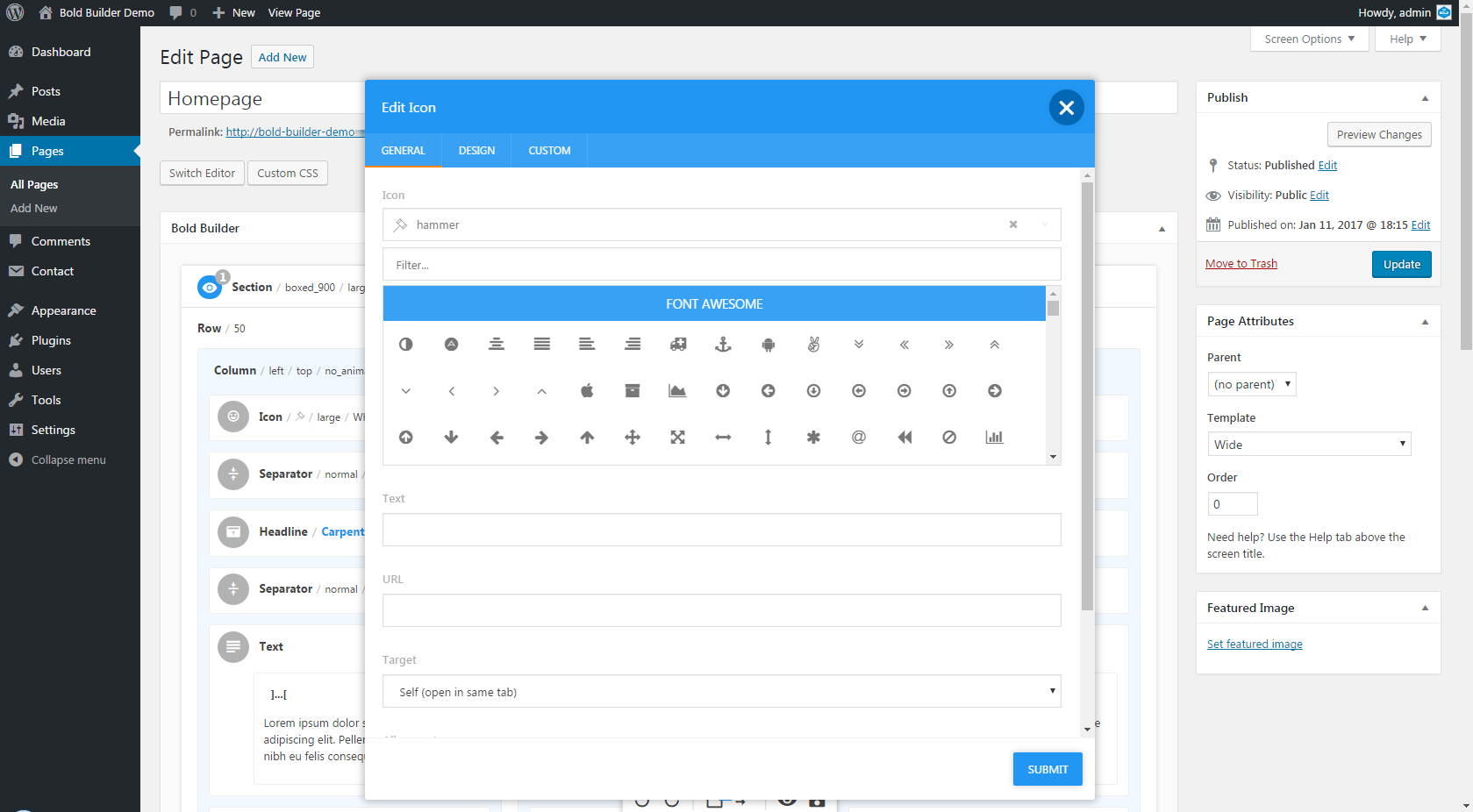
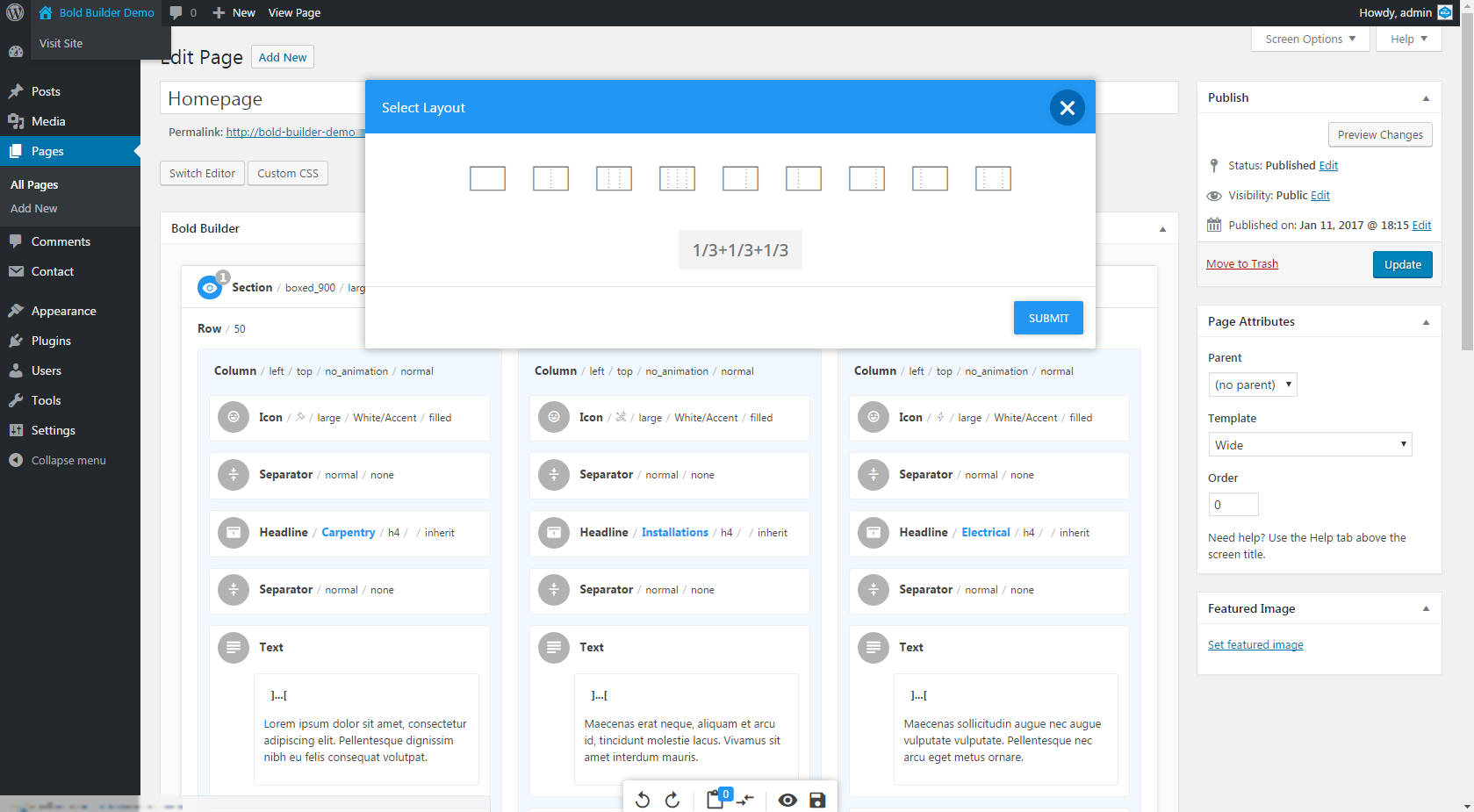
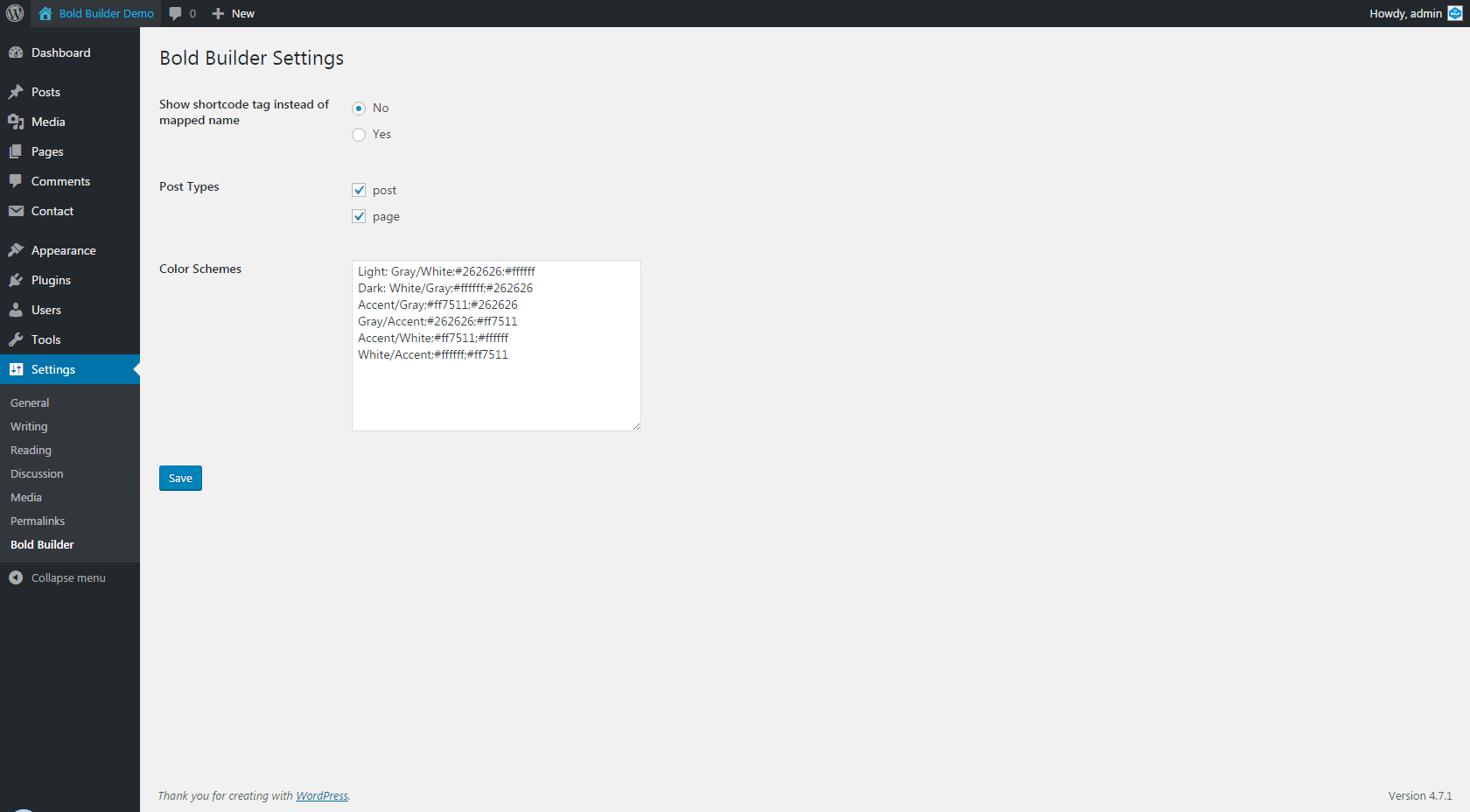
Para desenvolvedores
Este é o seu plugin? Mostre os números.
Adicione um crachá ao vivo ao seu site, Documentos ou Readme do GitHub. Ele é atualizado por conta própria - nenhuma conta necessária.
Best Bold Page Builder alternatives
Todos os plugins de arrastar e soltar →





FAQ
Bold Page Builder: quick answers
Respostas diretas, extraídas de dados ao vivo WordPress.org.
Fonte: WordPress.org
Is Bold Page Builder free?
Yes. Bold Page Builder is free to download and use from the official WordPress.org plugin directory.
Is Bold Page Builder safe to use in 2026?
Bold Page Builder is a solid plugin choice in 2026, with a few things worth checking first. It runs on 40K+ sites, is rated 3.6/5 and was last updated 1 week ago, and scores 68/100 on our health check.
How many websites use Bold Page Builder?
Bold Page Builder is active on 40K+ WordPress websites and has been downloaded 2,939,345 times since it launched in January 2017. It was downloaded 31,501 times in the last 30 days.
Does Bold Page Builder work with WordPress 7.1?
Bold Page Builder is officially tested up to WordPress 7.0.9, while the latest release is 7.1.5. It may still work, but try it on a staging site first.
When was Bold Page Builder last updated?
The latest version, 5.9.12, was released on November 10, 2026 (1 week ago).
Who makes Bold Page Builder?
Bold Page Builder is developed and maintained by boldthemes.
What are the best alternatives to Bold Page Builder?
The most popular alternatives to Bold Page Builder are Elementor Agent Ready Websi… (10M+ installs), Kirki (400K+ installs) and Page Builder by SiteOrigin (400K+ installs).
Alimentado por PageForge
Um modelo e uma planilha. Uma página real para cada pesquisa.
PageForge Transforma cada linha de um CSV em uma página WordPress com seu próprio título, URL, SEO campos e esquema, construído no layout que você já desenhou. Gratuito em WordPress.org.
- CSV e XLSX, mais Google Sheets em Profissional e Empresarial
- Seu próprio título, URL, SEO campos e esquema para cada página
- Funciona com o editor de blocos, Elementor, Divi e Avada
- Gratuito em WordPress.org, sem cartão de crédito