


text message sms plugin
The Text Message SMS Plugin by Biz Text lets your website receive and send text messages (SMS). You can reply and send text messages from your PC through WordPress or from your mobile phone. No Twilio account is needed.

Considere uma alternativa
text message sms plugin shows warning signs in 2026 — compare the alternatives below before installing. It runs on 100+ sites, is rated 5/5 and was last updated 2 years ago, and scores 37/100 on our health check.
- Base de usuários pequenas (mais de 100 instalações ativas)
- Nenhuma atualização em 2 anos
- Testado apenas até WordPress 6.7 (mais recente é 7.1)
Downloads diários
Os picos de download geralmente seguem uma nova versão — cada site que atualiza automaticamente é um download.
Rankings
Where text message sms plugin stands todayWordPress.org Classificações de pesquisa
Posição ao vivo na pesquisa de plugins, top 100| Palavra chave | Posição |
|---|---|
| receive sms | #67 |
| send sms | >100 |
| sms | >100 |
| text messages | #87 |
Adoção da versão
Compartilhamento de sites ativos por lançamento.
Divisão de classificação
★★★★★ ★★★★★ 5 de 6 comentários
About text message sms plugin
From the official readme · v3.1.0Descrição
The Text Message SMS Plugin by Biz Text lets your website receive and send text messages (SMS). You can reply and send text messages from your PC through WordPress or from your mobile phone. No Twilio account is needed.
The Text Message SMS Plugin requires an affordable, no-contract, cancel any time Biz Text plan, see our plan at Biz Text Solutions. A Biz Text plan allows you to choose a ‘Biz Text Number,’ to display on your website, allowing you to receive and send text messages.
When your website visitors send you a text, you can reply to those texts through your WordPress dashboard or forward those text messages to one or more mobile numbers. You can reply to texts from your mobile phone and your website visitors will never see your personal cell phone number.
You can also send texts from WordPress to a mobile number that has not texted you first. Your Biz Text Number can handle voice calls too, so you don’t need a landline number, nor do you need to display your mobile phone number to send and receive text messages.
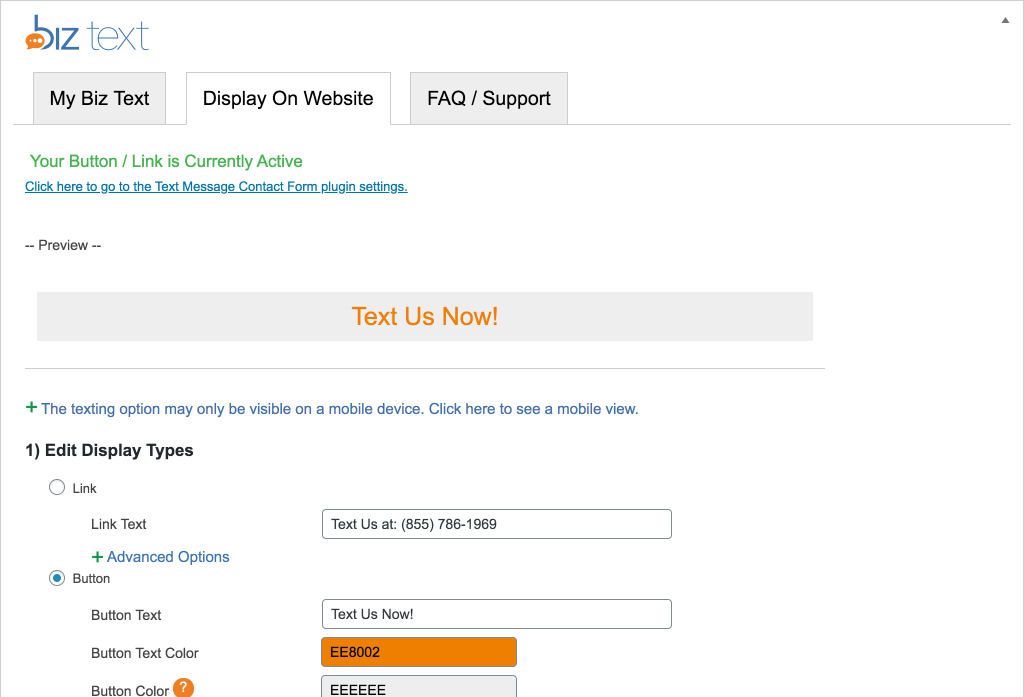
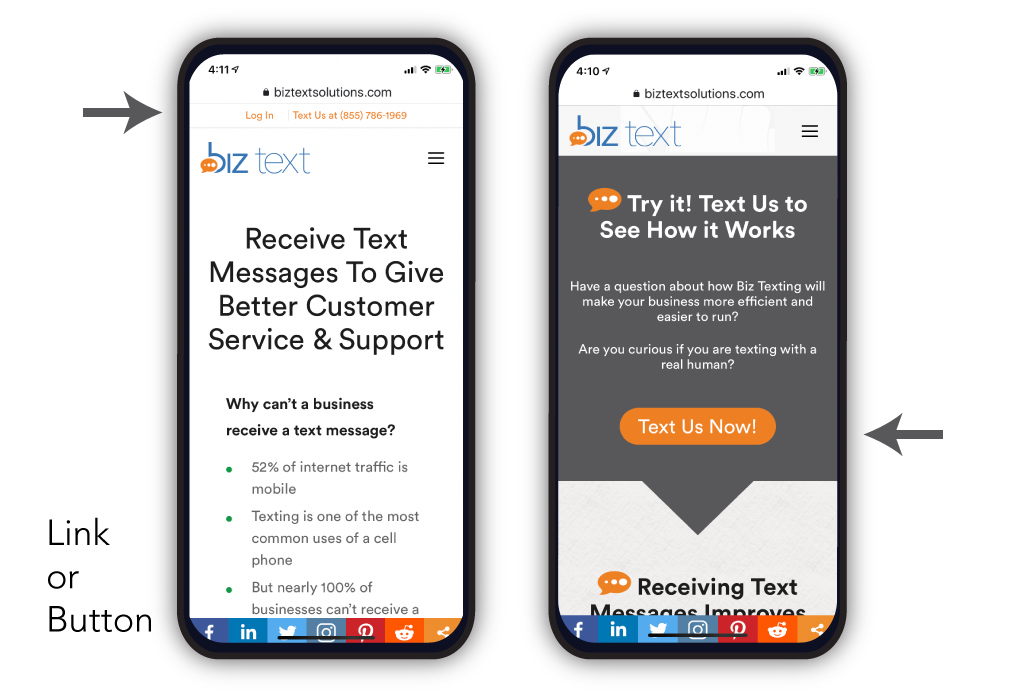
The Text Message SMS Plugin makes it easy for you to display your Biz Text Number on your website. Choose from link or button styles for your texting options, and only your mobile visitors will see the option to text you, your desktop visitors will see your regular website.
Key Features
- Receive, Reply, and Send Texts from your WordPress website
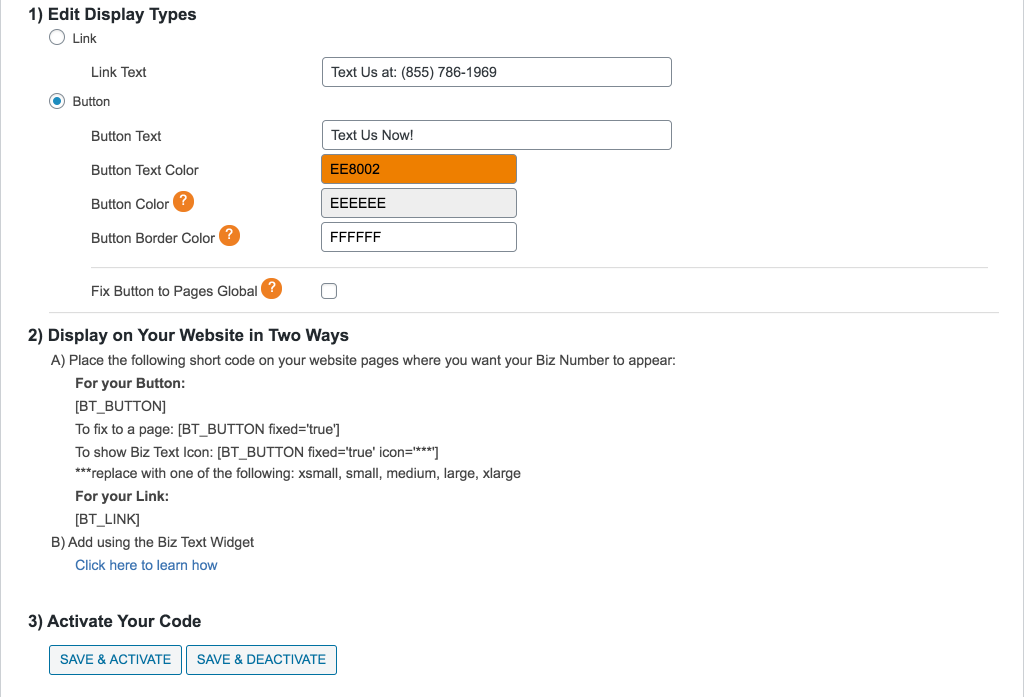
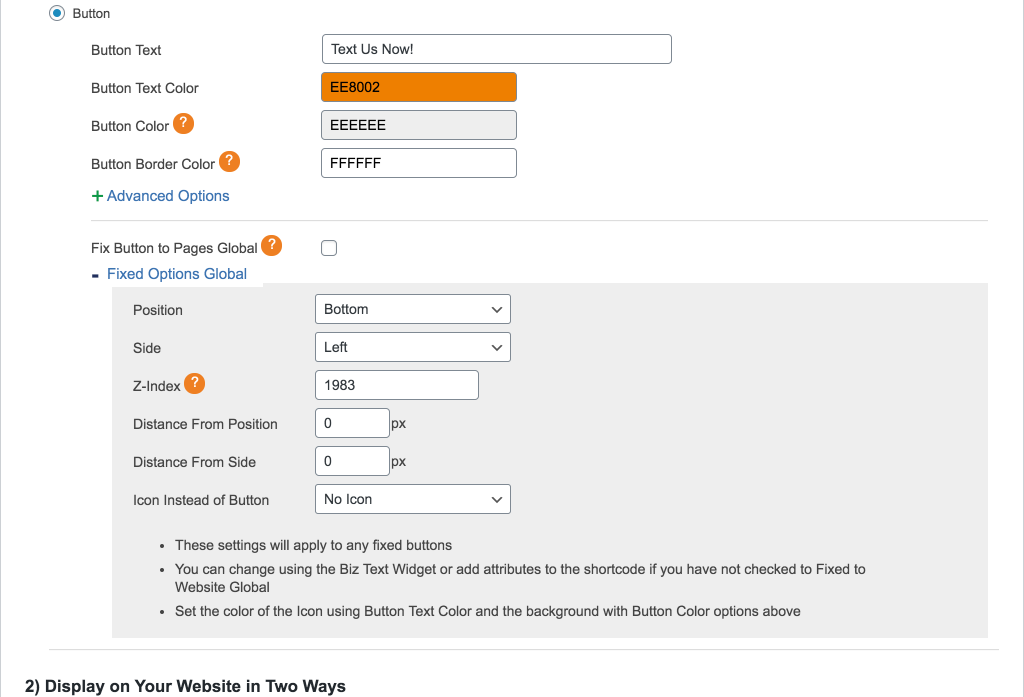
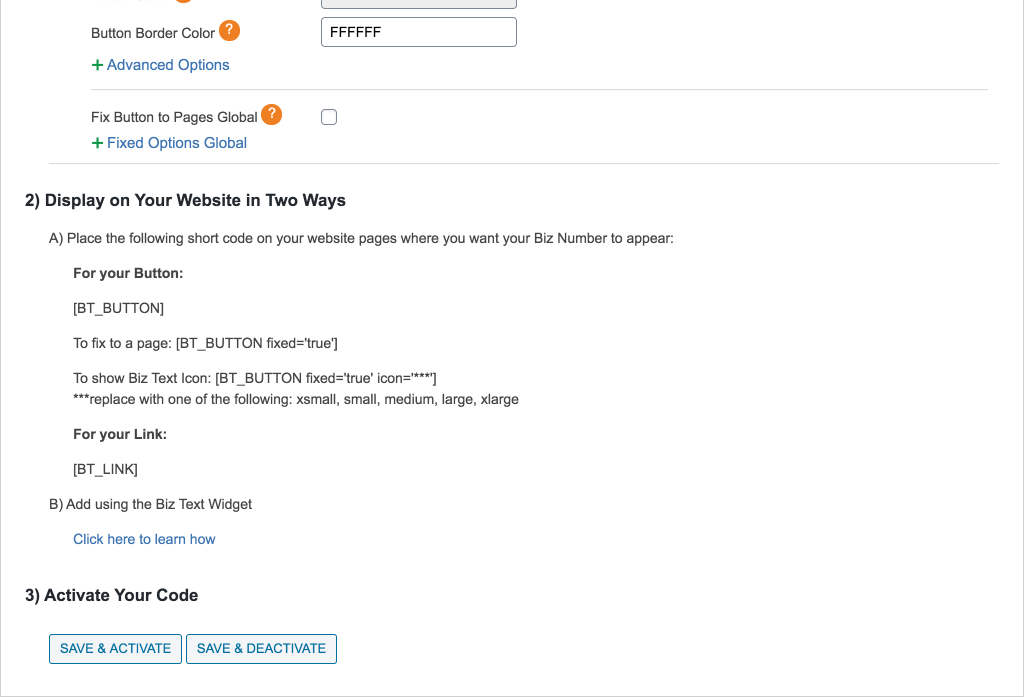
- Display your Biz Text Number with a Button or Link by shortcode or widget
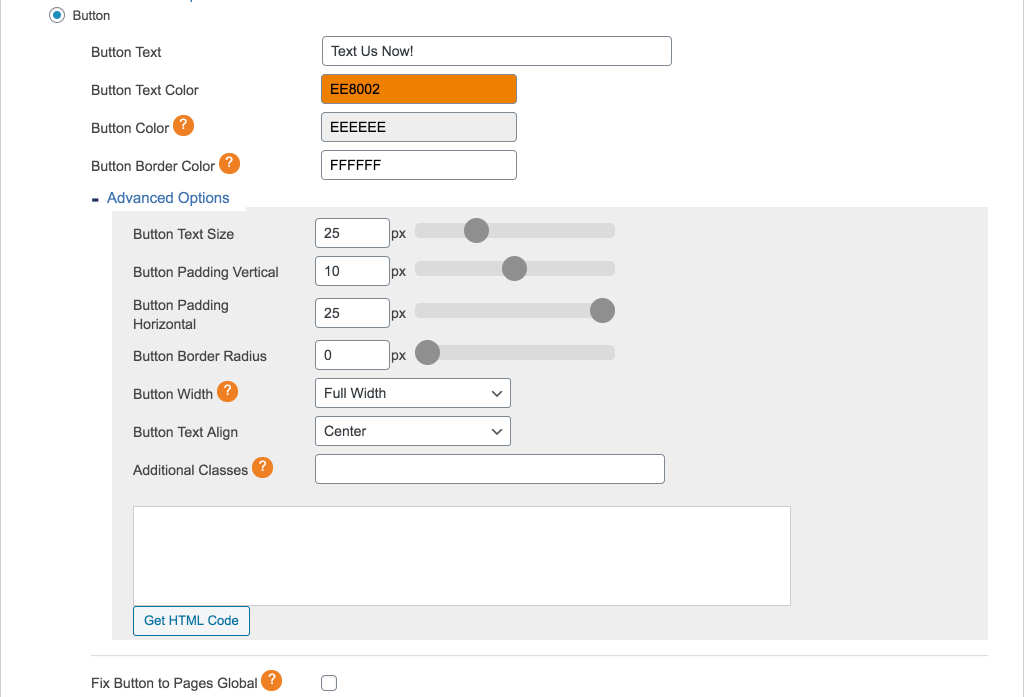
- Fix in position your Button or Biz Text Icon on your website
- Assign Biz Text Admin role to user or custom capability to other roles to access plugin settings
Integrations, Other Biz Text Plugins
To let your desktop visitors send you a text through a contact form that allows email as well, install the Text Message Contact Form Plugin.
Already have a contact form? Use our Text Message SMS Extension for Contact Form 7 to Integrate SMS with Contact Form 7. Receive and Reply by Text or email when a visitor sends you a message.
Send order Text notifications from your WooCommerce Store with our Text Message SMS Extension for WooCommerce
HOW IT WORKS – SEND AND RECEIVE TEXT MESSAGES
- Choose a ‘Biz Text Number’, a local number, and display it on your website
- Your Biz Text Number lets you receive text messages
- Reply to texts received from your PC through your WordPress dashboard or forward texts to your mobile phone
- When you reply to texts from your personal mobile phone, your personal number is never seen by your visitors
- Affordable, no-contract, cancel any time Biz Text plans available now, see our plans at Biz Text Solutions
- Send a text to a single contact or group of contacts
- Add groups with selected contacts
- Less phone calls, better service, change your business forever
To Sign Up
Visit our page Biz Text Solutions for information on the simple plan for your business needs and learn more.
Instalação
Upload Manually
- Upload the entire text-message folder to the /wp-content/plugins/ directory
- Activate the plugin through the Plugins screen (Plugins > Installed Plugins).
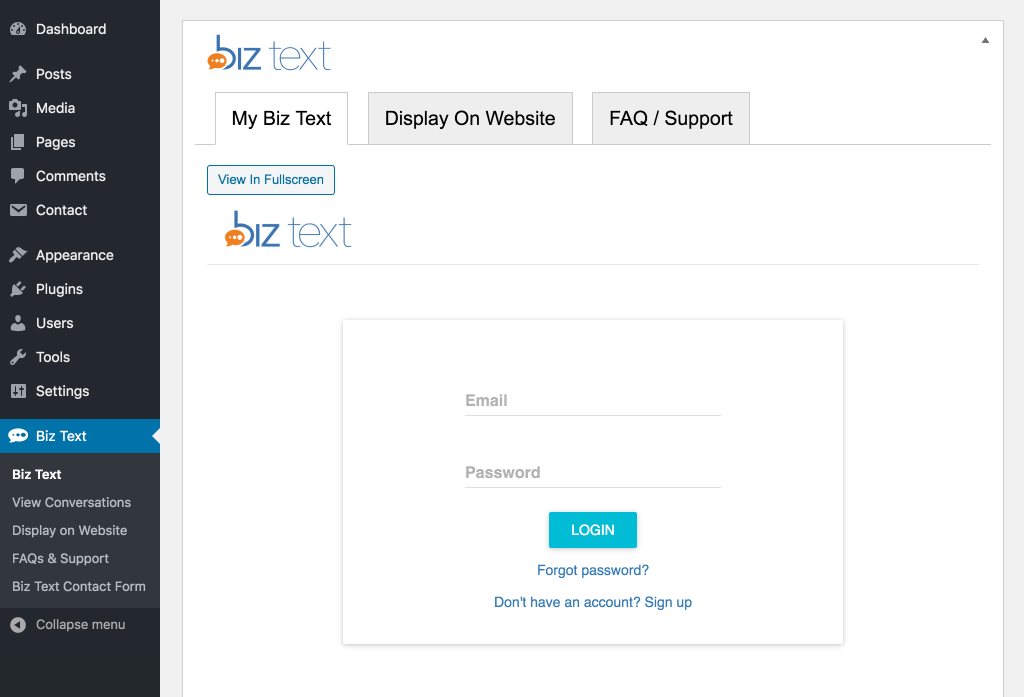
You will find Biz Text menu in your WordPress admin screen.
To learn more, have a look at Biz Text Solutions
Log de Changes
tested for WordPress 6.7
3.1
- tested for WordPress 6.7
3.0
- edit readme.text
- Added validation and defined variables when first installed to comply with PHP 8.0
- Tested for PHP 8.1
- Fix warnings on settings
- Tested for WordPress 6.4.1
- Added wp_is_mobile() to detect mobile devices and WordPress global $is_safari to detect safari
- Removed using Mobile_Detect.php to detect mobile
2.0
- Tested for WordPress 6.1.1
- Fix for PHP 8 removal null for $content line 470 text-form.php
- check for compatibly with php 8.0
1.6
- Added custom role named Biz Text Admin
- Added capability biztext_menu_access to Editor, Administrator, and Biz Text Admin. Allows menu to show in admin and access to the plugin.
- Added uninstall.php
- Tested in WordPress 5.5
- Added uninstall.php
1.5.5
- Corrected the displays not showing in Safari browsers on mobile devices if devices all not selected
- Safari browser, as of iOS 13 defaults to request desktop website on for mobile devices and would need to be turned off by visitor on their device in settings or select mobile or request mobile website
- To correct, if viewed in Safari browser in desktop view and show on all devices is not selected, the displays will only show on screens under 1024px
1.5.0
- Added the ability to fix a button to the screen
- Added the ability to choose Biz Text Icon and Fix to Screen
- Global settings for fixing a button or set for a specific widget or shortcode
- Show Button or link on Safari if mobile
Capturas de tela

Para desenvolvedores
Este é o seu plugin? Mostre os números.
Adicione um crachá ao vivo ao seu site, Documentos ou Readme do GitHub. Ele é atualizado por conta própria - nenhuma conta necessária.
FAQ
text message sms plugin: quick answers
Respostas diretas, extraídas de dados ao vivo WordPress.org.
Fonte: WordPress.org
Is text message sms plugin free?
Yes. text message sms plugin is free to download and use from the official WordPress.org plugin directory.
Is text message sms plugin safe to use in 2026?
text message sms plugin shows warning signs in 2026 — compare the alternatives below before installing. It runs on 100+ sites, is rated 5/5 and was last updated 2 years ago, and scores 37/100 on our health check.
How many websites use text message sms plugin?
text message sms plugin is active on 100+ WordPress websites and has been downloaded 11,621 times since it launched in April 2019. It was downloaded 191 times in the last 30 days.
Does text message sms plugin work with WordPress 7.1?
text message sms plugin is officially tested up to WordPress 6.7.12, while the latest release is 7.1.5. It may still work, but try it on a staging site first.
What PHP version does text message sms plugin need?
text message sms plugin requires PHP 7.0 or higher. Most hosts run PHP 8.x today, so it works on any modern WordPress hosting.
When was text message sms plugin last updated?
The latest version, 3.1.0, was released on November 20, 2024 (2 years ago).
Who makes text message sms plugin?
text message sms plugin is developed and maintained by biz text.
Alimentado por PageForge
Um modelo e uma planilha. Uma página real para cada pesquisa.
PageForge Transforma cada linha de um CSV em uma página WordPress com seu próprio título, URL, SEO campos e esquema, construído no layout que você já desenhou. Gratuito em WordPress.org.
- CSV e XLSX, mais Google Sheets em Profissional e Empresarial
- Seu próprio título, URL, SEO campos e esquema para cada página
- Funciona com o editor de blocos, Elementor, Divi e Avada
- Gratuito em WordPress.org, sem cartão de crédito