

Smart Click Tracker
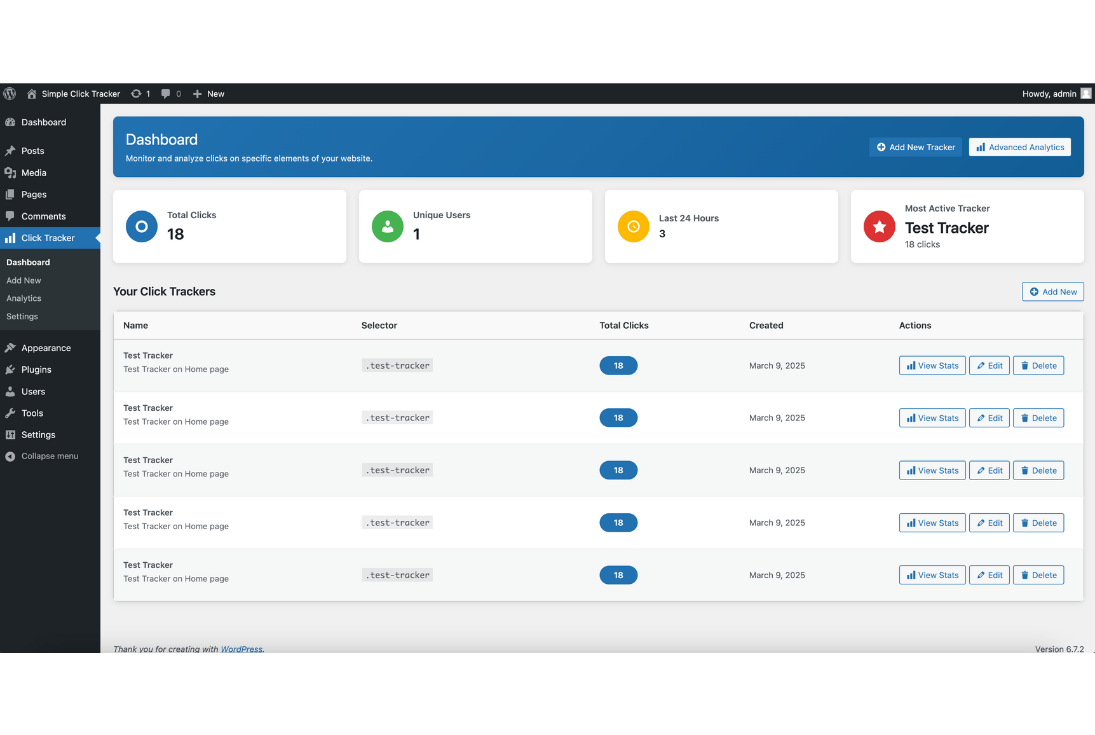
Track clicks on any element of your WordPress site and view detailed statistics with beautiful charts.

Considere uma alternativa
Smart Click Tracker shows warning signs in 2026 — compare the alternatives below before installing. It runs on 300+ sites, is rated 5/5 and was last updated 9 months ago, and scores 37/100 on our health check.
- Base de usuários pequenas (mais de 300 instalações ativas)
- Muito poucos comentários até agora
- Testado apenas até WordPress 6.8 (mais recente é 7.1)
Como ele se acumula?
Lado a lado em instalações, atualizações, avaliações e suporte



Downloads diários
Os picos de download geralmente seguem uma nova versão — cada site que atualiza automaticamente é um download.
Rankings
Where Smart Click Tracker stands todayWordPress.org Classificações de pesquisa
Posição ao vivo na pesquisa de plugins, top 100| Palavra chave | Posição |
|---|---|
| analytics | >100 |
| click tracking | #33 |
| event tracking | >100 |
| statistics | >100 |
| user behavior | #67 |
Adoção da versão
Compartilhamento de sites ativos por lançamento.
Divisão de classificação
★★★★★ ★★★★★ 5 de 1 comentários
About Smart Click Tracker
From the official readme · v1.1.0Descrição
Smart Click Tracker is a lightweight WordPress plugin that helps you track and analyze clicks on your website. Whether you want to monitor button clicks, link engagement, or any other element interactions, this plugin provides the tools you need to make data-driven decisions.
Key Features
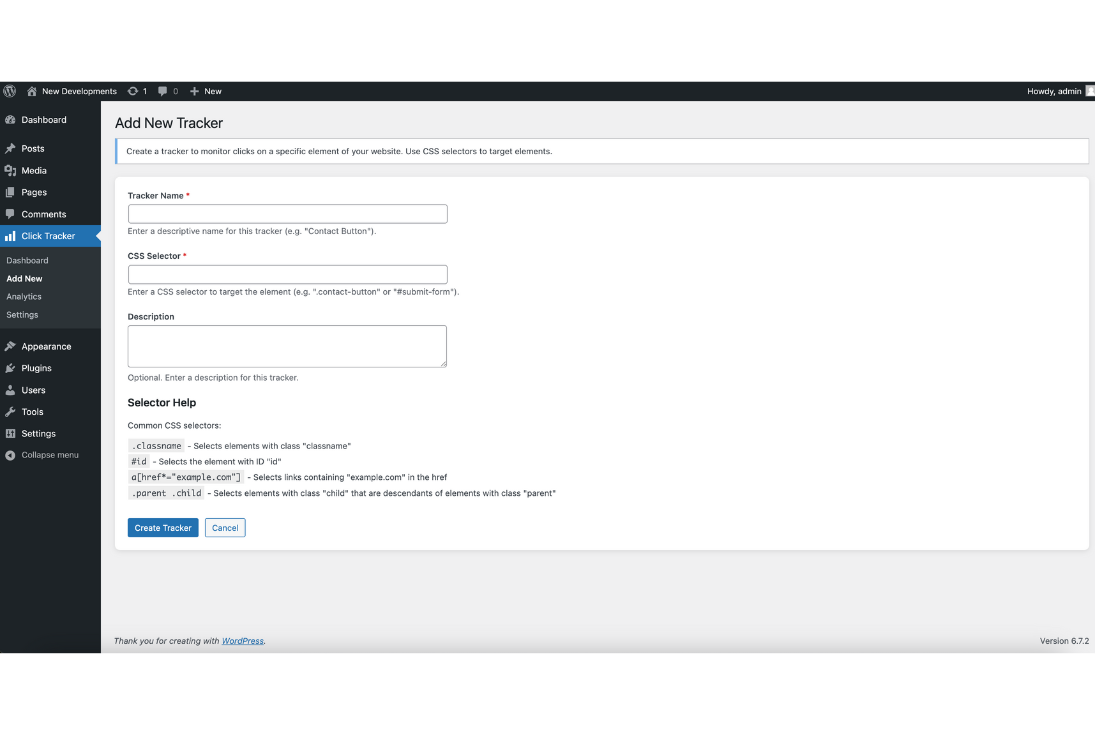
- Element Click Tracking – Track clicks on any element using CSS selectors
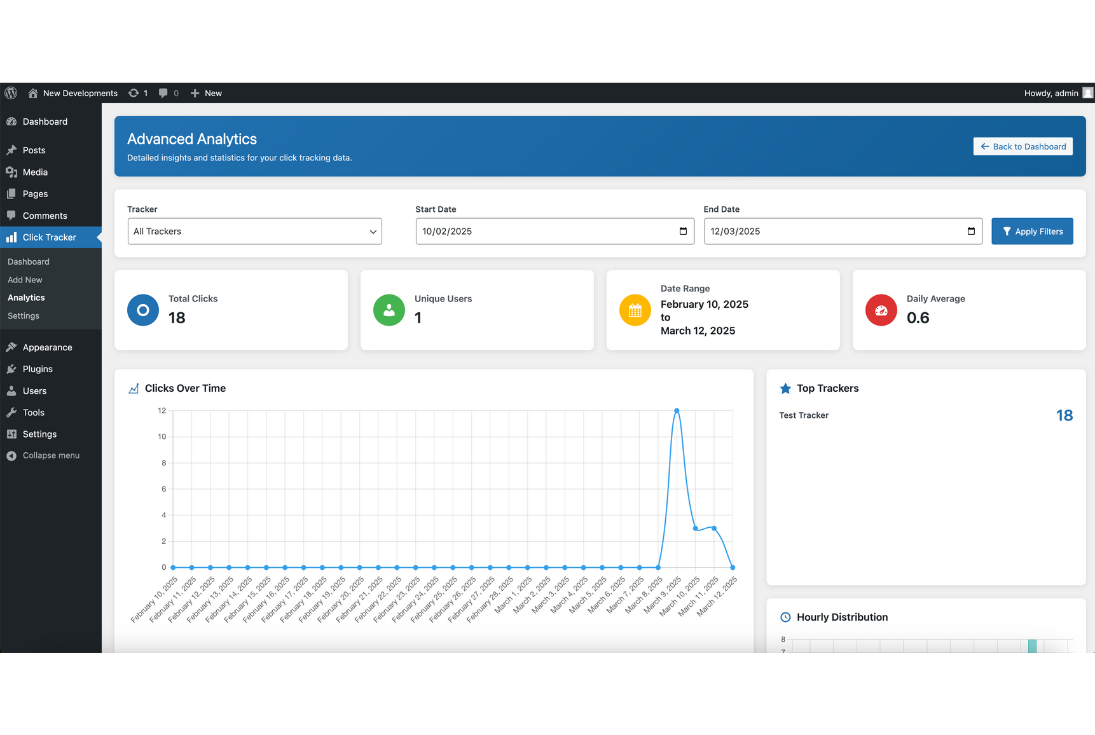
- Advanced Analytics – Visual charts for clicks over time, hourly distribution, and device breakdown
- Date Range Filtering – Filter analytics data by custom date ranges and specific trackers
- Device Detection – See how users interact across desktop, mobile, and tablet devices
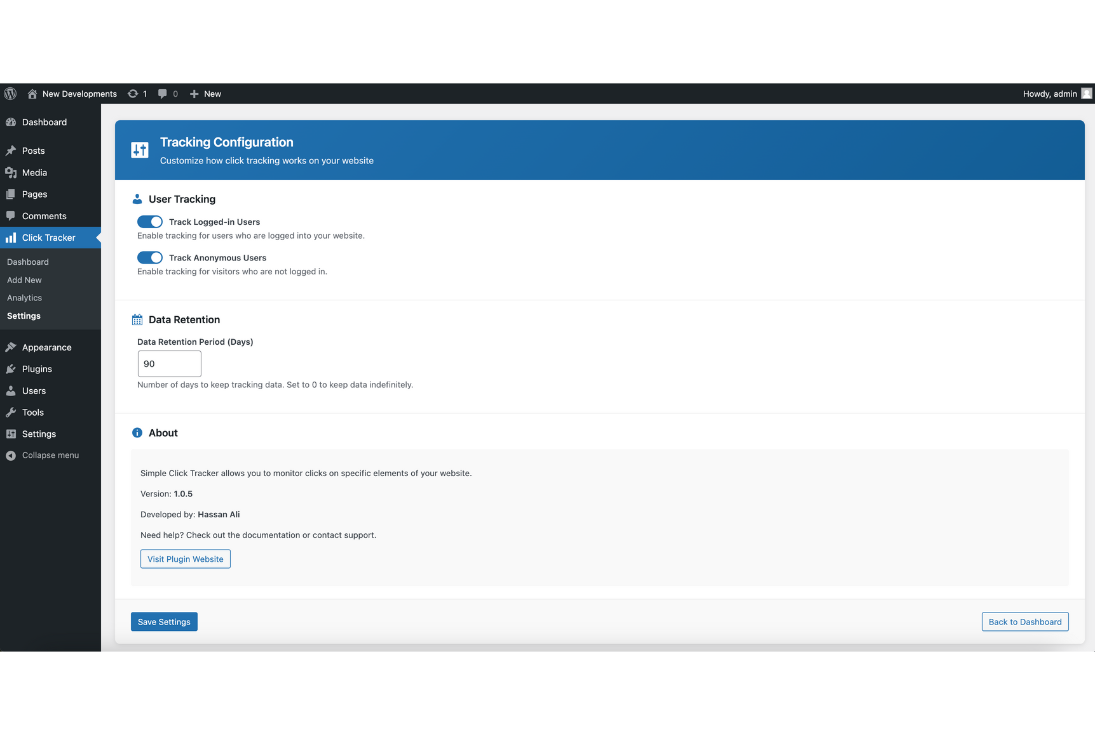
- User Tracking Controls – Choose to track logged-in users, anonymous users, or both
- Data Retention – Automatic cleanup of old tracking data based on your retention settings
- IP Anonymization – Built-in option to anonymize visitor IP addresses for privacy compliance
- Rate Limiting – Prevents duplicate click tracking from the same user in quick succession
- Lightweight – Minimal impact on page load times with asynchronous tracking
Casos de uso
- Conversion Optimization – Identify which CTAs and buttons get the most clicks
- UX Research – Understand how users interact with your site layout
- Content Strategy – Measure engagement on specific content elements
- A/B Testing Support – Compare click rates on different page elements
Privacidade
Smart Click Tracker is designed with privacy in mind:
- Optional IP address anonymization
- Configurable data retention period
- Minimal data collection (no cookies, no third-party services)
- All data stored locally in your WordPress database
Instalação
- Carregue a pasta
smart-click-trackerpara o diretório/wp-content/plugins/ - Ative o plugin através do menu 'Plugins' em WordPress
- Go to ‘Click Tracker’ in your admin menu to start creating trackers
Manual Installation
- Download the plugin ZIP file
- Go to Plugins > Add New in your WordPress admin
- Click the ‘Upload Plugin’ button
- Upload the ZIP file and activate the plugin
Log de Changes
Security and performance release. Fixes XSS vulnerability, improves nonce handling, adds database indexes for faster analytics queries, and resolves settings sanitization issue. Strongly recommended.
1.1.0
- Security: Added capability check to uninstall routine
- Security: Separated admin and public nonce actions to prevent cross-context reuse
- Security: Fixed XSS vulnerability in admin JavaScript when rendering AJAX response data
- Security: Fixed settings sanitization losing values when checkboxes are unchecked
- Performance: Replaced N+1 per-tracker click count queries with single bulk query on dashboard
- Performance: Added database indexes on created_at, (tracker_id, created_at), and user_id columns
- Performance: Added automatic database upgrade routine for existing installations
- Fix: IP validation now accepts private/reserved ranges for REMOTE_ADDR (local/staging compatibility)
- Removed console.log statements from production JavaScript
1.0.9
- Fixed analytics page not rendering charts and filter controls
- Fixed edit tracker page not loading existing tracker data
- Removed duplicate hook registration in admin class constructor
- Moved analytics data preparation to dedicated method for reliability
- Code quality improvements and cleanup
1.0.8
- Implemented unique naming convention (smarcltr prefix) for WordPress Plugin Directory compliance
- Fixed JavaScript click tracking functionality with comprehensive debugging
- Fixed tracker statistics modal display issues
- Removed all error_log statements for production-ready silent operation
- Cleaned up legacy files and optimized plugin structure
- Added proper Chart.js integration for analytics page
- Enhanced security with rate limiting and input validation
- Improved error handling throughout the plugin
- Performance optimizations with multi-layer caching
1.0.7
- Improved analytics interface
- Fixed issue with filter form layout
1.0.5
- Lançamento inicial
Capturas de tela
Para desenvolvedores
Este é o seu plugin? Mostre os números.
Adicione um crachá ao vivo ao seu site, Documentos ou Readme do GitHub. Ele é atualizado por conta própria - nenhuma conta necessária.
Best Smart Click Tracker alternatives
All analytics plugins →





FAQ
Smart Click Tracker: quick answers
Respostas diretas, extraídas de dados ao vivo WordPress.org.
Fonte: WordPress.org
Is Smart Click Tracker free?
Yes. Smart Click Tracker is free to download and use from the official WordPress.org plugin directory.
Is Smart Click Tracker safe to use in 2026?
Smart Click Tracker shows warning signs in 2026 — compare the alternatives below before installing. It runs on 300+ sites, is rated 5/5 and was last updated 9 months ago, and scores 37/100 on our health check.
How many websites use Smart Click Tracker?
Smart Click Tracker is active on 300+ WordPress websites and has been downloaded 2,031 times since it launched in August 2025. It was downloaded 203 times in the last 30 days.
Does Smart Click Tracker work with WordPress 7.1?
Smart Click Tracker is officially tested up to WordPress 6.8.13, while the latest release is 7.1.5. It may still work, but try it on a staging site first.
What PHP version does Smart Click Tracker need?
Smart Click Tracker requires PHP 7.4 or higher. Most hosts run PHP 8.x today, so it works on any modern WordPress hosting.
When was Smart Click Tracker last updated?
The latest version, 1.1.0, was released on March 17, 2026 (9 months ago).
Who makes Smart Click Tracker?
Smart Click Tracker is developed and maintained by Coresol Studio.
What are the best alternatives to Smart Click Tracker?
The most popular alternatives to Smart Click Tracker are Site Kit by Google (5M+ installs), MonsterInsights (2M+ installs) and WP Statistics (500K+ installs).
Alimentado por PageForge
Um modelo e uma planilha. Uma página real para cada pesquisa.
PageForge Transforma cada linha de um CSV em uma página WordPress com seu próprio título, URL, SEO campos e esquema, construído no layout que você já desenhou. Gratuito em WordPress.org.
- CSV e XLSX, mais Google Sheets em Profissional e Empresarial
- Seu próprio título, URL, SEO campos e esquema para cada página
- Funciona com o editor de blocos, Elementor, Divi e Avada
- Gratuito em WordPress.org, sem cartão de crédito