


QR Link Generator for WP
Welcome to QR Link Generator for WP🔌, a powerful and easy-to-use WordPress plugin that integrates seamlessly with WooCommerce 🛍️.

Considere uma alternativa
QR Link Generator for WP shows warning signs in 2026 — compare the alternatives below before installing. It runs on 60+ sites, is rated 5/5 and was last updated 2 years ago, and scores 41/100 on our health check.
- Base de usuários pequenas (mais de 60 instalações ativas)
- Muito poucos comentários até agora
- Nenhuma atualização em mais de um ano
- Testado apenas até WordPress 6.8 (mais recente é 7.1)
Como ele se acumula?
Lado a lado em instalações, atualizações, avaliações e suporte



Downloads diários
Os picos de download geralmente seguem uma nova versão — cada site que atualiza automaticamente é um download.
Rankings
Where QR Link Generator for WP stands todayWordPress.org Classificações de pesquisa
Posição ao vivo na pesquisa de plugins, top 100| Palavra chave | Posição |
|---|---|
| qr | >100 |
| qr code | >100 |
| qrcode | #50 |
| Shortcode | >100 |
| WooCommerce | >100 |
Adoção da versão
Compartilhamento de sites ativos por lançamento.
Divisão de classificação
★★★★★ ★★★★★ 5 de 2 comentários
About QR Link Generator for WP
From the official readme · v1.0.12Descrição
Welcome to QR Link Generator for WP🔌, a powerful and easy-to-use WordPress plugin that integrates seamlessly with WooCommerce 🛍️.
This plugin is an essential tool for businesses, bloggers, eCommerce store owners, and anyone looking to enhance their digital presence with the dynamic utility of QR codes.
Características principais:
👉 QR codes generated for the user:
-
Create QR codes easily through a simple interface form.
-
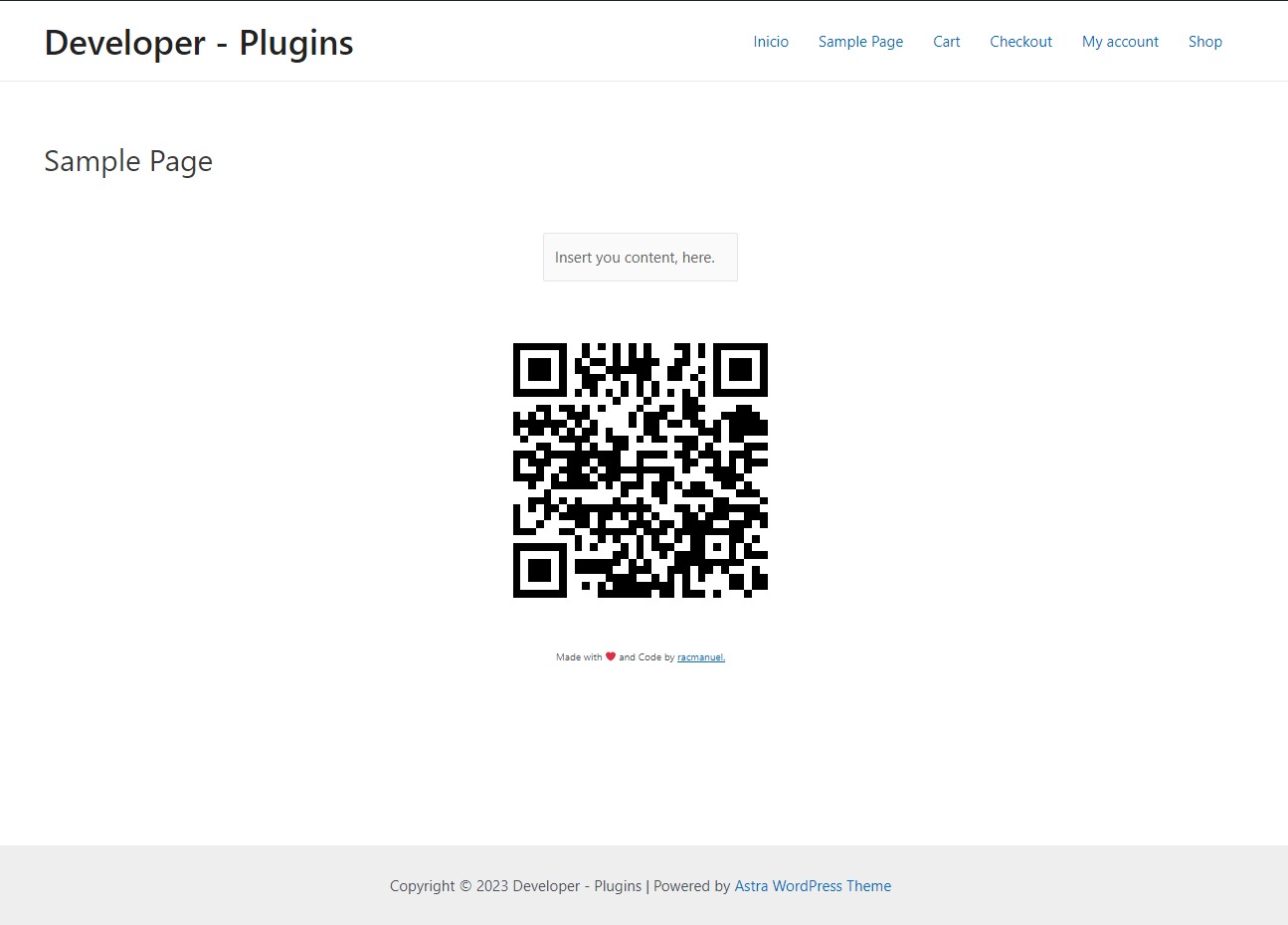
Use a shortcode [qr_link_generator_for_wp_shortcode] to embed the QR code generation form anywhere on your WordPress site.
-
Allow visitors to generate their own QR codes by inserting any link, improving user engagement.
👉 Automated QR Codes for WooCommerce Products:
-
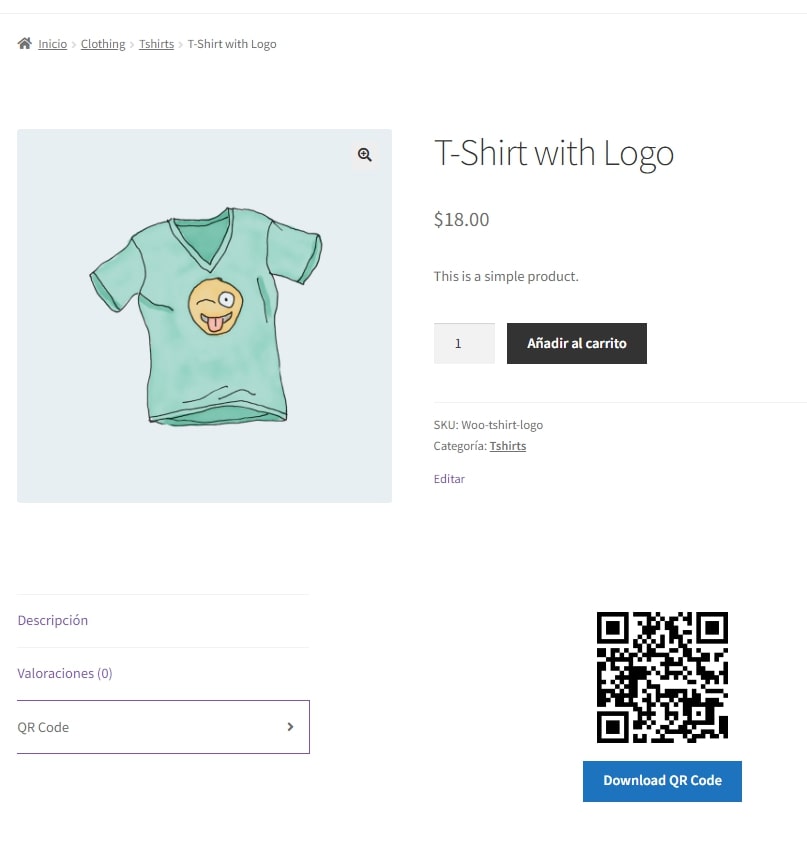
Automatically generate unique QR codes for each product in your WooCommerce store.
-
QR codes can link to product pages, making sharing and accessing products very easy for customers.
-
Ideal for physical storefronts, promotional materials and digital marketing campaigns.
👉 Customization and flexibility:
-
Customize the layout and size of QR codes to match your brand identity.
-
Settings to control the appearance and functionality of QR codes.
-
Ensures minimal impact on site speed and performance.
-
Optimized for perfect operation with WordPress and WooCommerce environments.
👉 Friendly interface:
-
Intuitive configuration panel for easy configuration and management.
-
No technical experience is required to generate or manage QR codes.
👉 Safe and reliable:
-
Adheres to the best WordPress coding standards for security and performance.
-
Regular updates for compatibility with the latest versions of WordPress and WooCommerce.
👉 Use cases:
-
Improve your marketing efforts by including QR codes on promotional materials.
-
Provide a quick and easy way for customers to find and purchase products in your WooCommerce store.
- Interact with your audience by allowing them to create their own QR codes directly from your website.
Whether you are looking to drive more traffic to your website, optimize your marketing efforts, or offer an interactive experience to your users, the QR Code Generator is the perfect solution. Try it today and unlock the potential of QR codes on your WordPress site!
How can I create a QR code on my website and for my WooCommerce products?
To active form to generate a QR Code
After activation, use the provided shortcode [qr_link_generator_for_wp_shortcode] in a page, or widgets to display a QR code generation form. Users can enter a URL in this form to generate a QR code.
To activate QR codes for WooCommerce products
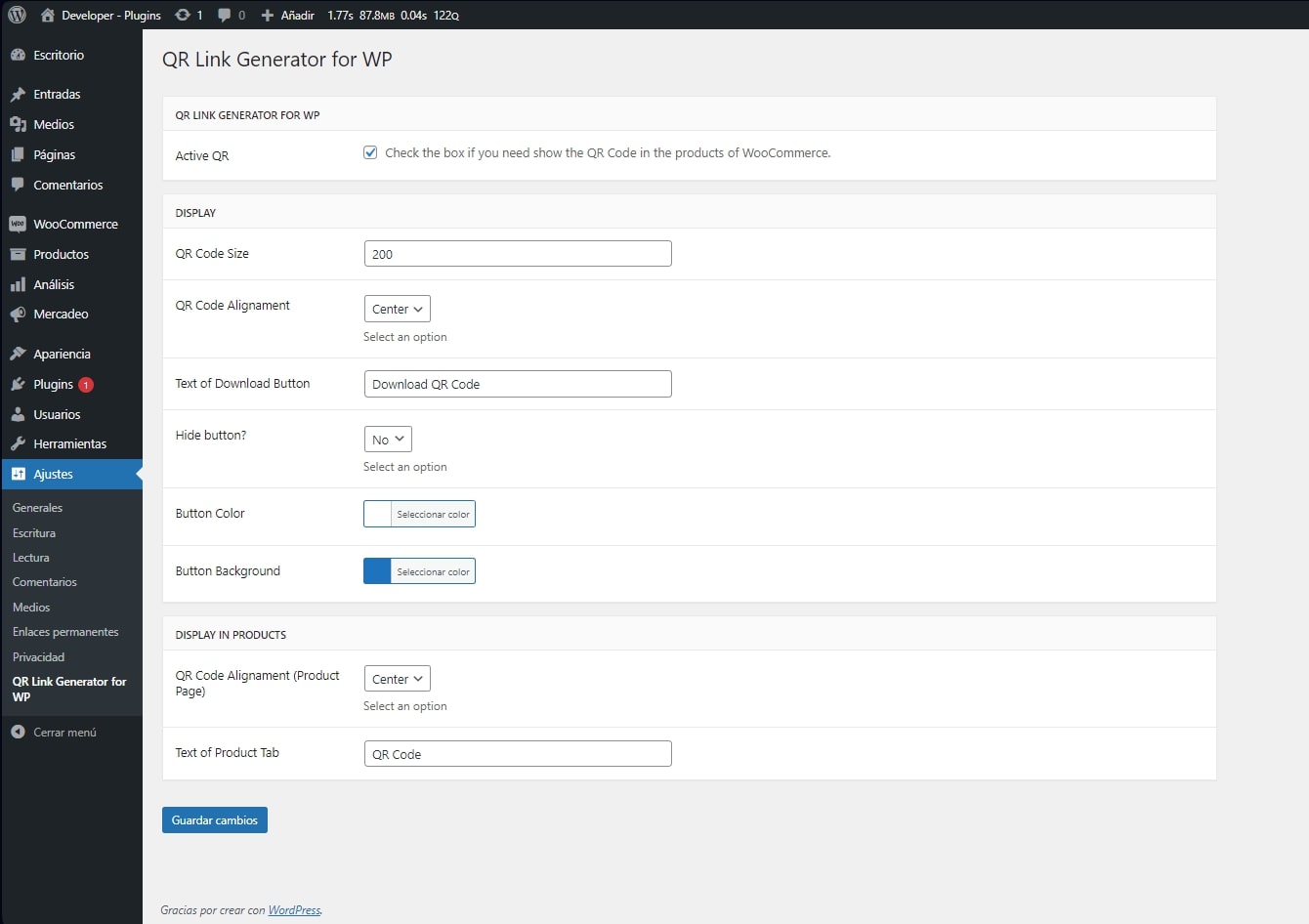
- Navigate to the WordPress settings menu, click on “QR Link Generator for WP,”.
- Then select the “Active QR” option and save your settings.
Note that the settings in this section are only applicable to QR codes generated for WooCommerce products. The QR code will appear as a tab on the individual product page.
🔌👨🏻💻Was the plugin helpful?
Invite me to a Coffee ☕: https://link.mercadopago.com.mx/racmanuel
🔌👨🏻💻Do you need a Custom plugin development?
Visit my website👨🏻💻👀: https://racmanuel.dev/
Política de privacidade
QR Link Generator for WP uses the Freemius SDK to collect telemetry data, but only with the user’s explicit consent. This data collection helps us troubleshoot issues and improve our product.
- No data is gathered by default.
- Data collection only begins after user consent via the admin notice.
- Collected data ensures a great user experience.
Integrating the Freemius SDK does not immediately start data collection without user confirmation.
Instalação
Esta seção descreve como instalar o plugin e fazê-lo funcionar.
ex.
- Carregue os arquivos do plugin no diretório
/wp-content/plugins/plugin-nameou instale o plugin por meio da tela de plugins WordPress diretamente. - Ative o plugin através da tela 'Plugins' em WordPress
- Use the Settings->Plugin Name screen to configure the plugin
- (Make your instructions match the desired user flow for activating and installing your plugin. Include any steps that might be needed for explanatory purposes)
Log de Changes
FIX translations on the settings with tooltip
1.0.12
- FIX translations on the settings with tooltip
1.0.8
- Added CMB2 fields for frontend text translations.
- Improved escaping and output security for all public templates.
1.0.7
- Removed Appsero dependencies.
- Integrated Freemius SDK.
- Removed uninstall.php.
1.0.6
- Updated Appsero dependencies.
1.0.5
- Added new readme.txt.
- Added support for WordPress 6.4.
- Integrated Appsero.
Capturas de tela

Para desenvolvedores
Este é o seu plugin? Mostre os números.
Adicione um crachá ao vivo ao seu site, Documentos ou Readme do GitHub. Ele é atualizado por conta própria - nenhuma conta necessária.
Best QR Link Generator for WP alternatives
All qr plugins →




FAQ
QR Link Generator for WP: quick answers
Respostas diretas, extraídas de dados ao vivo WordPress.org.
Fonte: WordPress.org
Is QR Link Generator for WP free?
Yes. QR Link Generator for WP is free to download and use from the official WordPress.org plugin directory.
Is QR Link Generator for WP safe to use in 2026?
QR Link Generator for WP shows warning signs in 2026 — compare the alternatives below before installing. It runs on 60+ sites, is rated 5/5 and was last updated 2 years ago, and scores 41/100 on our health check.
How many websites use QR Link Generator for WP?
QR Link Generator for WP is active on 60+ WordPress websites and has been downloaded 4,130 times since it launched in February 2023. It was downloaded 153 times in the last 30 days.
Does QR Link Generator for WP work with WordPress 7.1?
QR Link Generator for WP is officially tested up to WordPress 6.8.13, while the latest release is 7.1.5. It may still work, but try it on a staging site first.
What PHP version does QR Link Generator for WP need?
QR Link Generator for WP requires PHP 8.1 or higher. Most hosts run PHP 8.x today, so it works on any modern WordPress hosting.
When was QR Link Generator for WP last updated?
The latest version, 1.0.12, was released on May 6, 2025 (2 years ago).
Who makes QR Link Generator for WP?
QR Link Generator for WP is developed and maintained by racmanuel.dev.
What are the best alternatives to QR Link Generator for WP?
The most popular alternatives to QR Link Generator for WP are Kaya QR Code Generator (10K+ installs), Qyrr (2K+ installs) and SnapScan Payment Gateway (600+ installs).
Alimentado por PageForge
Um modelo e uma planilha. Uma página real para cada pesquisa.
PageForge Transforma cada linha de um CSV em uma página WordPress com seu próprio título, URL, SEO campos e esquema, construído no layout que você já desenhou. Gratuito em WordPress.org.
- CSV e XLSX, mais Google Sheets em Profissional e Empresarial
- Seu próprio título, URL, SEO campos e esquema para cada página
- Funciona com o editor de blocos, Elementor, Divi e Avada
- Gratuito em WordPress.org, sem cartão de crédito