


Qyrr – simply and modern QR-Code creation
Create, manage and track fully customizable QR Codes without any Third-Party-APIs.

Escolha segura
Yes — Qyrr is a safe, well-maintained plugin to use in 2026. It runs on 2K+ sites, is rated 3.8/5 and was last updated 5 days ago, and scores 82/100 on our health check.
- Desenvolvido ativamente — última atualização 5 dias atrás
- Testado com as últimas WordPress (7.1)
- Momentum — downloads up 60.9% vs the previous 30 days
Como ele se acumula?
Lado a lado em instalações, atualizações, avaliações e suporte



Downloads diários
Os picos de download geralmente seguem uma nova versão — cada site que atualiza automaticamente é um download.
Rankings
Where Qyrr stands todayWordPress.org Classificações de pesquisa
Posição ao vivo na pesquisa de plugins, top 100| Palavra chave | Posição |
|---|---|
| qr | #15 |
| qr code | #8 |
| qr code generator | #6 |
| qr code tracking | #3 |
Adoção da versão
Compartilhamento de sites ativos por lançamento.
Divisão de classificação
★★★★★★★★★★ 3.8 from 21 reviews
About Qyrr
From the official readme · v2.0.13Descrição
Create, manage and track QR Codes in WordPress with Qyrr.
Use the power of the QR Code editor to create a fully customizable QR Code without any Third-Party-APIs.
Recursos
Fontes
Create a QR Code for all your posts and pages or use an external URL.
We also support various other sources (texts, WhatsApp and SMS messages, E-Mails, Phone numbers, vCards) within Qyrr Pro.
Embed QR Codes
Easily embed QR codes into your website. Use the custom block or the integrated shortcode.
Forget about copying IDs into clunky shortcodes, we handle that automatically for you.
The only thing you have to do is copy and paste the QR Code or select the code within the block.
Style your QR Code
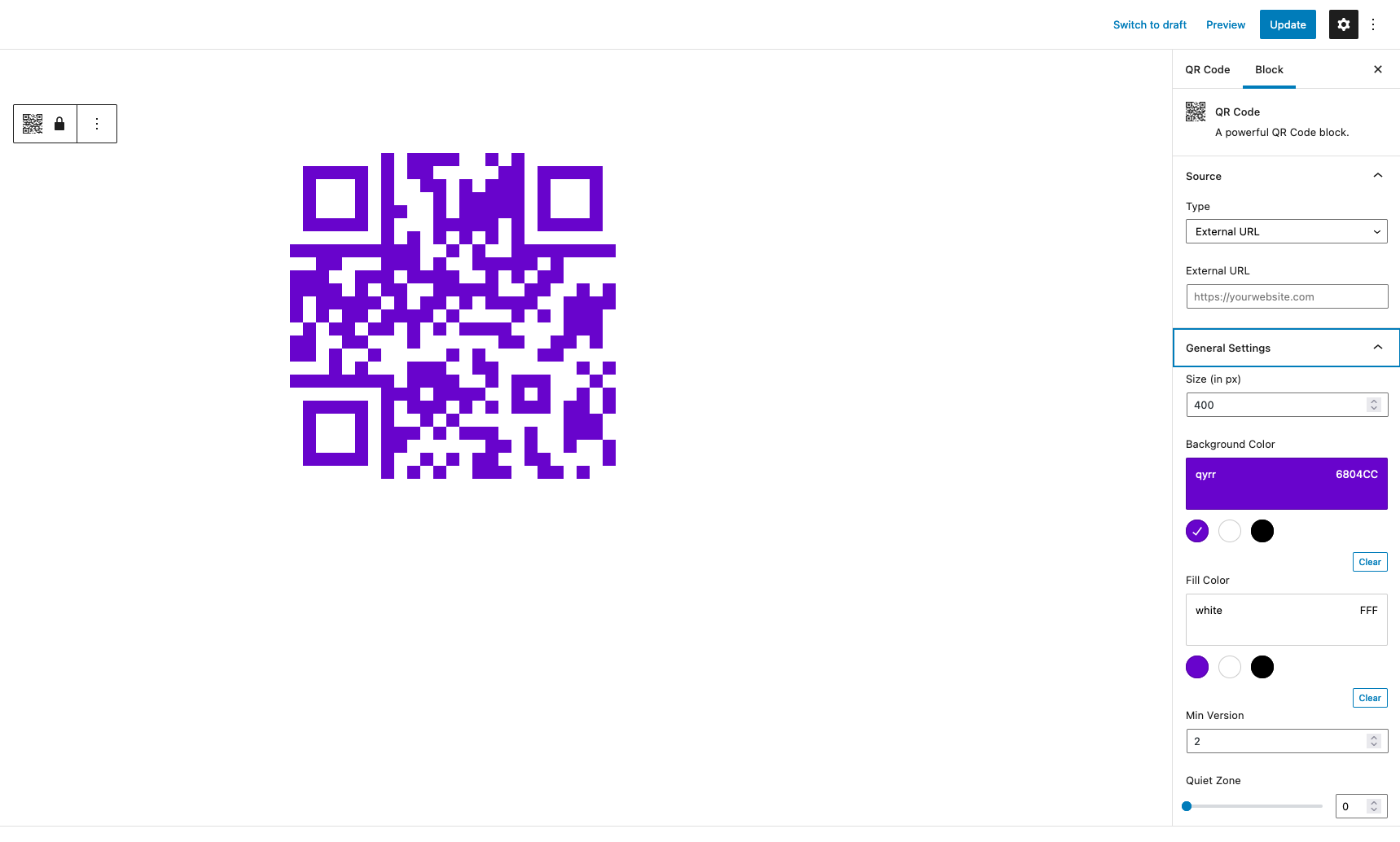
Qyrr offers an entire toolkit for styling your QR Code.
Adjust the size, background color, fill color, the minimum readable version, the quiet zone, add rounded corners and improve the error handling level for better results.
Add your logo
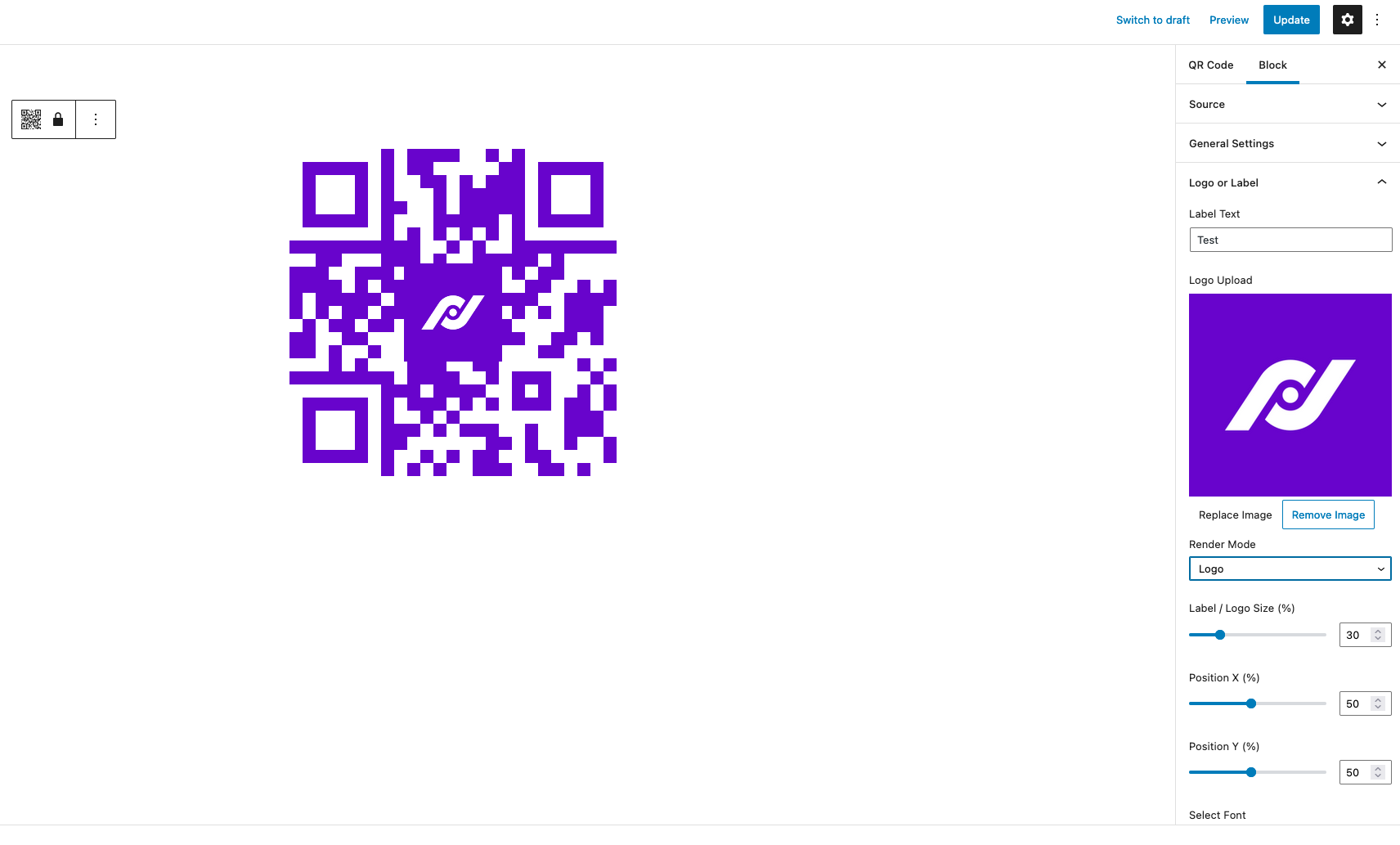
Qyrr enables you to add your own logo inside of the QR Code. Want to use some custom text instead? Qyrr can handle that too.
Adjust the size and position of the logo and use Google Fonts to match text on your QR Code with your website design.
Download QR Codes
You can easily download your QR code from the QR Code editor. Choose a format (PNG within the free version, SVG and PNG within Qyrr Pro).
Manage QR Code campains
Easily manage your QR Codes with campaigns.
Having an event coming up and you want to quickly see all QR Codes related to it? Create a campaign and assign your QR Codes to it.
Once done you can easily filter all your QR Codes for a specific campaign.
Qyrr Pro
Qyrr Pro extends the feature set of the free version with some powerful features.
Get it now on qyrrwp.com/
Fontes
In addition to external URLs and posts/pages Qyrr Pro offers:
- Texts
- SMS
- E-Mails
- Phone numbers
- vCards
- Support for custom post types (like products in WooCommerce)
Dynamic QR Codes
With Qyrr Pro you can create dynamic QR Codes.
A dynamic QR Code never needs to be re-printed. You can easily change the target of the QR Code without changing the QR Code itself.
Difference between static QR Codes and dynamic QR Codes
Static QR Code
- the source cannot be modified
- you can’t track the usage of a static QR Code
Dynamic QR Code
- the embedded information can be changed anytime+
- you can easily track the QR code usage in WordPress (without external tools)
Bulk Generate QR Codes
Qyrr Pro offers a powerful bulk generator for QR Codes.
Create a basic QR Code that you use as a template and bulk generated hundreds or thousands of QR Codes based on that template.
We offer an CSV-based import where you can simply copy and paste a list of URLs that we use to generate the individual QR Codes.
We also offer a dynamic ID solution where you link to the exact same page/URL, but because of the ID you can track each QR Code individually.
Track QR Code usage
Easily track the usage of your QR Code within Qyrr Pro.
Each time a dynamic QR Code is scanned, we increase the usage value in the QR Codes overview accordingly.
Combined with the integration campaigns, you can immediately evaluate the effectiveness of your QR Code campaign.
Export as SVG
Qyrr Pro offers the ability to export your QR Codes as an SVG file (vector file).
It’s often required to provide an vector file if you want to print your QR code professionally, because of that Qyrr Pro offers an unlimited scalable vector file as an export.
QUICK COMPARISON (FREE VS. PRO)
Livre
- Use external URLs or pages/posts as source
- customize background color, fill color, size and more
- Add your logo or custom text to the QR code
- embed the QR Code via shortcode or block
Pró
Everything from the free version plus:
- use text, e-mail, phone number, SMS, WhatsApp, Geolocation, Wifi and vCards and custom post types as a source
- export QR Codes as SVG / vector file
- create a dynamic QR Code
- bulk generate QR Codes
- track QR code usage
- auto-generate QR Codes for all kinds of custom post types
- global template for QR Codes and auto-apply it to new QR codes
Get it now on qyrrwp.com/
Apoio
The free support is exclusively limited to the wordpress.org support forum.
CODING STANDARDS MADE IN GERMANY
Qyrr is coded with modern PHP and WordPress standards in mind. It’s fully OOP coded. It’s highly extendable for developers through several action and filter hooks.
Qyrr has your website performance in mind – every script and style is minified and loaded conditionally.
MULTI-LANGUAGE
Qyrr is completly translatable with WPML and Polylang.
Simply use the language switcher and translate all settings.
Instalação
Default Method
- Go to Settings > Plugins in your administrator panel.
- Click
Add New - Search for Qr
- Clique em Instalar.
Easy Method
- Download the zip file.
- Login to your
Dashboard - Open your plugins bar and click
Add New - Click the
upload tab - Choose
qyrrfrom your downloads folder - Click
Install Now - All done, now just activate the plugin
- Go to QR-Codes and create one.
Old Method
- Upload
qyrrto the/wp-content/plugins/directory - Ative o plugin através do menu 'Plugins' em WordPress
Log de Changes
2.0.13 – 14.08.2026
- Fixed: Front end QR code image display.
2.0.12 – 14.07.2026
- Added: REST API endpoint for programmatic QR code generation (Pro).
2.0.11 – 11.06.2026
- Fixed: QR Code download button compatibility issue.
2.0.10 – 20.05.2026
- Improved: code stability and safety improvements.
2.0.8 – 11.02.2026
- Updated: Owner and readme.
2.0.8
- vulnerability fix (uploader)
- SDK upgrade
Capturas de tela

Para desenvolvedores
Este é o seu plugin? Mostre os números.
Adicione um crachá ao vivo ao seu site, Documentos ou Readme do GitHub. Ele é atualizado por conta própria - nenhuma conta necessária.
Best Qyrr alternatives
All qr plugins →





FAQ
Qyrr: quick answers
Respostas diretas, extraídas de dados ao vivo WordPress.org.
Fonte: WordPress.org
Is Qyrr free?
Yes. Qyrr is free to download and use from the official WordPress.org plugin directory.
Is Qyrr safe to use in 2026?
Yes — Qyrr is a safe, well-maintained plugin to use in 2026. It runs on 2K+ sites, is rated 3.8/5 and was last updated 5 days ago, and scores 82/100 on our health check.
How many websites use Qyrr?
Qyrr is active on 2K+ WordPress websites and has been downloaded 64,668 times since it launched in January 2020. It was downloaded 1,387 times in the last 30 days.
Does Qyrr work with WordPress 7.1?
Yes. The developer has tested Qyrr up to WordPress 7.2, the latest release. It requires WordPress 6.5 or newer.
What PHP version does Qyrr need?
Qyrr requires PHP 7.4 or higher. Most hosts run PHP 8.x today, so it works on any modern WordPress hosting.
When was Qyrr last updated?
The latest version, 2.0.13, was released on November 19, 2026 (5 days ago).
Who makes Qyrr?
Qyrr is developed and maintained by WP Chill.
What are the best alternatives to Qyrr?
The most popular alternatives to Qyrr are Kaya QR Code Generator (10K+ installs), SnapScan Payment Gateway (600+ installs) and QR Block (500+ installs).
Alimentado por PageForge
Um modelo e uma planilha. Uma página real para cada pesquisa.
PageForge Transforma cada linha de um CSV em uma página WordPress com seu próprio título, URL, SEO campos e esquema, construído no layout que você já desenhou. Gratuito em WordPress.org.
- CSV e XLSX, mais Google Sheets em Profissional e Empresarial
- Seu próprio título, URL, SEO campos e esquema para cada página
- Funciona com o editor de blocos, Elementor, Divi e Avada
- Gratuito em WordPress.org, sem cartão de crédito