


QR Code Composer – QR Code Generator, Gutenberg QR Block, Elementor QR addon
Build QR codes with a Gutenberg blocks, shortcodes, and auto-generation. No external APIs or dependencies.

Escolha sólida
QR Code Composer is a solid plugin choice in 2026, with a few things worth checking first. It runs on 2K+ sites, is rated 4.2/5 and was last updated 2 weeks ago, and scores 69/100 on our health check.
- Desenvolvido ativamente — última atualização 2 semanas atrás
- Testado com as últimas WordPress (7.1)
- Momentum — downloads up 72.4% vs the previous 30 days
Como ele se acumula?
Lado a lado em instalações, atualizações, avaliações e suporte



Downloads diários
Os picos de download geralmente seguem uma nova versão — cada site que atualiza automaticamente é um download.
Rankings
Where QR Code Composer stands todayWordPress.org Classificações de pesquisa
Posição ao vivo na pesquisa de plugins, top 100| Palavra chave | Posição |
|---|---|
| Gutenberg | #88 |
| qr code | #5 |
| qr code generator | #3 |
| qrcode | #12 |
| WooCommerce | >100 |
Adoção da versão
Compartilhamento de sites ativos por lançamento.
Divisão de classificação
★★★★★★★★★★ 4.2 from 9 reviews
About QR Code Composer
From the official readme · v4.0.0Descrição
QR Code Composer automatically generates QR codes for your WordPress pages, posts, and WooCommerce products. Install it and it works right away, with no setup.
Create QR codes with the native Gutenberg block, shortcodes, or automatic generation. No external APIs or extra tools are needed.
It is a good fit for store owners, marketers, and businesses who want to save time and use QR codes without extra work.
🔥 What You Can Do with This Plugin
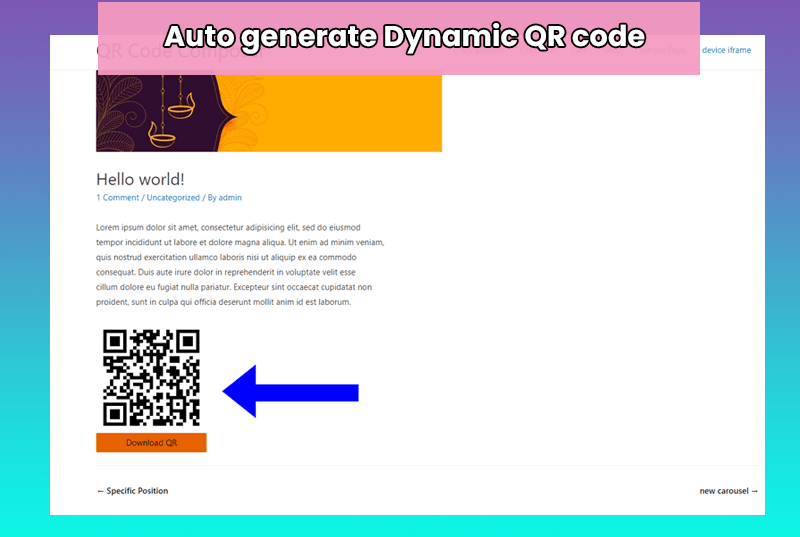
🟢 Automatic QR Code Generation
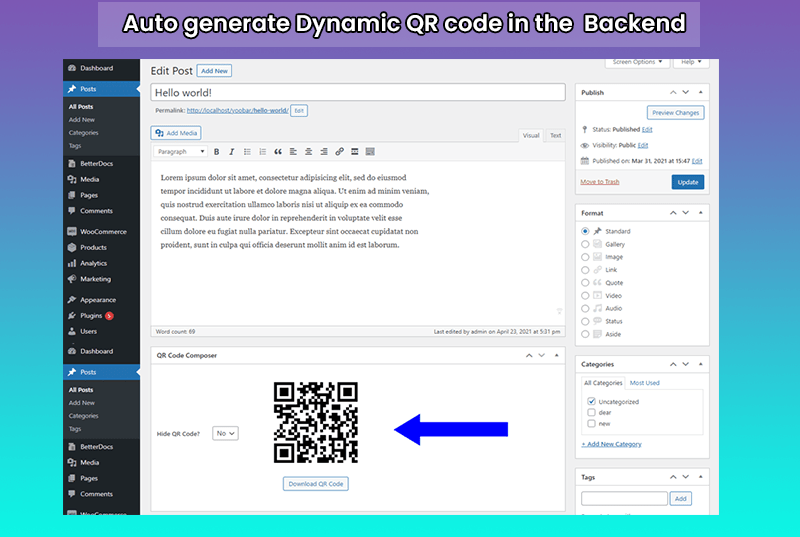
- Show a QR code after the content of up to 3 pages, 3 posts, and 3 products (you choose which ones)
- Need more? Pro has no limit and also supports custom post types
- The QR code updates automatically when a URL changes
- Meta field support
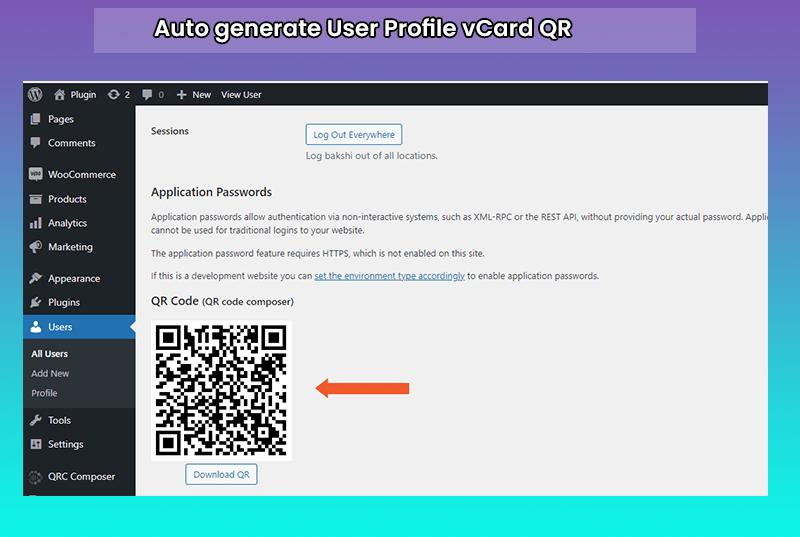
- Generate a QR code from each author’s user bio and show it on their dashboard
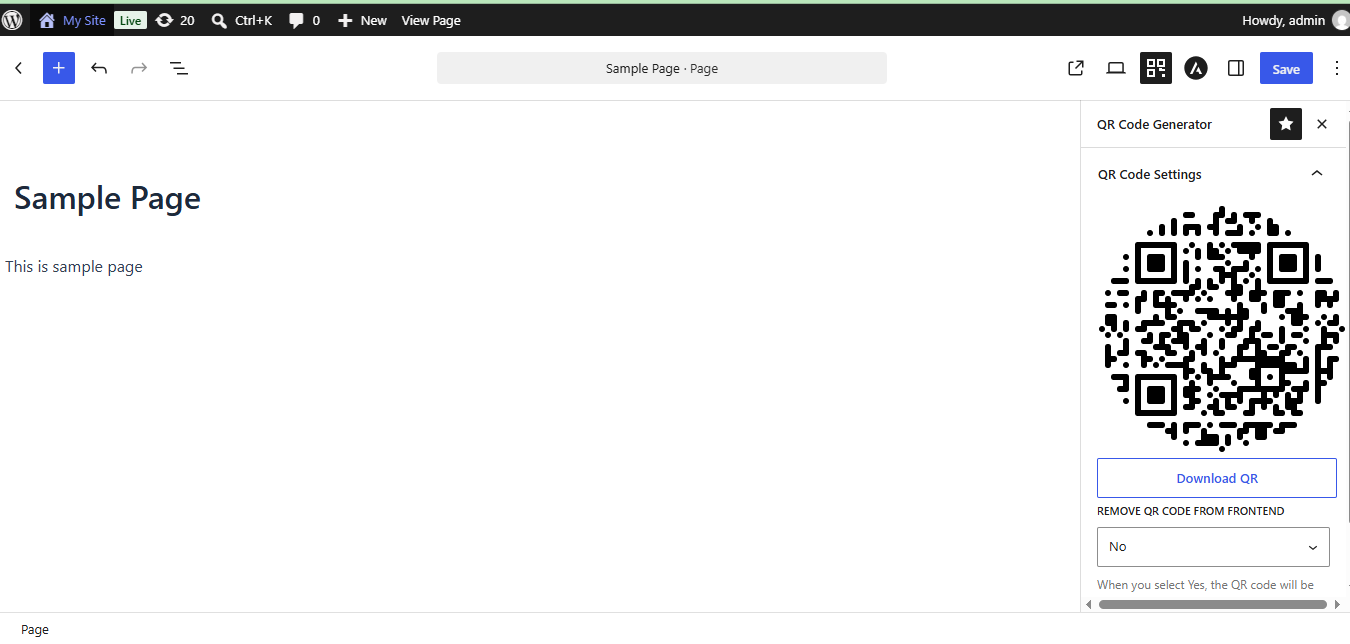
- Download the QR code image from the backend and the frontend
🧱 Gutenberg QR Code Block
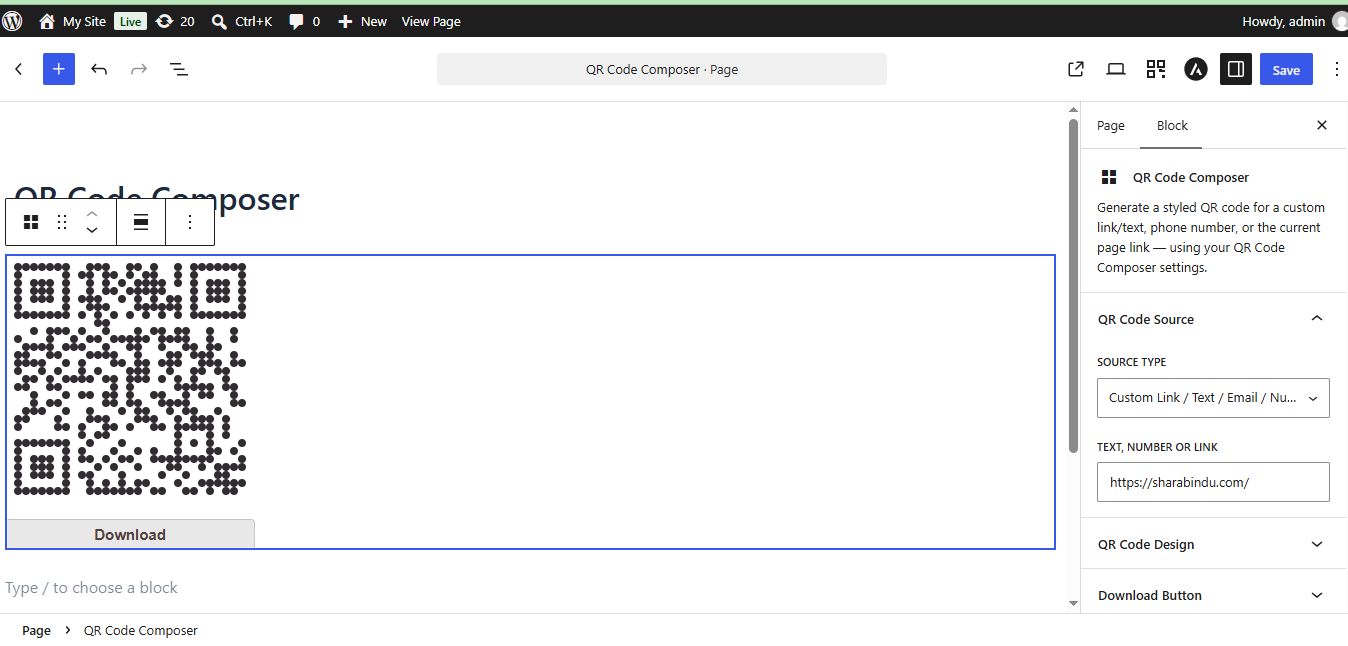
- Add a QR code to any post or page with the native QR Code block
- See a live preview inside the editor
- Change size, colors, and design in the block settings sidebar
- Create static QR codes for text, links, phone numbers, email, and WhatsApp
- More block options are available in Pro
🟡 Custom QR Code Creation
- Create QR codes for text, links, phone numbers, email, and WhatsApp
- Show them anywhere with the Gutenberg block or shortcodes
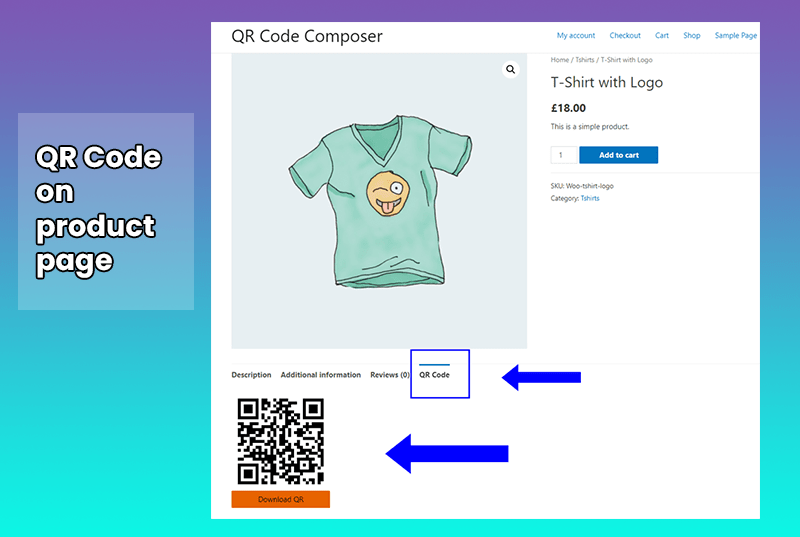
🔵 WooCommerce Integration
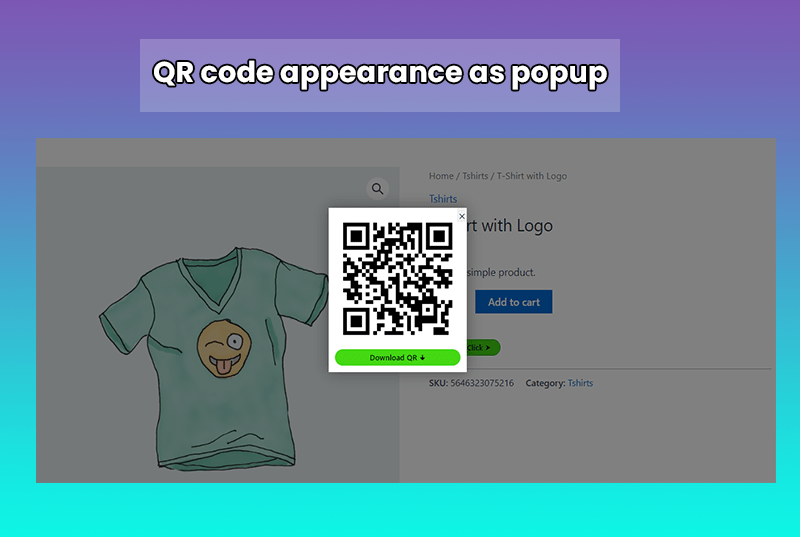
- Show QR codes on product pages
- Create customer QR codes on the My Account page
🚀 Upgrade to Pro:
Get more from your QR codes with QR Code Composer Pro:
Unlimited Automatic QR Codes: Show a QR code automatically after the content of all your pages, posts, and WooCommerce products, with no limit. Custom post types are supported too, so every item on your site can have its own QR code.
⚡ Dynamic QR Codes (Pro)
Print your QR code once and change where it points any time. A dynamic QR code uses a short link on your own site. You can update the target URL later without reprinting posters, packaging, menus, or business cards.
- Dynamic short links: Create and manage trackable QR short links from your dashboard
- Edit the destination any time: Change where a printed QR code goes
- Link scheduling: Set a start date and an expiry date for each QR code
- Scan limit: Turn off a QR code automatically after a set number of scans
- Fallback redirects: Choose a redirect URL for invalid, inactive, expired, or scan-limit QR codes
- High-resolution PNG download
- Cache-buster option for sites with strong caching
- Gutenberg block support: Insert static or dynamic QR codes with the same block
📊 QR Code Scan Analytics (Pro)
See how your QR codes perform inside your WordPress dashboard, with no third-party analytics service.
- Analytics dashboard: Daily scan charts and a top links report
- Scan tracking: Total scans for each QR code
- Device and location details: Device type, city, country, and referrer for every scan
- High-Traffic Mode: Turn off detailed logging to keep your site fast during busy campaigns
🧱 Advanced Gutenberg Block Options (Pro)
- More source types: WhatsApp, WiFi, Google Maps, Event, and vCard
- Logo in the center of the QR code
- Error correction level
- Gradient body color
- Eye frame and eye ball styles
- Custom download file name
🎨 More Pro Features
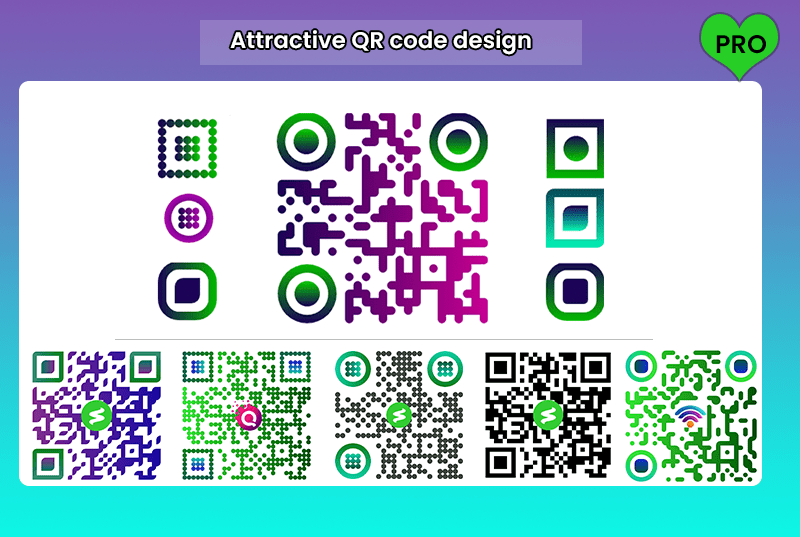
Branded QR Code: Match your brand with round, square, dotted, and rounded styles. Change colors and shapes to get a clean QR code that fits your site. Admin demo for the Pro version
Eye Frame Shape: Change the eye frame shape and add a gradient color. Shapes: Square, Circle, Classy, and Classy Rounded.
Eye Ball Shape: Change the eye ball shape and add a gradient color. Shapes: Square, Circle, and Classy.
Gradient Color QR Code: Use gradient colors on the QR body, eye frame, and eye ball for an eye-catching design.
Logo Upload: Put your logo in the center of the QR code.
WooCommerce Order QR Code: Create a QR code for every new and old order automatically. Choose what the QR code contains in the plugin settings. See it on the WooCommerce order page. Admin demo for Order QR
Order QR Code in Emails: When an order is completed, its QR code is added to the WooCommerce order email. You control which details the QR code includes. Order email demo
Bulk vCard Generator: Create vCard QR codes for any post type. For example, if you have a custom post type called “Developer”, open a developer’s edit page, fill in the vCard QR meta fields, and save. A vCard QR code is created for that developer. vCard QR codes can show automatically on the frontend and backend, and a shortcode is also available.
Event QR Code: Create an event QR code with the event details, time, and location.
WP Author QR Code: Create QR codes for WordPress authors and users, with built-in shortcodes to show them on the frontend.
WiFi QR Code: Let people join your WiFi network instantly by scanning a QR code.
Google Maps QR Code: Create a QR code for an address so people can find your location with one scan.
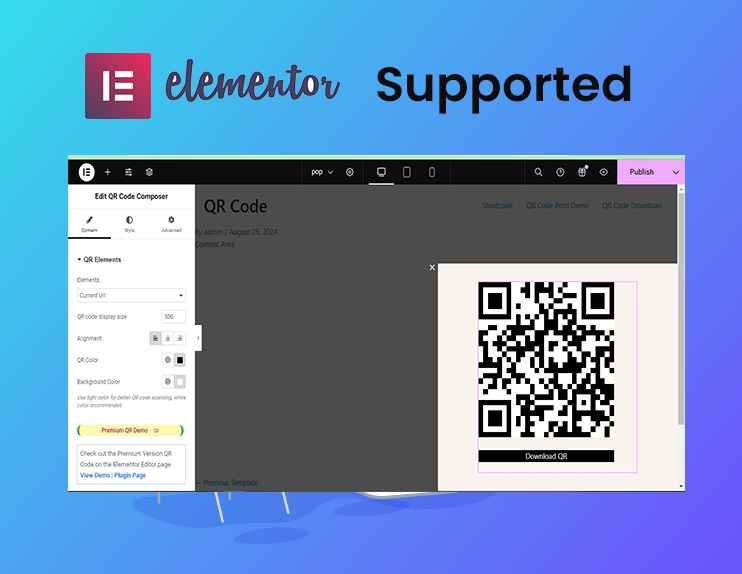
Elementor QR Code Generator: If Elementor is active on your site, use the built-in “QR Code Composer” addon to add QR codes. Elementor demo
Integrations (Pro)
bbPress User QR Code: Create QR codes for bbPress user profile links, or vCard QR codes from user profile details.
BuddyPress User QR Code: Create QR codes for BuddyPress user profile links, or vCard QR codes from user profile details.
Dokan Vendor QR Code: Create QR codes for Dokan vendor profile links, or vCard QR codes from vendor profile details.
Other Pro Features
Bulk Print as PDF: Print many QR codes as a PDF from the plugin dashboard or the frontend with built-in shortcodes. You can filter by category. Admin demo
Download All QR Codes from One Page: Download the QR codes of every post type from a single page. Admin demo
Download All vCard QR Codes from One Page: Download vCard QR code images for all post types from a single page. Admin demo
WordPress Widget: Create a QR code from a WordPress widget. Widget demo
Shortcode Generator: Build shortcodes on the plugin settings page for Custom Link, WhatsApp, WiFi, Google Maps, vCard, and Event QR codes. You can also change the design, color, logo, and animation. View the Shortcode Generator
Privacidade
This plugin (free version):
-
Does NOT connect to any third-party services
-
Does NOT store user data
-
ONLY generates QR code images locally
The Pro version’s analytics feature stores scan data (such as device, country, city and referrer) in your own WordPress database. Nothing is sent to external services. You can turn detailed logging off at any time with High-Traffic Mode.
⭐ We Value Your Feedback
Your feedback helps us grow!
If you enjoy QR Code Composer, please share your experience and leave a rating. It means a lot.
How to add QR codes to a WordPress website
WordPress QR Code Gutenberg Block
How Create Dynamic QR Code in WordPress(Premium)
Instalação
- Go to your WordPress dashboard and navigate to Plugins > Add New.
- Search for “QR Code Composer”.
- Click “Install Now” and then “Activate” the plugin.
- To add a QR code in the block editor, click the “+” button and search for “QR Code”.
Log de Changes
Automatic QR codes in the free version now work on up to 3 pages, 3 posts and 3 products (choose them in settings). The Profile QR Code and My Account QR code work for the first 3 user accounts. Unlimited items and custom post types are in Pro. Includes an auto-generate QR code content fix.
4.0.0
-
New: Automatic QR codes in the free version now work on up to 3 pages, 3 posts and 3 products (choose them in settings). Unlimited items and custom post types are in Pro.
-
New: Free version now limits the Profile QR Code and My Account dashboard QR code to the first 3 user accounts (Pro: unlimited)
-
Fix: Auto generate QR code content
- Update: Readme and FAQ updated with the new free version limits
3.0.7
- Fix: Auto generate QR code content
3.0.6
- New: Gutenberg QR Code block
- Update: Compatibility Update
3.0.5
- Update: Compatibility Update
3.0.4
- Update: Improved compatibility with LiteSpeed Cache and Autoptimize.
- Update: Fixed QR rendering issues caused by aggressive JS minification.
- Update: Enhanced script loading for deferred and delayed JS
- Update: Optimized QR preset initialization for cached pages
3.0.3
- Update: Improved the plugin settings page UI for better usability.
Capturas de tela
Para desenvolvedores
Este é o seu plugin? Mostre os números.
Adicione um crachá ao vivo ao seu site, Documentos ou Readme do GitHub. Ele é atualizado por conta própria - nenhuma conta necessária.
Best QR Code Composer alternatives
Todos os plugins Gutenberg →





FAQ
QR Code Composer: quick answers
Respostas diretas, extraídas de dados ao vivo WordPress.org.
Fonte: WordPress.org
Is QR Code Composer free?
Yes. QR Code Composer is free to download and use from the official WordPress.org plugin directory.
Is QR Code Composer safe to use in 2026?
QR Code Composer is a solid plugin choice in 2026, with a few things worth checking first. It runs on 2K+ sites, is rated 4.2/5 and was last updated 2 weeks ago, and scores 69/100 on our health check.
How many websites use QR Code Composer?
QR Code Composer is active on 2K+ WordPress websites and has been downloaded 86,911 times since it launched in November 2019. It was downloaded 5,032 times in the last 30 days.
Does QR Code Composer work with WordPress 7.1?
Yes. The developer has tested QR Code Composer up to WordPress 7.1.5, the latest release. It requires WordPress 5.0 or newer.
What PHP version does QR Code Composer need?
QR Code Composer requires PHP 5.6 or higher. Most hosts run PHP 8.x today, so it works on any modern WordPress hosting.
When was QR Code Composer last updated?
The latest version, 4.0.0, was released on November 16, 2026 (2 weeks ago).
Who makes QR Code Composer?
QR Code Composer is developed and maintained by Sharabindu Bakshi.
What are the best alternatives to QR Code Composer?
The most popular alternatives to QR Code Composer are Classic Editor (8M+ installs), Classic Widgets (2M+ installs) and Advanced Editor Tools (1M+ installs).
Alimentado por PageForge
Um modelo e uma planilha. Uma página real para cada pesquisa.
PageForge Transforma cada linha de um CSV em uma página WordPress com seu próprio título, URL, SEO campos e esquema, construído no layout que você já desenhou. Gratuito em WordPress.org.
- CSV e XLSX, mais Google Sheets em Profissional e Empresarial
- Seu próprio título, URL, SEO campos e esquema para cada página
- Funciona com o editor de blocos, Elementor, Divi e Avada
- Gratuito em WordPress.org, sem cartão de crédito