


Qi Blocks
Qi Blocks is the largest collection of Gutenberg blocks developed by Qode Interactive.

Escolha segura
Yes — Qi Blocks is a safe, well-maintained plugin to use in 2026. It runs on 60K+ sites, is rated 5/5 and was last updated 4 weeks ago, and scores 90/100 on our health check.
- Comprovado em escala em mais de 60 mil sites ativos
- Desenvolvido ativamente — última atualização 4 semanas atrás
- Testado com as últimas WordPress (7.1)
- Momentum — downloads up 199.9% vs the previous 30 days
Como ele se acumula?
Lado a lado em instalações, atualizações, avaliações e suporte


Downloads diários
Os picos de download geralmente seguem uma nova versão — cada site que atualiza automaticamente é um download.
Rankings
Where Qi Blocks stands todayWordPress.org Classificações de pesquisa
Posição ao vivo na pesquisa de plugins, top 100| Palavra chave | Posição |
|---|---|
| blocos | #10 |
| Gutenberg block | #42 |
| Gutenberg Templates | #24 |
| patterns | #27 |
| wireframes | #2 |
Adoção da versão
Compartilhamento de sites ativos por lançamento.
Divisão de classificação
★★★★★ ★★★★★ 5 de 5 comentários
About Qi Blocks
From the official readme · v1.5.4Descrição
Qi Blocks is the largest collection of Gutenberg blocks developed by one of the most acclaimed WordPress development teams and winners of multiple awards in the field of design, Qode Interactive. The base version of the plugin comes with 48 carefully designed custom blocks with a never-before-seen number of options, while the Qi Blocks Premium gives you a total of 81 flexible, option-rich custom blocks for Gutenberg.
All the blocks and templates bear that authentic aesthetic touch Qode Interactive is known for, all while providing you with a simple and completely flexible way for creating any type of website you set out to.
In addition to this, you can also upgrade your copy of the plugin with the Qi Templates plugin and enhance your website making potential with an astounding collection of 550+ readymade and beautifully designed modern website layouts, including complete website demos, templates, patterns and wireframes.
Open-ended Customization
Not only do you get one of the largest collections of custom blocks for Gutenberg, but you’ll also be presented with an unprecedented number of options for each block. We put special emphasis on customization, allowing you to modify every single aspect of each element, all while keeping the entire experience straightforward, intuitive and easy to manage.
The Largest Collection of Gutenberg Blocks
Qi Blocks plugin comes with typography, infographics, creative, form style, content, business, WooCommerce, SEO and showcase blocks, providing you with a near never-ending supply of website creation possibilities. Each block is built to allow for a huge number of easily applicable modifications you can perform on the fly, ensuring a completely flexible creation of a wide range of modern websites.
Superb Performance
We made sure that the Qi Blocks is super lightweight, optimized and stable, ensuring swift loading times. Moreover, you can make use of on-demand element loading by deactivating the blocks you do not plan to use, thus making this already quick addon even smoother!
Pro Support
If you ever happen to run into any questions or concerns regarding the Qi Blocks or any of its elements, we got you covered! You can check out our Qi Blocks documentation, with all options and features of every block covered in detail. You can also visit the Qode Help Center where you can browse our comprehensive knowledge base or contact our support team and one of our friendly support pros will get back to you ASAP.
Qi Blocks Video Tutorials
Visit the official Qode Interactive YouTube channel here you’ll find a comprehensive set of video tutorials dedicated to Qi Blocks and all its elements. It’s also a practical way to learn how you can achieve more with WordPress, with tons of detailed, user-friendly video user guides. One step at a time, discover more about the WP platform and how you can create stunning websites the easiest way possible.
48 Free Custom Blocks
Here’s an overview of all 48 custom blocks you get with the free version of the plugin:
Typography Custom Blocks:
- Section Title – Great for creating captivating and fully configurable titles for any section on your website pages.
- Divider – Easily display your style of visual separators between elements and sections on pages.
- Button – A custom block ideal for composing fully customizable buttons the easy way.
- Call to Action – Perfect for creating visually appealing messages for your visitors and encouraging them to take a certain action.
- Message Boxes – Display informative boxes with important notifications or messages for your visitors. These boxes can be closed if the viewer chooses to do so.
- Horizontal Tabs – Arrange and organize horizontally aligned tabs with content which you can customize to fit your visual style.
- Vertical Tabs – Great for displaying vertically laid out tabs with content which you can adapt to fit your aesthetic approach.
- Accordions and Toggles – Designed for displaying strings of text divided into individual sections that can be expanded when their corresponding titles are clicked on.
- Icon with Text – A custom block that lets you display icons with some additional textual content which you can customize to fit your visual concept.
- Advanced Text – For creating sections with fully customizable strings of text on your pages.
Business Custom Blocks:
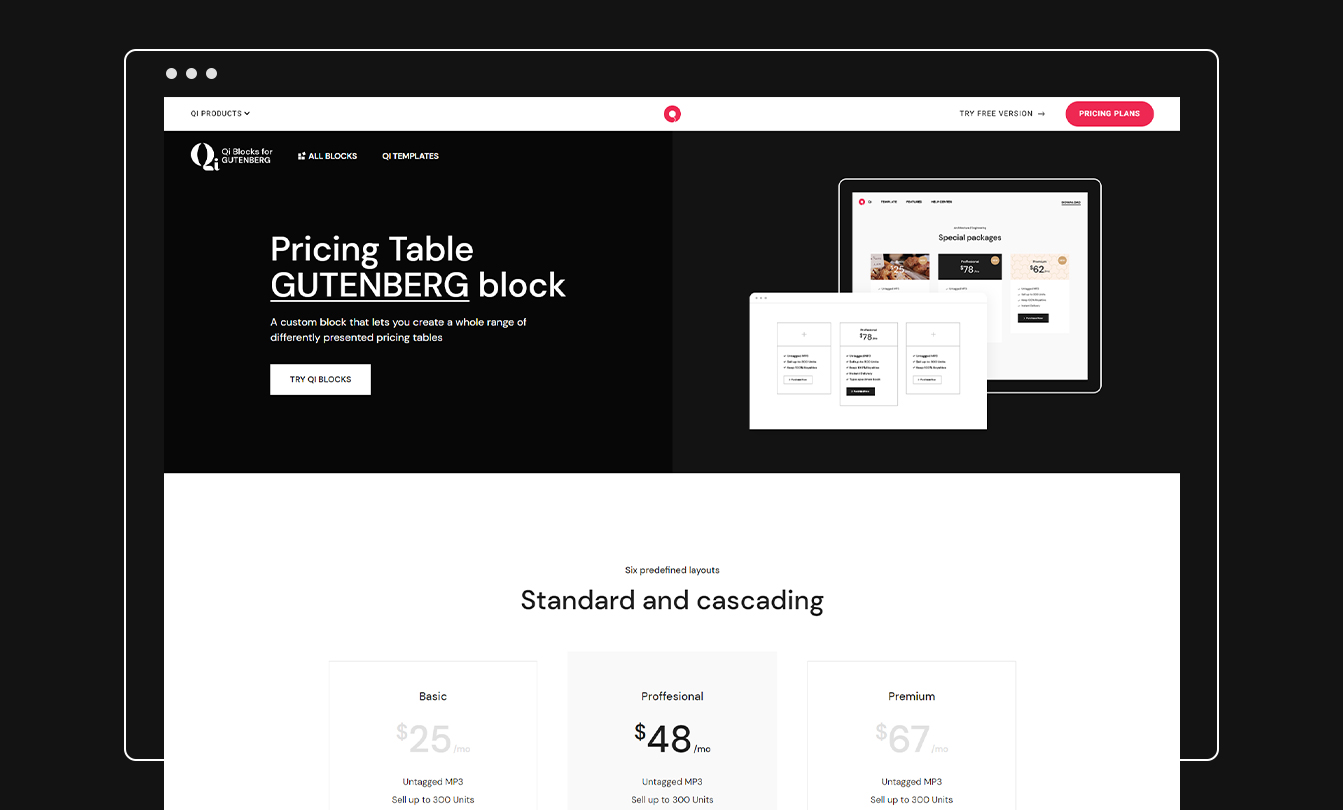
- Pricing Table – Create easily adjustable tables for displaying all manner of price lists, tariffs and pricing plans.
- Clients List – Display a captivating list of your clients or business associates the easy way.
- Testimonials – Devised for showing testimonials with total ease & in the way you decide.
- Team – A selection of varied ways to showcase individual members of your team.
- Info Box – Compose sections with important informative messages for your visitors using simple and fully flexible box templates.
- Banners – Create banners for displaying important announcements, ads or anything else you wish to draw the attention of your visitors to.
- Blog List – Great way to display a captivating list with your blog posts in a number of visually appealing manners.
Infographics Custom Blocks:
- Counters – Great for showing all your important numbers in fully customizable and captivating counter layouts.
- Radial Progress Bar – For featuring neat visual representations of operation progressions.
- Horizontal Progress Bar – Showcase progressions of all types of processes in fully customizable horizontally laid out progress bars.
- Vertical Progress Bar – Create presentations for all sorts of process progressions in easily configurable vertically arranged progress bar layouts.
- Process – A clear and intuitive way to display any type of process divided by stages in a visually appealing manner.
Showcase Custom Blocks:
- Timeline Showcase – A simple and intuitive way to display visually appealing chronological lists of events.
- Countdown – Announce anything you wish by displaying eye-catching countdowns to a date you input.
- Image Gallery – A straightforward way to display your images in easily configurable eye-catching galleries.
- Image Slider – Present your images in captivating, fully configurable slider layouts.
- Masonry Image Gallery – Show off your images in easily configurable captivating masonry-styled galleries.
- Pinterest Image Gallery – Exhibit your images in easily configurable captivating pinterest-styled galleries.
- Single Image – Create easily configurable individual image displays on your website pages.
Creative Custom Blocks:
- Cards Gallery – Display interactive presentations with multiple images set on top of each other; once an image from the stack is clicked on, it moves to the top.
- Parallax Image Showcase – Perfect for composing visually attractive sections with images that move independently at different speeds on scroll.
- Text Marquee – Easily create sections with customizable auto-scrolling text.
WooCommerce Custom Blocks:
- Product List – Display beautiful and easily adjustable lists containing products you wish to showcase.
SEO Custom Blocks:
- FAQs – A custom block great for displaying fully customizable sections for frequently asked questions and topics.
- How-to Schema – Create step-by step tutorials and how-to’s with automatically generating JSON schema sections inserted into code.
- Table of Contents – For displaying neatly structured tables of contents with one-click one-page navigation.
Form Style Custom Blocks:
- Contact Form 7 – For creating a wide variety of fully flexible contact forms using the free Contact Form 7 plugin.
Content Custom Blocks:
- Advanced Columns – Specifically developed for creating easily customizable columns to which you can add your content.
- Spacer – A simple way to add easily adjustable vertical breaks between sections on your pages.
- Author Info – Designed for displaying captivating presentations for authors on your website.
- Post Title – Easily display configurable titles of posts on your website.
- Post Date – Show easily configurable dates of posts on your website.
- Post Author – A straightforward way to display the authors of posts on your website.
- Comments Template – Designed so you can show easily adjustable comment templates on your website.
- Post Terms – Display post terms or taxonomy items related to your posts.
- Categories – A practical way to display a list of post categories on your website.
- Tag Cloud – A neat way to display previously created tags of your choosing in a number of ways.
- Search – Designed for displaying easily configurable search bars.
33 Premium Custom Blocks
Check out the complete list of widgets you get with Qi Blocks Premium:
Premium Typography Custom Blocks:
- Drop Caps – Introduce your paragraphs & strings of text by featuring a decorative initial letter which you can fully adapt.
- Typeout Text – Feature smoothly animated type out text sections anywhere on your pages.
- Animated Text – Designed for displaying visually engaging sections with animated textual content.
- Highlighted Text – Accentuate certain words or parts of your text the way you choose.
- Blockquote – A simple way to display eye-catching quotes and style them the way you choose.
- Info Button – Great for creating buttons that contain a bit of extra information displayed directly on the button.
Premium Business Custom Blocks:
- Pricing List – For displaying easily customizable lists containing items you have for sale and their prices.
- Working Hours – A great and intuitive way to display your business’ working hours in a number easily styled manners.
- Clients Carousel – Showcase your clients or business partners in fully customizable carousel slider layouts.
- Testimonials Carousel – Display testimonials in eye-catching carousel slider layouts.
- Interactive Banners – Designed for creating visually striking banners that your website visitors can interact with.
- Blog Carousel – A custom block for displaying your blog posts in eye-catching carousel slider layouts.
- Data Table – An easy way to display fully adjustable tables containing all types of data.
- Google Map – A simple way to display an easily editable Google Map with a customizable location pin for multiple addresses.
Premium Infographics Custom Blocks:
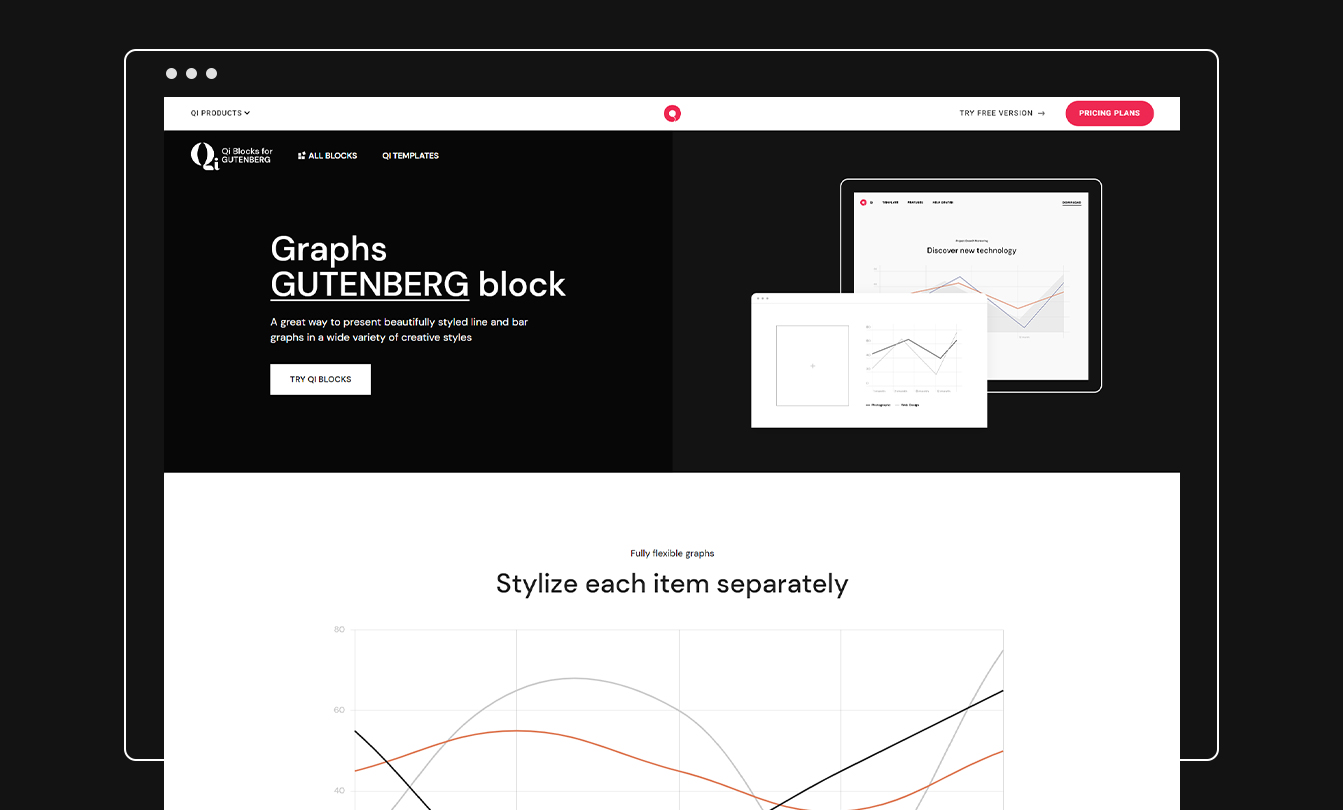
- Graphs – Compose captivating and fully customizable graphs containing all sorts of data.
- Pie and Donut Charts – Display fully customizable pie charts or donut charts in a simple and completely intuitive manner.
Premium Showcase Custom Blocks:
- Item Showcase – Make detailed showcases for items of any sort; you can display an item image with customizable informative sections with your content arranged around the image.
- Before/After Comparison Slider – Create an interactive presentation containing two images and a draggable handle which reveals the left/right image when mouse-dragged.
- Dual Image with Content – Easily display sections that contain two images, one placed over the other, with some accompanying content next to them.
- Cards Slider – Create interactive slider presentations with multiple images stacked on top of each other; when slides change, the bottom image moves to the top of the stack.
- Image Hotspots – The easy way to create an image showcase section which contains multiple interactive hotspots which reveal tooltip information when hovered on.
- Content Menu – Display sections containing menus which you can fully customize with ease.
- Advanced Navigation – A practical way to display your menus in a vast number of easily configurable appearance styles.
Premium Creative Custom Blocks:
- Device Frame Slider – Create visually appealing slider presentations with images displayed inside predefined or custom device-styled image frames.
- Device Frame Carousel – Display remarkable carousel presentations with multiple items containing images fitted inside device-styled frames.
- Preview Slider – For creating slider presentations with two image slides displayed simultaneously, one of which is placed on top of the other inside a mobile device-styled image frame.
- Interactive Links – Create captivating and fully configurable interactive showcases with textual content and corresponding images.
- Slider Switch – For creating visually appealing slider presentations with two images displayed inside predefined or custom device-styled image frames.
Premium WooCommerce Custom Blocks:
- Product Slider – Showcase your products in eye-catching and fully adaptable slider layouts.
- Product Category List – Display visually attractive and fully flexible lists with your products designated to a specific category of your choice.
- Add to Cart Button – Perfect for creating customizable add to cart buttons for your products.
- Rating – Easily display a fully customizable star-styled rating with 5 degrees.
Premium Form Style Custom Blocks:
- WPForms – Display a wide variety of fully flexible contact forms using the free Contact Form by WPForms plugin.
Documentation & Support
- Check out our step-by-step user guide on how to install and use Qi Blocks.
- You can also submit a topic to the support forum at and our support team will be glad to help you out.
Instalação
Requisitos mínimos
- WordPress 6.3 or greater
- PHP versão 7.4 ou superior
- Versão do MySQL 5.0 ou superior
Recomendamos que seu host suporte:
- WordPress 6.6 or greater
- PHP version 8.0 or greater
- WordPress Memory limit of 128 MB or greater
Instalação
From your WordPress dashboard
- Go to your WordPress Dashboard -> Plugins -> Add New
- Search for Qi Blocks
- Activate Qi Blocks from your Plugins page.
- Enjoy 🙂
From wordpress.org
- Download Qi Blocks.
- Upload the qi-blocks directory to your ‘/wp-content/plugins/’ directory, using your favorite method (ftp, sftp, scp, etc…)
- Activate Qi Blocks from your Plugins page.
- Enjoy 🙂
Looking for more?
Feel free to try out some of our other products:
Qi Theme
Qi Addons for Elementor
Qi Blocks for Gutenberg
QODE Quick View for WooCommerce
QODE Variation Swatches for WooCommerce
QODE Compare for WooCommerce
QODE Product Extra Options for WooCommerce
QODE Optimizer
Log de Changes
1.5.4 – 22-10-2026
- Fixed saved block styles (widgets, templates, posts) not printing on the front
1.5.3 – 10-09-2026
- Improved grid editor styles
- Fixed canvas clicks on nested Qi text blocks (Advanced Text, Section Title) selecting the parent Advanced Column, then fighting the column on further clicks
- Fixed Single Image, Image Gallery, and similar Qi blocks not selectable on the Appearance → Widgets screen (and Customize Widgets), where the editor has no canvas iframe and selection was never bound
- Fixed Widgets clicks on Qi blocks selecting the whole widget area (
core/widget-area) instead of the nested Qi block
1.5.2 – 30-07-2026
- Fixed nested core blocks (Paragraph, Heading, Image, and other non-Qi blocks) inside Advanced Columns not selectable in the WordPress 7.0 editor canvas, patterns, and synced pattern edit mode
- Fixed editor canvas click handler selecting the parent Advanced Column when clicking nested core block content
- Fixed Qi blocks (Image Slider, Image Gallery, Timeline, and others) not selectable inside third-party layout blocks (Stackable columns, Blocksy content blocks, and similar) when editing patterns in the WordPress 7.0 editor canvas
- Fixed Advanced Column not selectable in the editor canvas when it contains Qi content blocks (e.g. Section Title, Single Image); layout blocks now stay with Gutenberg while only content blocks use the uniqueClass selection helper
- Fixed Advanced Column / Columns selection being stolen by nested RichText fields (Section Title, Advanced Text, etc.) after selecting the column from List View in the WordPress 7.0 editor canvas
- Improved Advanced Column editor to use
useInnerBlocksProps()for correct inner block markup and selection in the canvas iframe - Improved Qi-only editor canvas click handling so the selection helper runs only on Qi content block markup and ignores
core/*blocks viadata-type - Improved editor canvas click handling to resolve Qi block selection via
uniqueClasseven when the nearestdata-typeancestor belongs to another plugin’s container block - Improved
uniqueClasstoclientIdresolution to prefer the innermost Qi content block before any ancestordata-block(e.g. Image Slider inside Advanced Column)
1.5.1 – 24-06-2026
- Improved WordPress 6.3+/7.0 editor canvas iframe compatibility (blob
editor-canvasiframe) - Improved editor canvas asset loading via lightweight
editor-canvas.jsbundle and localizedqiBlocksEditor.varsinside the iframe - Improved
qiBlocksEditorruntime helpers available in the editor canvas (qodefGetCurrentBlockElement,qodefSetEditorLinkBehavior) - Improved block selection for static blocks (Image Slider, Image Gallery, Masonry/Pinterest Gallery, Timeline Showcase, and others) by resolving
clientIdfromuniqueClasswhendata-blockis not present on the canvas markup - Improved editor context detection (
isQiEditorContext) for iframe bodies (block-editor-iframe__body) instead of relying onwp-adminalone - Improved deferred editor block-selection binding (DOM ready, iframe load, and canvas mutations) so listeners attach after React portals block content
- Improved Swiper behavior in the editor (disabled autoplay, touch/drag, and click prevention so blocks remain selectable)
- Improved editor styles for image, gallery, and slider blocks inside
.block-editor-iframe__body(pointer-events and swiper navigation) - Improved iframe discovery in editor helpers for WordPress 7.0 layout (
.editor-visual-editor, directiframe[name="editor-canvas"]lookup) - Fixed blocks without
useBlockProps()not opening the block sidebar on first click in the editor canvas - Fixed
editor-canvas.jsblock-selection init running in<head>beforebodyexists, which prevented click handlers from binding - Fixed Masonry gallery re-init when
uniqueClasswas passed without an event argument - Fixed Parallax Images, Product List, and Table of Contents editor scripts using
wp-adminbody class checks that fail inside the editor canvas iframe - Fixed Follow Info hover script running in the editor on gallery blocks
- Skipped lightbox popup initialization in the editor to prevent click interception on image blocks
1.5 – 15-06-2026
- Improved all blocks to Block API v3
- Improved block save/edit output to include correct
wp-block-qi-blocks-*wrapper classes - Improved SVG sanitizer library PHP 8.4 compatibility
- Fixed Block validation errors after apiVersion 3 migration (counter, button, column, columns, and others)
- Fixed Site Editor
getAttributeerror when interacting with column/columns layouts - Fixed Full Site Editor stability improvements in global editor helpers (null-safe iframe/parent access)
- Fixed unauthorized global styles save/read
- Fixed a performance issue where Qi Blocks could cause heavy
wp_optionswrite churn on frontend requests due to a broken block template HTML transient cache - Reduced frontend overhead by registering 3rd-party block asset hooks once instead of per block instance
- Skipped block template HTML resolution on non-block themes to avoid unnecessary work on classic/Elementor setups
- Removed legacy manual iframe stylesheet injection from the block editor script
- Improved frontend performance by loading main/grid/animate assets only when Qi Blocks are present on the page
- Improved global styles frontend handler to skip processing when no styles are configured
- Improved 3rd-party block script detection with per-request caching instead of repeated
has_block()/ option lookups - Improved block template HTML caching for empty results to reduce repeated template resolution
- Moved Animate.css registration to
initand limited enqueue to editor/frontend pages that actually use Qi Blocks - Registered
should_load_separate_core_block_assetsonce instead of per block instance - Minor fixed
1.4.9 – 24-03-2026
- Fixed the “Function WP_Scripts::add was called…” notice
- Fixed block style options not rendering inside the Customizer -> Widgets panel
Capturas de tela
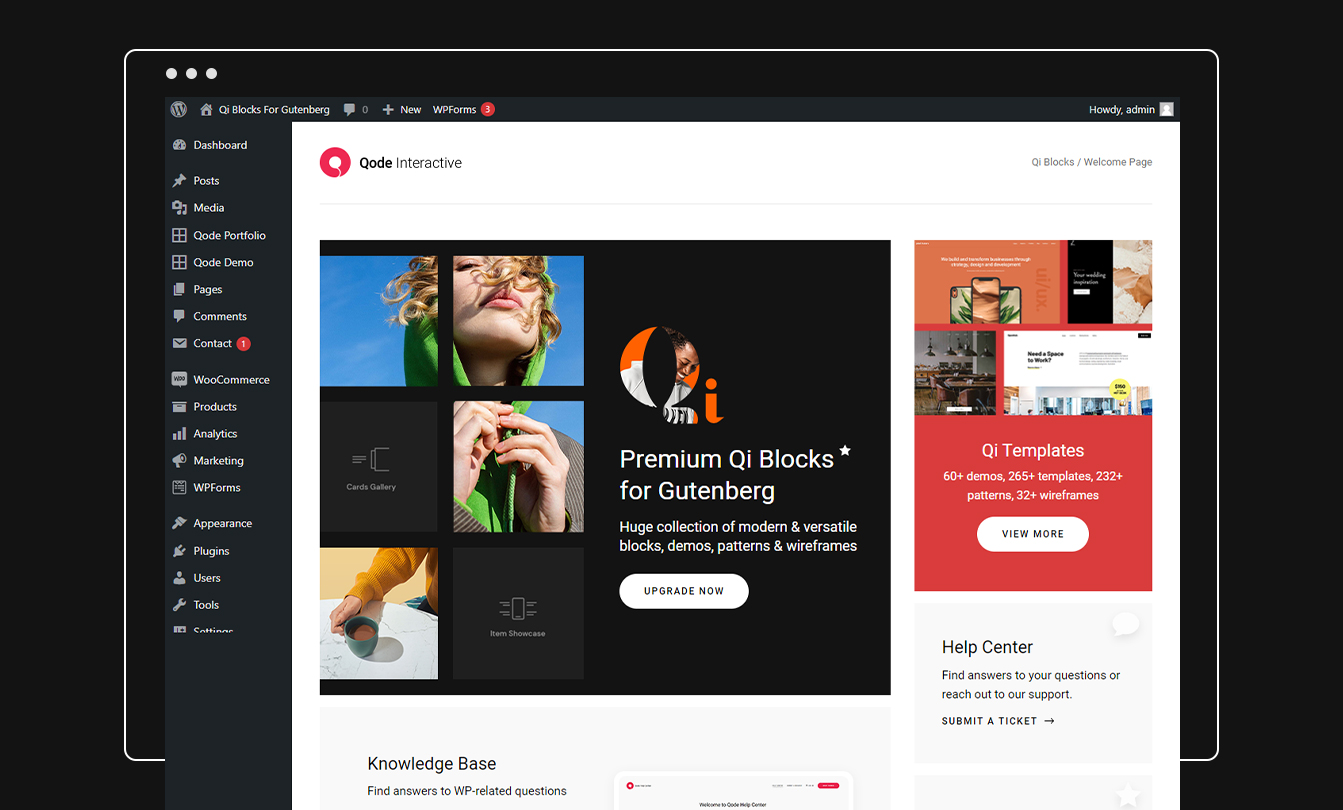
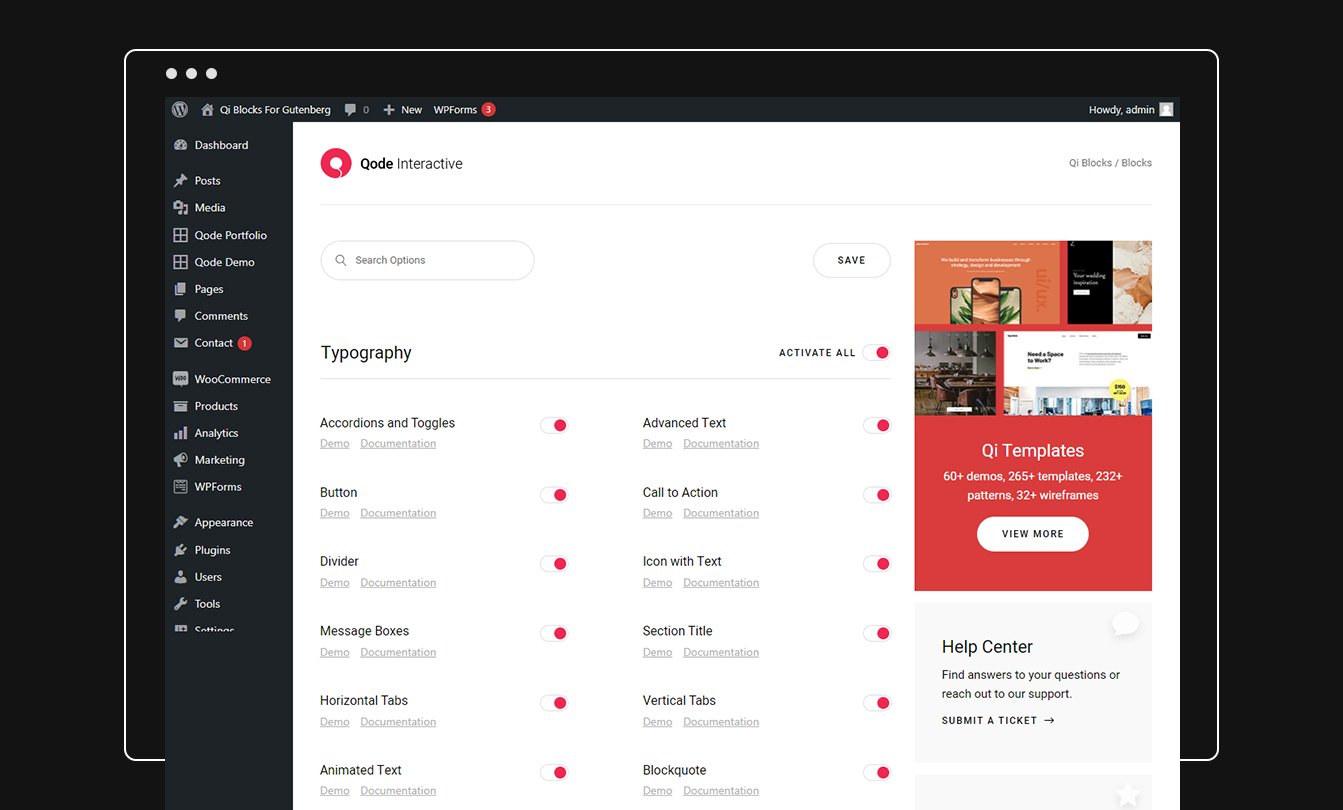


Para desenvolvedores
Este é o seu plugin? Mostre os números.
Adicione um crachá ao vivo ao seu site, Documentos ou Readme do GitHub. Ele é atualizado por conta própria - nenhuma conta necessária.
Best Qi Blocks alternatives
Plugins de todos os blocos →





FAQ
Qi Blocks: quick answers
Respostas diretas, extraídas de dados ao vivo WordPress.org.
Fonte: WordPress.org
Is Qi Blocks free?
Yes. Qi Blocks is free to download and use from the official WordPress.org plugin directory. The developer also sells premium add-ons or a Pro version with extra features.
Is Qi Blocks safe to use in 2026?
Yes — Qi Blocks is a safe, well-maintained plugin to use in 2026. It runs on 60K+ sites, is rated 5/5 and was last updated 4 weeks ago, and scores 90/100 on our health check.
How many websites use Qi Blocks?
Qi Blocks is active on 60K+ WordPress websites and has been downloaded 995,610 times since it launched in September 2022. It was downloaded 31,077 times in the last 30 days.
Does Qi Blocks work with WordPress 7.1?
Yes. The developer has tested Qi Blocks up to WordPress 7.1.5, the latest release. It requires WordPress 6.3 or newer.
What PHP version does Qi Blocks need?
Qi Blocks requires PHP 7.4 or higher. Most hosts run PHP 8.x today, so it works on any modern WordPress hosting.
When was Qi Blocks last updated?
The latest version, 1.5.4, was released on October 22, 2026 (4 weeks ago).
Who makes Qi Blocks?
Qi Blocks is developed and maintained by Qode.
What are the best alternatives to Qi Blocks?
The most popular alternatives to Qi Blocks are Spectra Legacy (1M+ installs), Kadence Blocks (600K+ installs) and Extendify (500K+ installs).
Alimentado por PageForge
Um modelo e uma planilha. Uma página real para cada pesquisa.
PageForge Transforma cada linha de um CSV em uma página WordPress com seu próprio título, URL, SEO campos e esquema, construído no layout que você já desenhou. Gratuito em WordPress.org.
- CSV e XLSX, mais Google Sheets em Profissional e Empresarial
- Seu próprio título, URL, SEO campos e esquema para cada página
- Funciona com o editor de blocos, Elementor, Divi e Avada
- Gratuito em WordPress.org, sem cartão de crédito