


Product Input Fields for WooCommerce
Add product addons (fields) to WooCommerce products. Personalise with various product options for WooCommerce. Create product forms for WooCommerce.

Escolha sólida
Product Input Fields for WooCom… is a solid plugin choice in 2026, with a few things worth checking first. It runs on 4K+ sites, is rated 4/5 and was last updated 12 hours ago, and scores 73/100 on our health check.
- Actively developed — last update 12 hours ago
- Testado com as últimas WordPress (7.1)
Como ele se acumula?
Lado a lado em instalações, atualizações, avaliações e suporte



Downloads diários
Os picos de download geralmente seguem uma nova versão — cada site que atualiza automaticamente é um download.
Rankings
Where Product Input Fields for Wo… stands todayWordPress.org Classificações de pesquisa
Posição ao vivo na pesquisa de plugins, top 100| Palavra chave | Posição |
|---|---|
| Campos personalizados | #37 |
| fields | #17 |
| Product Addons | #27 |
| product input fields | #1 |
| WooCommerce product fields | #12 |
Adoção da versão
Compartilhamento de sites ativos por lançamento.
Divisão de classificação
★★★★★★★★★★ 4 from 17 reviews
About Product Input Fields for WooCommerce
From the official readme · v2.2.0Descrição
Product Input Fields for WooCommerce lets you add custom input fields to your WooCommerce product pages, making it easy to collect these details before customers add products to their cart. Whether you need a text field for engraving instructions, a file upload for artwork, a date picker for scheduling, or a dropdown with predefined options, the plugin helps you gather the right information during checkout.
You can add unlimited input fields that apply across your entire store or create multiple product-specific input fields for individual products. Customize field labels, placeholders, default values, display positions, and validation settings to match your store’s requirements.
Key Features
Choose from 19 Different Field Types
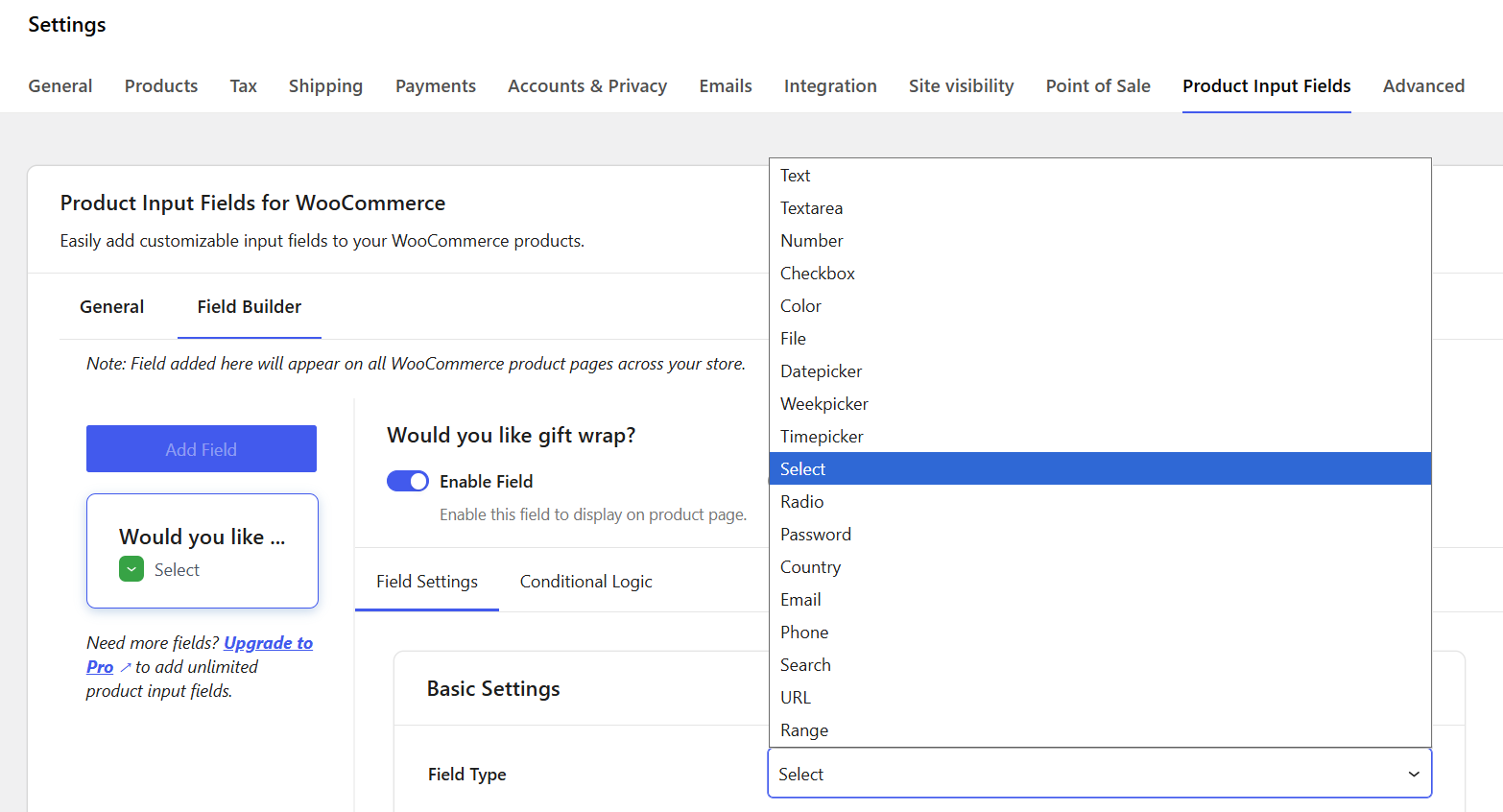
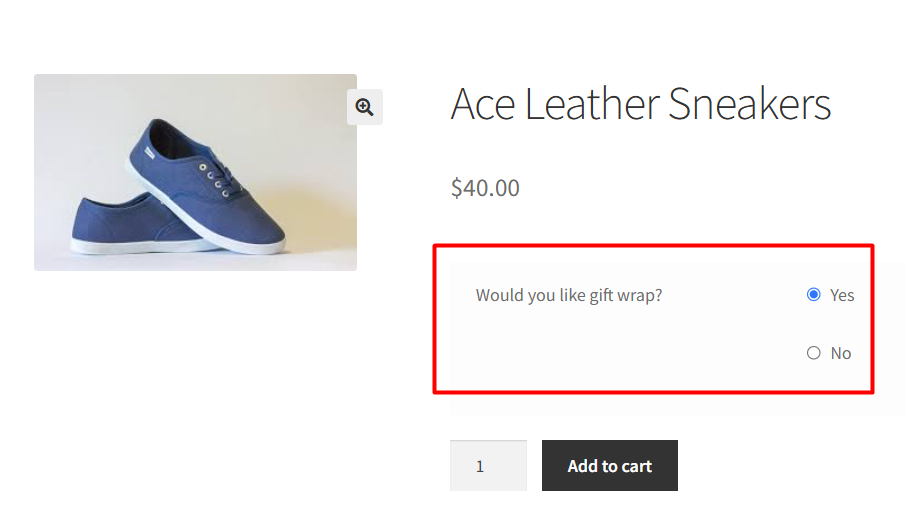
Add custom fields to gather additional information from customers before they purchase. The plugin includes 19 field types, including Text, Textarea, Number, Checkbox, Radio Buttons, Select, File Upload, Date Picker, Time Picker, Week Picker, Color Picker, Email, Phone, URL, Password, Country, Search, and Range.
Add Custom Fields to WooCommerce Products
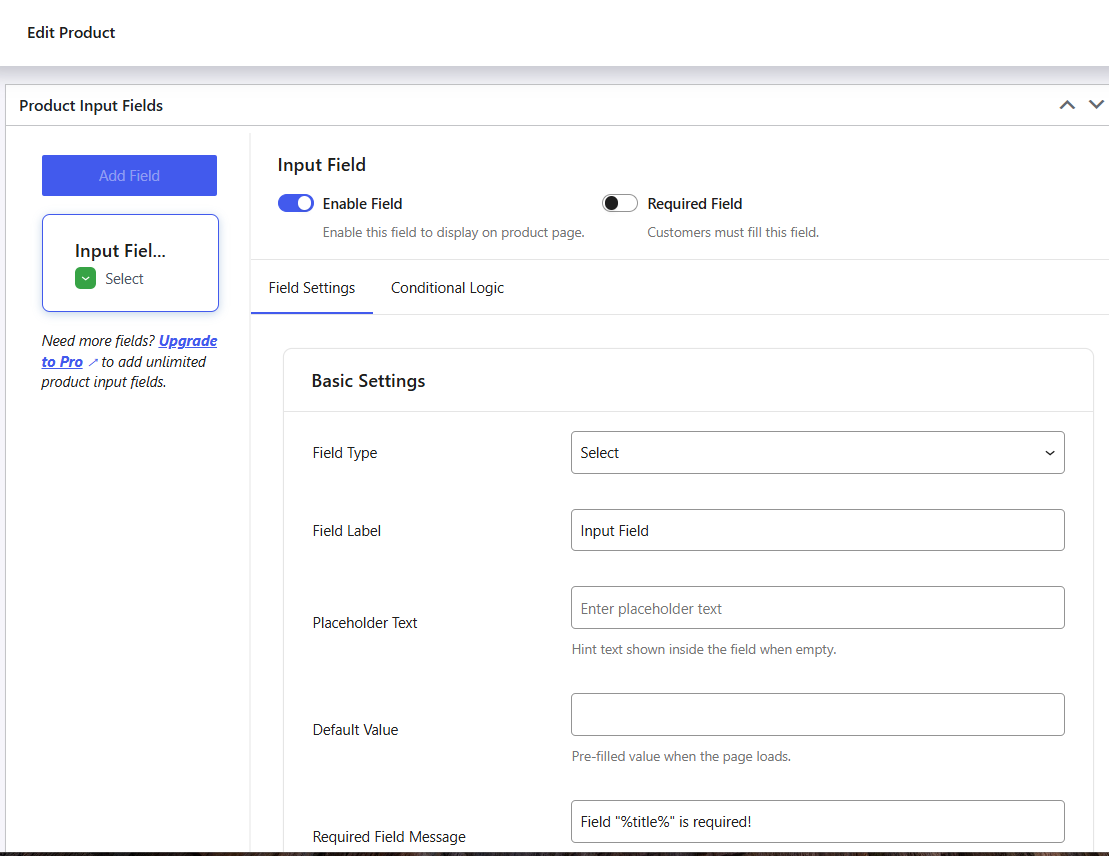
Collect additional information from customers before they purchase. Add unlimited global input fields across your store or create multiple input fields for individual products, depending on your requirements.
Customize Product Fields to Match Your Store
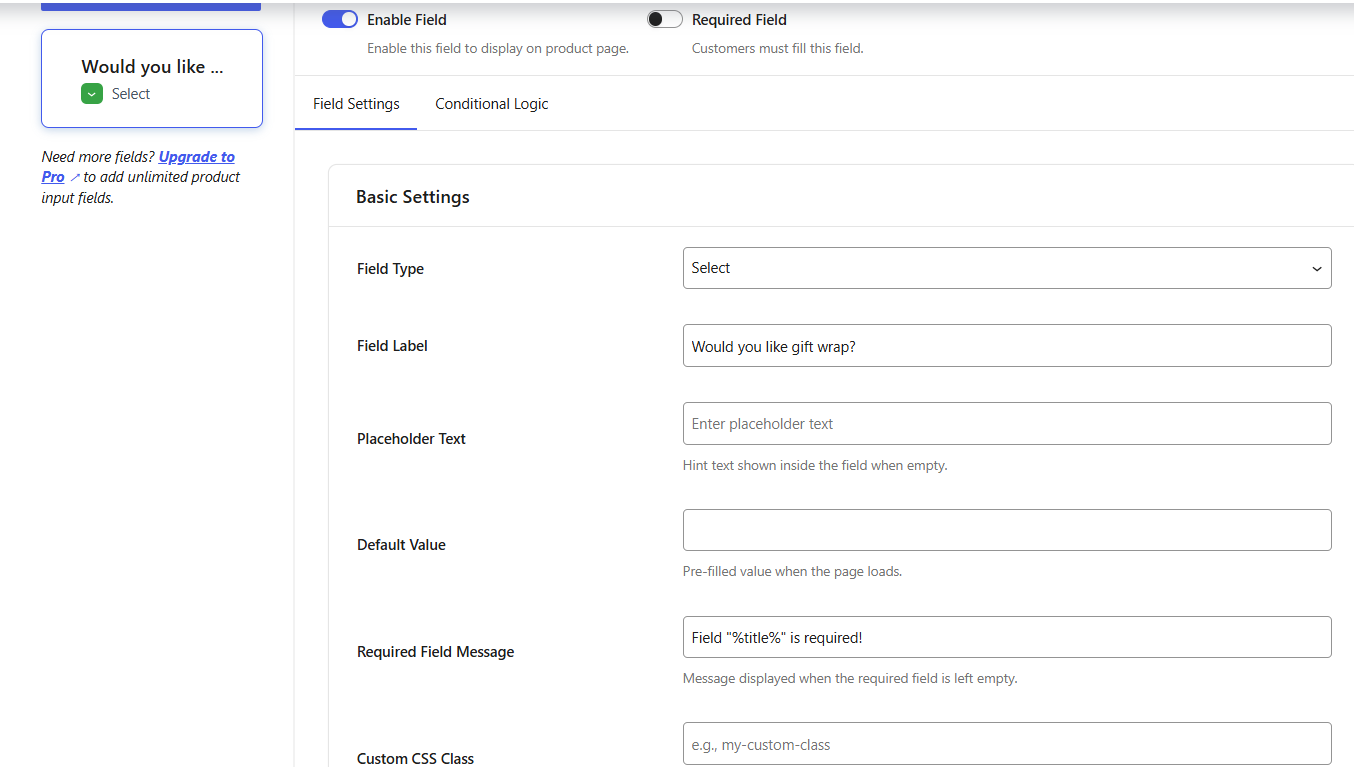
Configure field titles, placeholders, default values, display position, priority, and custom CSS classes so your input fields match the design of your WooCommerce store.
Make Customer Input Mandatory
Mark fields as required to ensure customers provide essential details before adding products to their cart. You can also customize the validation message shown when a required field is left empty.
Keep Customer Customization Details with Every Order
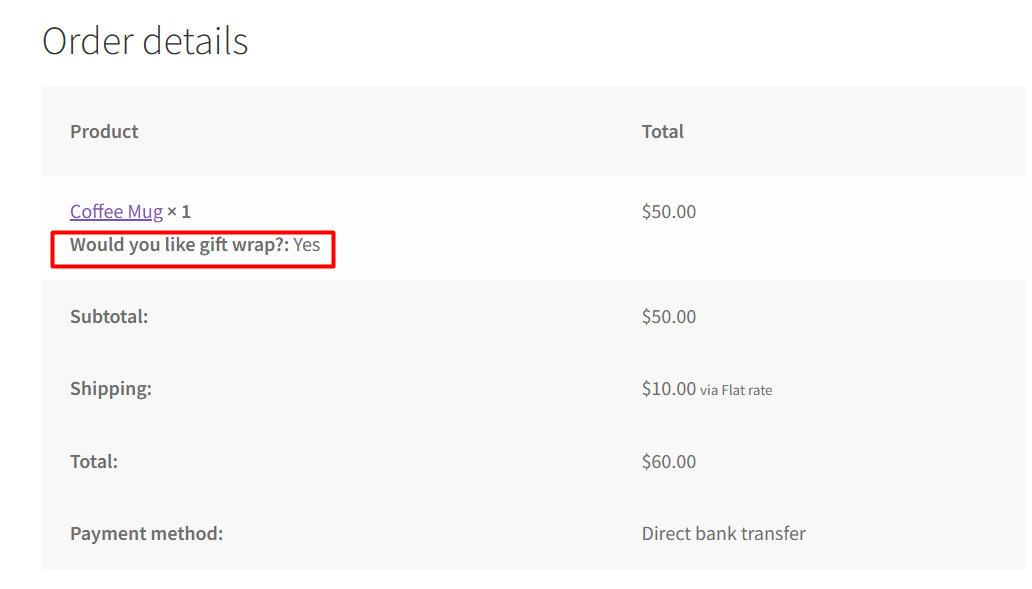
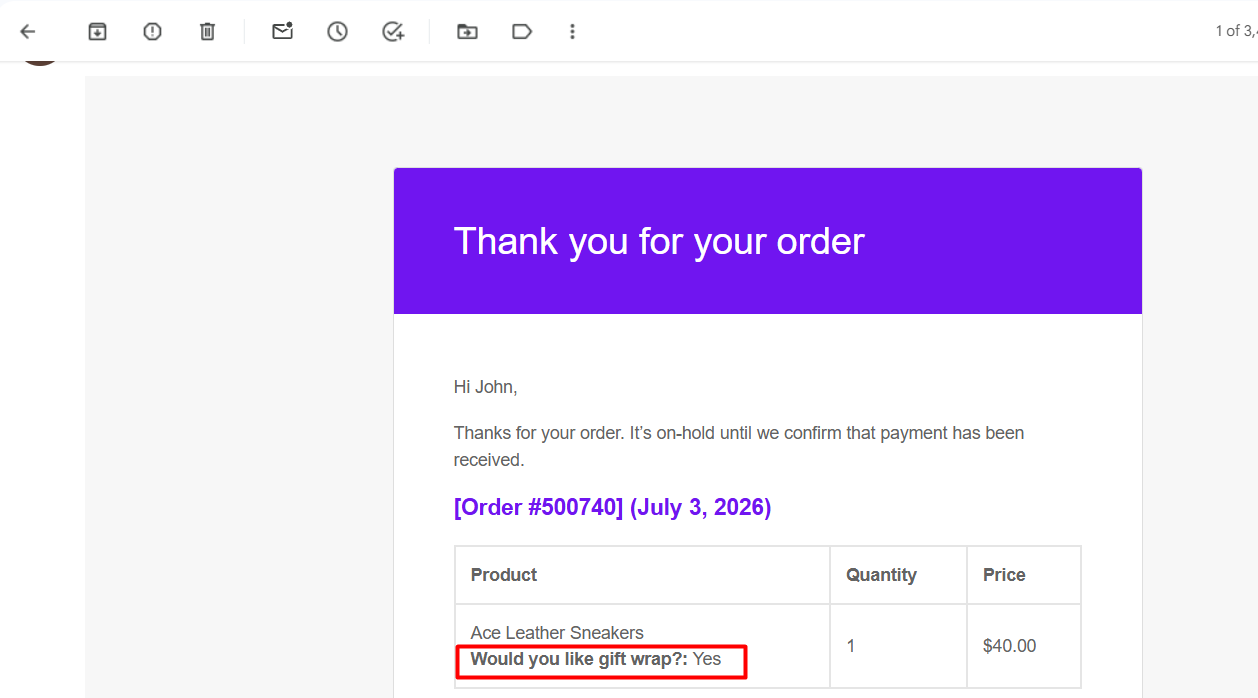
Customer information collected through product input fields is saved with the WooCommerce order, making it easy to review customization requests during order processing. Uploaded files can also be attached to order emails for quick access.
Common Use Cases
Product Input Fields for WooCommerce is ideal for stores selling:
* Personalized gifts
* Engraved jewellery and accessories
* Printed T-shirts and promotional products
* Custom cakes and bakery items
* Business cards and printed stationery
* Photo printing services
* Made-to-order furniture
* Signage and printing products
* Products that require customer notes or special instructions
Documentation & Support
- Visit the WordPress support forums
- Check the documentation for common answers
- Try the live demo to see how the plugin works on the storefront.
If you find the plugin useful, a ⭐ 5-star rating is always appreciated — it helps other store owners discover the plugin.
Looking for More Advanced Features?
Upgrade to Product Input Fields for WooCommerce Pro to create unlimited global and product-level input fields, apply conditional display rules, show fields based on products or categories, add quantity-based conditions, and unlock additional customization options.
See the complete Lite vs Pro comparison: https://www.tychesoftwares.com/differences-between-pro-and-lite-versions-of-product-input-fields-for-woocommerce-plugin/
About Tyche Softwares
Tyche Softwares has been building WooCommerce plugins since 2009, helping merchants improve their stores with solutions for product customization, pricing, checkout, delivery scheduling, bookings, and order management.
Explore More WooCommerce Plugins
Tyche Softwares also develops plugins for abandoned cart recovery, order delivery scheduling, bookings, BOGO offers, invoices and packing slips, custom order numbers, order statuses, payment gateway fees, call for price, currency management, and other WooCommerce store enhancements.
Some of our Pro plugins:
Some of our other free plugins:
Serviços externos
This plugin communicates with our tracking server to send usage data only if the user has explicitly opted in to usage tracking. For detailed information about what is tracked, please refer to our usage tracking documentation.
Instalação
- Upload the entire plugin folder to the
/wp-content/plugins/directory. - Activate the plugin through the “Plugins” menu in WordPress.
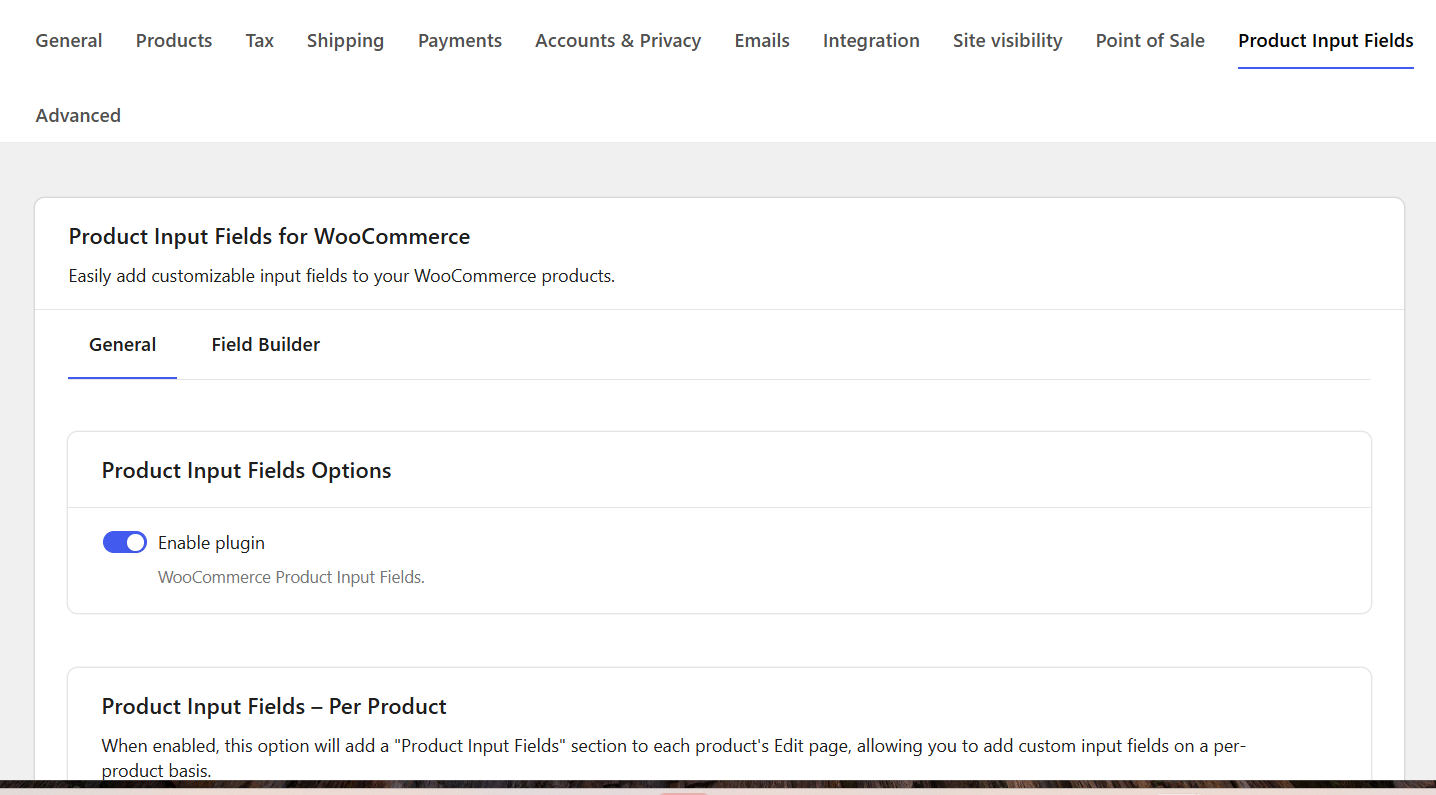
- Start by visiting plugin settings at “WooCommerce > Settings > Product Input Fields”.
Log de Changes
This is the first release of the plugin.
= 2.2.0 – 24/11/2026
* Fix – Empty table is generated when no Product Input Fields are configured on the frontend, causing CSS layout issues and unnecessary DOM rendering.
* Fix – Checkout fails with a PHP fatal error when a subscription renewal order is paid manually through My Account → Orders → Pay.
* Fix – Products can be added to the cart from the Shop/Archive page even when their Product Input Fields are marked as mandatory.
* Fix – Product migration does not schedule the next batch after the initial batch of 100 products when migrating from version 2.0.0.
* Fix – Clicking an empty text input field in the Add to Cart Form block triggers the required-field validation message and prevents customers from entering a value on the product page.
* Fix – Reflected Cross-Site Scripting (XSS) vulnerability allowing unauthenticated attackers to inject and execute malicious JavaScript on product pages through Product Input Field values. Thanks to @kta1kri for reporting this issue.
* Fix – Security vulnerability allowing unauthenticated attackers to upload potentially executable files through File-type Product Input Fields.
2.1.0 – 28/09/2026
- Enhancement – Removed the one-field limit in the free version. You can now add unlimited global input fields and unlimited product-level input fields.
2.0.3 – 03/08/2026
- Fix – Resolved a deployment issue that caused the admin interface to not load correctly after updating to 2.0.2.
2.0.2 – 03/08/2026
- Fix – Security vulnerability that allowed unauthenticated file uploads due to insufficient file type validation, preventing the upload of unauthorized files.
- Fix – Console error occurs when using the Time Picker input field on the product page.
2.0.1 – 16/06/2026
- Fix – Resolved a deployment issue that caused the admin interface to not load correctly after updating to 2.0.0.
2.0.0 – 16/06/2026
- New – React-based admin interface for Settings, Prefix/Suffix rules, and FAQs pages.
- Dev – Introduced a REST API layer (pif/v1) for all admin data operations, with per-endpoint capability checks.
- Dev – Plugin settings migrated from individual
alg_wc_pif_*options to consolidatedpif_general_settingsandpif_field_settingsoptions. - Dev – Removed dead WooCommerce < 3.0 functions.
- Tweak – Updated for compatibility with WordPress 7.0.
- Tweak – Updated for compatibility with WooCommerce 10.8.1.
1.15.0 – 02/06/2026
- Fix – Product Input Field data is now carried forward when Stripe Express Checkout is used directly from the product page.
- Fix – PHP 8.2+ deprecation warning caused by dynamic property creation in Alg_WC_Settings_PIF.
Capturas de tela
Para desenvolvedores
Este é o seu plugin? Mostre os números.
Adicione um crachá ao vivo ao seu site, Documentos ou Readme do GitHub. Ele é atualizado por conta própria - nenhuma conta necessária.
Best Product Input Fields for WooC… alternatives
Todos os plugins de campos personalizados →



FAQ
Product Input Fields for WooCommerce: quick answers
Respostas diretas, extraídas de dados ao vivo WordPress.org.
Fonte: WordPress.org
Is Product Input Fields for WooCom… free?
Yes. Product Input Fields for WooCom… is free to download and use from the official WordPress.org plugin directory.
Is Product Input Fields for WooCom… safe to use in 2026?
Product Input Fields for WooCom… is a solid plugin choice in 2026, with a few things worth checking first. It runs on 4K+ sites, is rated 4/5 and was last updated 12 hours ago, and scores 73/100 on our health check.
How many websites use Product Input Fields for WooCom…?
Product Input Fields for WooCom… is active on 4K+ WordPress websites and has been downloaded 173,345 times since it launched in March 2017. It was downloaded 2,350 times in the last 30 days.
Does Product Input Fields for WooCom… work with WordPress 7.1?
Yes. The developer has tested Product Input Fields for WooCom… up to WordPress 7.1.5, the latest release. It requires WordPress 4.4 or newer.
What PHP version does Product Input Fields for WooCom… need?
Product Input Fields for WooCom… requires PHP 7.4 or higher. Most hosts run PHP 8.x today, so it works on any modern WordPress hosting.
When was Product Input Fields for WooCom… last updated?
The latest version, 2.2.0, was released on November 24, 2026 (12 hours ago).
Who makes Product Input Fields for WooCom…?
Product Input Fields for WooCom… is developed and maintained by tychesoftwares.
What are the best alternatives to Product Input Fields for WooCom…?
The most popular alternatives to Product Input Fields for WooCom… are Advanced Custom Fields (ACF… (2M+ installs), Meta Box (500K+ installs) and Admin Columns (100K+ installs).
Alimentado por PageForge
Um modelo e uma planilha. Uma página real para cada pesquisa.
PageForge Transforma cada linha de um CSV em uma página WordPress com seu próprio título, URL, SEO campos e esquema, construído no layout que você já desenhou. Gratuito em WordPress.org.
- CSV e XLSX, mais Google Sheets em Profissional e Empresarial
- Seu próprio título, URL, SEO campos e esquema para cada página
- Funciona com o editor de blocos, Elementor, Divi e Avada
- Gratuito em WordPress.org, sem cartão de crédito