


Popup Box – Easily Create WordPress Popups
Popup Box is a lightweight yet powerful WordPress popup plugin that helps you create, customize, and manage stunning popups without coding. Perfect for email subscription popups, promotional popups, special offers…

Escolha sólida
Popup Box is a solid plugin choice in 2026, with a few things worth checking first. It runs on 6K+ sites, is rated 5/5 and was last updated 3 months ago, and scores 69/100 on our health check.
- Testado com as últimas WordPress (7.1)
- Momentum — downloads up 31.1% vs the previous 30 days
Como ele se acumula?
Lado a lado em instalações, atualizações, avaliações e suporte



Downloads diários
Os picos de download geralmente seguem uma nova versão — cada site que atualiza automaticamente é um download.
Rankings
Where Popup Box stands todayWordPress.org Classificações de pesquisa
Posição ao vivo na pesquisa de plugins, top 100| Palavra chave | Posição |
|---|---|
| alert | #46 |
| banner | #95 |
| modal window | #8 |
| overlay | #17 |
| popup | #12 |
Adoção da versão
Compartilhamento de sites ativos por lançamento.
Divisão de classificação
★★★★★★★★★★ 5 from 11 reviews
About Popup Box
From the official readme · v3.2.15Descrição
📚 Documentation | 🚀 Try Pro Demo
Popup Box is a lightweight yet powerful WordPress popup plugin that helps you create, customize, and manage stunning popups without coding. Perfect for email subscription popups, promotional popups, special offers, announcement popups, and interactive content popups.
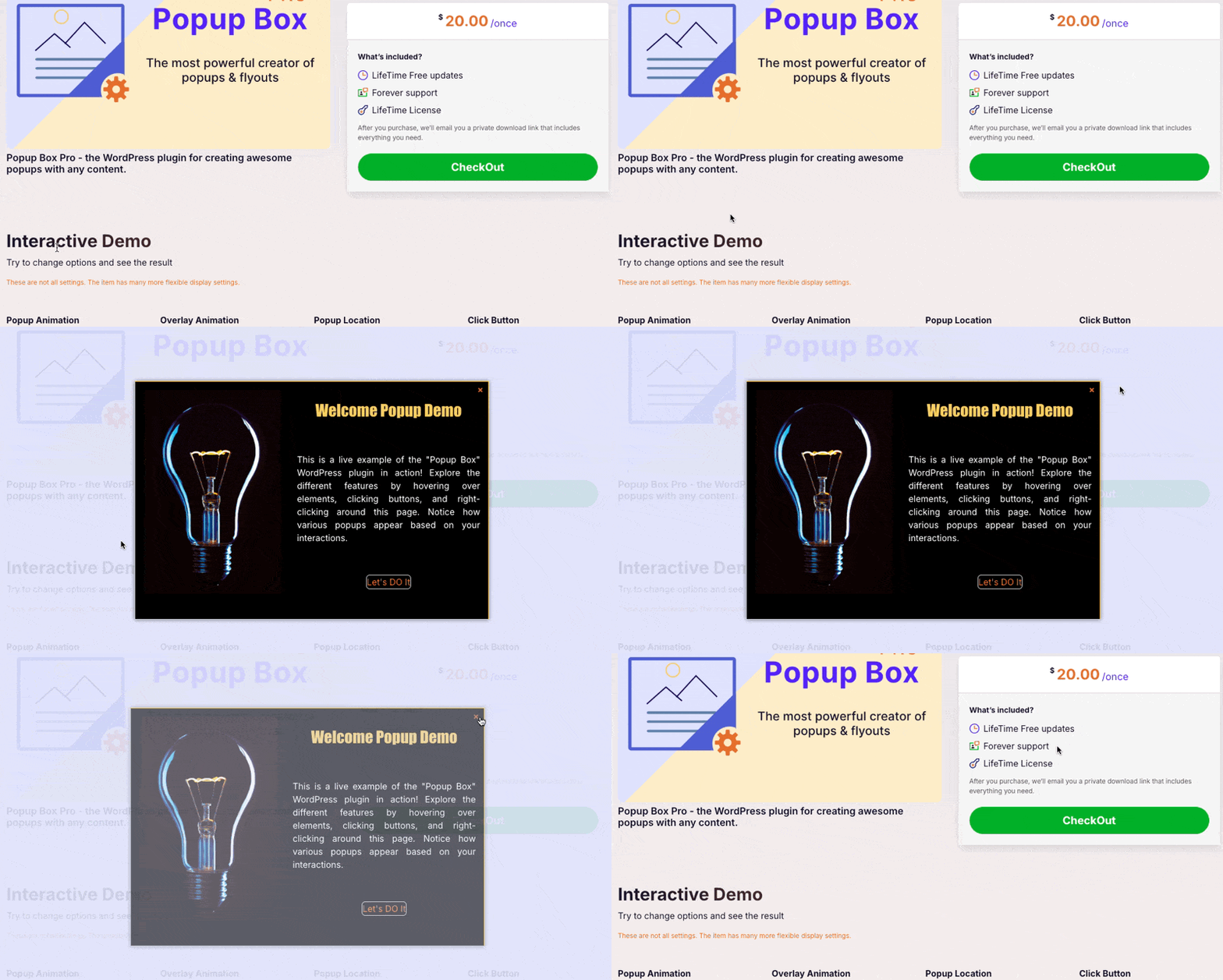
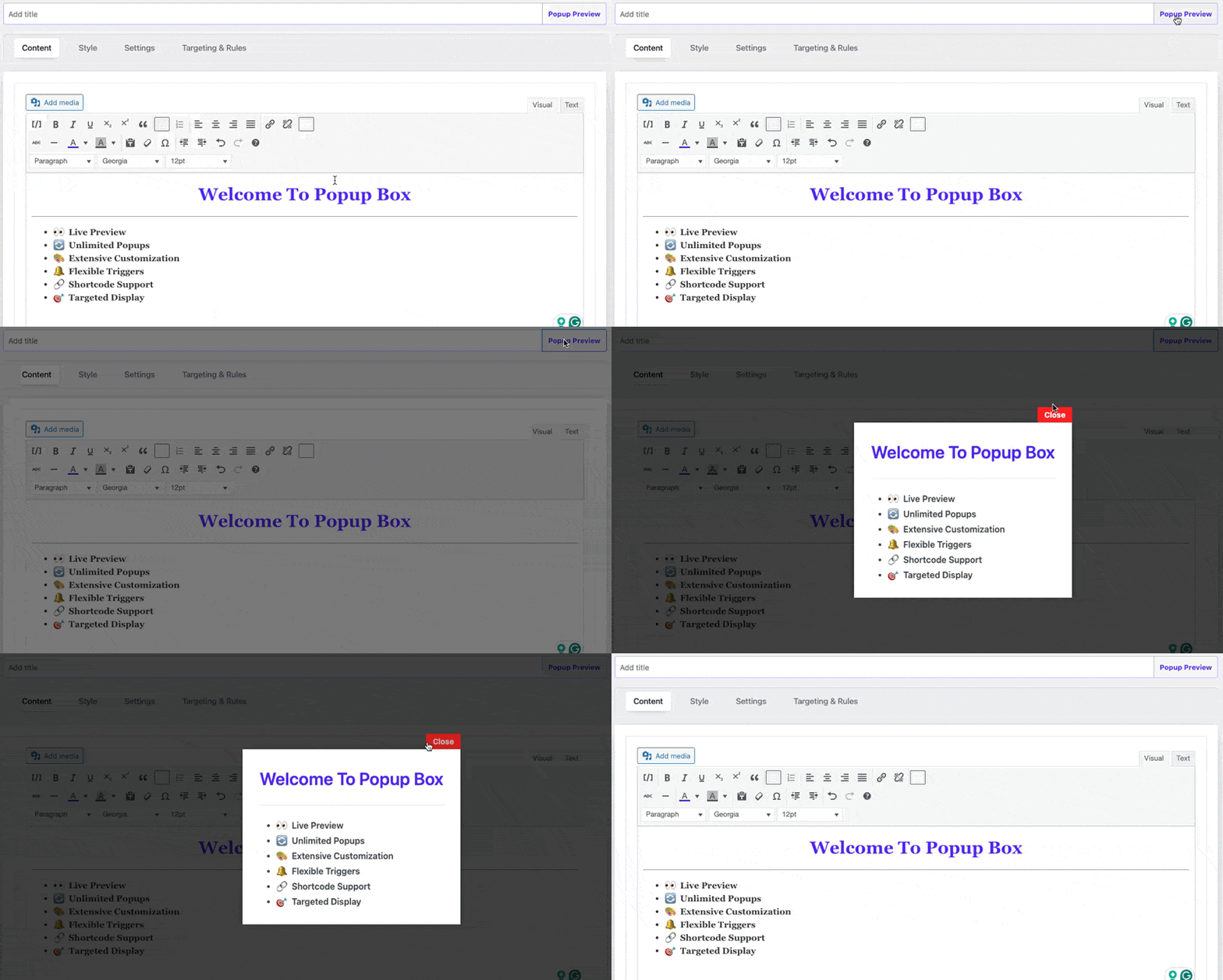
Design your popup with a live preview builder and choose placements. Use flexible triggers like on load, scroll, or click, and control exactly where your popups appear with advanced targeting rules.
Popup Box is a powerful yet lightweight WordPress plugin that lets you easily create, customize, and manage popups with a real-time live preview. Perfect for special offers, email signups, promotions, or boosting user interaction.
🌟 Key Benefits
- Effortlessly create stunning popups with live preview.
- Improve engagement and grow conversions.
- Lightweight and optimized for speed.
- Simple setup – works with any theme.
✅ Engage visitors and increase conversions with Popup Box — the ultimate WordPress popup solution!
Principais características
🎨 Customization & Design
- Live Preview Editor: Instantly see changes as you build.
- Unlimited Popups: No limits—create as many popups as you need.
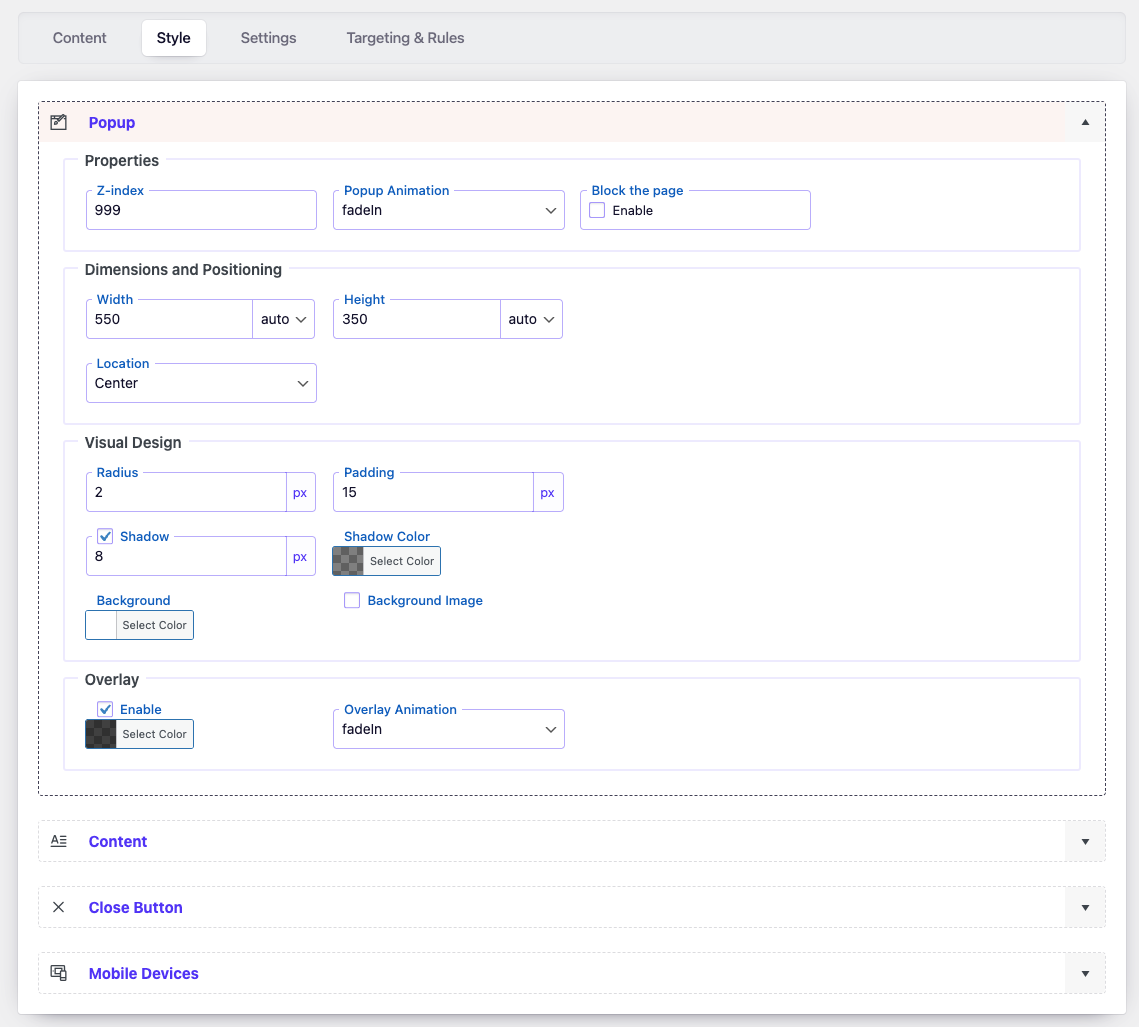
- Customizable Styles: Fonts, colors, backgrounds, borders, shadows, and more.
- 9 Placement Options: Position your popups exactly where you want.
- Advanced Close Button: Customize look and behavior.
🔥 Triggers & Behavior
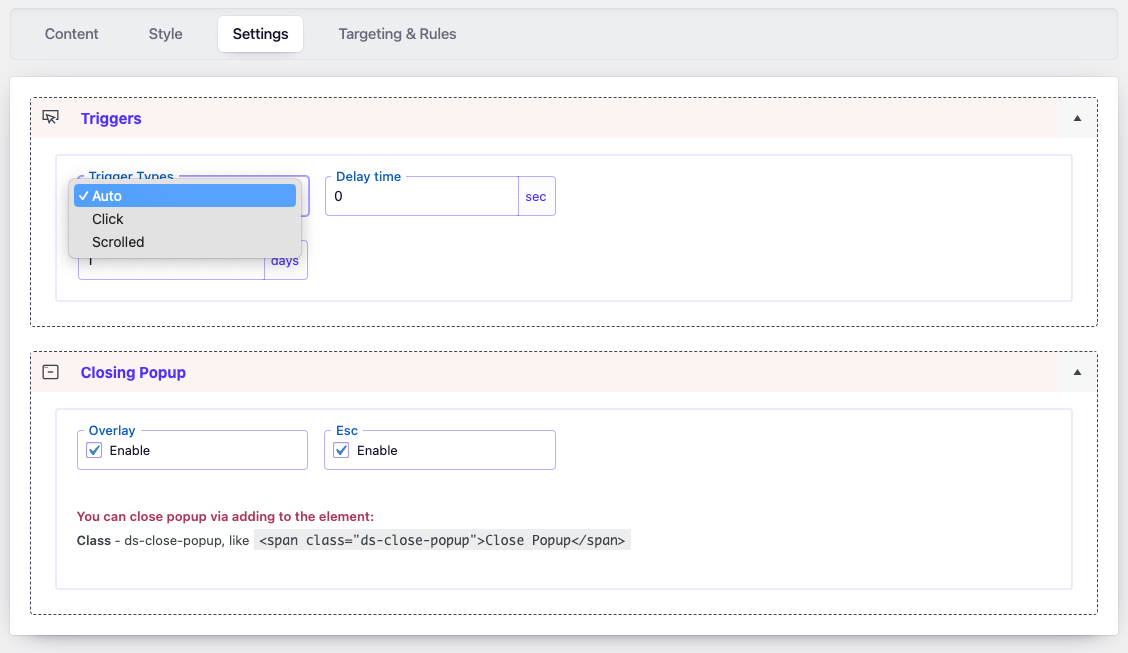
- Flexible Triggers: Show popups on page load, scroll, click, or delay.
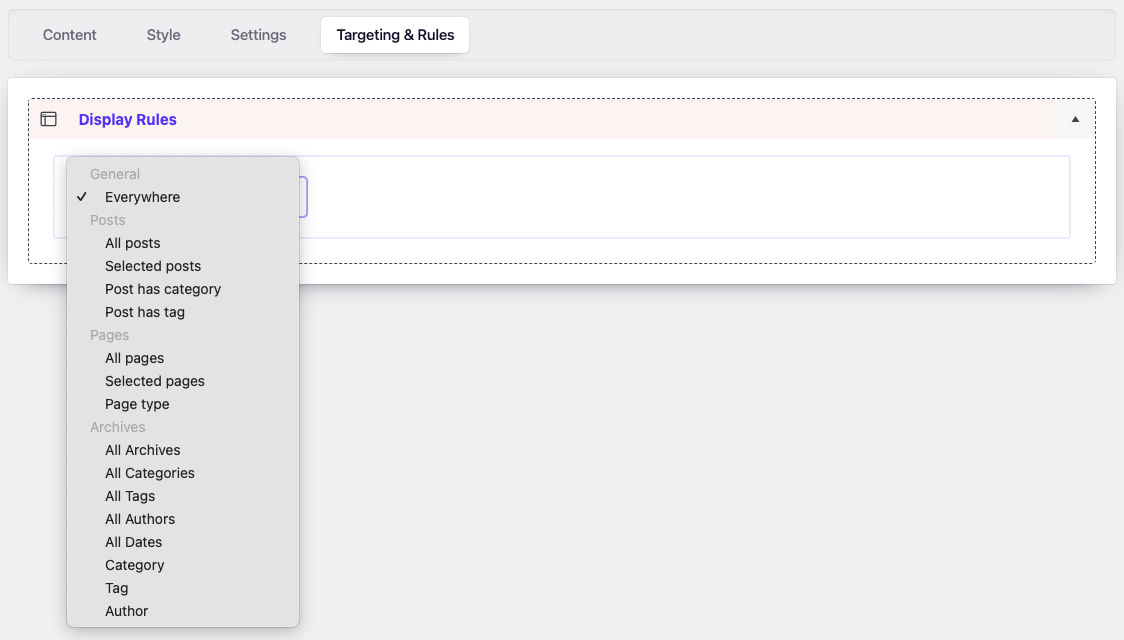
- Display Targeting: Show popups on specific posts, pages, or across your site.
- Popup Frequency Control: Limit popups to appear once per session.
- Overlay & Shadow Effects: Make your popups more attractive.
- Custom Backgrounds: Use images or solid colors.
📦 Content & Shortcode Support
- Video Support: Embed YouTube or Vimeo videos using the
[videoBox]shortcode. - Custom Buttons: Add styled buttons or close triggers with the
[buttonBox]shortcode. - Iframe Support: Insert maps, documents, or external sites via the
[iframeBox]shortcode. - Third-Party Integration: Works perfectly with Contact Form 7, WPForms, and other shortcode-based content.
⚡ Performance & Compliance
- No jQuery dependencies – lightweight and fast.
- GDPR compliant – cookie-free tracking using local storage.
—
Ideal Uses for Popup Box
- Email subscription forms.
- Special offers and promotions.
- YouTube or Vimeo video showcases.
- Lead generation.
- Announcement popups.
- Interactive content popups.
—
Pro Version
Unlock advanced popup features with Popup Box Pro:
🎨 More Design Flexibility
- Hover Trigger: Show popups on hover.
- Right-Click Trigger: Open popups on right-click.
- Text Selection Trigger: Trigger popups when text is highlighted.
- Exit Intent: Capture visitors as they are about to leave.
- Loop Popups: Repeatedly show popups at random intervals.
- Auto Close: Set a timer for automatic popup closure.
- Page Redirect: Redirect users after popup close.
🔥 Advanced Display Rules
- URL Parameters Activation: Show popups based on URL query strings.
- Referrer URL Targeting: Target users coming from specific sources.
- Geotargeting: Show popups based on user location.
- User Role Targeting: Different popups for different user roles.
- Device-Based Visibility: Different popups for desktop or mobile.
- Browser-Specific Control: Enable or disable popups for specific browsers.
- Multi-Language Targeting: Display popups based on language preference.
- Scheduling: Schedule popups for specific dates or times.
✨ Animation & Effects
- 28 Entrance Animations: Choose beautiful transition effects.
- Forced Interaction: Temporarily disable popup close button for critical actions (use carefully).
✅ Upgrade to Popup Box Pro and unlock full potential!
—
🚀 Maximize Results with Complementary Plugins
Expand your site’s functionality with these companion plugins:
- Flexi Menu – Create Floating, Sticky, Dropdown & Icon Menus Easily.
- Buttons – Create powerful call-to-action buttons.
- Counter Box – Add dynamic counters and timers.
- Calculator Builder – Insert interactive calculators inside popups.
✅ Boost engagement and conversions by combining Popup Box with these free tools!
Apoio
Need help? Ask questions and get quick answers in our support center.
Instalação
📌 Option 1: Install via WordPress Dashboard
- Go to your WordPress admin dashboard (
wp-admin). - Navigate to
Plugins → Add New. - Search for “Popup Box” and click Install Now.
- After installation, click Activate.
📌 Option 2: Manual Installation (Upload)
- Download the Popup Box plugin ZIP file.
- In your WordPress admin dashboard, go to
Plugins → Add New → Upload Plugin. - Choose the downloaded ZIP file and click Install Now.
- After installation, click Activate.
📌 Option 3: Install via FTP
- Download and unzip the Popup Box plugin ZIP file.
- Upload the extracted
popup-boxfolder to your server’s/wp-content/plugins/directory via FTP. - Go to
Pluginsin your WordPress dashboard and click Activate.
🚀 Getting Started
- Once activated, you will see a new Popup Box section in your WordPress admin menu.
- Click “Add New” to create your first popup.
- Customize your popup appearance, content, and trigger settings.
- Click Save and your popup will be live on your site.
Log de Changes
3.2.15
- Fixed a minor bug with output tags
- Fixed: a minor bug with code quality
3.2.14
- Fixed: issue with method
Settings::option(). - Fixed: grammar issue in ListTable.php
3.2.13
- Fixed: All iframe attributes are now properly escaped using
esc_attr()
3.2.12
- Updated:
wp-color-picker-alphato version 3.0.4. - Fixed: minor bug fixes
3.2.11
- Improved: Refactored AdminActions class for better performance and readability
- Improved: Reordered condition checks for better execution performance
- Updated: Added strict type hinting for method arguments in AdminActions
3.2.10
- Improved: Reorganized method order in DBManager class for better readability and maintenance
- Improved: Minor SQL formatting for consistency
- Cleaned: Minor code style improvements according to WordPress Coding Standards (WPCS)
Capturas de tela
Para desenvolvedores
Este é o seu plugin? Mostre os números.
Adicione um crachá ao vivo ao seu site, Documentos ou Readme do GitHub. Ele é atualizado por conta própria - nenhuma conta necessária.
Best Popup Box alternatives
All alert plugins →





FAQ
Popup Box: quick answers
Respostas diretas, extraídas de dados ao vivo WordPress.org.
Fonte: WordPress.org
Is Popup Box free?
Yes. Popup Box is free to download and use from the official WordPress.org plugin directory.
Is Popup Box safe to use in 2026?
Popup Box is a solid plugin choice in 2026, with a few things worth checking first. It runs on 6K+ sites, is rated 5/5 and was last updated 3 months ago, and scores 69/100 on our health check.
How many websites use Popup Box?
Popup Box is active on 6K+ WordPress websites and has been downloaded 92,215 times since it launched in January 2020. It was downloaded 1,193 times in the last 30 days.
Does Popup Box work with WordPress 7.1?
Yes. The developer has tested Popup Box up to WordPress 7.1.5, the latest release. It requires WordPress 5.5 or newer.
What PHP version does Popup Box need?
Popup Box requires PHP 7.4 or higher. Most hosts run PHP 8.x today, so it works on any modern WordPress hosting.
When was Popup Box last updated?
The latest version, 3.2.15, was released on August 25, 2026 (3 months ago).
Who makes Popup Box?
Popup Box is developed and maintained by Wow-Company.
What are the best alternatives to Popup Box?
The most popular alternatives to Popup Box are VK Blocks (100K+ installs), Customize WordPress Emails… (30K+ installs) and WP Notification Bars (10K+ installs).
Alimentado por PageForge
Um modelo e uma planilha. Uma página real para cada pesquisa.
PageForge Transforma cada linha de um CSV em uma página WordPress com seu próprio título, URL, SEO campos e esquema, construído no layout que você já desenhou. Gratuito em WordPress.org.
- CSV e XLSX, mais Google Sheets em Profissional e Empresarial
- Seu próprio título, URL, SEO campos e esquema para cada página
- Funciona com o editor de blocos, Elementor, Divi e Avada
- Gratuito em WordPress.org, sem cartão de crédito