


Alert Box Block – Grab Attention with Eye-Catching Notices
Display notices/alerts on the page.

Escolha sólida
Alert Box Block is a solid plugin choice in 2026, with a few things worth checking first. It runs on 400+ sites, is rated 5/5 and was last updated 2 days ago, and scores 76/100 on our health check.
- Desenvolvido ativamente — última atualização 2 dias atrás
- Base de usuários pequenas (mais de 400 instalações ativas)
- Muito poucos comentários até agora
Como ele se acumula?
Lado a lado em instalações, atualizações, avaliações e suporte


Downloads diários
Os picos de download geralmente seguem uma nova versão — cada site que atualiza automaticamente é um download.
Rankings
Where Alert Box Block stands todayWordPress.org Classificações de pesquisa
Posição ao vivo na pesquisa de plugins, top 100| Palavra chave | Posição |
|---|---|
| alert | #6 |
| alert box | #1 |
| alert box block | #1 |
| quadra | >100 |
| Gutenberg block | >100 |
Adoção da versão
Compartilhamento de sites ativos por lançamento.
Divisão de classificação
★★★★★ ★★★★★ 5 de 1 comentários
About Alert Box Block
Do Readme oficial · v2.1.0Descrição
Create and display notices/alerts on the page using the Gutenberg block. it comes up with a few customizable options to design the alert box as you want. Improve the user experience of your website using this block plugin.
Recursos
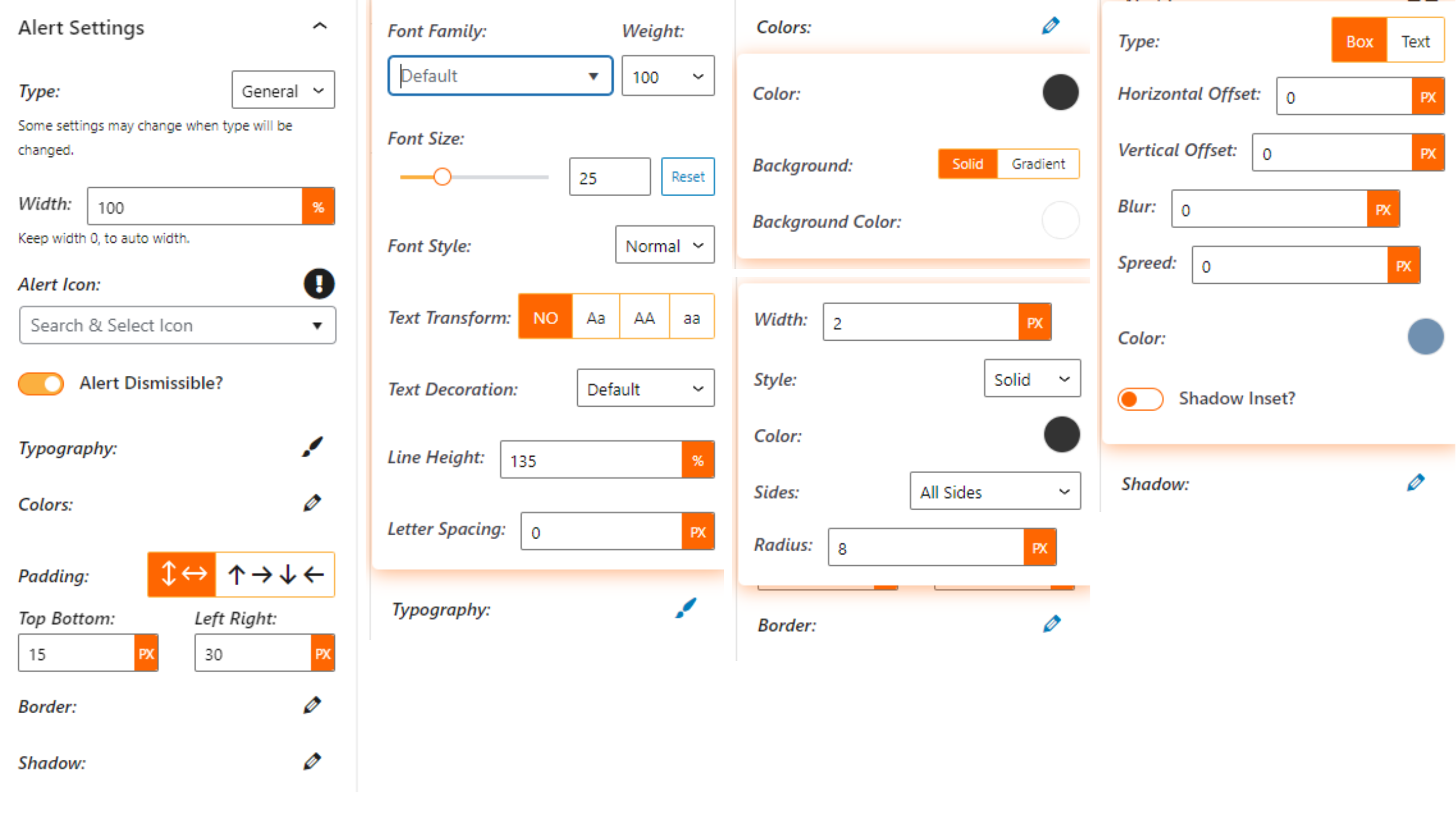
- Fully Customizable: Lots of options available to make the alert box as you want!
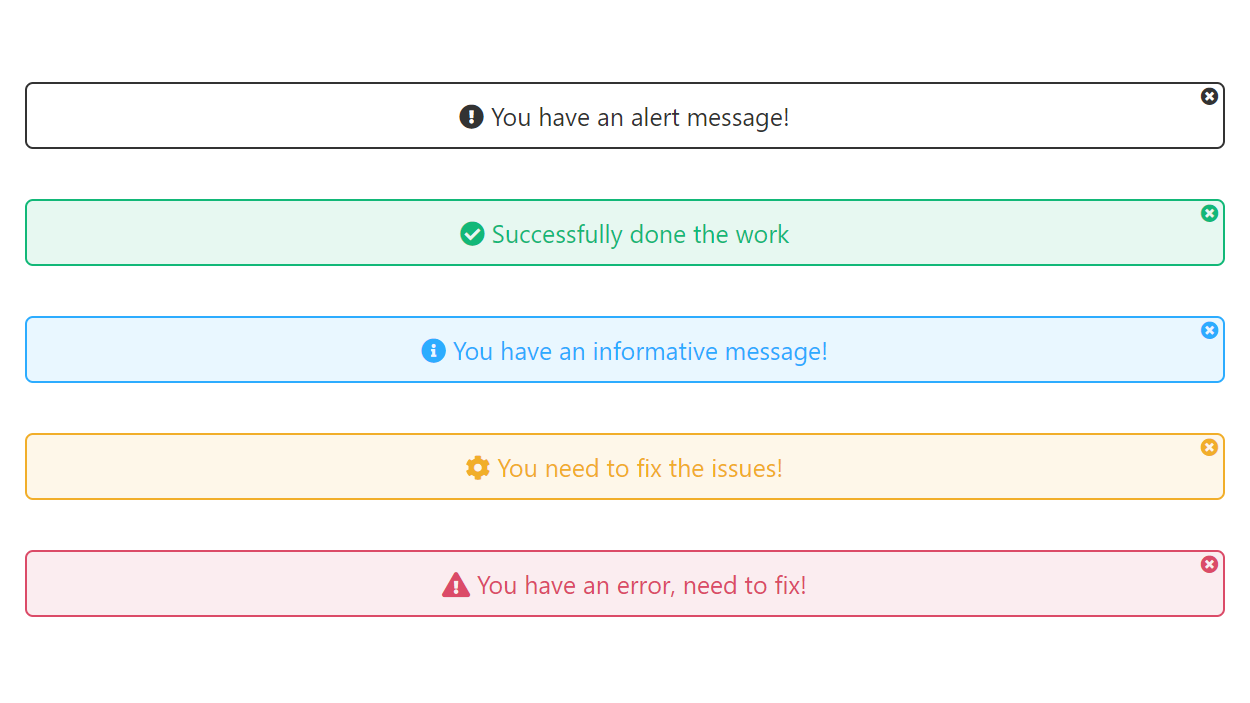
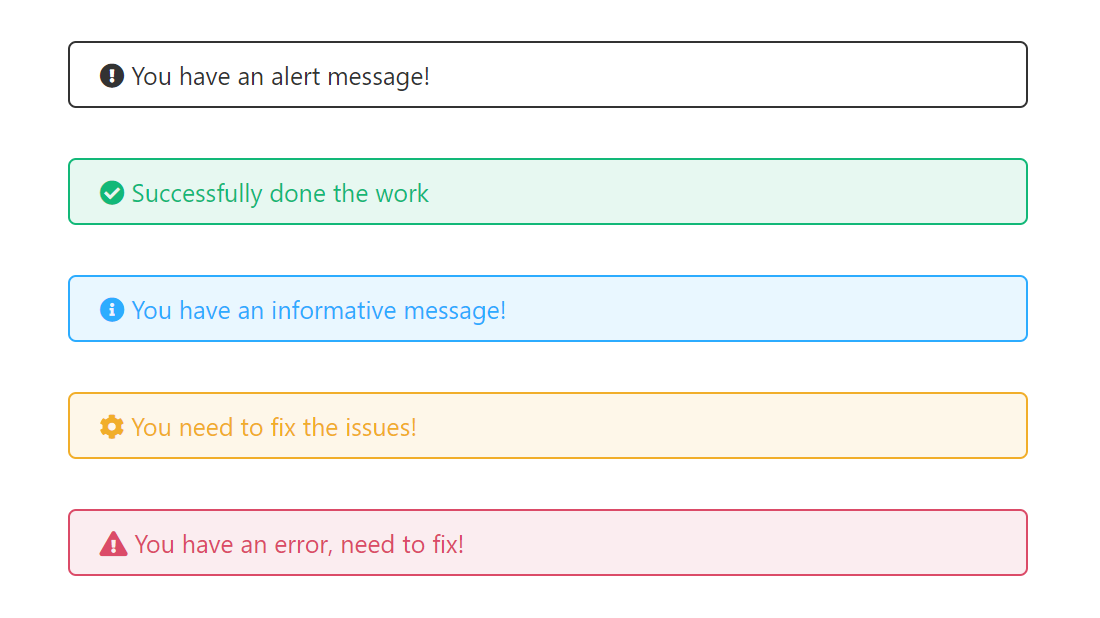
- Different Types: Alert box block comes with different types, you can easily switch the type of alert box.
- Standard Preset: Some preset alerts/notices are ready to use without any modification.
- Shortcode Generator: Build an alert once under Alert Box Block → Add New and place it anywhere with
[alert_box id="123"]— posts, widgets, page builders or the classic editor. - Block Manager: Turn individual blocks on or off from the Help & Demos dashboard.
Pro Blocks
- Announcement Bar: Inline or sticky top/bottom bar with a countdown, start/end schedule, optional dismiss memory and device visibility.
- Countdown Alert: Fixed-date or evergreen (per visitor) timers in tiles, flip clock, rings and more.
- Popup Alert: Delay, scroll, exit-intent or click triggers, coupon code with one-click copy, and center, slide-in, fullscreen or top-drop layouts.
- Toast Notifications: Rotating social-proof toasts in any screen corner, with avatars, ratings and verified badges.
- News Ticker: Breaking-news ticker from your latest posts or custom headlines — marquee, slide, fade or typewriter.
Every Pro block ships with 7 themes, full style controls and works in shortcodes too.
Como usar
- First, install the Alert Box Block plugin
- Add the Alert Box Block from the block category called “Alert Box Blocks” in the Gutenberg editor.
- You can change block settings from the right-side settings sidebar.
-
Aproveite!
-
For installation help click on Installation Tab
Experiência
- Did you like this plugin? Dislike it? Do you have a feature request? Please share your feedback with us
Check out the Parent Plugin of this plugin-
B Blocks – A blocks collection and page building tool for Gutenberg.
Check out our other WordPress Plugins-
Html5 Video Player – Display videos as single and playlist in multiple skins.
PDF Poster – Display/Embed PDF files with different styles.
Html5 Audio Player – Listen audios with awesome visuals.
StreamCast – Customizable radio player with different skins.
3D Viewer – Embed 3D models and 3D products with interaction.
Advanced Post Block – Show posts and custom posts in different layouts.
Enjoying Alert Box Block?
Your support helps us improve and bring more useful blocks to the WordPress community!
👥 Join Our Facebook Community
Connect with other users, share ideas, and get help.
⭐ Rate Alert Box Block on WordPress.org
Enjoying the plugin? Leave us a review. Your feedback means a lot!
Instalação
From Gutenberg Editor:
- Go to the WordPress Block/Gutenberg Editor
- Search For Alert Box Block
- Click on the Alert Box Block to add the block
Download & Upload:
- Download the Alert Box Block plugin (.zip file)
- In your admin area, go to the Plugins menu and click on Add New
- Click on Upload Plugin and choose the
alert-box-block.zipfile and click on Install Now - Activate the plugin and Enjoy!
Manually:
- Download and upload the Alert Box Block plugin to the
/wp-content/plugins/directory - Activate the plugin through the Plugins menu in WordPress
Log de Changes
Adds a shortcode generator, a block manager and five new Pro blocks. The dashboard moved to Alert Box Block → Help & Demos.
2.1.0 – 18 October 26
- New: Shortcode generator — build an alert under Alert Box Block → Add New and use it anywhere with [alert_box id=”123″].
- New Pro blocks: Announcement Bar, Countdown Alert, Popup Alert, Toast Notifications and News Ticker — each with 7 themes.
- New: Pro blocks can be used in shortcodes via the “Alert Block” picker.
- New: enable or disable blocks from the dashboard Blocks page.
- New: “Alert Box Blocks” category in the block inserter.
- Updated: the dashboard now lives under Alert Box Block → Help & Demos for every user.
- Performance: block editor scripts are much smaller; the icon library loads only when needed.
2.0.2 – 23 June 26
- Fixed a PHP warning (“Attempt to read property post_content on null”) on pages without a post object.
- Improved code standards compliance (prefixed functions, variables, hooks, and namespace).
2.0.1 – 20 June 26
- Added direct file access protection and nonce verification for improved security.
- Testado até WordPress 7.0.
- Fixed dashboard demo layout icons.
2.0.0 – 3 March 26
- 11 Premium Theme Added.
- New Dashboard Added.
1.2.0 – 28 October 25
- Icon library updated to include additional icons.
1.1.4 – 16 Apr 25
- Improve input text content.
Capturas de tela
Para desenvolvedores
Este é o seu plugin? Mostre os números.
Adicione um crachá ao vivo ao seu site, Documentos ou Readme do GitHub. Ele é atualizado por conta própria - nenhuma conta necessária.
Best Alert Box Block alternatives
All alert plugins →




FAQ
Alert Box Block: quick answers
Respostas diretas, extraídas de dados ao vivo WordPress.org.
Fonte: WordPress.org
Is Alert Box Block free?
Yes. Alert Box Block is free to download and use from the official WordPress.org plugin directory.
Is Alert Box Block safe to use in 2026?
Alert Box Block is a solid plugin choice in 2026, with a few things worth checking first. It runs on 400+ sites, is rated 5/5 and was last updated 2 days ago, and scores 76/100 on our health check.
How many websites use Alert Box Block?
Alert Box Block is active on 400+ WordPress websites and has been downloaded 14,222 times since it launched in October 2021. It was downloaded 568 times in the last 30 days.
Does Alert Box Block work with WordPress 7.1?
Alert Box Block is officially tested up to WordPress 7.0.9, while the latest release is 7.1.5. It may still work, but try it on a staging site first.
What PHP version does Alert Box Block need?
Alert Box Block requires PHP 7.1 or higher. Most hosts run PHP 8.x today, so it works on any modern WordPress hosting.
When was Alert Box Block last updated?
The latest version, 2.1.0, was released on November 18, 2026 (2 days ago).
Who makes Alert Box Block?
Alert Box Block is developed and maintained by bPlugins.
What are the best alternatives to Alert Box Block?
The most popular alternatives to Alert Box Block are VK Blocks (100K+ installs), Customize WordPress Emails… (30K+ installs) and WP Notification Bars (10K+ installs).
Alimentado por PageForge
Um modelo e uma planilha. Uma página real para cada pesquisa.
PageForge Transforma cada linha de um CSV em uma página WordPress com seu próprio título, URL, SEO campos e esquema, construído no layout que você já desenhou. Gratuito em WordPress.org.
- CSV e XLSX, mais Google Sheets em Profissional e Empresarial
- Seu próprio título, URL, SEO campos e esquema para cada página
- Funciona com o editor de blocos, Elementor, Divi e Avada
- Gratuito em WordPress.org, sem cartão de crédito