


Personal Dictionary – Vocabulary Games, Memory Games
Allow your students to create personal dictionary, study the words with the help of memory games. Make learning fun with vocabulary games.

Use com cautela
Personal Dictionary works, but test it on a staging site before relying on it in 2026. It runs on 70+ sites, is rated 4.8/5 and was last updated 8 months ago, and scores 58/100 on our health check.
- Small user base (70+ active installs)
Como ele se acumula?
Lado a lado em instalações, atualizações, avaliações e suporte


Downloads diários
Os picos de download geralmente seguem uma nova versão — cada site que atualiza automaticamente é um download.
Rankings
Where Personal Dictionary stands todayWordPress.org Classificações de pesquisa
Posição ao vivo na pesquisa de plugins, top 100| Palavra chave | Posição |
|---|---|
| dictionary | #1 |
| education | #90 |
| elearning | #49 |
| Memory game | #1 |
| vocabulary | #2 |
Adoção da versão
Compartilhamento de sites ativos por lançamento.
Divisão de classificação
★★★★★★★★★★ 4.8 from 8 reviews
About Personal Dictionary
From the official readme · v2.7.4Descrição
WordPress Personal Dictionary plugin
The WordPress Dictionary plugin allows your users to create and organize their own vocabulary lists, study and memorize the words. This dictionary builder is a must-have tool for online teachers, university professors, language tutors, or any other online educational-related instructors. The tool can be considered an integral part of any learning management. This online vocabulary can make the study activity more organized and efficient. No limit on the count of words and groups you can make! Incredible, isn’t it?
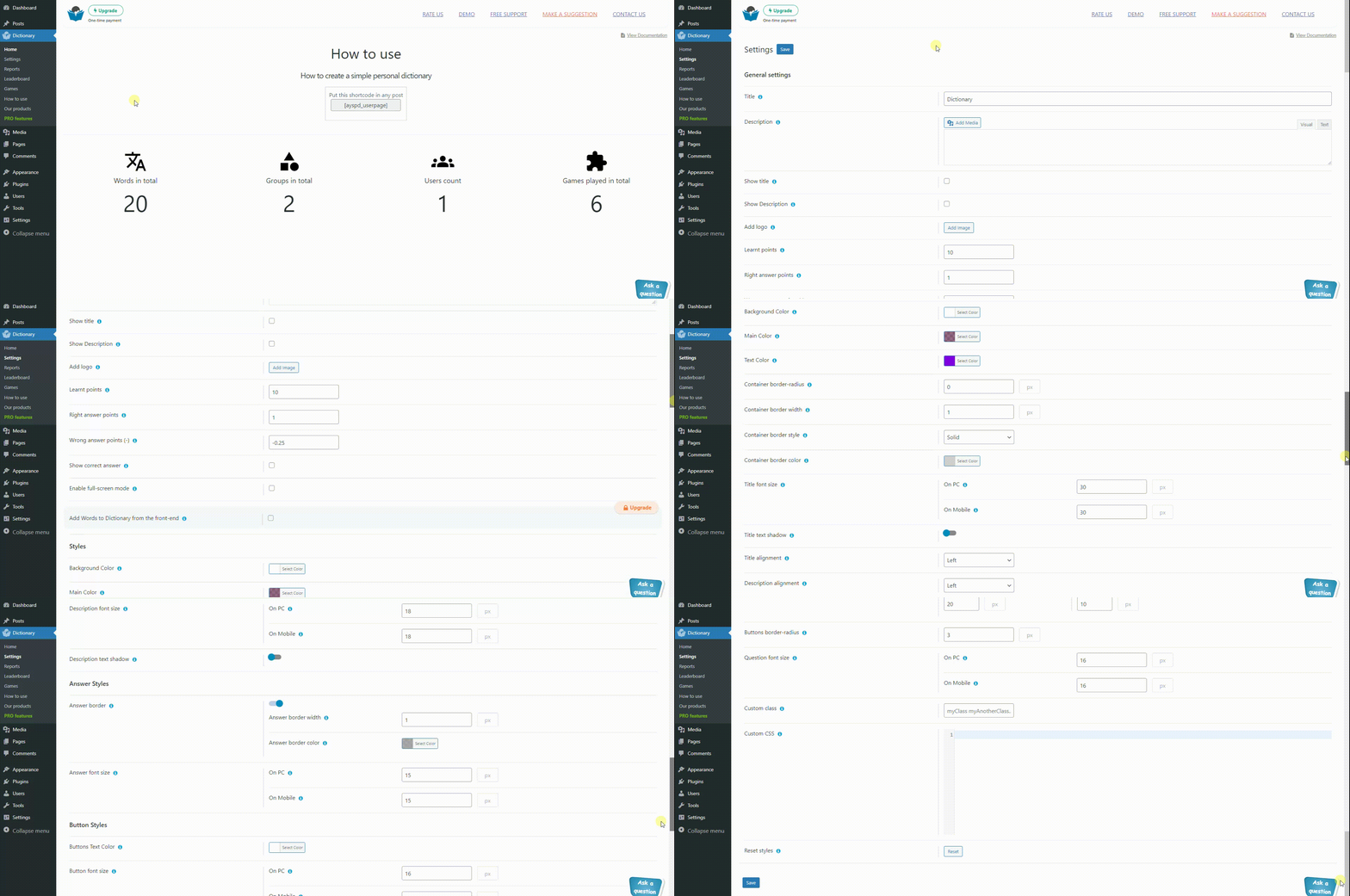
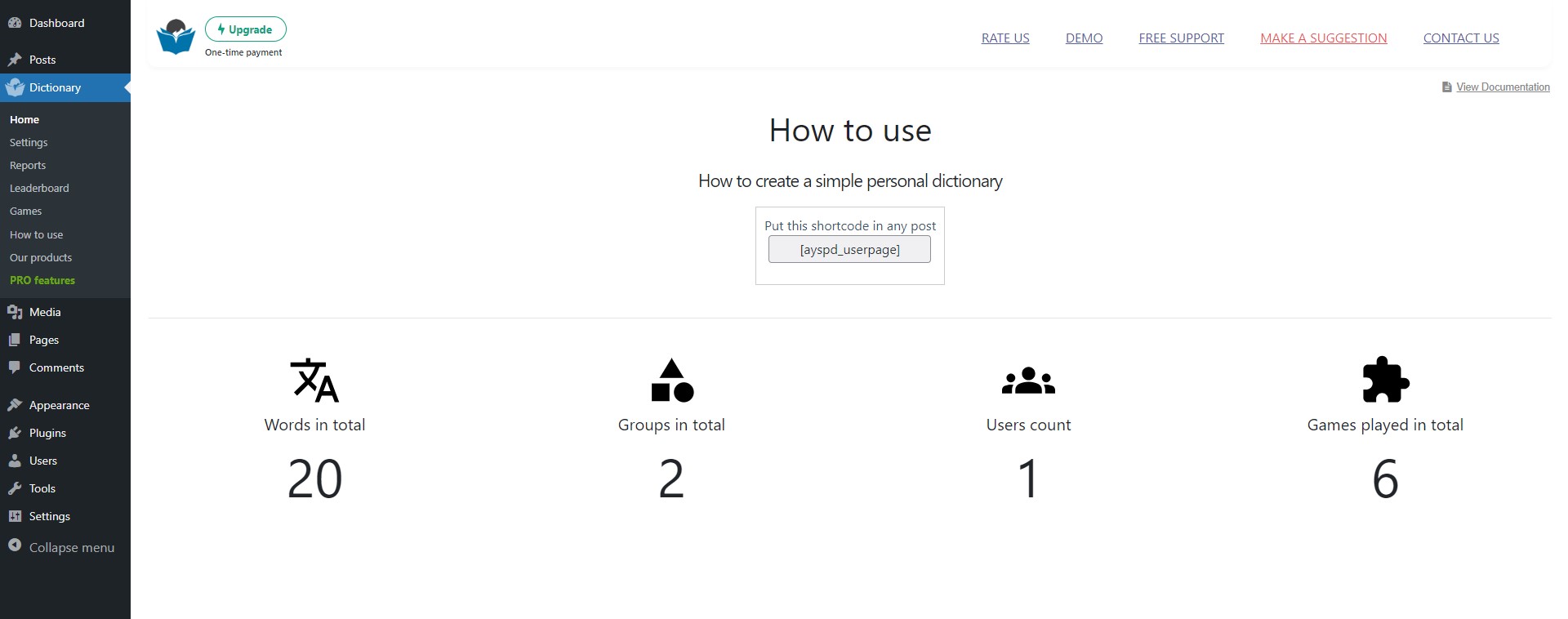
How to activate the tool on the front-end? The WordPress admin simply needs to copy and put the shortcode of this personal dictionary-maker into any post and the tool will be activated.
Here is the shortcode:
[ayspd_userpage]
Why choose us among other WordPress plugins? We are certainly the first one with this great idea within the WordPress community. It makes us more responsible, and accountable for creating the best product, that will fulfill all your needs. Grab this opportunity and take your learning process to an advanced level with us.
What Makes Us Different? There are only WordPress experts with a purpose-driven background behind the plugin. You can check other successful and powerful plugins of them: Quiz Maker, Poll Maker, Survey Maker, etc.
Recursos
- Responsive design
- Unlimited groups and words
- Revision games
- Import words (XLSX)
- Tabela de classificação
- Analítica
- Matching Words game
- Find the Translations game
- Custom Branding
- Add words from frontend
- Access for not logged-in users
PRO | DEMO | DOCUMENTATION
Revision Games
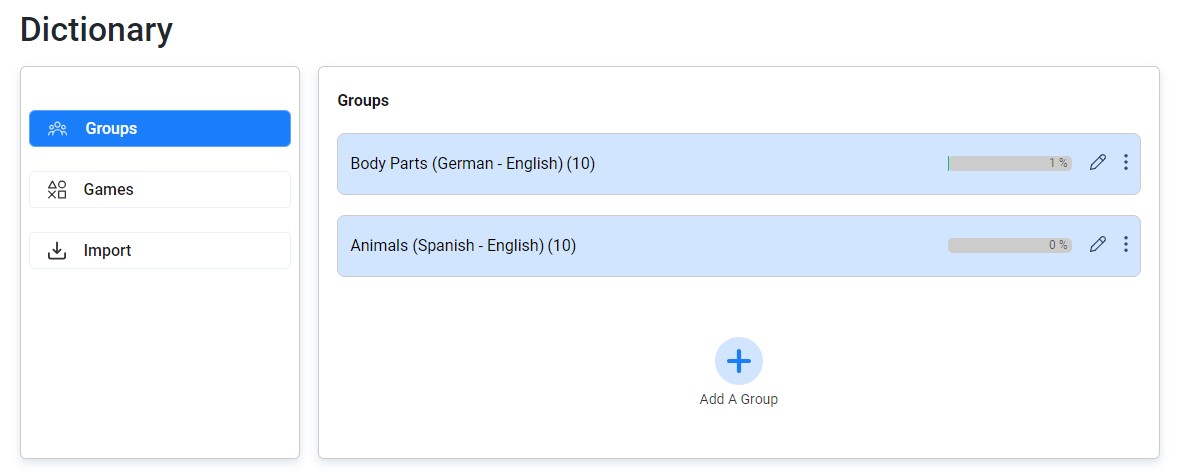
It’s simple – add words, practice with games, and learn! After activation, each user will see individualized content: a personalized dictionary. Firstly, the user needs to create groups related to a specific subject. Then, he needs to add words with their translations within the group. Then, comes the fun part: Vocabulary quizzes!
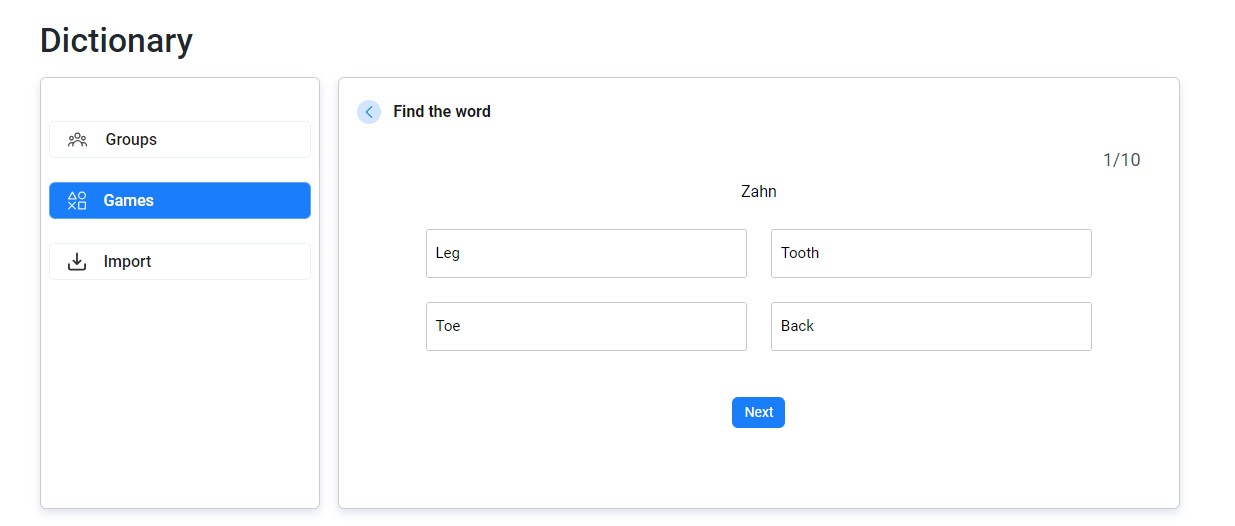
There are two types of games available yet: Find the Translation and Find the Word. In the first case, you need to find the right translation amongst a list of four possible answers. While during the second vocabulary game, you need to find the right word amongst a list of four possible answers.
Find the Translations Game
Learning a new language is now even easier with the Personal Dictionary plugin. The users now can learn the words in a fun way. All they need to do is to find the translation of the new word in their own language.
Find the Word Game
The “Find the Word” game in the Personal Dictionary plugin, is an engaging word search activity designed to challenge users’ lexical and observational skills. This game is not only entertaining but also serves as an effective tool for enhancing vocabulary and problem-solving skills. With its user-friendly interface and word challenges, the “Find the Word” game in the Personal Dictionary plugin provides a dynamic and enjoyable way for users to enlarge their language abilities while having fun.
Matching Words Game [Pro](https://ays-pro.com/wordpress/personal-dictionary)
The Matching Words game available in the WordPress Dictionary plugin, offers an engaging and educational experience for users looking to enrich their vocabulary and word-learning skills. This interactive game presents players with a set of word pairs, challenging them to identify and match words with their corresponding counterparts.
Calculation
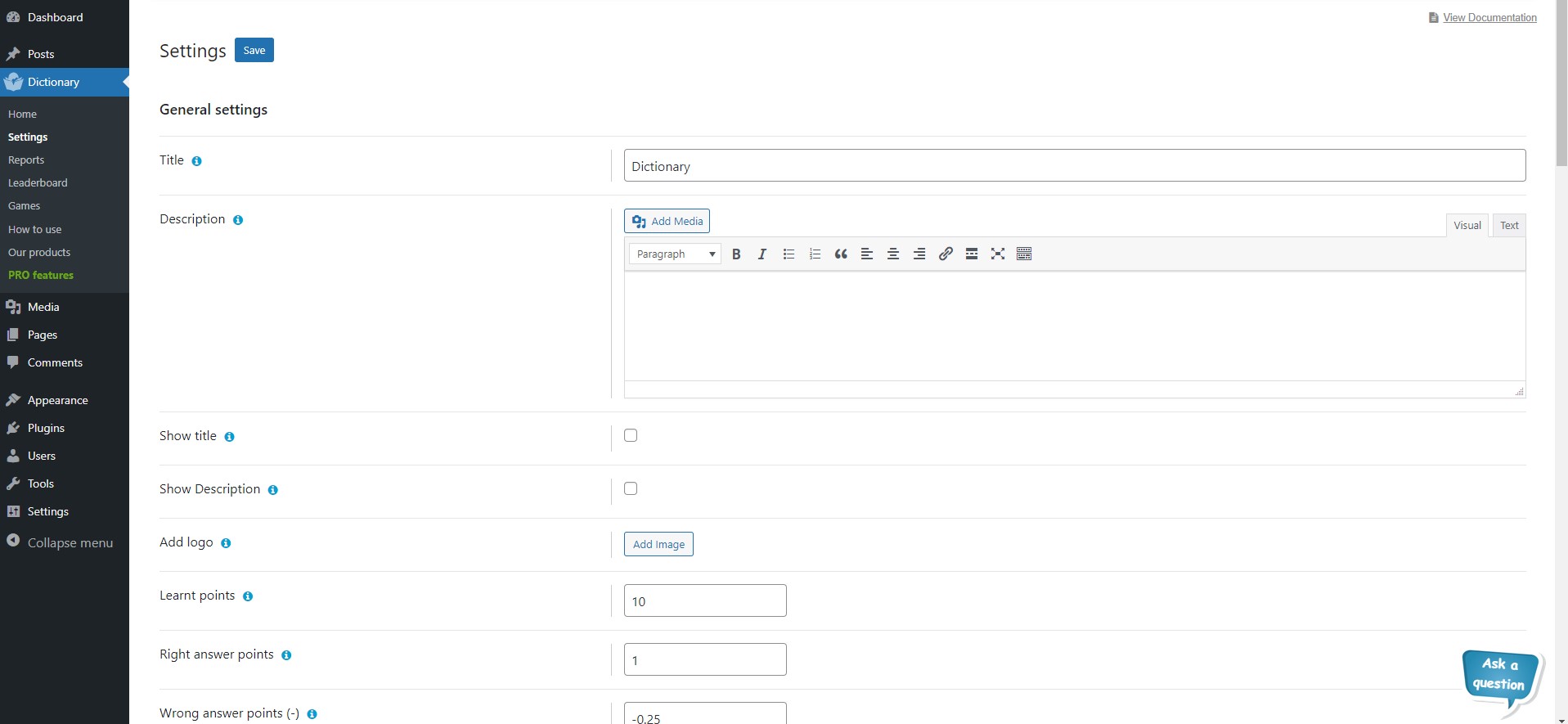
Most probably you are asking yourself – after how many attempts the word is considered as already learned? It’s all up to you. You need to define the following inputs: Learnt points, Right answer points, and Wrong answer points. To give you an idea, let’s assign 10 to the Learnt points, 1 to the Right, and 0.23 to the Wrong one. When the student answers a question 10 times correctly(10 x 1), then the given word will be considered already learned and will not appear in games anymore. Anyway, it will remain in the word bank, and the user can reset it anytime. This is the best way for engaging students, isn’t it?
Easy-to-use
The simplest plugin ever! Your users can easily create their personal digital dictionaries within a few minutes. It has the most intuitive interface and runs smoothly on all devices: computers, tablets, and mobile devices.
The team behind the plugin carefully considers all the details to make the dictionary creating process much easier and quicker. You can build new words and groups by just tapping Enter key on your keyboard. Moreover, the word games plugin works mainly without reloading the page. We know – time is the scarcest resource, particularly during university life!
Memory Games
Online memory games and vocabulary games can improve learning proccess by making it more creative and efficient. They help students better remember what they’ve learned.
In addition to online courses, quizzes and exams, you could use flashcard games to remember vocabulary words and phrases.
You can explore a demo by following this dictionary plugin demo link.
Upgrading to the dictionary plugin pro version provides additional features, such as analyitics, leaderboard, matching words game, words importing and access to a wider range of memory games and exercises.
Personal dictionary APP vs Plugin
For learning new words, students usually write them in their notepads, which is not always convenient and flexible to use. However, in this modern era, opportunities are plenty such as personal dictionary apps or personal dictionary software. Let’s see our advantages over them:
- Tracking Leaderboard for calculating activity and participation grade of students
- Interactive tool for boosting your website traffic
- Analysis via charts, line charts, and statistics.
Glossary VS Dictionary
Let’s find out the difference between glossaries and dictionaries. A glossary is a list of terms referring to a particular subject in alphabetical order. On the other hand, a dictionary is a word pool with its corresponding meanings, translation, or explanation; for instance, Oxford English Dictionary or Cambridge dictionary.
Our plugin is WordPress lingo for all motivated language learners.
Contact Us
Have you still got questions that are not answered in here? Do not hesitate to contact us via FREE SUPPORT FORUM. Our customer care specialist will answer your question or resolve the issues you are facing within a working day.
Other plugins from Ays Pro Team
- Quiz Maker for creating advanced quizzes and exams easily and quickly.
- Survey Maker for collecting data and analyze it.
- Fox LMS to create, manage, and share your courses with ease using this WordPress LMS plugin.
- Poll Maker for creating powerful and interactive polls.
- Popup Box, an easy way to create eye-catching and engaging popups.
- Secure Copy Content Protection to protect web content from being plagiarized.
- Chartify to build both static and dynamic charts, graphs and diagrams.
- Easy Form to create various forms for your website.
- AI ChatBot to generate high-quality content for your blog, and finding the answer to any questions in seconds.
- FAQ Builder to display Frequently Asked Questions on your website with a beautiful accordion.
- Image Slider give the aility to grab your audience’s attention with amazing and entertaining slideshows.
- Random Posts and Pages Widget for creating internal links and encouraging visitor engagement on your website.
- Popup Like box to promote your Facebook page and add number of Likes.
- Advanced Related Posts allows you to show a related posts list on your website after a post or via a widget.
- Photo Gallery for displaying responsive image gallery with awesome layout options.
- Portfolio Responsive Gallery to showcase beautiful image galleries on your WordPress websites.
Instalação
There are two ways to install Personal Dictionary: the easy way, when you install Personal Dictionary from your WordPress dashboard, and the not so easy way, when you install it from WordPress.org.
- 1.1 The easiest way to enjoy Personal Dictionary:
- 1.1.1 Login to your WordPress dashboard
- 1.1.2 Go to Plugins
- 1.1.3 Add New
- 1.1.4 Search for Personal Dictionary
- 1.1.5 Click to install
- 1.2 The second way:
- 1.2.1Download the zip file from https://wordpress.org/plugins/personal-dictionary/
- 1.2.2 Go to Plugins
- 1.2.3 Add New
- 1.2.4 Upload plugin
- 1.2.5 Choose file ays personal_dictionary.zip
-
1.2.6 Click to install
-
1.3 In order to install the Personal Dictionary from WordPress.org you must unzip the archive and copy the personal-dictionary folder into your plugins folder (\wp-content\plugins).
After one ofthis steps you can activate the plugin from the Plugins menu.
Once activated configure any options as desired and you can enjoy our Personal Dictionary.
Log de Changes
2.7.4 ( April 14, 2026 )
- Improved: Some changes on the admin dashboard
- Tested: Compatible up to WP 7.0
2.7.3 ( March 24, 2026 )
- Improved: Enhanced HTML sanitization logic in personal dictionary editors
- Improved: Extended allowed HTML tags support (audio, video, etc.)
- Improved: Some changes on the admin dashboard
2.7.2 ( October 14, 2025 )
- Improved: Some changes on the admin dashboard
- Updated: POT and Po files
2.7.1 ( September 23, 2025 )
- Improved: The banner style on the admin dashboard
2.7.0 ( September 16, 2025 )
- Added: Description text transformation option
2.6.9 ( September 09, 2025 )
- Added: Title text transformation option
Capturas de tela


Para desenvolvedores
Este é o seu plugin? Mostre os números.
Adicione um crachá ao vivo ao seu site, Documentos ou Readme do GitHub. Ele é atualizado por conta própria - nenhuma conta necessária.
Best Personal Dictionary alternatives
All dictionary plugins →




FAQ
Personal Dictionary: quick answers
Respostas diretas, extraídas de dados ao vivo WordPress.org.
Fonte: WordPress.org
Is Personal Dictionary free?
Yes. Personal Dictionary is free to download and use from the official WordPress.org plugin directory. The developer also sells premium add-ons or a Pro version with extra features.
Is Personal Dictionary safe to use in 2026?
Personal Dictionary works, but test it on a staging site before relying on it in 2026. It runs on 70+ sites, is rated 4.8/5 and was last updated 8 months ago, and scores 58/100 on our health check.
How many websites use Personal Dictionary?
Personal Dictionary is active on 70+ WordPress websites and has been downloaded 25,918 times since it launched in March 2021. It was downloaded 470 times in the last 30 days.
Does Personal Dictionary work with WordPress 7.1?
Personal Dictionary is officially tested up to WordPress 7.0.9, while the latest release is 7.1.5. It may still work, but try it on a staging site first.
When was Personal Dictionary last updated?
The latest version, 2.7.4, was released on April 15, 2026 (8 months ago).
Who makes Personal Dictionary?
Personal Dictionary is developed and maintained by Ays Pro.
What are the best alternatives to Personal Dictionary?
The most popular alternatives to Personal Dictionary are CM Tooltip Glossary (7K+ installs), Heroic Glossary (3K+ installs) and Name Directory (2K+ installs).
Alimentado por PageForge
Um modelo e uma planilha. Uma página real para cada pesquisa.
PageForge Transforma cada linha de um CSV em uma página WordPress com seu próprio título, URL, SEO campos e esquema, construído no layout que você já desenhou. Gratuito em WordPress.org.
- CSV e XLSX, mais Google Sheets em Profissional e Empresarial
- Seu próprio título, URL, SEO campos e esquema para cada página
- Funciona com o editor de blocos, Elementor, Divi e Avada
- Gratuito em WordPress.org, sem cartão de crédito