

Glossário
Boost your SEO & UX with Codeat's Glossary: powerful auto-link engine; customizable tooltips, mobile settings, ChatGPT and much more!

Escolha segura
Yes — Glossary is a safe, well-maintained plugin to use in 2026. It runs on 2K+ sites, is rated 4.7/5 and was last updated 1 month ago, and scores 87/100 on our health check.
- Loved by users — 4.7/5 from 84 reviews
- Testado com as últimas WordPress (7.1)
Como ele se acumula?
Lado a lado em instalações, atualizações, avaliações e suporte



Downloads diários
Os picos de download geralmente seguem uma nova versão — cada site que atualiza automaticamente é um download.
Rankings
Where Glossary stands todayWordPress.org Classificações de pesquisa
Posição ao vivo na pesquisa de plugins, top 100| Palavra chave | Posição |
|---|---|
| dictionary | #5 |
| glossary | #1 |
| lexicon | #2 |
| tooltip | #26 |
| vocabulary | #3 |
Adoção da versão
Compartilhamento de sites ativos por lançamento.
Divisão de classificação
★★★★★★★★★★ 4.7 from 84 reviews
About Glossary
From the official readme · v2.3.20Descrição
Adding a glossary to your website can be a smart move to improve your users’ reading experience and significantly improve SEO and rankings.
If you’re looking for the ultimate glossary plugin for your WordPress site, look no further: you’ve found it!
Glossary by Codeat is the freemium WordPress plugin that allows you to create a glossary for your website and turn your content into a complete and navigable resource. It comes with a free and a PRO version.
What is the superpower of Glossary by Codeat?
Glossary by Codeat automatically generates word lists from your content and creates styled tooltips, enhancing user engagement without manual effort.
The terms and definitions will be grouped in a glossary or dictionary section and automatically linked to the corresponding words within your posts and pages.
You can use Glossary by Codeat with the classic WordPress editor or with Gutenberg: it’s 100% compatible.
Real-World Applications
Let’s say you have a food blog.
How great would it be to show your readers a tooltip (and a direct link) to the description of an ingredient (or kitchen utensil) without them having to leave your website?
And what if you run an online store selling fishing gear?
With the Glossary plugin, you can provide detailed descriptions of your merchandise and suggest related products directly from your store’s pages.
Are you a big fan of Back to the Future and want to create a digital encyclopedia that covers all aspects of your favorite saga?
With Glossary by Codeat, it’s a piece of cake! See this demo.
Are you an affiliate marketing specialist?
You can use Glossary by Codeat to include your affiliation URLs and descriptions to some of your key terms. This way, you can turn the tooltip area of the pop-up into a revenue machine! Cool, uh?
And what’s even cooler is that you can use Glossary by Codeat for free!
The basic version of Glossary is – and will always be – free.
FREE FEATURES
The free version of Glossary by Codeat is jam-packed with nifty features! Its powerful engine automatically links every instance of a term (or set of terms) to a predefined list of definitions.
Here are some of the things you can do with the free version of Glossary by Codeat:
- Group your terms by category and create vertical archives of terms through the shortcodes: Lists of Terms and Lists of Categories.
- Choose where to activate its features: in all pages or only some of them, in archives, taxonomies, custom post types, etc.
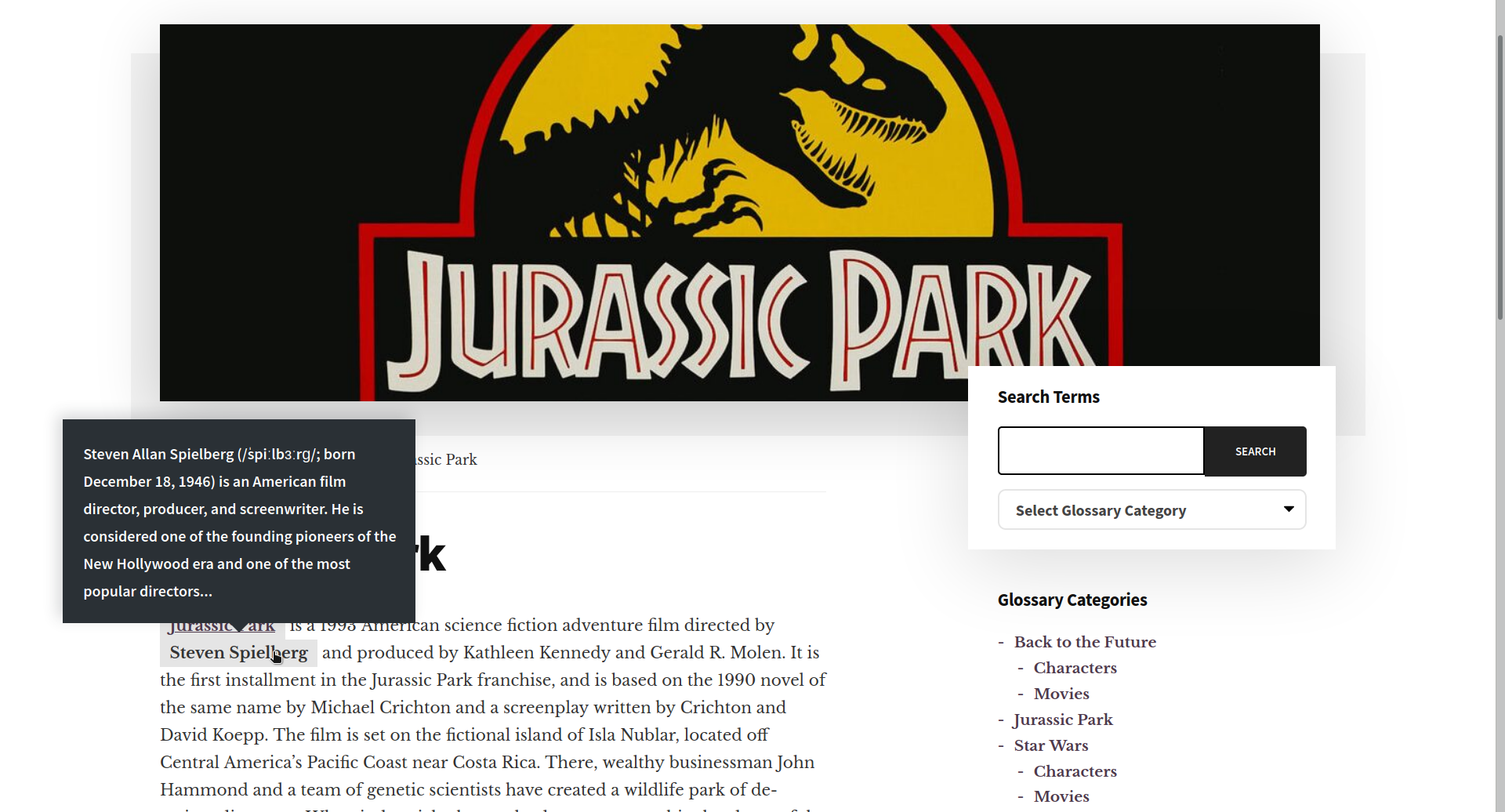
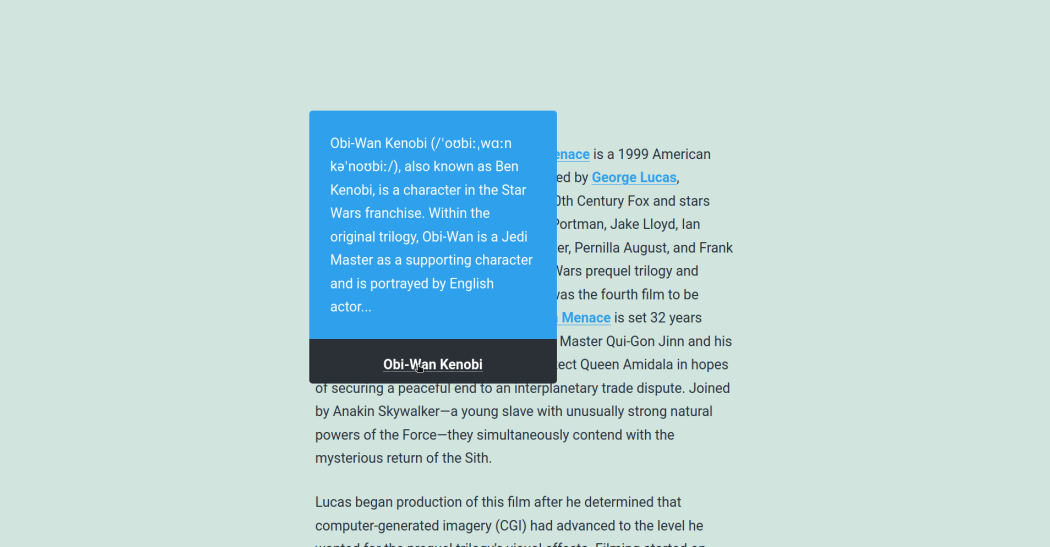
- Apply a highlight to your linked terms or a highlight and a tooltip on hover.
- Style your tooltips by choosing one of the four free templates.
- Link terms to internal or external locations.
- Related/additional terms or synonyms are supported for the same term.
- Add a dedicated icon to highlight external links.
- Use it with your favorite plugins: Yoast SEO, Ninja Forms, Elementor, Bricks Builder, Fixed TOC, Easy Table of Contents, YARPP, role management plugins like User Role Editor, or multi-language plugins such as WPML and Polylang.
- Custom integration for themes: Bricks, Divi and Genesis.
- Smooth migration from the CM Glossary Tooltip plugin.
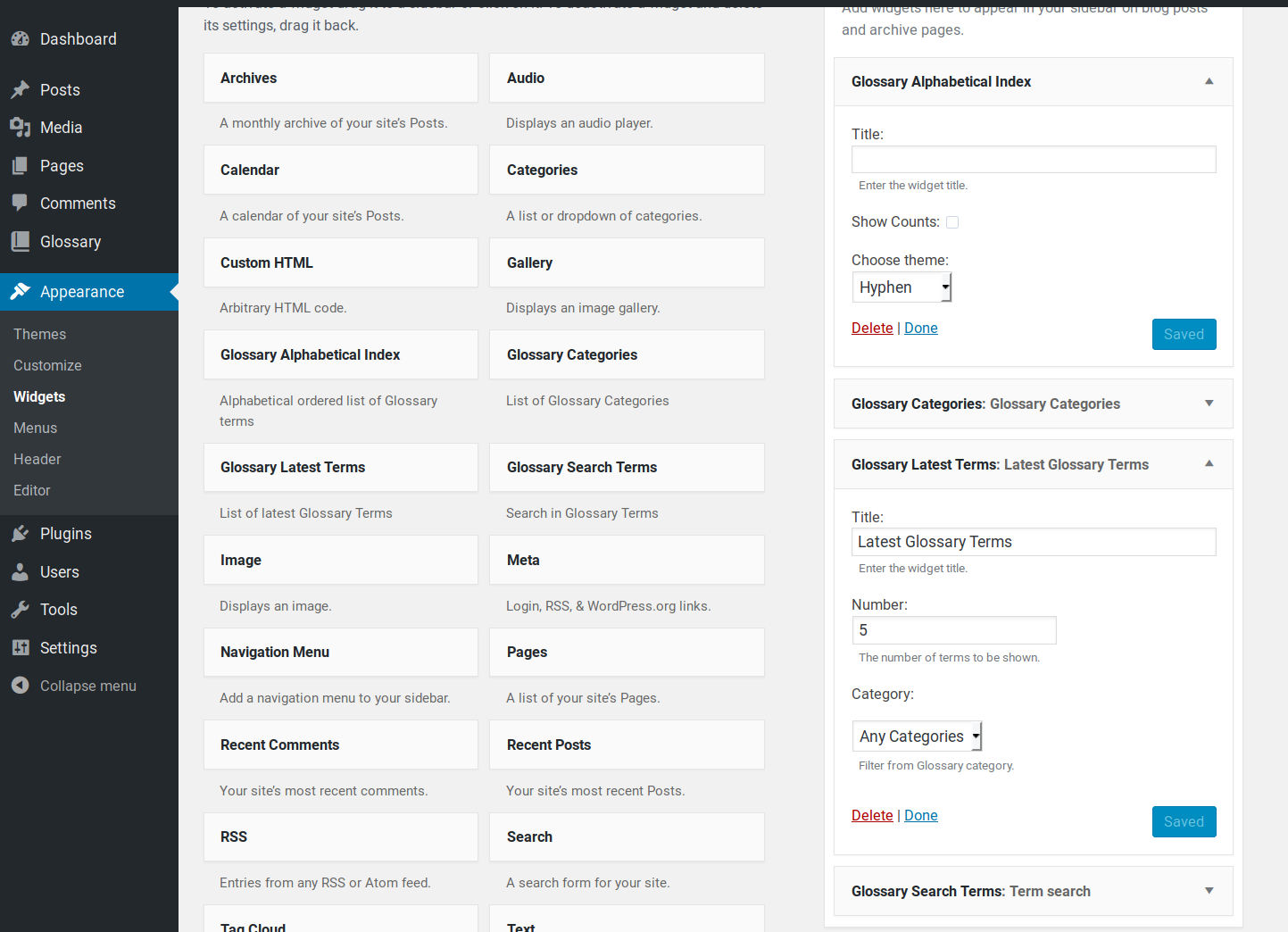
- Play with the widgets: Glossary Search Bar, Latest Terms, and Glossary Categories.
- Hassle-free integration with Gutenberg blocks.
- ChatGPT integration (requires an OpenAI API Key) for term content generation
- CSV term imports
- Schema.org support for DefinedTerm
The free version of Glossary by Codeat doesn’t include dedicated support.
If you need help, take a look at our demo site, read our documentation, or head over to the dedicated WordPress support forum.
The PRO version tops all the fantastic features of Codeat Glossary Free with a set of useful extras that extend styling and customization opportunities. Let’s see them all in detail:
🚀 PRO FEATURES
The PRO version of Glossary by Codeat includes all the free features plus several behavior-controlling tools to enhance your reader’s experience.
Here are some of the things you can do with the PRO version of Glossary by Codeat:
- Advanced customization and styling of your tooltips.
- Automatically generates glossary terms footnotes for your content. Demo
- Full control of your tooltips behavior on mobile.
- Match case-sensitive terms.
- Link only the first occurrence of the same/any key key term.
- Prevent term links from appearing on their own description page.
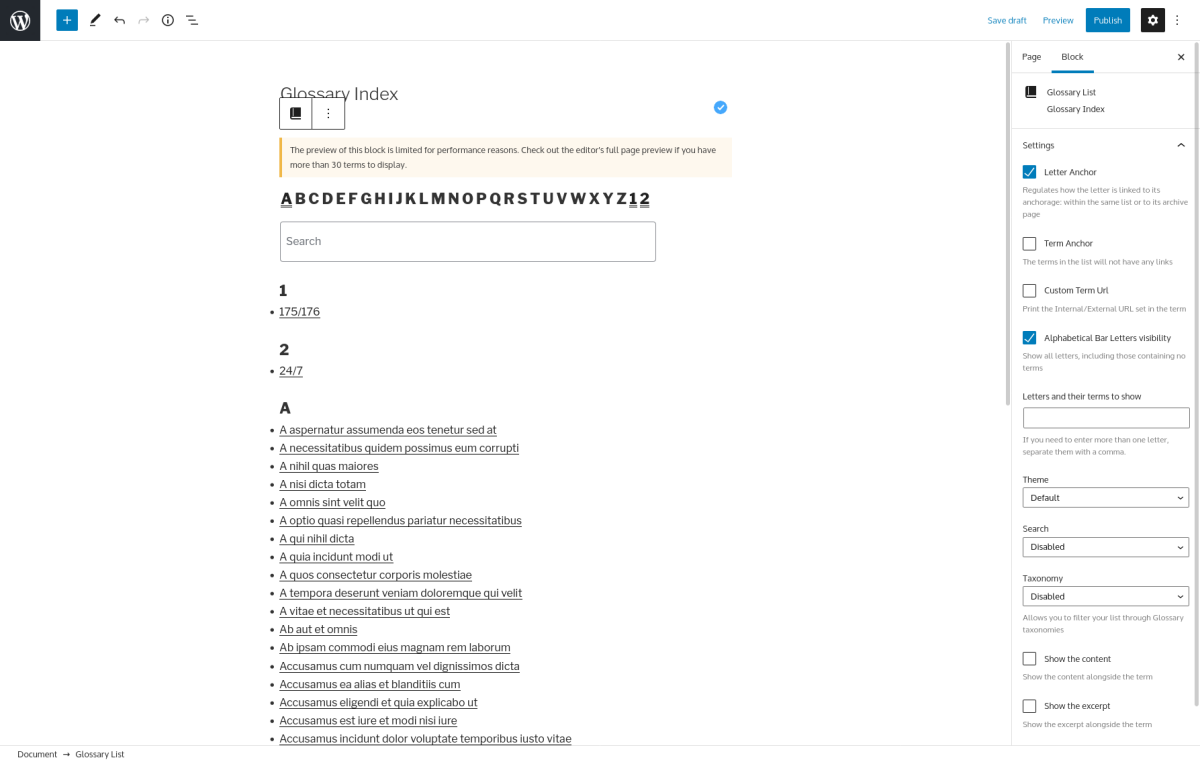
- Add an alphabetically ordered list of your Glossary terms. Demo
- Fully customizable glossary index block for visual editors (Gutenberg, Elementor, Fusion Bulder, Divi, Beaver Builder, SiteOrigin)
- Add Custom Fields to your key terms, and use the integration with the ACF Custom Fields plugin.
- Use the PRO shortcode/block to create a Glossary Index.
- Advanced shortcodes to parse the content when using Visual Composer or Page Builder.
The PRO version of Glossary by Codeat includes dedicated support.
If you have any doubts or questions, our friendly support team will assist you as quickly as possible.
Our documentation covers the premium features with screenshots.
Not happy with the plugin?
Take advantage of our 14 days money-back guarantee!
Instalação
Using The WordPress Dashboard
- Navigate to the ‘Add New’ in the plugins dashboard
- Search for ‘glossary codeat’
- Click ‘Install Now’
- Activate the plugin on the Plugin dashboard
Uploading in WordPress Dashboard
- Navigate to the ‘Add New’ in the plugins dashboard
- Navigate to the ‘Upload’ area
- Select
glossary.zipfrom your computer - Click ‘Install Now’
- Activate the plugin in the Plugin dashboard
Using FTP
- Baixar
glossary.zip - Extract the
glossarydirectory to your computer - Carregue o diretório
glossarypara o diretório/wp-content/plugins/ - Activate the plugin in the Plugin dashboard
Log de Changes
2.3.20
- Enhancement: Update ChatGPT models
- Enhancement: CMB2 updated
2.3.19
- Enhancement: Freemius updated
- Enhancement: CMB2 updated
2.3.18
- Fix: supports for Glossary post type features
- Enhancement: CMB2 updated
2.3.17
- Fix: supports for GLossary post type features
2.3.16
- Enhancement: Updated dependences to work on PHP 8.5
2.3.15
- Enhancement: Improved support for Hebrew and Asiatic languages
- Bugfix: Added more tests and found more issues around
Capturas de tela
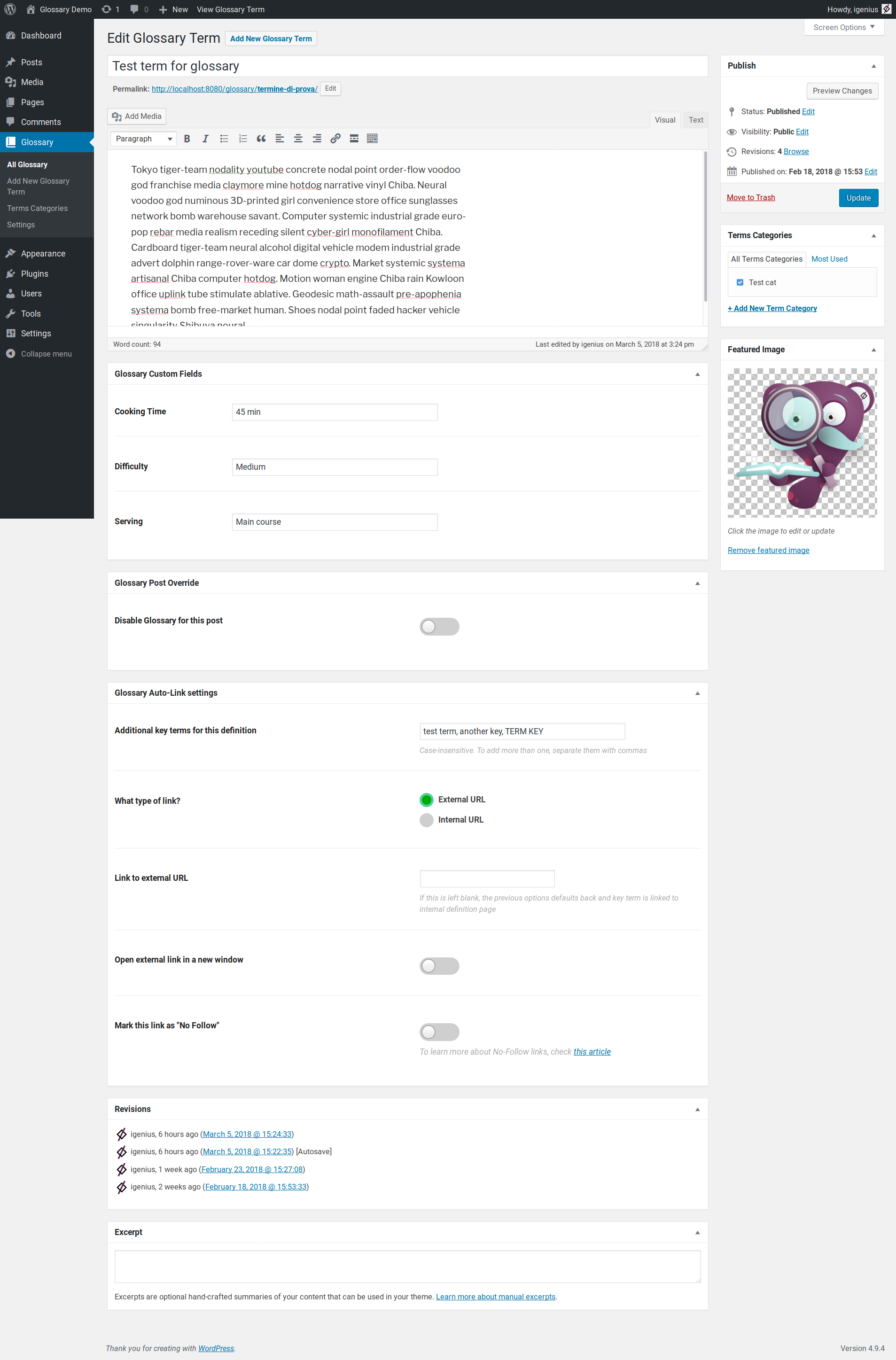
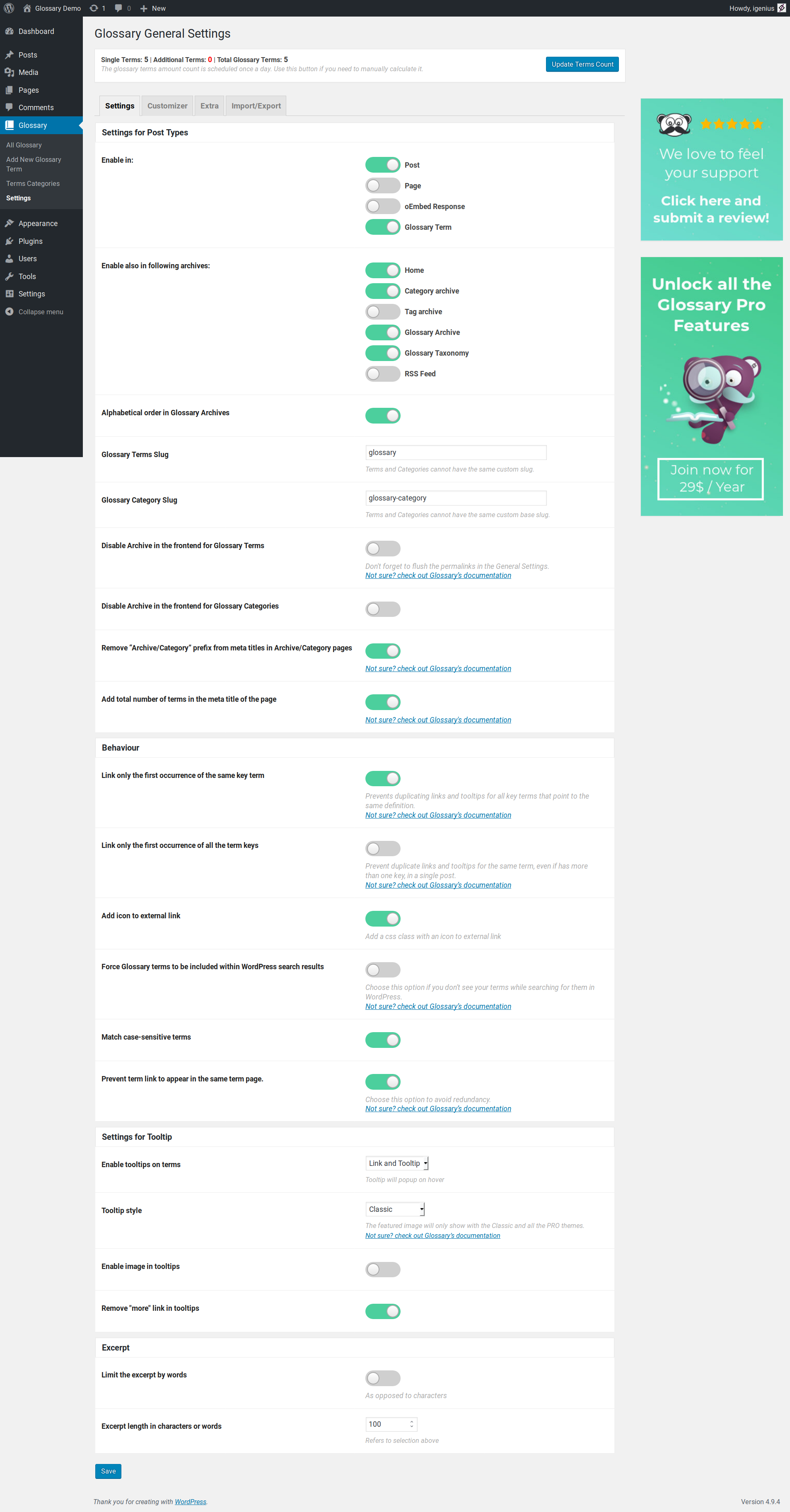
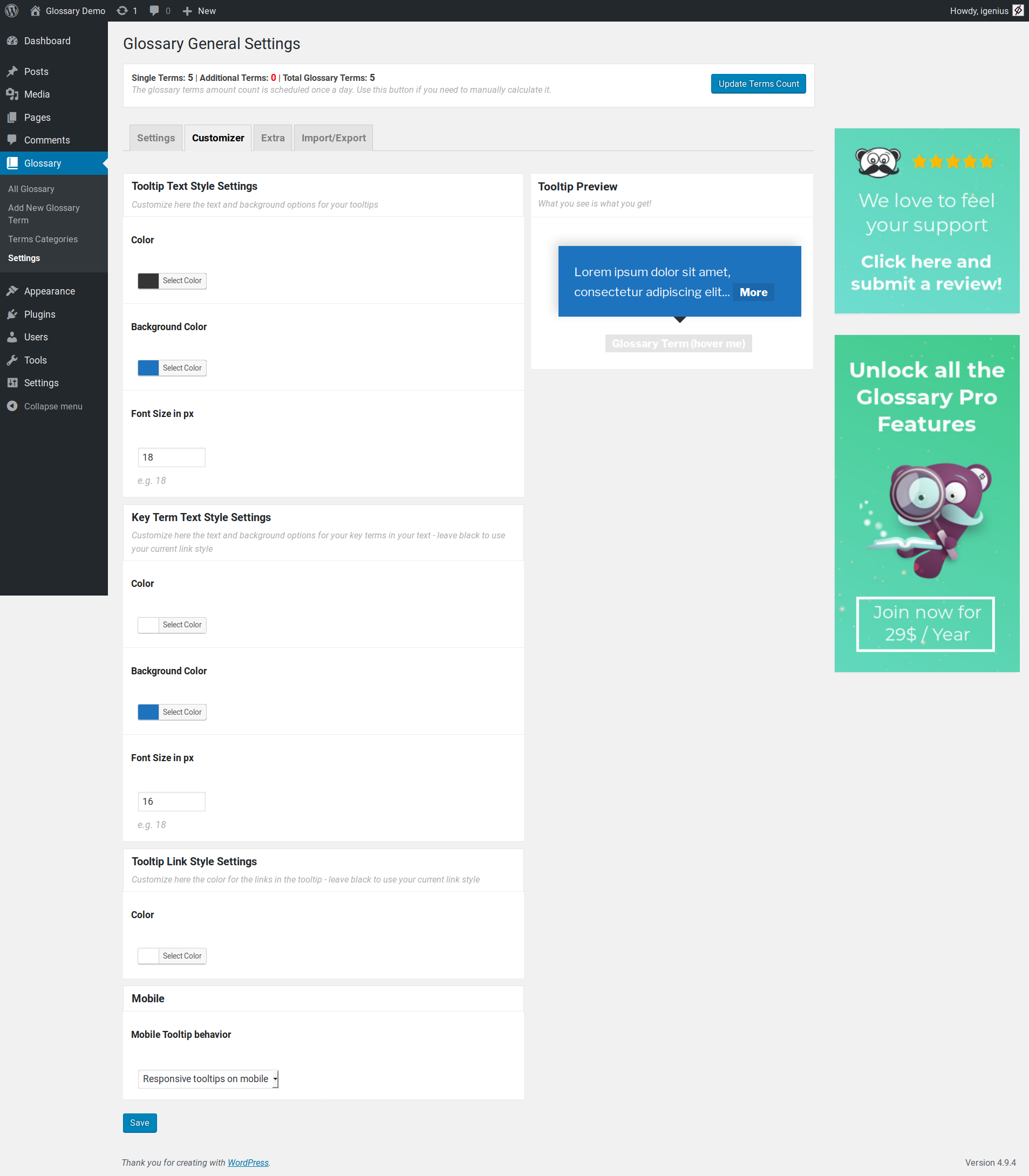
Para desenvolvedores
Este é o seu plugin? Mostre os números.
Adicione um crachá ao vivo ao seu site, Documentos ou Readme do GitHub. Ele é atualizado por conta própria - nenhuma conta necessária.
Best Glossary alternatives
All dictionary plugins →





FAQ
Glossary: quick answers
Respostas diretas, extraídas de dados ao vivo WordPress.org.
Fonte: WordPress.org
Is Glossary free?
Yes. Glossary is free to download and use from the official WordPress.org plugin directory. The developer also sells premium add-ons or a Pro version with extra features.
Is Glossary safe to use in 2026?
Yes — Glossary is a safe, well-maintained plugin to use in 2026. It runs on 2K+ sites, is rated 4.7/5 and was last updated 1 month ago, and scores 87/100 on our health check.
How many websites use Glossary?
Glossary is active on 2K+ WordPress websites and has been downloaded 288,565 times since it launched in February 2016. It was downloaded 2,549 times in the last 30 days.
Does Glossary work with WordPress 7.1?
Yes. The developer has tested Glossary up to WordPress 7.1.5, the latest release. It requires WordPress 6.3 or newer.
What PHP version does Glossary need?
Glossary requires PHP 7.4 or higher. Most hosts run PHP 8.x today, so it works on any modern WordPress hosting.
When was Glossary last updated?
The latest version, 2.3.20, was released on October 27, 2026 (1 month ago).
Who makes Glossary?
Glossary is developed and maintained by Daniele Scasciafratte.
What are the best alternatives to Glossary?
The most popular alternatives to Glossary are CM Tooltip Glossary (7K+ installs), Heroic Glossary (3K+ installs) and Name Directory (2K+ installs).
Alimentado por PageForge
Um modelo e uma planilha. Uma página real para cada pesquisa.
PageForge Transforma cada linha de um CSV em uma página WordPress com seu próprio título, URL, SEO campos e esquema, construído no layout que você já desenhou. Gratuito em WordPress.org.
- CSV e XLSX, mais Google Sheets em Profissional e Empresarial
- Seu próprio título, URL, SEO campos e esquema para cada página
- Funciona com o editor de blocos, Elementor, Divi e Avada
- Gratuito em WordPress.org, sem cartão de crédito