


Melapress Role Editor
The complete WordPress user roles plugin for everyone

Escolha sólida
Melapress Role Editor is a solid plugin choice in 2026, with a few things worth checking first. It runs on 100+ sites, is rated 5/5 and was last updated 3 days ago, and scores 75/100 on our health check.
- Desenvolvido ativamente — última atualização 3 dias atrás
- Testado com as últimas WordPress (7.1)
- Momentum — downloads up 232.6% vs the previous 30 days
- Base de usuários pequenas (mais de 100 instalações ativas)
- Muito poucos comentários até agora
- Precisa de PHP 8.1 ou mais recente
Como ele se acumula?
Lado a lado em instalações, atualizações, avaliações e suporte



Downloads diários
Os picos de download geralmente seguem uma nova versão — cada site que atualiza automaticamente é um download.
Rankings
Where Melapress Role Editor stands todayWordPress.org Classificações de pesquisa
Posição ao vivo na pesquisa de plugins, top 100| Palavra chave | Posição |
|---|---|
| access | >100 |
| permissions | >100 |
| role editor | #9 |
| roles | #65 |
| segurança | >100 |
Adoção da versão
Compartilhamento de sites ativos por lançamento.
Divisão de classificação
★★★★★ ★★★★★ 5 de 2 comentários
About Melapress Role Editor
From the official readme · v1.4.1Descrição
Melapress Role Editor enables you to easily manage your WordPress user roles. Create, edit, and delete user roles like a pro thanks to the intuitive interface and wizards that hand-hold you every step of the way.
Melapress Role Editor comes with several features, including:
* Ability to create, edit, and delete custom user roles with ease
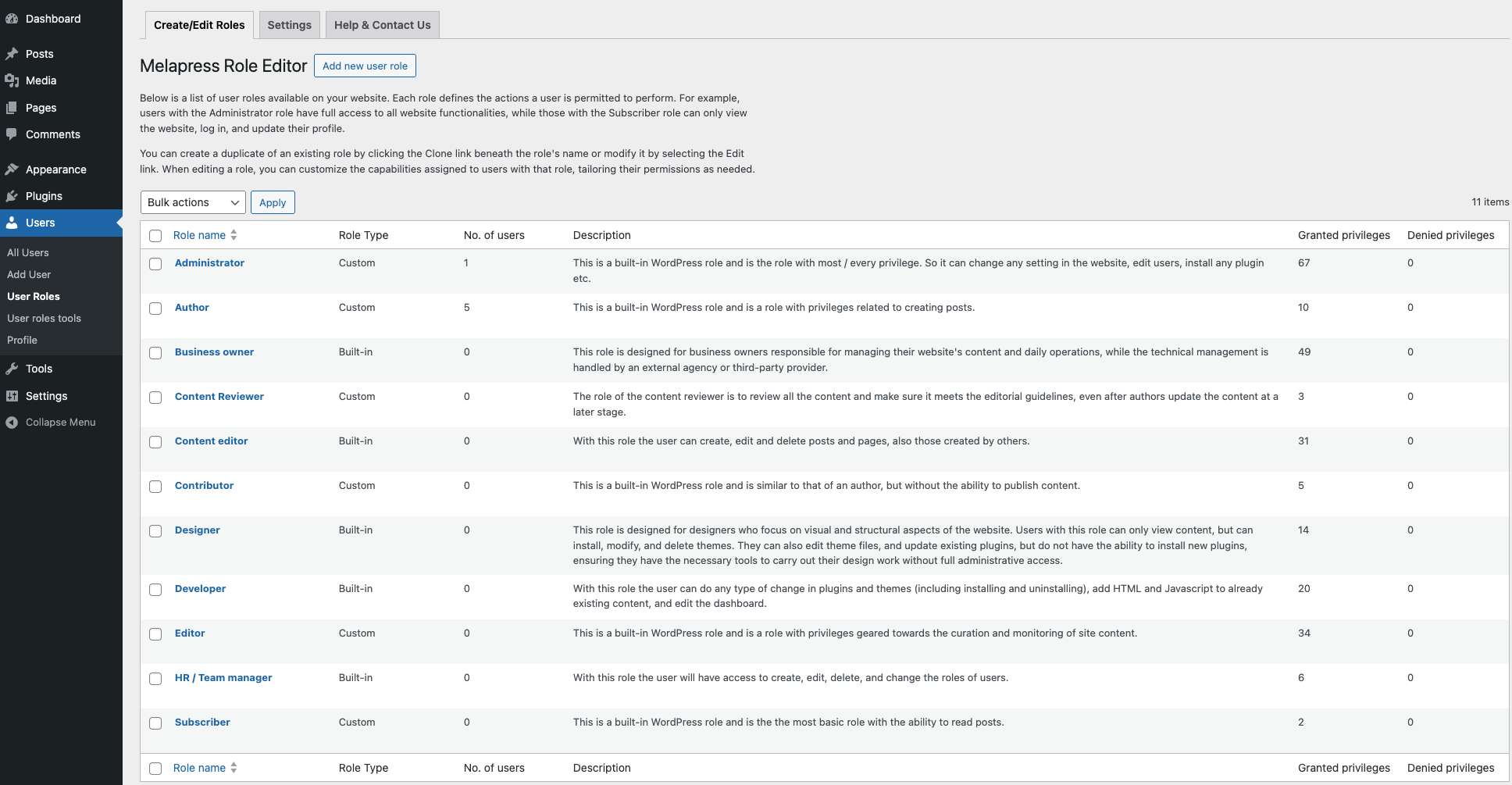
* Useful out-of-the-box custom roles
* Backup and restore user role configurations
* Auto-detect user role changes with restore prompt
* Add users to multiple roles
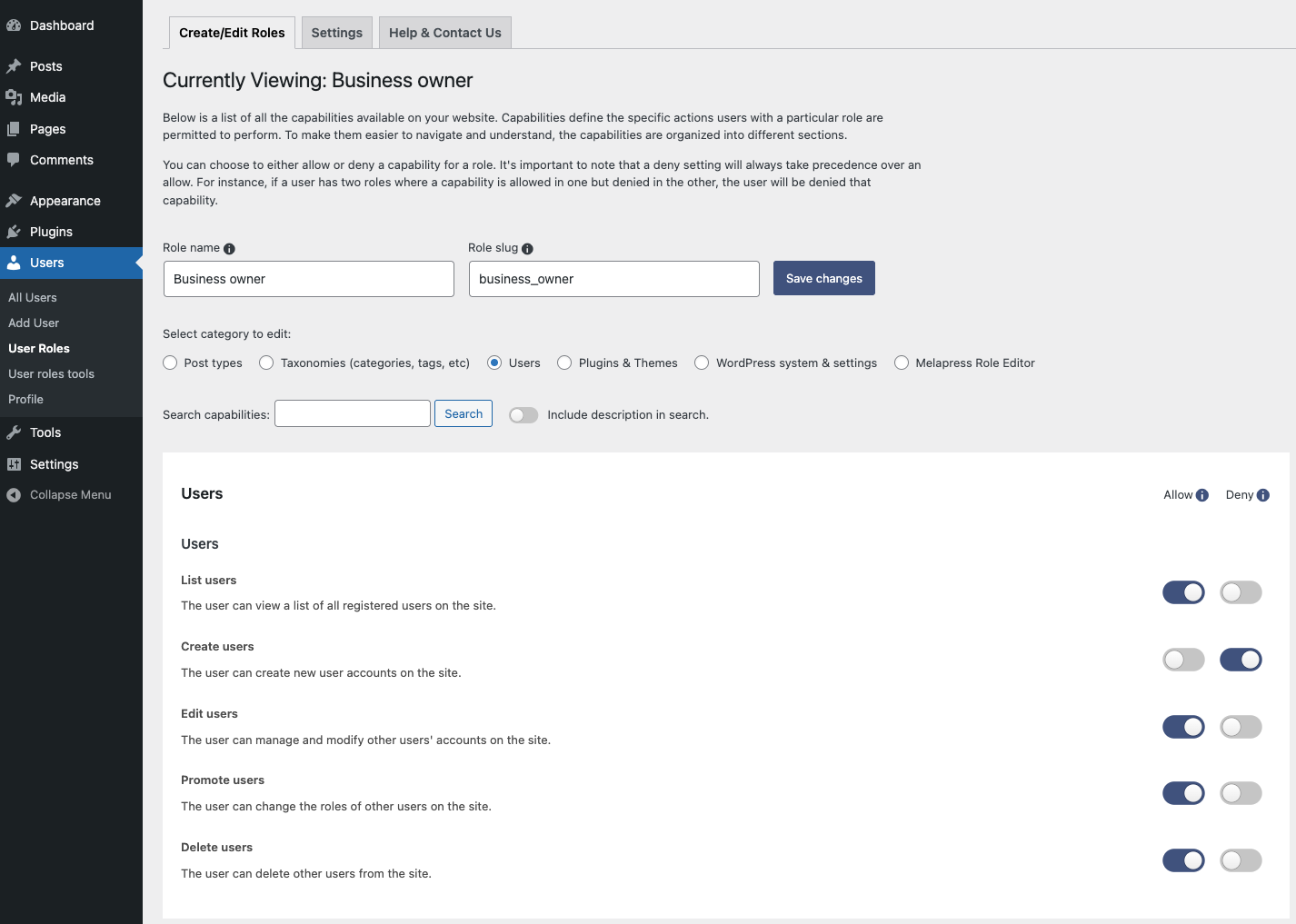
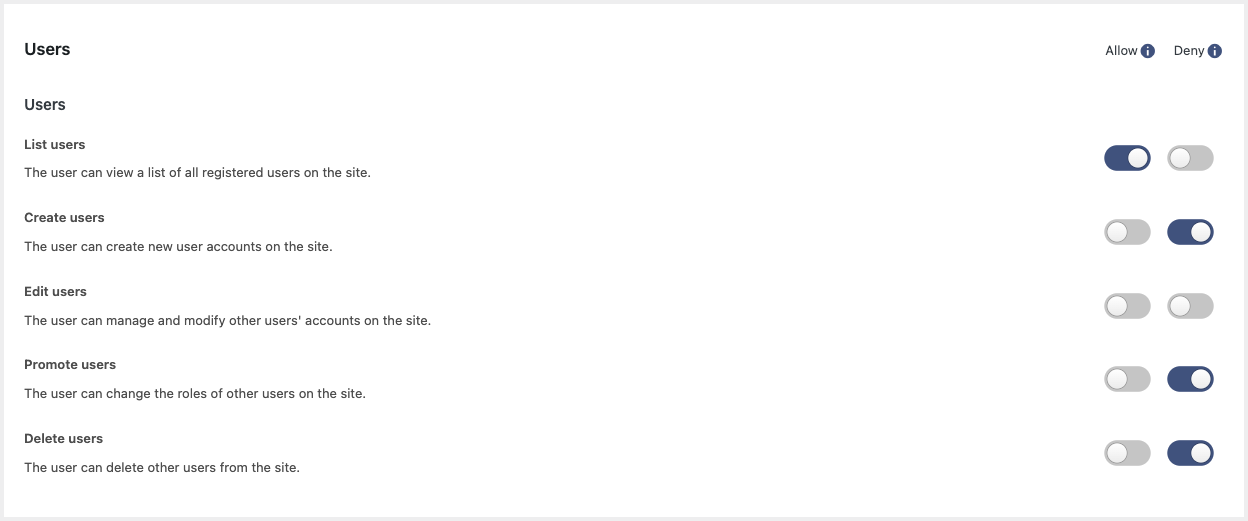
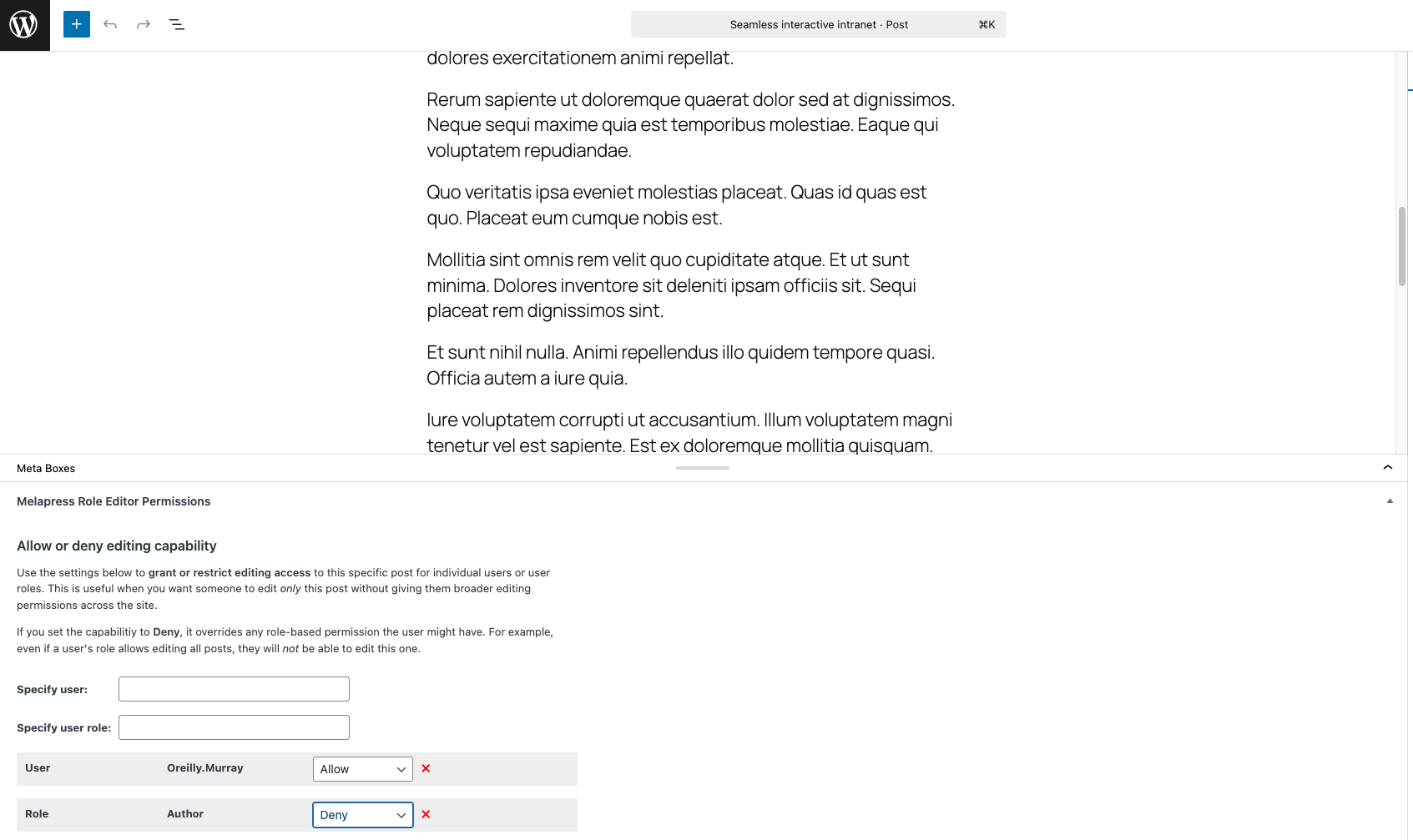
* Allow or Deny capabilities
* Out-of-the-box support for Easy Digital Downloads, WooCommerce, and Yoast SEO
* Capability of pretty names for easier referncing
Melapress Role Editor Benefits
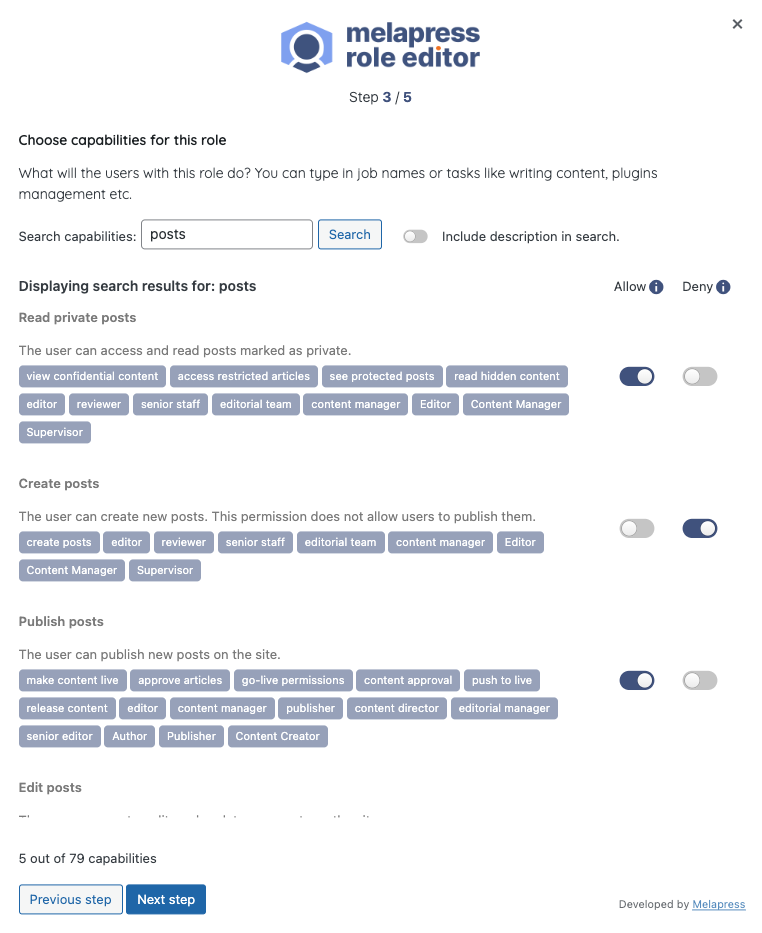
Stress-free configuration with step-by-step wizards
Melapress Role Editor makes it easy to manage roles thanks to its intuitive interface and wizards that walk you through the entire process. By using wizards, you can rest easy knowing that all necessary steps have been accounted for and nothing was missed. Of course, you can also edit roles manually if you wish.
Increased security with auto change detection
Melapress Role Editor keeps a record of each role’s capabilities for security and reliability. It alerts you whenever there is a change so that you can choose to restore roles to the previous configuration or accept the changes, keeping you in the driver’s seat at all times.
Peace of mind with backups and restore
Not sure if planned role changes will pan out? Don’t worry – simply take a backup of the existing configuration from within the plugin so that you can always restore a known working configuration should something break.
Better guidance with out-of-the-box custom roles
Melapress Role Editor comes with a number of pre-configured roles designed to help you get started quickly. Modeled after common roles in the WordPress business such as Business owner, Developer, and HR manager, each role has been designed to respect the principle of least privilege while giving you a head start in configuring new custom roles.
Simplify complexity with multiple roles and capability deny
WordPress environments can get pretty complex, so we added features to accomodate every scenario. You can assign users multiple roles to avoid creating additional roles. You can also explicity deny capabilities to ensure the utmost level of security in complex scenarios.
MAINTAINED & SUPPORTED BY MELAPRESS
Melapress builds high-quality niche WordPress security & management plugins, including WP Activity Log, WP 2FA, Melapress Login Security, and others.
Visit the Melapress website for more information about the company and the plugins it develops.
Install the plugin from within WordPress
Managing roles is easy with Melapress Role Editor. Simply:
- Navigate to Plugins > Add New, from your WordPress dashboard
- Search for Melapress Role Editor
- Install & activate Melapress Role Editor from your Plugins page
Install the plugin manually (via file upload)
- Download the plugin from the WordPress plugins repository
- Unzip the zip file and upload the folder to the
/wp-content/plugins/directory - Activate melapress Role Editor through the Plugins page in WordPress
Translate the plugin in your own language
If you want to help us translate this plugin in your own language please contact us. We will credit all translators.
Serviços externos
This plugin connects to a Melapress service (https://proxytron.wpwhitesecurity.com) only when you deactivate it on the Plugins screen and choose to send feedback in the deactivation form.
It sends the plugin slug, your site URL, the reason you selected and the text you typed. Nothing is sent if you skip the form.
Terms of service: https://melapress.com/terms-and-conditions/
Privacy policy: https://melapress.com/privacy-policy/
Log de Changes
1.4.1 (2026-11-18)
- Functionality & plugin improvement
- Added a dismissible Black Friday banner, scheduled to appear from November 17th through December 1st.
- Various minor fixes, improvements, and security hardening.
1.4.0 (2026-10-30)
-
Security fixes
- Fixed a broken access control vulnerability affecting versions 1.3.0 and earlier, reported by Peter Tang.
- Fixed a privilege escalation vulnerability affecting versions 1.3.0 and earlier, reported by Peter Tang.
-
Functionality & plugin improvements
- Added WordPress.org Live Preview support for the free edition through WordPress Playground.
- Updated the minimum required WordPress version to 6.0.
- Updated the minimum required PHP version from 8.0 to 8.1.
- Changed the plugin description displayed on the WordPress Plugins page.
- Improved overall plugin security and stability, with additional hardening and minor bug fixes.
1.3.0 (2026-06-09)
-
New features
- Added Secondary Role support for invited network users.
- Added a deactivation feedback form to assist with user feedback collection.
-
Correções de bugs
- Fixed alignment and styling issues in the plugin UI caused by changes introduced in WordPress Core 7.
- Fixed: PHP Notice raised by WordPress Core 7 where WP_Scripts::add was being called incorrectly.
- Fixed: Posts menu item incorrectly shown in wp-admin for users or roles with page-only permissions.
- Fixed: Role not being created when clicking “Skip the wizard” in the Add New User Role wizard before completing all steps.
- Fixed: Plugin data removal during uninstallation not working correctly – removal now completes as expected.
-
Plugin & functionality improvements
- Removed deprecated WordPress core capabilities from the plugin codebase, eliminating redundant and obsolete code.
- Replaced the Search button with a placeholder in the first-time setup wizard for improved consistency.
- Role type labels on the role listing page have been simplified for clarity.
- Code and architecture improvements across multiple classes for improved consistency and maintainability.
1.2.0 (2026-01-14)
-
Security fix
- Improper Authorization to Authenticated (Subscriber+) Privilege Escalation via Secondary Role Assignment.
-
Melhorias
- Removed redundant Search button from Role Editor as search runs automatically while typing.
- Improved the UX: added notes and description on core roles, and also restricted deletion of core roles.
-
Correções de bugs
- Users with post-specific edit permissions can now publish changes directly instead of being forced to submit a post for review.
1.0.1 (2024-02-26)
-
Melhorias
- On multisite networks, the plugin now correctly displays the “Super Admin” role for relevant users when they are looked up/filtered through the plugin.
- Improved various UI elements across plugin pages and adjusted help text descriptions.
- Added missing help text for the custom “Content Editor” role created by the plugin.
-
Correções de bugs
- Fixed restricted plugin pages for admins on multisite networks.
- Multisite: Resolved an issue preventing users from being added with both a primary and secondary role on a subsite.
- Fixed a bug where users with multiple roles and overlapping capabilities were not following the “DENY” rule correctly.
Capturas de tela
Para desenvolvedores
Este é o seu plugin? Mostre os números.
Adicione um crachá ao vivo ao seu site, Documentos ou Readme do GitHub. Ele é atualizado por conta própria - nenhuma conta necessária.
Best Melapress Role Editor alternatives
All access plugins →





FAQ
Melapress Role Editor: quick answers
Respostas diretas, extraídas de dados ao vivo WordPress.org.
Fonte: WordPress.org
Is Melapress Role Editor free?
Yes. Melapress Role Editor is free to download and use from the official WordPress.org plugin directory.
Is Melapress Role Editor safe to use in 2026?
Melapress Role Editor is a solid plugin choice in 2026, with a few things worth checking first. It runs on 100+ sites, is rated 5/5 and was last updated 3 days ago, and scores 75/100 on our health check.
How many websites use Melapress Role Editor?
Melapress Role Editor is active on 100+ WordPress websites and has been downloaded 3,464 times since it launched in January 2025. It was downloaded 928 times in the last 30 days.
Does Melapress Role Editor work with WordPress 7.1?
Yes. The developer has tested Melapress Role Editor up to WordPress 7.1.5, the latest release. It requires WordPress 6.0 or newer.
What PHP version does Melapress Role Editor need?
Melapress Role Editor requires PHP 8.1 or higher. Most hosts run PHP 8.x today, so it works on any modern WordPress hosting.
When was Melapress Role Editor last updated?
The latest version, 1.4.1, was released on November 18, 2026 (3 days ago).
Who makes Melapress Role Editor?
Melapress Role Editor is developed and maintained by Melapress.
What are the best alternatives to Melapress Role Editor?
The most popular alternatives to Melapress Role Editor are Loginizer (1M+ installs), User Role Editor (700K+ installs) and Remove Dashboard Access (30K+ installs).
Alimentado por PageForge
Um modelo e uma planilha. Uma página real para cada pesquisa.
PageForge Transforma cada linha de um CSV em uma página WordPress com seu próprio título, URL, SEO campos e esquema, construído no layout que você já desenhou. Gratuito em WordPress.org.
- CSV e XLSX, mais Google Sheets em Profissional e Empresarial
- Seu próprio título, URL, SEO campos e esquema para cada página
- Funciona com o editor de blocos, Elementor, Divi e Avada
- Gratuito em WordPress.org, sem cartão de crédito