


Mass Resizer
Mass Resizer is a lightweight but powerful plugin for bulk image optimization. It resizes large images, converts them to WebP, replaces them across posts/pages, and safely manages media files without risking broken…

Use com cautela
Mass Resizer works, but test it on a staging site before relying on it in 2026. It runs on 50+ sites, is rated 5/5 and was last updated 12 months ago, and scores 47/100 on our health check.
- Pequena base de usuários (mais de 50 instalações ativas)
- Muito poucos comentários até agora
- Testado apenas até WordPress 6.9 (mais recente é 7.1)
Como ele se acumula?
Lado a lado em instalações, atualizações, avaliações e suporteDownloads diários
Os picos de download geralmente seguem uma nova versão — cada site que atualiza automaticamente é um download.
Rankings
Where Mass Resizer stands todayWordPress.org Classificações de pesquisa
Posição ao vivo na pesquisa de plugins, top 100| Palavra chave | Posição |
|---|---|
| bulk optimization | >100 |
| image compression | >100 |
| image resize | >100 |
| mídia | >100 |
| webp | >100 |
Adoção da versão
Compartilhamento de sites ativos por lançamento.
Divisão de classificação
★★★★★ ★★★★★ 5 de 1 comentários
About Mass Resizer
From the official readme · v2.10.93Descrição
Mass Resizer is a lightweight but powerful plugin for bulk image optimization.
It resizes large images, converts them to WebP, replaces them across posts/pages, and safely manages media files without risking broken content.
Key Features
Bulk Image Resize
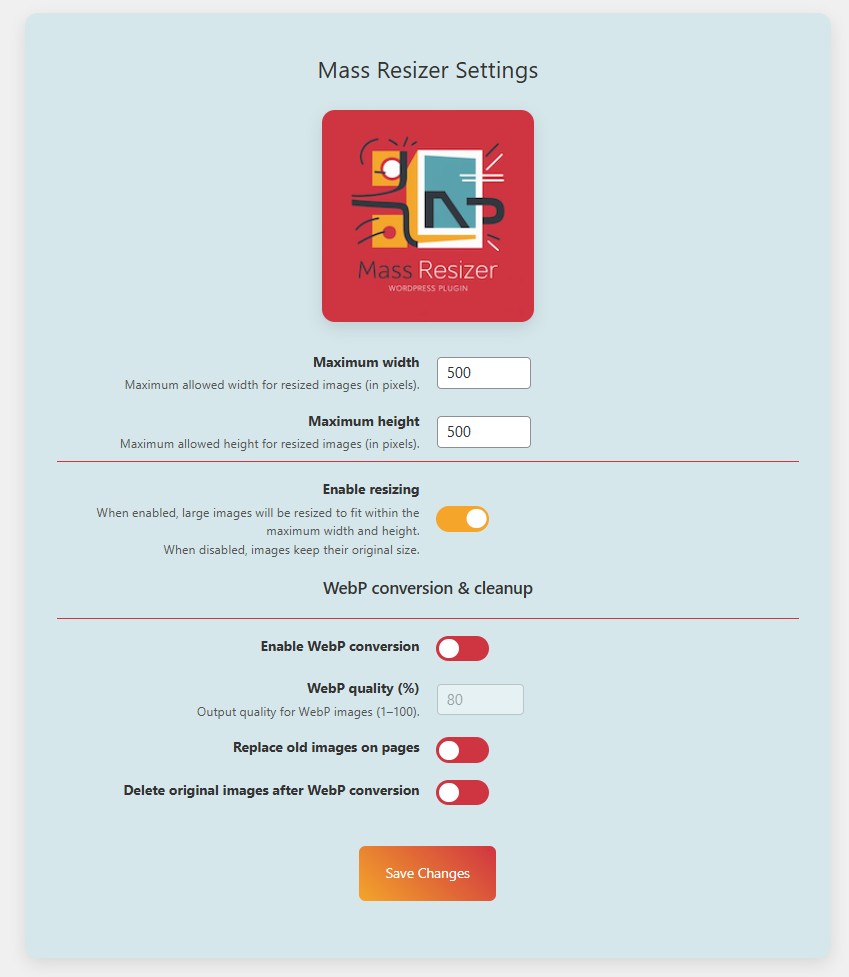
• Automatically resizes images to a maximum width/height
• Maintains aspect ratio (no cropping, unless enabled)
• Skips small images to reduce unnecessary processing
Safe WebP Conversion
• Converts JPEG/PNG to modern WebP format
• Inherits original image metadata (alt, caption, description)
• Creates proper attachment entries with parent relations
• Preserves titles and SEO attributes
Safe Replace Mode
• Replaces all occurrences of images in posts and pages
• Updates featured images as well
• Multiple registered sizes are replaced (full + intermediate sizes)
Safe Delete Mode
To prevent content breakage, original images are deleted only when both conditions are met:
1. Replace Old Images = enabled
2. Crop = disabled
If delete was requested in unsafe configuration, the plugin logs a warning and ignores the deletion.
Admin Statistics + Logs
After each run, the plugin displays a detailed summary:
• Images cropped
• Images converted to WebP
• Pages updated
• Originals deleted
• Total completed operations
All warnings (missing files, unsupported types, editor errors) are logged and shown to the administrator.
Automatic Server Capability Detection
The plugin checks whether your server supports:
• JPEG editing
• WebP conversion
Unsupported features are automatically disabled with an explanation.
Fully Internationalized (i18n)
All dynamic strings include translator comments, following WordPress.org standards.
Instalação
- Upload the
mass-resizerfolder to/wp-content/plugins/. - Activate the plugin via Plugins → Installed Plugins.
- Open Mass Resizer in the WordPress dashboard and configure your desired options.
- Use the Media Library bulk actions to process selected images.
Log de Changes
Important update: enhanced security, metadata preservation, i18n cleanup, safer delete logic, and better logs.
2.10.93 (10.12.2025)
-
Security & safety
– Added strict sanitization for all numeric options.
– Added hard upper limit for image dimensions.
– Improved safe-delete logic (deletes originals only when safe). -
Stability & UX
– Added detailed admin report with full statistics after processing.
– Improved error logging (missing files, unsupported types, editor failures).
– Implemented automatic image/WebP capability detection with clear notices. -
Compatibility
– Improved i18n: translators comments added for all placeholder strings.
– Code refined to meet WordPress.org standards.
– WebP attachments now inherit alt text, caption, and description from the original image.
2.9.207 (29.12.2024)
- Security improvements and minor fixes.
2.9.201 (11.11.2024)
- Added support for replacing featured images.
- General optimization and bug fixes.
2.9.200 (10.11.2024)
- Added multilingual interface (RU/EN).
- Introduced logging system with admin notices.
- UI improvements and better compatibility with WordPress themes.
Capturas de tela
Para desenvolvedores
Este é o seu plugin? Mostre os números.
Adicione um crachá ao vivo ao seu site, Documentos ou Readme do GitHub. Ele é atualizado por conta própria - nenhuma conta necessária.
Best Mass Resizer alternatives
All bulk optimization plugins →| Classificação | Plugin | Instalações ativas |
|---|---|---|
| 2 |
 Devnirob Image Optimizer
Compress WordPress images in bulk, convert Media Library files to AVIF or WebP, track… |
<10 |
FAQ
Mass Resizer: quick answers
Respostas diretas, extraídas de dados ao vivo WordPress.org.
Fonte: WordPress.org
Is Mass Resizer free?
Yes. Mass Resizer is free to download and use from the official WordPress.org plugin directory.
Is Mass Resizer safe to use in 2026?
Mass Resizer works, but test it on a staging site before relying on it in 2026. It runs on 50+ sites, is rated 5/5 and was last updated 12 months ago, and scores 47/100 on our health check.
How many websites use Mass Resizer?
Mass Resizer is active on 50+ WordPress websites and has been downloaded 1,436 times since it launched in December 2024. It was downloaded 145 times in the last 30 days.
Does Mass Resizer work with WordPress 7.1?
Mass Resizer is officially tested up to WordPress 6.9.12, while the latest release is 7.1.5. It may still work, but try it on a staging site first.
What PHP version does Mass Resizer need?
Mass Resizer requires PHP 7.4 or higher. Most hosts run PHP 8.x today, so it works on any modern WordPress hosting.
When was Mass Resizer last updated?
The latest version, 2.10.93, was released on December 10, 2025 (12 months ago).
Who makes Mass Resizer?
Mass Resizer is developed and maintained by Stan Furtovsky.
What are the best alternatives to Mass Resizer?
The most popular alternatives to Mass Resizer are Devnirob Image Optimizer (<10 installs).
Alimentado por PageForge
Um modelo e uma planilha. Uma página real para cada pesquisa.
PageForge Transforma cada linha de um CSV em uma página WordPress com seu próprio título, URL, SEO campos e esquema, construído no layout que você já desenhou. Gratuito em WordPress.org.
- CSV e XLSX, mais Google Sheets em Profissional e Empresarial
- Seu próprio título, URL, SEO campos e esquema para cada página
- Funciona com o editor de blocos, Elementor, Divi e Avada
- Gratuito em WordPress.org, sem cartão de crédito