


iShareBlog
Share buttons with ready-made summaries, click-to-share quotes, "Summarize with ChatGPT", AI-written social posts and share analytics.

Escolha sólida
iShareBlog is a solid plugin choice in 2026, with a few things worth checking first. Was last updated 2 weeks ago, and scores 64/100 on our health check.
- Desenvolvido ativamente — última atualização 2 semanas atrás
- Testado com as últimas WordPress (7.1)
- Base de usuários pequenas (<10 instalações ativas)
- Muito poucos comentários até agora
Como ele se acumula?
Lado a lado em instalações, atualizações, avaliações e suporte



Downloads diários
Os picos de download geralmente seguem uma nova versão — cada site que atualiza automaticamente é um download.
Rankings
Where iShareBlog stands todayWordPress.org Classificações de pesquisa
Posição ao vivo na pesquisa de plugins, top 100| Palavra chave | Posição |
|---|---|
| analytics | >100 |
| click to tweet | #93 |
| share buttons | >100 |
| social media | >100 |
| social share | >100 |
About iShareBlog
From the official readme · v1.1.0Descrição
iShareBlog helps readers share your posts, and gives them something good to say when they do.
- Share buttons for X, Bluesky, Threads, Mastodon, Facebook, LinkedIn, WhatsApp, Telegram, Reddit, Pinterest, email and copy link, plus a “Share” button that opens the phone’s own share menu. They are added before and/or after posts automatically, or placed with the “Share Buttons” block or the
[ishareblog]shortcode. The default style is outlined and icon-only, and picks up your theme’s primary color automatically. - Floating and mobile share bar. An optional bar on the side of the screen on desktop, and along the bottom on phones. It appears once readers scroll, matches your site’s background, and steps aside while the buttons in the post are in view.
- Per-post control. Hide the buttons on any post with one checkbox in the editor.
- Prefilled summaries. Each button opens with a short summary of the post already written: X, Bluesky, Threads, Mastodon, LinkedIn, WhatsApp, Telegram and email are prefilled (shortened to fit each network’s limit), and Facebook copies the summary so the reader can paste it.
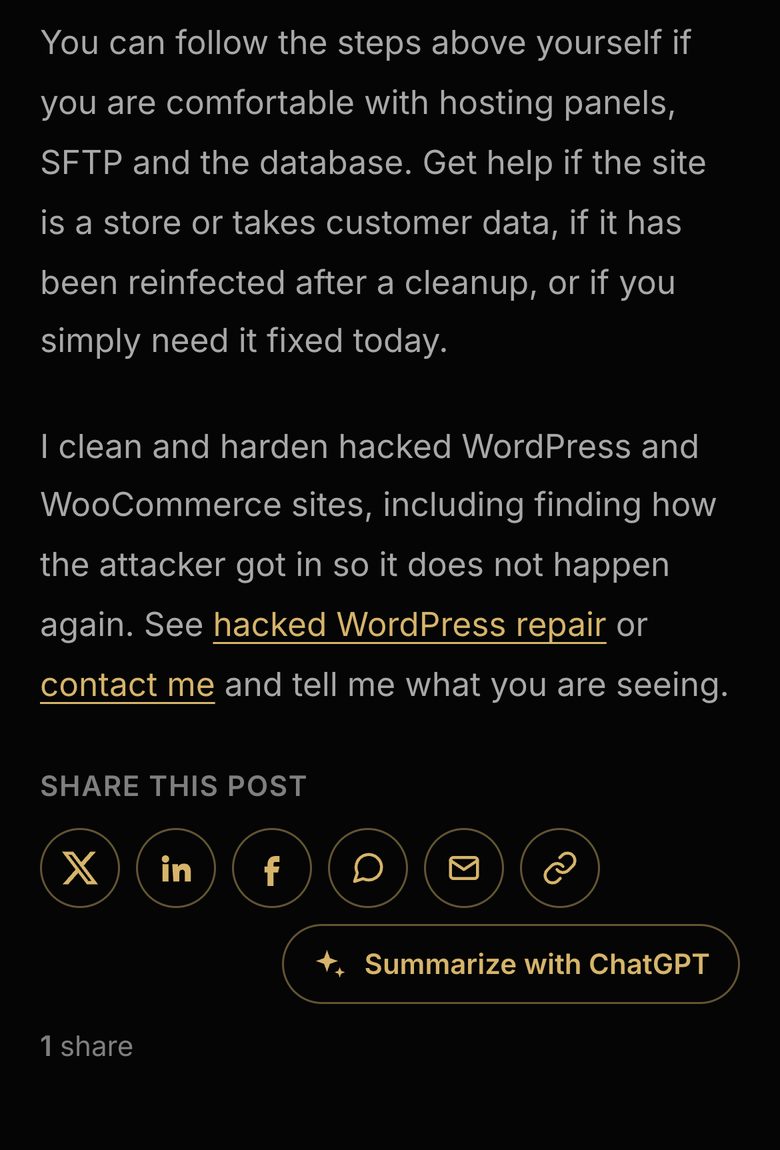
- Summarize with ChatGPT. A button that opens ChatGPT with a prompt asking for an overview and the key takeaways of the post. Claude and Perplexity versions are also available.
- Click-to-share quotes. Add the “Shareable Quote” block, or use
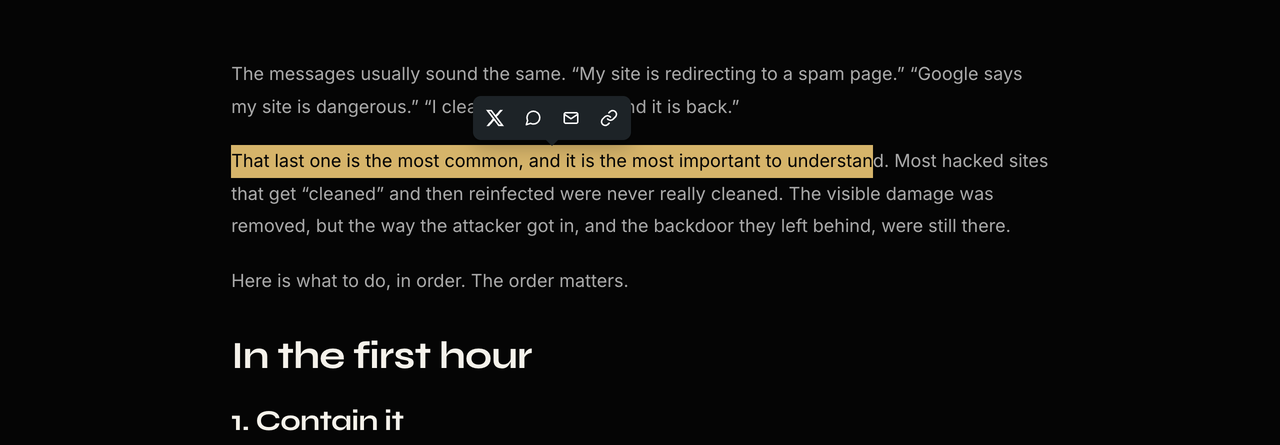
[ishareblog_quote cite="Author"]Your quote[/ishareblog_quote]in the classic editor. Readers can also highlight any text in a post and share it from a small popup. - Social posts. A “Social Posts” box in the post editor drafts a post for X, LinkedIn, Facebook and Instagram. These drafts are also the summaries used by the share buttons. On WordPress 7.0 and later it can write them with the WordPress AI Client, using whichever AI provider you set up in Settings → Connectors; otherwise it builds them from the title, excerpt and tags.
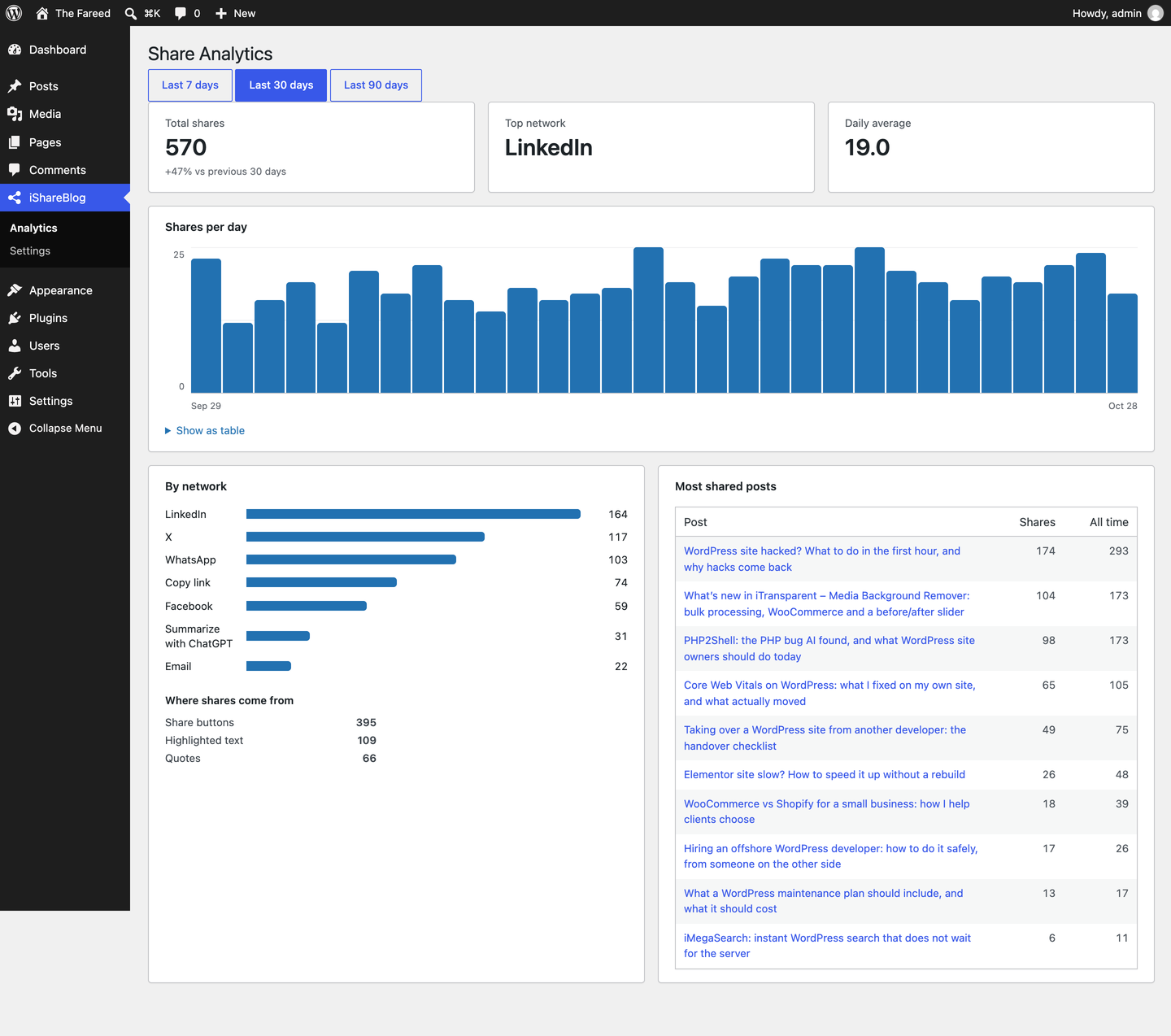
- Share analytics. Total shares, shares per day, top networks, top posts and where shares come from (buttons, floating bar, quotes, highlighted text), plus a “Shares” column in your posts list.
No external scripts, tracking pixels or third-party requests are added to your pages.
Serviços externos
AI social posts. The plugin does not contact any AI service directly. If a site administrator turns on “Use AI”, it sends a prompt through the WordPress AI Client to the AI provider the site owner configured in Settings → Connectors; that provider’s terms and privacy policy apply. This happens when a user who can publish the post clicks “Generate social posts” (limited per user per day), and once, in the background, when a post is first published. Contributors only get template drafts. Long posts are shortened to 20,000 characters before sending. The post’s title, URL, tags and content, plus the “brand voice” text from the settings, are sent.
The share and “Summarize with” buttons are plain links. Nothing is sent to these services unless a reader clicks a button, and then the reader’s browser opens the service directly with the post’s URL, title and summary:
X (https://x.com/en/tos, https://x.com/en/privacy), Bluesky (https://bsky.social/about/support/tos, https://bsky.social/about/support/privacy-policy), Threads (https://help.instagram.com/769983657850450, https://help.instagram.com/515230437301944), Mastodon (the reader’s own server, which they choose; its terms and privacy policy apply), Facebook (https://www.facebook.com/terms.php, https://www.facebook.com/privacy/policy/), LinkedIn (https://www.linkedin.com/legal/user-agreement, https://www.linkedin.com/legal/privacy-policy), WhatsApp (https://www.whatsapp.com/legal/terms-of-service, https://www.whatsapp.com/legal/privacy-policy), Telegram (https://telegram.org/tos, https://telegram.org/privacy), Reddit (https://redditinc.com/policies/user-agreement, https://www.reddit.com/policies/privacy-policy), Pinterest (https://policy.pinterest.com/terms-of-service, https://policy.pinterest.com/privacy-policy), ChatGPT (https://openai.com/policies/terms-of-use/, https://openai.com/policies/privacy-policy/), Claude (https://www.anthropic.com/legal/consumer-terms, https://www.anthropic.com/legal/privacy), Perplexity (https://www.perplexity.ai/hub/legal/terms-of-service, https://www.perplexity.ai/hub/legal/privacy-policy).
Instalação
- Upload the plugin through Plugins → Add New → Upload Plugin, or install it from the plugin directory, then activate it.
- Go to iShareBlog → Settings to choose networks, style and placement.
- Optional (WordPress 7.0+): set up an AI provider in Settings → Connectors, then turn on “Use AI” in iShareBlog → Settings for AI-written summaries and social posts.
Log de Changes
1.1.0
- New: floating share bar for wide screens and a bottom share bar for phones.
- New: “Share Buttons” block, with its own networks and heading.
- New: Bluesky, Threads and Mastodon buttons, also available in the highlight-to-share popup (Bluesky and Threads).
- New: “Share” button that opens the device’s share menu.
- New: hide the share buttons on individual posts.
- Analytics now shows shares from the floating bar separately.
1.0.2
- AI social posts now use the WordPress AI Client (WordPress 7.0+) and the provider configured in Settings → Connectors. The plugin no longer calls the Anthropic API directly or stores an API key.
- Fixed a “translation loading was triggered too early” notice.
1.0.1
- The post body is no longer wrapped in an extra element, so theme spacing between paragraphs, lists and quotes is kept.
1.0.0
- Primeiro lançamento.
Capturas de tela




Para desenvolvedores
Este é o seu plugin? Mostre os números.
Adicione um crachá ao vivo ao seu site, Documentos ou Readme do GitHub. Ele é atualizado por conta própria - nenhuma conta necessária.
Best iShareBlog alternatives
All analytics plugins →





FAQ
iShareBlog: quick answers
Respostas diretas, extraídas de dados ao vivo WordPress.org.
Fonte: WordPress.org
Is iShareBlog free?
Yes. iShareBlog is free to download and use from the official WordPress.org plugin directory.
Is iShareBlog safe to use in 2026?
iShareBlog is a solid plugin choice in 2026, with a few things worth checking first. Was last updated 2 weeks ago, and scores 64/100 on our health check.
How many websites use iShareBlog?
iShareBlog is active on <10 WordPress websites and has been downloaded 336 times since it launched in October 2026. It was downloaded 344 times in the last 30 days.
Does iShareBlog work with WordPress 7.1?
Yes. The developer has tested iShareBlog up to WordPress 7.1.5, the latest release. It requires WordPress 6.4 or newer.
What PHP version does iShareBlog need?
iShareBlog requires PHP 7.4 or higher. Most hosts run PHP 8.x today, so it works on any modern WordPress hosting.
When was iShareBlog last updated?
The latest version, 1.1.0, was released on November 8, 2026 (2 weeks ago).
Who makes iShareBlog?
iShareBlog is developed and maintained by fareeddaar.
What are the best alternatives to iShareBlog?
The most popular alternatives to iShareBlog are Site Kit by Google (5M+ installs), MonsterInsights (2M+ installs) and WP Statistics (500K+ installs).
Alimentado por PageForge
Um modelo e uma planilha. Uma página real para cada pesquisa.
PageForge Transforma cada linha de um CSV em uma página WordPress com seu próprio título, URL, SEO campos e esquema, construído no layout que você já desenhou. Gratuito em WordPress.org.
- CSV e XLSX, mais Google Sheets em Profissional e Empresarial
- Seu próprio título, URL, SEO campos e esquema para cada página
- Funciona com o editor de blocos, Elementor, Divi e Avada
- Gratuito em WordPress.org, sem cartão de crédito