


Osom Author Pro
The Osom Author Pro plugin creates a library which allows you to add books to any WordPress theme.

Escolha sólida
Osom Author Pro is a solid plugin choice in 2026, with a few things worth checking first. It runs on 1K+ sites, is rated 4.9/5 and was last updated 2 months ago, and scores 78/100 on our health check.
- Testado com as últimas WordPress (7.1)
- Momentum — downloads up 63.2% vs the previous 30 days
Como ele se acumula?
Lado a lado em instalações, atualizações, avaliações e suporte



Downloads diários
Os picos de download geralmente seguem uma nova versão — cada site que atualiza automaticamente é um download.
Rankings
Where Osom Author Pro stands todayWordPress.org Classificações de pesquisa
Posição ao vivo na pesquisa de plugins, top 100| Palavra chave | Posição |
|---|---|
| authors | #15 |
| books | #30 |
| genesis | #14 |
Adoção da versão
Compartilhamento de sites ativos por lançamento.
Divisão de classificação
★★★★★★★★★★ 4.9 from 10 reviews
About Osom Author Pro
From the official readme · v2.0Descrição
The Osom Author Pro plugin creates a library which allows you to add books to any WordPress theme.
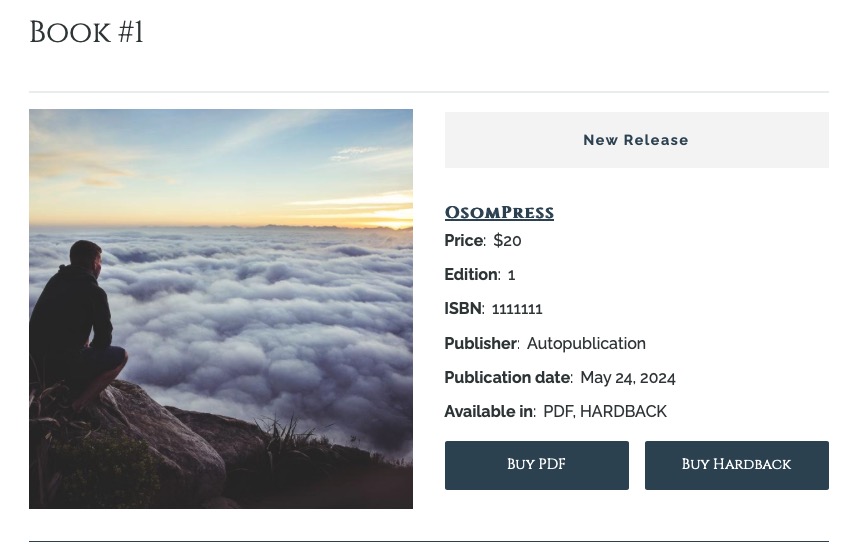
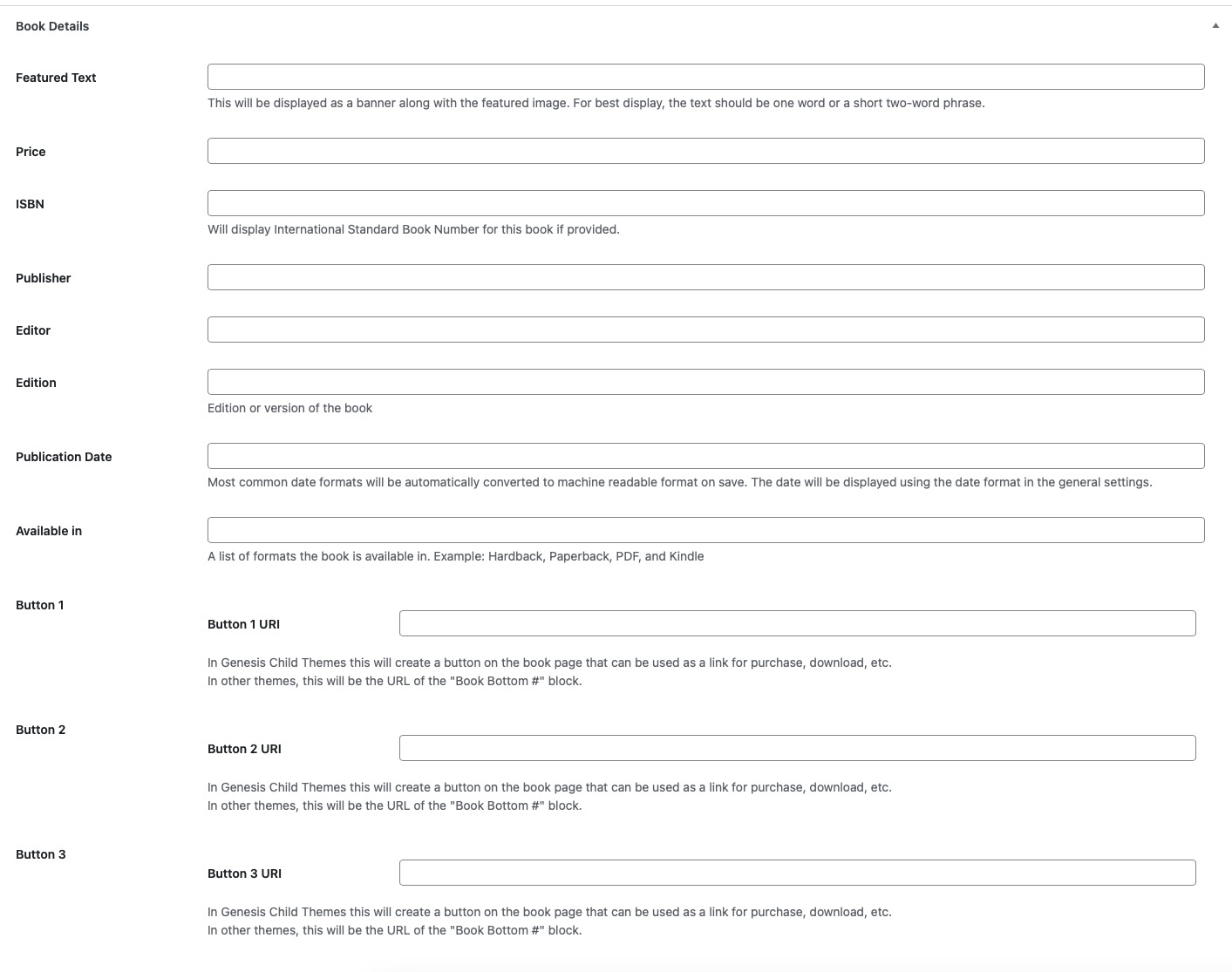
In WordPress themes using the Block Editor, you’ll be able to display the book details (Price, ISBN, author…) using native blocks and a dedicated block pattern. Additionally, in Genesis child themes it also provides layouts for a single and archive views.
WordPress Themes with Block Editor
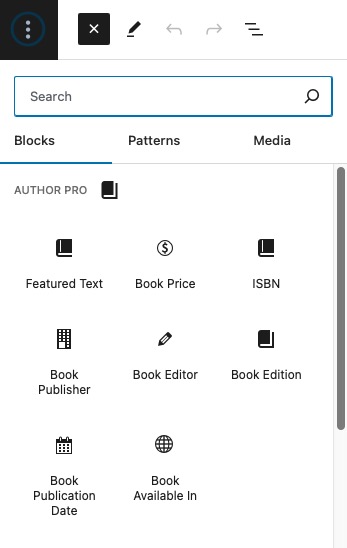
The Osom Author Pro adds a new category called “Author Pro” containing a native block for each custom book information:
- Featured Text
- Preço
- ISBN
- Publisher
- Editor
- Edição
- Publish Date
- Available Editions
- Three custom buttons
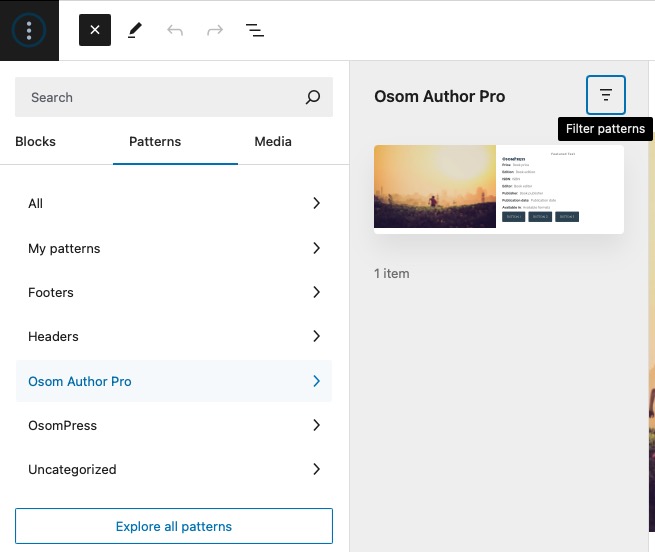
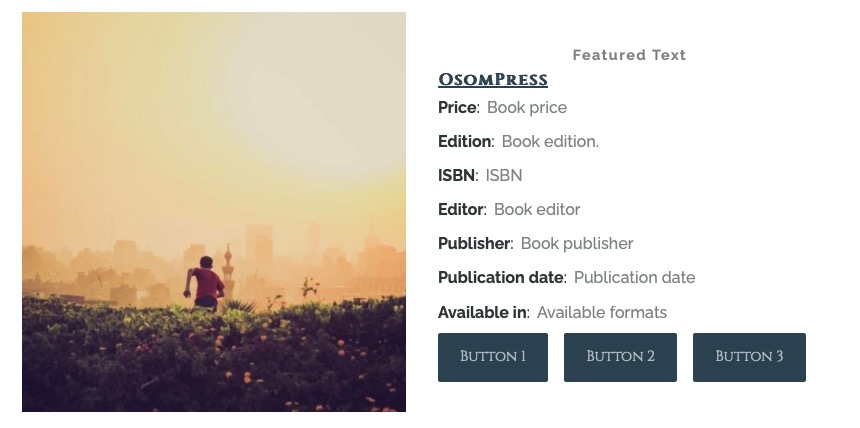
More over, the plugin adds a dedicated block pattern including all these new native blocks.
In addition to the custom book data, there are three taxonomies created: “Author,” “Series,” and “Tags.” These allow you and your site visitors to sort and organize the books in your library.
The Author is handled via the custom taxonomy instead of following the post author. This allows you to have multiple book authors and put books in the library without creating new members on your site. Multiple authors should be output in the byline without the Oxford comma like:
- John Doe
- Jane Doe and John Doe
- Jane Doe, John Doe and John Smith
The publish date is a text-aware date field that attempts to understand standard date formats such as:
- January 1, 1999
- 1 Jan 1999
- 1 1 1999
- 1999 1 1
There are instances where the returned date may not correctly match. 4 10 1999 might be interpreted as April 10, 1999 instead of the intended 4 October 1999. Typing out the month or month abbreviation instead of numeric representation of the month should resolve any discrepancies.
The date will be stored in a computer readable format and then output following the date format set in the WordPress options.
In Genesis Themes
The Osom Author Pro Featured Book widget will allow you to select a book from the library and feature it in any widgeted area of your website.
Optional output from the widget includes:
- Widget Title
- Book Title
- By Line
- Book Image
- Featured Text
- Content options including: Full content, limited content, and the excerpt for a custom synopsis.
- Preço
- Custom link to the single book page
For Genesis child themes it also offer templates that are built into the plugin with default CSS to create the basic layout for all child themes. Templates follow standard WP template hierarchy so if the template is in the child theme, that will override the template in the plugin. Templates include:
- single-books.php
- archive-books.php
- taxonomy-book-authors.php
- taxonomy-book-series.php
- taxonomy-book-tags.php
Quick Setup Videos
If you want more info about the setup and configuration you can check the tutorial below.
Tutorial
Instalação
- Upload
genesis-author-prodirectory to the/wp-content/plugins/directory - Ative o plugin através do menu 'Plugins' em WordPress
Log de Changes
Text strings and other changes were made for i18n. Please update your translation files.
2.0
- Name change from Genesis Author Pro to Osom Author Pro, since the functionality it’s not longer tied to Genesis child themes. Genesis users fear not, all the existing functionality will work as usual but you will find new options.
- Added the ability to display the book details (Price, ISBN, author…) using native blocks.
- You will find, on the block editor, a new category called “Author Pro” containing all the new available blocks.
1.2.2
- Improvement managing the additional image size (author-pro-image).
1.2
- You can use now the plugin with other themes, not only Genesis child themes.
1.1
- Added compatibility with the block editor.
1.0.3
- Changed ownership from StudioPress to OsomPress. You can read more details about it in https://osompress.com/4-new-plugins-join-osompress-family/.
1.0.2
- Cease use of a deprecated Genesis function. Use standard WordPress function instead.
Capturas de tela
Para desenvolvedores
Este é o seu plugin? Mostre os números.
Adicione um crachá ao vivo ao seu site, Documentos ou Readme do GitHub. Ele é atualizado por conta própria - nenhuma conta necessária.
Best Osom Author Pro alternatives
All authors plugins →





FAQ
Osom Author Pro: quick answers
Respostas diretas, extraídas de dados ao vivo WordPress.org.
Fonte: WordPress.org
Is Osom Author Pro free?
Yes. Osom Author Pro is free to download and use from the official WordPress.org plugin directory.
Is Osom Author Pro safe to use in 2026?
Osom Author Pro is a solid plugin choice in 2026, with a few things worth checking first. It runs on 1K+ sites, is rated 4.9/5 and was last updated 2 months ago, and scores 78/100 on our health check.
How many websites use Osom Author Pro?
Osom Author Pro is active on 1K+ WordPress websites and has been downloaded 60,013 times since it launched in April 2015. It was downloaded 545 times in the last 30 days.
Does Osom Author Pro work with WordPress 7.1?
Yes. The developer has tested Osom Author Pro up to WordPress 7.1.5, the latest release. It requires WordPress 5.0 or newer.
When was Osom Author Pro last updated?
The latest version, 2.0, was released on September 17, 2026 (2 months ago).
Who makes Osom Author Pro?
Osom Author Pro is developed and maintained by OsomPress.
What are the best alternatives to Osom Author Pro?
The most popular alternatives to Osom Author Pro are Co-Authors, Multiple Author… (20K+ installs), Co-Authors Plus (20K+ installs) and Just Writing Statistics (1K+ installs).
Alimentado por PageForge
Um modelo e uma planilha. Uma página real para cada pesquisa.
PageForge Transforma cada linha de um CSV em uma página WordPress com seu próprio título, URL, SEO campos e esquema, construído no layout que você já desenhou. Gratuito em WordPress.org.
- CSV e XLSX, mais Google Sheets em Profissional e Empresarial
- Seu próprio título, URL, SEO campos e esquema para cada página
- Funciona com o editor de blocos, Elementor, Divi e Avada
- Gratuito em WordPress.org, sem cartão de crédito