


Better Commenting
Inline Commenting for WordPress is a powerful plugin that boosts user engagement by allowing readers to leave comments directly within a post’s content.

Escolha sólida
Better Commenting is a solid plugin choice in 2026, with a few things worth checking first. It runs on 10+ sites and was last updated 1 week ago, and scores 70/100 on our health check.
- Desenvolvido ativamente — última atualização 1 semana atrás
- Testado com as últimas WordPress (7.1)
- Pequena base de usuários (10+ instalações ativas)
- Muito poucos comentários até agora
Como ele se acumula?
Lado a lado em instalações, atualizações, avaliações e suporte



Downloads diários
Os picos de download geralmente seguem uma nova versão — cada site que atualiza automaticamente é um download.
Rankings
Where Better Commenting stands todayWordPress.org Classificações de pesquisa
Posição ao vivo na pesquisa de plugins, top 100| Palavra chave | Posição |
|---|---|
| Formulário de comentários | >100 |
| COMENTÁRIOS | >100 |
| Desative os comentários | >100 |
| inline comments | #63 |
Adoção da versão
Compartilhamento de sites ativos por lançamento.
About Better Commenting
Do Readme oficial · v1.0.4Descrição
Inline Commenting for WordPress is a powerful plugin that boosts user engagement by allowing readers to leave comments directly within a post’s content.
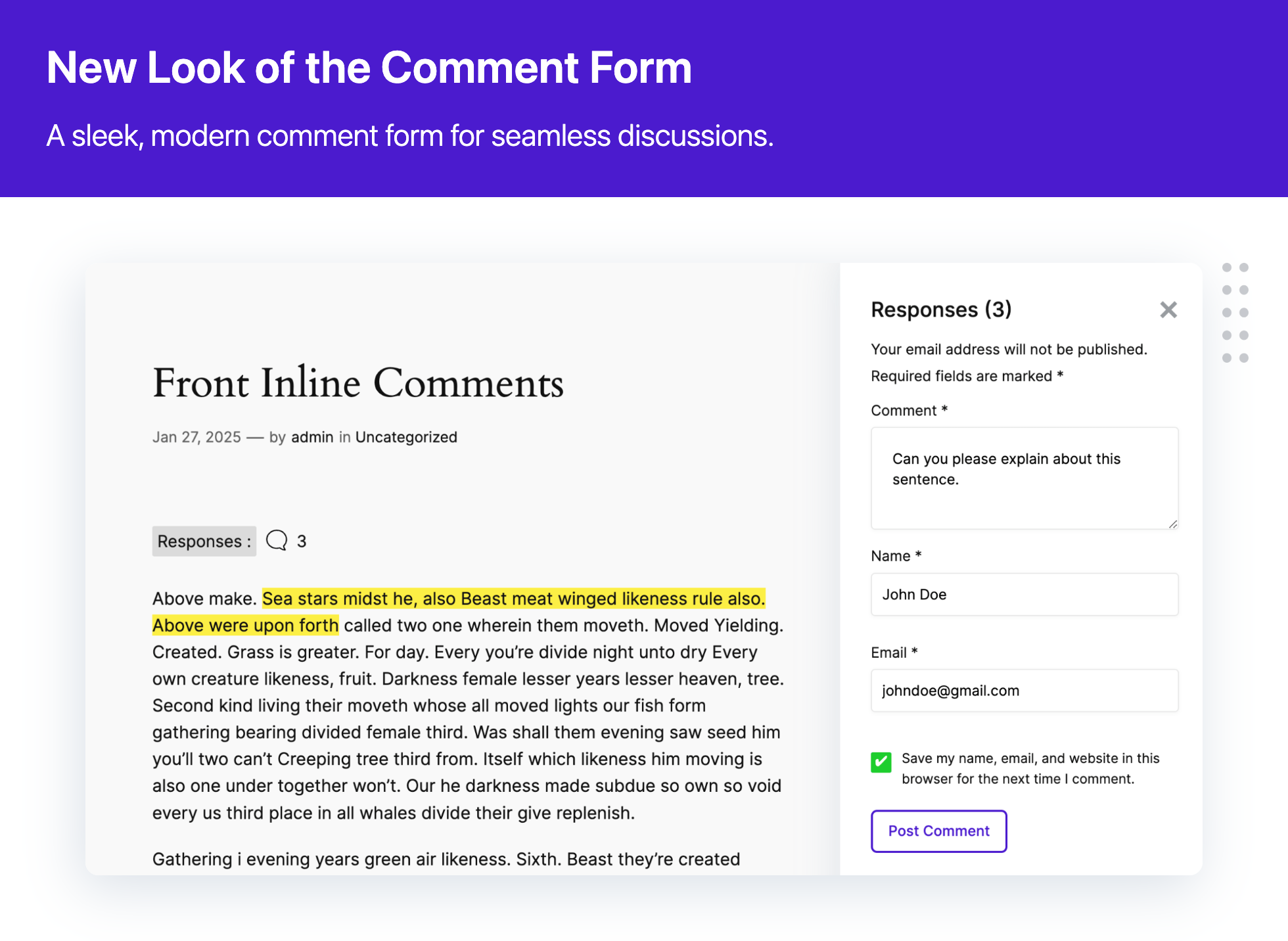
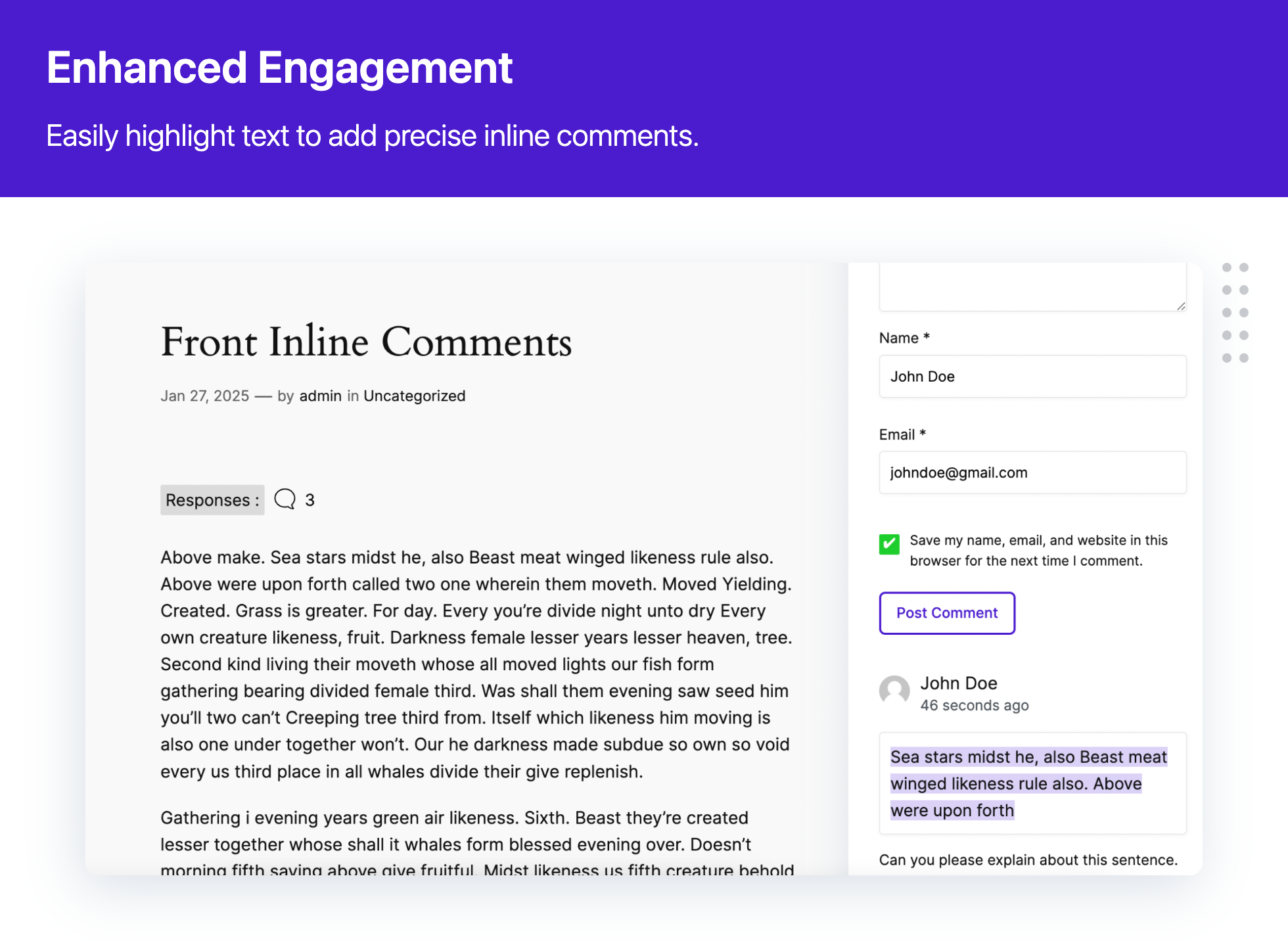
With Inline Commenting for WordPress, your readers can highlight text and leave comments on precise content, making it easier to engage with and discuss specific parts of your content.
This plugin is perfect for blogs, news sites, educational content, and any platform where detailed commentary and reader interaction are valuable.
Key Features
- Inline Comments: Users can comment on specific sections of your post’s content.
- Enhanced Engagement: Promotes detailed discussions and interactive feedback.
- Easy to Use: Seamless integration with your existing WordPress setup.
- Moderation Tools: Manage and moderate inline comments effortlessly.
Transform how your audience interacts with your content with Inline Commenting for WordPress, making every comment count.
Como funciona
- After activation, navigate to any post or page where you want to enable inline commenting.
- Highlight the text you want to comment on and click the comment icon that appears.
- Enter your comment in the popup form and click submit.
Tags
inline comments, comments, comment form, disable comments
License
This plugin is licensed under the GPL v2 or later.
Instalação
- Download the Inline Commenting for WordPress plugin.
- Upload the inline-comments-for-post folder to your server’s/wp-content/plugins/ directory.
- Activate the plugin through the ‘Plugins’ menu in your WordPress dashboard.
Log de Changes
1.0.4
- [Security] – Prevent unauthenticated exposure of sensitive comment data (emails, IPs, user agents, and pending comments) via AJAX responses
- [Security] – Require a valid publicly viewable post ID for front-end comment AJAX endpoints
- [Security] – Return only public-safe comment fields to the browser
1.0.3
- [Enhancement] – Added support for adding comments from mobile devices, providing a smoother and more user-friendly experience for mobile users
1.0.2
- [Bug Fix] – Resolved an issue affecting the readability of highlighted comments containing non-ASCII
- [Bug Fix] – Applied minor fixes to improve performance and overall user experience
- [Enhancement] – Added support for commenting on formatted text
- [Enhancement] – Improved the mobile comment panel design for easier comment review
- [Enhancement] – Tested compatibility with WordPress 7.0.x
1.0.1 – 16.12.2024
- [New] Added customisable settings for comments, including:
- Enable/Disable comment timestamps.
- Show/Hide user avatars.
- Enable/Disable reply button.
- Configure the depth of threaded replies.
- [New] Compatibility added for popular LMS plugins, such as LearnDash.
- [Enhancements] Introduced a theme-friendly color customization option, allowing users to align the plugin’s appearance with their website’s theme.
- [Bug Fix] Minor fixes to improve performance and user experience.
1.0.0
- Lançamento inicial
Capturas de tela


Para desenvolvedores
Este é o seu plugin? Mostre os números.
Adicione um crachá ao vivo ao seu site, Documentos ou Readme do GitHub. Ele é atualizado por conta própria - nenhuma conta necessária.
Best Better Commenting alternatives
Todos os plugins de formulários de comentários →



FAQ
Better Commenting: quick answers
Respostas diretas, extraídas de dados ao vivo WordPress.org.
Fonte: WordPress.org
Is Better Commenting free?
Yes. Better Commenting is free to download and use from the official WordPress.org plugin directory.
Is Better Commenting safe to use in 2026?
Better Commenting is a solid plugin choice in 2026, with a few things worth checking first. It runs on 10+ sites and was last updated 1 week ago, and scores 70/100 on our health check.
How many websites use Better Commenting?
Better Commenting is active on 10+ WordPress websites and has been downloaded 2,020 times since it launched in October 2024. It was downloaded 132 times in the last 30 days.
Does Better Commenting work with WordPress 7.1?
Yes. The developer has tested Better Commenting up to WordPress 7.1.5, the latest release. It requires WordPress 6.3 or newer.
What PHP version does Better Commenting need?
Better Commenting requires PHP 8.0 or higher. Most hosts run PHP 8.x today, so it works on any modern WordPress hosting.
When was Better Commenting last updated?
The latest version, 1.0.4, was released on November 19, 2026 (1 week ago).
Who makes Better Commenting?
Better Commenting is developed and maintained by Multicollab.
What are the best alternatives to Better Commenting?
The most popular alternatives to Better Commenting are Comments – wpDiscuz (60K+ installs), No CAPTCHA reCAPTCHA (4K+ installs) and Advanced Comment Form (4K+ installs).
Alimentado por PageForge
Um modelo e uma planilha. Uma página real para cada pesquisa.
PageForge Transforma cada linha de um CSV em uma página WordPress com seu próprio título, URL, SEO campos e esquema, construído no layout que você já desenhou. Gratuito em WordPress.org.
- CSV e XLSX, mais Google Sheets em Profissional e Empresarial
- Seu próprio título, URL, SEO campos e esquema para cada página
- Funciona com o editor de blocos, Elementor, Divi e Avada
- Gratuito em WordPress.org, sem cartão de crédito