


Embed Repo for GitHub – showcase your open source projects
Show off your GitHub repositories anywhere on your WordPress site – in customizable, responsive layouts – with a simple Gutenberg block.

Escolha sólida
Embed Repo for GitHub is a solid plugin choice in 2026, with a few things worth checking first. It runs on 100+ sites and was last updated 5 days ago, and scores 63/100 on our health check.
- Desenvolvido ativamente — última atualização 5 dias atrás
- Base de usuários pequenas (mais de 100 instalações ativas)
- Muito poucos comentários até agora
Como ele se acumula?
Lado a lado em instalações, atualizações, avaliações e suporte



Downloads diários
Os picos de download geralmente seguem uma nova versão — cada site que atualiza automaticamente é um download.
Rankings
Where Embed Repo for GitHub stands todayWordPress.org Classificações de pesquisa
Posição ao vivo na pesquisa de plugins, top 100| Palavra chave | Posição |
|---|---|
| Github | #41 |
| github embed | #17 |
| github repository | #60 |
| Gutenberg block | >100 |
| portfolio | >100 |
Adoção da versão
Compartilhamento de sites ativos por lançamento.
About Embed Repo for GitHub
Do Readme oficial · v1.0.6Descrição
Show off your GitHub repositories anywhere on your WordPress site – in customizable, responsive layouts – with a simple Gutenberg block.
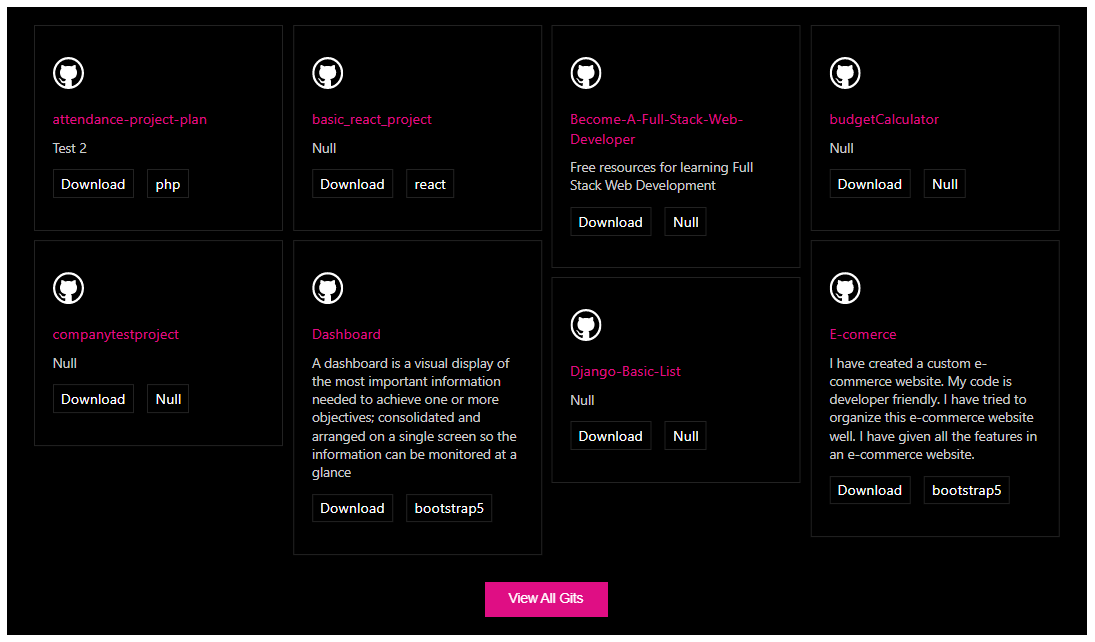
Embed Repo for GitHub is a WordPress Gutenberg block plugin that lets you display GitHub repositories directly on your website. Create a GitHub portfolio, showcase open source projects, and present your development work using customizable repository layouts.
Whether you are a WordPress developer, software engineer, freelancer, open source contributor, or agency, this plugin helps you showcase your GitHub projects without manually building repository cards.
What Is Embed Repo for GitHub?
Linking out to GitHub sends visitors away from your site. Embed Repo for GitHub lets you display your repositories right inside your posts and pages, so developers, clients, and collaborators can browse your open source work without leaving WordPress.
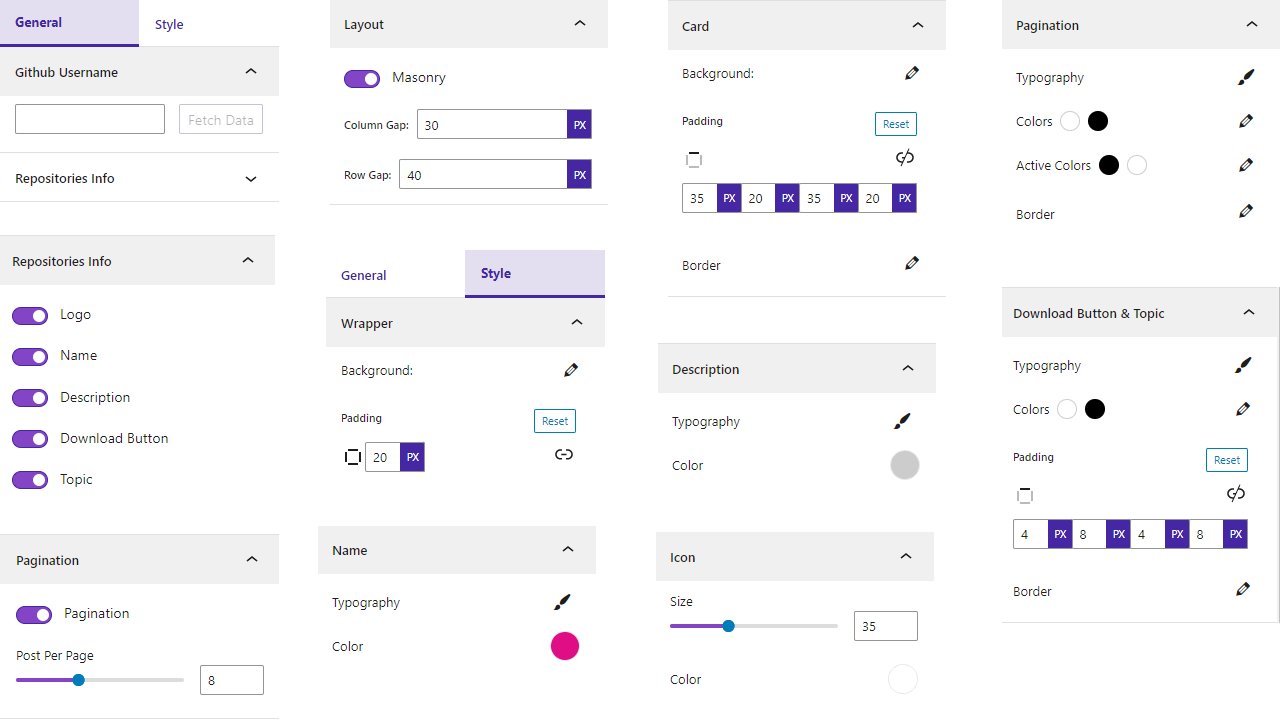
Show all your repositories, control how many appear per page, and fine-tune every visual detail – columns, gaps, colors, and typography – directly from the block editor sidebar.
Free Features
- Show All Repositories: Display your GitHub repositories anywhere in WordPress.
- Fully Customizable: Adjust every part of the display to match your site.
- Repositories Per Page: Control how many repositories show at once.
- Pagination: Show or hide pagination, and style its typography, colors, active colors, and border.
- Show/Hide Elements: Toggle the repository info icon, name, title, and button.
- Masonry Layout: Choose a masonry grid for a modern portfolio look.
- Grid Controls: Set columns, column gap, and row gap.
- Color & Typography: Set repository background color, plus typography and colors for the info icon, name, title, and button.
GitHub Repository Showcase for WordPress
Want to create a GitHub portfolio in WordPress?
Embed Repo for GitHub lets you present your open source work in a professional layout directly on your website.
You can use it to showcase:
- GitHub projects
- Open source repositories
- Developer projects
- WordPress development projects
- Software projects
- Agency projects
- Personal coding portfolios
- Client projects
- Documentation repositories
This makes it easier for website visitors to discover your projects without leaving your WordPress website.
Display GitHub Repositories
Display your GitHub repositories directly inside WordPress posts and pages.
Repository Count
Control how many repositories are displayed on a page.
Paginação
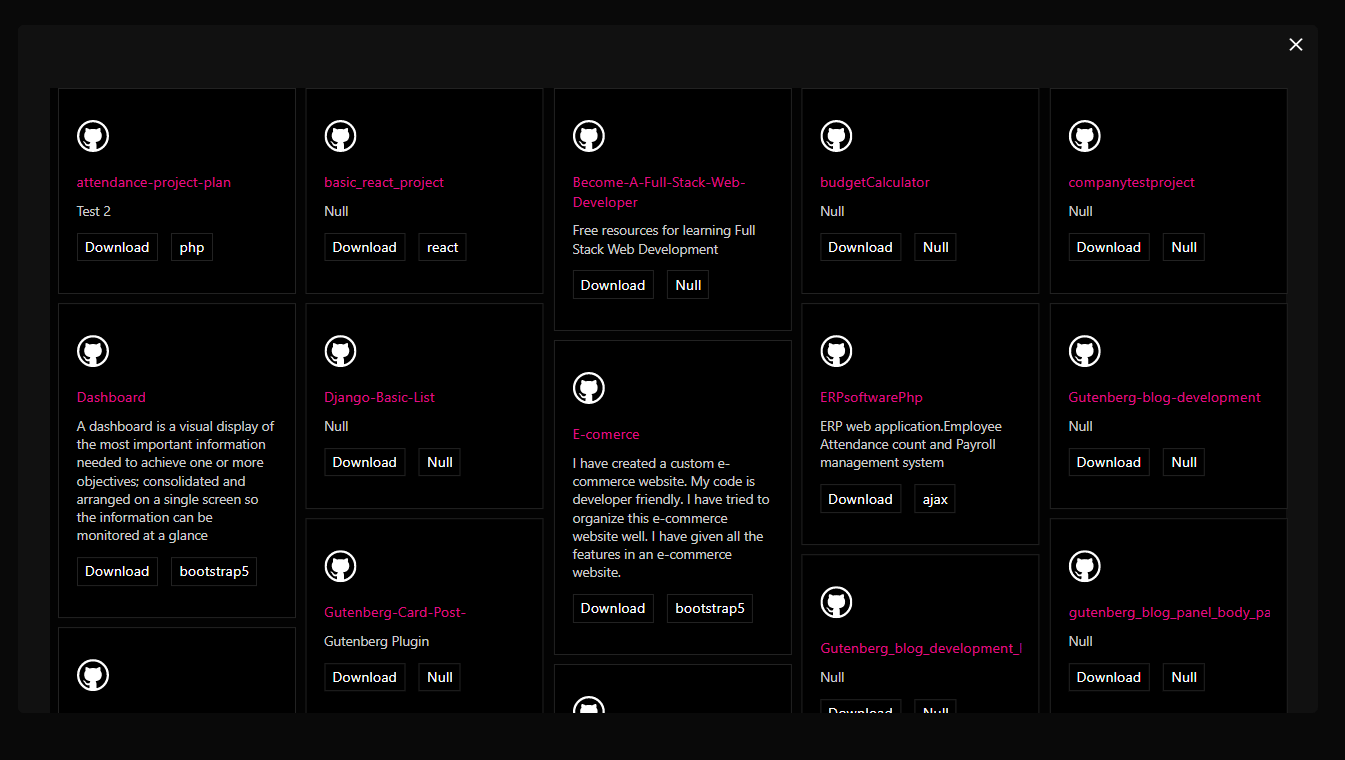
Show or hide pagination and customize available pagination styles.
Grid Layout
Control the repository grid by adjusting:
- Number of columns
- Column gap
- Row gap
Masonry Layout
Display repositories in a masonry-style grid for a flexible portfolio presentation.
Show or Hide Elements
Control the visibility of available repository elements, including:
- Repository information icon
- Repository name
- Repository title
- Button
How to Embed a GitHub Repository in WordPress
- Install and activate Embed Repo for GitHub.
- Open a post or page in the WordPress Block Editor.
- Click the + button to add a block.
- Search for Embed GitHub.
- Add the Embed GitHub block.
- Configure the repository layout and display settings.
- Customize columns, spacing, colors, typography, and pagination.
- Publish or update the page.
Your GitHub repositories will be displayed directly on your WordPress website.
Casos de uso
Developer Portfolio
Display your GitHub projects as part of your developer portfolio.
Open Source Showcase
Present repositories that you contribute to or maintain.
WordPress Developer Website
Showcase WordPress plugins, themes, blocks, and development projects.
Agency Website
Display repositories related to software projects and development work.
Documentation Website
Keep relevant GitHub repositories visible alongside technical documentation.
Project Showcase
Create a dedicated project page that presents multiple GitHub repositories in a structured layout.
Who Is This Plugin For?
Embed Repo for GitHub is useful for:
- Desenvolvedores
- WordPress developers
- Open source contributors
- Software companies
- Agências
- Development teams
- Technical bloggers
- Documentation websites
- Students and coding learners
- Freelancers
Happy User of Embed Repo for GitHub?
- Join our Facebook Community Group
- Learn from our tutorials on YouTube Channel
- Or rate Embed Repo for GitHub on WordPress
How to Use – Quick Start
- Go to Plugins → Add New in your WordPress dashboard.
- Search for “Embed GitHub”, click Install Now, then Activate.
- In the block editor, add the Embed GitHub block to any post or page.
- Configure the layout and styling from the right-side settings sidebar, then publish.
For installation help, see the Installation tab.
Liked this plugin? Hate it? Want a new feature? Send us your feedback
Check out the Parent Plugin of this plugin-
🔥 b Blocks – Best gutenberg blocks collections for WordPress.
Check out our other WordPress Plugins-
🔥 Html5 Audio Player – Best audio player plugin for WordPress.
🔥 Html5 Video Player – Best video player plugin for WordPress.
🔥 PDF Poster – A fully-featured PDF Viewer Plugin for WordPress.
🔥 StreamCast – A fully-featured Radio Player Plugin for WordPress.
🔥 3D Viewer – Display interactive 3D models on the webs.
Third-Party Services Used
The following third-party APIs are utilized in this plugin for license management:
-
Gumroad API
- Endpoint:
https://api.gumroad.com/v2/licenses/verify - Purpose: License verification for products distributed through Gumroad.
- Documentation: Gumroad API Documentation
- Terms of Service: Gumroad Terms
- Privacy Policy: Gumroad Privacy Policy
- Endpoint:
-
bPlugins License Management API
- Endpoints:
https://api.bplugins.com/wp-json/license/v1/sync-licensehttps://api.bplugins.com/wp-json/license/v1/gumroadhttps://api.bplugins.com/wp-json/data/v1/accept-data- Purpose: Syncing license data, verifying licenses, and managing product information.
- Privacy Policy: bPlugins Privacy Policy
Developer Notes
Public source code GitHub link for review, study, and contribute.
https://github.com/bPlugins/Github-Block
For more information on how to contribute to this plugin, please visit our GitHub repository.
Instalação
From your WordPress dashboard (recommended):
- Go to Plugins → Add New.
- Search for “Embed GitHub”.
- Click Install Now, then Activate.
- In the block editor, search for the Embed GitHub block and add it to any page or post.
Instalação manual:
- Download the embed-github-block plugin (.zip file).
- In your admin area, go to Plugins → Add New and click Upload Plugin.
- Choose the
embed-github-block.zipfile and click Install Now. - Activate the plugin – or upload the extracted folder to
/wp-content/plugins/and activate from the Plugins menu.
Log de Changes
Attach correct github repository
1.0.6 – 30 Nov, 24
- Attach correct github repository
1.0.5 – 28 Nov, 24
- Solved all problem
1.0.4 – 21 Nov,24
- Trademark issues solved
1.0.3 – 9 Nov,24
- WordPress version update
1.0.2 – 28 sept, 2023
- We have removed the extra code and resolved the masonry issues.
1.0.1
- Have been resolve some issue
Capturas de tela


Para desenvolvedores
Este é o seu plugin? Mostre os números.
Adicione um crachá ao vivo ao seu site, Documentos ou Readme do GitHub. Ele é atualizado por conta própria - nenhuma conta necessária.
Best Embed Repo for GitHub alternatives
All Github plugins →


FAQ
Embed Repo for GitHub: quick answers
Respostas diretas, extraídas de dados ao vivo WordPress.org.
Fonte: WordPress.org
Is Embed Repo for GitHub free?
Yes. Embed Repo for GitHub is free to download and use from the official WordPress.org plugin directory.
Is Embed Repo for GitHub safe to use in 2026?
Embed Repo for GitHub is a solid plugin choice in 2026, with a few things worth checking first. It runs on 100+ sites and was last updated 5 days ago, and scores 63/100 on our health check.
How many websites use Embed Repo for GitHub?
Embed Repo for GitHub is active on 100+ WordPress websites and has been downloaded 9,551 times since it launched in May 2023. It was downloaded 466 times in the last 30 days.
Does Embed Repo for GitHub work with WordPress 7.1?
Embed Repo for GitHub is officially tested up to WordPress 7.0.9, while the latest release is 7.1.5. It may still work, but try it on a staging site first.
What PHP version does Embed Repo for GitHub need?
Embed Repo for GitHub requires PHP 7.1 or higher. Most hosts run PHP 8.x today, so it works on any modern WordPress hosting.
When was Embed Repo for GitHub last updated?
The latest version, 1.0.6, was released on November 25, 2026 (5 days ago).
Who makes Embed Repo for GitHub?
Embed Repo for GitHub is developed and maintained by bPlugins.
What are the best alternatives to Embed Repo for GitHub?
The most popular alternatives to Embed Repo for GitHub are Github Embed (900+ installs), WP Plugin Info Card (400+ installs) and Pastacode (400+ installs).
Alimentado por PageForge
Um modelo e uma planilha. Uma página real para cada pesquisa.
PageForge Transforma cada linha de um CSV em uma página WordPress com seu próprio título, URL, SEO campos e esquema, construído no layout que você já desenhou. Gratuito em WordPress.org.
- CSV e XLSX, mais Google Sheets em Profissional e Empresarial
- Seu próprio título, URL, SEO campos e esquema para cada página
- Funciona com o editor de blocos, Elementor, Divi e Avada
- Gratuito em WordPress.org, sem cartão de crédito