


DevPulse
Real-time error tracking and performance monitoring for WordPress — self-hosted and free.

Use com cautela
DevPulse works, but test it on a staging site before relying on it in 2026. Was last updated 3 months ago, and scores 42/100 on our health check.
- Base de usuários pequenas (<10 instalações ativas)
- Muito poucos comentários até agora
- Testado apenas até WordPress 6.9 (mais recente é 7.1)
Como ele se acumula?
Lado a lado em instalações, atualizações, avaliações e suporte



Downloads diários
Os picos de download geralmente seguem uma nova versão — cada site que atualiza automaticamente é um download.
Rankings
Where DevPulse stands todayWordPress.org Classificações de pesquisa
Posição ao vivo na pesquisa de plugins, top 100| Palavra chave | Posição |
|---|---|
| debugging | >100 |
| error tracking | >100 |
| logging | >100 |
| monitoring | >100 |
| execução | >100 |
About DevPulse
From the official readme · v2.0.2Descrição
DevPulse is a self-hosted error tracking and performance monitoring plugin for WordPress, similar to Sentry but free and running on your own server.
Recursos:
- Captures PHP errors, warnings, notices, and fatal errors
- Captures unhandled exceptions automatically
- Frontend Core Web Vitals (LCP, INP, CLS, TTFB, page load) — real-user Lighthouse metrics
- Lightweight — the backend handler has zero JS footprint; the vitals bundle is ~4 KB deferred
- Configurable via the WordPress admin or
wp-config.phpconstants - Works with any self-hosted DevPulse server
Privacy: All error data is sent to your own server. Nothing leaves your infrastructure.
Configuration
You can configure the plugin via Settings → DevPulse in the WordPress admin, or by defining constants in wp-config.php:
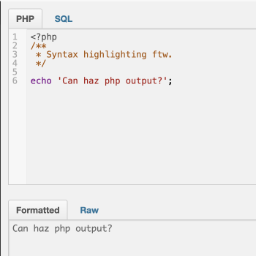
define( 'DEVPULSE_DSN',     'http://your-server:8000/api/ingest/YOUR_API_KEY' );
define( 'DEVPULSE_ENV',     'production' );
define( 'DEVPULSE_ENABLED', true );
Constants take precedence over admin settings.
Running the DevPulse server:
docker compose up -d
See the DevPulse GitHub repository for full server setup instructions.
Instalação
- Upload the
devpulsefolder towp-content/plugins/ - Activate the plugin through Plugins → Installed Plugins in the WordPress admin
- Go to Settings → DevPulse and enter your server DSN
Alternatively, you can configure the plugin using constants in wp-config.php (see Configuration below).
Log de Changes
Security fix: only trust X-Forwarded-For from a configured trusted proxy. Recommended for all sites not running behind a reverse proxy/load balancer.
2.0.2
- Fixed: the plugin version header and changelog had drifted out of sync
with actual releases since 1.2.0 — this release reconciles them and
documents what shipped in 2.0.0/2.0.1 below.
2.0.1
- Security: only trust the
X-Forwarded-Forheader whenREMOTE_ADDRis a
known, configured trusted proxy — prevents client-supplied headers from
spoofing the reported IP address on sites not behind a proxy.
2.0.0
- Security: the DSN’s API key is no longer sent in the request URL — it’s
extracted and sent as anX-API-Keyheader instead, so it can no longer
leak into server or CDN access logs.
1.2.0
- Added frontend Core Web Vitals collection (LCP, INP, CLS, TTFB, page load) via bundled browser SDK
- New “Frontend Performance Vitals” setting in wp-admin; can be disabled per-page with the
devpulse_enqueue_vitalsfilter or viadefine('DEVPULSE_TRACK_VITALS', false)in wp-config.php
1.1.1
- Stability and compatibility improvements
1.0.0
- Initial public release — PHP error and exception capture, wp_die() and fatal error handlers, admin settings page
Para desenvolvedores
Este é o seu plugin? Mostre os números.
Adicione um crachá ao vivo ao seu site, Documentos ou Readme do GitHub. Ele é atualizado por conta própria - nenhuma conta necessária.
Best DevPulse alternatives
All debugging plugins →



FAQ
DevPulse: quick answers
Respostas diretas, extraídas de dados ao vivo WordPress.org.
Fonte: WordPress.org
Is DevPulse free?
Yes. DevPulse is free to download and use from the official WordPress.org plugin directory.
Is DevPulse safe to use in 2026?
DevPulse works, but test it on a staging site before relying on it in 2026. Was last updated 3 months ago, and scores 42/100 on our health check.
How many websites use DevPulse?
DevPulse is active on <10 WordPress websites and has been downloaded 268 times since it launched in August 2026. It was downloaded 66 times in the last 30 days.
Does DevPulse work with WordPress 7.1?
DevPulse is officially tested up to WordPress 6.9.12, while the latest release is 7.1.5. It may still work, but try it on a staging site first.
What PHP version does DevPulse need?
DevPulse requires PHP 7.4 or higher. Most hosts run PHP 8.x today, so it works on any modern WordPress hosting.
When was DevPulse last updated?
The latest version, 2.0.2, was released on August 21, 2026 (3 months ago).
Who makes DevPulse?
DevPulse is developed and maintained by sekolahcode.
What are the best alternatives to DevPulse?
The most popular alternatives to DevPulse are Freesoul Deactivate Plugins (8K+ installs), Fatal Error Notify (6K+ installs) and Debug Log Manager Tool (3K+ installs).
Alimentado por PageForge
Um modelo e uma planilha. Uma página real para cada pesquisa.
PageForge Transforma cada linha de um CSV em uma página WordPress com seu próprio título, URL, SEO campos e esquema, construído no layout que você já desenhou. Gratuito em WordPress.org.
- CSV e XLSX, mais Google Sheets em Profissional e Empresarial
- Seu próprio título, URL, SEO campos e esquema para cada página
- Funciona com o editor de blocos, Elementor, Divi e Avada
- Gratuito em WordPress.org, sem cartão de crédito