


CP Blocks
CP Blocks is an easy way to insert cool buttons, styles, scripts, payment / donation buttons and features into your WordPress website without requiring programming knowledge. With CP Blocks you can access many resources…

Escolha sólida
CP Blocks is a solid plugin choice in 2026, with a few things worth checking first. It runs on 1K+ sites, is rated 5/5 and was last updated 4 months ago, and scores 72/100 on our health check.
- Testado com as últimas WordPress (7.1)
- Momentum — downloads up 72.1% vs the previous 30 days
Como ele se acumula?
Lado a lado em instalações, atualizações, avaliações e suporte



Downloads diários
Os picos de download geralmente seguem uma nova versão — cada site que atualiza automaticamente é um download.
Rankings
Where CP Blocks stands todayWordPress.org Classificações de pesquisa
Posição ao vivo na pesquisa de plugins, top 100| Palavra chave | Posição |
|---|---|
| blocos | #43 |
| button | >100 |
| css | >100 |
| projetar | >100 |
| script | #48 |
Adoção da versão
Compartilhamento de sites ativos por lançamento.
Divisão de classificação
★★★★★★★★★★ 5 from 11 reviews
About CP Blocks
From the official readme · v1.1.3Descrição
CP Blocks main features:
- Multiple blocks of code in the users’ websites
- Integration with the Calculated Fields Form plugin
- Integration with the Contact Form 7 plugin
- Allows the insertion of blocks in the website’s posts and pages
- Constant development including many new blocks
- … and more features
CP Blocks is an easy way to insert cool buttons, styles, scripts, payment / donation buttons and features into your WordPress website without requiring programming knowledge. With CP Blocks you can access many resources like design elements, form’s fields, new features, and more.
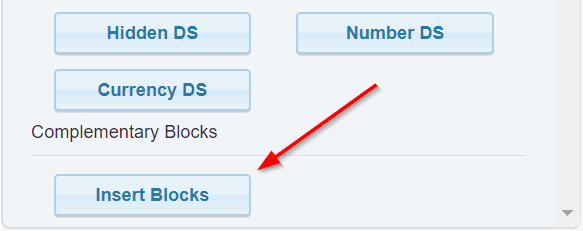
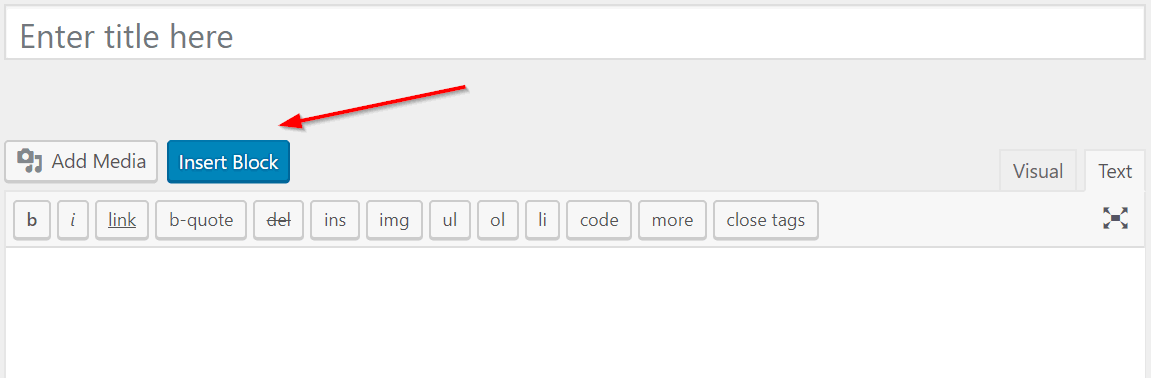
The use of CP Blocks is very simple, just press the “Insert Block” button in the controls of the “Contact Form 7” or the “Calculated Fields Form” plugin (Screenshots: 2. Contact Form 7 integration and 3. Calculated Fields Form integration), the “Insert Block” button is available beside the “Add Media” button too over the content of the pages/posts (Screenshot: 4. Integration with pages and posts)
Some of the free blocks included are:
-
Text Length: To calculate the number of characters in a text
-
Print Form: For printing a form
-
Lorem Ipsum Generator: Lorem ipsum text generator
-
PayPal Donation Button: For inserting PayPal donation buttons
-
Disable Text Selection Hightlighting: Disable the text selection hightlighting on the page
-
Disable Right-click on the Page: Disable the mouse right-click menu
-
Display current date: display the current date on the page
-
Autorefresh page: Autorefresh the page every a specified number of seconds
-
Tooltips: Allows associating tooltips to the form’s elements
-
Grow Effect: Design effect
-
Rounded Button: Button design
-
Animated Border Button: Button design
-
Corner Tab Button: Button design
-
Border Effect Button: Button design
-
Animated Border Button 2: Button design
-
Button With Fold Effect: Button design
-
Corner Tab Button 2: Button design
-
Corner Tab Button 3: Button design
-
Animated Border Button 3: Button design
-
Slide Down Fill Button: Button design
-
Slide Up Fill Button: Button design
-
Slide Left Fill Button: Button design
-
Dark Button With Icon: Button design
-
Dark Button With Icon 2: Button design
-
Beveled Dark Button: Button design
-
Curtain Effect Button: Button design
-
Button With Scaled Icon: Button design
-
Image With Overlaying Testimonial: Information box design
-
Testimonial Card with Icon, Quote and Title: Information box design
-
Testimonial Card with Image, Title and Quote: Information box design
-
Testimonial with Profile Image: Information box design
-
Testimonial Card with Image, Title and Quote: Information box design
-
Testimonial with Quote and Profile Image: Information box design
-
Dark Themed Testimonial with Tile Quote and Profile Image: Information box design
Some of the additional commercial blocks are:
-
Words Counter: To calculate the number of words in a text
-
Read CSV File: For reading an online CSV file and use it into form
-
PayPal Payment Button: Inserts a PayPal one time payment button
-
PayPal Subscription Button: Inserts a PayPal recurrent payment button
-
Skrill Payment Button: Inserts a Skrill one time payment button
-
Address Field: Inserts an autocomplete address field integrated to Google Places
-
Prevent framing: Inserts a block to find out if the page is embedded as a frame to other site and will prevent that by redirecting to the correct page without framing
-
Detect HTTP or HTTPS then force HTTPS: Inserts a code block to detect HTTP or HTTPS and then force usage of HTTPS to be sure that the page is loaded over a SSL secure connection.
-
Ad Blocker Alert: Displays a pop-up window if there is an Ad Blocker active in the browser and limits the access to the page’s content in that case.
How to insert the blocks?
-
Press the “Insert Blocks” button in the toolbar of the forms builder in the “Calculated Fields Form” (Screenshot: 3. Calculated Fields Form integration), or the toolbar of the “Contact Form 7” (Screenshot: 2. Contact Form 7 integration). The button is available too beside the “Add Media” button in the posts and pages (Screenshot: 4. Integration with pages and posts)
-
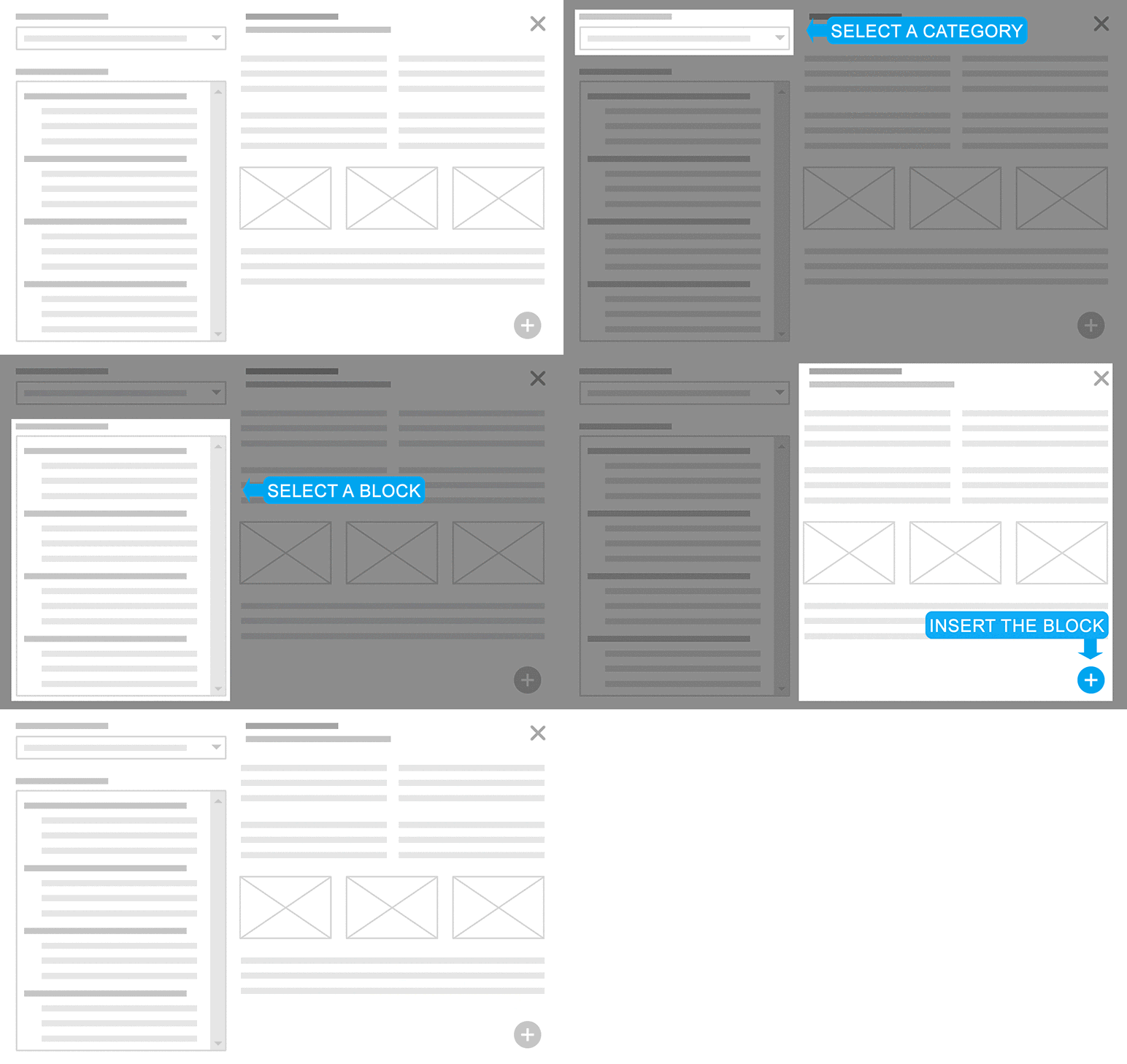
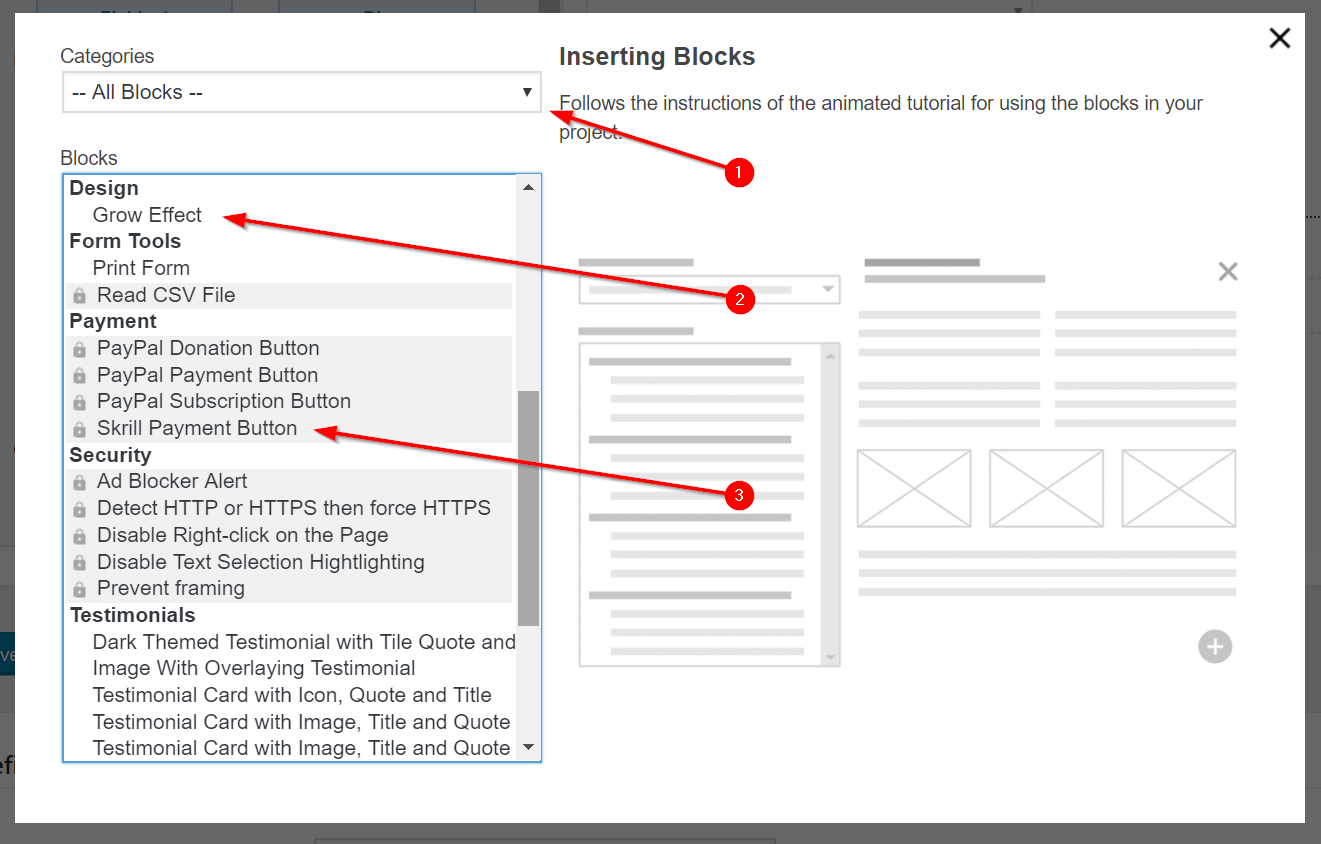
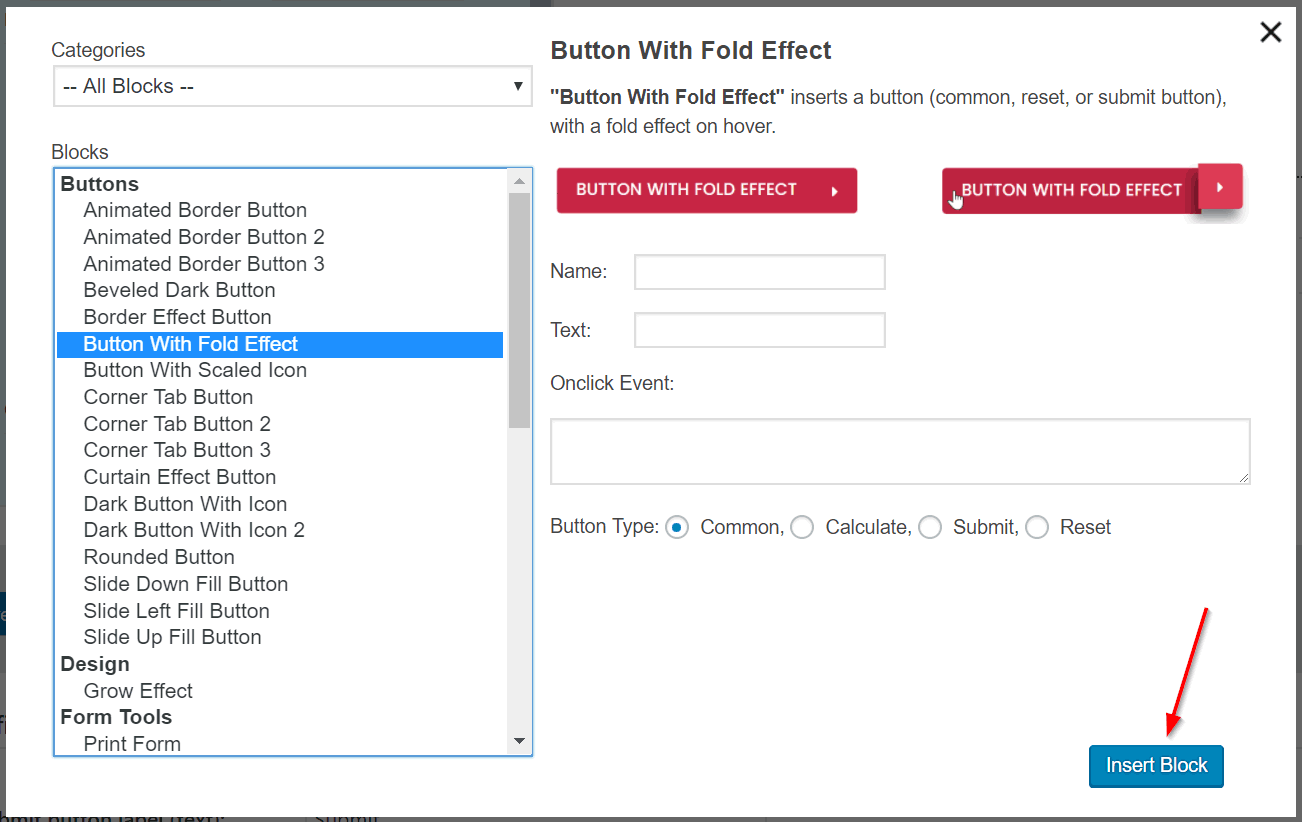
CP Blocks opens a popup window (Screenshot: 5. Blocks popup), that includes at top-right the list of blocks categories, and below it, the list of blocks. Selecting a specific category the blocks list is refreshed with their blocks.
-
After selecting a block, its description, assets and insertion options are displayed in the right column (Screenshot: 6. Inserting the block)
-
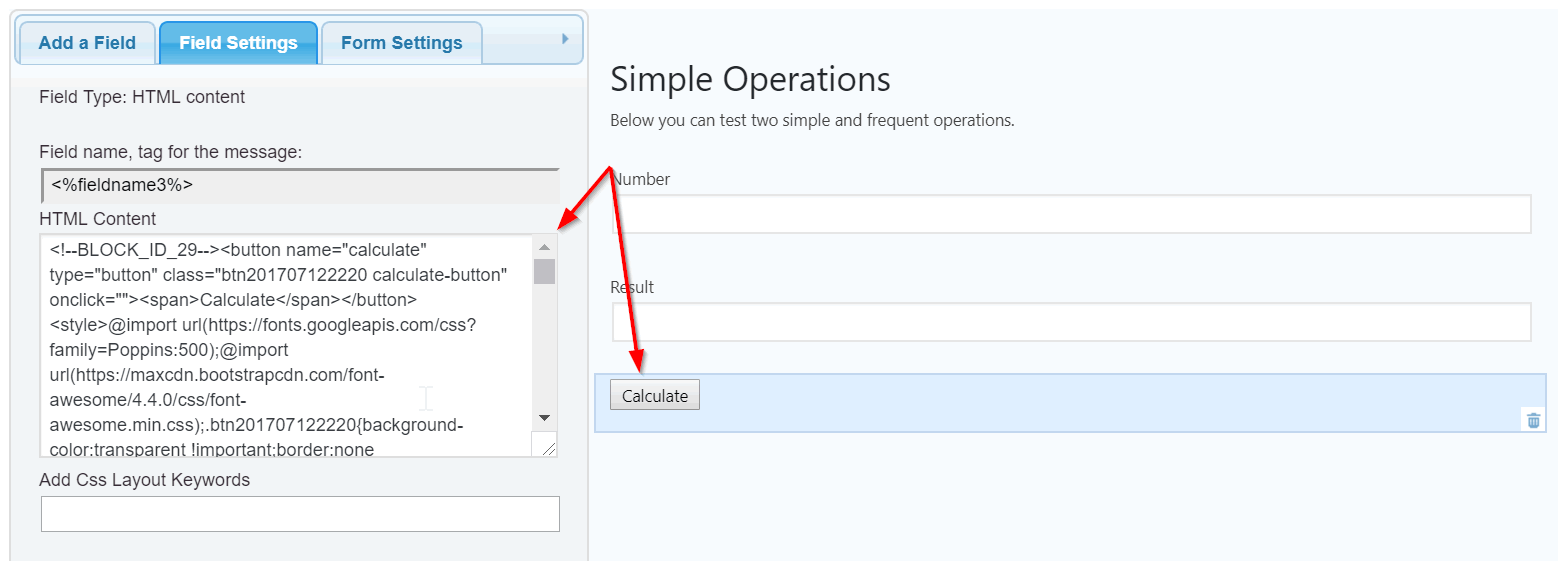
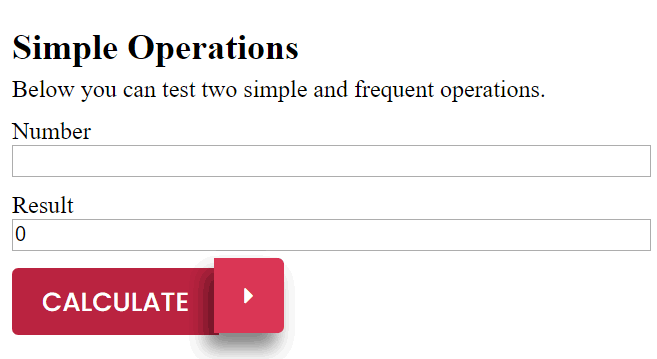
Pressing the “Insert Block” button the piece of code corresponding to the block is inserted in the website (Screenshot: 7. Block in the CFF form)
Instalação
To install CP Blocks, follow these steps:
- Download and unzip the booking plugin
- Press the menu option: “Plugins/Add New” in the main WordPress menu.
- Press the “Upload Plugin” button, and select the zipped file with the plugin’s distribution.
- Finally, install and activate the plugin.
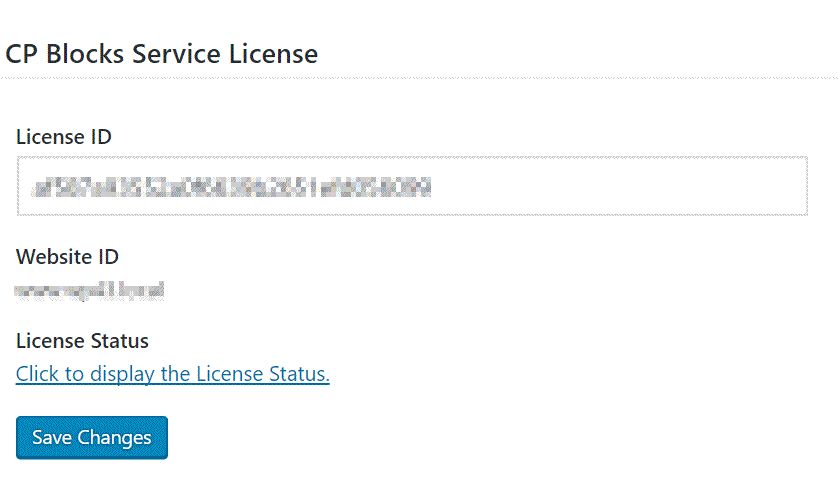
- For accessing to the premium blocks, enter a license or get one through the settings page of the plugin accessible from the menu option: menu >> CP Blocks.
- To insert the blocks, press the “Insert Blocks” button in the toolbar of the forms builder in the “Calculated Fields Form”, or the toolbar of the “Contact Form 7”. The button is available too beside the “Add Media” button in the posts and pages.
Log de Changes
1.0.1
- First stable version published
1.0.2
- Updates to Calculated Fields Form connector
1.0.3
- Compatible with WordPress 4.9
1.0.4
- Implements the integration with the Gutenberg Editor, the editor to be distributed with the next versions of WordPress.
1.0.5
- Fixes an issue inserting the blocks in the content of pages/posts when the “Text” tab is active.
- Allows the integration with a new category of blocks (blocks with server side components).
1.0.6
- Includes a dashboard widget to promote the new blocks and include tips about the blocks’ use.
Capturas de tela

Para desenvolvedores
Este é o seu plugin? Mostre os números.
Adicione um crachá ao vivo ao seu site, Documentos ou Readme do GitHub. Ele é atualizado por conta própria - nenhuma conta necessária.
Best CP Blocks alternatives
Plugins de todos os blocos →





FAQ
CP Blocks: quick answers
Respostas diretas, extraídas de dados ao vivo WordPress.org.
Fonte: WordPress.org
Is CP Blocks free?
Yes. CP Blocks is free to download and use from the official WordPress.org plugin directory.
Is CP Blocks safe to use in 2026?
CP Blocks is a solid plugin choice in 2026, with a few things worth checking first. It runs on 1K+ sites, is rated 5/5 and was last updated 4 months ago, and scores 72/100 on our health check.
How many websites use CP Blocks?
CP Blocks is active on 1K+ WordPress websites and has been downloaded 38,412 times since it launched in August 2017. It was downloaded 659 times in the last 30 days.
Does CP Blocks work with WordPress 7.1?
Yes. The developer has tested CP Blocks up to WordPress 7.1.5, the latest release. It requires WordPress 3.0.5 or newer.
When was CP Blocks last updated?
The latest version, 1.1.3, was released on August 14, 2026 (4 months ago).
Who makes CP Blocks?
CP Blocks is developed and maintained by codepeople.
What are the best alternatives to CP Blocks?
The most popular alternatives to CP Blocks are Spectra Legacy (1M+ installs), Kadence Blocks (600K+ installs) and Extendify (500K+ installs).
Alimentado por PageForge
Um modelo e uma planilha. Uma página real para cada pesquisa.
PageForge Transforma cada linha de um CSV em uma página WordPress com seu próprio título, URL, SEO campos e esquema, construído no layout que você já desenhou. Gratuito em WordPress.org.
- CSV e XLSX, mais Google Sheets em Profissional e Empresarial
- Seu próprio título, URL, SEO campos e esquema para cada página
- Funciona com o editor de blocos, Elementor, Divi e Avada
- Gratuito em WordPress.org, sem cartão de crédito