


Core Framework
Build and manage a portable CSS framework and design system directly inside WordPress.

Escolha sólida
Core Framework is a solid plugin choice in 2026, with a few things worth checking first. It runs on 10K+ sites, is rated 5/5 and was last updated 4 weeks ago, and scores 74/100 on our health check.
- Comprovado em escala em sites ativos de mais de 10 mil
- Amado pelos usuários — 5/5 de 41 avaliações
- Desenvolvido ativamente — última atualização 4 semanas atrás
- Momentum — downloads up 265.8% vs the previous 30 days
Como ele se acumula?
Lado a lado em instalações, atualizações, avaliações e suporte



Downloads diários
Os picos de download geralmente seguem uma nova versão — cada site que atualiza automaticamente é um download.
Rankings
Where Core Framework stands todayWordPress.org Classificações de pesquisa
Posição ao vivo na pesquisa de plugins, top 100| Palavra chave | Posição |
|---|---|
| bricks | #20 |
| css | #89 |
| framework | #3 |
| oxygen | #10 |
| stylesheet | #4 |
Adoção da versão
Compartilhamento de sites ativos por lançamento.
Divisão de classificação
★★★★★★★★★★ 5 from 41 reviews
About Core Framework
Do Readme oficial · v2.1.0Descrição
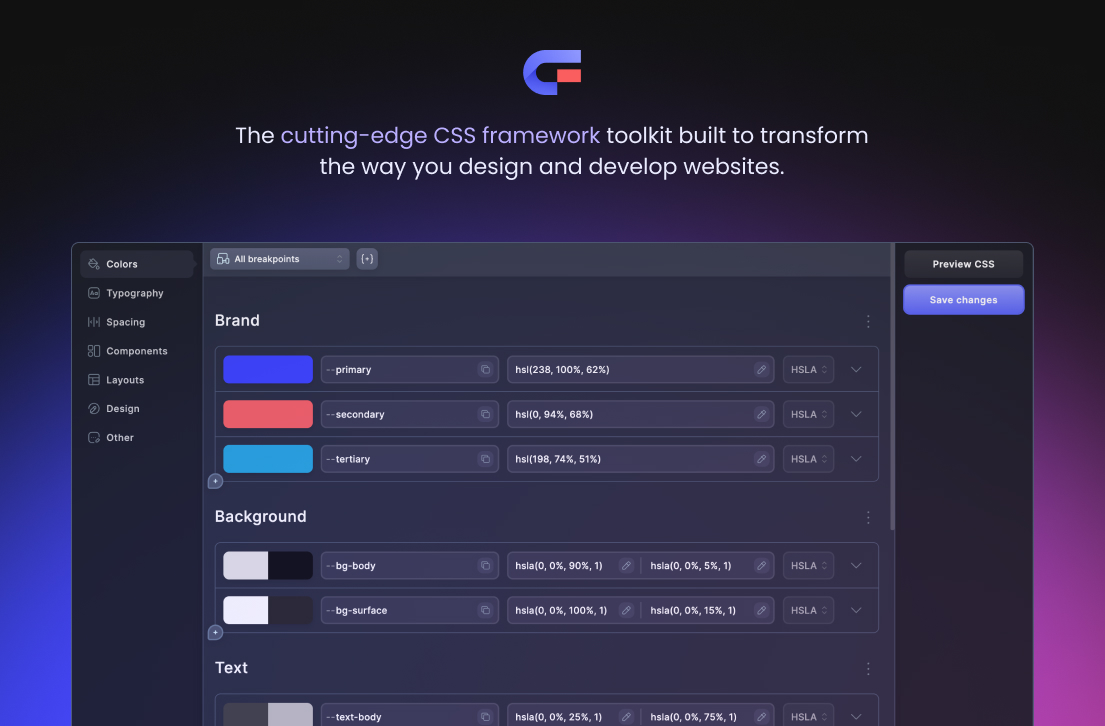
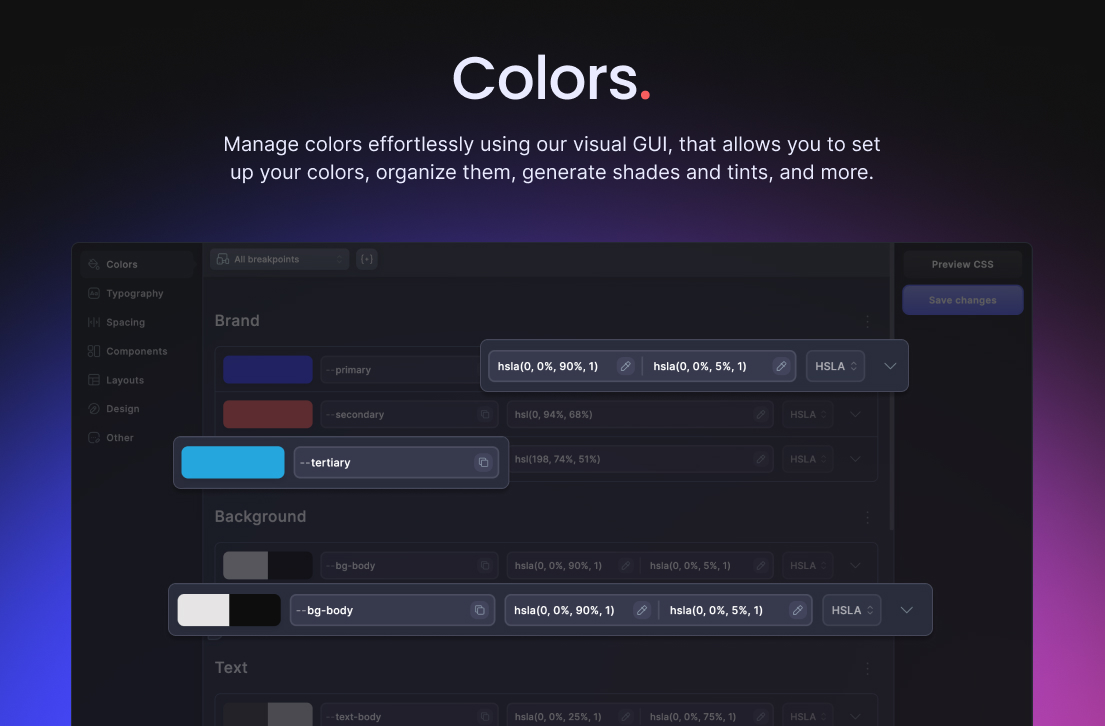
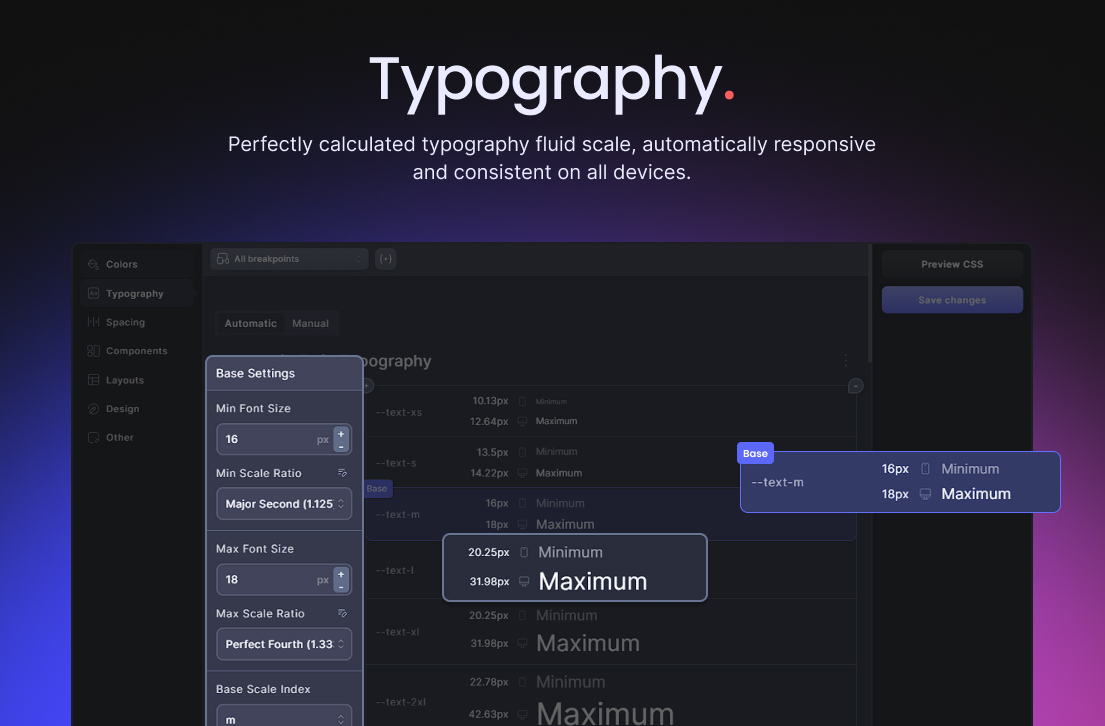
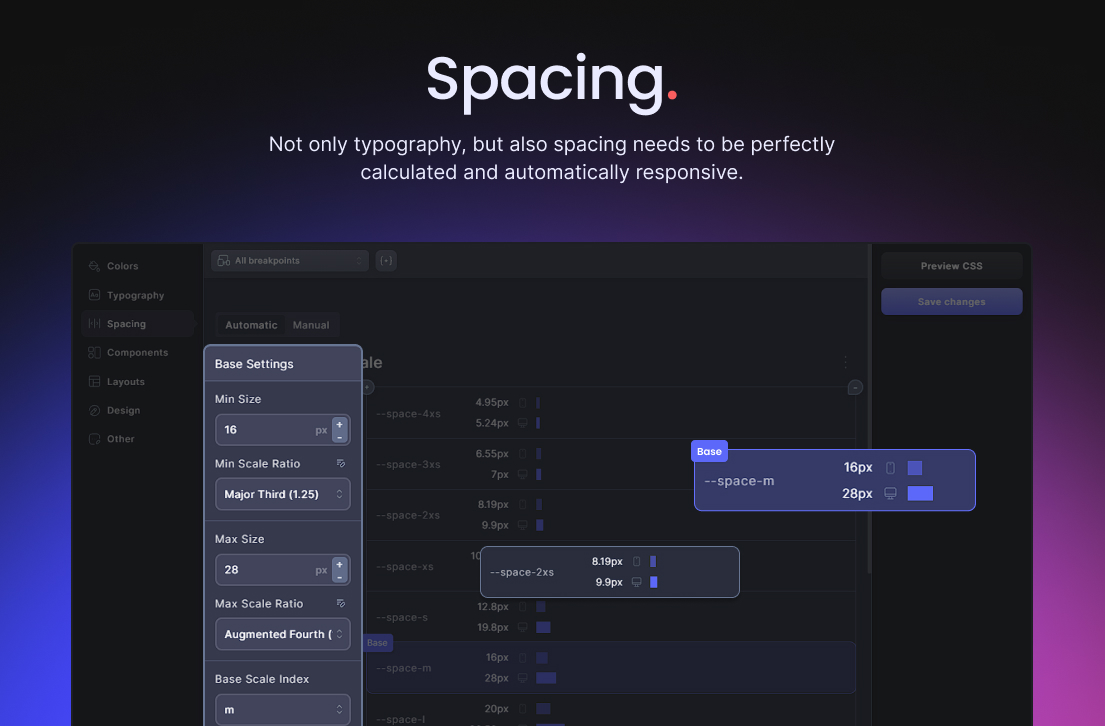
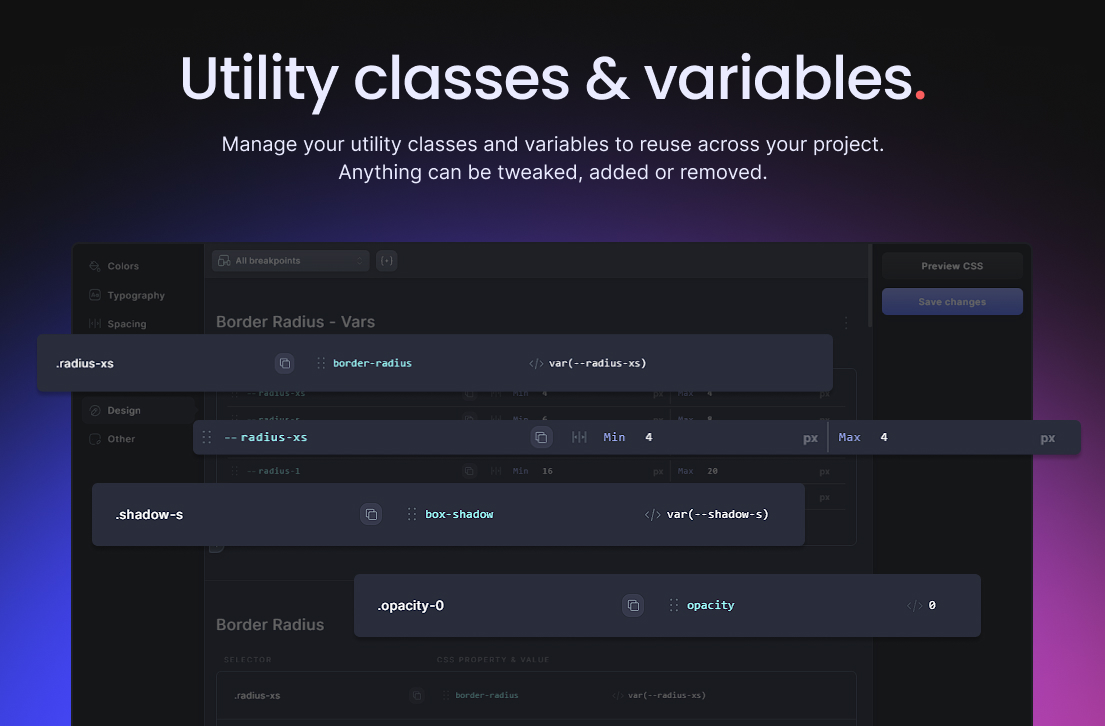
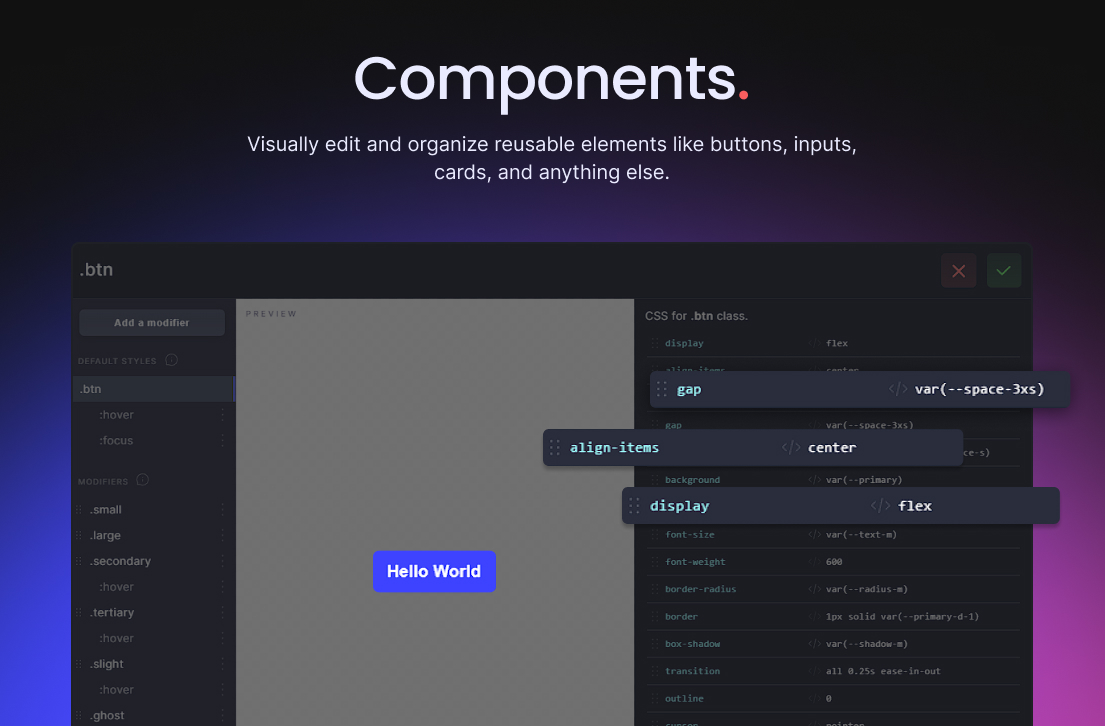
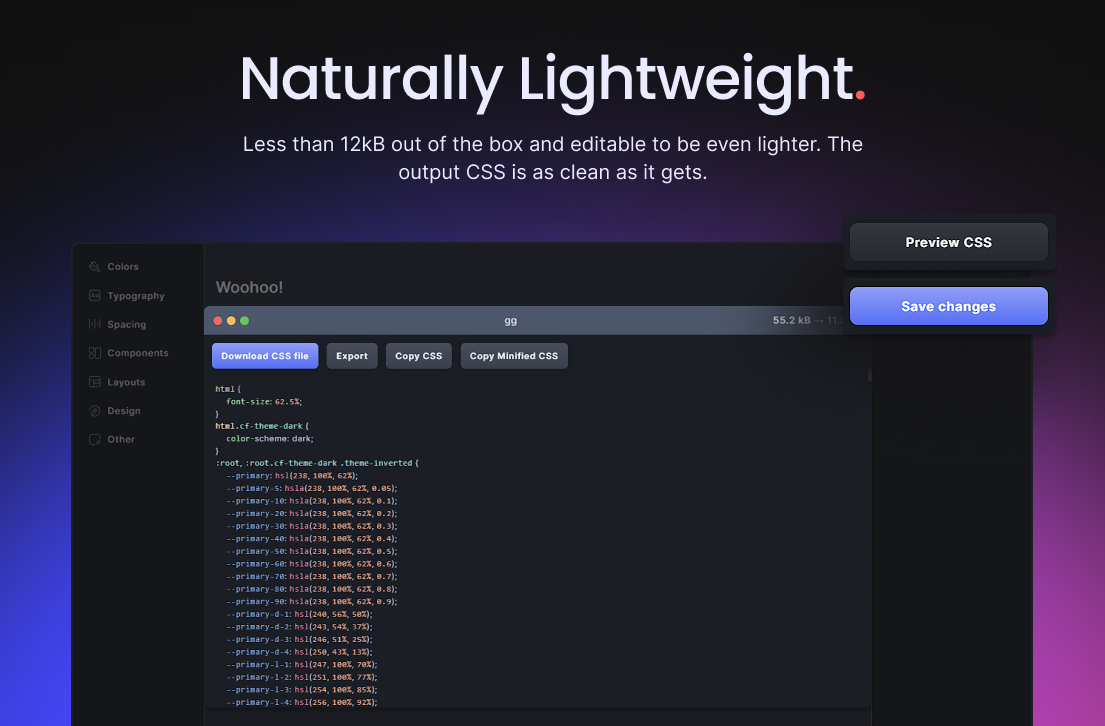
Core Framework is a visual CSS framework and design-token builder. Define colors, typography, spacing, layouts, components, utility classes, and custom styles in one project, then generate the CSS used by your WordPress site.
The plugin and all included integrations are free and open source. There is no license activation and no paid feature gate.
Recursos
- Visual framework and design-token editor
- Fluid typography and spacing scales
- Color shade and tint generation
- Utility classes, components, layouts, and custom stylesheets
- Project import and export
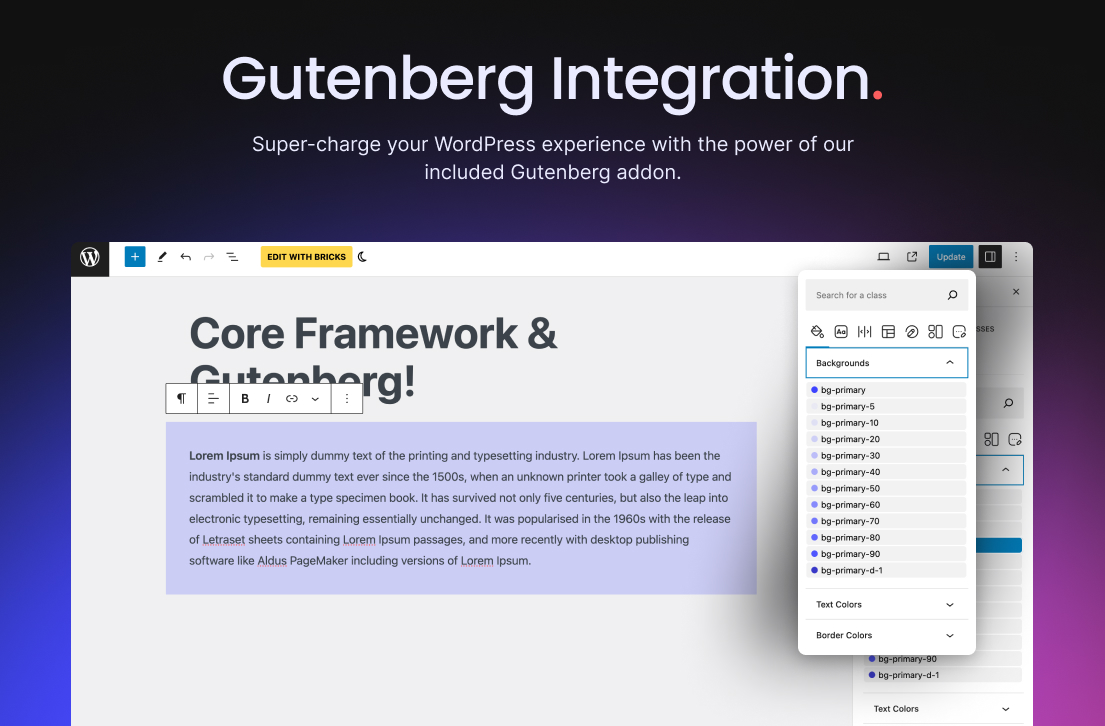
- Gutenberg integration
- Bricks integration
- Oxygen integration
- Figma synchronization
Integrações
Enable the integrations you use from Core Framework → Add-ons. Gutenberg, Bricks, Oxygen, and Figma support are included with the plugin; they are not separate paid add-ons.
Marketplace
The Core Framework Marketplace sells optional design kits and packs. Those content products are separate from the plugin and are not required to use any Core Framework feature or integration.
Serviços externos
Core Framework works without a Core Framework account or hosted Core Framework backend. It makes an external request only when an administrator explicitly asks for one:
- The bundled font catalog is local. Selecting or previewing a Google Font requests CSS from https://fonts.googleapis.com. Importing it also downloads font files from https://fonts.gstatic.com, after which WordPress serves the saved font files locally. Requests identify the selected font family and variants; as with any web request, Google receives connection information such as the site’s IP address and user agent. No Google API key or Google account is required.
- Google Terms of Service: https://policies.google.com/terms
- Google Privacy Policy: https://policies.google.com/privacy
- Direct Figma-to-WordPress synchronization connects the Figma plugin directly to the user’s own WordPress site using a connection key created by a site administrator. Project data is not routed through Core Framework servers.
- Remote project import is optional and runs only when an administrator pastes a shareable project link or project ID and submits it. WordPress then requests that project from https://us-central1-core-framework-6bdc9.cloudfunctions.net/getPreset. The request is made by the server rather than the browser, sends no credentials, and the endpoint is read-only: it returns a project only when its owner has marked it as public. Nothing is sent unless an administrator submits a link, and no account is required to import one.
Apart from the requests listed above, the plugin’s administration interface, image previews, project storage, CSS generation, and included integrations do not load assets from Core Framework servers. Core Framework does not contact a licensing server and does not require account activation.
Licensing
Core Framework’s original source code is licensed under the MIT License. Bundled dependencies retain their own open-source licenses. The release archive includes third-party-notices.txt for adapted source and artwork and third-party-licenses.txt for the complete production dependency inventory.
Instalação
- Install Core Framework from the WordPress plugin directory or upload the plugin ZIP.
- Activate Core Framework.
- Open Core Framework → Add-ons and enable the integrations you use.
- Configure your framework and click Save changes to generate the CSS.
Log de Changes
2.1.0
-
Fixed Oxygen 6 failing to open with WordPress debugging enabled, and corrected dark-mode preview toggling and automatic themes in both Oxygen editors.
-
Requires WordPress 6.6 or newer. Sites on WordPress 6.0 to 6.5 should stay on Core Framework 2.0.2.
- Fixed a blank block editor caused by missing script dependencies, and stopped opening posts or templates from marking them as modified.
- Restored the dark and light preview toggle in Bricks 2.4 toolbars and fixed slow class cleanup on sites with many post metadata entries.
- Fixed Figma saves to WordPress, including prefixed classes and variables, builder synchronization, stuck save indicators, and missing error messages.
- Fixed local Figma projects disappearing after reopening the plugin, and RAW color synchronization when a referenced color has no dark-mode value.
- Fixed RAW color variants that reference another variable. Manually edited swatches are preserved. For an older stale swatch, use Reset and save to regenerate its CSS.
- Stopped disabled shades and tints from appearing in Bricks and Oxygen variable lists.
- Fixed local font imports incorrectly trying to download from Google Fonts.
- Fixed View Only mode and missing save confirmations in the hosted web editor.
- Restored WordPress update notes and added a packaging check to keep future release notes available.
- Fixed the WordPress minimum-version check so unsupported sites receive a clear notice.
2.0.2
- Fixed saving from Figma Desktop when its sandbox blocks local storage.
- Fixed Figma connections to WordPress sites using Plain permalinks, and added clearer connection errors.
- Fixed Oxygen Classic hanging on load when a project contains custom fonts.
- Stopped disabled fonts from appearing in the Oxygen and Bricks builders.
- Fixed local fonts with spaces in their family names failing to load. Re-save an affected font after updating to regenerate its CSS.
2.0.1
- Fixed the Auto BEM class generator not appearing in the Bricks structure panel after updating to 2.0.0.
- Restored remote project import from a shareable project link or project ID.
- Fixed Bricks synchronization for empty class sets, and reported pushes that fail rather than passing silently.
- Fixed Figma plugin host message handling and the WordPress URLs used inside the Figma sandbox.
- Allowed the Figma connection key header through the REST CORS preflight so Figma synchronization reaches the site.
2.0.0
- Released Core Framework as free and open-source software under the MIT License.
- Included the Gutenberg, Bricks, Oxygen, and Figma integrations without license checks or paid feature gates.
- Updated the Oxygen 6 integration for Oxygen 6.1 and newer. Sites using Oxygen 6.0 should update Oxygen before installing Core Framework 2.0.
- Replaced the Google Fonts API-key integration with a bundled catalog and keyless public endpoints.
- Replaced the shared Figma cloud credential with direct, site-scoped connection keys.
- Moved generated CSS to WordPress uploads storage and preserved it when upgrading from Core Framework 1.10.4.
- Removed retired EDD licensing options while preserving site projects, integration preferences, fonts, and Figma connections.
The complete changelog is available in the source repository and the documentation.
Capturas de tela
Para desenvolvedores
Este é o seu plugin? Mostre os números.
Adicione um crachá ao vivo ao seu site, Documentos ou Readme do GitHub. Ele é atualizado por conta própria - nenhuma conta necessária.
Best Core Framework alternatives
All bricks plugins →





FAQ
Core Framework: quick answers
Respostas diretas, extraídas de dados ao vivo WordPress.org.
Fonte: WordPress.org
Is Core Framework free?
Yes. Core Framework is free to download and use from the official WordPress.org plugin directory.
Is Core Framework safe to use in 2026?
Core Framework is a solid plugin choice in 2026, with a few things worth checking first. It runs on 10K+ sites, is rated 5/5 and was last updated 4 weeks ago, and scores 74/100 on our health check.
How many websites use Core Framework?
Core Framework is active on 10K+ WordPress websites and has been downloaded 229,750 times since it launched in March 2024. It was downloaded 11,918 times in the last 30 days.
Does Core Framework work with WordPress 7.1?
Core Framework is officially tested up to WordPress 7.0.9, while the latest release is 7.1.5. It may still work, but try it on a staging site first.
What PHP version does Core Framework need?
Core Framework requires PHP 8.0 or higher. Most hosts run PHP 8.x today, so it works on any modern WordPress hosting.
When was Core Framework last updated?
The latest version, 2.1.0, was released on November 3, 2026 (4 weeks ago).
Who makes Core Framework?
Core Framework is developed and maintained by Core Framework.
What are the best alternatives to Core Framework?
The most popular alternatives to Core Framework are Bricksable for Bricks Build… (10K+ installs), Bricks Navigator (8K+ installs) and Max Addons for Bricks Build… (1K+ installs).
Alimentado por PageForge
Um modelo e uma planilha. Uma página real para cada pesquisa.
PageForge Transforma cada linha de um CSV em uma página WordPress com seu próprio título, URL, SEO campos e esquema, construído no layout que você já desenhou. Gratuito em WordPress.org.
- CSV e XLSX, mais Google Sheets em Profissional e Empresarial
- Seu próprio título, URL, SEO campos e esquema para cada página
- Funciona com o editor de blocos, Elementor, Divi e Avada
- Gratuito em WordPress.org, sem cartão de crédito