


Interactions – Animations for Elementor & Gutenberg
Interactions – Animations and Interactive Experiences for Elementor & Gutenberg

Use com cautela
Interactions works, but test it on a staging site before relying on it in 2026. It runs on 500+ sites and was last updated 5 months ago, and scores 55/100 on our health check.
- Base de usuários pequenas (mais de 500 instalações ativas)
- Muito poucos comentários até agora
Como ele se acumula?
Lado a lado em instalações, atualizações, avaliações e suporte



Downloads diários
Os picos de download geralmente seguem uma nova versão — cada site que atualiza automaticamente é um download.
Rankings
Where Interactions stands todayWordPress.org Classificações de pesquisa
Posição ao vivo na pesquisa de plugins, top 100| Palavra chave | Posição |
|---|---|
| animation | #89 |
| bricks | >100 |
| Elementor | >100 |
| Gutenberg | >100 |
| scroll animations | #69 |
Adoção da versão
Compartilhamento de sites ativos por lançamento.
About Interactions
Do Readme oficial · v1.4.0Descrição
Interactions – Animations and Interactive Experiences for Elementor & Gutenberg
Visit our website to learn more about how Interactions work.
Want to make your website feel alive and interactive? Interactions is a no-code WordPress animation plugin for scroll effects, hover animations, click interactions, and micro-interactions — built for Elementor, Bricks, and Gutenberg. Add fade-in-on-scroll, parallax-style motion, button hover effects, and custom Trigger → Action automations without writing JavaScript. Check our samples page here to see a glimpse of what type of interactions you can create.
You don’t need coding skills or complex tools. With Interactions, you can:
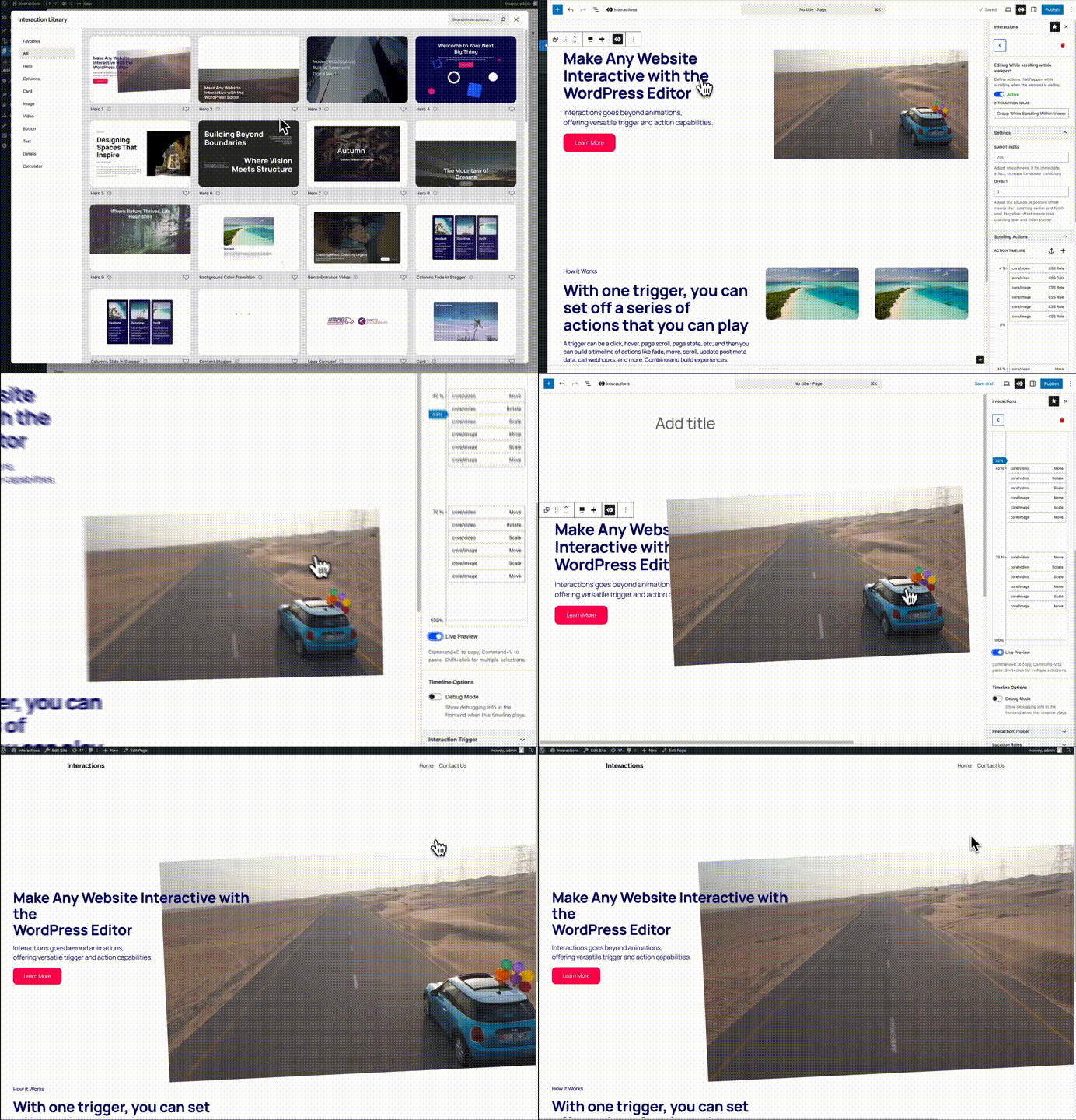
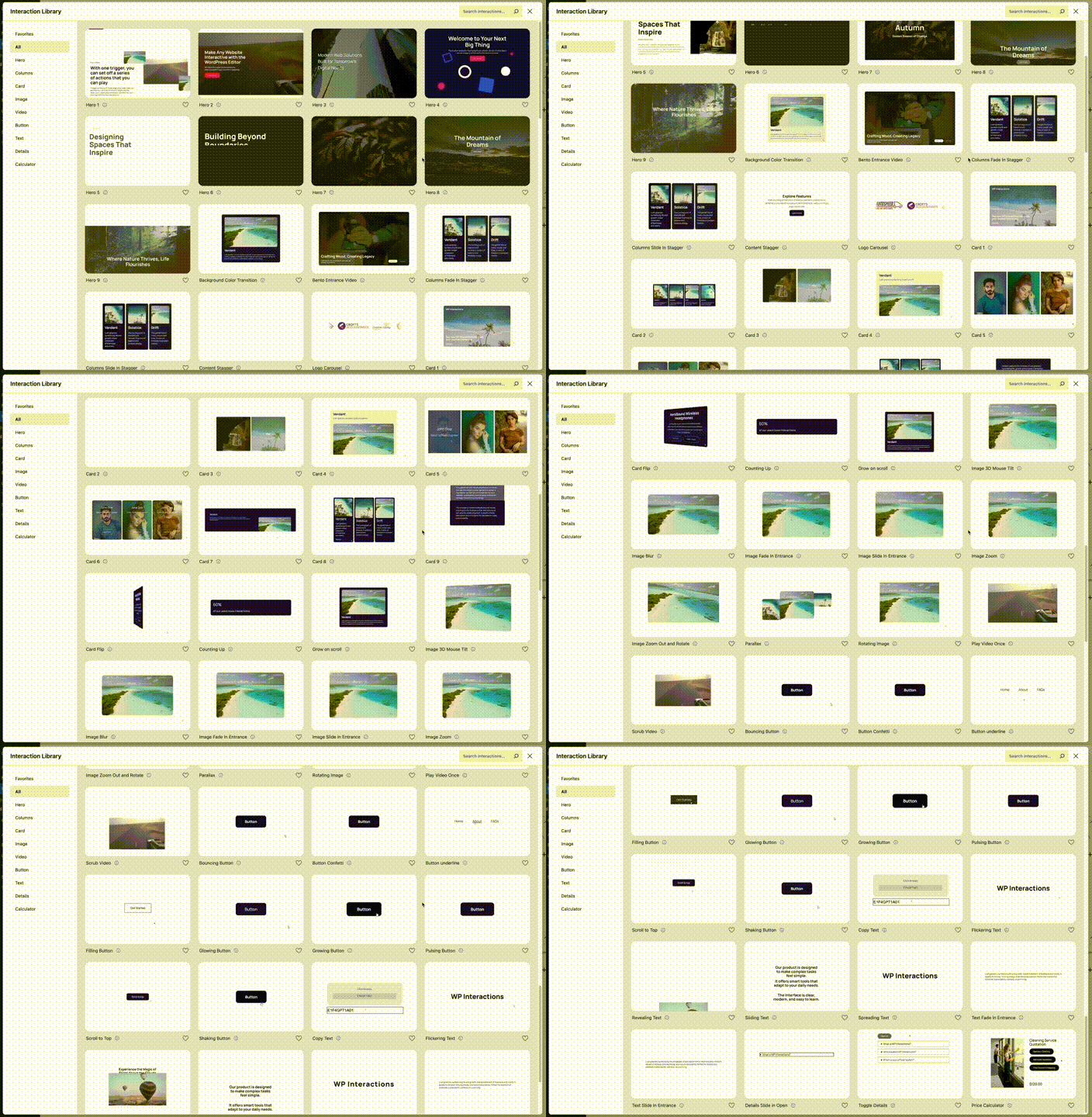
- Pick from the Interactions Library – A collection of pre-built animations and effects (like images that move upon scrolling down the page, buttons that glow when hovered, and more). Just click and apply. Learn more
- Build your own custom effects – Use a simple Trigger → Action system. Example: “On scroll → Fade in element”, or “On click → Play video”. Learn more
- Add functional features – Securely update post data, handle form submissions, display user info, copy text to clipboard, and more without coding. Learn more
Whether you want subtle hover effects, attention-grabbing story-telling animations, playful micro-interactions, or powerful functional features, Interactions makes it possible.
Works with
- The native WordPress Block Editor / Gutenberg
- Popular Page Builders
- Elementor (Interaction library WIP)
- Bricks (Interaction library WIP)
- Divi (WIP)
- Popular Block Editor Builders
- Stackable
- Kadence
- Spectra
- Gera blocos
- CoBlocks
- Greenshift
- Otter
🚀 Features
Create custom interactions easily with a simple Trigger → Action builder. Features include:
Animations & Visual Effects:
- Animation effects (fade, slide, zoom, rotate, shadow, etc.)
- Scroll effects – reveal content as users scroll down
- Hover effects – highlight and animate elements on hover
- Click triggers – run actions when buttons, images, or sections are clicked
Basic Interactions:
- Mouse interactions – Click, hover, mouse move, mouse press
- Scroll interactions – Enter viewport, element scrolling, page scrolling
- Form interactions – Form submitted, input change, keypress
- Page interactions – Page load, page create
Basic Actions:
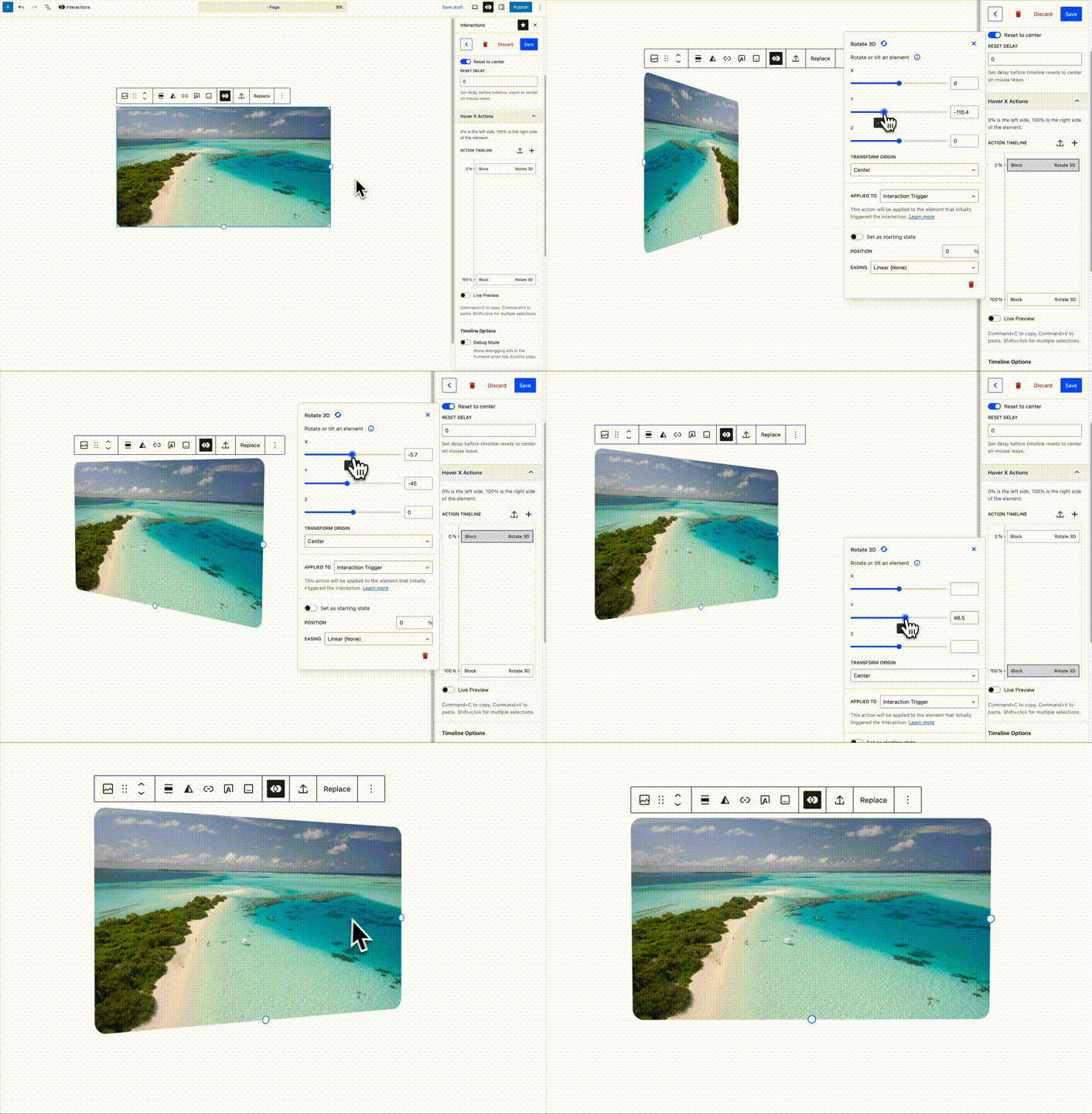
- Animation actions – Move, rotate, scale, skew, opacity
- Style actions – Background color, background image, text color, CSS rule, toggle class, update attribute
- Display actions – Display, visibility, focus
- Navigation – Redirect to URL
- Media – Toggle video
- Effects – Confetti
Core Features:
- Reusable Interaction Library – apply popular effects instantly
- Custom trigger → action builder – advanced users can design unique effects
- Performance optimized – loads only what’s needed for your chosen interactions
- Works with blocks, page builder elements, and any theme
- Works with Elementor and Bricks
Why Interactions?
- WordPress scroll animation plugin — reveal content on scroll
- Hover effect plugin — buttons, cards, images
- Elementor animation plugin — works inside the Elementor editor
- Gutenberg animation plugin — library + builder in the block editor
- No-code interaction builder — visual Trigger → Action timeline
- Performance-friendly — loads only what’s used on the page
🎯 Perfect For
- Designers who want scroll animations without code
- Marketers who want attention-grabbing hover effects
- Bloggers who want dynamic storytelling with animations
- Site builders who want to bring their designs to life, or create unique micro-interactions
- Developers who need functional features like post meta updates and data handling
- Anyone building modern interactive websites in WordPress
💎 What’s in Premium?
Check our pricing page to learn more about what’s in Interactions premium.
Advanced Interactions:
- Scroll Strength – Measure scroll intensity
- Page State – Monitor page state changes
- Page Exit – Detect when users try to leave
- URL Hash – Respond to URL hash changes
- Local Storage – Monitor storage changes
- Toggle Attribute/Class – Watch attribute and class changes
- HTML Events – Custom HTML and document events
Advanced Actions:
- Box Shadow – Dynamic shadow effects
- Slide Animations – Smooth slide up/down effects
- Content Management – Securely insert sanitized HTML, render shortcodes, copy to clipboard
- Data & Post Management – Update post/user meta (with permissions), get post data, local storage
- Navigation & UX – Scroll to element, tooltips, popups, confirmation dialogs
- Media – Video scrubbing, SVG animations (line draw, morph, motion path)
- Advanced Features – Animated counters, advanced automation
Premium Benefits:
- 40+ Premium Actions – Access to advanced functionality
- 10+ Premium Interactions – More trigger options
- Priority Support – Faster response times
- Regular Updates – New features and improvements
- Commercial License – Use in client projects
Source Code:
The source code for this plugin is available on GitHub:
https://github.com/gambitph/Interactions
Instalação
- Install “Interactions” from the WordPress Plugin Directory, or upload it to
/wp-content/plugins/interactions/. - Activate the plugin from the “Plugins” menu.
- Edit a post or page with Elementor, Bricks, or the WordPress block editor (Gutenberg).
- Open the Interactions panel from the lower right of the screen.
– OR –
In the block editor, open the Interactions library or panel on the top toolbar.
Log de Changes
New: Elementor and Bricks support. Improved performance and caching plugin compatibility. Better scroll animations on Android.
1.4.0
- New: Added support for Elementor page builder
- New: Added support for Bricks page builder
- Updated: Plugin listing title and readme for Elementor, Bricks & Gutenberg support
- Fixed: Improved support for caching and performance plugins #36
- Fixed: Scroll animation jankiness in Android devices #37
- Fixed: Performance improvements #35 #32
- Fixed: Kadence issue where the inspector tab switches when Interactions is active #23
1.3.3
- New: WordPress 7.0 compatibility
- New: Confetti action – added location option
1.3.2
- Fixed: Interaction preview now works when Show Templates is enabled #5
- Fixed: Added restrictions for users without unfiltered_html capabilities #6 #7
- Fixed: If interaction trigger matched multiple elements, play once will not work on the next match #5
- Fixed: Added additional input sanitization #6 #7
- Fixed: Editor error someitmes with the CSS rule action #8
1.3.1
- Fixed: Updated readme info
- Fixed: Updated long name in the plugins page
- Fixed: License activation issue
1.3.0
- New: Interaction library
- New: Block name field is now searchable #70
- New: Import / export functionality #71
- New: Box shadow action #81
- New: 3D Rotate – new transform origin option
- Fixed: Hover interaction glitches when hovering too fast #9
- Fixed: On enter viewport doesn’t always trigger when on mobile #23
- Fixed: Confetti action – selecting window will no longer show a display target warning message #74
1.2.0
- New: Scroll strength interaction
- New: Toggle video action
- New: Get URL Parameter action
- Fixed: Rotate 3d action – default easing is now linear #76
- Fixed: Move & Rotate 3d actions – zero values are now valid #72
- Fixed: Interactions with optional targets no longer warn about missing trigger #24
- Fixed: If an interaction fails to load, continue loading the rest of the interactions #cc29210
Capturas de tela
Para desenvolvedores
Este é o seu plugin? Mostre os números.
Adicione um crachá ao vivo ao seu site, Documentos ou Readme do GitHub. Ele é atualizado por conta própria - nenhuma conta necessária.
Best Interactions alternatives
All animation plugins →





FAQ
Interactions: quick answers
Respostas diretas, extraídas de dados ao vivo WordPress.org.
Fonte: WordPress.org
Is Interactions free?
Yes. Interactions is free to download and use from the official WordPress.org plugin directory.
Is Interactions safe to use in 2026?
Interactions works, but test it on a staging site before relying on it in 2026. It runs on 500+ sites and was last updated 5 months ago, and scores 55/100 on our health check.
How many websites use Interactions?
Interactions is active on 500+ WordPress websites and has been downloaded 4,706 times since it launched in November 2025. It was downloaded 387 times in the last 30 days.
Does Interactions work with WordPress 7.1?
Interactions is officially tested up to WordPress 7.0.9, while the latest release is 7.1.5. It may still work, but try it on a staging site first.
What PHP version does Interactions need?
Interactions requires PHP 8.0 or higher. Most hosts run PHP 8.x today, so it works on any modern WordPress hosting.
When was Interactions last updated?
The latest version, 1.4.0, was released on July 15, 2026 (5 months ago).
Who makes Interactions?
Interactions is developed and maintained by Benjamin Intal.
What are the best alternatives to Interactions?
The most popular alternatives to Interactions are Blocks Animation: CSS Anima… (90K+ installs), Greenshift (70K+ installs) and UiCore Animate (40K+ installs).
Alimentado por PageForge
Um modelo e uma planilha. Uma página real para cada pesquisa.
PageForge Transforma cada linha de um CSV em uma página WordPress com seu próprio título, URL, SEO campos e esquema, construído no layout que você já desenhou. Gratuito em WordPress.org.
- CSV e XLSX, mais Google Sheets em Profissional e Empresarial
- Seu próprio título, URL, SEO campos e esquema para cada página
- Funciona com o editor de blocos, Elementor, Divi e Avada
- Gratuito em WordPress.org, sem cartão de crédito