


Postagem duplicada
Duplicate post

Escolha segura
Yes — Duplicate Post is a safe, well-maintained plugin to use in 2026. It runs on 300K+ sites, is rated 4.9/5 and was last updated 3 weeks ago, and scores 97/100 on our health check.
- Comprovado em escala em mais de 300 mil sites ativos
- Loved by users — 4.9/5 from 1,636 reviews
- Desenvolvido ativamente — última atualização 3 semanas atrás
- Testado com as últimas WordPress (7.1)
- Momentum — downloads up 100.1% vs the previous 30 days
Como ele se acumula?
Lado a lado em instalações, atualizações, avaliações e suporte



Downloads diários
Os picos de download geralmente seguem uma nova versão — cada site que atualiza automaticamente é um download.
Rankings
Where Duplicate Post stands todayWordPress.org Classificações de pesquisa
Posição ao vivo na pesquisa de plugins, top 100| Palavra chave | Posição |
|---|---|
| copy pages | #1 |
| copy posts | #1 |
| duplicate pages | #6 |
| duplicate post | #3 |
| duplicate posts | #2 |
Adoção da versão
Compartilhamento de sites ativos por lançamento.
Divisão de classificação
★★★★★★★★★★ 4.9 from 1,636 reviews
About Duplicate Post
Do Readme oficial · v1.5.8Descrição
Try it out on your free dummy site: Click here => https://tastewp.com/plugins/copy-delete-posts.
(this trick works for all plugins in the WP repo – just replace “wordpress” with “tastewp” in the URL)
Massively increase your WordPress productivity!
Copy Page plugin makes it super-easy to duplicate pages or copy posts – and delete them again!
And why is it handy to duplicate pages? Here are just some of the use cases:
- Duplicate pages to make short work of using again the same elements you repeatedly use (e.g. text paragraphs, images, video, featured image, etc.)
- Create a variation of a page or post fast to modify it and compare side by side (for yourself, your client or company)
- Create one perfect set of page templates and then re-use them for different projects, clients or products
- Apply a facelift to a specific page but keep the older version in case you want to switch back to it anytime
- Make a “holiday special” page template and use it for different holidays with respective adjustments
- Create duplicates for pages used in page builders with their custom settings
You can as well run a load-test on your server by duplicating as much as 1,000 pages, and track how the server behaves. Copy Page plugin also makes it super-easy for you to bulk-delete pages and posts whenever you feel it’s time for a clean-up!
Como usar
Two-minute video tutorial and you are ready to use it, that’s how simple Copy Page is!
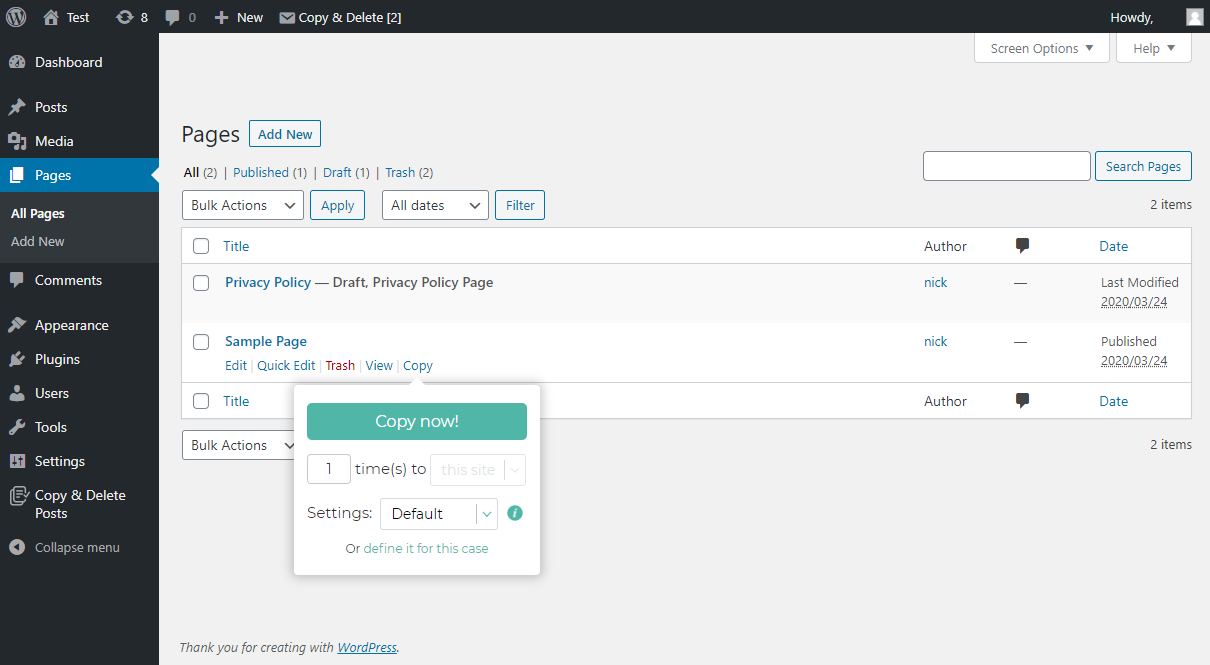
After installation you’ll see a new copy page button which, on mouse-over, displays a tooltip (see screenshot) which allows you to copy pages or copy posts with various options:
- Copy page or duplicate post instantly with a single click
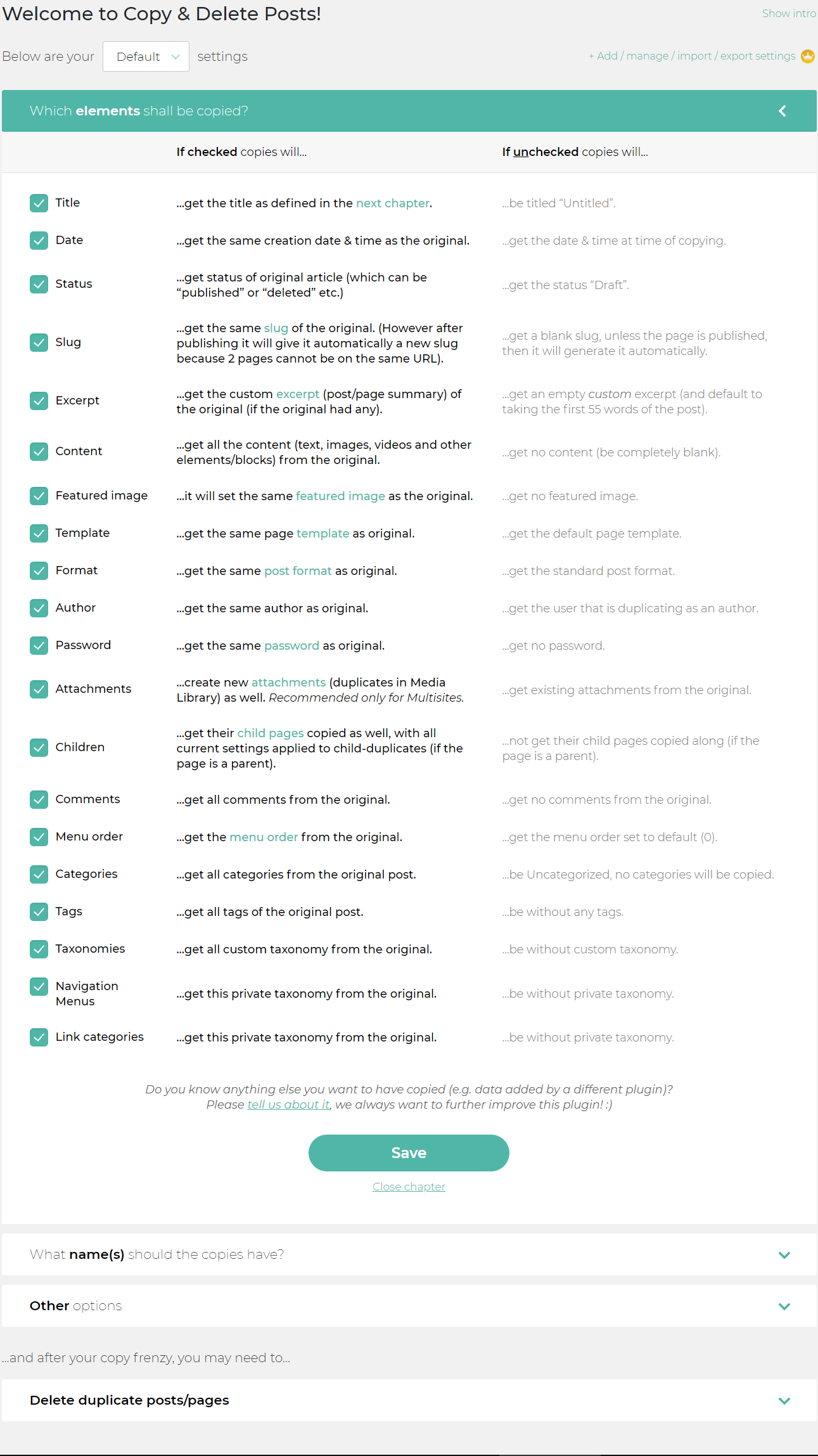
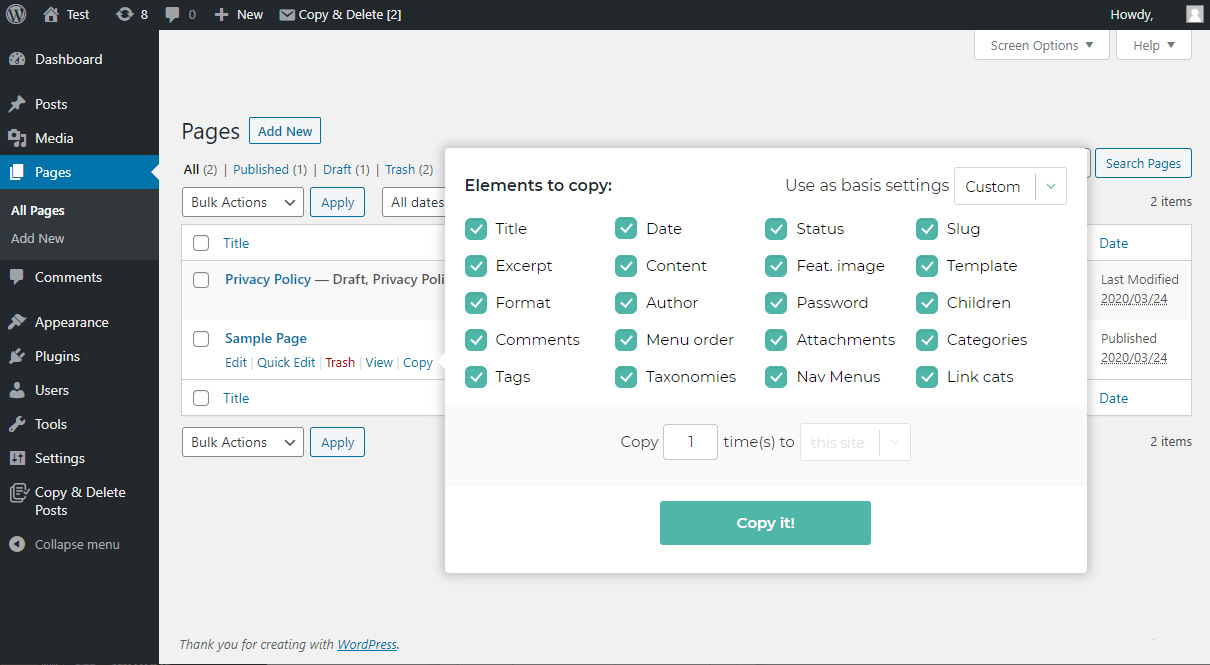
- Expand to see additional copy page options and specify which elements should be copied for the current copy page or copy post action
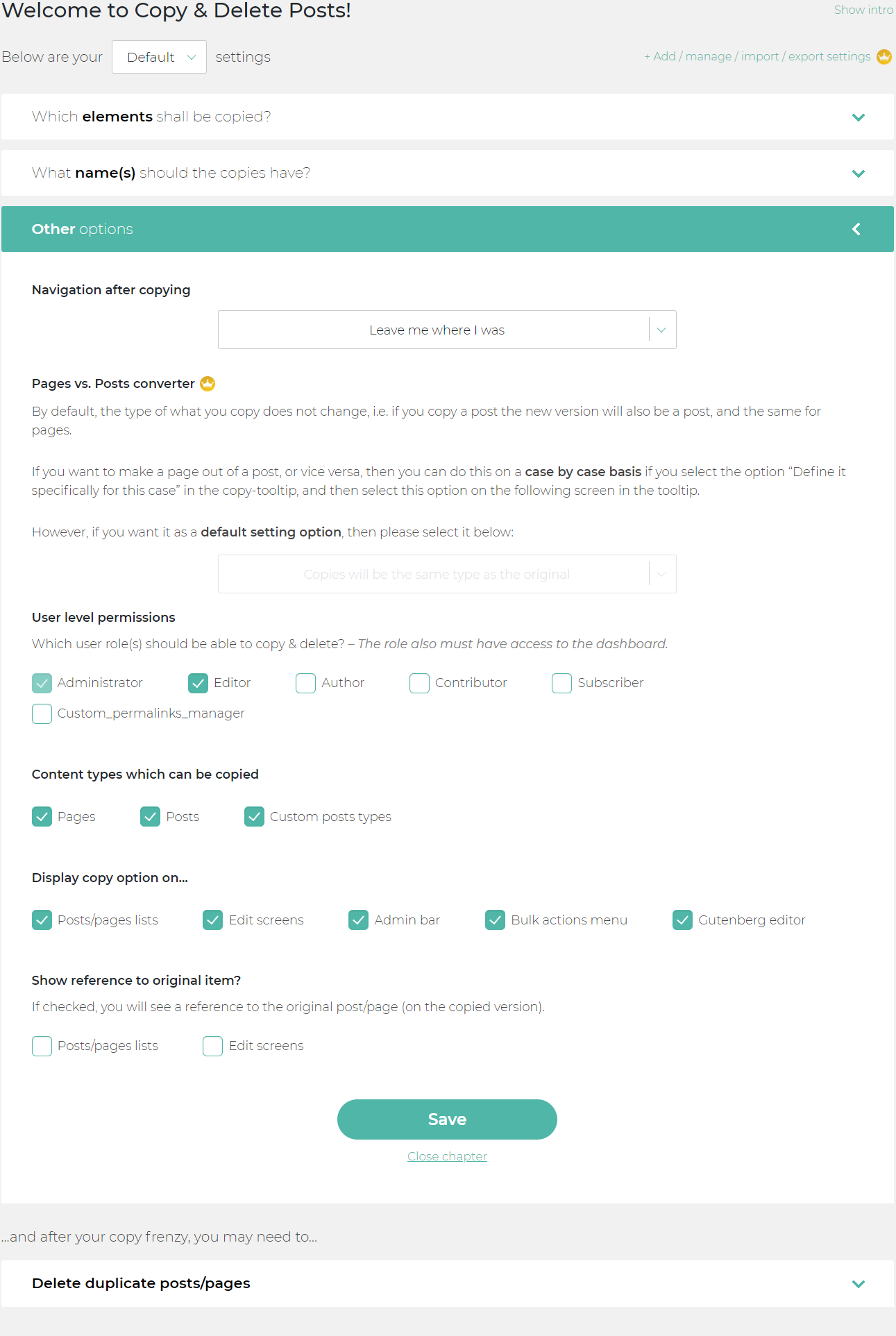
The new copy page button will be available on:
- All Pages and All Posts screens
- Edit screens (duplicate page or duplicate post on the respective edit page/post screens)
- Admin bar (at the top)
- Bulk-option to copy pages or copy posts on All Pages and All Posts screens
- Gutenberg editor
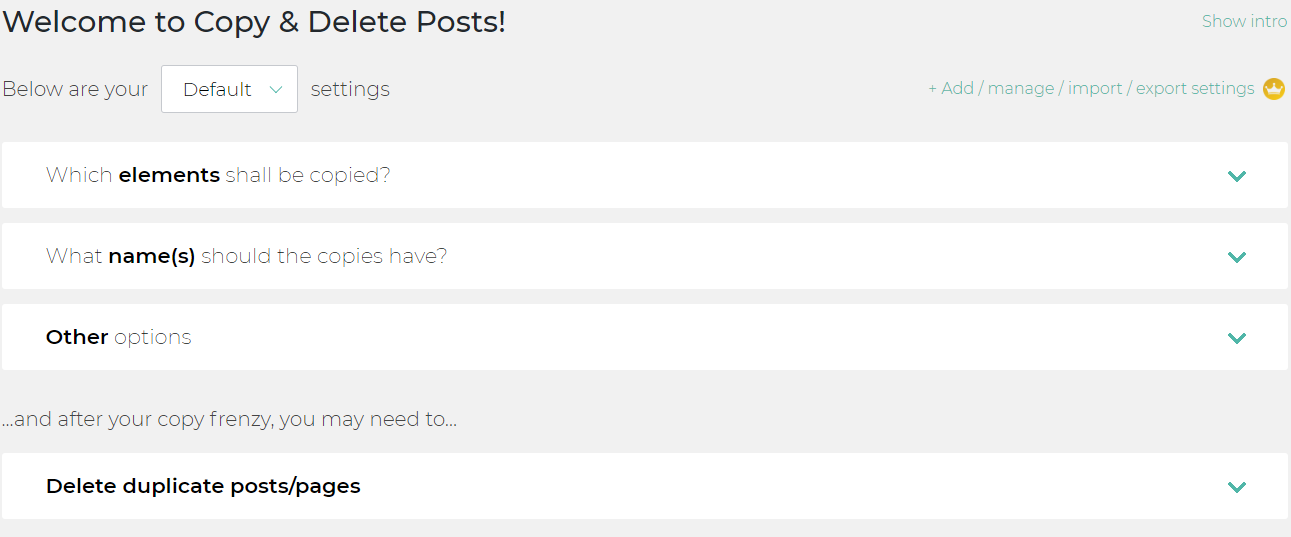
You can hide copy page or copy post button on any of these places from the Copy Page plugin menu (Section: Other options). Copy page function on the editor screens allows fast and easy multiplying of pages you are working on at the moment (and open it in the new browser tab immediately, too), so you can quickly make a couple of variations, pick whichever you like better, and afterward use the Delete duplicate posts/pages tool of Copy Page plugin to remove duplicate(s) that you dislike.
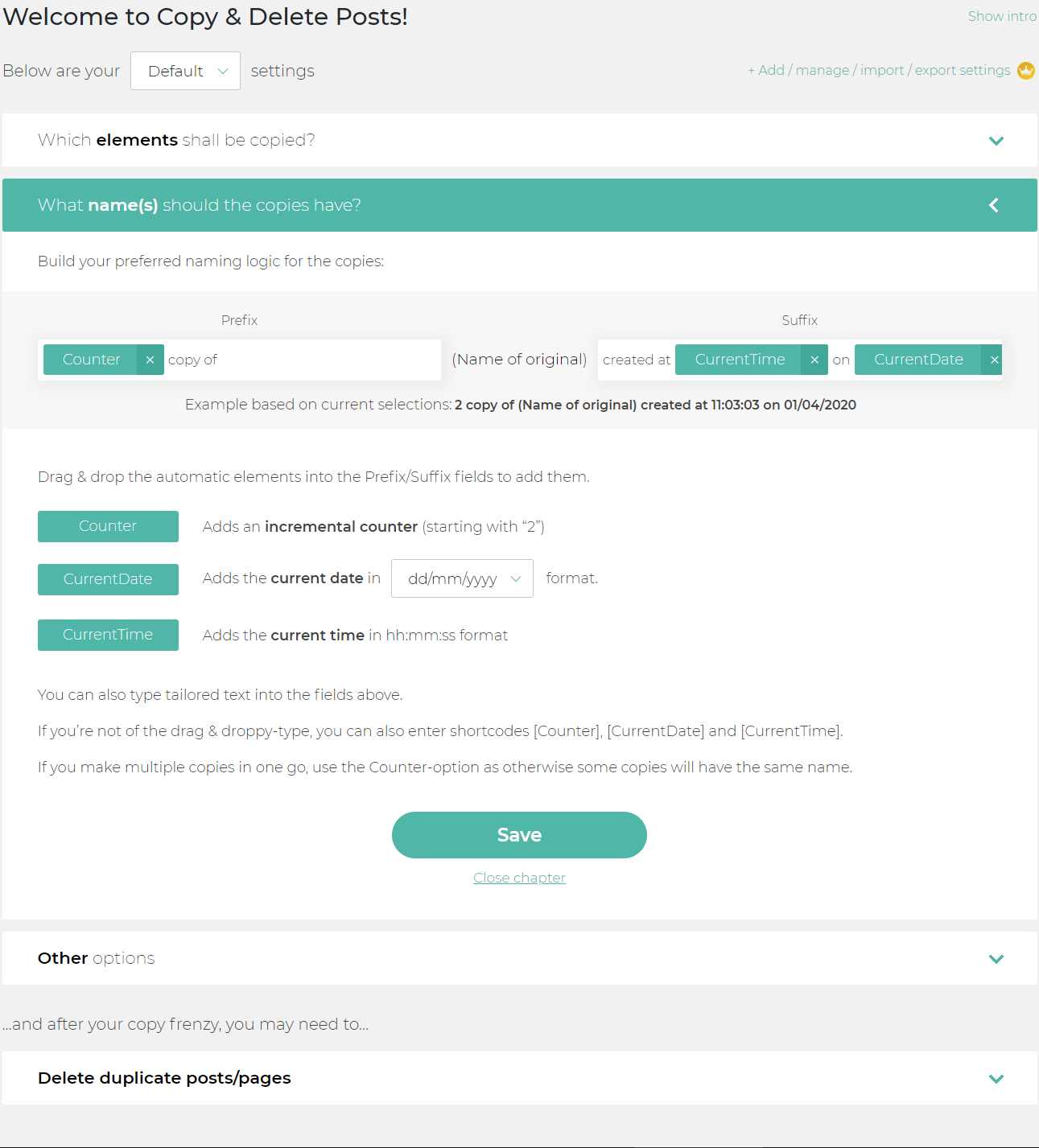
Copy Page plugin also provides an intuitive naming tool to define how the cloned pages or posts will be named (e.g. you can add the time and date of copying, or incremental counter, etc.). This way you can multiply page that will have a short name, e.g. “ExamplePage – #4” – where the number at the end will increase with each copy made; or you can duplicate page with much more detailed name of the copy, such as: “ExamplePage copied at 14:22:58 on Sunday, December 1st, 2021” – thankfully to PHP date/time shortcodes being supported in the custom date settings. Long names often make it easy to differentiate the clone post, either to remove duplicate or to e.g. edit it.
Want to duplicate page but also it’s child-page(s)? You can multiply pages altogether with child-pages with all the copy settings currently applied to the parent page copy.
Other options available when you copy pages:
- Specify where you will be navigated to after you copy page or copy post
- Specify which users (WP roles) will be granted to copy pages or copy posts
- Specify which content types will be allowed to be copied – copy pages, copy posts, and copy custom post types
- Enable/disable the display of a reference to the original of copied page or post
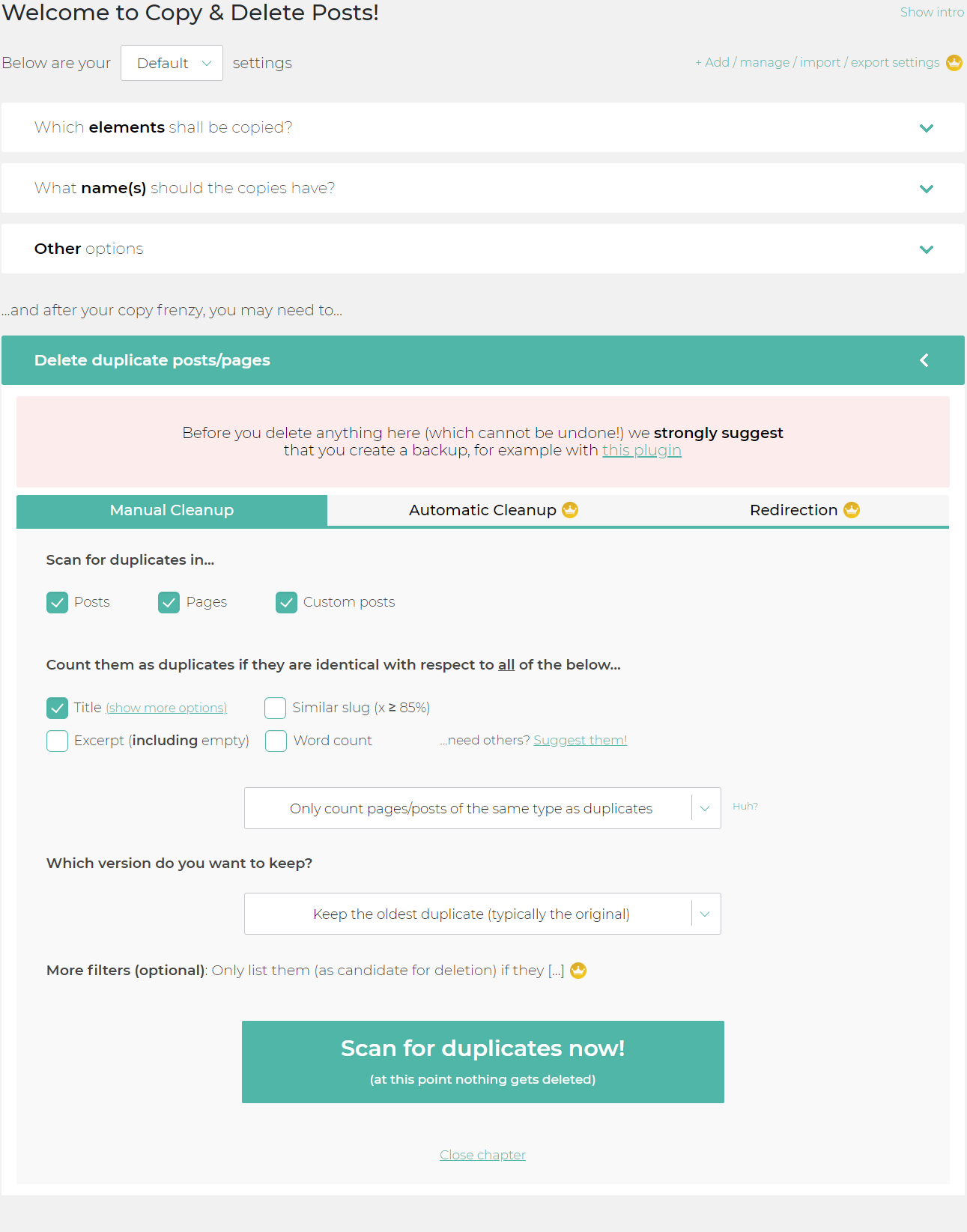
Not only can you clone pages or clone posts easily, but the Copy Page plugin also provides a highly developed tool to Delete duplicate posts/pages.
As part of this cleanup process, you can specify:
- Where the plugin will look for duplicates (i.e. delete pages, delete posts or delete custom posts)
- What will be considered as a duplicate page or duplicate post (i.e. will it be the same title, slug, excerpt or word count)
- Which version of duplicates you want to keep: oldest version (original) or newest version (the latest duplicate)
Even if you used this replicator tool to multiply pages or multiply posts in huge numbers, and you want to use this tool to trash duplicates every now and then, but leave out a few specific ones – you will be able to easily find duplicates when you use our duplicates scanner. After setting the parameters to find duplicates, you can use a search box to make sure you don’t delete duplicates you don’t want to, or remove duplicates to the last one (original included!). The duplicate checker tool can help you find duplicate and immediately visually check the clone page by clicking on the URL/slug link, in case you can’t tell by the name or the date clone page was created.
You can select to throttle the delete pages or delete posts process – which you may want to do when you’re on a slow server (note, however: the plugin codes to delete posts or delete pages are already optimized, so usually there shouldn’t be an issue).
Copy Page is a cloner tool with a beautiful, modern design and features going beyond today’s post duplicator tools. We hope that Copy Page will become your favorite posts duplicator tool 🙂
The free Copy Page plugin offers a lot of options – if you want even more options to copy pages or copy posts, then check out the premium Copy Page plugin which offers the following additional features:
- Use several configuration sets to copy pages or delete posts – useful when you want to quickly switch between the copy types, without having to go to the settings page.
- Export and import configuration sets – a handy tool for all of us who manage multiple sites and regularly replicate posts.
- Also include information from third party plugins when you copy pages (e.g. Yoast-information linked to pages/posts)
- Replicate pages across multisite will also prove to be a real time-saver for multisite administrators
- Automatically delete pages or posts – extremely useful for users that multiply posts or pages at high levels.
- Apply automatic redirects for deleted pages or posts
Just try it out! You’ll love it 🙂
This plugin is part of the Inisev product family – check out our other products.
Instalação
Admin Installer via search
- Visit the Add New plugin screen and search for “Copy & Delete Posts”.
- Click the “Install Now” button.
- Ative o plugin.
- The plugin should be shown below settings menu.
Admin Installer via zip
- Visit the Add New plugin screen and click the “Upload Plugin” button.
- Click the “Browse…” button and select the zip file of our plugin.
- Click “Install Now” button.
- Once uploading is done, activate Copy & Delete Posts.
- The plugin should be shown below the settings menu.
Log de Changes
What's new in 1.5.8? * Tested up to WordPress 7.1.4 * [SECURITY] Fixed stored XSS (CVE-2026-120081) in the "duplicate of" notice by escaping the original post title and URL and rendering them as text * [SECURITY] Sanitized title prefix/suffix settings on output and before they are added to duplicated post titles * [SECURITY] Restricted saving plugin settings and profiles to administrators (manage_options) * [SECURITY] Copies can no longer get a post status or author the current user isn't allowed to set * [SECURITY] Added an edit_post capability check before taking over the original post's slug * [IMPROVEMENT] Non-administrators now see a notice instead of the Save button on the settings screen * [FIX] Fixed "Undefined array key" PHP warnings when copying posts with profiles saved by older plugin versions.
1.5.8
- Tested up to WordPress 7.1.4
- [SECURITY] Fixed stored XSS (CVE-2026-120081) in the “duplicate of” notice by escaping the original post title and URL and rendering them as text
- [SECURITY] Sanitized title prefix/suffix settings on output and before they are added to duplicated post titles
- [SECURITY] Restricted saving plugin settings and profiles to administrators (
manage_options) - [SECURITY] Copies can no longer get a post status or author the current user isn’t allowed to set
- [SECURITY] Added an
edit_postcapability check before taking over the original post’s slug - [IMPROVEMENT] Non-administrators now see a notice instead of the Save button on the settings screen
- [FIX] Fixed “Undefined array key” PHP warnings when copying posts with profiles saved by older plugin versions.
Capturas de tela

Para desenvolvedores
Este é o seu plugin? Mostre os números.
Adicione um crachá ao vivo ao seu site, Documentos ou Readme do GitHub. Ele é atualizado por conta própria - nenhuma conta necessária.
Best Duplicate Post alternatives
All copy pages plugins →FAQ
Duplicate Post: quick answers
Respostas diretas, extraídas de dados ao vivo WordPress.org.
Fonte: WordPress.org
Is Duplicate Post free?
Yes. Duplicate Post is free to download and use from the official WordPress.org plugin directory.
Is Duplicate Post safe to use in 2026?
Yes — Duplicate Post is a safe, well-maintained plugin to use in 2026. It runs on 300K+ sites, is rated 4.9/5 and was last updated 3 weeks ago, and scores 97/100 on our health check.
How many websites use Duplicate Post?
Duplicate Post is active on 300K+ WordPress websites and has been downloaded 5,369,067 times since it launched in March 2020. It was downloaded 175,746 times in the last 30 days.
Does Duplicate Post work with WordPress 7.1?
Yes. The developer has tested Duplicate Post up to WordPress 7.1.5, the latest release. It requires WordPress 4.6 or newer.
What PHP version does Duplicate Post need?
Duplicate Post requires PHP 5.6 or higher. Most hosts run PHP 8.x today, so it works on any modern WordPress hosting.
When was Duplicate Post last updated?
The latest version, 1.5.8, was released on November 10, 2026 (3 weeks ago).
Who makes Duplicate Post?
Duplicate Post is developed and maintained by Inisev.
What are the best alternatives to Duplicate Post?
The most popular alternatives to Duplicate Post are Duplicate Post (6K+ installs), Duplicate Post and Clone Pa… (10+ installs) and Copy Pages and Posts by DMUK (<10 installs).
Alimentado por PageForge
Um modelo e uma planilha. Uma página real para cada pesquisa.
PageForge Transforma cada linha de um CSV em uma página WordPress com seu próprio título, URL, SEO campos e esquema, construído no layout que você já desenhou. Gratuito em WordPress.org.
- CSV e XLSX, mais Google Sheets em Profissional e Empresarial
- Seu próprio título, URL, SEO campos e esquema para cada página
- Funciona com o editor de blocos, Elementor, Divi e Avada
- Gratuito em WordPress.org, sem cartão de crédito