


Bikram Appointment Scheduler
A simple, lightweight, and elegant staff appointment scheduling plugin. Accept bookings via a frontend form and manage them easily from your admin.

Use com cautela
Bikram Appointment Scheduler works, but test it on a staging site before relying on it in 2026. It runs on 20+ sites and was last updated 3 months ago, and scores 57/100 on our health check.
- Testado com as últimas WordPress (7.1)
- Base de usuários pequenas (mais de 20 instalações ativas)
- Muito poucos comentários até agora
Como ele se acumula?
Lado a lado em instalações, atualizações, avaliações e suporte



Downloads diários
Os picos de download geralmente seguem uma nova versão — cada site que atualiza automaticamente é um download.
Rankings
Where Bikram Appointment Scheduler stands todayWordPress.org Classificações de pesquisa
Posição ao vivo na pesquisa de plugins, top 100| Palavra chave | Posição |
|---|---|
| appointment | #100 |
| booking | >100 |
| calendar | >100 |
| scheduling | >100 |
| staff | >100 |
Adoção da versão
Compartilhamento de sites ativos por lançamento.
About Bikram Appointment Scheduler
From the official readme · v1.0.1Descrição
Bikram Appointment Scheduler is a lightweight, fast, and simple plugin designed to make it easy to accept and manage appointment bookings on your WordPress website. Perfect for salons, consultants, healthcare providers, service businesses, and any professional who needs to schedule appointments with clients.
Características principais:
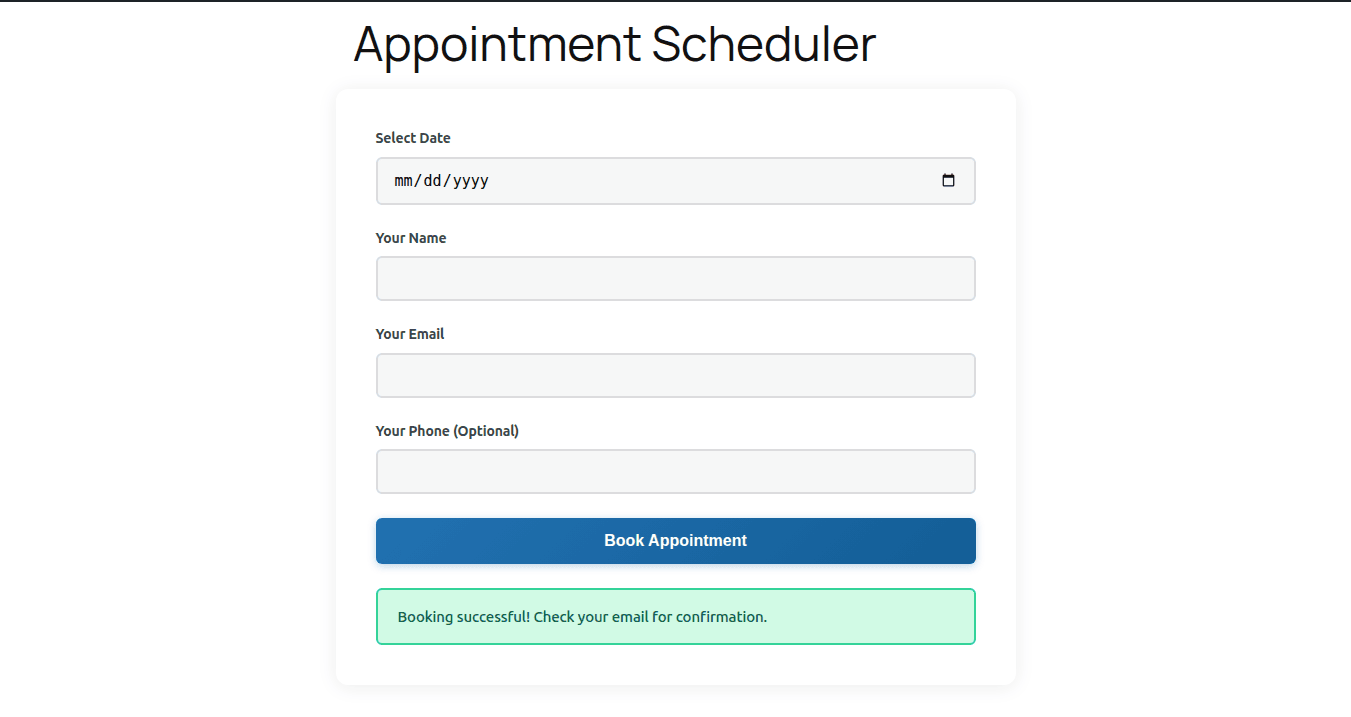
- Frontend Booking Form – Accept appointments via a simple, mobile-friendly booking form using the
[bapsc_calendar]shortcode - Staff Management – Add and manage staff members with individual profiles
- Business Hours – Set your business hours for each day of the week
- Time Slot Control – Configure appointment duration and buffer times between bookings
- Real-time Availability – Automatically prevent double-booking with intelligent slot checking
- Email Notifications – Automatic confirmation emails to clients and admin, plus status update emails when appointments are confirmed or cancelled
- Appointment Management – View, edit, confirm, or cancel appointments from the WordPress admin
- CSV Export – Export all appointments to CSV for reporting or backup
- Status Tracking – Track appointments as Pending, Confirmed, Cancelled, or Completed
- Mobile Responsive – Booking form works perfectly on all devices
Perfect For:
- Hair salons and barbershops
- Medical and dental clinics
- Consultants and coaches
- Fitness trainers and yoga studios
- Legal and financial services
- Home service providers
- And much more!
Bikram Appointment Scheduler is designed to be simple, fast, and easy to use. No complicated setup, no external dependencies – just install and start accepting appointments!
How to Use
Step 1: Configure Business Hours
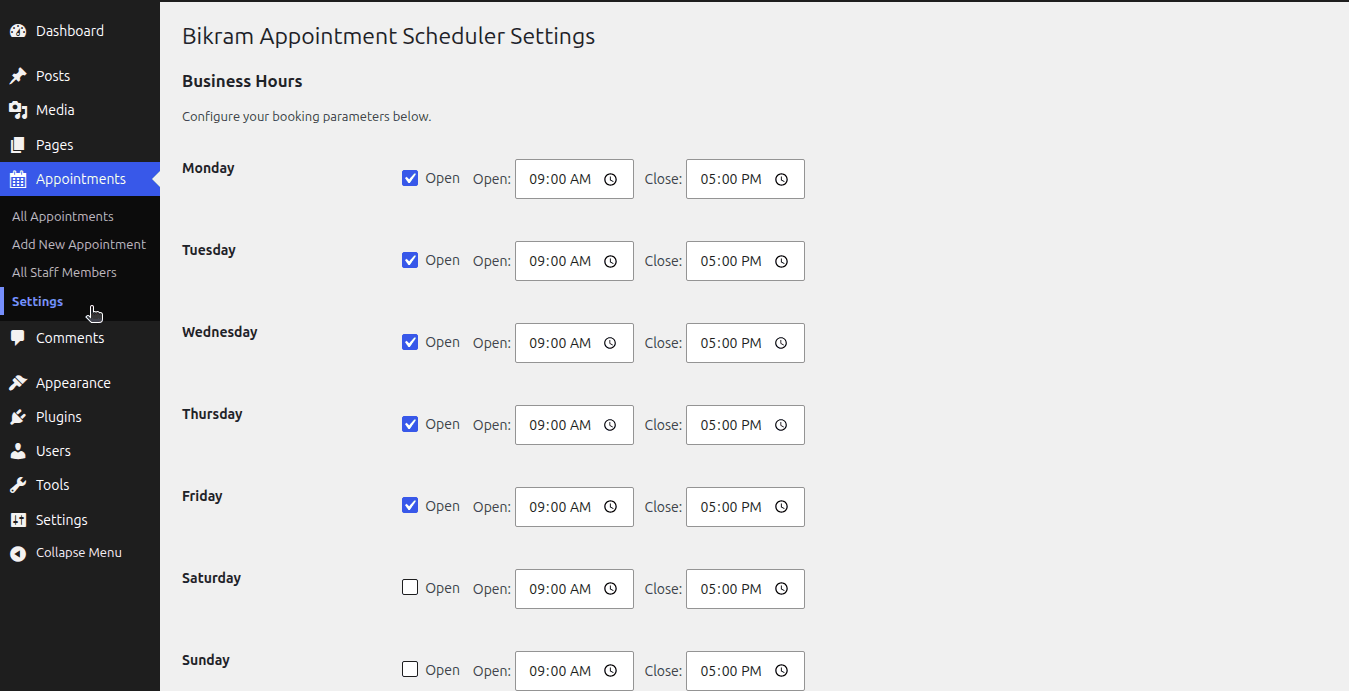
1. Navigate to Appointments > Settings.
2. Under Business Hours, check the “Open” box for each day you operate.
3. Set your opening and closing times for each day.
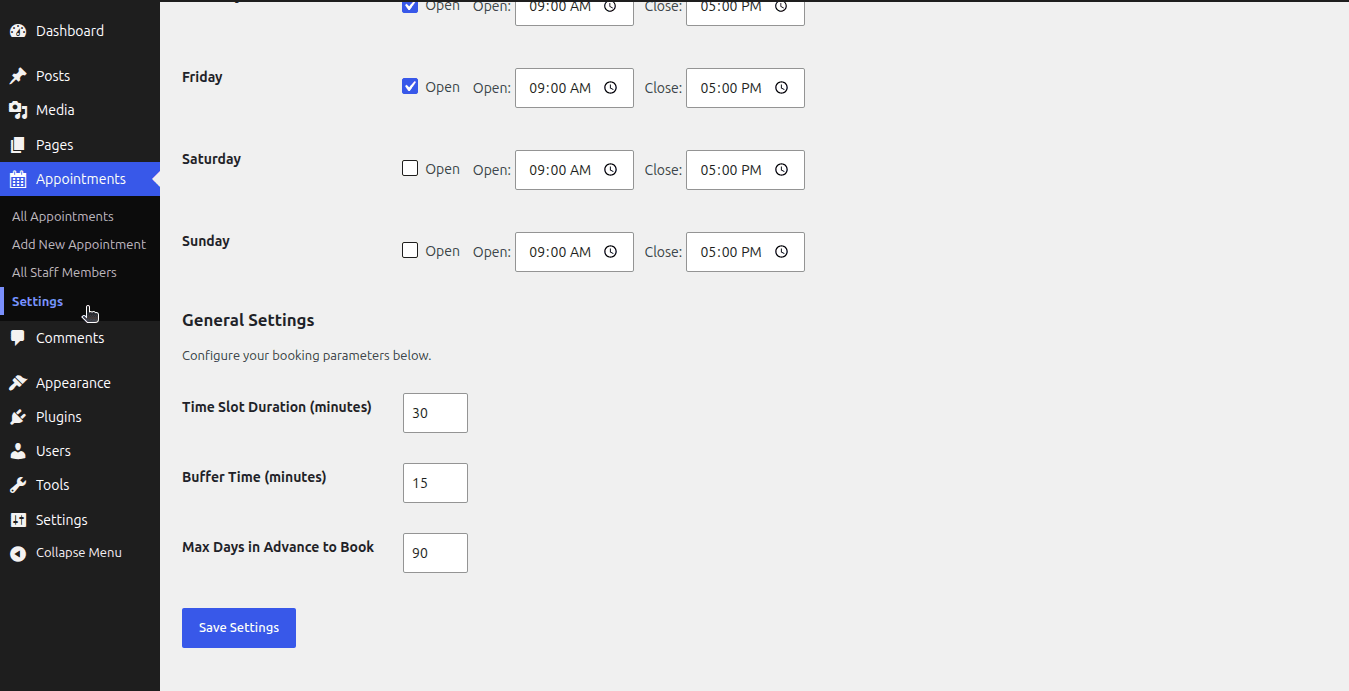
4. Under General Settings, configure your Time Slot Duration (e.g., 30 mins), Buffer Time (e.g., 15 mins), and Max Days in Advance to Book.
5. Click Save Settings.
Step 2: Add Staff Members
1. Go to Appointments > All Staff Members and click Add New Staff Member.
2. Enter the staff member’s name, email, phone, and bio.
3. Click Publish. (Note: You must have at least one staff member for the booking form to work).
Step 3: Create Your Booking Page
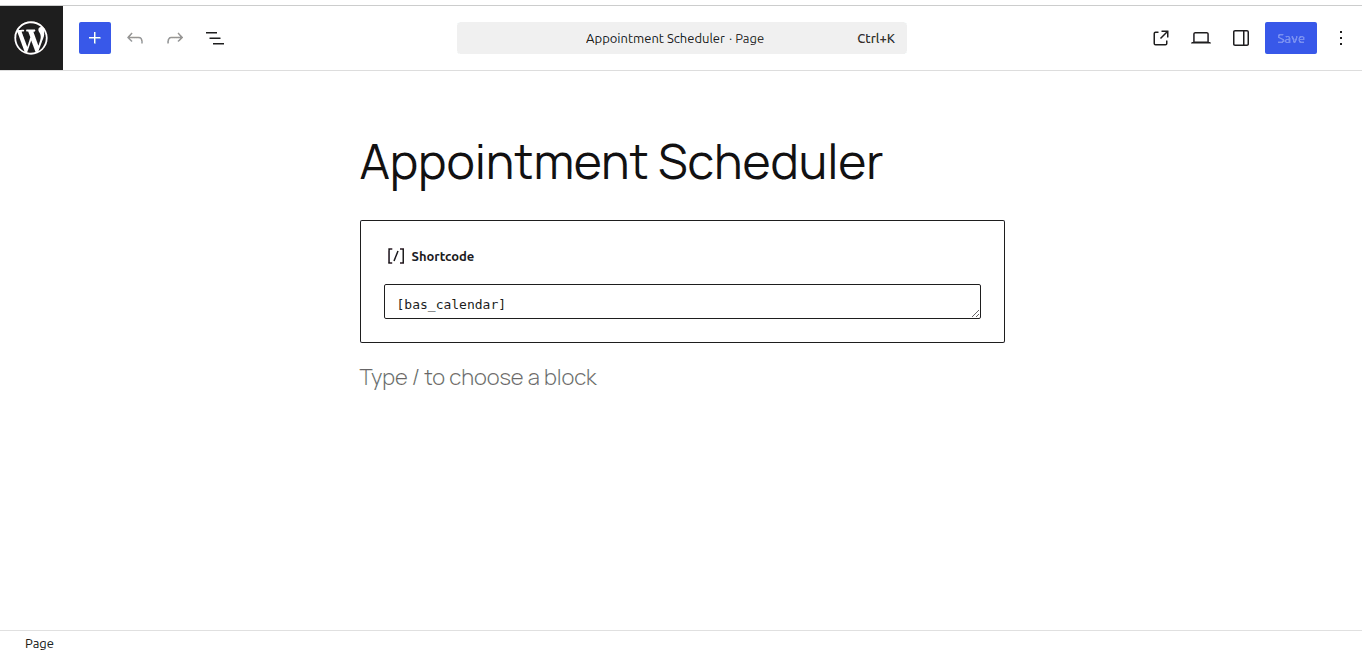
1. Go to Pages > Add New.
2. Add a Shortcode block and type: [bapsc_calendar].
3. Click Publish.
Step 4: Manage Appointments
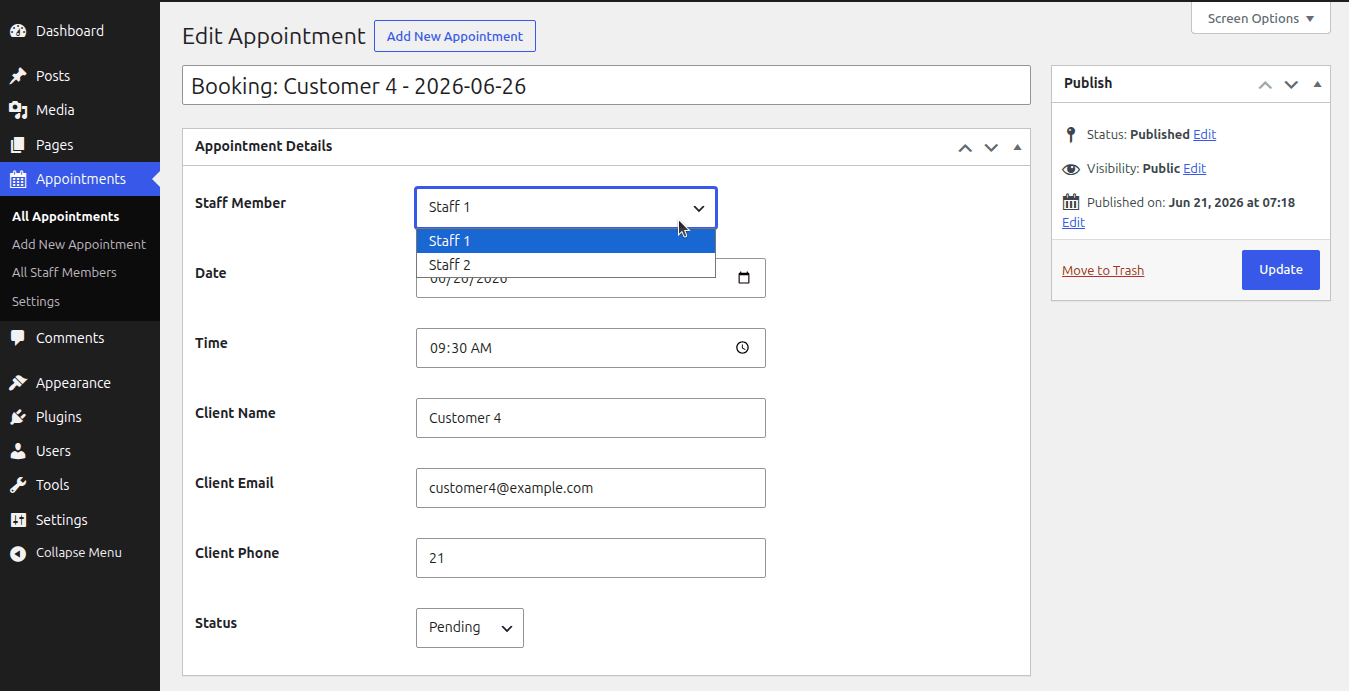
1. Go to Appointments > All Appointments to view all bookings.
2. Use the Quick Actions to Confirm or Cancel an appointment (this automatically emails the client).
3. Click on an appointment title to edit details, change the assigned staff member, or update the status manually.
4. Click Export to CSV at the top right to download your booking data.
Instalação
- Carregue a pasta
bikram-appointment-schedulerpara o diretório/wp-content/plugins/ - Ative o plugin através do menu 'Plugins' em WordPress
- Go to Appointments > Settings to configure your business hours
- Go to Appointments > All Staff Members to add your first staff member
- Create a new page and add the shortcode:
[bapsc_calendar] - Publish the page and start accepting appointments!
Log de Changes
Initial release of Bikram Appointment Scheduler. No upgrade needed.
1.0.1
- Updated plugin prefix to ‘bapsc’ to meet WordPress.org coding standards.
1.0.0
- Lançamento inicial
- Add appointment booking functionality
- Add staff member management
- Add business hours configuration
- Add frontend booking form with shortcode
- Add real-time availability checking
- Add email notifications for clients and admin (including status changes)
- Add appointment status management (Pending, Confirmed, Cancelled, Completed)
- Add CSV export functionality
- Add responsive design for mobile devices
- Add WordPress coding standards compliance
Capturas de tela
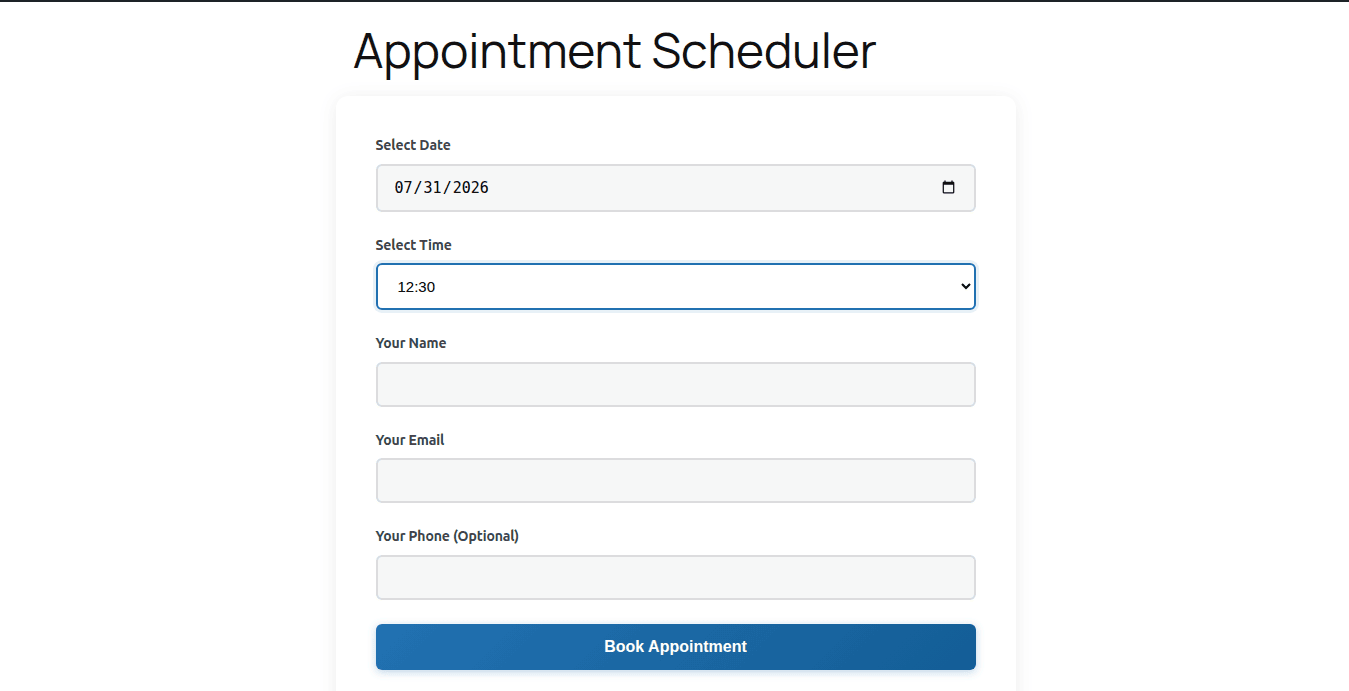
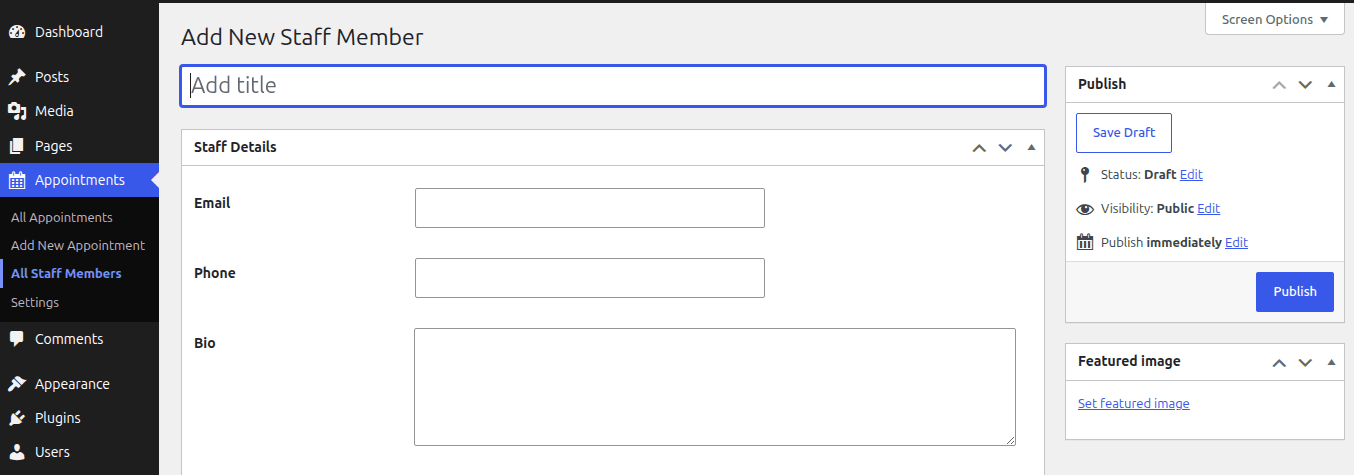
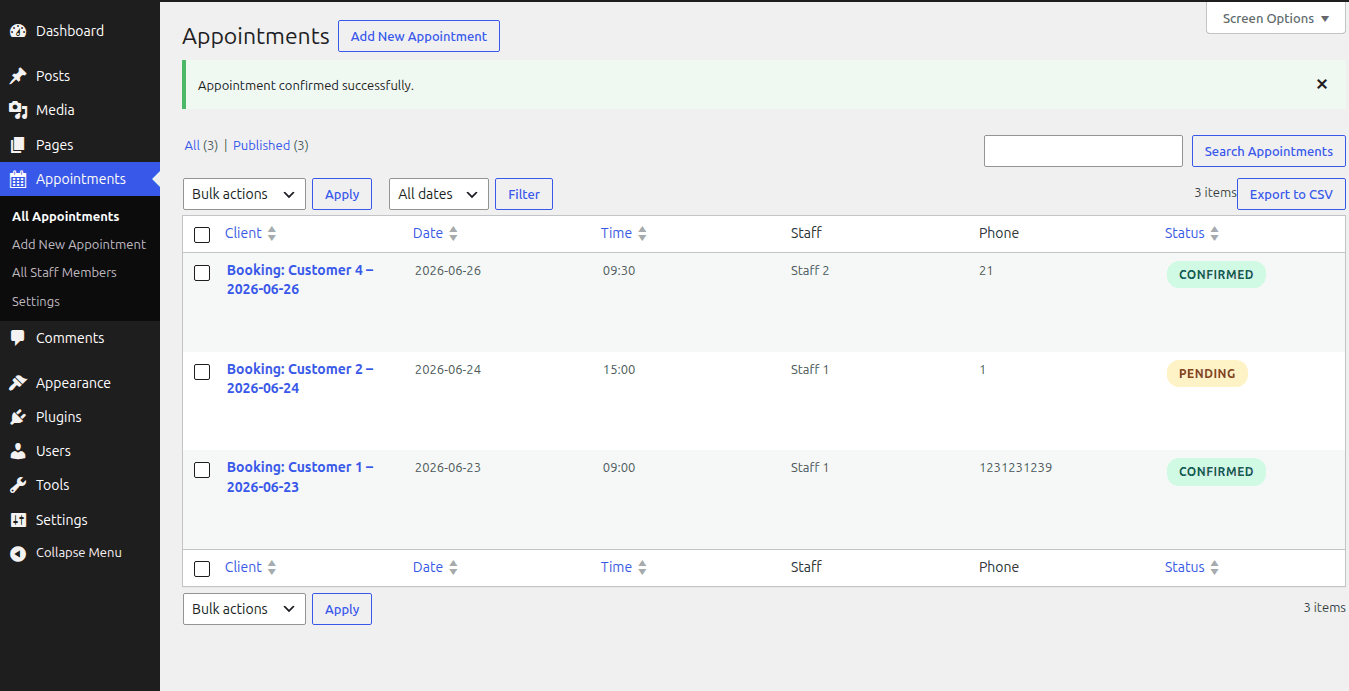
Para desenvolvedores
Este é o seu plugin? Mostre os números.
Adicione um crachá ao vivo ao seu site, Documentos ou Readme do GitHub. Ele é atualizado por conta própria - nenhuma conta necessária.
Best Bikram Appointment Scheduler alternatives
All appointment plugins →





FAQ
Bikram Appointment Scheduler: quick answers
Respostas diretas, extraídas de dados ao vivo WordPress.org.
Fonte: WordPress.org
Is Bikram Appointment Scheduler free?
Yes. Bikram Appointment Scheduler is free to download and use from the official WordPress.org plugin directory.
Is Bikram Appointment Scheduler safe to use in 2026?
Bikram Appointment Scheduler works, but test it on a staging site before relying on it in 2026. It runs on 20+ sites and was last updated 3 months ago, and scores 57/100 on our health check.
How many websites use Bikram Appointment Scheduler?
Bikram Appointment Scheduler is active on 20+ WordPress websites and has been downloaded 443 times since it launched in June 2026. It was downloaded 82 times in the last 30 days.
Does Bikram Appointment Scheduler work with WordPress 7.1?
Yes. The developer has tested Bikram Appointment Scheduler up to WordPress 7.1.5, the latest release. It requires WordPress 5.8 or newer.
What PHP version does Bikram Appointment Scheduler need?
Bikram Appointment Scheduler requires PHP 7.4 or higher. Most hosts run PHP 8.x today, so it works on any modern WordPress hosting.
When was Bikram Appointment Scheduler last updated?
The latest version, 1.0.1, was released on August 20, 2026 (3 months ago).
Who makes Bikram Appointment Scheduler?
Bikram Appointment Scheduler is developed and maintained by Bikram.
What are the best alternatives to Bikram Appointment Scheduler?
The most popular alternatives to Bikram Appointment Scheduler are Easy Appointments (10K+ installs), EMC (10K+ installs) and Appointment Hour Booking (10K+ installs).
Alimentado por PageForge
Um modelo e uma planilha. Uma página real para cada pesquisa.
PageForge Transforma cada linha de um CSV em uma página WordPress com seu próprio título, URL, SEO campos e esquema, construído no layout que você já desenhou. Gratuito em WordPress.org.
- CSV e XLSX, mais Google Sheets em Profissional e Empresarial
- Seu próprio título, URL, SEO campos e esquema para cada página
- Funciona com o editor de blocos, Elementor, Divi e Avada
- Gratuito em WordPress.org, sem cartão de crédito