


Appointment Hour Booking – Booking Calendar
Appointment Hour Booking is a plugin for creating booking forms for appointments with a start time and a defined duration within a schedule.

Escolha segura
Yes — Appointment Hour Booking is a safe, well-maintained plugin to use in 2026. It runs on 10K+ sites, is rated 4.9/5 and was last updated 4 days ago, and scores 94/100 on our health check.
- Comprovado em escala em sites ativos de mais de 10 mil
- Loved by users — 4.9/5 from 524 reviews
- Desenvolvido ativamente — última atualização 4 dias atrás
- Testado com as últimas WordPress (7.1)
- Momentum — downloads up 37.4% vs the previous 30 days
Como ele se acumula?
Lado a lado em instalações, atualizações, avaliações e suporte



Downloads diários
Os picos de download geralmente seguem uma nova versão — cada site que atualiza automaticamente é um download.
Rankings
Where Appointment Hour Booking stands todayWordPress.org Classificações de pesquisa
Posição ao vivo na pesquisa de plugins, top 100| Palavra chave | Posição |
|---|---|
| appointment | #3 |
| appointment booking | #3 |
| booking | #4 |
| calendar | #22 |
| horário | #31 |
Adoção da versão
Compartilhamento de sites ativos por lançamento.
Divisão de classificação
★★★★★★★★★★ 4.9 from 524 reviews
About Appointment Hour Booking
From the official readme · v1.6.07Descrição
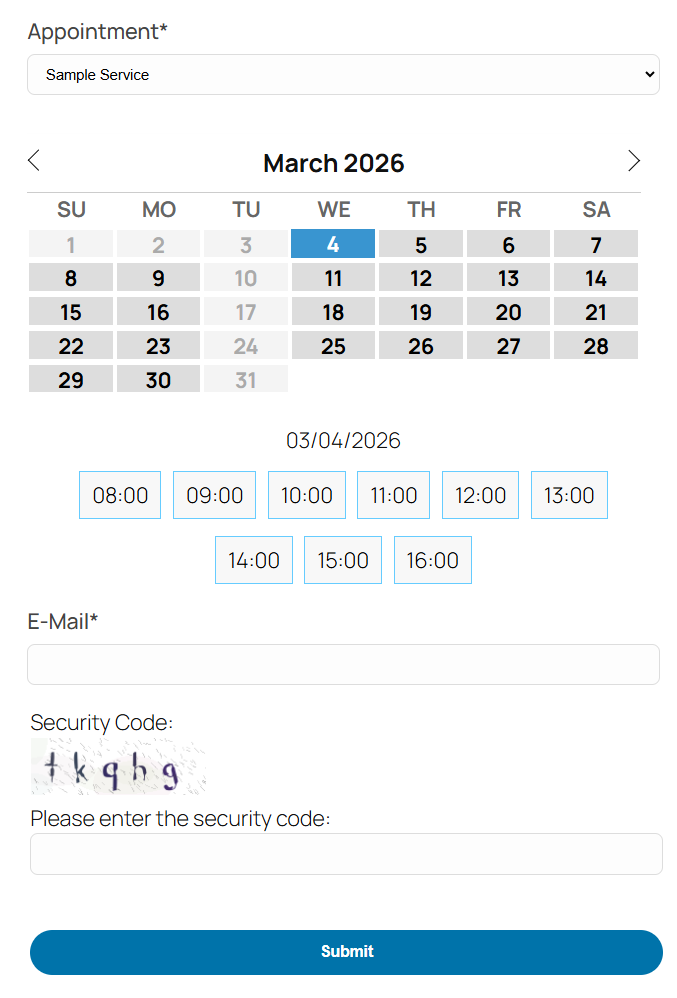
Appointment Hour Booking is a WordPress plugin for creating booking forms for appointments with a start time and a defined duration over a schedule. The start time is visually selected by the end user from a set of start times calculated based on the “open” hours and service duration. The duration/schedule is defined in the “service” selected by the customer. Each calendar can have multiple services with different durations and prices.
This plugin is useful for different cases like booking medical services where services with different durations and prices may be available, personal training sessions, booking rooms for events, reserving language classes or other types of classes, and other types of service/resource bookings where start times are selected and availability is automatically managed using the defined service duration to avoid double-booking (the booked time is blocked once the booking is completed).
Main Features:
- Easy visual configuration of calendar data and schedules
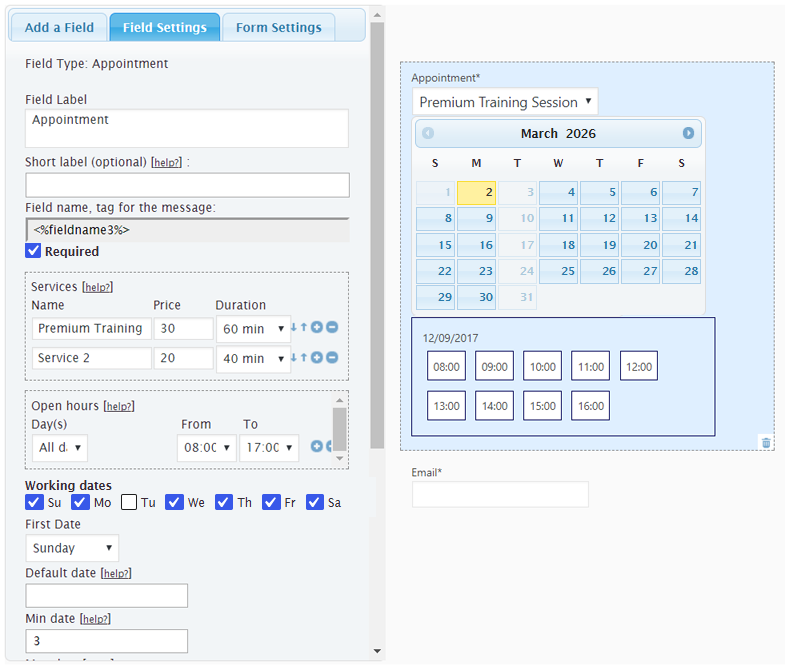
- Working dates, invalid/holiday dates, and special dates can be defined
- Supports restriction of default, maximum, and minimum dates
- Open hours can be defined for each date
- Each calendar can have multiple services defined
- Each service can have its own price and duration
- Start times are calculated automatically based on the open hours and service duration
- Available times are managed automatically to avoid double-booking
- Multiple services can be selected in each booking
- Services can have multiple capacities
- Automatic price calculation
- Customizable email notifications for administrators and users
- Reply to bookings with AI assistance directly from the bookings list (free, no API key required)
- Form validation and built-in anti-spam captcha protection
- Manual and automatic CSV reports (configurable for new/unread submissions or complete active booking lists)
- iCal add-on with iCal export link and iCal file attached to emails
- Calendar available in 53+ languages
- Multiple date formats supported
- Blocks for Elementor and Gutenberg
- Multi-page calendars
- Printable appointments list
Features in commercial versions:
- Visual form builder for creating the booking form fields
- Booking form can be connected to payment processors (e.g., PayPal Standard, PayPal Pro, Stripe, Skrill, Authorize.net, TargetPay/iDEAL, Mollie/iDEAL, SagePay, Redsys)
- Payments are SCA ready (Strong Customer Authentication), compatible with the Payment Services Directive (PSD2 – EU)
- Add-ons for integration with external services: reCAPTCHA, Mailchimp, Salesforce, WooCommerce, and others
- Add-ons with additional features: appointment cancellation add-on, appointment reminders add-on, Clickatell and Twilio SMS add-ons, signature fields, iCal synchronization, Google Calendar API, Zoom Meetings, etc.
Appointment Hour Booking can be used for:
Booking services or resources: Define schedules, open hours, services, prices, and durations, and let the calendar plugin manage the schedule.
Sample cases: Medical services, personal training, resource allocation, booking rooms, classes, etc.
The services can have a maximum capacity (for example: the number of people who can book/attend the service at the same time). The default capacity is 1. If the service capacity has been set to 1, the time slot will be blocked for new bookings after receiving one booking. If the service capacity has been set to a greater number (for example: a service with a capacity of 10), the time slot will be blocked after filling the capacity (for example: after receiving bookings for a total of 10 people). This feature is described in detail at https://apphourbooking.dwbooster.com/blog/2019/01/24/bookings-for-multiple-persons/
AI-Assisted Email Replies
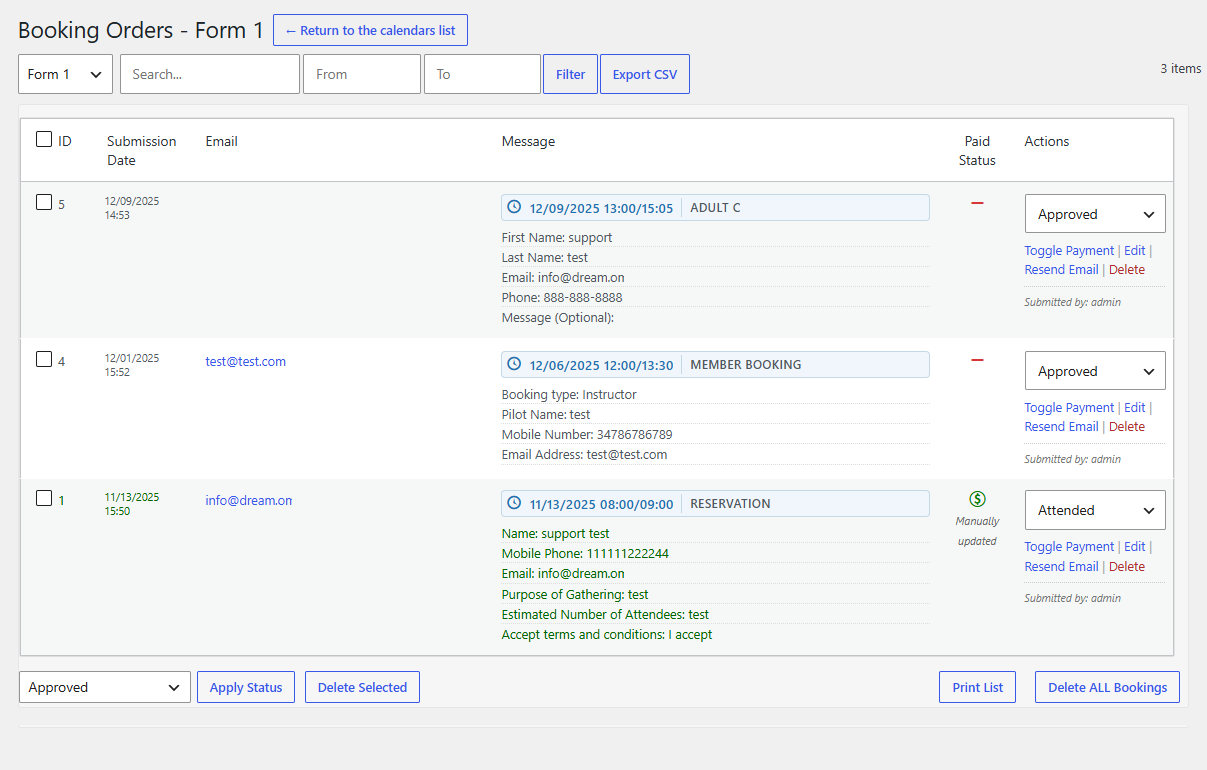
From the “Booking Orders” list, administrators can reply directly to customer bookings using the built-in reply modal. The modal includes a free AI assistant (requiring no API key or external account setup) that drafts replies based on the booking details and optional instructions, and logs sent replies directly in the booking record.
The Troubleshoot Area
Use the troubleshoot area if you are having problems with special or non-Latin characters. In most cases, changing the charset to UTF-8 through the option available in the troubleshoot area will solve the problem.
You can also use this area to change the script load method if the booking calendar isn’t appearing on the public website.
The Notification Emails
The notification emails with the appointment data entered in the booking form can be sent in “Plain Text” format (default) or in “HTML” format. If you select “HTML” format, be sure to use <br /> or <p> tags for line breaks in the text and use proper HTML formatting.
Exporting Appointments to CSV / Excel Files
The appointment data can be exported to a CSV file (Excel compatible) to manage the data in other applications. That option is available from the “Booking Orders” list; appointments can be filtered by date and by text so you can export only the needed appointments to the CSV file. Automatic email reports can also be configured to send either new/unread submissions or the complete active booking list for upcoming events.
Other Versions and Features
The free version published in this WordPress directory is a fully functional version for accepting appointments as indicated in the plugin description. There are also commercial versions with additional features, for example:
- Ability to process forms/appointments linked to payment processors (PayPal, Stripe, Skrill, …)
- Form builder for visual customization of the booking form
- Add-ons with multiple additional features
Payments processed through the plugin are SCA ready (Strong Customer Authentication), compatible with the Payment Services Directive (PSD2 – EU) that came into full effect on 14 September 2019.
Please note that the pro features aren’t advertised as part of the free plugin in the description shown in this WordPress directory. If you are interested in more information about the commercial features, visit the plugin’s page: https://apphourbooking.dwbooster.com/download
Instalação
To install Appointment Hour Booking, follow these steps:
- Download and unzip the Appointment Hour Booking calendar plugin.
- Upload the entire
appointment-hour-booking/directory to the/wp-content/plugins/directory. - Activate the Appointment Hour Booking plugin through the Plugins menu in WordPress.
- Configure the settings at the administration menu >> Settings >> Appointment Hour Booking.
- To insert the Appointment Hour Booking calendar form into a page or post, use the block or icon that appears when editing content.
Log de Changes
Improved permission checks, request validation, and input sanitization across form settings and booking management actions.
1.3.78
- Admin interface update
1.3.79
- Language fixes
1.3.80
- PHP 8 compatibility
1.3.81
- Min-date/max-date fix
1.3.82
- New design theme
1.3.83
- PHP warning fix
Capturas de tela


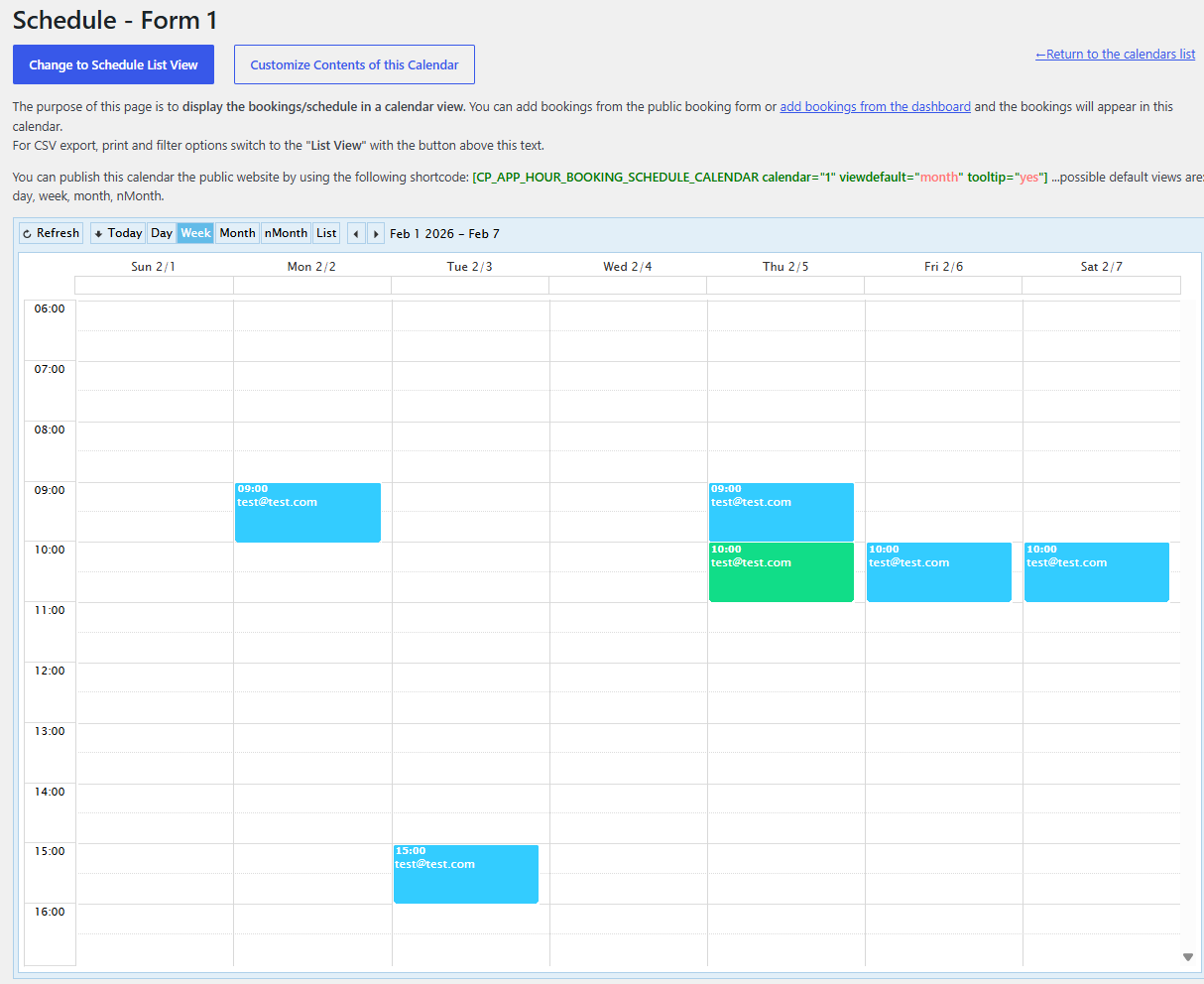
Para desenvolvedores
Este é o seu plugin? Mostre os números.
Adicione um crachá ao vivo ao seu site, Documentos ou Readme do GitHub. Ele é atualizado por conta própria - nenhuma conta necessária.
Best Appointment Hour Booking alternatives
All appointment plugins →





FAQ
Appointment Hour Booking: quick answers
Respostas diretas, extraídas de dados ao vivo WordPress.org.
Fonte: WordPress.org
Is Appointment Hour Booking free?
Yes. Appointment Hour Booking is free to download and use from the official WordPress.org plugin directory.
Is Appointment Hour Booking safe to use in 2026?
Yes — Appointment Hour Booking is a safe, well-maintained plugin to use in 2026. It runs on 10K+ sites, is rated 4.9/5 and was last updated 4 days ago, and scores 94/100 on our health check.
How many websites use Appointment Hour Booking?
Appointment Hour Booking is active on 10K+ WordPress websites and has been downloaded 3,742,943 times since it launched in December 2017. It was downloaded 46,267 times in the last 30 days.
Does Appointment Hour Booking work with WordPress 7.1?
Yes. The developer has tested Appointment Hour Booking up to WordPress 7.1.5, the latest release. It requires WordPress 5.3.0 or newer.
When was Appointment Hour Booking last updated?
The latest version, 1.6.07, was released on November 16, 2026 (4 days ago).
Who makes Appointment Hour Booking?
Appointment Hour Booking is developed and maintained by codepeople.
What are the best alternatives to Appointment Hour Booking?
The most popular alternatives to Appointment Hour Booking are Easy Appointments (10K+ installs), EMC (10K+ installs) and Booking Package (10K+ installs).
Alimentado por PageForge
Um modelo e uma planilha. Uma página real para cada pesquisa.
PageForge Transforma cada linha de um CSV em uma página WordPress com seu próprio título, URL, SEO campos e esquema, construído no layout que você já desenhou. Gratuito em WordPress.org.
- CSV e XLSX, mais Google Sheets em Profissional e Empresarial
- Seu próprio título, URL, SEO campos e esquema para cada página
- Funciona com o editor de blocos, Elementor, Divi e Avada
- Gratuito em WordPress.org, sem cartão de crédito