


Melhor fonte incrível
Add Font Awesome Free icons that stay current automatically, with a native WordPress block, shortcodes, a Classic Editor picker, and legacy support.

Escolha segura
Yes — Better Font Awesome is a safe, well-maintained plugin to use in 2026. It runs on 60K+ sites, is rated 4.5/5 and was last updated 2 months ago, and scores 89/100 on our health check.
- Comprovado em escala em mais de 60 mil sites ativos
- Loved by users — 4.5/5 from 88 reviews
- Testado com as últimas WordPress (7.1)
Como ele se acumula?
Lado a lado em instalações, atualizações, avaliações e suporte



Downloads diários
Os picos de download geralmente seguem uma nova versão — cada site que atualiza automaticamente é um download.
Rankings
Where Better Font Awesome stands todayWordPress.org Classificações de pesquisa
Posição ao vivo na pesquisa de plugins, top 100| Palavra chave | Posição |
|---|---|
| Bloco-editor | >100 |
| Fonte incrível | #3 |
| icon font | #1 |
| ícones | #63 |
| Shortcode | >100 |
Adoção da versão
Compartilhamento de sites ativos por lançamento.
Divisão de classificação
★★★★★★★★★★ 4.5 from 88 reviews
About Better Font Awesome
From the official readme · v3.2.0Descrição
Do you find this plugin helpful? Please consider leaving a 5-star review.
Add Font Awesome Free icons to WordPress using a native Icon block, shortcodes, the Classic Editor picker, or HTML. Search the latest compatible Free catalog, customize icons in the Block Editor, and keep established Font Awesome 4 and 5 content working.
A built-in fallback means icons work immediately. Better Font Awesome automatically keeps Font Awesome Free icons current with newer compatible releases in the background, while pages and editors keep loading normally.
Key features
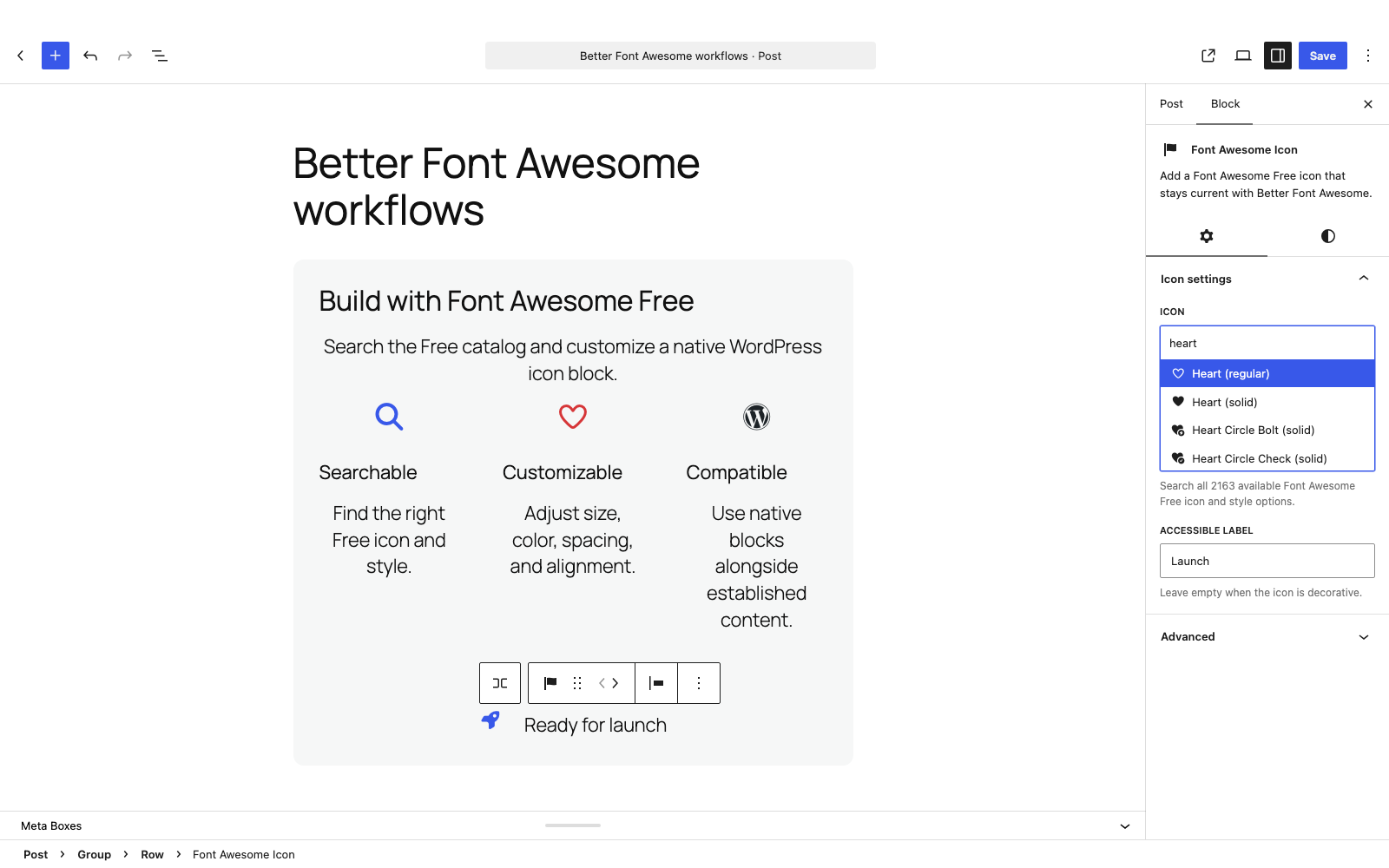
- Native Icon block – search the latest compatible Font Awesome Free icons and styles, then adjust size, color, spacing, alignment, and an optional accessible label.
- Flexible workflows – use the block, shortcodes, the Classic Editor picker, or HTML and CSS.
- Automatic icon updates – start with the built-in fallback and receive newer compatible icons automatically in the background.
- Legacy compatibility – keep established Font Awesome 4 and 5 content working, with optional controls for older or competing styles.
Começando
Native Icon block
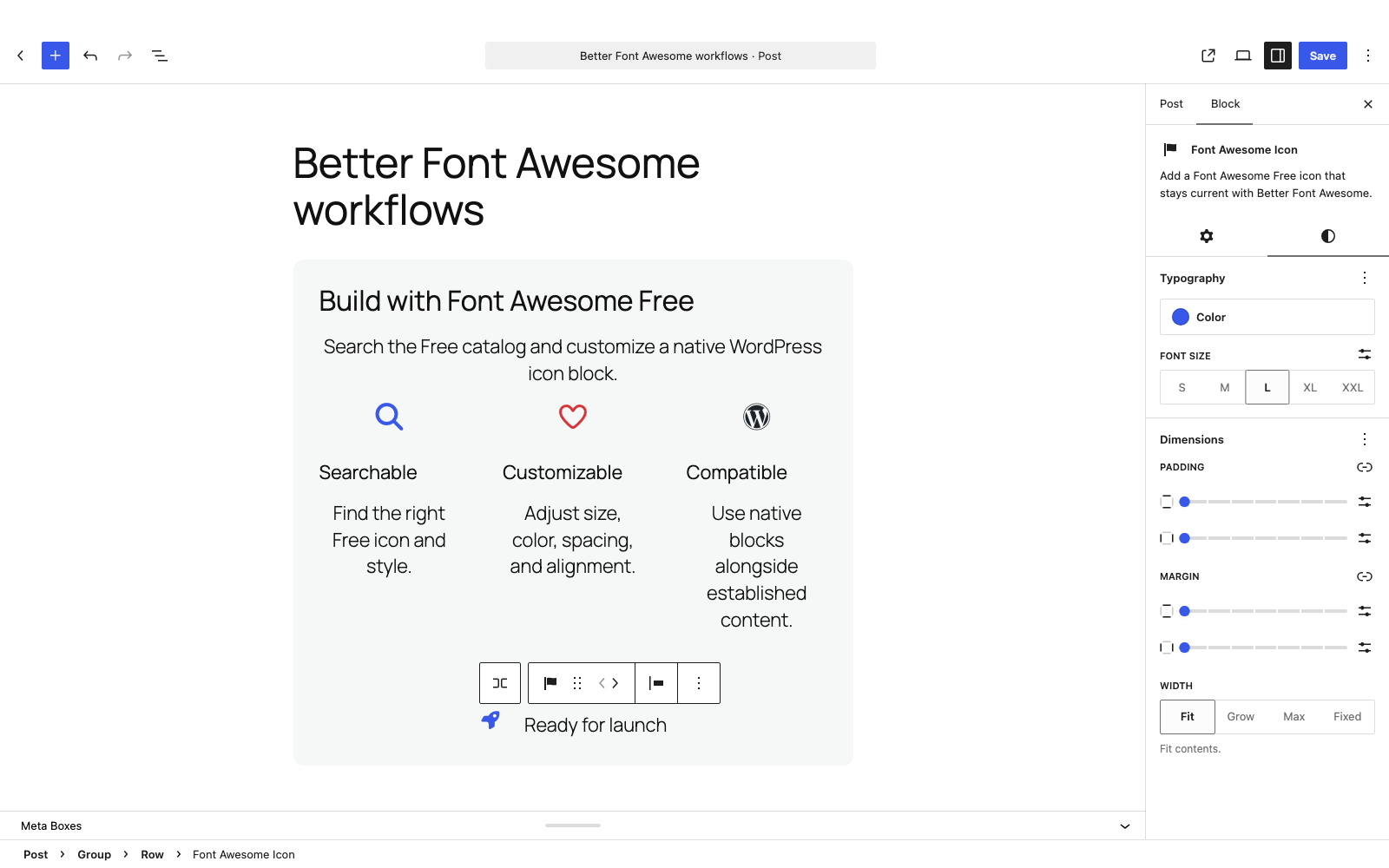
In the Block Editor, insert the Font Awesome Icon block. Choose an icon once in the Icon picker, then select an available Free style in the Style control. Use WordPress controls for font size, text color, margin, padding, and left, center, or right alignment. Add an accessible label when the icon communicates meaning, or leave it empty for a decorative icon.
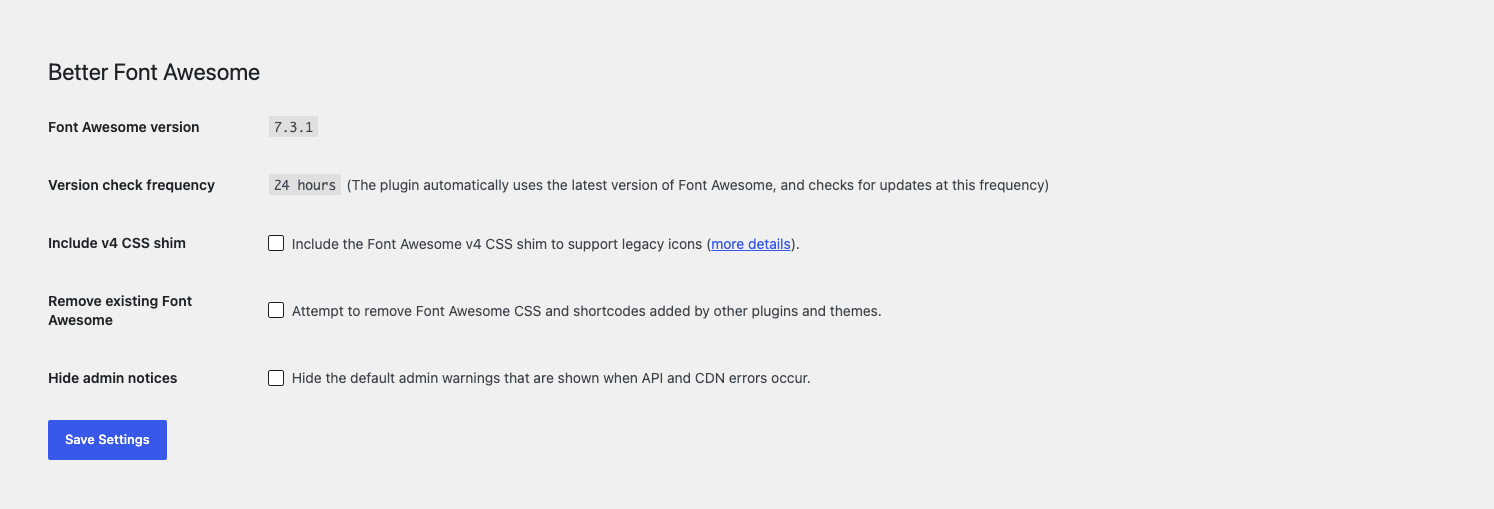
Set Default block icon style to Solid or Regular under Settings > Better Font Awesome. New blocks added through the standard inserter follow Site default. Existing icons retain their styling unless you explicitly choose Site default; individual blocks can override it with an available style.
If the default style is unavailable for an icon, the block uses Solid, then Regular, then Brands, choosing the first available style. Brand-only icons stay Brands. The Style control shows the effective style. Missing icons and unavailable explicitly saved styles keep their saved selections until you change them.
Changing the default updates inherited icons without rewriting posts. Refresh page caches and reopen an already open editor to see the change. If you downgrade to an older BFA version, inherited styles render as Solid. Choose explicit supported styles before downgrading if their appearance must stay the same.
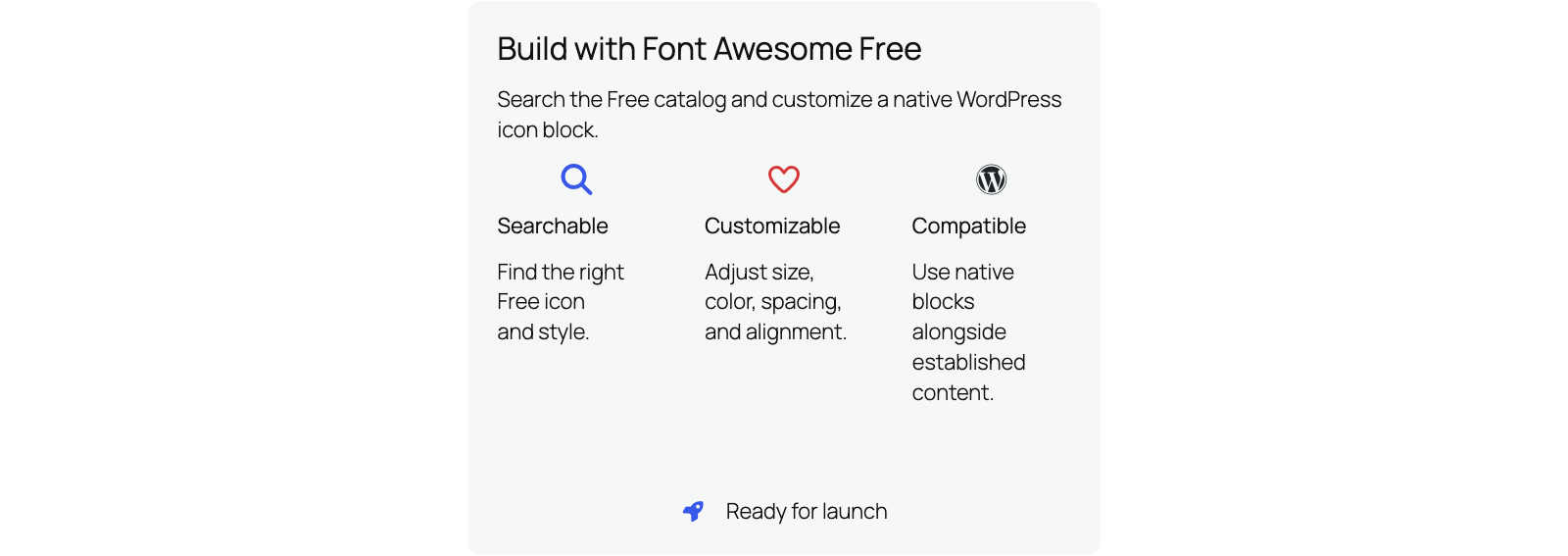
The Icon block is a standalone block that works in layouts such as Groups, Rows, and Columns. To place an icon directly within a line of text, use the shortcode.
Códigos de acesso
Use the [icon] shortcode wherever WordPress processes shortcodes:
[icon name="flag" class="2x spin border" unprefixed_class="my-custom-class"]
The fa- and icon- prefixes are optional in shortcode attributes, and established prefixed forms continue to work.
Classic Editor picker
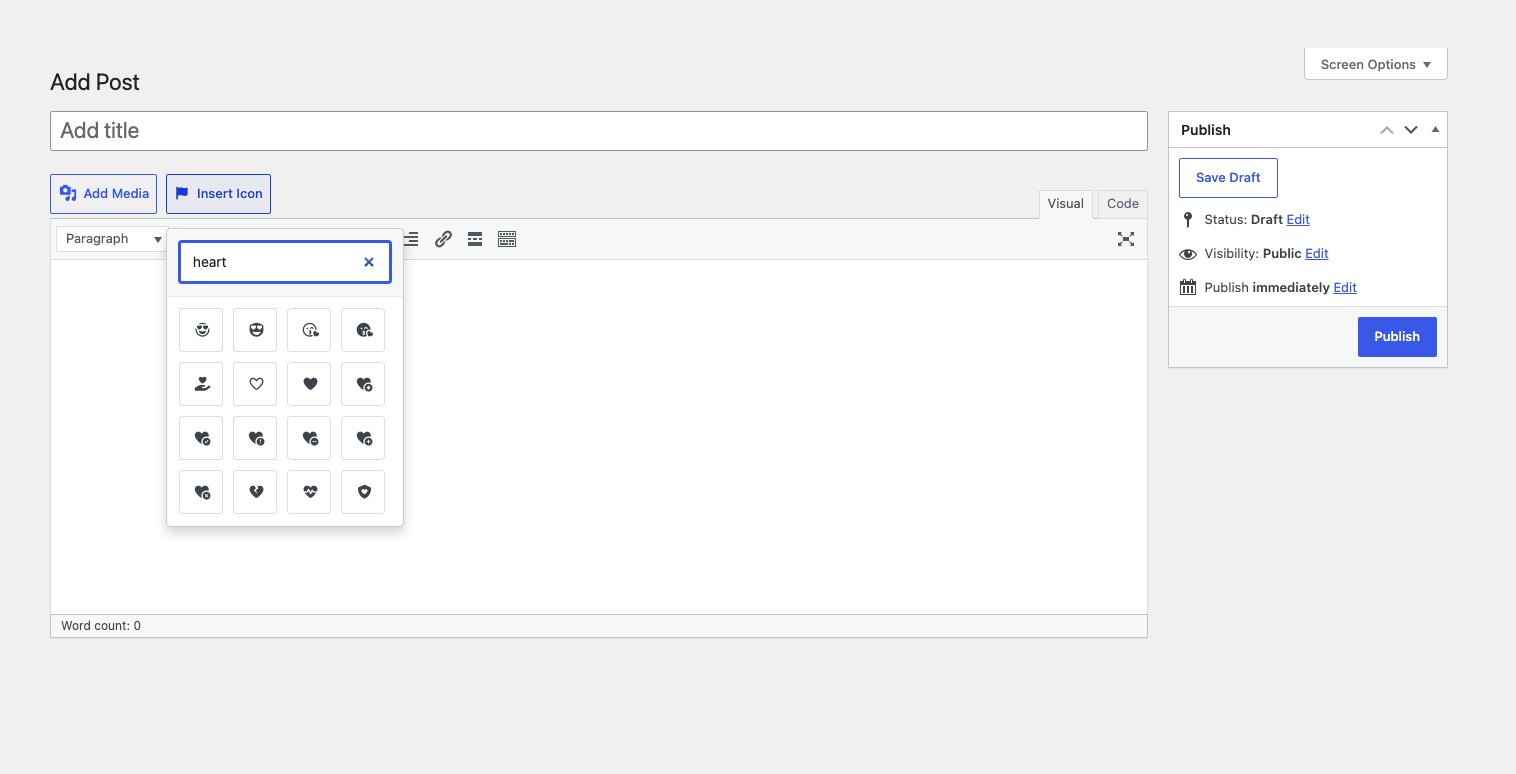
In the Classic Editor visual toolbar, choose Insert Icon, search the Free catalog, and select an icon. The picker inserts the matching shortcode into your content.
HTML and CSS
You can also use Font Awesome classes in HTML or CSS. Unlike shortcodes, HTML class prefixes are required and depend on the selected style. For current syntax, see the Font Awesome guide to adding icons.
Automatic icon updates and built-in fallback
Font Awesome Free CSS, fonts, and icon data ship with the plugin, so icons render immediately after activation. With Serve Font Awesome locally unchecked (the default), a scheduled task checks for the latest compatible release in the background and uses it only after validation. If a check is delayed or fails, the last validated release or built-in fallback stays active.
Optional local delivery
Under Settings > Better Font Awesome, check Serve Font Awesome locally to serve the bundled Font Awesome 7 Free catalog, CSS, compatibility styles, and fonts from your site. This mode disables BFA background metadata and asset-validation requests. New icons arrive through plugin updates. It never falls back to third-party assets if bundled files are unavailable.
The bundled catalog may be older than a previously adopted automatic release. Icons introduced after the bundled version will not render until a plugin update includes them or you switch back to automatic delivery. Existing content and stored metadata are preserved; switching back reuses valid metadata and schedules a background check when needed. Settings saving does not wait for remote metadata. A refresh already running when the setting changes cannot be retroactively canceled.
The settings page reports the effective delivery mode. If a theme, plugin, or initialization filter has already selected the shared library configuration, BFA preserves that selection and explains any mismatch. Explicit Font Awesome 5 ownership cannot be combined with local delivery. Local delivery does not control other plugins, themes, or site infrastructure that rewrites asset URLs to a CDN.
Compatibility and conflicts
Established Font Awesome 4 and 5 shortcode names and classes are supported through compatible aliases and styles, plus an optional Font Awesome 4 CSS shim. Font Awesome Pro and a separate Font Awesome 6 channel are not provided.
If a theme or another plugin also loads Font Awesome, go to Settings > Better Font Awesome and enable Remove existing Font Awesome. This can reduce duplicate or conflicting styles, but no automatic conflict tool can cover every theme or plugin integration.
Serviços externos
Better Font Awesome works immediately from its built-in Font Awesome Free fallback. In automatic mode, it uses the following external services for background updates or for assets from a newer validated release. Effective local mode makes no BFA/BFAL requests to these services. Other site components and site CDN infrastructure remain outside this setting. No Font Awesome account or API token is required for the Free channel.
- Font Awesome GraphQL API (
https://api.fontawesome.com) – an asynchronous server-side WP-Cron worker requests the latest public compatible Font Awesome Free release version, icon names, aliases, families, and styles. Review the Font Awesome terms of service and privacy policy. - npm registry (
https://registry.npmjs.org/%40fortawesome%2Ffontawesome-free/{version}) – when Font Awesome reports a newer candidate, the same background worker confirms that exact official Free package version, name, and license. Review the npm terms and privacy notice. - cdnjs asset service (
https://cdnjs.cloudflare.com/ajax/libs/font-awesome/{version}/) – the background worker downloads an allowlisted set of exact-version CSS and WOFF2 files for validation. BFAL does not call a separate cdnjs catalog API. After a newer release passes every check, visitors’ browsers may request its selected CSS and referenced font files from this host. Review the cdnjs service information, Cloudflare website terms, and Cloudflare privacy policy. - jsDelivr asset service (
https://cdn.jsdelivr.net/npm/@fortawesome/fontawesome-free@{version}/) – the background worker independently downloads the same allowlisted files and requires their bytes to match cdnjs. BFA does not select jsDelivr as the browser runtime host. Review the jsDelivr terms and policies. - Legacy Font Awesome 5 CDN (
https://use.fontawesome.com/releases/) – if another plugin or theme deliberately initializes BFAL first and selects the legacy5.xchannel, visitors’ browsers may request that selected version’s CSS and fonts from this host.
Normal frontend, administrator, REST, editor, settings, shortcode, picker, and getter requests do not perform BFA or BFAL metadata discovery or candidate asset-validation HTTP. Separately, WordPress core may fetch a registered external editor stylesheet while constructing Block Editor assets; that core behavior is not a BFA or BFAL metadata-validation request.
Server-side provider requests expose ordinary connection data such as the server IP address, requested URL and version, timing, and HTTP headers. WordPress’s default HTTP user agent may include the WordPress version and site URL. Browser asset requests can expose ordinary connection data such as the visitor’s IP address, user agent, referring page, and requested asset. BFA does not add post content, user content, Font Awesome credentials, or an API token to these requests. In automatic mode, if discovery, publication, transport, or validation fails, BFA continues using the packaged fallback or validated last-known-good release.
Apoio
Need help? Start a topic in the WordPress.org support forum. Developers can also report reproducible issues on GitHub.
If Better Font Awesome helps your site, please consider leaving a brief WordPress.org review.
Instalação
- Install and activate Better Font Awesome from Plugins > Add New.
- Add the Font Awesome Icon block, use an
[icon]shortcode, or choose Insert Icon in the Classic Editor. Optional compatibility controls are under Settings > Better Font Awesome.
Log de Changes
Adds separate icon and Free style selection and a central default for new blocks. Existing icons keep their styling unless opted in; individual blocks can override the default.
3.2.0
- Choose an icon once, then select its available Free style with a dedicated Style control.
- Set a default block icon style centrally. New blocks added through the standard inserter follow Site default, and individual blocks can override it.
- Existing icons retain their styling unless explicitly opted in. Changing the default updates inherited icons without rewriting posts.
3.1.0
- Adds the optional Serve Font Awesome locally setting for loading the bundled Font Awesome Free catalog, CSS, and fonts from your site.
- Keeps automatic delivery as the default. When local delivery is enabled, new icons arrive through plugin updates.
3.0.1
- Fixes a false metadata validation warning after upgrading a site with valid retained Font Awesome 5 cache data to the default Font Awesome 7 channel.
3.0.0
- Adds automatic updates for the current Font Awesome Free catalog with a built-in fallback.
- Adds a native Icon block with catalog search, style and design controls, alignment, and accessible labels.
- Preserves existing shortcodes, settings, integrations, Classic Editor picker, and Font Awesome 4 and 5 compatibility.
Older release history is preserved in the project’s historical changelog.
Capturas de tela
Para desenvolvedores
Este é o seu plugin? Mostre os números.
Adicione um crachá ao vivo ao seu site, Documentos ou Readme do GitHub. Ele é atualizado por conta própria - nenhuma conta necessária.
Best Better Font Awesome alternatives
Todos os plugins do editor de blocos →





FAQ
Better Font Awesome: quick answers
Respostas diretas, extraídas de dados ao vivo WordPress.org.
Fonte: WordPress.org
Is Better Font Awesome free?
Yes. Better Font Awesome is free to download and use from the official WordPress.org plugin directory.
Is Better Font Awesome safe to use in 2026?
Yes — Better Font Awesome is a safe, well-maintained plugin to use in 2026. It runs on 60K+ sites, is rated 4.5/5 and was last updated 2 months ago, and scores 89/100 on our health check.
How many websites use Better Font Awesome?
Better Font Awesome is active on 60K+ WordPress websites and has been downloaded 1,274,085 times since it launched in April 2014. It was downloaded 7,953 times in the last 30 days.
Does Better Font Awesome work with WordPress 7.1?
Yes. The developer has tested Better Font Awesome up to WordPress 7.1.5, the latest release. It requires WordPress 6.5 or newer.
What PHP version does Better Font Awesome need?
Better Font Awesome requires PHP 7.4 or higher. Most hosts run PHP 8.x today, so it works on any modern WordPress hosting.
When was Better Font Awesome last updated?
The latest version, 3.2.0, was released on September 10, 2026 (2 months ago).
Who makes Better Font Awesome?
Better Font Awesome is developed and maintained by Mickey Kay.
What are the best alternatives to Better Font Awesome?
The most popular alternatives to Better Font Awesome are Classic Editor (8M+ installs), Advanced Editor Tools (1M+ installs) and Disable Gutenberg (500K+ installs).
Alimentado por PageForge
Um modelo e uma planilha. Uma página real para cada pesquisa.
PageForge Transforma cada linha de um CSV em uma página WordPress com seu próprio título, URL, SEO campos e esquema, construído no layout que você já desenhou. Gratuito em WordPress.org.
- CSV e XLSX, mais Google Sheets em Profissional e Empresarial
- Seu próprio título, URL, SEO campos e esquema para cada página
- Funciona com o editor de blocos, Elementor, Divi e Avada
- Gratuito em WordPress.org, sem cartão de crédito