


App for Cloudflare®
All things Cloudflare (caching, flexible SSL, Turnstile, settings, rules, analytics, media in R2, image transforms [AVIF, WebP], secure admin area).

Escolha segura
Yes — App for Cloudflare® is a safe, well-maintained plugin to use in 2026. It runs on 1K+ sites, is rated 4.7/5 and was last updated 1 week ago, and scores 85/100 on our health check.
- Desenvolvido ativamente — última atualização 1 semana atrás
- Testado com as últimas WordPress (7.1)
- Momentum — downloads up 21.1% vs the previous 30 days
Como ele se acumula?
Lado a lado em instalações, atualizações, avaliações e suporte



Downloads diários
Os picos de download geralmente seguem uma nova versão — cada site que atualiza automaticamente é um download.
Rankings
Where App for Cloudflare® stands todayWordPress.org Classificações de pesquisa
Posição ao vivo na pesquisa de plugins, top 100| Palavra chave | Posição |
|---|---|
| caching | #51 |
| cloudflare | #8 |
| execução | >100 |
| segurança | >100 |
| SEO | >100 |
Adoção da versão
Compartilhamento de sites ativos por lançamento.
Divisão de classificação
★★★★★★★★★★ 4.7 from 14 reviews
About App for Cloudflare®
From the official readme · v1.10.1.2Descrição
Unlock advanced Cloudflare features without being a network administrator or developer. Works with any Cloudflare plan (including Free), no Automatic Platform Optimization (APO) subscription needed.
- Cache HTML at network edge
- Preload JavaScript and CSS
- View/set all Cloudflare settings
- Fixes Cloudflare Flexible SSL redirect loops
- Fixes situation when IPs are coming through as Cloudflare IPs rather than user IPs
- Cloudflare web analytics support
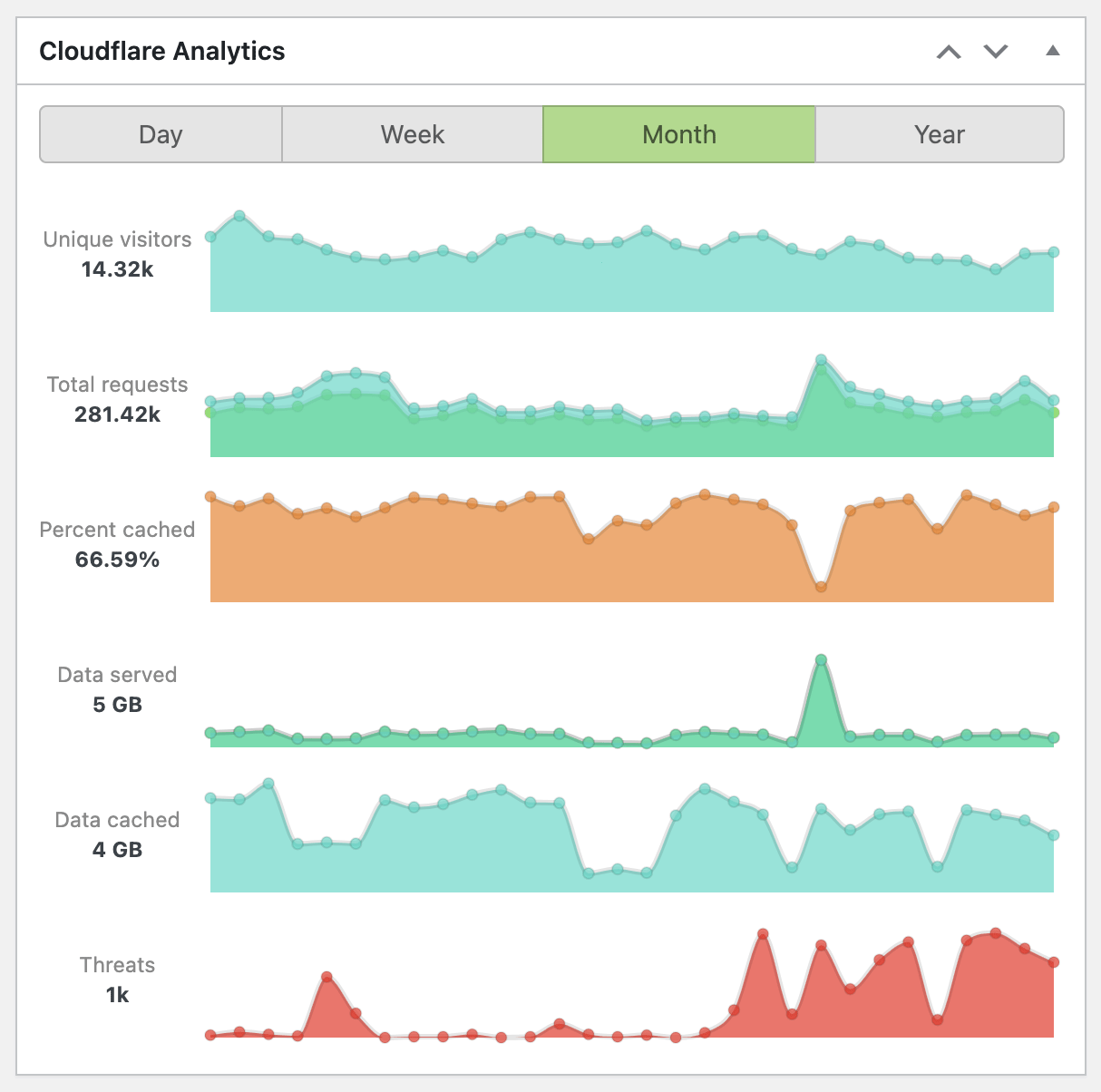
- Cloudflare analytics on dashboard
- Purge cache
- Automatic image transformations (automatically serve AVIF/WebP versions to browsers that support them)
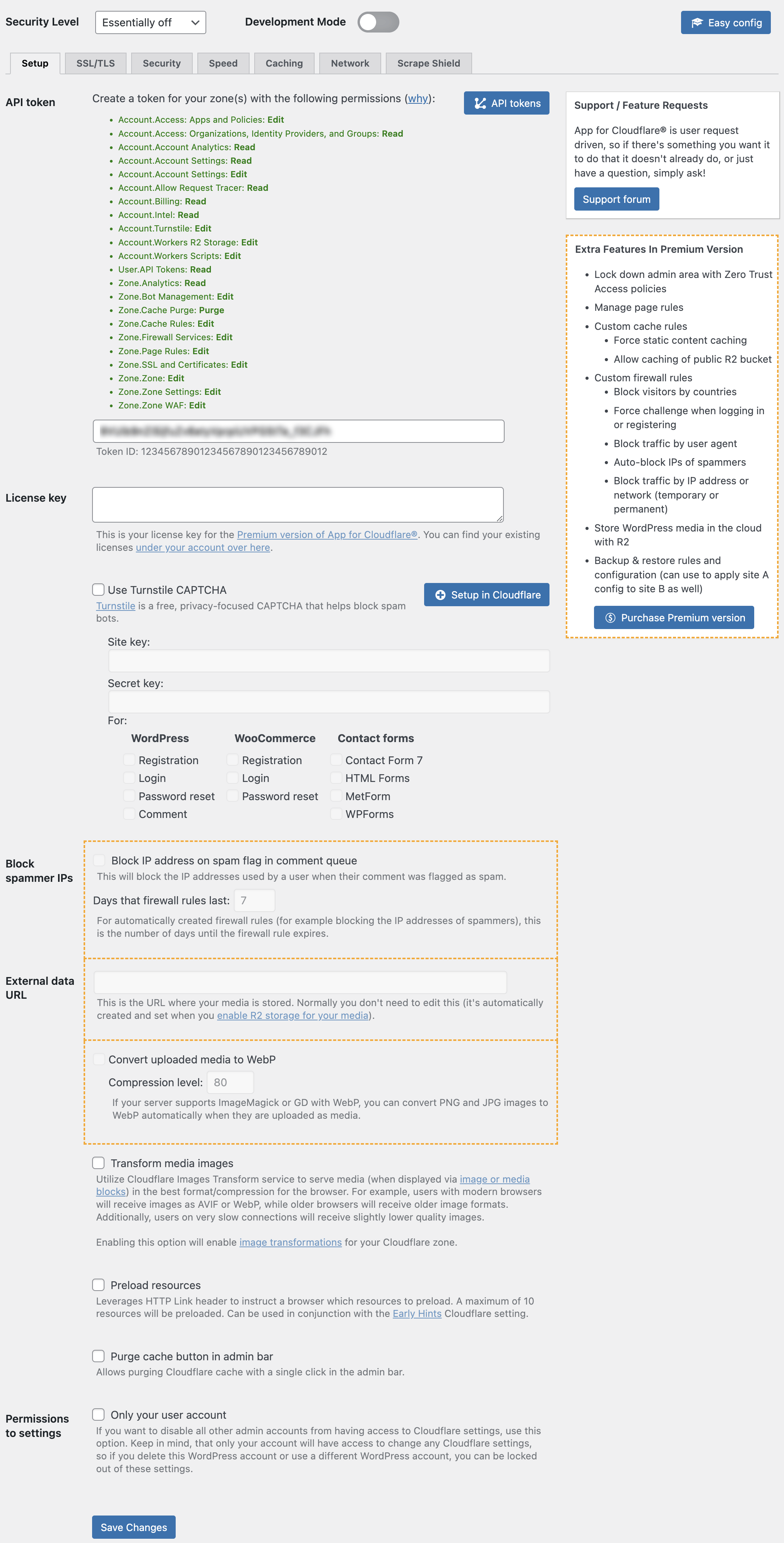
- Turnstile CAPTCHA system for registrations, logins, password reset, comments and/or third party plugins
- View Page rules, Cache rules, Firewall rules, IP Address rules, User Agent rules
- View Zero Trust Network Access setup
- View DMARC statistics
- Included tools: HTTP request trace, IP address details, domain details, WHOIS
Directly cache HTML
App for Cloudflare® can automatically cache your HTML pages at Cloudflare data centers in 330+ cities. “Standard” WordPress caching plugins can’t escape the laws of physics because information can’t travel faster than the speed of light (even if the page is cached, the cache exists on your physical origin server, which can be over 20,000 km from an end user). Caching content in Cloudflare data centers makes your website faster by putting your website cache closer to end-users (95% of the world’s population is within 50ms of a Cloudflare data center).
This can be done without Cloudflare Workers or even a Page Rule (done with a single Cache Rule on Cloudflare’s side, and custom code in the plugin).
Preload JavaScript and CSS
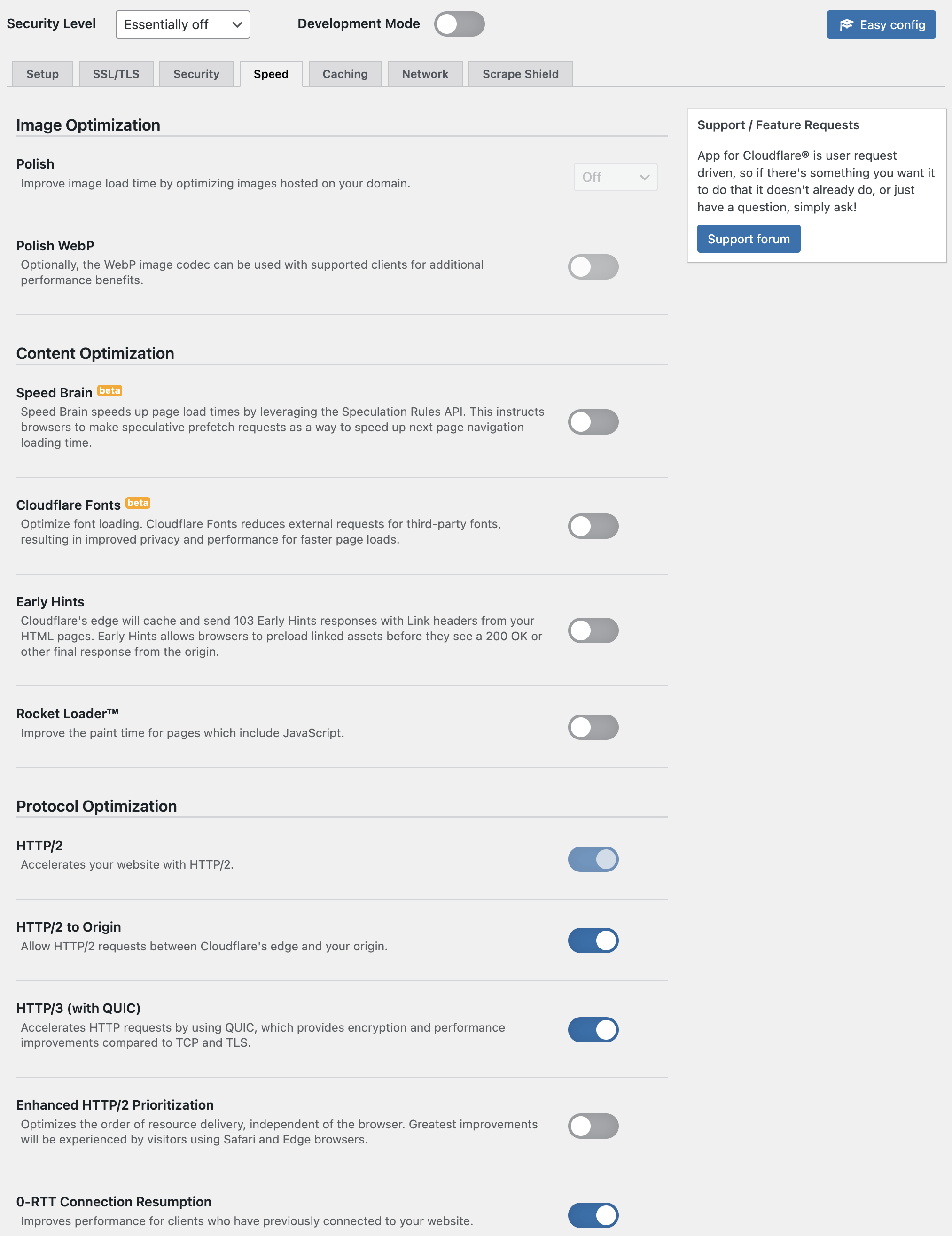
Speed your site up by using the option that instructs browsers to preload JavaScript and CSS used to render the page being viewed. Can be used on its own, or in conjunction with Cloudflare’s Early Hints function.
Manage all Cloudflare settings
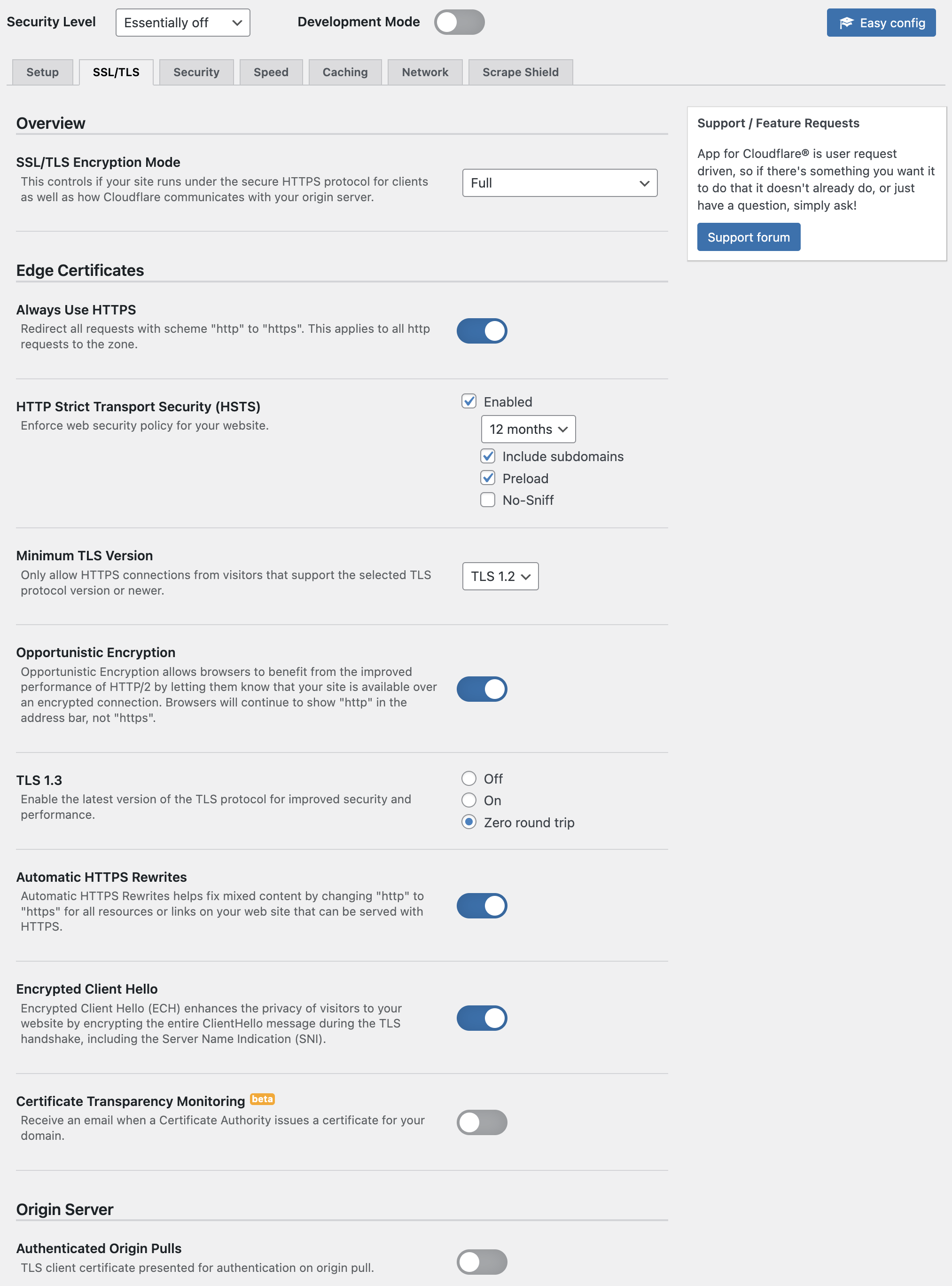
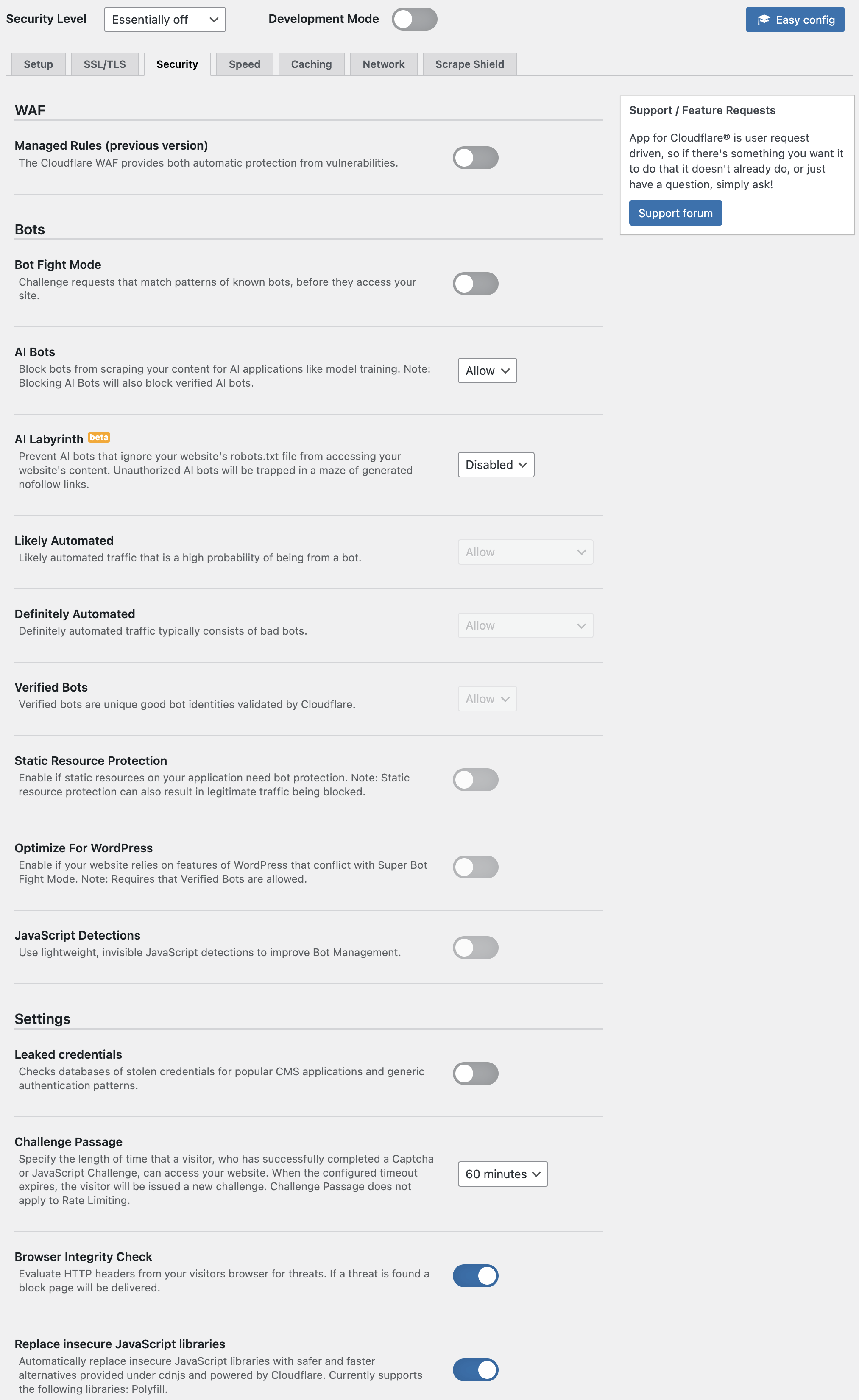
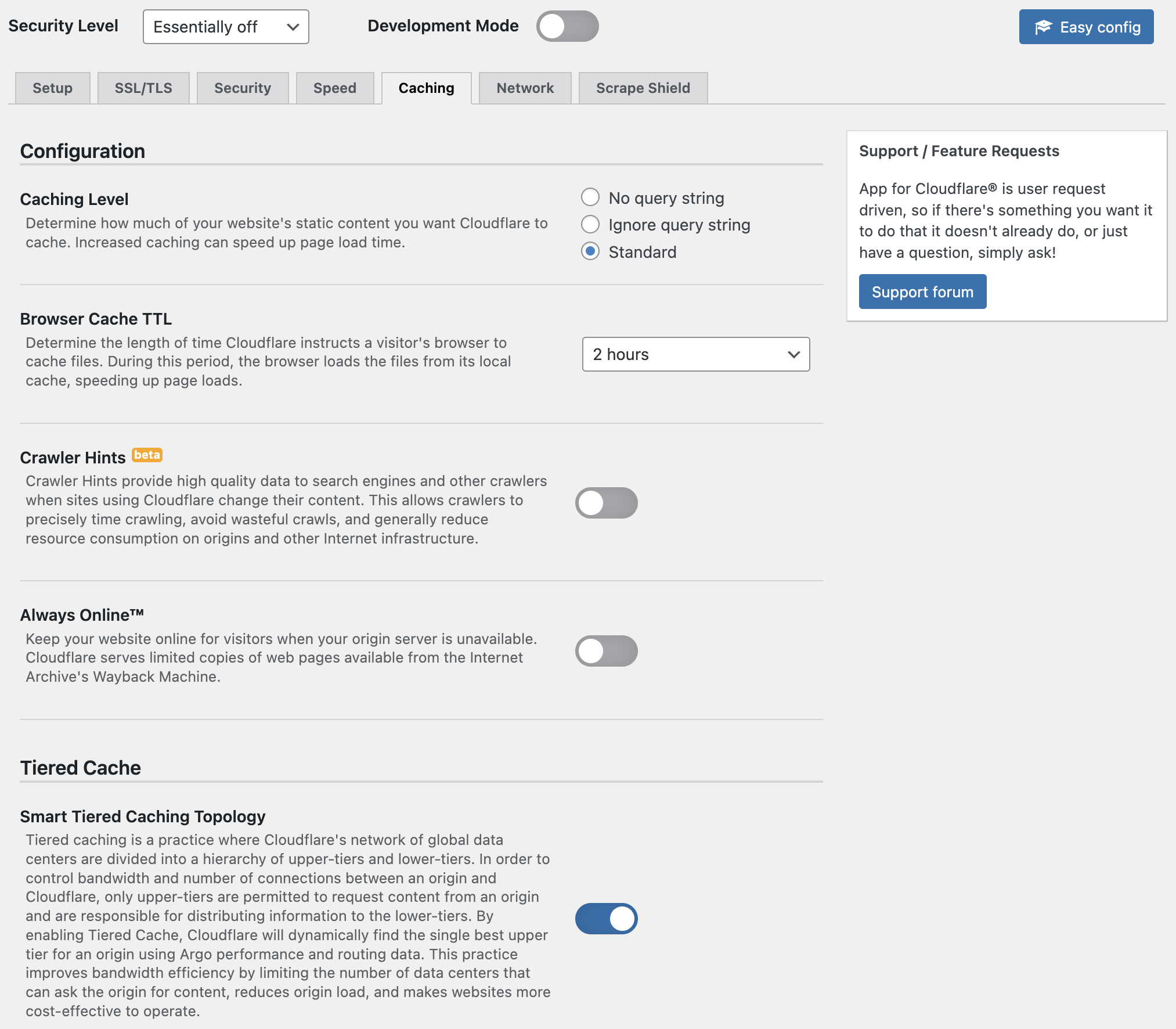
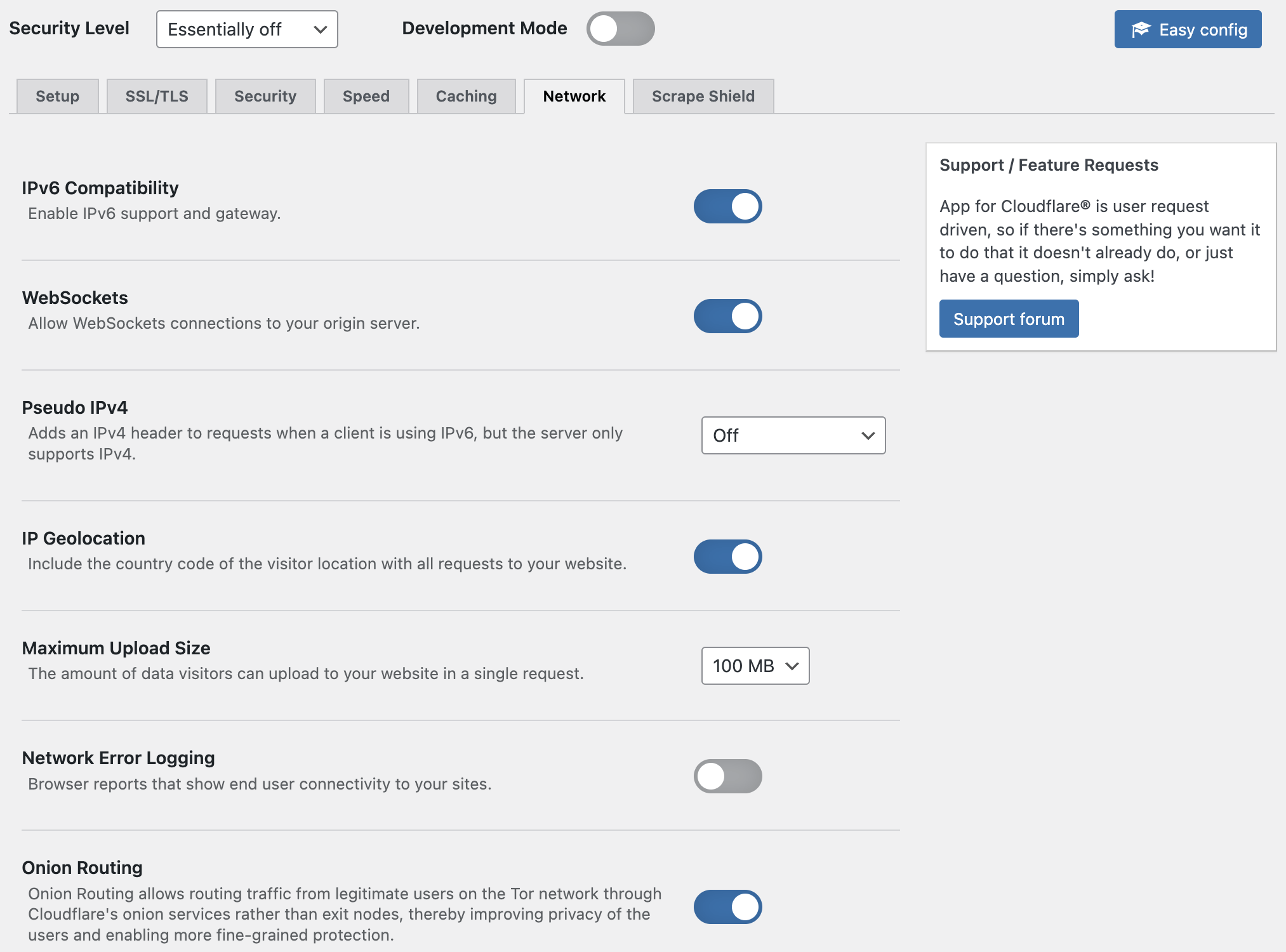
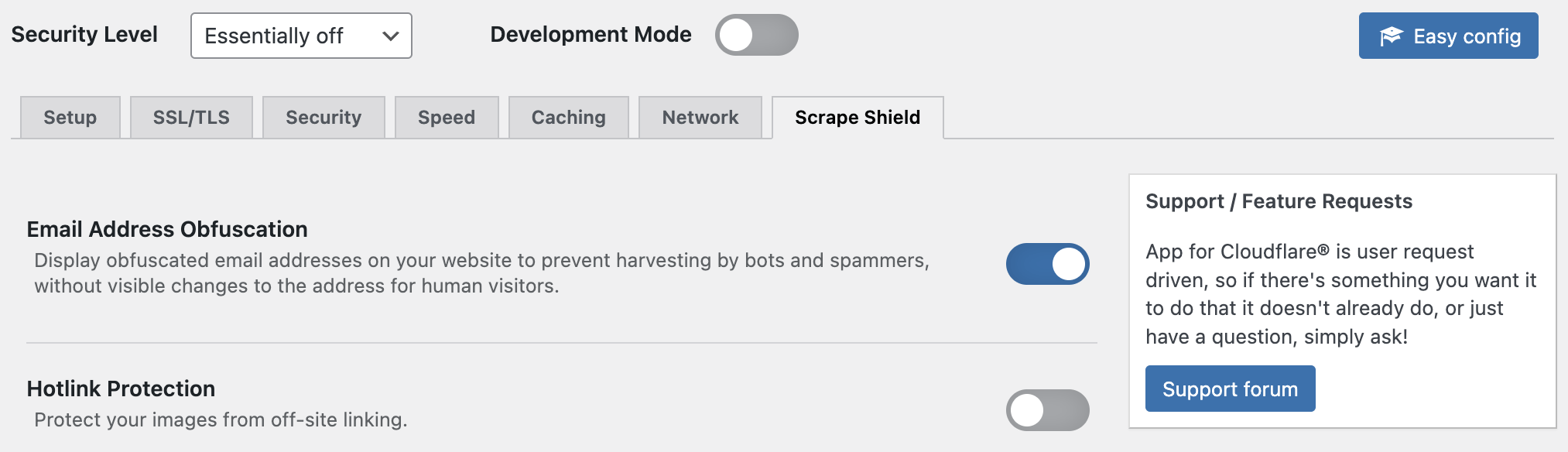
All Cloudflare settings can be changed directly within your WordPress admin area.
Includes Easy config function that will optimally set your Cloudflare zone settings for WordPress.
Fixes Cloudflare Flexible SSL redirect loops
Automatically fixes HTTPS redirect loops when using Cloudflare’s Flexible SSL option (traffic between user and Cloudflare is encrypted, but traffic between Cloudflare and origin server is not).
Handles user IP addresses
Automatically handles the situation where your web server is passing Cloudflare IP addresses rather than the IP address of the user making the request.
Turnstile CAPTCHA
Cloudflare Turnstile CAPTCHA support for registration, login, password reset, comment forms, WooCommerce, Contact Form 7, Elementor Pro, HTML Forms, MetForm and/or WPForms. Single-click setup (done transparently via API call).
Network analytics
View network stats for your website directly within your WordPress admin area with a dashboard widget.
View rules & firewall
Quickly review your site’s Cloudflare rules and firewall settings from within your WordPress admin area. Includes:
- Page rules
- Cache rules
- Firewall custom rules
- IP address rules
- User agent blocking
DMARC management
Track third parties that are sending email on your behalf (for example an email provider you have authorized like Gmail or Outlook). You can also see unauthorized email senders or spammers sending email on behalf of your domain.
Multisite network support
You can have a network-wide Cloudflare API token that can be overridden on a per site basis. In the case where a multisite network operator has the site domains in a single Cloudflare account, they can allow the site users to use Cloudflare features for their individual site without disclosing the underlying API token.
Additionally, a single Pro license for the main network site allows the media from all sites in the network to be stored in the cloud, within a single Cloudflare R2 bucket.
Image Transformations
Supports Cloudflare’s Image Transformation service, which allows Media images to automatically be served in the best format that a browser supports (AVIF, WebP, etc). Additionally, smaller images can be automatically served to users on very slow network connections. No web server configuration required.
Store media in the cloud [Premium]
Easily and seamlessly store your WordPress media in the cloud with Cloudflare R2. This allows you to offload resources (both bandwidth and disk space) from your server. The first 10GB is free, and only costs $0.015 per GB thereafter (ex. if you had 100GB of media, it would cost $1.35 per month to store it in the cloud).
Includes the ability to migrate existing media from local filesystem to R2 (or from R2 to local filesystem). Works with individual media, or all media in bulk (includes web-based migration as well as a shell/WP-CLI option).
Automatically convert uploaded images to AVIF or WebP
This is done with a free companion plugin, Image Shift (includes the ability to apply watermarks).
Protect admin area [Premium]
Utilize Zero Trust Network Access to authenticate users before they access your WordPress admin area.
Manage rules & firewall [Premium]
The premium version unlocks the ability to manage (create, delete, suspend and unsuspend) Cloudflare rules and firewall definitions. In addition to defining your own rules, you can deploy useful rules with a single click:
- Block traffic from certain countries (or Tor exit nodes widely used by spammers and hackers)
- Block AI scrapers & crawlers (block bots from scraping your content for AI applications like model training)
- Force a challenge before users can register (bot/spammer mitigation)
- Cache static content
- Automatically block the IP address(es) of spammers for a period of time
Backup & restore [Premium]
You can backup and restore some of your most important Cloudflare configuration settings:
- Zero Trust Access Policies
- Firewall Rules
- Firewall IP Access Rules
- Firewall User Agent Blocking
- Page Rules
- Cache Rules
Backups can be restored to different zones (for example if you had extensive configuration for a zone, you could give another zone the same configuration through a backup restore).
Other features
- API calls are done exclusively through API Tokens (with the minimum required permissions) and not a Global API Key. Global API Keys are an incredibly bad idea from a security standpoint.
- Ability to purge Cloudflare cache from WordPress admin (or via WP-CLI).
- Ability to copy Cloudflare zone settings from a different zone on the same Cloudflare account.
- Cached pages are automatically purged when a post/page is edited (just the necessary pages, not all pages). Stale content is not served to users.
- Ability to designate an individual admin user to manage settings (maybe you don’t want all admins to have the ability to change things in Cloudflare).
- Ability to use WordPress filters to add your own logic to things (for example, maybe you don’t want to cache a certain page or post for whatever reason).
- All JavaScript is native (no dependencies on jQuery or anything else).
- No third-party PHP libraries used (no dependencies on other libs).
Instalação
From your WordPress dashboard
- Navigate to “Plugins” -> Add New
- Procurar por
App for Cloudflare - Activate App for Cloudflare® from your Plugins area
Manual upload
- Download App for Cloudflare®
- Upload the
app-for-cfdirectory to your/wp-content/plugins/directory - Activate App for Cloudflare® from your Plugins area
Log de Changes
Cloudflare web analytics support
1.10.1.2 (2026-11-16)
- Added nonce assertion to toggle action
1.10.1.1 (2026-10-13)
- Added nonce assertion to a few additional places (CVE-2026-39749)
- Updated CSS used for icons on buttons to look better with new versions of WordPress
1.10.1 (2026-08-17)
- Updated URL endpoint for Access Apps to reflect change that Cloudflare made
- Added compatibility support for Turnstile during logins when using Wordfence 2FA
- Added ability to add APP_FOR_CLOUDFLARE_R2_NO_BANNER constant to WordPress config to never show the R2 banner to any user:
define('APP_FOR_CLOUDFLARE_R2_NO_BANNER', true); - Added Turnstile support for Elementor Pro (thanks to brkicpc)
- Raised minimum required WordPress version to 6.4.0
- Flagged as compatible with WordPress 7.1
1.10.0 (2026-04-27)
- Added
app_for_cf_no_cachefilter to flag if the current page should not be cached - Flagged as compatible with WordPress 7.0
1.9.9 (2026-02-17)
- Fixed issue where an admin of a site within a multisite network couldn’t add a user manually when using Turnstile for registrations
- Added additional extensions to the Cache Rule for caching static content
- Added new Cloudflare setting (under Speed): Markdown for Agents
- Added
app_for_cf_cache_timesfilter to change the default cache times for guest page caching
1.9.8 (2025-12-22)
- Added internal framework support for streaming R2 objects when copying from/to the local filesystem
- Added
app_for_cf_purge_cachefilter to control (or piggyback) cache purging - Internal
inet_pton()usage change (compatibility with a change in PHP 8.5.1, 8.4.16, 8.3.29, 8.2.30, 8.1.34)
Capturas de tela

Para desenvolvedores
Este é o seu plugin? Mostre os números.
Adicione um crachá ao vivo ao seu site, Documentos ou Readme do GitHub. Ele é atualizado por conta própria - nenhuma conta necessária.
Best App for Cloudflare® alternatives
All caching plugins →





FAQ
App for Cloudflare®: quick answers
Respostas diretas, extraídas de dados ao vivo WordPress.org.
Fonte: WordPress.org
Is App for Cloudflare® free?
Yes. App for Cloudflare® is free to download and use from the official WordPress.org plugin directory.
Is App for Cloudflare® safe to use in 2026?
Yes — App for Cloudflare® is a safe, well-maintained plugin to use in 2026. It runs on 1K+ sites, is rated 4.7/5 and was last updated 1 week ago, and scores 85/100 on our health check.
How many websites use App for Cloudflare®?
App for Cloudflare® is active on 1K+ WordPress websites and has been downloaded 42,905 times since it launched in October 2023. It was downloaded 2,601 times in the last 30 days.
Does App for Cloudflare® work with WordPress 7.1?
Yes. The developer has tested App for Cloudflare® up to WordPress 7.1.5, the latest release. It requires WordPress 6.4 or newer.
What PHP version does App for Cloudflare® need?
App for Cloudflare® requires PHP 5.4.0 or higher. Most hosts run PHP 8.x today, so it works on any modern WordPress hosting.
When was App for Cloudflare® last updated?
The latest version, 1.10.1.2, was released on November 16, 2026 (1 week ago).
Who makes App for Cloudflare®?
App for Cloudflare® is developed and maintained by digitalpoint.
What are the best alternatives to App for Cloudflare®?
The most popular alternatives to App for Cloudflare® are LiteSpeed Cache (7M+ installs), WP Super Cache (1M+ installs) and Speed Optimizer (1M+ installs).
Alimentado por PageForge
Um modelo e uma planilha. Uma página real para cada pesquisa.
PageForge Transforma cada linha de um CSV em uma página WordPress com seu próprio título, URL, SEO campos e esquema, construído no layout que você já desenhou. Gratuito em WordPress.org.
- CSV e XLSX, mais Google Sheets em Profissional e Empresarial
- Seu próprio título, URL, SEO campos e esquema para cada página
- Funciona com o editor de blocos, Elementor, Divi e Avada
- Gratuito em WordPress.org, sem cartão de crédito