

Bootstrap Blocks for WP Editor v2
The essential WP Editor Plugin for Bootstrap websites. Fully manageable responsive containers, rows and columns. Developers and editors easily create and edit bootstrap pages within the WP Editor. Without coding. Works…

Envisager une alternative
Bootstrap Blocks for WP Editor… shows warning signs in 2026 — compare the alternatives below before installing. It runs on 200+ sites, is rated 3/5 and was last updated 2 years ago, and scores 33/100 on our health check.
- Petite base d'utilisateurs (plus de 200 installations actives)
- Low rating so far — 3/5 from only 8 reviews
- Pas de mise à jour depuis plus d'un an
- Uniquement testé jusqu'à WordPress 6,7 (le dernier est de 7,1)
Comment s'accumule-t-il ?
Côte à côte sur les installations, les mises à jour, les évaluations et le support



Téléchargements quotidiens
Les pics de téléchargement suivent généralement une nouvelle version - chaque site qui met à jour automatiquement compte comme un téléchargement.
Classements
Where Bootstrap Blocks for WP Edi… stands todayWordPress.org Classements de recherche
Position en direct dans la recherche de plugins, Top 100| Mot-clé | Position |
|---|---|
| blocs | >100 |
| bootstrap | #65 |
| breakpoints | >100 |
| container | >100 |
| Générateur de pages | >100 |
Adoption de version
Part de sites actifs par version.
Répartition des notes
★★★★★★★★★★ 3 from 8 reviews
About Bootstrap Blocks for WP Editor v2
From the official readme · v2.5.1Description
The essential WP Editor Plugin for Bootstrap websites. Fully manageable responsive containers, rows and columns. Developers and editors easily create and edit bootstrap pages within the WP Editor. Without coding. Works perfectly in combination with loads of other plugins.
Use it with self-developed Bootstrap themes or regular themes!
Whether you want to set up a complete Bootstrap WordPress site or just want to quickly set up a temporary page. The Bootstrap blocks for WP Editor plugin enables you to make use of your activated WordPress theme. But you can also choose to start without the header and footer and start with a fresh page. Without any header and footer. It’s all up to you.
Features of Bootstrap Blocks for WP Editor v2:
NEW! in v2:
- Align columns in row: left, center and right
- Set visibility of columns per breakpoint
- Set order of each column per breakpoint
- Container wrapper: full width background colours and set additional class
- Container and column background color option
- Bootstrap button
- Independent text parts colouring
- Responsive spacer colouring
- Responsive spacer visibility per breakpoint
- Optimized for Bootstrap 5.3
- Editor: adjustable view width (up to 100% of screen width)
- Editor: collapse containers, rows and columns for better overview
- Editor: view columns vertical and horizontal
- Editor: breakpoint labels for quick overview
Features that were already there:
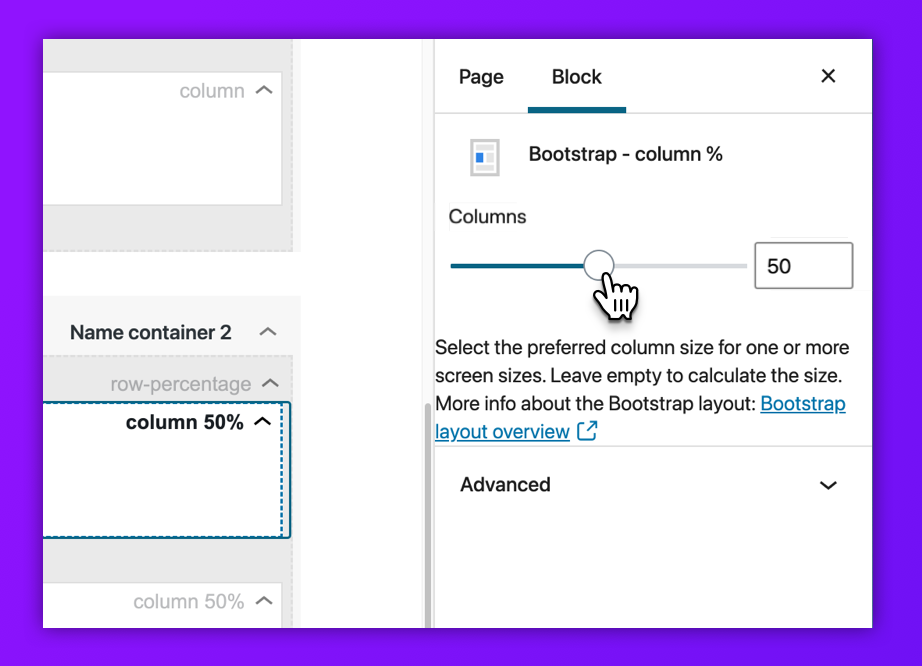
- Insert containers, rows and columns in the WP Editor
- Use the WP Editor blocks in the Bootstrap grid
- Seamless integration with themes that use Bootstrap grid
- Seamless integration with themes that do not use Bootstrap grid
- Set overall identity colours and apply these in WP Editor
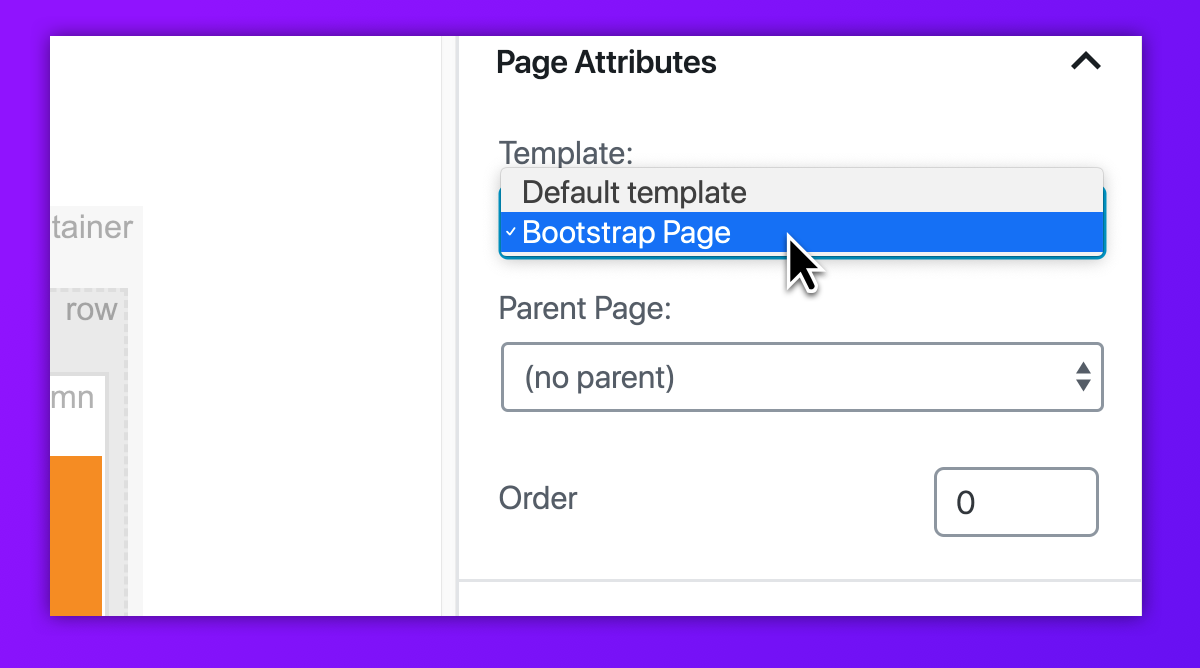
- Option: start with empty ‘Bootstrap Page’ template
- Option: enable Bootstrap grid from plugin dashboard
- Option: wrap page title in Bootstrap grid on ‘Bootstrap page’ template pages
- Option: hide default page title on ‘Bootstrap page’ template pages
- Collapse containers for clear overview in the Editor
- Add labels to containers for clear overview in the Editor
Extra Features of the Design Package add-on:
- Set column use for all (6) Bootstrap breakpoints
- Use of standard Bootstrap classes (such as mx-auto)
- Responsive Spacer Block (not pixel based, but screen size based)
- Suppress default header and footer on ‘Bootstrap page’ template pages
- Full control over gutter setting
- Make use of fluid containers
- Lock container layouts to avoid unintended changes by editors
- Editor: custom CSS code editor for adding css only to current post-item
More information on our website
Exigences :
- WordPress 6.0 and up
- Bootstrap 4.0 and up
Installation:
Add the free Bootstrap blocks for WP Editor plugin via your WordPress plugins page:
- On the ‘Plugins’ page: click on “add new”
- Search “Bootstrap blocks for WP Editor”
- Click “install now”
- Activate Bootstrap blocks for WP Editor on the ‘Plugins’ page
Or download it on the WordPress Plugins page and install manually:
- On the ‘Plugins’ page: click on “add new”
- Click on “Upload Plugin”
- Choose the downloaded file on your hard drive
- Click “install now”
Journal de modifications
2.5.1
- Security and bug fixes.
2.5.0
- Bug fixes and compatibility adjustments for optimal user experience with the latest WordPress editor version
- Added visible units in responsive spacer
- updated the colour selectors and moved them to the styles tab
- Added alpa coloring
- Added a custom code texture for adding custom css in the head.
- Optimized layouts in the editor
- Added XXL columns screen-size and visibility support
- Refactored the locked layout. Locking wil now show a more compacted layout in the editor.
2.2.0
- Fixed colour issues
- Minor bugs fixes
- Responsive spacer exended with multiple units
• Fixed default inserted containers not containing any columns in WordPress > 6.1.1
2.1.0
- Added support for multisite environment
- Minor bugs fixes
2.0.2
- Fix missing toggle in editor role
2.0.1
- Small visual css bugfix
Captures d'écran




Pour les développeurs
Est-ce votre plugin ? Montrez les chiffres.
Ajoutez un badge en direct à votre site, docs ou github readme. Il se met à jour par lui-même - aucun compte n'est nécessaire.
Best Bootstrap Blocks for WP Edito… alternatives
Plugins Tous les blocs →





FAQ
Bootstrap Blocks for WP Editor v2: quick answers
Réponses directes, extraites des données en direct WordPress.org.
Source : WordPress.org
Is Bootstrap Blocks for WP Editor… free?
Yes. Bootstrap Blocks for WP Editor… is free to download and use from the official WordPress.org plugin directory.
Is Bootstrap Blocks for WP Editor… safe to use in 2026?
Bootstrap Blocks for WP Editor… shows warning signs in 2026 — compare the alternatives below before installing. It runs on 200+ sites, is rated 3/5 and was last updated 2 years ago, and scores 33/100 on our health check.
How many websites use Bootstrap Blocks for WP Editor…?
Bootstrap Blocks for WP Editor… is active on 200+ WordPress websites and has been downloaded 14,088 times since it launched in February 2019. It was downloaded 198 times in the last 30 days.
Does Bootstrap Blocks for WP Editor… work with WordPress 7.1?
Bootstrap Blocks for WP Editor… is officially tested up to WordPress 6.7.12, while the latest release is 7.1.5. It may still work, but try it on a staging site first.
What PHP version does Bootstrap Blocks for WP Editor… need?
Bootstrap Blocks for WP Editor… requires PHP 7.4 or higher. Most hosts run PHP 8.x today, so it works on any modern WordPress hosting.
When was Bootstrap Blocks for WP Editor… last updated?
The latest version, 2.5.1, was released on December 26, 2024 (2 years ago).
Who makes Bootstrap Blocks for WP Editor…?
Bootstrap Blocks for WP Editor… is developed and maintained by 3D Virge.
What are the best alternatives to Bootstrap Blocks for WP Editor…?
The most popular alternatives to Bootstrap Blocks for WP Editor… are Spectra Legacy (1M+ installs), Kadence Blocks (600K+ installs) and Extendify (500K+ installs).
Propulsé par PageForge
Un modèle et une feuille de calcul. Une vraie page pour chaque recherche.
PageForge transforme chaque ligne d'un CSV en une page WordPress avec son propre titre, URL, SEO et schéma, construit sur la mise en page que vous Déjà conçu. Gratuit sur WordPress.org.
- CSV et XLSX, plus Google Sheets sur les professionnels et les entreprises
- Son propre titre, URL, SEO champs et schéma pour chaque page
- Fonctionne avec l'éditeur de blocs, Elementor, Divi et Avada
- Gratuit sur WordPress.org, pas de carte de crédit