


Cherchez et remplacez tout par WPCode - Recherchez et remplacez les médias, le texte, les liens, etc.
Search & Replace Everything by WPCode enables you to efficiently manage your website’s content directly from the WordPress admin. This tool is essential for site migrations, content updates, or any situation where batch…

Utiliser avec prudence
Search & Replace Everything by… works, but test it on a staging site before relying on it in 2026. It runs on 20K+ sites, is rated 3.9/5 and was last updated 4 months ago, and scores 55/100 on our health check.
- Prouvé à grande échelle sur plus de 20 000 sites actifs
Comment s'accumule-t-il ?
Côte à côte sur les installations, les mises à jour, les évaluations et le support



Téléchargements quotidiens
Les pics de téléchargement suivent généralement une nouvelle version - chaque site qui met à jour automatiquement compte comme un téléchargement.
Classements
Where Search & Replace Everything… stands todayWordPress.org Classements de recherche
Position en direct dans la recherche de plugins, Top 100| Mot-clé | Position |
|---|---|
| base de données | >100 |
| médias | >100 |
| remplacer | #5 |
| recherche | #35 |
| Rechercher Remplacer | #4 |
Adoption de version
Part de sites actifs par version.
Répartition des notes
★★★★★ ★★★★★ 3.9 sur 7 avis
About Search & Replace Everything by WPCode
From the official readme · v1.0.10Description
Powerful Search & Replace for WordPress
Search & Replace Everything by WPCode enables you to efficiently manage your website’s content directly from the WordPress admin. This tool is essential for site migrations, content updates, or any situation where batch find and replace text and image replacements are needed.
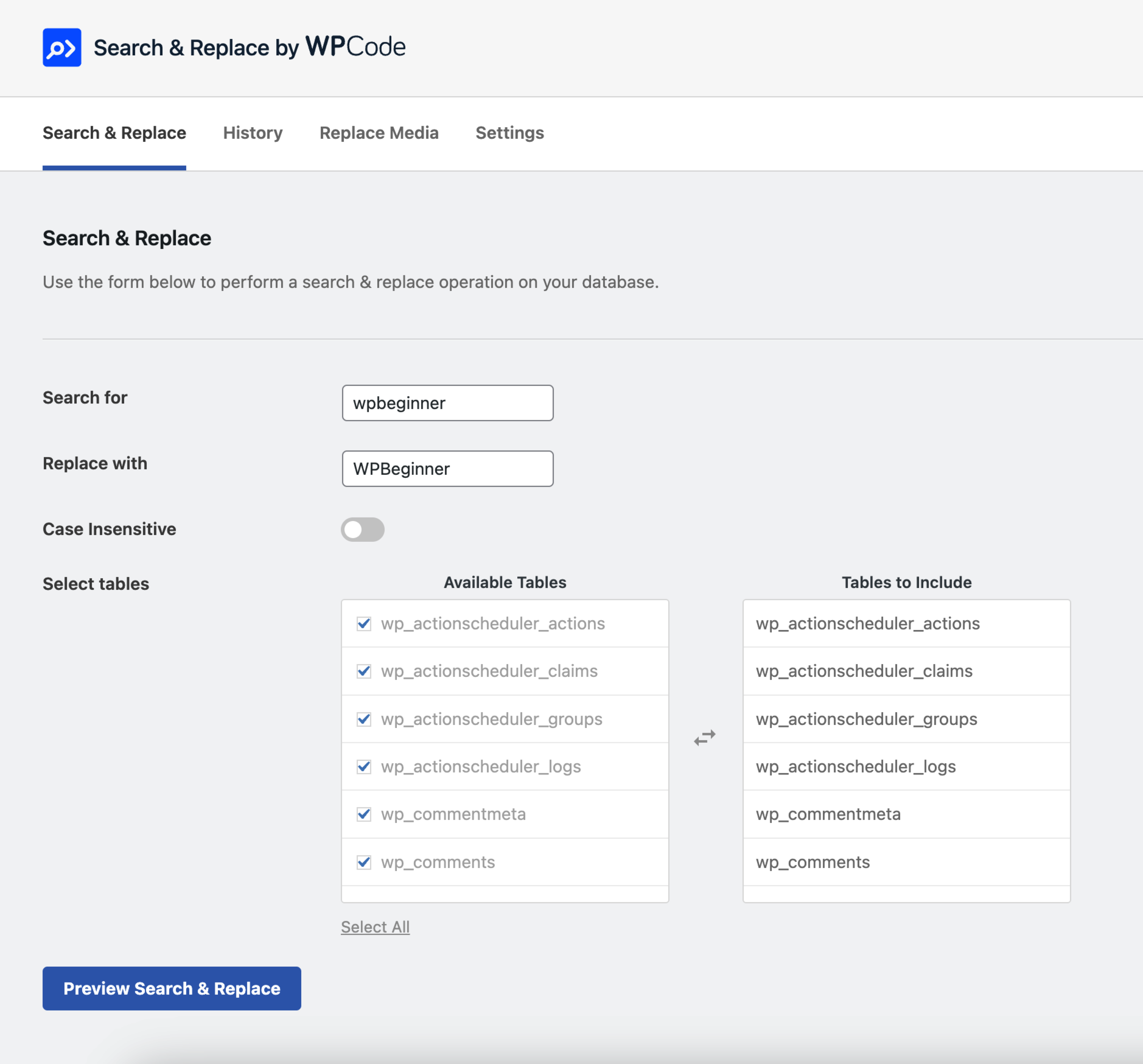
With an intuitive interface, you can perform detailed find and replace operations across your entire database. Select specific tables, toggle case sensitivity, and preview changes before committing. Serialized data is fully supported. Designed to handle large websites, this plugin operates smoothly without the need for external tools.
Features Include
- Text Replacement – Find and replace text across multiple database tables with support for serialized data and options for case-sensitive search.
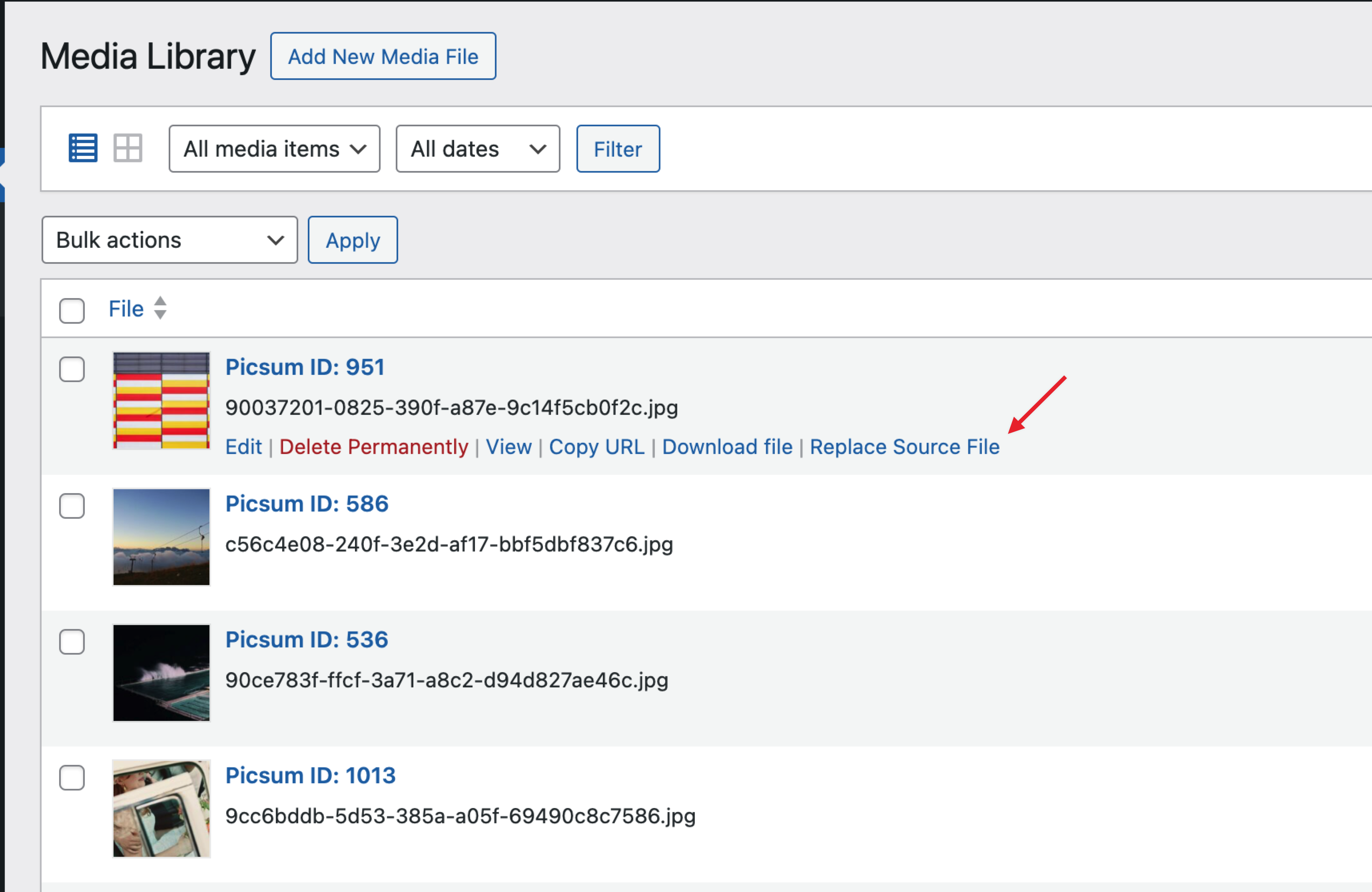
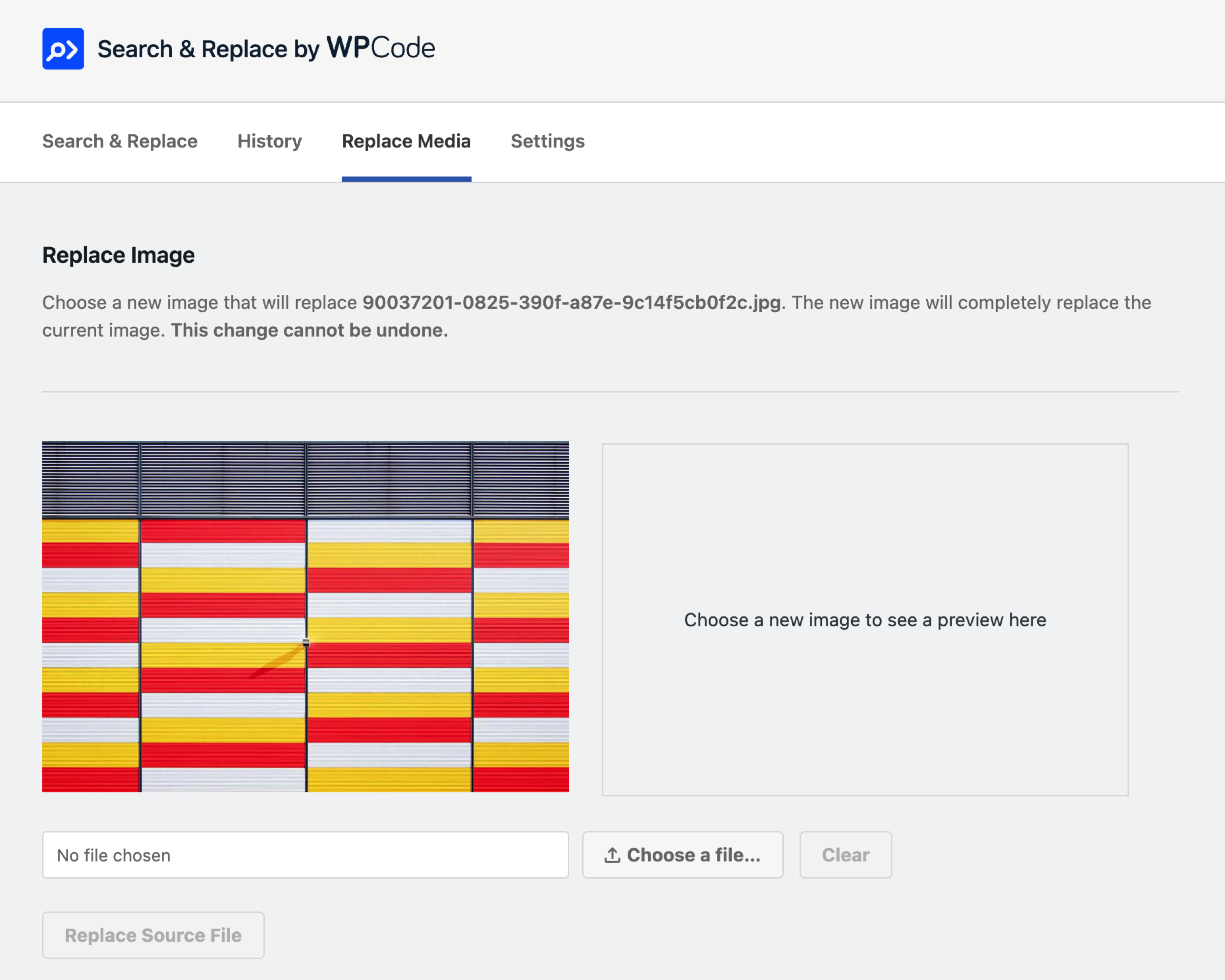
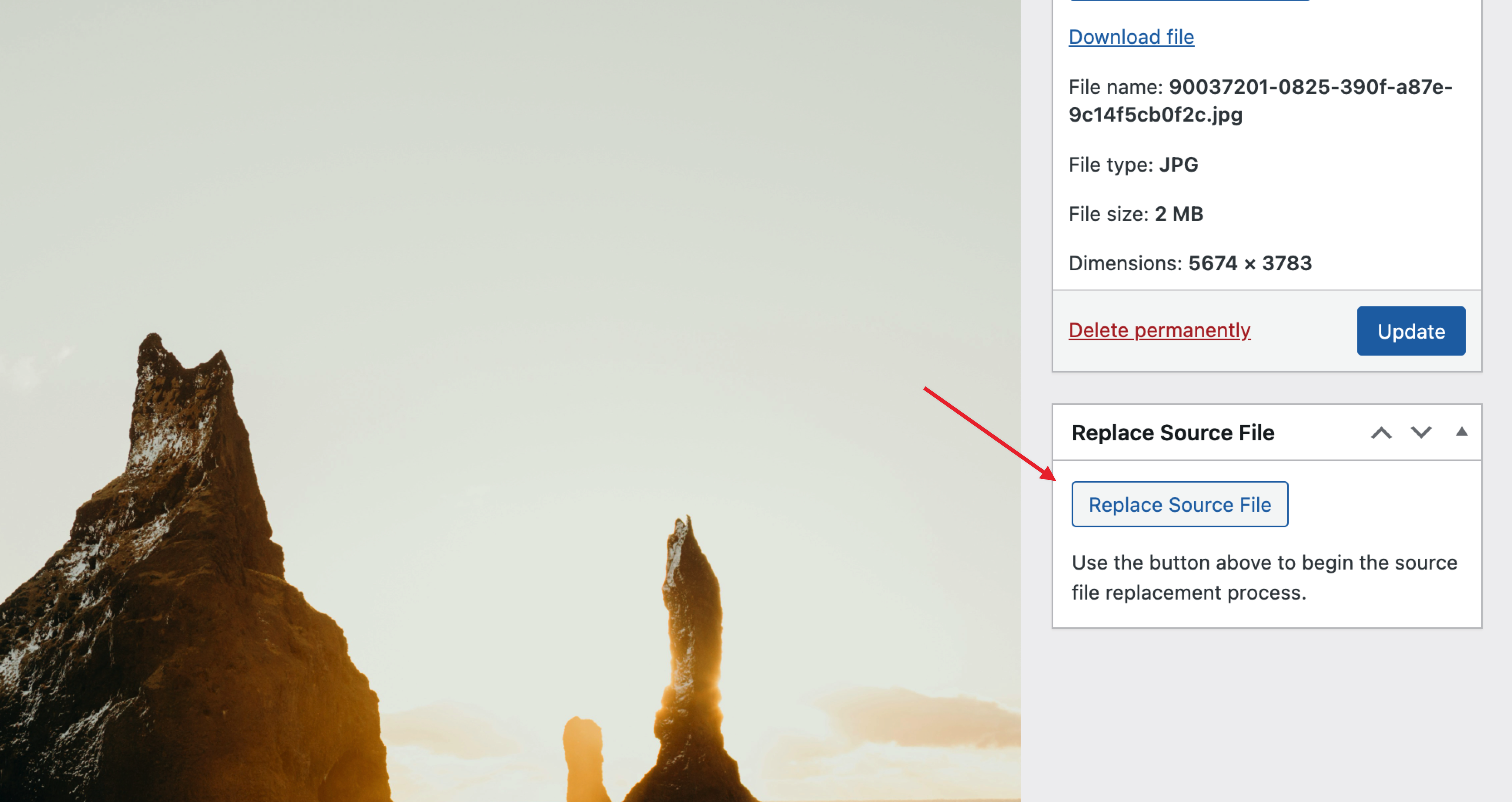
- Replace Image – Directly replace images from the media library, automatically regenerating thumbnails to ensure visual consistency.
- Replace Media – Manage and replace media files of various formats across your entire site.
- Preview Changes – Always see a “dry-run” preview of the changes to ensure accuracy before applying them.
- Large Sites Supported – Optimized for performance, capable of handling large databases efficiently.
- Table Selection – Choose specific tables to search and replace text, ensuring that only the necessary data is affected.
Introducing Search & Replace Everything Pro
While Search & Replace Everything offers many powerful features for free, we have also created a Pro version that includes advanced features to further improve your workflows like the ability to undo Search & Replace operations and replacing images directly from the Gutenberg editor. Click here to purchase Search & Replace Everything Pro now!
Cas d'utilisation
- Site Migrations – Quickly update URLs or any site data when moving your site.
- Content Updates – Easily replace outdated information or bulk update content across posts, pages, and custom post types.
- Image Management – Replace outdated images and avoid duplicate uploads.
- Media Updates – Replace media files in any format across your site.
Tips for Using Search & Replace
Backup Your Database – While the plugin is safe to use, it’s always a good idea to make a backup before making changes.
Common mistakes to avoid when replacing text:
- Partial Matches – Ensure that you’re not replacing partial matches that could affect unintended content. For example, replacing “cat” could affect “category” or “concatenate”.
- Case Sensitivity – Be mindful of case sensitivity when replacing text. If you’re looking to replace “Cat” with “Dog”, ensure that you’re not affecting “cat” or “CAT”.
- URL Replacements – Always use the same format for both the search and replace values. For example if your search term has a trailing slash, ensure that the replacement term also has a trailing slash. E.g., “example.com/” to “example.net/” instead of “example.com/” to “example.net”.
Commencer
After installing Search & Replace Everything by WPCode, look for the new menu item under WP Admin > Tools > WP Search & Replace. From there, you can start managing your content and perform find and replace operations for text or images across your entire website.
Installation
- Téléchargez les fichiers du plug-in dans le répertoire
/wp-content/plugins/search-replace-wpcodeou installez directement le plugin via l'écran des plugins WordPress. - Activez le plugin via l'écran "Plugins" dans WordPress.
- Use the interface under
WP Admin > Tools > WP Search & Replaceto start managing your content.
Journal de modifications
1.0.10
- Fix: Embedded image size URLs are now updated when replacing an image from the media library.
- Tweak: Compatibility with WordPress 7.0.
1.0.9
- New: Search terms and database table selections are now saved for quick reuse.
1.0.8
- Fix: We fixed an issue where a search & replace operation would generate notices in the logs.
1.0.7
- Tweak: You can now drag & drop files in the media replacement page.
- Tweak: We improved feedback for search & replace operations on large sites.
1.0.6
- Tweak: We improved the way we handle a search & replace operation that involves changing the site URL.
- Fix: We fixed some text-domains that were not correctly set for better translation support.
1.0.5
- Fix: Adjusted spacing for footer that was overlapping with the content on some browsers.
Captures d'écran


Pour les développeurs
Est-ce votre plugin ? Montrez les chiffres.
Ajoutez un badge en direct à votre site, docs ou github readme. Il se met à jour par lui-même - aucun compte n'est nécessaire.
Best Search & Replace Everything b… alternatives
Tous les plugins de base de données →





FAQ
Search & Replace Everything by WPCo…: quick answers
Réponses directes, extraites des données en direct WordPress.org.
Source : WordPress.org
Is Search & Replace Everything by… free?
Yes. Search & Replace Everything by… is free to download and use from the official WordPress.org plugin directory.
Is Search & Replace Everything by… safe to use in 2026?
Search & Replace Everything by… works, but test it on a staging site before relying on it in 2026. It runs on 20K+ sites, is rated 3.9/5 and was last updated 4 months ago, and scores 55/100 on our health check.
How many websites use Search & Replace Everything by…?
Search & Replace Everything by… is active on 20K+ WordPress websites and has been downloaded 158,439 times since it launched in June 2024. It was downloaded 4,702 times in the last 30 days.
Does Search & Replace Everything by… work with WordPress 7.1?
Search & Replace Everything by… is officially tested up to WordPress 7.0.9, while the latest release is 7.1.5. It may still work, but try it on a staging site first.
What PHP version does Search & Replace Everything by… need?
Search & Replace Everything by… requires PHP 7.0 or higher. Most hosts run PHP 8.x today, so it works on any modern WordPress hosting.
When was Search & Replace Everything by… last updated?
The latest version, 1.0.10, was released on July 28, 2026 (4 months ago).
Who makes Search & Replace Everything by…?
Search & Replace Everything by… is developed and maintained by WPCode.
What are the best alternatives to Search & Replace Everything by…?
The most popular alternatives to Search & Replace Everything by… are Search Regex (100K+ installs), WP-Sweep (100K+ installs) and Advanced Database Cleaner (100K+ installs).
Propulsé par PageForge
Un modèle et une feuille de calcul. Une vraie page pour chaque recherche.
PageForge transforme chaque ligne d'un CSV en une page WordPress avec son propre titre, URL, SEO et schéma, construit sur la mise en page que vous Déjà conçu. Gratuit sur WordPress.org.
- CSV et XLSX, plus Google Sheets sur les professionnels et les entreprises
- Son propre titre, URL, SEO champs et schéma pour chaque page
- Fonctionne avec l'éditeur de blocs, Elementor, Divi et Avada
- Gratuit sur WordPress.org, pas de carte de crédit