


Quotable
Quotable adds buttons to quotes and text selection that make it quick and easy for your readers to share quotes from your website.

Envisager une alternative
Quotable shows warning signs in 2026 — compare the alternatives below before installing. It runs on 40+ sites, is rated 5/5 and was last updated 7 years ago, and scores 36/100 on our health check.
- Petite base d'utilisateurs (40+ installations actives)
- Pas de mise à jour dans 6 ans
- Uniquement testé jusqu'à WordPress 5,4 (le dernier est de 7,1)
Comment s'accumule-t-il ?
Côte à côte sur les installations, les mises à jour, les évaluations et le support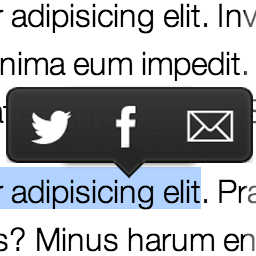



Téléchargements quotidiens
Les pics de téléchargement suivent généralement une nouvelle version - chaque site qui met à jour automatiquement compte comme un téléchargement.
Classements
Where Quotable stands todayWordPress.org Classements de recherche
Position en direct dans la recherche de plugins, Top 100| Mot-clé | Position |
|---|---|
| MOYEN | >100 |
| quotes | >100 |
| Partager des boutons | >100 |
| média sociaux | >100 |
| >100 |
Adoption de version
Part de sites actifs par version.
Répartition des notes
★★★★★ ★★★★★ 5 sur 7 avis
About Quotable
À partir du Lisezmoi officiel · v2.1.0Description
Quotable adds buttons to quotes and text selection that make it quick and easy for your readers to share quotes from your website.
Simply install the plugin, there is no setup required. Icons that match your site’s theme will be added to quotes and appear in a contextual menu when readers select text on your website, allowing them to quickly and easily share the quotes to Twitter.
This plugin adds a page link, hashtags and mentions to shared quotes. WordPress tags are used as hashtags and, if you use Yoast’s WordPress SEO plugin, the post author’s and site’s Twitter accounts are added as mentions to Tweets.
Sponsorship
I am software engineer and I love to create free and open source software for nomads, bloggers and language learners. In order to afford to spend time creating, maintaining and updating my free software, I rely on financial support from donors. In return, I provide my donors with access to exclusive updates, support and features. If you find this plugin useful, please consider supporting me for just $1/month on Patreon.
Installation
- Upload the plugin files to the
/wp-content/plugins/directory - Activez le plugin via le menu « Plugins » dans WordPress
After installing the plugin, there is no setup required. Visit a page and highlight some text in the main content and you should see the Quotable toolbar pop up. Visit a page or post with quote blocks, and you should see the Quotable icon added at the end of the quote. See the FAQ for more information about available options and settings.
Journal de modifications
This update adds German and Hungarian translations.
2.1.0
- Adds Hungarian translation
- Adds German translation
2.0.0
- Adds support for Gutenberg block editor
- Adds the ability to enable/disable buttons on individual quotes in the block editor
- Moves page and post settings to the Gutenberg document settings sidebar
- Hides Quotable settings on posts and pages if disabled site-wide
- Completely rewritten codebase using WordPress coding standards and modern JavaScript
- Removes a call to platform.twitter.com
- Adds Spanish translation for the plugin
- Improves the user expereince when installing and updating
- Adds settings shortcut in plugin list
- Various bug fixes and tests
- Released under GPL license, previous version was MIT
1.0.6
- Update code formatting and style to match WordPress standards.
- Remove underlines, shadows and borders from Twitter icon at the end of blockquotes.
1.0.2
- Fetch Twitter script via https
1.0.1
- Fixed minor console errors on pages with no quotable content
1.0.0
- Updated plugin meta information
- Prepared the plugin for future updates (coming soon!)
Captures d'écran


Pour les développeurs
Est-ce votre plugin ? Montrez les chiffres.
Ajoutez un badge en direct à votre site, docs ou github readme. Il se met à jour par lui-même - aucun compte n'est nécessaire.
Best Quotable alternatives
All Medium plugins →



FAQ
Quotable: quick answers
Réponses directes, extraites des données en direct WordPress.org.
Source : WordPress.org
Is Quotable free?
Yes. Quotable is free to download and use from the official WordPress.org plugin directory.
Is Quotable safe to use in 2026?
Quotable shows warning signs in 2026 — compare the alternatives below before installing. It runs on 40+ sites, is rated 5/5 and was last updated 7 years ago, and scores 36/100 on our health check.
How many websites use Quotable?
Quotable is active on 40+ WordPress websites and has been downloaded 16,839 times since it launched in April 2014. It was downloaded 206 times in the last 30 days.
Does Quotable work with WordPress 7.1?
Quotable is officially tested up to WordPress 5.4.26, while the latest release is 7.1.5. It may still work, but try it on a staging site first.
What PHP version does Quotable need?
Quotable requires PHP 5.2 or higher. Most hosts run PHP 8.x today, so it works on any modern WordPress hosting.
When was Quotable last updated?
The latest version, 2.1.0, was released on May 5, 2020 (7 years ago).
Who makes Quotable?
Quotable is developed and maintained by Jo Sprague.
What are the best alternatives to Quotable?
The most popular alternatives to Quotable are Selection Sharer by Hans va… (2K+ installs), Source Medium Tracker for C… (200+ installs) and WP Applaud (100+ installs).
Propulsé par PageForge
Un modèle et une feuille de calcul. Une vraie page pour chaque recherche.
PageForge transforme chaque ligne d'un CSV en une page WordPress avec son propre titre, URL, SEO et schéma, construit sur la mise en page que vous Déjà conçu. Gratuit sur WordPress.org.
- CSV et XLSX, plus Google Sheets sur les professionnels et les entreprises
- Son propre titre, URL, SEO champs et schéma pour chaque page
- Fonctionne avec l'éditeur de blocs, Elementor, Divi et Avada
- Gratuit sur WordPress.org, pas de carte de crédit