


Prime Cache – Page Cache on Activation & One-Click Speed Optimization
Page caching that works the moment you activate it, plus one-click speed tuning. Runs on shared hosting without editing wp-config.php.

Choix solide
Prime Cache is a solid plugin choice in 2026, with a few things worth checking first. It runs on 20+ sites, is rated 5/5 and was last updated 1 week ago, and scores 74/100 on our health check.
- Développé activement — Dernière mise à jour il y a 1 semaine
- Testé avec le dernier WordPress (7.1)
- Momentum — downloads up 101.3% vs the previous 30 days
- Petite base d'utilisateurs (20+ installations actives)
- Très peu de critiques jusqu'à présent
Comment s'accumule-t-il ?
Côte à côte sur les installations, les mises à jour, les évaluations et le support



Téléchargements quotidiens
Les pics de téléchargement suivent généralement une nouvelle version - chaque site qui met à jour automatiquement compte comme un téléchargement.
Classements
Where Prime Cache stands todayWordPress.org Classements de recherche
Position en direct dans la recherche de plugins, Top 100| Mot-clé | Position |
|---|---|
| cachette | >100 |
| Vitals Web de base | >100 |
| optimisation | >100 |
| page cache | #83 |
| performance | >100 |
Adoption de version
Part de sites actifs par version.
Répartition des notes
★★★★★ ★★★★★ 5 sur 3 avis
About Prime Cache
From the official readme · v1.10.67Description
Activate Prime Cache and your pages are cached. There is no setup screen to get through first and no wp-config.php to edit.
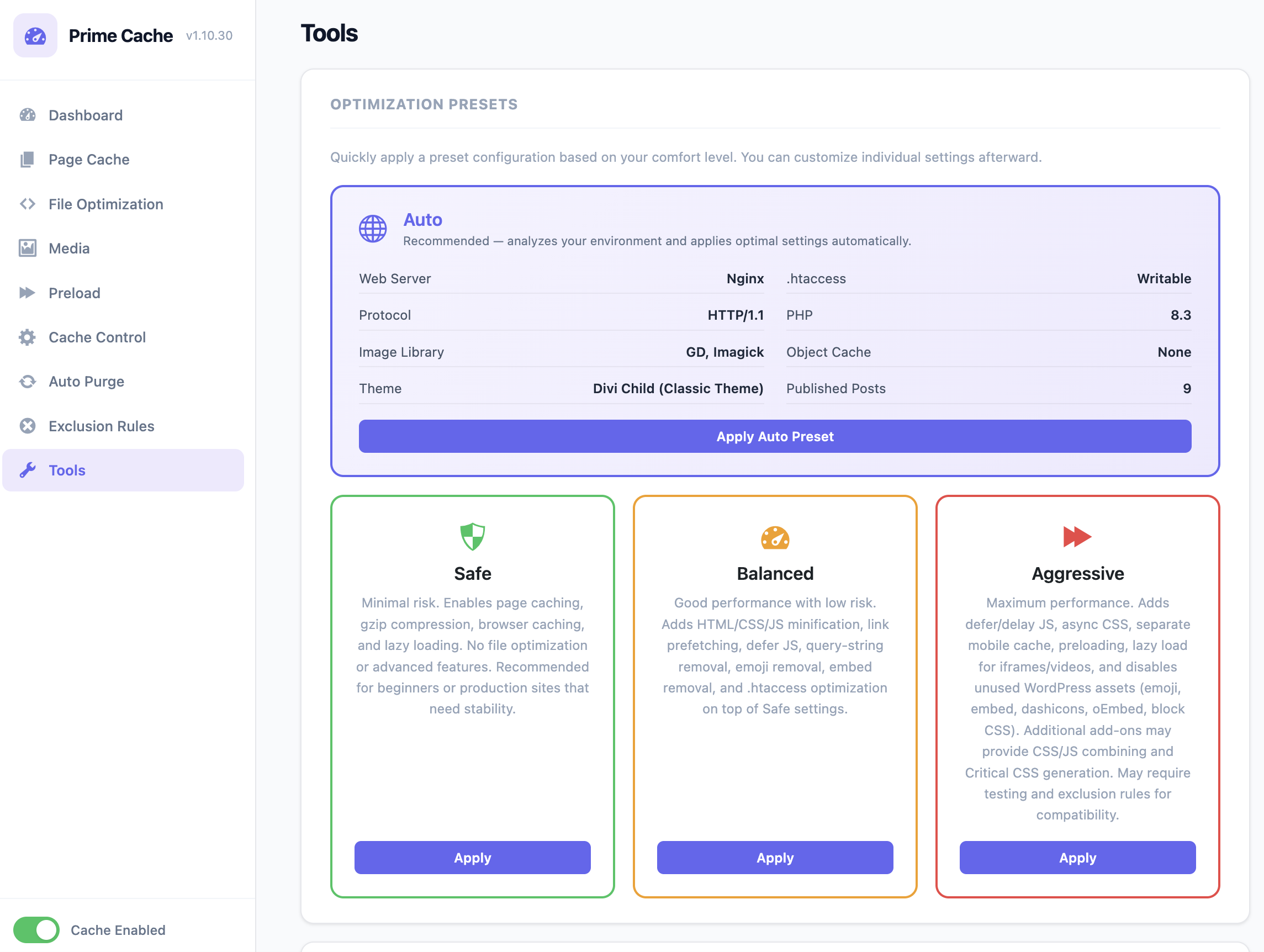
When you want more, one button, Auto, applies a set of speed settings in one go: HTML, CSS and JavaScript minification, deferred JavaScript, non-blocking CSS, lazy loading, browser caching, link prefetching and cache preloading. Every setting stays on its own screen afterwards, so you can review or change any of them.
Watch the 5-minute setup tutorial:
How it works without any setup
Page caching is on from the moment you activate the plugin. Prime Cache runs its page-cache engine early in each request and sends the stored copy of a page instead of building it again, so the theme and the database queries behind the page are skipped. Logged-in users, the admin screens, form submissions and WooCommerce cart, checkout and account pages are never served from the cache.
Two faster serving paths are optional:
- .htaccess Optimization (servers that read .htaccess): cached pages are sent by the web server without starting PHP. Turn it on in the Page Cache tab, or let Auto turn it on when .htaccess is writable.
- Drop-in mode: add
define( 'WP_CACHE', true );to wp-config.php yourself and cached pages are served before WordPress core loads. The settings screen shows the exact line.
The free plugin never edits wp-config.php. That file controls the whole site and some hosts manage it themselves, so an automatic edit is a risk the plugin does not take. The drop-in step stays in your hands, and page caching works without it.
Prime Cache is developed and run on shared hosting.
If something looks wrong after Auto
Auto’s JavaScript and CSS settings do the most for speed, and they are also the ones most likely to disagree with a theme or another plugin. Menus, sliders and forms are where problems usually show.
The quickest fix is the Safe preset in the Tools tab. It keeps page caching, browser caching and lazy loading, and turns off minification, deferred and delayed JavaScript, the CSS delivery settings and the other Auto settings that change how a page looks, including any you turned on yourself. The preset card in the Tools tab lists every setting it turns off. Clear the cache and check the page again.
To go back to exactly the settings you had before Auto, press the Undo button above the presets in the Tools tab. It puts back what the last preset changed.
To keep the rest of Auto and find the one setting that disagrees, apply Auto again and turn settings off in this order instead, clearing the cache after each step:
- Delay JavaScript Execution and Maximum Delay. Auto turns them on only on a tested theme (Cocoon for now) with no shop, page builder, slider or popup plugin active.
- Load JavaScript Deferred
- Load CSS Asynchronously (Free), then Inline Small CSS Files
- Minify HTML, Minify CSS and Minify JavaScript
Fonctions gratuites
- Page cache, on from activation
- Auto preset (plus Safe, Balanced and Aggressive presets)
- Browser cache headers
- .htaccess Optimization
- Gzip compression
- 404 page caching
- HTML / CSS / JavaScript minification
- Inline small CSS
- Defer JavaScript
- Delay JavaScript, including Maximum Delay
- Google Fonts display=swap
- Lazy load for images, iframes and videos
- WebP conversion, with bulk conversion
- Image resize on upload and EXIF removal
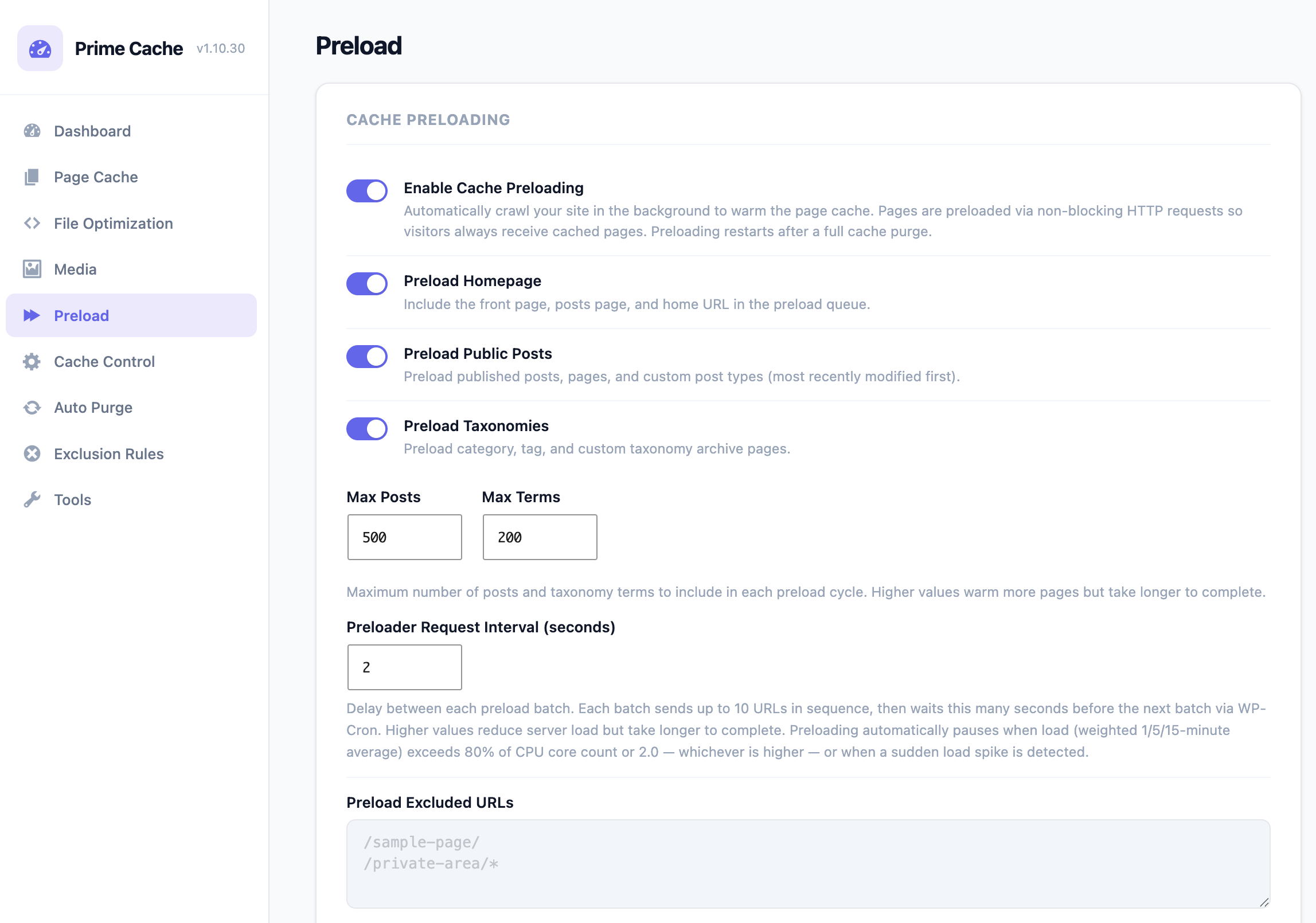
- Cache preloading for the homepage, public posts and public taxonomies
- Link prefetching
- Performance tweaks (disable emoji, jQuery Migrate, embeds and other WordPress extras)
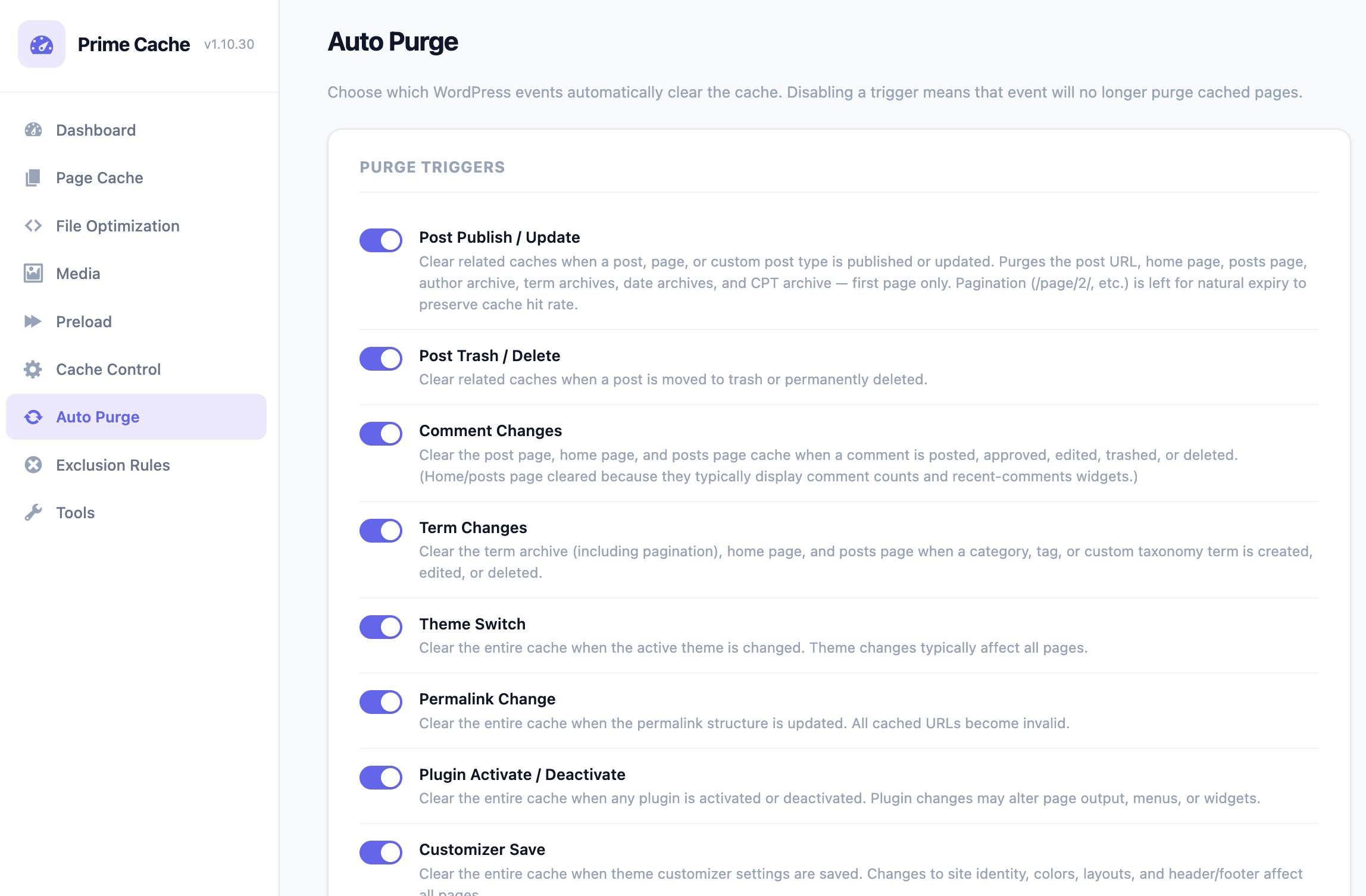
- Automatic cache purge on content changes
- Security headers
- Import / Export
- Assistance WP-CLI
Prime Cache Pro (optional add-on)
Prime Cache Pro is a separate add-on sold on the author’s website (https://raplsworks.com/plugins/prime-cache/). Everything described above is free, with no limits, and the free plugin does not need Pro to work.
With Pro installed, Auto also turns on:
- Remove Unused CSS, with automatically generated Critical CSS
- Delay JavaScript Execution with Maximum Delay
- AVIF image conversion (WebP when the server cannot make AVIF)
- Self-hosted Google Fonts and font preloading
- LCP optimization
- Speculation Rules
- Click-to-load YouTube thumbnails
- Preloading of taxonomy archives
Pro also adds features you turn on yourself:
- AI speed diagnosis and consultation (bring your own API key: Anthropic / OpenAI / OpenRouter / Gemini)
- CSS and JavaScript combining
- CDN URL rewriting
- Cloudflare, Sucuri and Varnish integration
- Object cache backends (APCu / Redis / Memcached)
- Sitemap-based cache preloading
- Database cleanup
- Contrôle des battements de coeur
- Self-hosted Google Analytics
- One-click
WP_CACHEsetup in wp-config.php, with a backup written first - A warning when a server-side cache sits in front of the site
Prime Cache Pro walkthrough (Japanese narration):
Japonais
The admin screens are translated into Japanese.
Documentation
Full documentation for every setting and every behavior:
- Free Manual (English): https://raplsworks.com/prime-cache-free-manual-en/
- Free 版マニュアル (日本語): https://raplsworks.com/prime-cache-free-manual-ja/
- Pro Manual (English): https://raplsworks.com/prime-cache-manual-pro-en/
- Pro 版マニュアル (日本語): https://raplsworks.com/prime-cache-manual-pro-ja/
Services externes
The free Prime Cache plugin does not connect to any external service. No data is sent to any third party at any time by the free plugin.
The following third-party hostnames appear inside the plugin’s source code as string literals only, and the plugin never makes outbound requests to them:
googletagmanager.com,google-analytics.com,connect.facebook.net,widget.intercom.io,embed.tawk.to— listed inincludes/class-file-optimizer.phpas URL-pattern presets for the “Delay JS” feature. They are used only to recognize third-party scripts already present on the page (added by other plugins or the theme) and to defer their execution until first user interaction. The plugin itself does not load, fetch, or embed any of these services.cdnjs.cloudflare.com— referenced only in code comments and admin-screen help text describing how some themes replace bundled jQuery with a CDN version. The plugin does not call or include any resource from this host.
If you install the optional Prime Cache Pro add-on, that separate plugin documents its own external service usage in its own readme — Prime Cache (free) on its own makes no outbound calls.
Why the page-cache drop-in keeps an open output buffer
A page cache has to capture the entire rendered HTML response so the body can be written to disk before the browser receives it. dropins/page-cache.php opens an ob_start() early in the request and lets PHP flush the buffer naturally at request shutdown — the captured body is written to the cache file inside the buffer callback. The buffer is deliberately not closed mid-request; doing so would either truncate the cached body or break the capture for plugins/themes that emit their last output during shutdown. This is the standard design for WordPress page caching. The HTML transformation pipeline in includes/class-html-pipeline.php follows the same pattern for the same reason.
Installation
- Go to Plugins > Add New in your WordPress admin and search for “Prime Cache”, then click Install Now (or upload the
prime-cachefolder to/wp-content/plugins/) - Activate the plugin through the ‘Plugins’ menu in WordPress. Page caching starts immediately; no wp-config.php changes are needed.
- Optional: go to Prime Cache > Tools and click Apply Auto Preset to turn on the speed settings described above.
- Optional: follow the on-screen note to add the
WP_CACHEline yourself for drop-in mode.
Settings tabs
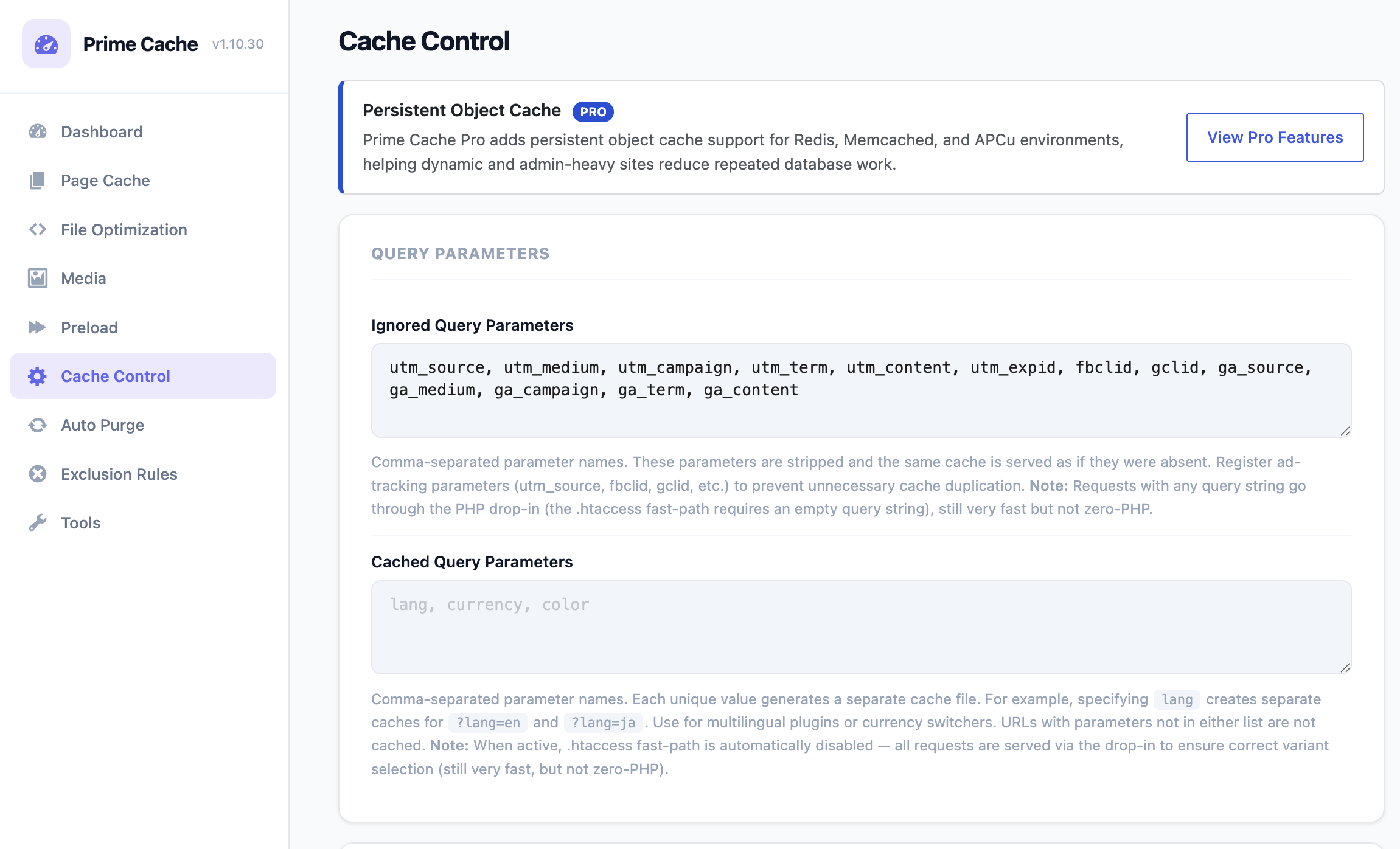
- Page Cache tab – Mobile cache, gzip compression, .htaccess Optimization and 404 caching
- File Optimization tab – HTML, CSS and JS minification, defer and delay
- Media tab – Lazy loading and WebP conversion
- Preload tab – Cache preloading and link prefetching
Journal de modifications
Prime Cache runs on PHP 7.4 and later again. Nothing else changes.
1.10.67
- Changed: Prime Cache runs on PHP 7.4 and later again. 1.10.66 required PHP 8.2; the code itself works on 7.4, so the requirement is back to where it was. PHP 8.2 or later is still recommended, because 7.4, 8.0 and 8.1 no longer receive security fixes.
1.10.66
- Changed: Prime Cache now requires PHP 8.2 or later. PHP 7.4, 8.0 and 8.1 no longer receive security fixes. Sites on an older PHP version keep the version they have; WordPress does not offer this update until PHP is upgraded.
1.10.65
- Added: on a tested theme (Cocoon and its child themes for now) with no shop, page builder, slider or popup plugin active, the Auto preset turns on Maximum Delay. The Auto card in the Tools tab shows whether it will, and why. A site that already applied Auto is not changed until Auto is pressed again.
- Added: an Undo button for the last preset in the Tools tab. It puts back the settings that preset changed, rebuilds the Prime Cache block in .htaccess from them and clears the cache. Only the last preset is kept.
- Changed: the Aggressive preset turns on Maximum Delay with Safe Mode off, and the Safe preset turns Maximum Delay off.
- Added: cookie consent banners from CookieYes, Complianz and Cookie Notice are never delayed. Contact Form 7, MW WP Form, Snow Monkey Forms and WPForms are new choices in the Delay JS exclusion presets; each also keeps the scripts it needs (jQuery or wp-i18n) from being delayed.
- Fixed: after Prime Cache Pro was turned off, the .htaccess block kept its AVIF rules until settings were saved again. The block is now rewritten on the next request after the add-on is turned off or back on.
- Changed: the .htaccess rules add Vary with “Header merge” instead of “append”, so Prime Cache no longer repeats Accept or Accept-Encoding when the value is already present.
- Docs: a 1.10.23 changelog line was cut off on WordPress.org at a raw script tag; it now shows in full.
1.10.64
- Added: during Black Friday 2026 (November 26 to December 2), the Dashboard tab of the Prime Cache settings shows a short notice about the Prime Cache Pro discount, with the end time in your site’s timezone. It appears only on that tab, only to administrators of sites where Prime Cache Pro is not installed, and not at all outside those dates. Each administrator can dismiss it for good, and the prime_cache_show_promo_notice filter turns it off. Nothing is loaded from outside the plugin.
- Changed: while that notice is shown, the review request is held back, so the two never appear together. Once the notice is dismissed or the dates have passed, the review request returns under its usual conditions.
1.10.63
- Fixed: the .htaccess rules now register .woff/.woff2 as font/woff and font/woff2, so the browser-cache expiry for these fonts takes effect.
- Fixed: when an update rewrote the .htaccess rules automatically, it ran before add-ons were loaded, so Prime Cache Pro’s AVIF rules were left out until settings were saved again. The rewrite now runs after add-ons have loaded, and it changes only the lines between the Prime Cache markers.
1.10.62
- Fixed: with Delay JavaScript on, the Cocoon theme’s mobile sidebar drawer opened empty on the first tap and worked from the second tap on. The tap that opens the drawer is also the one that starts loading the delayed scripts, so Cocoon’s script that moves the sidebar into the drawer had not run yet. A small script that is never delayed now moves the sidebar when Cocoon’s script has not run yet, and does nothing once Cocoon’s script is running. Only sites using Cocoon are affected.
Captures d'écran
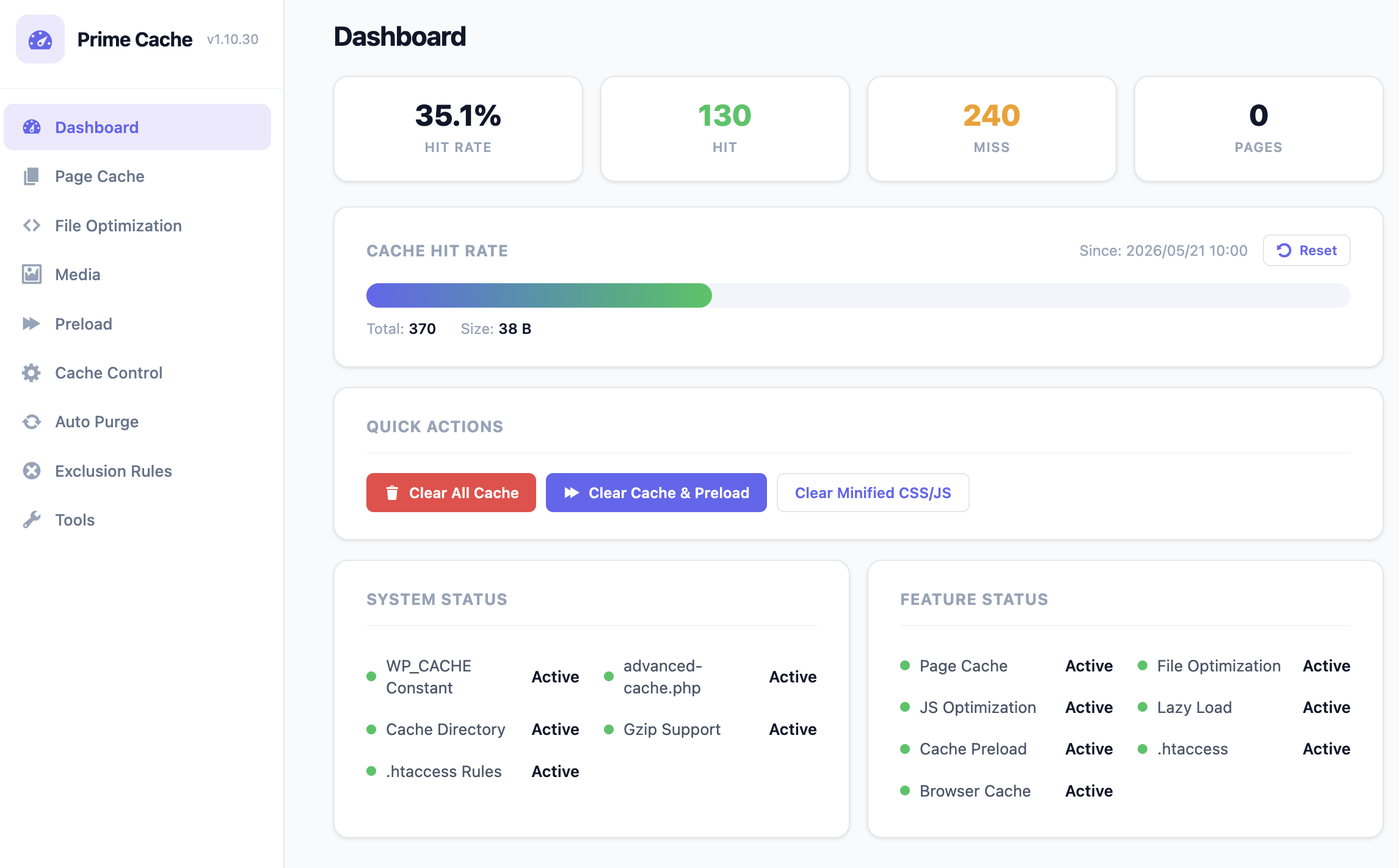
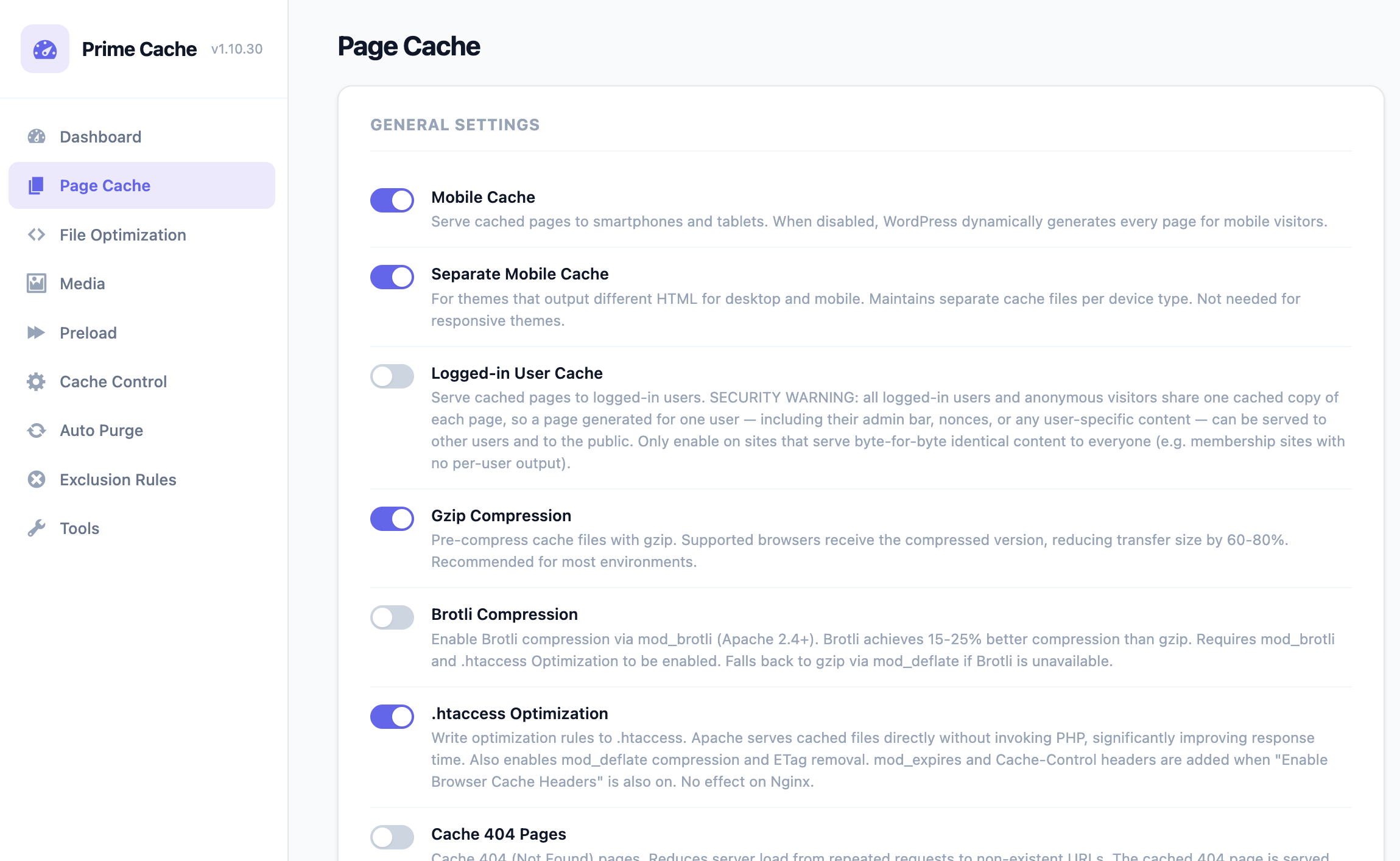
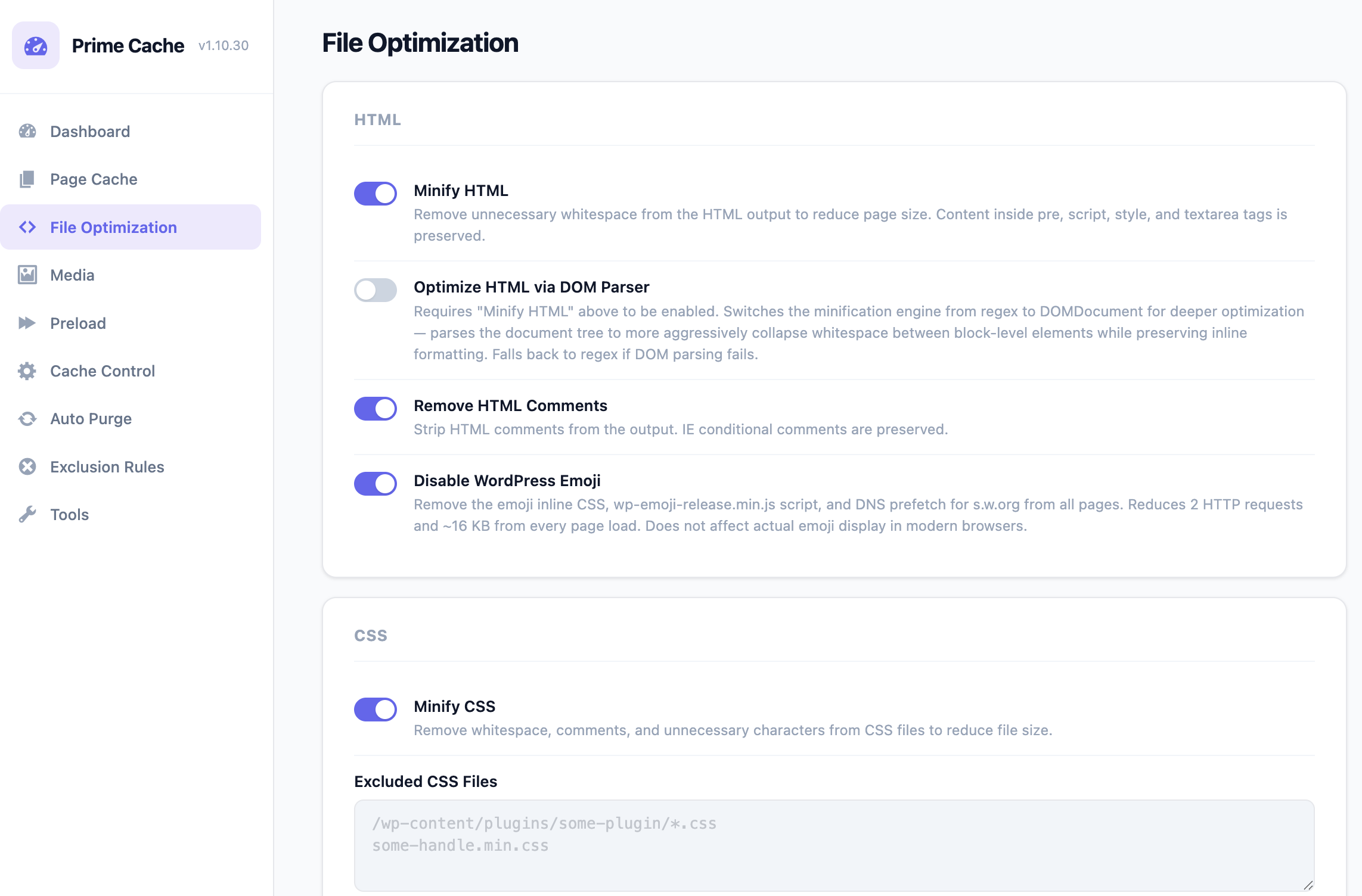
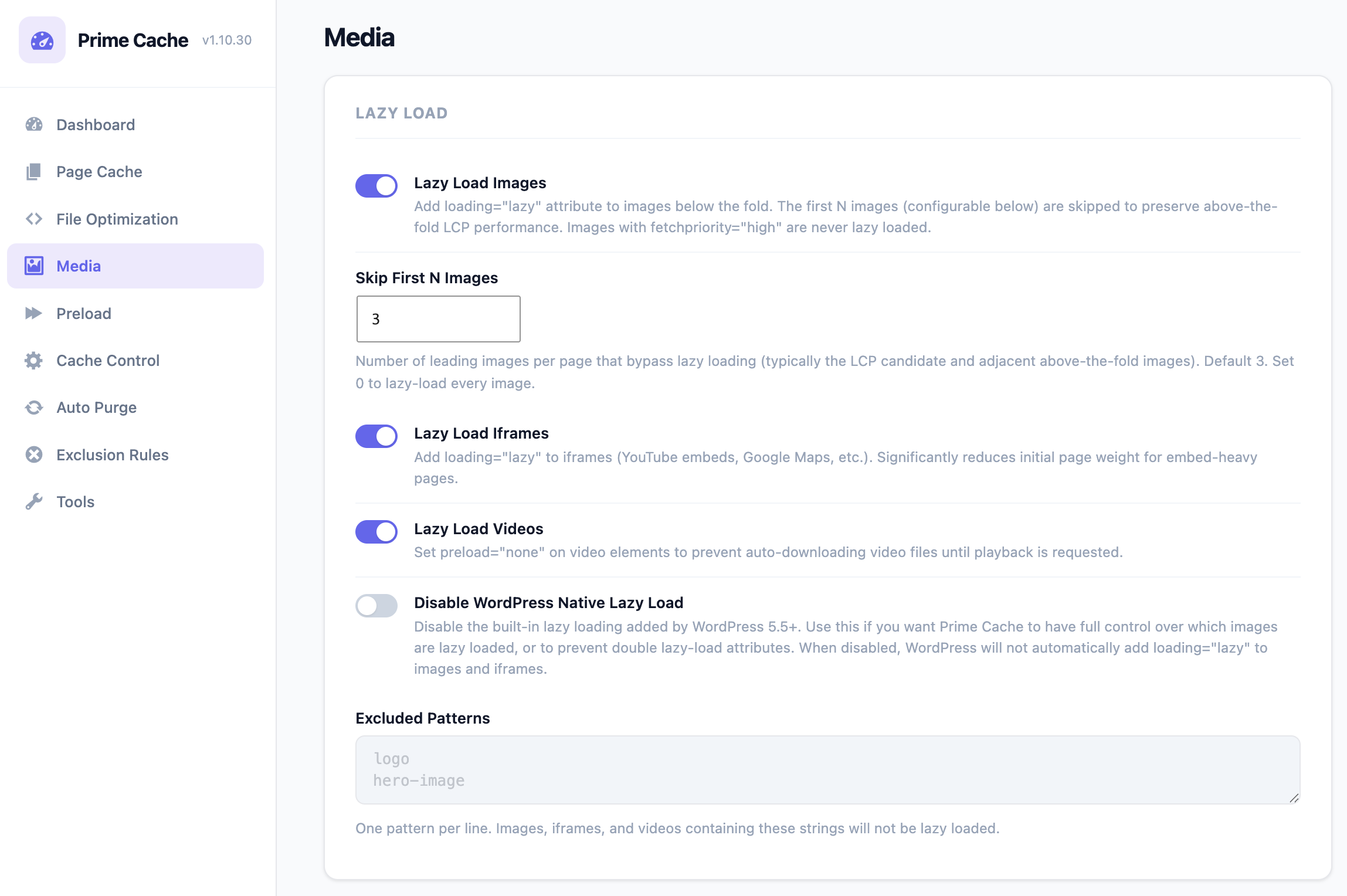
Pour les développeurs
Est-ce votre plugin ? Montrez les chiffres.
Ajoutez un badge en direct à votre site, docs ou github readme. Il se met à jour par lui-même - aucun compte n'est nécessaire.
Best Prime Cache alternatives
Tous les plugins de cache →



FAQ
Prime Cache: quick answers
Réponses directes, extraites des données en direct WordPress.org.
Source : WordPress.org
Is Prime Cache free?
Yes. Prime Cache is free to download and use from the official WordPress.org plugin directory.
Is Prime Cache safe to use in 2026?
Prime Cache is a solid plugin choice in 2026, with a few things worth checking first. It runs on 20+ sites, is rated 5/5 and was last updated 1 week ago, and scores 74/100 on our health check.
How many websites use Prime Cache?
Prime Cache is active on 20+ WordPress websites and has been downloaded 2,756 times since it launched in July 2026. It was downloaded 618 times in the last 30 days.
Does Prime Cache work with WordPress 7.1?
Yes. The developer has tested Prime Cache up to WordPress 7.1.5, the latest release. It requires WordPress 5.8 or newer.
What PHP version does Prime Cache need?
Prime Cache requires PHP 7.4 or higher. Most hosts run PHP 8.x today, so it works on any modern WordPress hosting.
When was Prime Cache last updated?
The latest version, 1.10.67, was released on November 21, 2026 (1 week ago).
Who makes Prime Cache?
Prime Cache is developed and maintained by rapls.
What are the best alternatives to Prime Cache?
The most popular alternatives to Prime Cache are WP Super Cache (1M+ installs), WP Fastest Cache (1M+ installs) and WP-Optimize (1M+ installs).
Propulsé par PageForge
Un modèle et une feuille de calcul. Une vraie page pour chaque recherche.
PageForge transforme chaque ligne d'un CSV en une page WordPress avec son propre titre, URL, SEO et schéma, construit sur la mise en page que vous Déjà conçu. Gratuit sur WordPress.org.
- CSV et XLSX, plus Google Sheets sur les professionnels et les entreprises
- Son propre titre, URL, SEO champs et schéma pour chaque page
- Fonctionne avec l'éditeur de blocs, Elementor, Divi et Avada
- Gratuit sur WordPress.org, pas de carte de crédit