


Geo2 Maps Add-on for NextGEN Gallery
NGG Geo2 Maps Add-on displays maps with photos, galleries, or albums using EXIF GPS data or geocoding. Requires NextGEN Gallery.

Utiliser avec prudence
Geo2 Maps Add-on for NextGEN Ga… works, but test it on a staging site before relying on it in 2026. It runs on 80+ sites, is rated 3.3/5 and was last updated 8 months ago, and scores 45/100 on our health check.
- Petite base d'utilisateurs (80+ installations actives)
- Mixed reviews — 3.3/5 from 12 ratings
- Uniquement testé jusqu'à WordPress 6,9 (le dernier est de 7,1)
Comment s'accumule-t-il ?
Côte à côte sur les installations, les mises à jour, les évaluations et le support



Téléchargements quotidiens
Les pics de téléchargement suivent généralement une nouvelle version - chaque site qui met à jour automatiquement compte comme un téléchargement.
Classements
Where Geo2 Maps Add-on for NextGE… stands todayWordPress.org Classements de recherche
Position en direct dans la recherche de plugins, Top 100| Mot-clé | Position |
|---|---|
| galerie | >100 |
| gps | #30 |
| carte | >100 |
| nextgen | #10 |
| photos | >100 |
Adoption de version
Part de sites actifs par version.
Répartition des notes
★★★★★★★★★★ 3.3 from 12 reviews
About Geo2 Maps Add-on for NextGEN Gallery
À partir du Lisezmoi officiel · v2.1.6Description
!!! Please notice that “Ratings” do not represent the current plugin version quality – which was updated and corrected. Please check by yourself and leave feedback.
NGG Geo2 Maps Add-on is a flexible extension plugin for free or Pro NextGEN Gallery (tested up to version 4.0.4), displaying maps with your photos, galleries or albums located using EXIF GPS data or geocoding.
The goal of this plugin is to add to WordPress similar geolocation functionality as other web-based self-hosted photo manager apps have like Gallery 3, Piwigo, PhotoPrism or LibrePhotos.
The plugin is using Microsoft Azure Maps and requires free Azure Maps API Key to function.
Traits
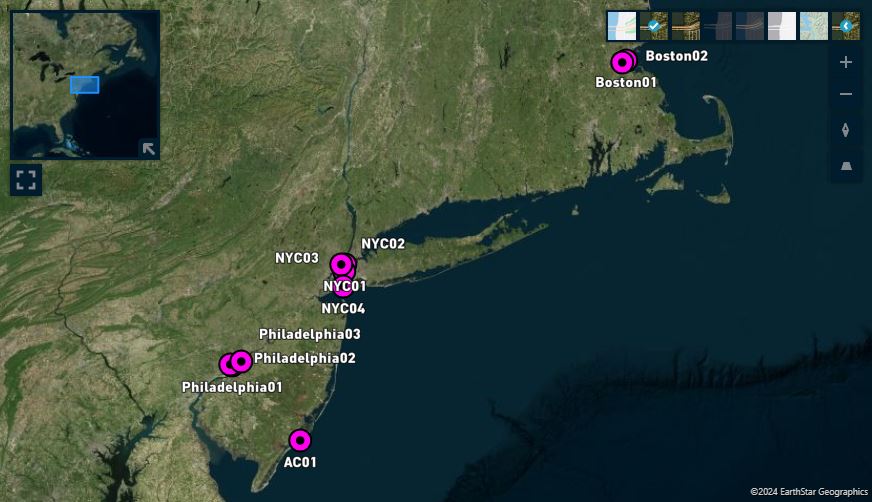
- Maps with geo-located photos – Create maps with your photos, using their GPS data.
- Support for JPEG and WebP images, with fast, native metadata reading.
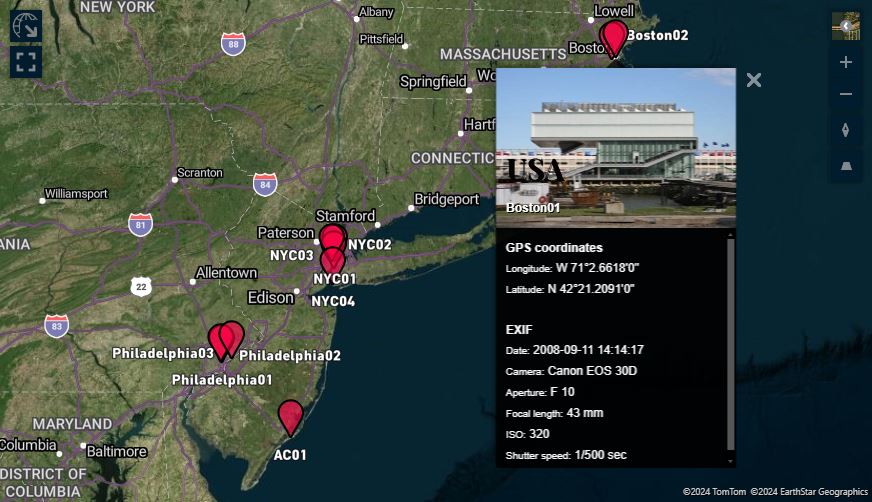
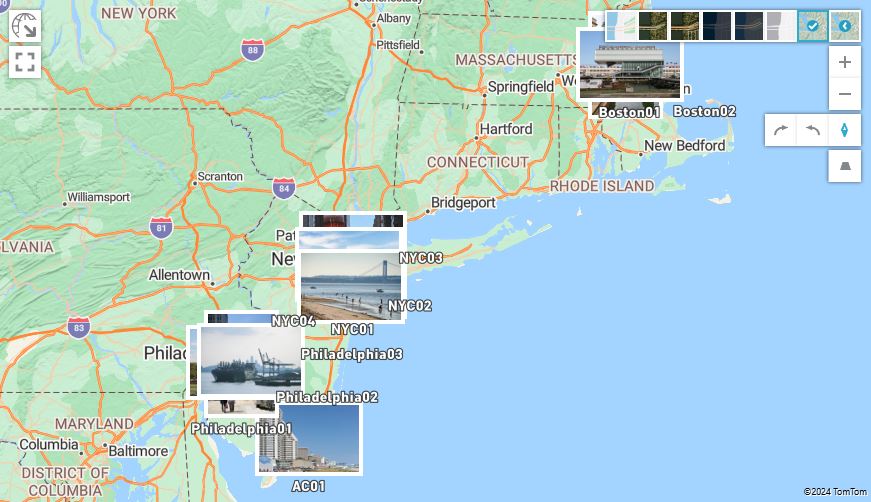
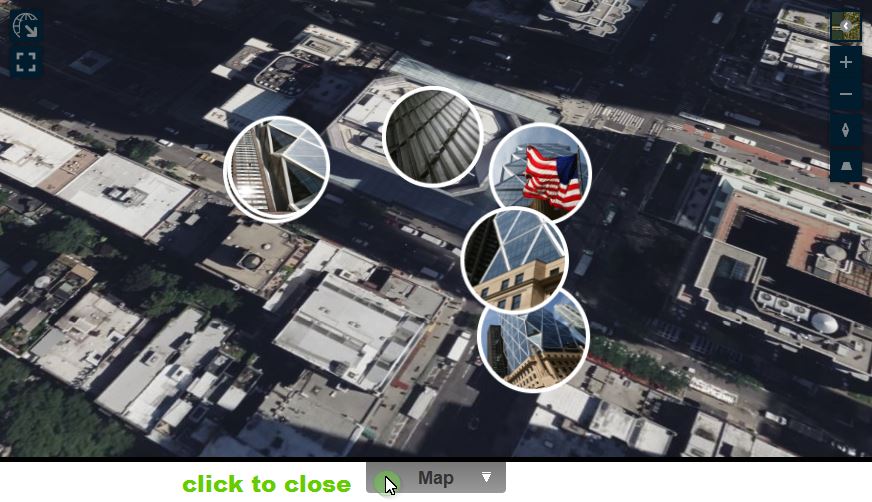
- Support for different representation of photos on a map: 7 Azure maps Pushpins, Thumbnails (round, rectangular)
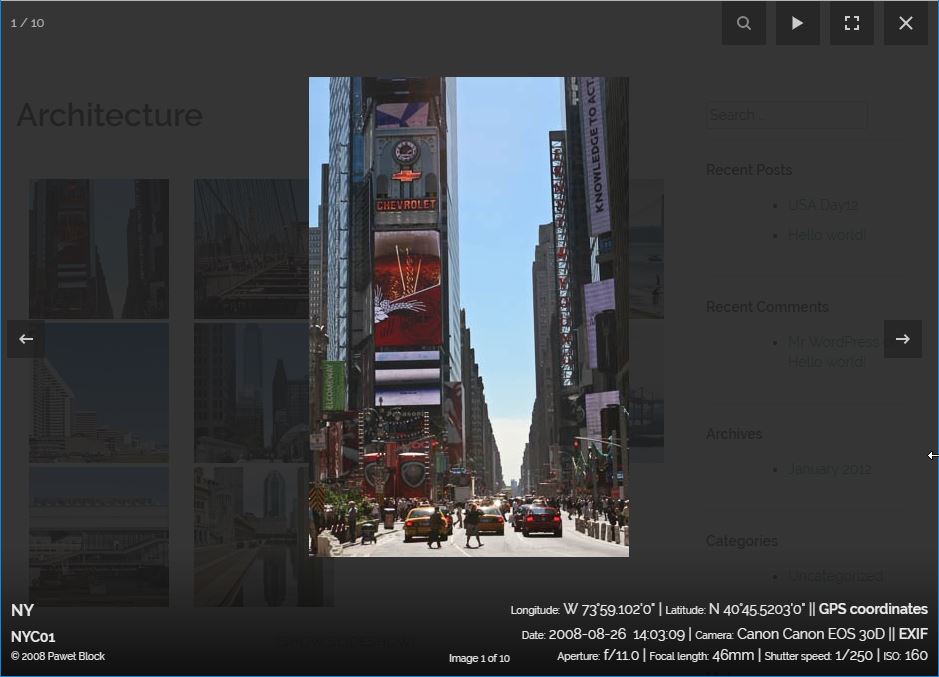
- Preview photos by clicking on a Pushpins/Thumbnails in an Infobox or one of 3 Lightboxes (Fancybox, Slimbox 2 or Fancybox 3)
- Customise Lightboxes: colours and controls
- Fancybox 3 Bottom Caption Panel with additional image EXIF and GPS info
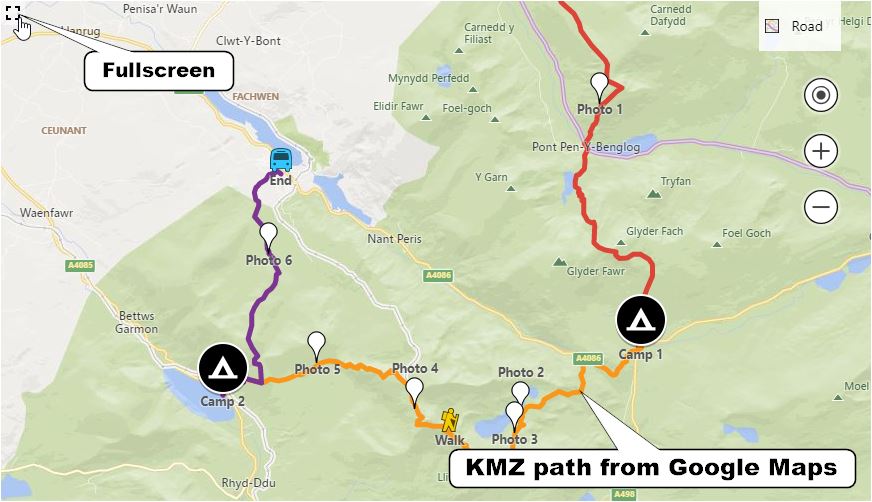
- Route mode with GPX, GML, KMZ, KML, GeoRSS, GeoJSON, spatial CSV support: displays your travel route together with photos or any other data
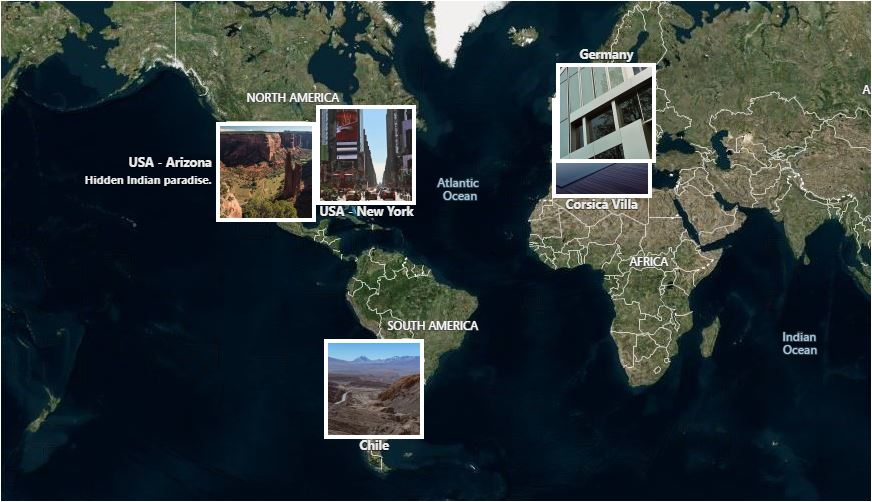
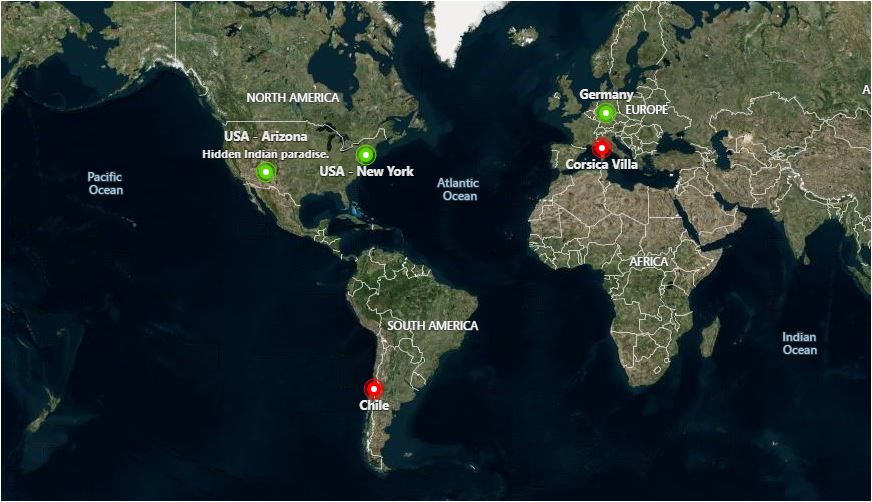
- Worldmap mode: shows all or specific photos, galleries and albums on an overview map, open or preview galleries (via Ajax)
- Include your maps by using Shortcodes
- Include maps automatically in every post with a NextGEN gallery
- Open maps on requests (via Ajax)
- Create maps with specific photos only
- Create multiple maps on one page
- Enlarge maps to full screen
- Mini Map module
- Different visual styles for maps
- Itemized options panel: configure many available options
- Language support: users can create translations (English, Polish included)
- Geolocation of galleries and albums in the Worldmap mode using Title
Installation
- Install NextGEN Gallery – This plugin can only work with it. Create some galleries.
- Install Geo2 Maps from plugins repository or download and extract the zip file into the wp-content/plugins/ directory of your WordPress installation.
- Optional. If upgrading from version 2.0.X or lower check “Restore default settings” of the Geo2 Maps plugin at the bottom of the General tab and deactivate and activate this plugin.
- Acquire the Azure Maps API Key from Microsoft Azure page at https://azure.microsoft.com (You can find a links on the General tab inside this plugin.)
- In the Azure account add your domain to CORS allowed origins.
- Go to the admin panel ( NextGEN Gallery -> Geo2 Maps ) and paste the Key to the corresponding field on the Geocoding tab.
- Configure any options as you require.
Facultatif
- Acquire free Mapquest API Key at https://developer.mapquest.com/ and input to the corresponding field on the Geocoding tab.
- Input a valid email to use Nominatim on the same tab. Please read their Usage Policy at https://operations.osmfoundation.org/policies/nominatim.
- Create a Shortcode and place it anywhere on your site.
Journal de modifications
V2.1.6 – 10.02.2026
- Update: Corrected conversion of GPS coordinates read from XMP. Added support for less likely occurring coordinate formats.
V2.1.5 – 25.01.2026
-
Update: Support added for WebP files created with an older library Adobe XMP Core 7.0
-
Bugfix: Mistake corrected which prevented extracting WebD metadata from EXIP chunk.
V2.1.4 – 21.01.2026
- NEW: Added support for reading GPS and EXIF metadata from WebP images.
- NEW: Added caching of galleries, albums and images data including EXIF and GPS metadata using WordPress object cache and transients for faster repeated access.
-
NEW: Added options to disable EXIF caching and set cache duration (TTL).
-
Update: Settings page moved to main menu tools from NextGEN 4.0 submenu.
- Update: Thumbnails size acquired from meta data if present.
-
Update: Removed symbol “|” from Fancybox 3 Bottom Caption Panel
-
Bugfix: Deactivation when no NextGEN Gallery does not crash WordPress.
- Bugfix: Fancybox 3 content is not overlapping slides any more.
V2.1.3 – 17.11.2025
- Update: Amended code to show/hide loader during Geo2 Maps Ajax request only.
- Update: CSS amended. Map on demand button is slimmer now.
-
Update: Added an option to acquire time from GPSTimeStamp if DateTime* not available
-
Bugfix: Added option to disable shortcodes on admin pages to prevent slowdown.
- Bugfix: Error handler amended when reading EXIF data to log errors instead of echoing in ajax requests to prevent potential slowdown.
V2.1.2 – 02.09.2025
-
Update: Exif date-time will be acquired from GPSTimeStamp if not otherwise available.
-
Bugfix: Improved compatibility with some server not decoding url from a request.
- Bugfix: Added check for undefined NGG global variable in situation when only this plugin is activated.
V2.1.2 – 02.06.2025
-
Update: Added compatibility with the latest WordPress Themes
-
Bugfix: Ajax URL validation improved
- Bugfix: Removed shotcodes for lightbox type
Captures d'écran
Pour les développeurs
Est-ce votre plugin ? Montrez les chiffres.
Ajoutez un badge en direct à votre site, docs ou github readme. Il se met à jour par lui-même - aucun compte n'est nécessaire.
Best Geo2 Maps Add-on for NextGEN… alternatives
Tous les plugins de la galerie →




FAQ
Geo2 Maps Add-on for NextGEN Gallery: quick answers
Réponses directes, extraites des données en direct WordPress.org.
Source : WordPress.org
Is Geo2 Maps Add-on for NextGEN Ga… free?
Yes. Geo2 Maps Add-on for NextGEN Ga… is free to download and use from the official WordPress.org plugin directory.
Is Geo2 Maps Add-on for NextGEN Ga… safe to use in 2026?
Geo2 Maps Add-on for NextGEN Ga… works, but test it on a staging site before relying on it in 2026. It runs on 80+ sites, is rated 3.3/5 and was last updated 8 months ago, and scores 45/100 on our health check.
How many websites use Geo2 Maps Add-on for NextGEN Ga…?
Geo2 Maps Add-on for NextGEN Ga… is active on 80+ WordPress websites and has been downloaded 26,043 times since it launched in February 2012. It was downloaded 206 times in the last 30 days.
Does Geo2 Maps Add-on for NextGEN Ga… work with WordPress 7.1?
Geo2 Maps Add-on for NextGEN Ga… is officially tested up to WordPress 6.9.12, while the latest release is 7.1.5. It may still work, but try it on a staging site first.
What PHP version does Geo2 Maps Add-on for NextGEN Ga… need?
Geo2 Maps Add-on for NextGEN Ga… requires PHP 7.2.0 or higher. Most hosts run PHP 8.x today, so it works on any modern WordPress hosting.
When was Geo2 Maps Add-on for NextGEN Ga… last updated?
The latest version, 2.1.6, was released on April 5, 2026 (8 months ago).
Who makes Geo2 Maps Add-on for NextGEN Ga…?
Geo2 Maps Add-on for NextGEN Ga… is developed and maintained by Pawel.
What are the best alternatives to Geo2 Maps Add-on for NextGEN Ga…?
The most popular alternatives to Geo2 Maps Add-on for NextGEN Ga… are Smart Slider 3 (800K+ installs), Slider, Gallery, and Carous… (500K+ installs) and Photo Gallery, Sliders, Pro… (300K+ installs).
Propulsé par PageForge
Un modèle et une feuille de calcul. Une vraie page pour chaque recherche.
PageForge transforme chaque ligne d'un CSV en une page WordPress avec son propre titre, URL, SEO et schéma, construit sur la mise en page que vous Déjà conçu. Gratuit sur WordPress.org.
- CSV et XLSX, plus Google Sheets sur les professionnels et les entreprises
- Son propre titre, URL, SEO champs et schéma pour chaque page
- Fonctionne avec l'éditeur de blocs, Elementor, Divi et Avada
- Gratuit sur WordPress.org, pas de carte de crédit